Cycling through all six. Tap any point to stop.
Measured on six things
AI-powered tool to turn long videos into viral 9:16 short...
Accessibility
36No accessibility statements, multi-language, or cross-platform mentions. Windows desktop only with no a11y details.
Screenshots
1 / 7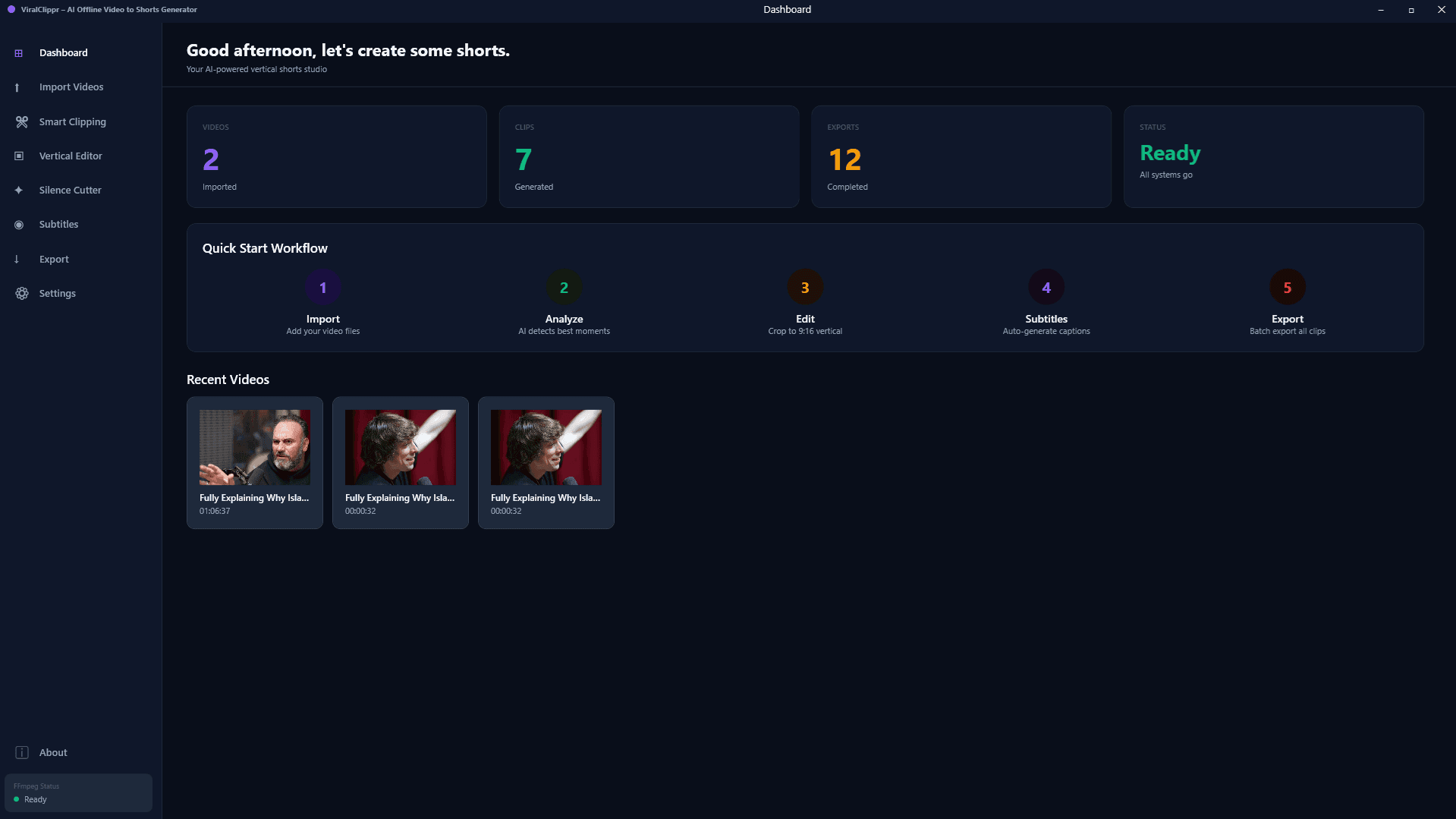

About this app
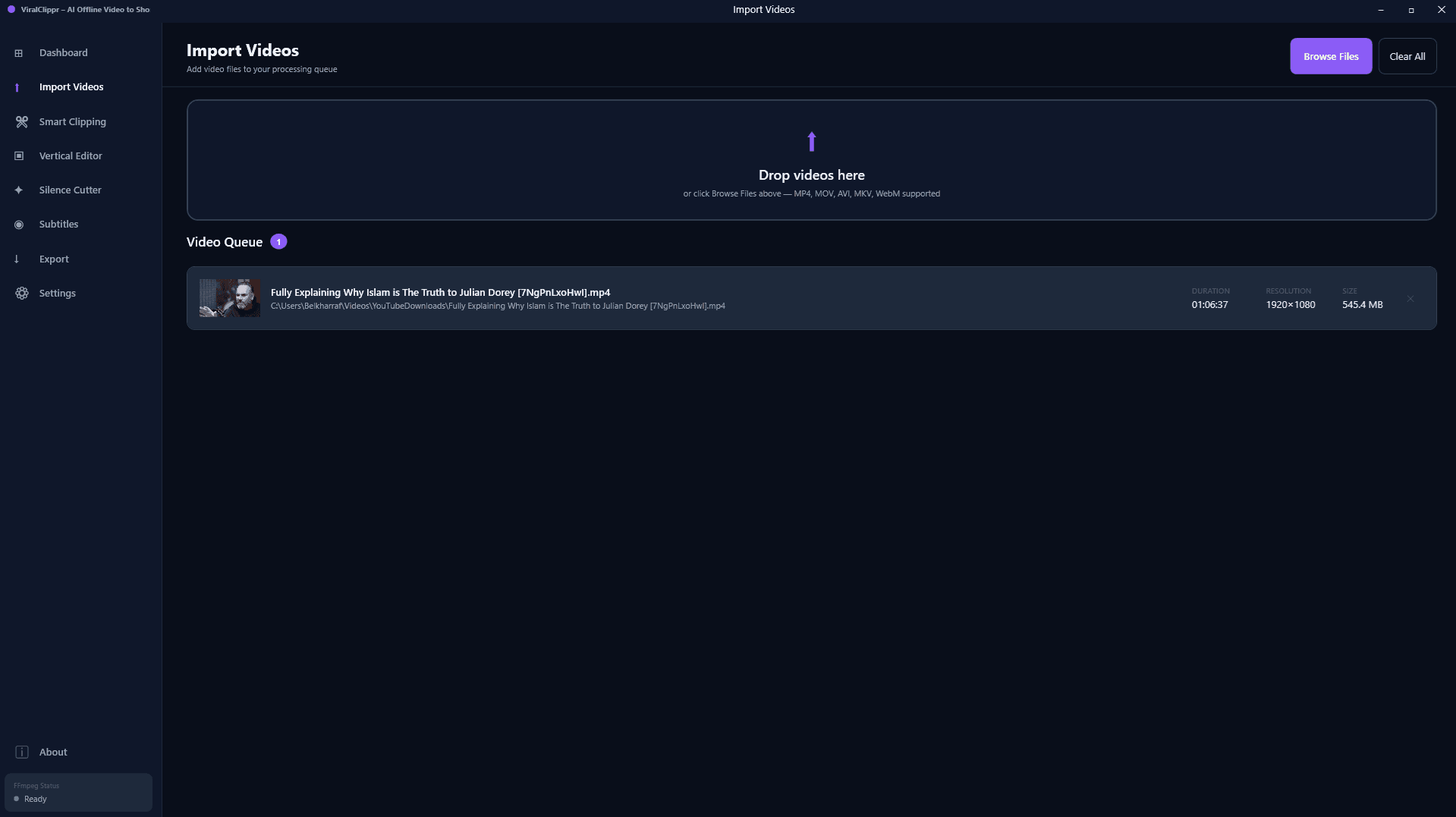
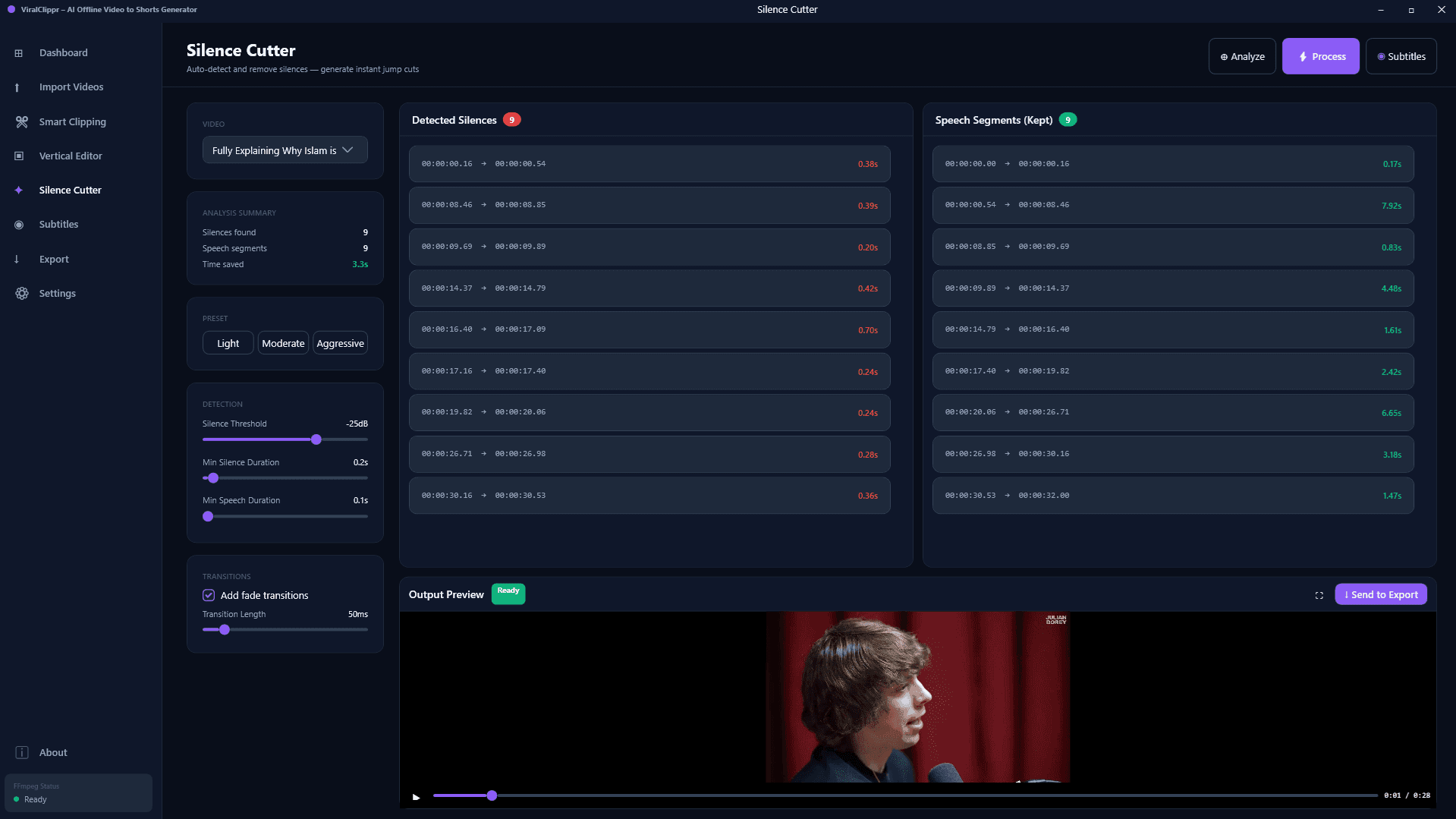
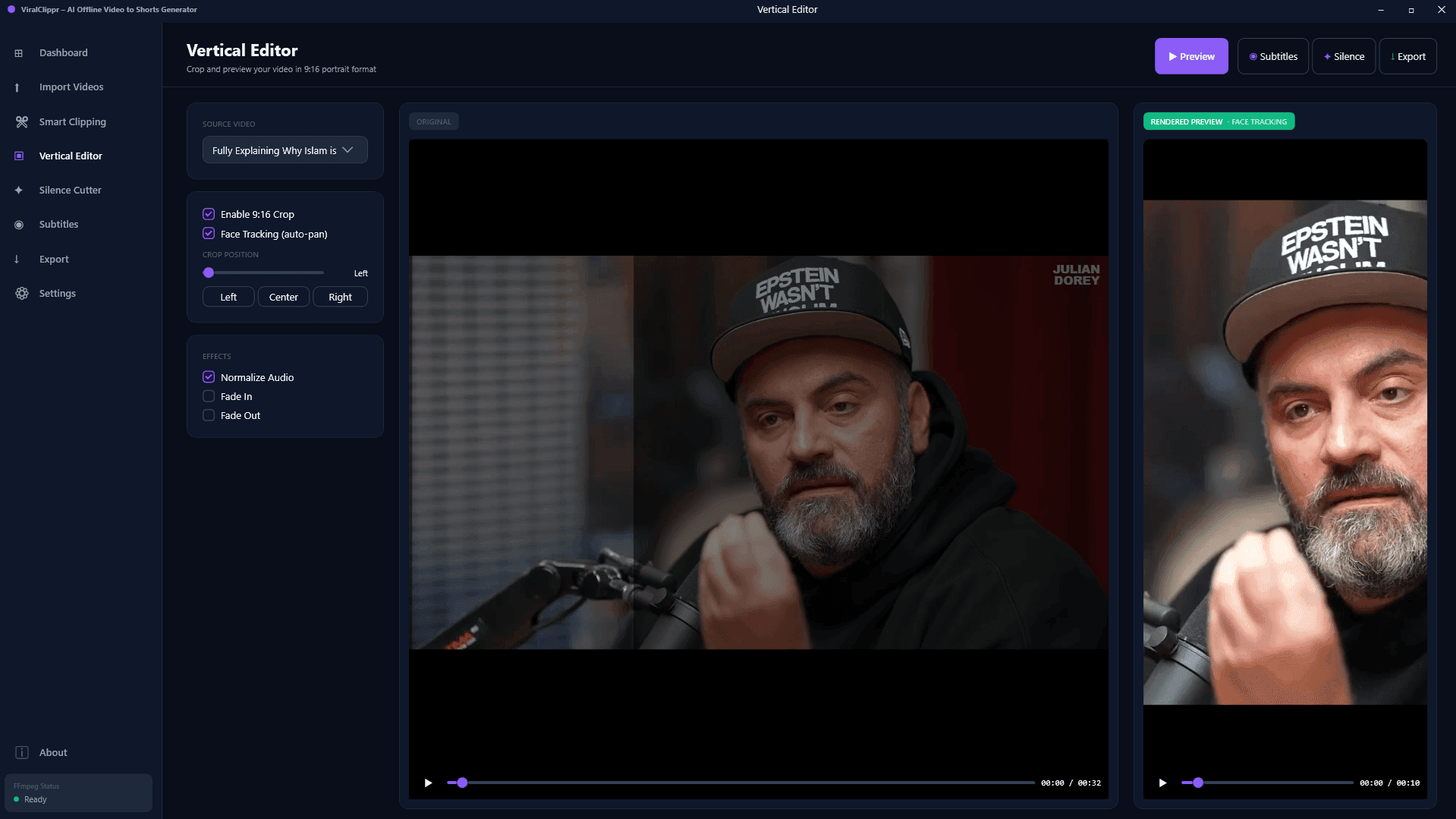
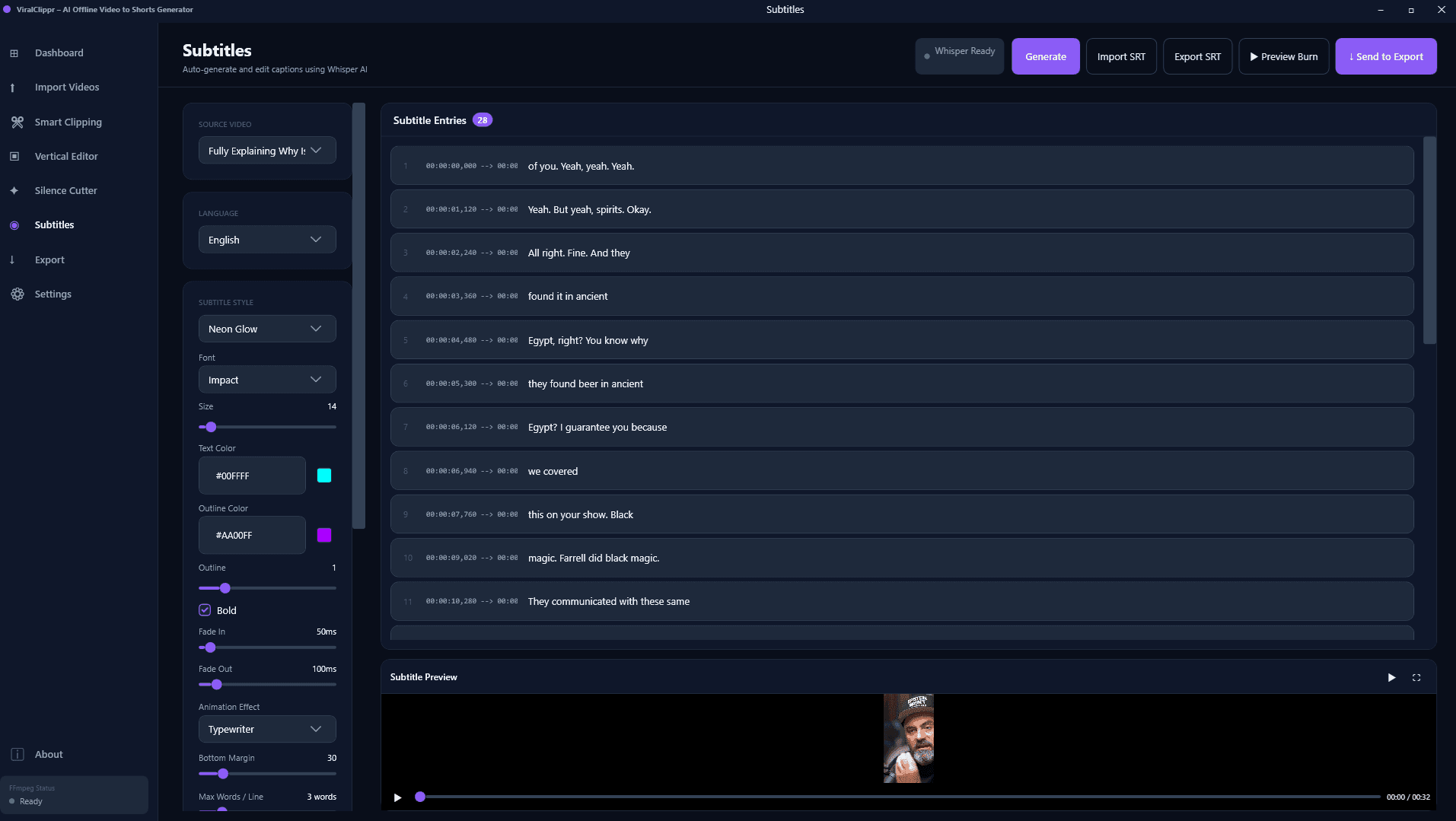
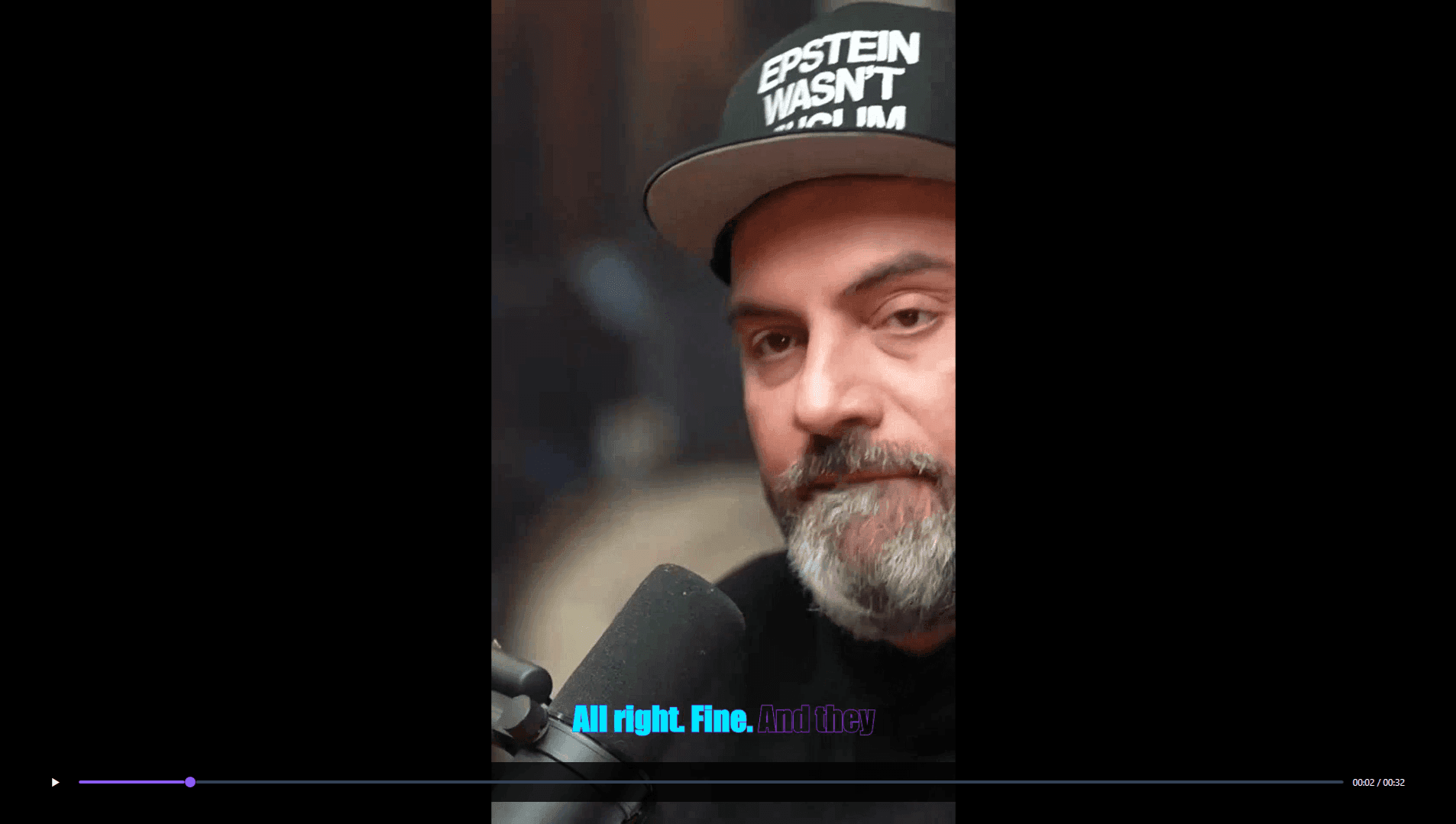
ViralClippr is a desktop app that automates the creation of TikTok, Reels, and YouTube Shorts from long-form content. It uses local AI to analyze your videos, identify high-energy moments, remove silence, apply face-aware vertical cropping, and generate word-by-word animated subtitles. All processing happens offline on your Windows PC, so your footage never leaves your machine. It's a one-time purchase with no subscription and includes 10 reseller licenses, making it a solid investment for content creators and entrepreneurs.
Key features
- 1Fully offline AI clip detection, silence removal, and face-aware 9:16 cropping using local Whisper.
- 2Word-by-word animated subtitles, viral hook detection, and platform-specific export presets.
- 3GPU-accelerated FFmpeg exports with batch processing and 10 included reseller licenses.
Target customer profile
Drawn from the product itself, not from a survey.
Demographic
Social media content creators
Pain points
Manual clipping and editing are time-consuming; struggle to repurpose long videos into shorts
Primary needs
Automated clip selection, fast export, platform-ready presets
Demographic
Agencies and marketing teams
Pain points
Need to produce multiple shorts daily; high cloud costs and privacy concerns
Primary needs
Batch processing, offline security, scalable workflow
Scout Review
Written by AI from measured evidence, scored out of 100.
ViralClippr carves a niche as an affordable, offline Windows desktop solution for turning long videos into platform-ready shorts. Its strengths in privacy, one-time pricing, and automation features position it well against subscription-heavy cloud tools, though it trades polish and ecosystem maturity for those advantages. Best suited for solo creators or small teams prioritizing data control over advanced collaboration.
Measure by measure
Usability
70Straightforward one-time buy with tutorials and batch tools. No trial means you buy blind; support gets praise but onboarding relies on docs.
Design
76Clean, conversion-focused landing page with strong visuals and consistent branding. Screenshots effectively showcase outputs but lack interactive demos.
Speed
79GPU-accelerated FFmpeg exports and fully local processing promise fast turnaround. No real benchmarks or complaints; site itself is snappy.
Security
86Strong offline privacy model with local AI and no uploads. SSL on site; lacks formal audits but aligns with target users' data concerns.
Accessibility
36No accessibility statements, multi-language, or cross-platform mentions. Windows desktop only with no a11y details.
Growth
39Very early stage with only 2 Codecanyon sales noted. Reseller licenses are a unique angle but no community, reviews, or traction signals yet.
Improvement areas
- Add free trial/demo and macOS support to lower barriers.
- Publish independent benchmarks and formal security audits.
- Build community presence and collect product-specific reviews.
Design & Usability
ViralClippr's landing page delivers a polished, high-conversion experience with clear feature breakdowns and Trustpilot social proof. The desktop app focuses on practical workflow tools like batch processing and presets, making it accessible for creators who want quick results without subscriptions. However, the lack of a free trial or demo forces a leap of faith, and support relies on email/chat rather than robust self-service docs. Overall, it feels like a solid indie tool for its price point but could improve transparency around the actual interface.
Speed & Security
Performance claims center on local GPU-accelerated rendering via FFmpeg and fully offline AI processing, which eliminates upload delays common in cloud competitors. Security stands out with its privacy-first offline model—no data leaves the machine—appealing directly to agencies wary of cloud costs and leaks. While no formal audits exist, the architecture itself provides strong baseline protection. Speed will vary by user hardware, but the design prioritizes predictable local performance over flashy benchmarks.
Accessibility & Growth
Accessibility is a clear gap: no mentions of WCAG compliance, multi-language support, or platform versatility beyond Windows 10/11. Growth is nascent, with minimal sales data and no established community or review footprint on major platforms. The reseller license bundle offers an entrepreneurial hook that could drive word-of-mouth, but the product needs more visibility and user validation to scale beyond early adopters.
Conclusion
If offline processing and zero recurring fees are your priorities, ViralClippr is worth testing at the current discount. Just temper expectations around polish and community resources.
Suggestions for improvement
- Add a free trial or limited demo version to reduce purchase friction.
- Publish hardware benchmarks and expand to macOS for broader appeal.
- Create a public changelog and user community forum.
- Implement basic accessibility features and multi-language subtitle support.
Alternatives comparison
Named competitors, point by point. Nobody paid to appear here or to be left out.
 ViralClippr – AI Offline Video to Viral Shorts Generator ViralClippr – AI Offline Video to Viral Shorts Generator | Opus Clip |  Descript Descript |  Adobe Premiere Pro Adobe Premiere Pro | |
|---|---|---|---|---|
| Processing Model | Fully offline local AI on Windows PC | Cloud-based AI requiring internet | Hybrid cloud with local options | Local desktop with optional cloud |
| Pricing Model | One-time $37 (includes 10 reseller licenses) | Subscription-based cloud service | Subscription tiers starting ~$12/mo | Subscription ~$23/mo or one-time perpetual |
| Subtitle Generation | Local Whisper AI with word-by-word animations | AI-generated captions with styles | Advanced AI transcription and overdub | Manual/auto caption tools |
Opus Clip
Cloud-based AI clip generator with similar features but requires internet and subscription.
Descript
All-in-one video editor with AI tools, but more complex and pricier for simple clipping.
Adobe Premiere Pro
Professional editor with manual cropping and caption tools, high learning curve and cost.
Comparing options? See ViralClippr – AI Offline Video to Viral Shorts Generator alternatives, scored side by side
Sources
What the review was written against. A verdict with no sources is an opinion.
More Social Media apps
View all Social Media
TranscriptYou
88Free YouTube transcript generator with timestamps and AI ...

ZombieTrend AI
87ZombieTrend AI turns two photos into an emotional zombie love story video with a heartfelt hug, memory flashback, sound, no watermark, and a free scene preview.

Music Visualizer
86Online music visualizer for audio-reactive videos.

BlueVetaUpright
86API that detects product photo rotation and tells you how...

Xquik
85Search X tweets, export followers & monitor accounts through REST, MCP & SDKs.

CleanAudio AI
85Free AI background noise remover for audio and video with...

Maeve Social
85Plan, approve, publish to nine social platforms, manage your inbox, and report from one social media workspace.

SnitchFeed
85AI-powered social listening for startups & SMBs to find h...

Captions Bro: Auto Subtitles & Video Editor
84On-device AI captions, teleprompter and 4K video editor f...

EchoWi
83Track and optimize your brand's visibility in AI answers.

DemandBird
82.5DemandBird is a social media scheduling tool that writes ...

UGCad AI
82AI UGC video ad generator: turn product URLs into authent...


A platform dedicated to providing unbiased reviews of newly launched applications, analyzing everything from their features to their full potential.
info@scoutforge.net© 2026 Scoutforge. All rights reserved.
