Cycling through all six. Tap any point to stop.
Measured on six things
Noise Reduction, Background Noise Remover, Audio Cleaner, Noise Cancelling, Audio Enhancer
Speed
56Lighthouse mobile 71/100 with LCP 5.2s — nearly double the 'good' threshold — and TBT 363ms. Desktop is a healthier 84/100. The Play listing itself is heavy; in-app processing speed is unmeasured.
Screenshots
1 / 8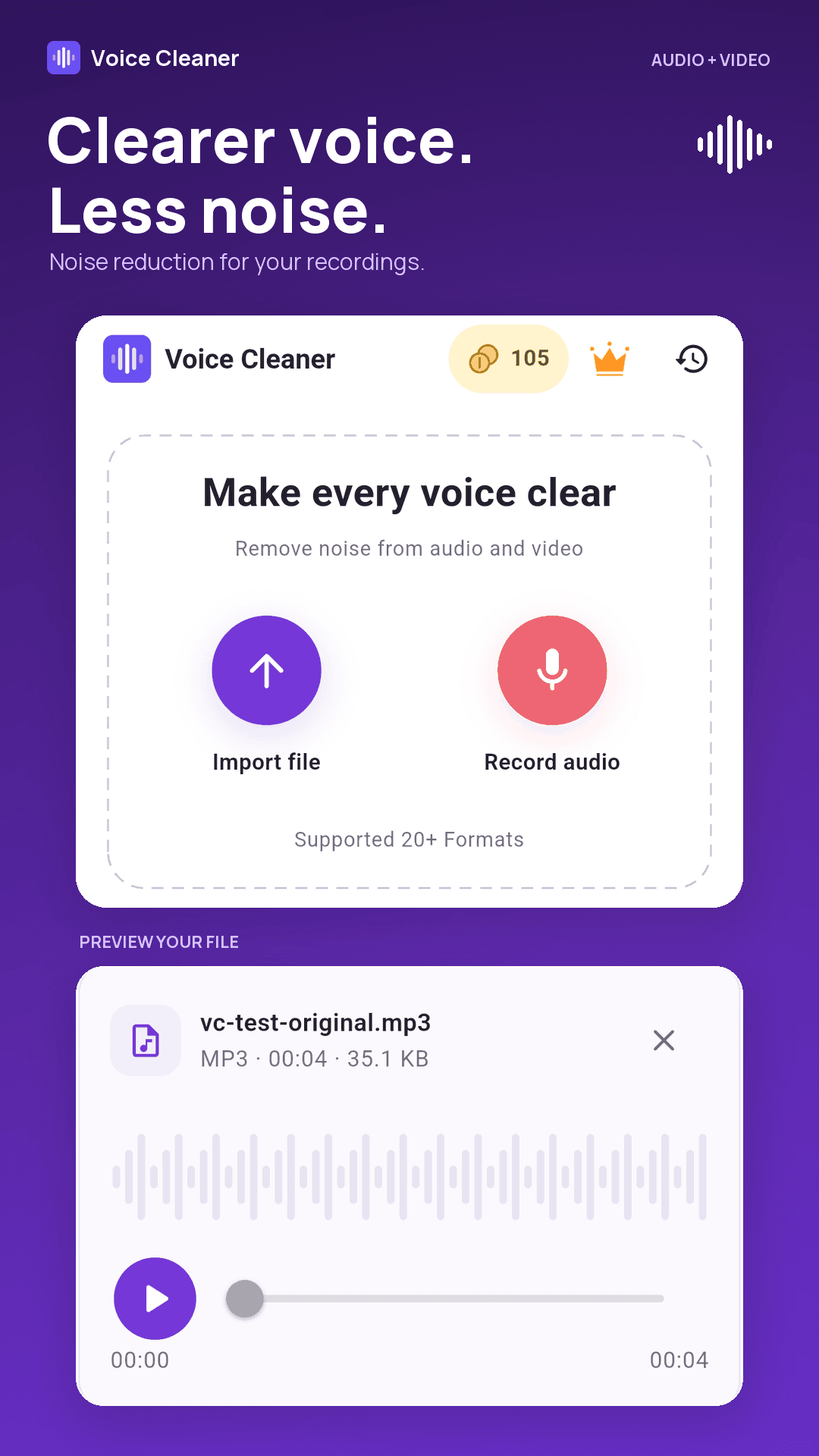
About this app
Voice Cleaner is an AI noise reduction app for Android that helps you turn noisy audio and video into clearer, more listenable recordings. Whether you’re capturing a voice memo, preparing a podcast, or reviewing a recorded lecture, it helps reduce distracting background sound so you can focus on what’s being said.
Key features
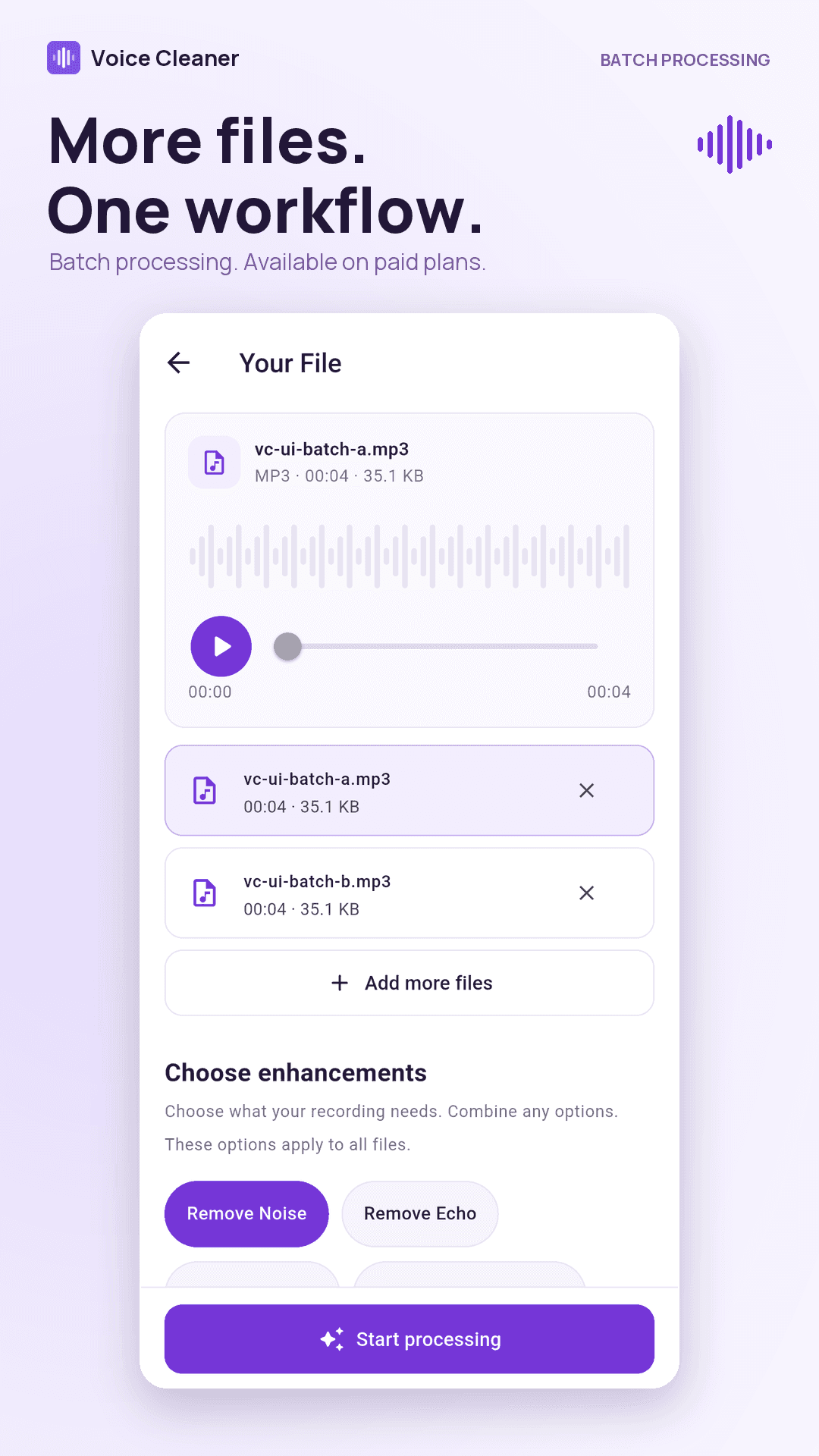
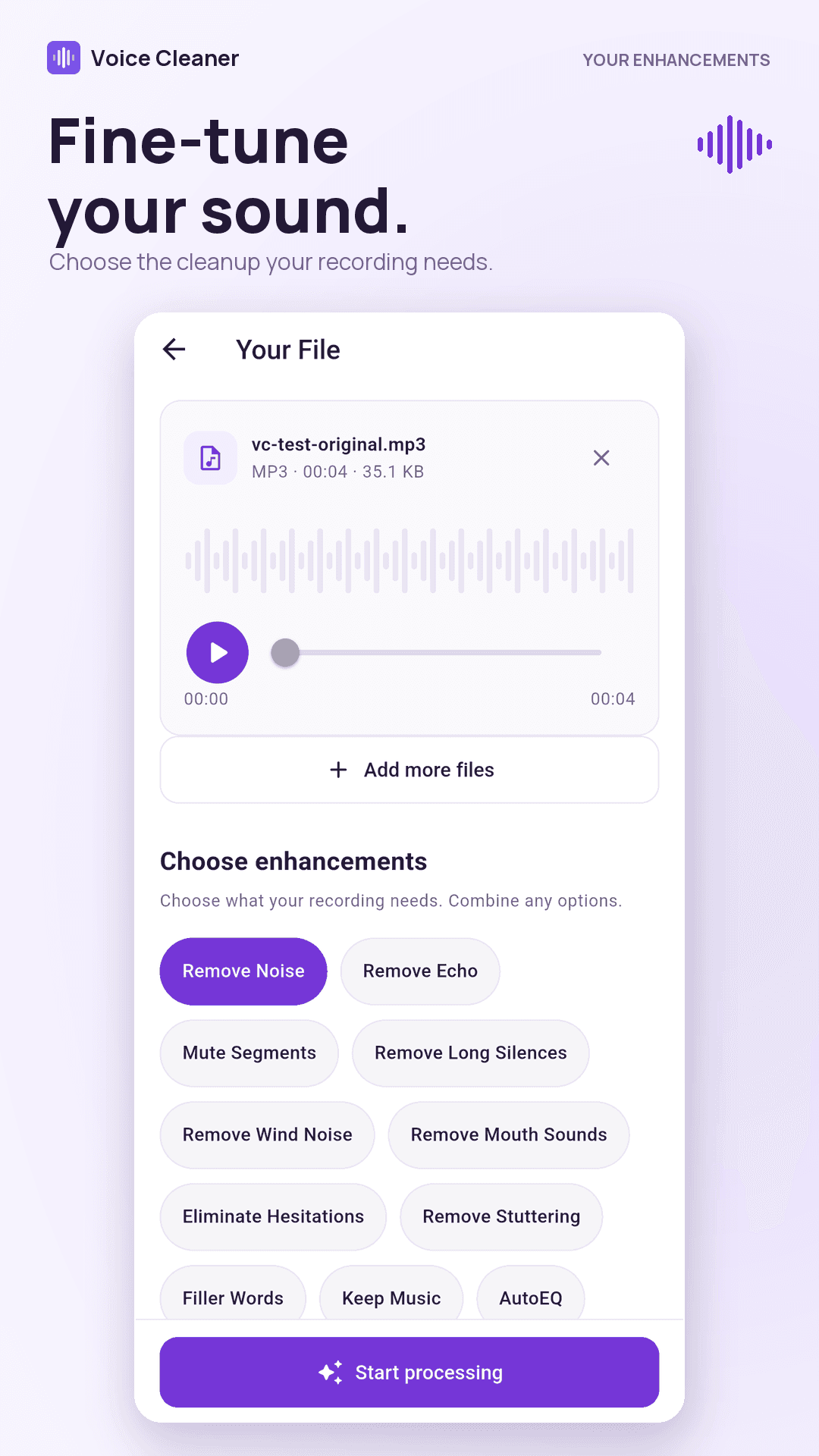
- 1AI noise reduction for both audio and video files, with controls for breathing sounds and other enhancement options
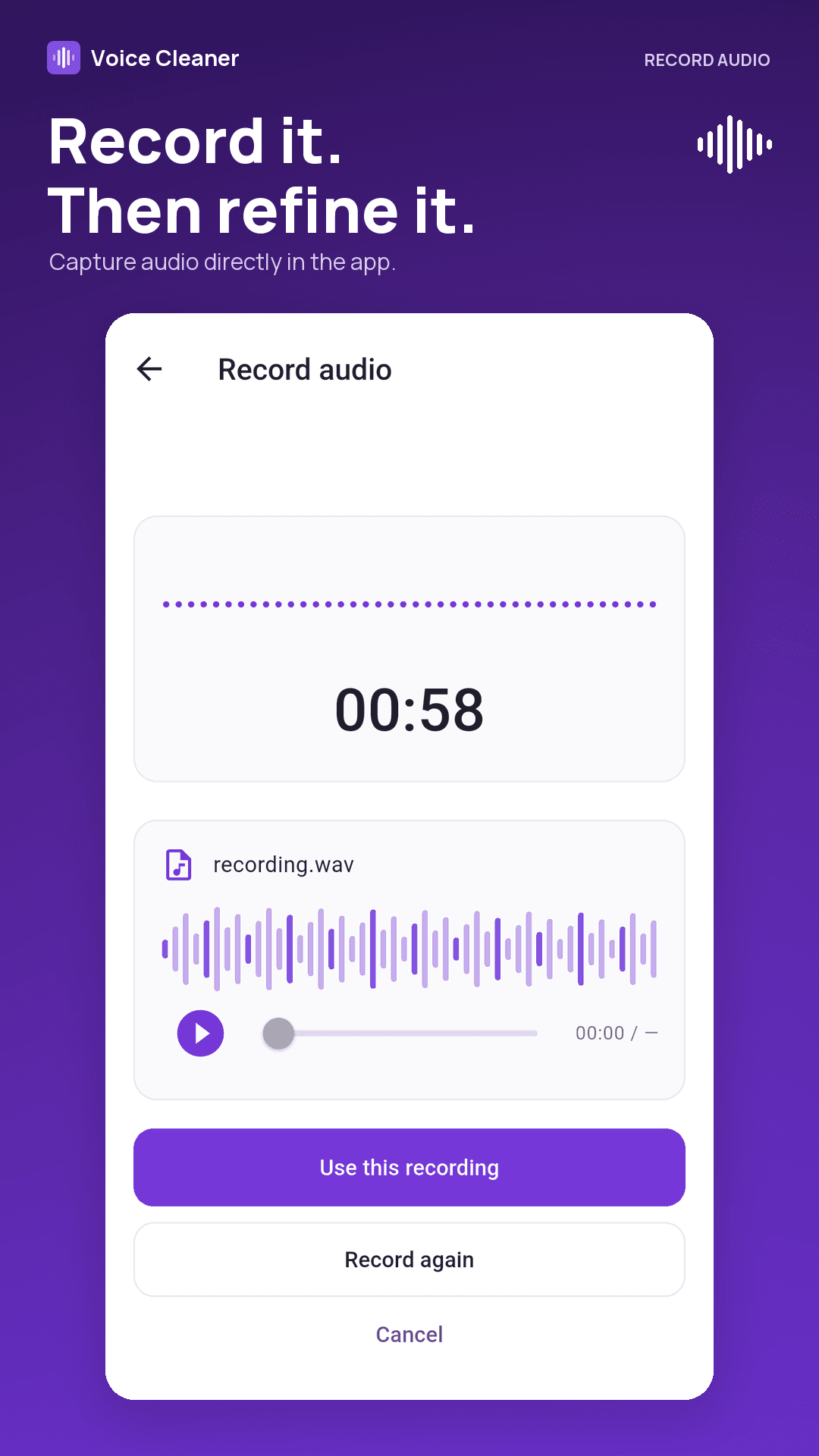
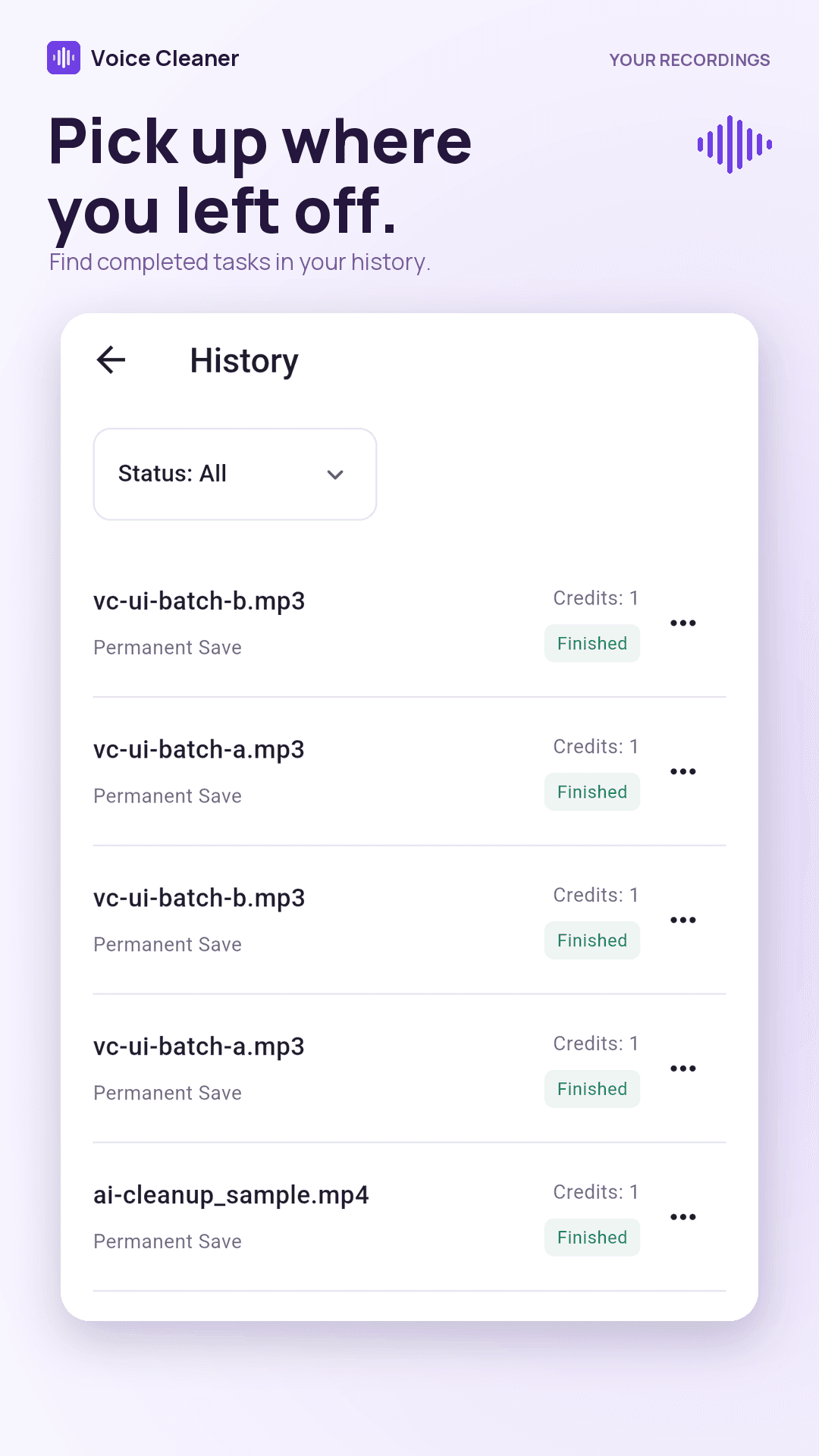
- 2Record directly on-device or import existing files; previewing a file does not upload it
- 3Original/Enhanced comparison toggle with credit cost shown before processing (1 credit/minute, rounded up)
Target customer profile
Drawn from the product itself, not from a survey.
Demographic
Podcasters and content creators
Pain points
Background noise ruins recordings
Primary needs
Easy audio cleanup with AI
Demographic
Students and teachers
Pain points
Unclear lecture or lesson audio
Primary needs
Enhance spoken recordings for study
Demographic
Journalists and interviewers
Pain points
Poor audio quality in interviews
Primary needs
Remove noise from interview audio
Scout Review
Written by AI from measured evidence, scored out of 100.
Voice Cleaner is a competent Android utility with a disciplined purple design system, a genuinely clear import-to-result flow, and an accessibility score that embarrasses most of its category. The credit model is transparent — 1 credit per minute, rounded up, spelled out in the store copy — and the result screen gets the primary-action hierarchy right. What holds it back is detail discipline: a test filename in the marketing, a pluralisation error in shipped UI, and a comparison card that shows a static waveform instead of the actual before/after. On the technical side, mobile LCP of 5.2s is slow, HTTPS isn't enforced, and DMARC is missing. Against a free Adobe option and an entrenched Krisp, the Android-native wedge is real but thin.
Measure by measure
Usability
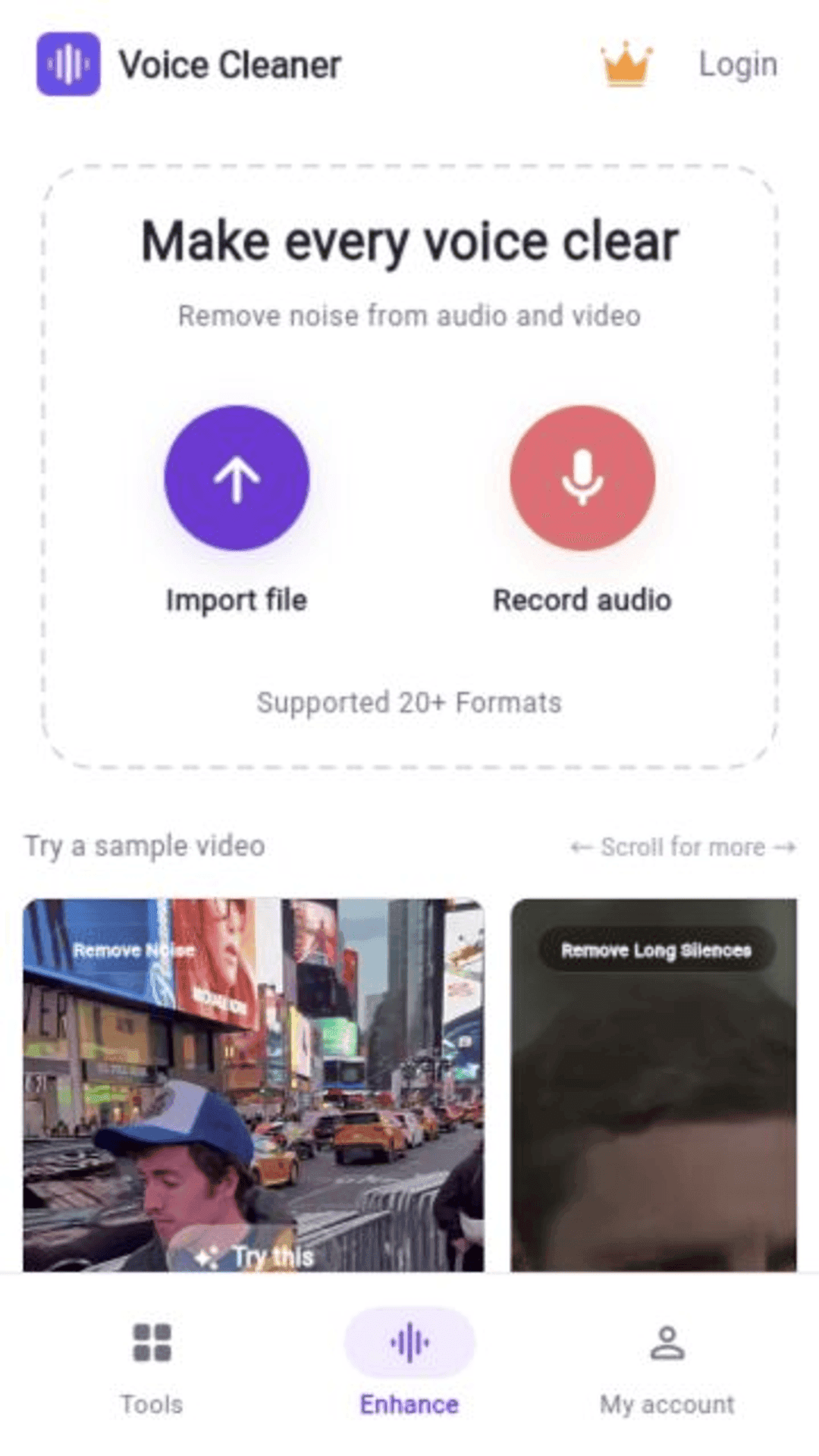
62Import screen is unambiguous: two labelled buttons, credits visible before you spend them, and the store copy spells out the credit math (3m20s = 4 credits). The Original/Enhanced toggle is clear but shows no real waveform, so you can't see what changed.
Design
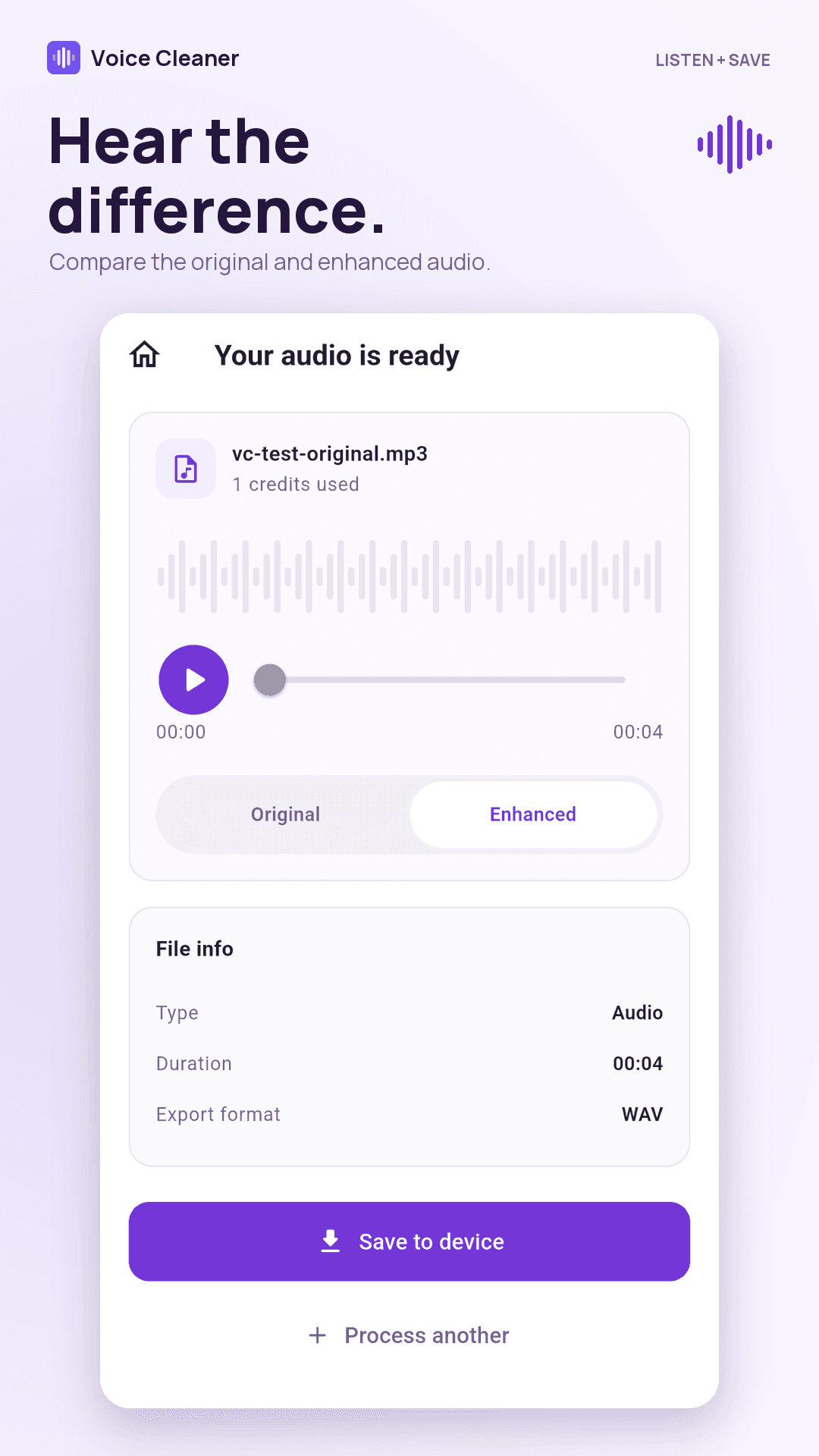
58Judging the app UI and Play listing, not a website. Purple system is disciplined and the result screen has one clear primary action, but a leaked test filename and '1 credits used' in shipped marketing undercut the polish.
Speed
56Lighthouse mobile 71/100 with LCP 5.2s — nearly double the 'good' threshold — and TBT 363ms. Desktop is a healthier 84/100. The Play listing itself is heavy; in-app processing speed is unmeasured.
Security
628/13 on the header probe: HSTS, CSP, frame protection and X-Content-Type-Options all present, but HTTPS isn't enforced, Referrer-Policy and DMARC are missing. Play Data safety confirms encryption in transit and deletion requests, but flags sharing Location and App activity with third parties.
Accessibility
80Lighthouse accessibility 98/100 with just two failing audits: no main landmark and some visible labels without matching accessible names. No WCAG statement published, and the listing is English-only, which caps it below the top of the band.
Growth
58Real problem, real wedge: mobile-first Android cleanup of both audio and video, priced per credit. But Adobe Podcast Enhancer is free and Krisp owns the call-noise niche, so the differentiator is platform, not capability.
Improvement areas
- Comparison card uses a static placeholder waveform — the core 'hear the difference' feature isn't actually visualised
- Marketing screenshots leak a test filename and shipped UI reads '1 credits used' — polish gaps in a paid product
- HTTPS not enforced, no DMARC, no Referrer-Policy; no SOC 2, ISO or pen-test claims published
Design & Usability
Judged on the app UI and Play listing, since this ships through the store. The purple system is applied consistently across the carousel, promo cards and buttons, and the result screen does the one thing most apps get wrong: a single full-width Save to device button with a quiet secondary beneath it. The import screen is equally clean — two labelled circular buttons, credits visible before you commit. Where it slips is in the details: a test filename (vc-test-original.mp3) is baked into the marketing screenshots, the result card reads '1 credits used', and the 'Hear the difference' comparison card renders a static placeholder waveform instead of real data. That last one matters most, because the comparison is the product's entire pitch.
Speed & Security
Speed is a split verdict. Desktop Lighthouse lands at 84/100, which is respectable, but mobile sits at 71/100 with an LCP of 5.2s — more than double the 2.5s 'good' threshold — and a TBT of 363ms. That's the Play listing page itself, not the enhancement engine, so in-app processing speed remains unmeasured. Security is mid-pack: the header probe scores 8/13 with HSTS, CSP, frame protection and X-Content-Type-Options all present, but HTTPS isn't enforced, Referrer-Policy and DMARC are absent, and secure cookies aren't set. The Play Data safety block confirms encryption in transit and deletion requests, which is table stakes, but also discloses sharing Location and App activity with third parties. No SOC 2, ISO, pen-test or bug bounty claims anywhere.
Accessibility & Growth
Accessibility is the strongest measured dimension: 98/100 on the Lighthouse axe-core audit, with only two failing checks — a missing main landmark and some visible text labels without matching accessible names. Both are quick fixes. There's no published WCAG statement and the listing is English-only, which keeps it out of the top band. Growth is a judgement on the idea, not the 1K+ downloads. The problem is real and the wedge is specific: mobile-first Android processing of both audio and video, priced per credit, where Adobe Podcast Enhancer is web-only and free and Krisp is built around live calls. That's a genuine platform gap. But the capability itself is commodity, the credit model adds friction competitors don't have, and the developer's portfolio (Telegram Video Downloader, Video Watermark Remover, Arting AI) reads as a utility-app shop rather than a focused audio brand.
Conclusion
If you're on Android and need to clean up a lecture recording or an interview clip, this does the job and tells you the cost upfront, which is more than most credit-based apps manage. The comparison view needs real waveform data before it earns the 'hear the difference' framing, and the marketing screenshots need a pass from someone who isn't the developer. Fix the two accessibility audits, enforce HTTPS, add DMARC, and swap the placeholder waveform for actual audio — that's a weekend of work that would move this from 'fine' to 'recommended'.
Suggestions for improvement
- Replace the static placeholder waveform in the comparison card with real per-file waveform data so users can actually see what changed
- Fix the '1 credits used' pluralisation and scrub the vc-test-original.mp3 test filename out of all marketing screenshots
- Enforce HTTPS redirects, add a Referrer-Policy header, and publish a DMARC record — three quick wins on the security probe
- Add a main landmark and fix the mismatched accessible names flagged by Lighthouse to close out the 98/100 accessibility score
Alternatives comparison
Named competitors, point by point. Nobody paid to appear here or to be left out.
 Voice Cleaner: Noise Reduction |  Adobe Podcast Enhancer |  Krisp | |
|---|---|---|---|
| Platform | Android app (Play Store) | Web browser | Desktop and mobile apps, plus call integrations |
| Pricing model | Credit-based: 1 credit/minute, rounded up, plus subscriptions | Free | Freemium with paid subscription tiers |
| Video noise reduction | Yes — supports spoken video clips | Audio only | Primarily live call/meeting audio |
| On-device recording | Yes — record audio directly in app | No — upload only | Yes, via call capture |
| Before/after comparison | Yes — Original/Enhanced toggle (static waveform) | Yes — A/B playback | Yes — live toggle during calls |
Adobe Podcast Enhancer
Free AI-powered audio enhancement from Adobe.
Krisp
AI noise cancellation for calls and recordings.
Comparing options? See Voice Cleaner: Noise Reduction alternatives, scored side by side
More AI Generations apps
View all AI Generations
Uni-1 by Luma AI
92Uni-1 is an advanced multimodal text-to-image AI model th...

Gerty
91Private, local AI assistant for Mac that runs offline

LTX 2.3 AI Video Generator
91Fast, open-source AI video generator with 4K support, mul...

DemoVexa
90Turn your code into professional product demo videos with AI-generated scripts, animated UI, and natural voiceovers.

AI Vocals Generator
89Add AI singers or rappers to your own beat, get two takes...

Voqusa
89Transcribe social media video and audio links into text (free signup, 5 free credits, then pay-as-you-go)

All of Us
89Add deceased loved ones to photos with AI and see free pr...

PodRescale
89Every episode becomes two weeks of posts. In your voice. Posted for you.

Pixelimg
88A free online AI-powered tool that instantly converts ima...

Cantoro
88Custom AI songs with a name, heard free before paying $4....

tradutor de mangá com IA
88O tradutor de mangá com IA traduz capítulos em lote, personaliza textos e oferece edição visual para estúdios.

IraVoice
88Private on-device dictation for Apple-silicon Macs.


A platform dedicated to providing unbiased reviews of newly launched applications, analyzing everything from their features to their full potential.
info@scoutforge.net© 2026 Scoutforge. All rights reserved.
