Cycling through all six. Tap any point to stop.
Measured on six things
Nonstop routes from 3,300+ airports, with airlines, days flown and seasonal start and end dates.
Security
63HTTPS enforced with HSTS, SPF and DMARC in place, but no CSP, frame protection or Permissions-Policy, and no published audit, SOC 2 or bug bounty found. Solid table stakes, nothing verified beyond it.
Screenshots
1 / 4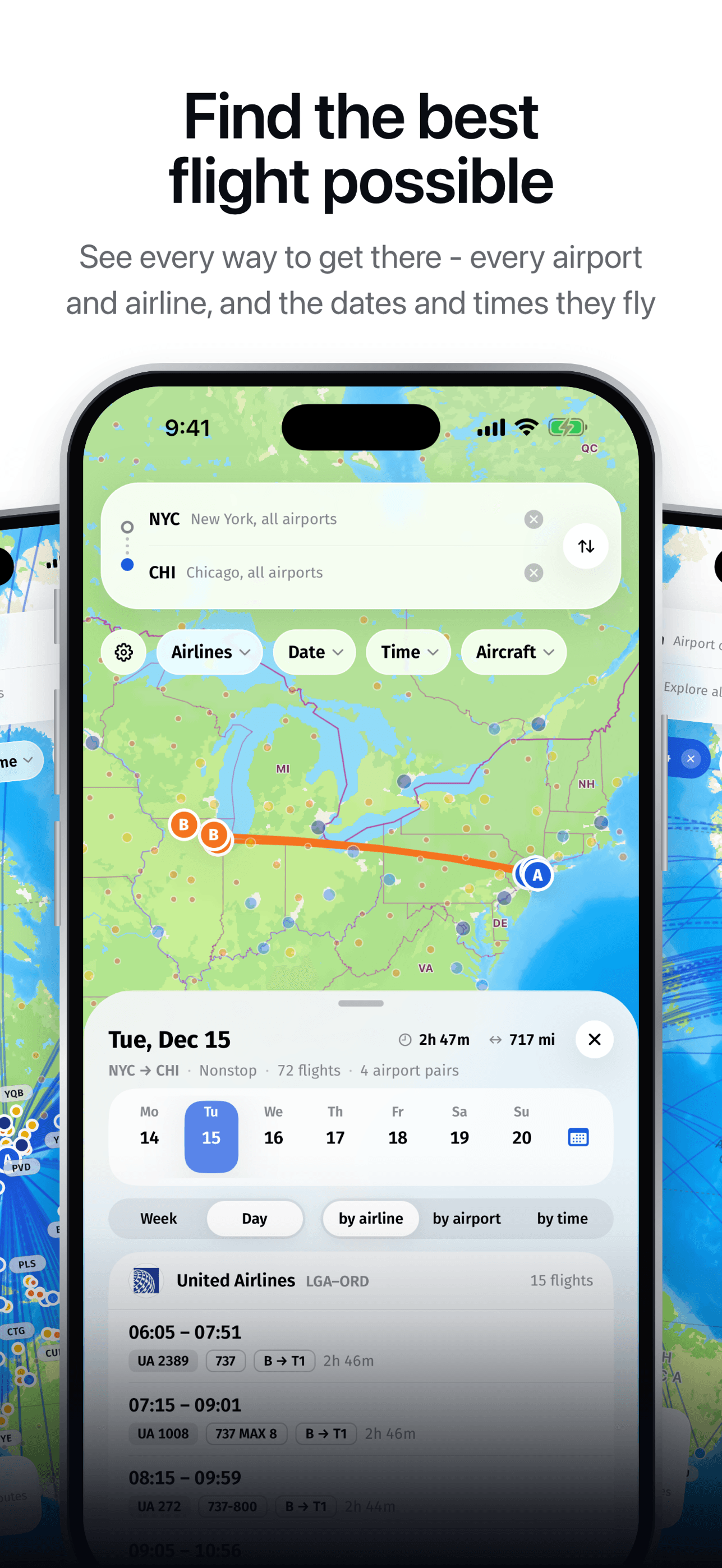
About this app
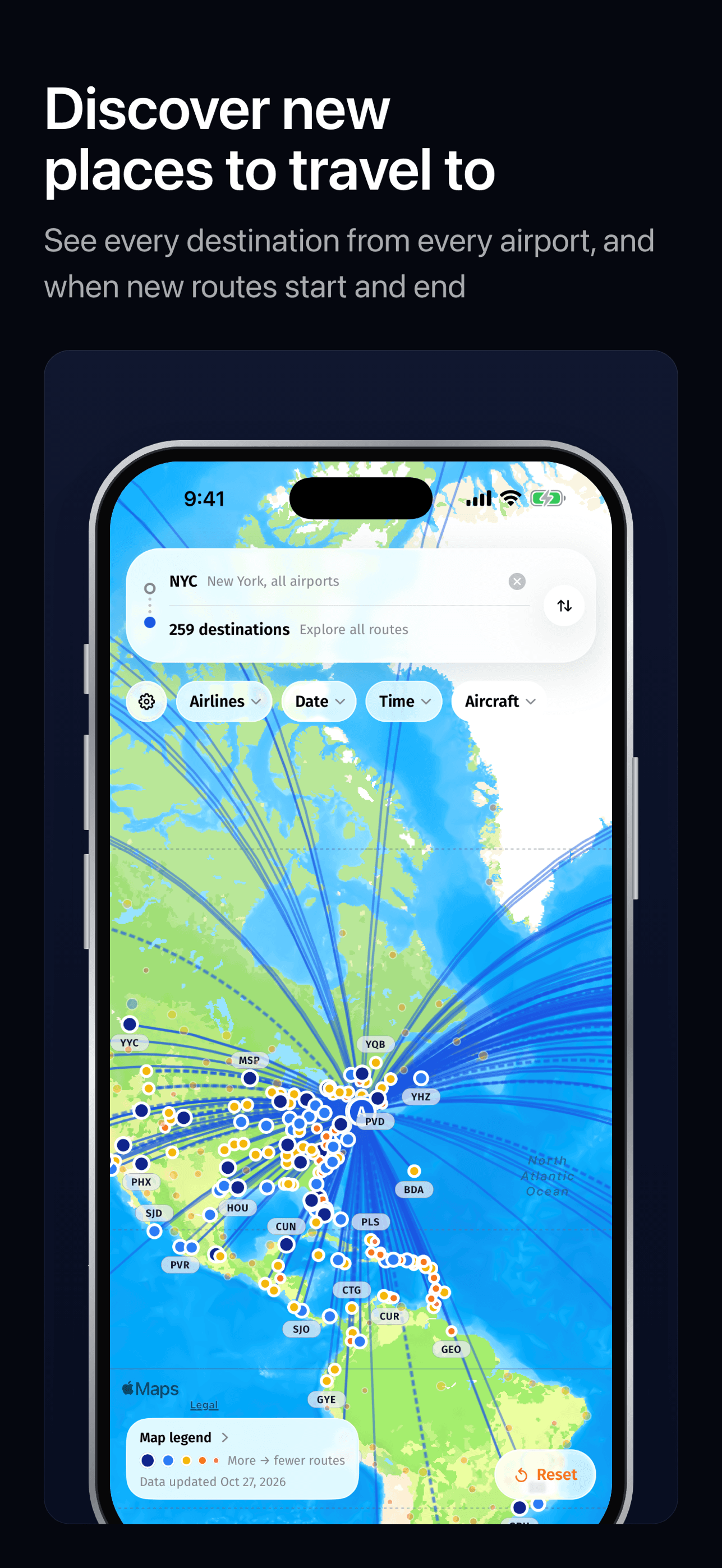
Pick any airport and see every nonstop route from it on a map, with the airlines, the days each flight runs and the dates seasonal routes start and stop. Route pages show flight times and aircraft types. Covers more than 3,300 airports worldwide. Free on the web, with an app on iPhone and Android.
Key features
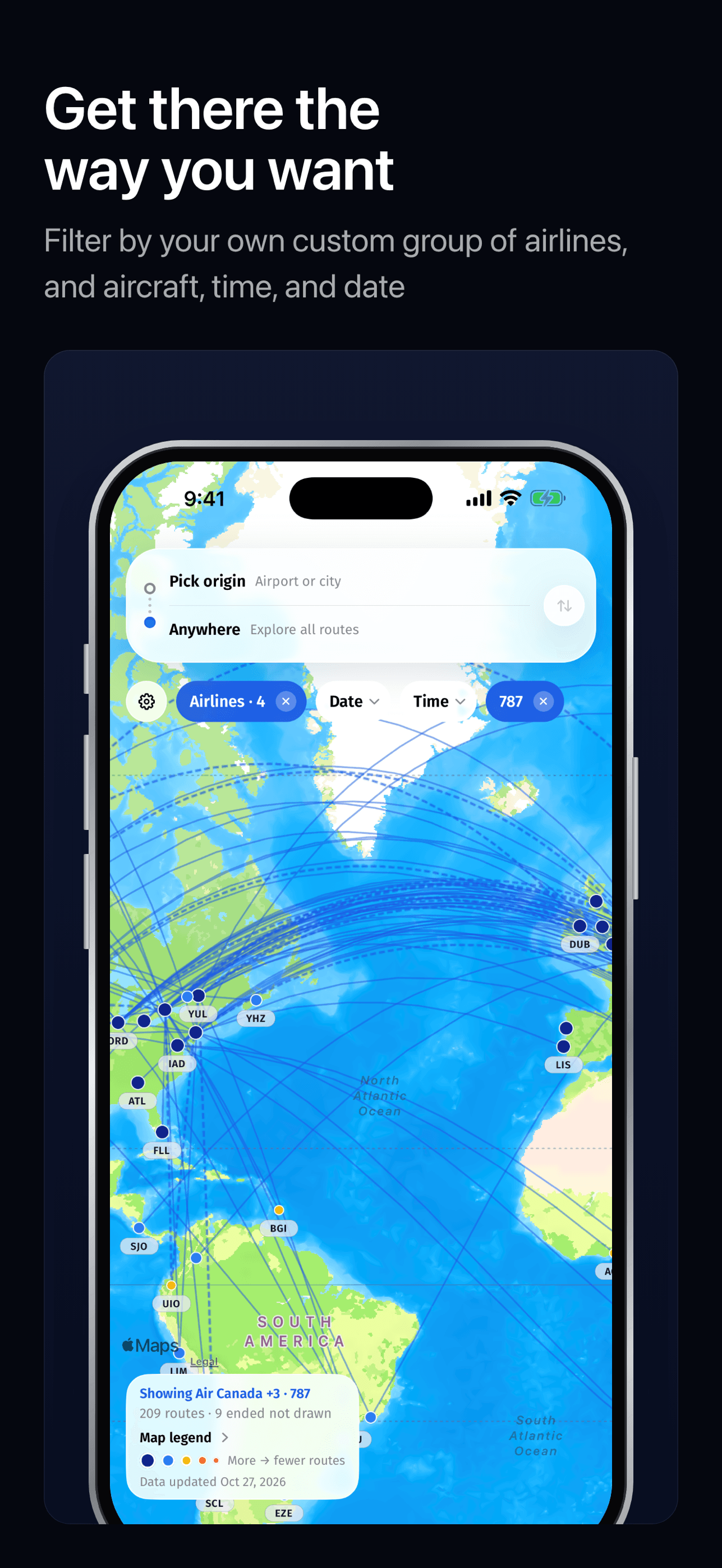
- 1Nonstop route maps for 3,300+ airports and 800 airlines, with seasonal start/stop dates.
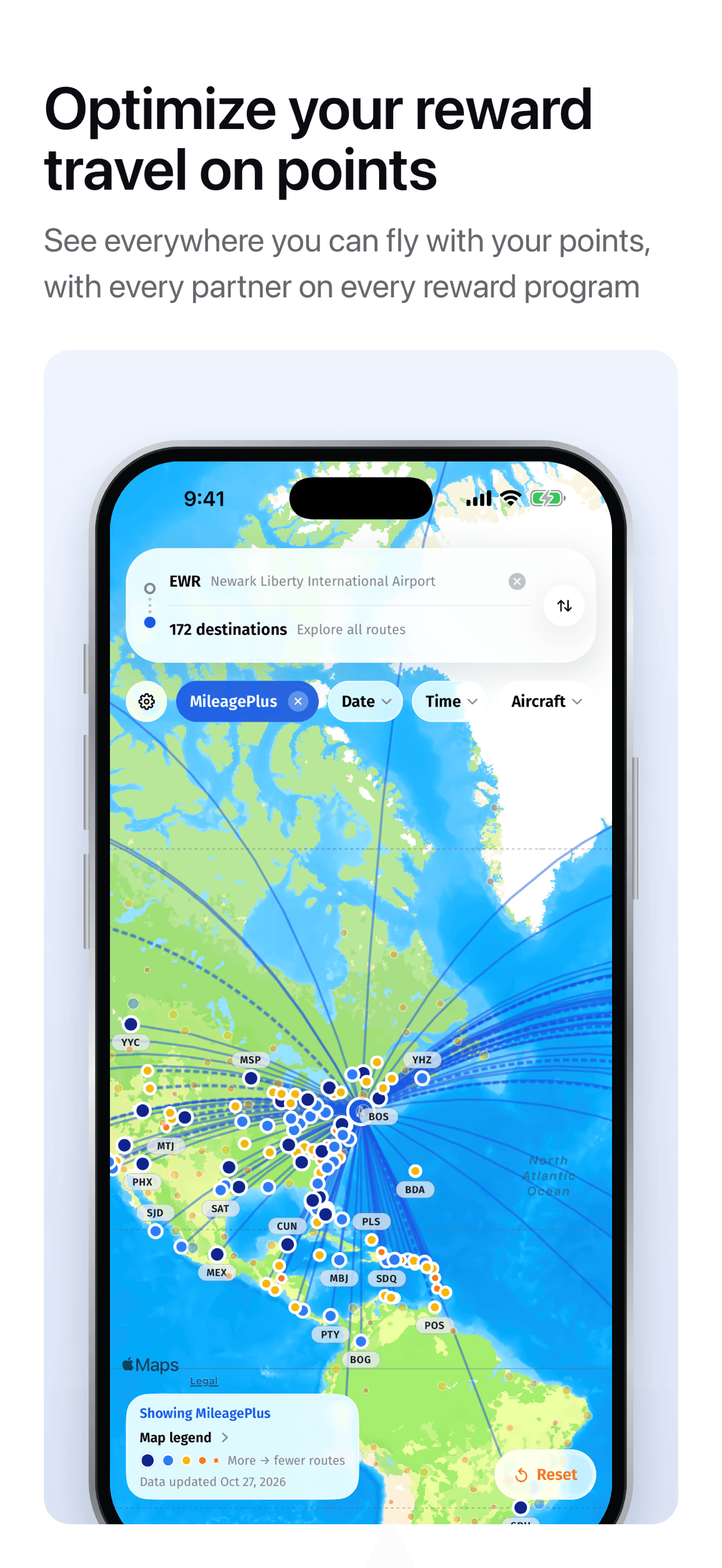
- 2Points and miles routing across partner airlines, plus a cash-fare calendar for comparison.
- 3Staff-travel standby planning with one-stop routings on your own airline and partners.
- 4Works fully offline; checks for schedule changes every 15 minutes.
Target customer profile
Drawn from the product itself, not from a survey.
Scout Review
Written by AI from measured evidence, scored out of 100.
WhatFliesWhere is a route-exploration tool that covers 3,300+ airports and 800 airlines, with seasonal start/stop dates, points-partner routing, staff-travel standby lists and a fare calendar. It's fast (97 mobile Lighthouse), accessible (98), and visually coherent in-app. The gaps are marketing polish — a broken homepage tile, duplicated store screenshots — and the absence of any third-party validation: no ratings, no reviews, no published security audit. The feature set is deeper than most indie travel tools; the proof is thinner.
Measure by measure
Usability
68Feature depth is genuinely strong — offline mode, 15-min schedule checks, fare calendar, points and standby routing — and filter chips are self-explanatory. Onboarding quality is unverified; no user reviews exist yet to confirm it.
Design
70Judging the app UI and store material: frosted-glass controls, map-first layout and disciplined black-and-white marketing read as one product. Homepage's blank second tile and duplicated store screenshots drag it down.
Speed
90Lighthouse mobile 97/100 with LCP 1.0s, CLS 0 and TBT 4ms; desktop a clean 100/100. Genuinely fast, and the app claims full offline operation on top of it.
Security
63HTTPS enforced with HSTS, SPF and DMARC in place, but no CSP, frame protection or Permissions-Policy, and no published audit, SOC 2 or bug bounty found. Solid table stakes, nothing verified beyond it.
Accessibility
80Lighthouse accessibility 98/100 with only a heading-order failure. Spanish homepage variant exists, but the app ships in one language and no WCAG statement was found.
Growth
68Real problem, sharp wedges: points-partner routing, staff-travel standby, seasonal route dates. Underserved segments incumbents ignore. Early (domain 0.3 yrs, no ratings) but the idea has room.
Improvement areas
- Homepage second tile renders as a blurred gray block — fix the broken section.
- No published security audit, CSP or bug bounty; headers incomplete (8/12).
- App localized in only one language despite worldwide coverage claims.
- No store ratings or user reviews yet — no third-party validation of onboarding.
Design & Usability
The app itself is the product here, and it looks the part: a map-first layout with a frosted search card, orange route lines and filter chips for airlines, date, time and aircraft. The marketing site matches with restrained black-and-white type, though its second tile renders as a blurred gray block and the store screenshot set repeats itself. Usability leans on feature depth — offline mode, 15-minute schedule checks, fare calendars, points and standby routing — with self-explanatory toggles. What's missing is proof: no user reviews yet to confirm the onboarding actually delivers that depth quickly.
Speed & Security
Speed is the standout. Lighthouse mobile scores 97/100 with a 1.0s LCP, zero layout shift and 4ms total blocking time; desktop hits 100/100. The app also claims full offline operation, which is a real engineering flex for a schedule-heavy tool. Security is competent but unremarkable: HTTPS with HSTS, SPF and DMARC are in place, but there's no CSP, no frame protection, no Permissions-Policy, and no published audit, SOC 2 or bug bounty to point at. For a free consumer travel tool that's defensible; it just isn't a differentiator.
Accessibility & Growth
Accessibility scores 98/100 on Lighthouse with a single heading-order failure, and the site offers a Spanish homepage variant — but the app is localized in one language and there's no WCAG statement. Growth is the interesting question: the idea names real, specific wedges. Points-and-miles partner routing, staff-travel standby planning, and seasonal route start/stop dates are things mainstream flight search tools handle badly or not at all. That's a genuine reason to pick this over the alternatives. The limit is scope — it's a planning tool, not a booking engine, and the audience for standby travel is niche. Early signals (domain 0.3 years old, no store ratings) are context, not a verdict.
Conclusion
If you plan trips around points, standby passes or seasonal routes, this is worth a look — the data model is more honest than most. If you want a booking engine or social proof before you install, neither is here yet. The bones are good; the receipts aren't in.
Suggestions for improvement
- Fix the homepage's second tile — it renders as a blurred gray block and breaks the scroll experience.
- Replace the duplicated store screenshot (Image 5) with a distinct feature view to show more of the app.
- Publish a security page with CSP, frame protection and any audit or bug-bounty details.
- Add a WCAG/accessibility statement and expand app localization beyond one language.
Alternatives comparison
Named competitors, point by point. Nobody paid to appear here or to be left out.
 WhatFliesWhere |  |  | ||
|---|---|---|---|---|
| Nonstop route maps with seasonal start/stop dates | Yes — 3,300+ airports, dates shown per route | Not verified | Not verified | Not verified |
| Points/miles partner routing | Yes — partner airlines per program, connections listed | Not verified | Not verified | Not verified |
| Offline mode | Yes — claimed full offline operation | Not verified | Not verified | Not verified |
| Staff-travel / standby planning | Yes — standby lists, backup options, one-stop routings | Not verified | Not verified | Not verified |
| Booking links | Yes — links out per flight/connection | Not verified | Not verified | Not verified |
Comparing options? See WhatFliesWhere alternatives, scored side by side
More Travel & Exploration apps
View all Travel & Exploration
Peanut Tennis
89Find tennis courts & tournaments in Australia

Roami eSIM
88A global travel eSIM app offering instant activation, no ...

Sensecast
88Weather app that explains the forecast

PiSpace Sky
86Free night-sky planner for 31,842 cities that rates each night on cloud cover, darkness and moonlight, then adds planet positions, Moon times, aurora outlooks and ISS passes.

TheBean.ai
84Adaptive AI personal trainer that evolves with your progr...

Stampsy App
83Find every country you've been to in your photos and collect a passport stamp for each one.

EchoWi
83Track and optimize your brand's visibility in AI answers.

Bracket2026
82Interactive 48-team World Cup 2026 bracket predictor with...

Safe Average
81Safe Average shows your live average speed inside Europe's average-speed camera zones and the exact steady speed to hold to stay under the limit.

Vote-n-Venture
79AI-powered group travel planning app that simplifies decision-making with collaborative voting and bookable itineraries.

SpeakSpots
78An AI-powered travel assistant that creates personalized itineraries via WhatsApp, perfect for quick and easy trip planning.
Remember
78An iOS app that enhances memory by capturing, tagging, and organizing items with smart contextual features.


A platform dedicated to providing unbiased reviews of newly launched applications, analyzing everything from their features to their full potential.
info@scoutforge.net© 2026 Scoutforge. All rights reserved.
