Cycling through all six. Tap any point to stop.
Measured on six things
Random Wheel Spinner. Enter names or any other information and get a random wheel spin. Great for any event or classrooms.
Security
50HTTPS not enforced, no HSTS, no CSP, no Permissions-Policy, no DMARC — 4/12 header checklist points. Frame protection and Referrer-Policy present. Web Crypto API for randomness is a real plus, but transport hygiene is thin.
Screenshots
1 / 1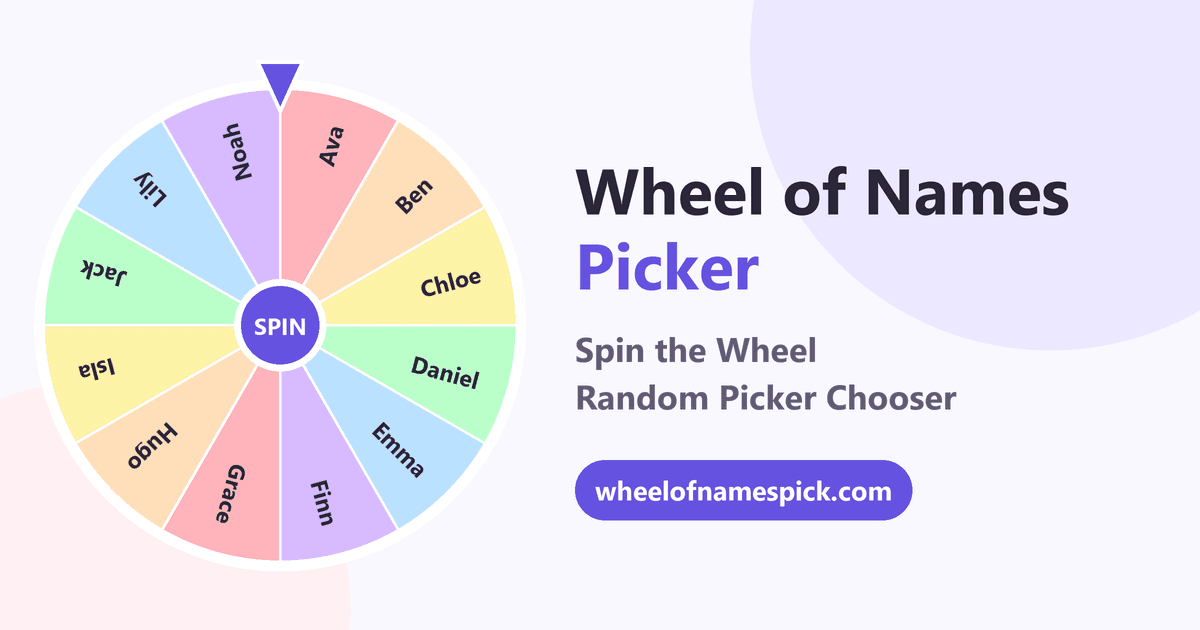
About this app
Random Wheel Spinner. Enter names or any other information and get a random wheel spin. Great for any event or classrooms. Wheel of Names spinner lets you pick a random person from the wheel. No signup or purchase necessary.
Key features
- 1Free browser-based spinner wheel with no signup, install or account required.
- 2Web Crypto API randomness with equal-sized slices for verifiably fair picks.
- 3Results history with timestamps, Shuffle/Sort, eight pastel palettes, dark mode and fullscreen.
Target customer profile
Drawn from the product itself, not from a survey.
Demographic
Teachers and educators
Pain points
Need to randomly select students without bias, keep students engaged
Primary needs
Fair, easy-to-use random picker visible on classroom screen
Demographic
Streamers and content creators
Pain points
Running giveaways fairly and entertainingly for live audience
Primary needs
Transparent, exciting winner selection with visual proof
Demographic
Event organizers and party hosts
Pain points
Coordinating group decisions and games without arguments
Primary needs
Quick, fun way to decide tasks or winners
Scout Review
Written by AI from measured evidence, scored out of 100.
Wheel of Names Picker is a competent, genuinely usable random spinner that nails the basics: no signup, instant spin, keyboard shortcut, results history, fullscreen and dark mode. Accessibility is excellent by automated measure. The problems are structural rather than functional — security headers are half-implemented, mobile paint is slow, and the product is entering a category whose leader is named after the category itself. It works. Whether anyone finds it is a different question.
Measure by measure
Usability
72Zero-friction: paste names, pick a style, spin. Ctrl+Enter shortcut, Shuffle/Sort, results history with timestamps, and fullscreen for projectors. No signup, no install — exactly what a teacher mid-lesson needs.
Design
68Clean single-purpose spinner UI with entries panel, eight pastel palettes, dark mode and fullscreen. Functional and on-brand for a classroom/stream tool, though the page leans on long SEO copy below the fold.
Speed
70Desktop Lighthouse 99/100; mobile 81/100 with LCP 3.8s and TBT 322ms. Snappy on a laptop, a touch slow to paint on mobile — acceptable for a browser-only tool with no backend round-trips.
Security
50HTTPS not enforced, no HSTS, no CSP, no Permissions-Policy, no DMARC — 4/12 header checklist points. Frame protection and Referrer-Policy present. Web Crypto API for randomness is a real plus, but transport hygiene is thin.
Accessibility
80Lighthouse accessibility 100/100 — no failing axe audits. Dark mode, mute toggle, touch layout and fullscreen all help. No published WCAG statement or a11y docs, which caps it below the top of the band.
Growth
58Real, recurring need across three named segments (teachers, streamers, hosts) with a fairness angle. Differentiators are modest — Web Crypto, history, palettes — against an entrenched incumbent. Early stage, no traction signals yet.
Improvement areas
- Security headers: enforce HTTPS, add HSTS, CSP, Permissions-Policy and DMARC.
- Mobile performance: 3.8s LCP and 322ms TBT lag well behind the 99/100 desktop score.
- No published accessibility statement or WCAG conformance claim despite a 100/100 audit.
- Thin differentiation against wheelofnames.com beyond styling and a results tab.
Design & Usability
The tool does one thing and does it without ceremony: paste a list, pick a palette, spin. The entries panel, Shuffle/Sort, results history with timestamps, Ctrl+Enter shortcut and fullscreen mode are all the right calls for a classroom projector or a stream overlay. Design is clean and consistent — eight pastel palettes, dark mode, confetti on the winner — though the page buries the tool under a long SEO essay about 'what is a wheel of names.' Usability is the strongest dimension here: no signup, no install, no learning curve. A teacher can be spinning within ten seconds of landing.
Speed & Security
Speed is split down the middle: desktop Lighthouse 99/100, mobile 81/100 with a 3.8s LCP and 322ms TBT. On a laptop or stream rig it feels instant; on a phone the paint is noticeably slower, which matters for the 'tap to spin' mobile audience the site explicitly courts. Security is the weak spot. The HTTP probe found HTTPS not enforced, no HSTS, no CSP, no Permissions-Policy and no DMARC — 4 of 12 checklist points. Frame protection, X-Content-Type-Options and Referrer-Policy are present, and the site's claim that winner selection uses the Web Crypto API is a genuine correctness win for a fairness tool. But transport hardening is thin for a product handling classroom name lists.
Accessibility & Growth
Accessibility is the standout: Lighthouse scored a perfect 100/100 with no failing axe audits, and the product backs it with dark mode, a mute toggle, touch-friendly layout and fullscreen. What's missing is documentation — no WCAG statement, no accessibility page — which keeps it out of the top band despite the clean audit. Growth is the harder question. The need is real and recurring across three well-defined segments: teachers cold-calling students, streamers drawing giveaway winners, hosts settling group decisions. The fairness framing (equal slices, Web Crypto randomness, visible spin) is a legitimate wedge. But the alternatives list includes wheelofnames.com, the category incumbent that owns the name and the search term, and Google's built-in spinner. Against those, 'pastel palettes and a results tab' is a thin moat. The domain is brand new, so there's no traction to point at either way.
Conclusion
If you need a free spinner right now and don't want to hand over an email, this does the job cleanly and fairly. If you're choosing a long-term classroom or stream tool, the incumbent has the search traffic and the integrations, and this one has pastel colors. The bones are good — tighten the headers, speed up mobile paint, and publish an accessibility statement, and it becomes a real contender rather than a nice clone.
Alternatives comparison
Named competitors, point by point. Nobody paid to appear here or to be left out.
 Wheel of Names Picker Wheel of Names Picker |  Wheel of Names Wheel of Names |  Google Spinner Google Spinner | |
|---|---|---|---|
| Price | Free, no signup | Free with optional paid tiers | Free |
| Custom entries | Unlimited names, numbers, prizes, ideas | Custom entries with images and weights | Limited to preset numeric ranges |
| Results history | Yes, with timestamps | Yes, with export options | No |
| Visual customization | Eight pastel palettes, dark mode | Full color picker, themes, custom images | None |
| Signup required | No | No for basic use | No |
Wheel of Names
A popular online spinner wheel with similar features, often used for random name picking.
Google Spinner
Google's built-in spinner for numbers and choices, accessible via search but limited to preset options.
Comparing options? See Wheel of Names Picker alternatives, scored side by side
More Entertainment & Fun apps
View all Entertainment & Fun
Pushup RPG: Fitness Quest
90Pushup RPG is a camera-based push-up counter and fitness RPG for home workouts. Real push-ups and squats become attacks as you defeat 48 foes across 8 biomes, earn XP and loot, join guilds, and battle in live 40-second duels. Free on iOS and Android.

TUNL - Cave Flyer
89A hold-to-thrust cave flyer with a new daily level, ghost races, and a global leaderboard.

i Word Unscrambler
88Free Word Unscramble for scrabble and words games.

How Long Timer
88HowLongHowManyDays.com is a free online countdown timer that lets you track the time remaining until specific times, dates, holidays, and special even

FaceSwapAI
87AI face swap for photos, videos, GIFs with free trial.

manga translator AI
87Manga Translator AI translates manga and comics into the languages readers choose.

DeepSwapAI
87AI face swap online with no subscription, pay per use.

VibeBot
86AI-powered no-code Discord bot maker

「自听」MyListen
86Turn AI articles into natural audio, locally on your iPhone

67ez
86Free viral 67 (Six Seven) browser games, world counter & ...

VHS Camera — Retro Camcorder
85Turn your phone into a real VHS camcorder with live analo...

TheBean.ai
84Adaptive AI personal trainer that evolves with your progr...


A platform dedicated to providing unbiased reviews of newly launched applications, analyzing everything from their features to their full potential.
info@scoutforge.net© 2026 Scoutforge. All rights reserved.
