Cycling through all six. Tap any point to stop.
Measured on six things
Web analytics for your whole site. Traffic, session replay, error tracking, page speed and uptime in one dashboard. Open source, cookieless and EU-hosted.
Speed
68Lighthouse mobile 85/100 with CLS 0 and TBT 90ms, but LCP 4.0s is slow and desktop scores lower at 67/100. The tracking script itself is tiny (sub-2KB claimed, ~3.5KB gzipped per docs).
Screenshots
1 / 8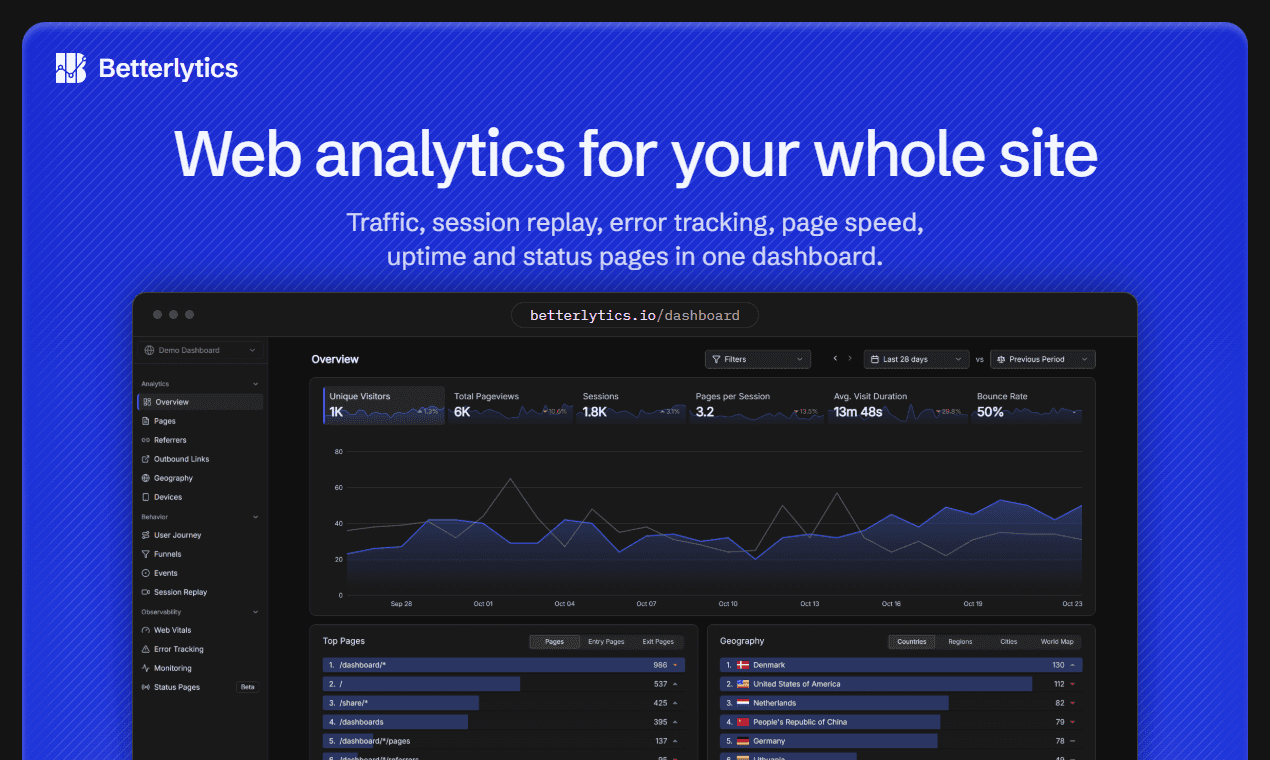
About this app
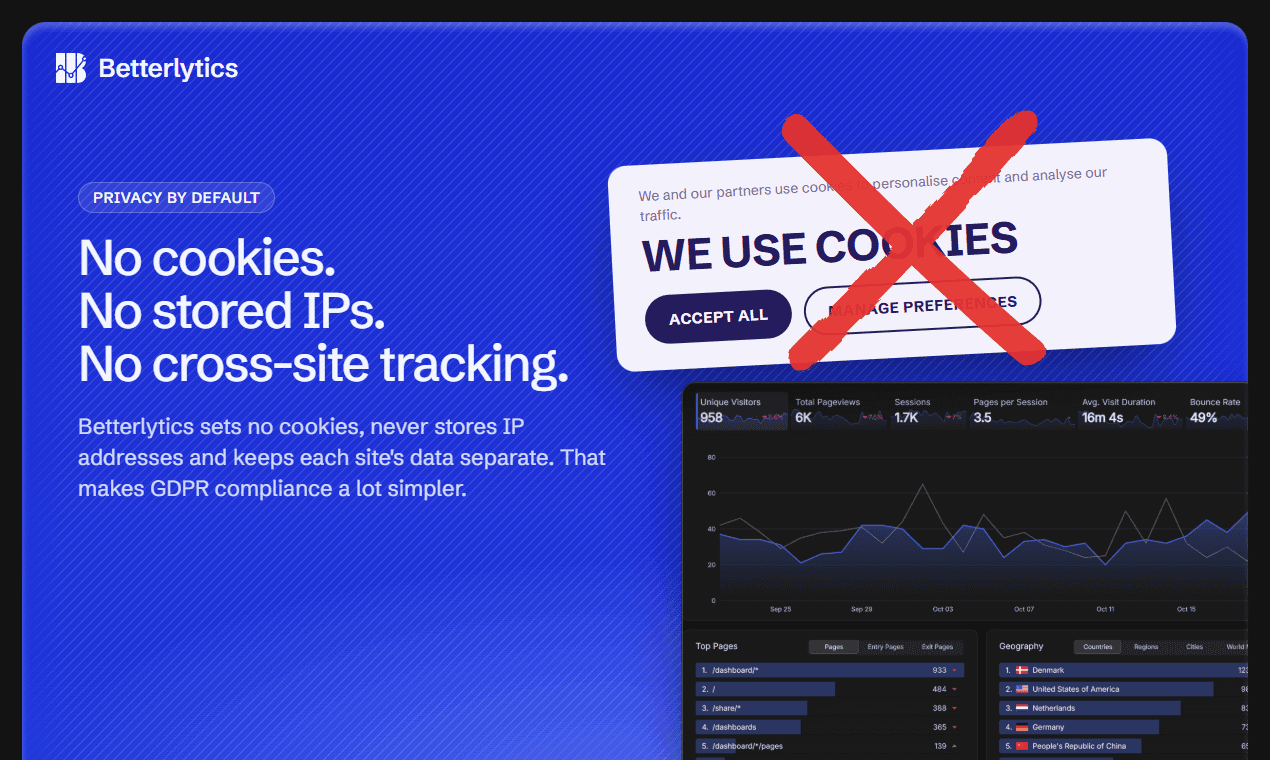
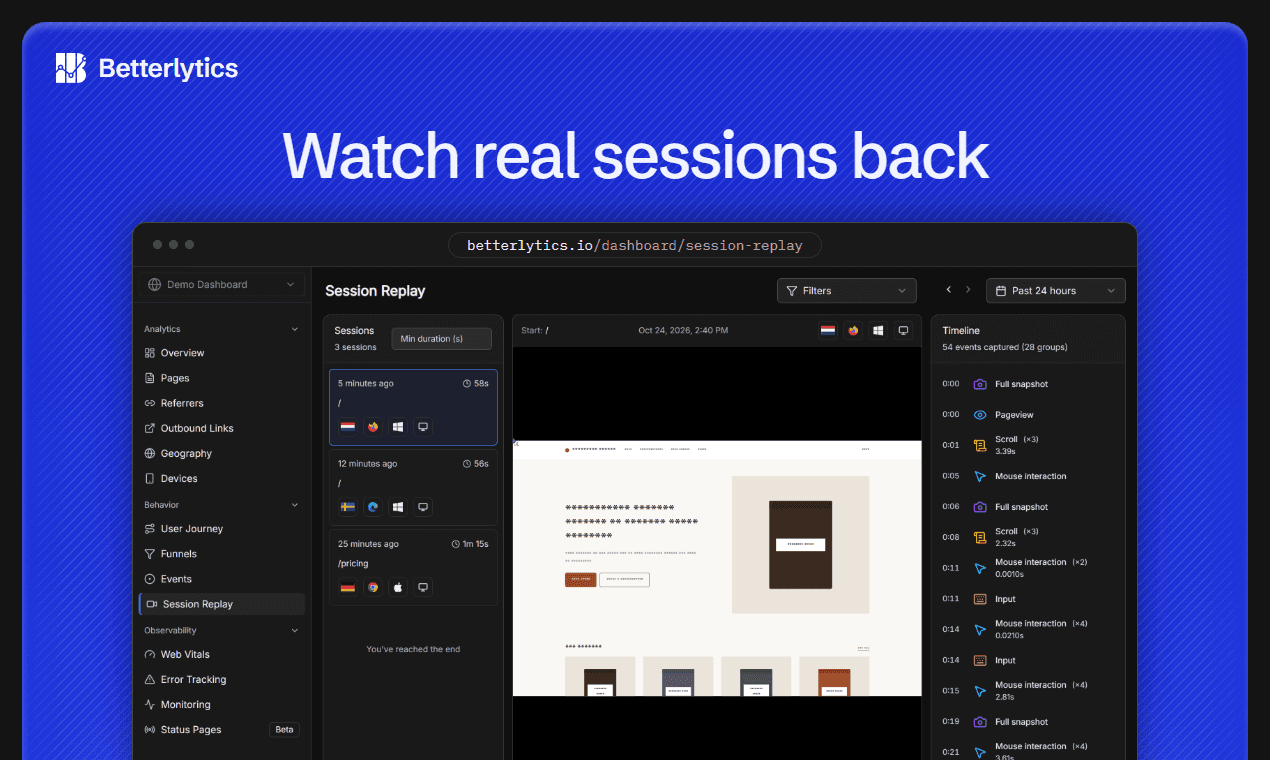
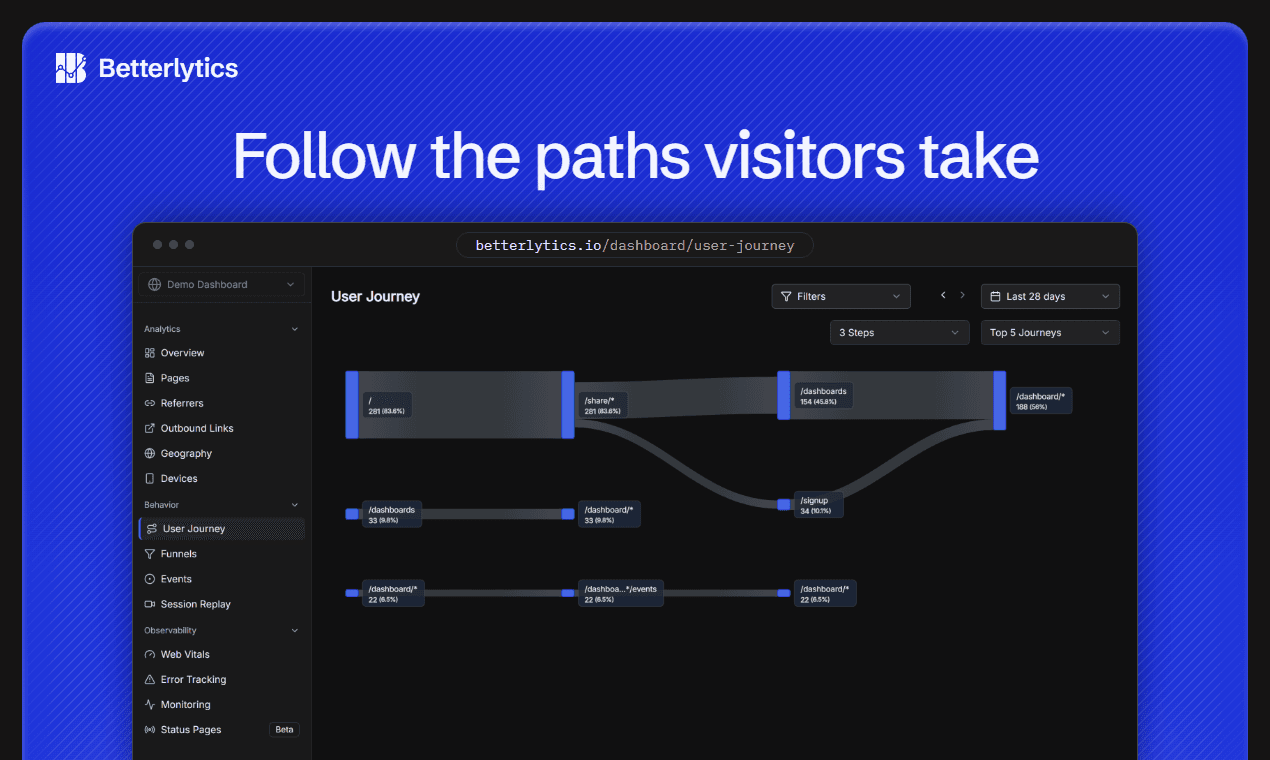
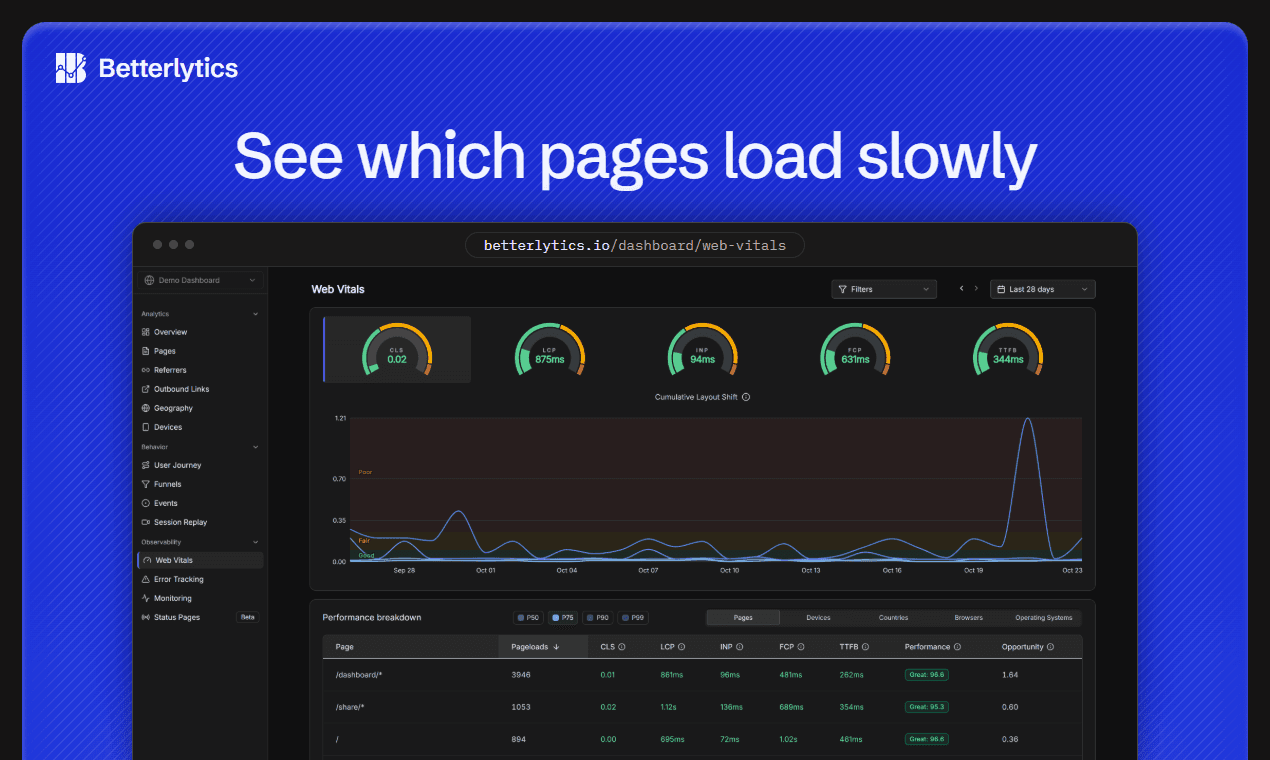
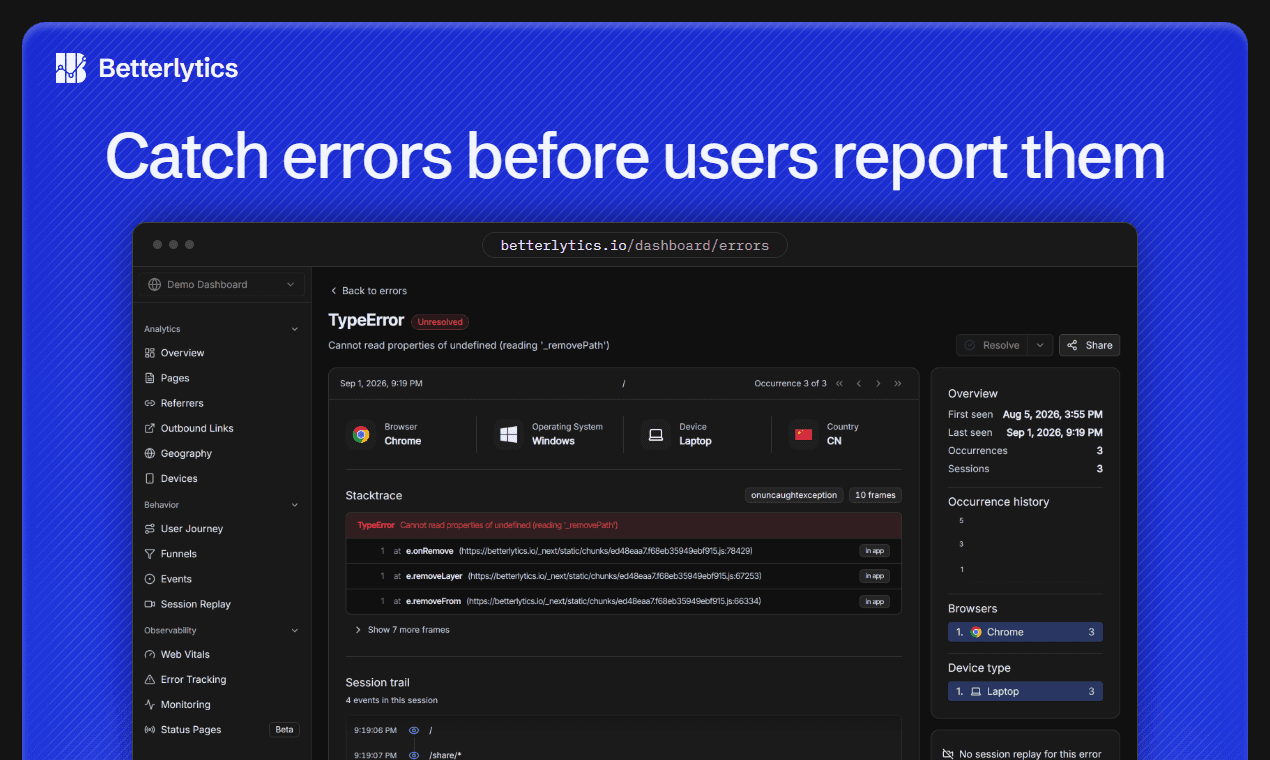
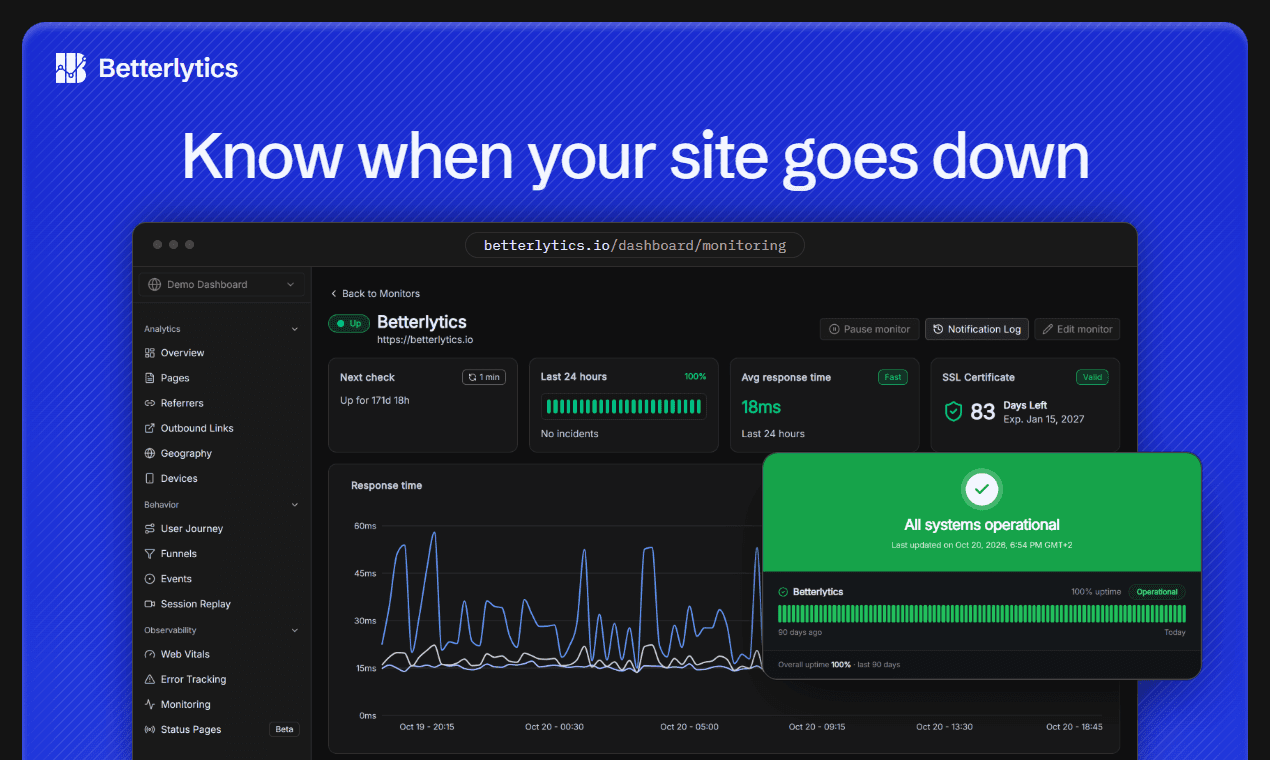
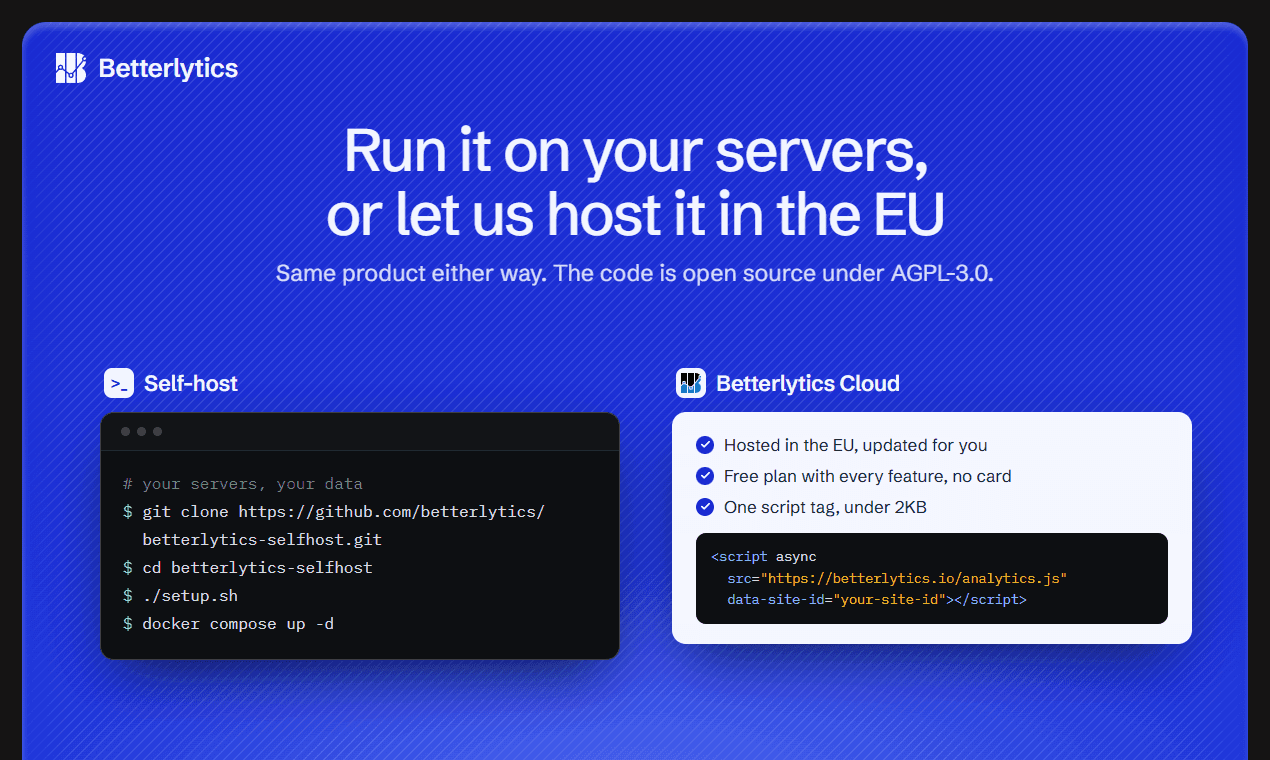
Betterlytics is web analytics for your whole site. Next to traffic, it shows what visitors actually experienced: the errors they hit, how fast pages loaded and whether the site was up. Errors and slow loads happen in the browser, where server logs can't see them. Analytics covers visitors, sources, campaigns, countries, devices and custom events in real time, plus funnels, user journeys and session replay. For site health you get JavaScript errors with stack traces, Core Web Vitals from real visits, uptime and SSL monitoring with alerts to Slack, Discord, Teams and more, and public status pages on your own domain. One script under 2KB covers all of it and works on any site, from WordPress and Shopify to Next.js and React. An MCP server lets AI assistants like Claude query your data. It sets no cookies and never stores IP addresses. Use the EU-hosted cloud with a free plan, or self-host the AGPL-3.0 code with Docker.
Key features
- 1Cookieless web analytics with visitors, sources, campaigns, countries, devices and custom events in real time.
- 2Session replay, JavaScript error tracking with stack traces, and Core Web Vitals from real visits.
- 3Uptime and SSL monitoring with Slack/Discord/Teams alerts and public status pages on your own domain.
- 4Built-in MCP server so AI assistants like Claude and Cursor can query traffic, errors and uptime together.
- 5One sub-2KB script for any stack, plus EU-hosted cloud or AGPL-3.0 self-hosting via Docker.
Target customer profile
Drawn from the product itself, not from a survey.
Demographic
Website owners, developers and product teams
Pain points
Traffic numbers alone do not show the errors, slow pages and downtime visitors ran into
Primary needs
Analytics, session replay, error tracking, page speed and uptime in one dashboard
Scout Review
Written by AI from measured evidence, scored out of 100.
Betterlytics is a genuinely well-built consolidation play: cookieless analytics, session replay, JavaScript error tracking, Core Web Vitals and uptime monitoring behind one sub-2KB script and one dashboard. The measured evidence backs most of it up — 11/13 security headers, a perfect automated accessibility score, deep documentation and a live demo. The rough edges are real but fixable: a 4.0s LCP on a performance-monitoring product, a desktop Lighthouse score below its mobile one, overlapping feature cards and a placeholder-looking dashboard overlay, and no SOC 2 or accessibility statement for buyers who need them. The MCP server and the $7/month Professional tier are the two things that make it worth a look over Plausible or PostHog.
Measure by measure
Usability
74Deep, well-organized docs with install snippets for six frameworks, a WordPress plugin, a live demo and a full pricing comparison table. Free plan needs no card. Onboarding path from signup to first data looks short.
Design
71Coherent dark theme with a consistent blue accent and genuinely informative dashboard mockups. Held back by overlapping feature cards and a 'CLICK ANYWHERE TO EXPLORE' overlay that reads as an unfinished placeholder.
Speed
68Lighthouse mobile 85/100 with CLS 0 and TBT 90ms, but LCP 4.0s is slow and desktop scores lower at 67/100. The tracking script itself is tiny (sub-2KB claimed, ~3.5KB gzipped per docs).
Security
76Strong header posture: HTTPS enforced, HSTS, CSP, frame protection, Referrer-Policy, SPF and DMARC all present (11/13 probe points). Cookieless, no IP storage, EU hosting, AGPL self-hosting. No SOC 2/ISO claim found.
Accessibility
79Perfect 100/100 on the Lighthouse accessibility audit, with a text-based, keyboard-friendly docs sidebar. No published WCAG statement or multi-language support, so the automated score is doing most of the talking.
Growth
68Real, specific wedge: analytics + replay + errors + vitals + uptime in one script, with an MCP server and $7/month pricing. Aimed at a category with clear headroom as teams consolidate tools.
Improvement areas
- LCP of 4.0s and a desktop Lighthouse score of 67 undermine the performance-monitoring pitch.
- No SOC 2, ISO 27001 or published pen-test — a gap for the Enterprise tier being sold.
- No accessibility statement or WCAG conformance claim despite a 100/100 automated score.
- Homepage design issues: overlapping feature cards and a placeholder-looking demo overlay.
Design & Usability
Betterlytics presents itself as a serious observability product rather than a weekend analytics toy, and the design mostly backs that up. The dark theme, blue accent and dashboard mockups are consistent and legible, with real charts, gauges and tables instead of abstract shapes. The weak points are in the below-fold sections: overlapping semi-transparent feature cards create noise, and the 'CLICK ANYWHERE TO EXPLORE' overlay on the dashboard preview reads as a placeholder rather than an invitation. Usability is the stronger half. The docs are genuinely deep — installation, integrations, a WordPress plugin, every dashboard feature, billing, troubleshooting and FAQ — and the homepage hands you copy-paste snippets for HTML, Next.js, Nuxt, SvelteKit, Astro and a package install. A live demo dashboard and a no-card free tier lower the barrier further. The main friction is information density: the homepage front-loads seven feature cards before pricing, and the dashboard previews suggest a product that rewards a learning curve.
Speed & Security
Speed is a mixed bag with a real irony problem. Lighthouse mobile lands at 85/100 with a clean CLS of 0 and TBT of 90ms, but LCP is 4.0 seconds and desktop scores lower at 67/100 — on a site whose core pitch is measuring how fast other people's pages load. The tracking script itself is genuinely light (sub-2KB claimed on the homepage, ~3.5KB gzipped per the docs — the two pages should agree). Security is the strongest measured dimension: HTTPS enforced, HSTS, CSP, frame protection, X-Content-Type-Options, Referrer-Policy, SPF and DMARC all present, 11 of 13 probe points. The two gaps are Permissions-Policy and a secure-cookie flag, the latter largely moot for a cookieless product. The privacy architecture is coherent — no cookies, no IP storage, EU-hosted cloud, AGPL-3.0 self-hosting — but there is no SOC 2, ISO 27001 or published pen-test, which will matter to the enterprise tier they're selling.
Accessibility & Growth
Accessibility scores a clean 100/100 on the Lighthouse audit, and the docs sidebar is text-based and navigable, which suggests the automated result isn't a fluke. What's missing is the human layer: no accessibility statement, no WCAG conformance claim, no multi-language support on the site. That's normal for the stage but leaves the score resting on automated checks alone. Growth is where the idea earns its keep. The problem is real and named precisely — traffic numbers don't tell you what visitors actually experienced — and the consolidation pitch (analytics, replay, errors, vitals, uptime, one script, one bill) is a genuine wedge against Plausible, which does analytics only, and PostHog, which does product analytics but not uptime or status pages. The MCP server is the sharpest differentiator: an AI assistant that joins traffic, errors and incidents in one query is a workflow the incumbents haven't shipped. At $7/month for 50 sites and 50 monitors, the pricing is aggressive enough to win switchers. The limit is category crowding — observability and analytics are both crowded, and the consolidation story only wins if the individual pieces are good enough to replace the specialists.
Conclusion
If you're running Plausible for traffic and Sentry for errors and UptimeRobot for uptime and something else for session replay, Betterlytics is a credible one-bill replacement, and the free tier costs you nothing but a script tag to find out. Go in expecting a dense dashboard and a product that rewards setup effort. The things to watch are the missing compliance paperwork if you're selling to enterprises, and whether the individual modules get deep enough to genuinely retire the specialists. The MCP integration is the part worth trying first — it's the clearest sign this team is building something the incumbents haven't caught up to yet.
Suggestions for improvement
- Fix the 4.0s LCP and the desktop Lighthouse score — a performance-monitoring product shouldn't be slower than the sites it measures.
- Replace the 'CLICK ANYWHERE TO EXPLORE' overlay with a real interactive demo or a plain 'Open live demo' link.
- Reconcile the script size claim: homepage says under 2KB, docs say ~3.5KB gzipped. Pick one and use it everywhere.
- Publish a SOC 2 roadmap or an accessibility statement — both are cheap trust signals for the enterprise tier you're selling.
Alternatives comparison
Named competitors, point by point. Nobody paid to appear here or to be left out.
 Betterlytics Betterlytics |  Plausible Analytics Plausible Analytics |  PostHog PostHog | |
|---|---|---|---|
| Pricing model | Free up to 10K events; Professional $7/mo; Enterprise custom | Tiered by pageviews, starting around $9/mo; 30-day trial | Generous free tier by events; usage-based paid tiers |
| Cookieless / privacy-first tracking | Yes — no cookies, no IP storage, EU-hosted, GDPR/CCPA/PECR ready | Yes — cookieless, no personal data, EU-hosted | Cookie-based by default; cookieless mode available |
| Session replay | Included on all plans, including free | Not offered | Yes — a core PostHog feature |
| Error tracking | JavaScript errors with stack traces, linked to session replay | Not offered | Error tracking available alongside product analytics |
| Uptime & SSL monitoring with status pages | Yes — 1 monitor free, 50 on Professional, white-label status pages | Not offered | Not offered |
| Core Web Vitals from real visits | Yes — LCP, INP and CLS measured in visitors' browsers | Limited; not a core feature | Available via web vitals capture |
| AI assistant / MCP integration | Built-in MCP server for Claude, Cursor, VS Code, Windsurf, Codex | Not offered | AI features exist but not a documented MCP server |
| Self-hosting | Yes — AGPL-3.0, Docker | Yes — AGPL-3.0 Community Edition | Yes — open-source, self-hostable |
Plausible Analytics
Web analytics tool that Betterlytics is an alternative to.
PostHog
Product analytics tool that Betterlytics is an alternative to.
Comparing options? See Betterlytics alternatives, scored side by side
More Analytics apps
View all Analytics
LTX 2.3 AI Video Generator
91Fast, open-source AI video generator with 4K support, mul...

CitableReport
89CitableReport is an AI visibility audit:

ButterKit
82macOS app for App Store screenshots: 3D mockups, auto-tra...

PERM Processing Time: Current DOL Queue & History
88PERM Processing Time is an independent data analysis platform that helps users navigate the U.S. Department of Labor’s permanent labor certification process.

Askray
88See who ChatGPT, Gemini & Claude recommend instead of you...

SiftingIO - Market Data API
88Real-time & historical market data API for stocks, forex,...

Sonar
87Free website tracking checker. Paste a URL and Sonar crawls your site from the outside, then reports what's running and the problems it can prove.

Reptor
85Reputation monitoring across Google, AI search engines, reviews, news and social media, with sentiment analysis per mention.

Xquik
85Search X tweets, export followers & monitor accounts through REST, MCP & SDKs.

Timix - A Modern Timer
84Turn timers into powerful routines with automation, widge...

Activity Racoon
82Engineering intelligence platform automating sprint analy...

LLM Reference
82Decision-support platform for engineers choosing the righ...


A platform dedicated to providing unbiased reviews of newly launched applications, analyzing everything from their features to their full potential.
info@scoutforge.net© 2026 Scoutforge. All rights reserved.
