

A platform dedicated to providing unbiased reviews of newly launched applications, analyzing everything from their features to their full potential.
info@scoutforge.net© 2026 Scoutforge. All rights reserved.
A platform dedicated to providing unbiased reviews of newly launched applications, analyzing everything from their features to their full potential.
info@scoutforge.net© 2026 Scoutforge. All rights reserved.
A platform dedicated to providing unbiased reviews of newly launched applications, analyzing everything from their features to their full potential.
info@scoutforge.net© 2026 Scoutforge. All rights reserved.
Cycling through all six. Tap any point to stop.
Measured on six things
Restyle Apple Wallet cards from your Mac with custom desi...
HTTPS enforced with SPF/DMARC and a local-only, no-server design. But no HSTS, CSP, frame protection, or Permissions-Policy, and no published audits — 6/12 on the header checklist.
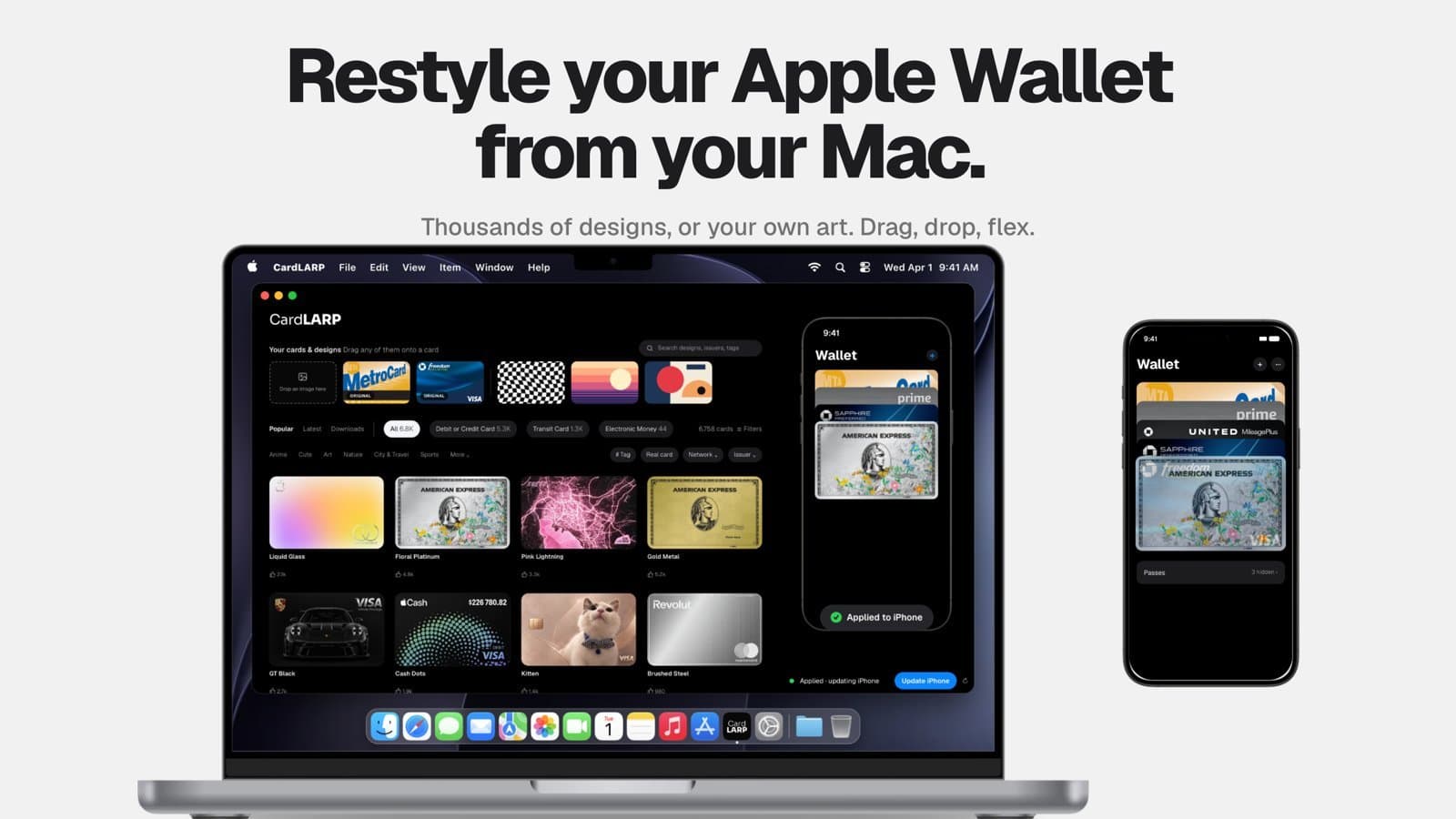
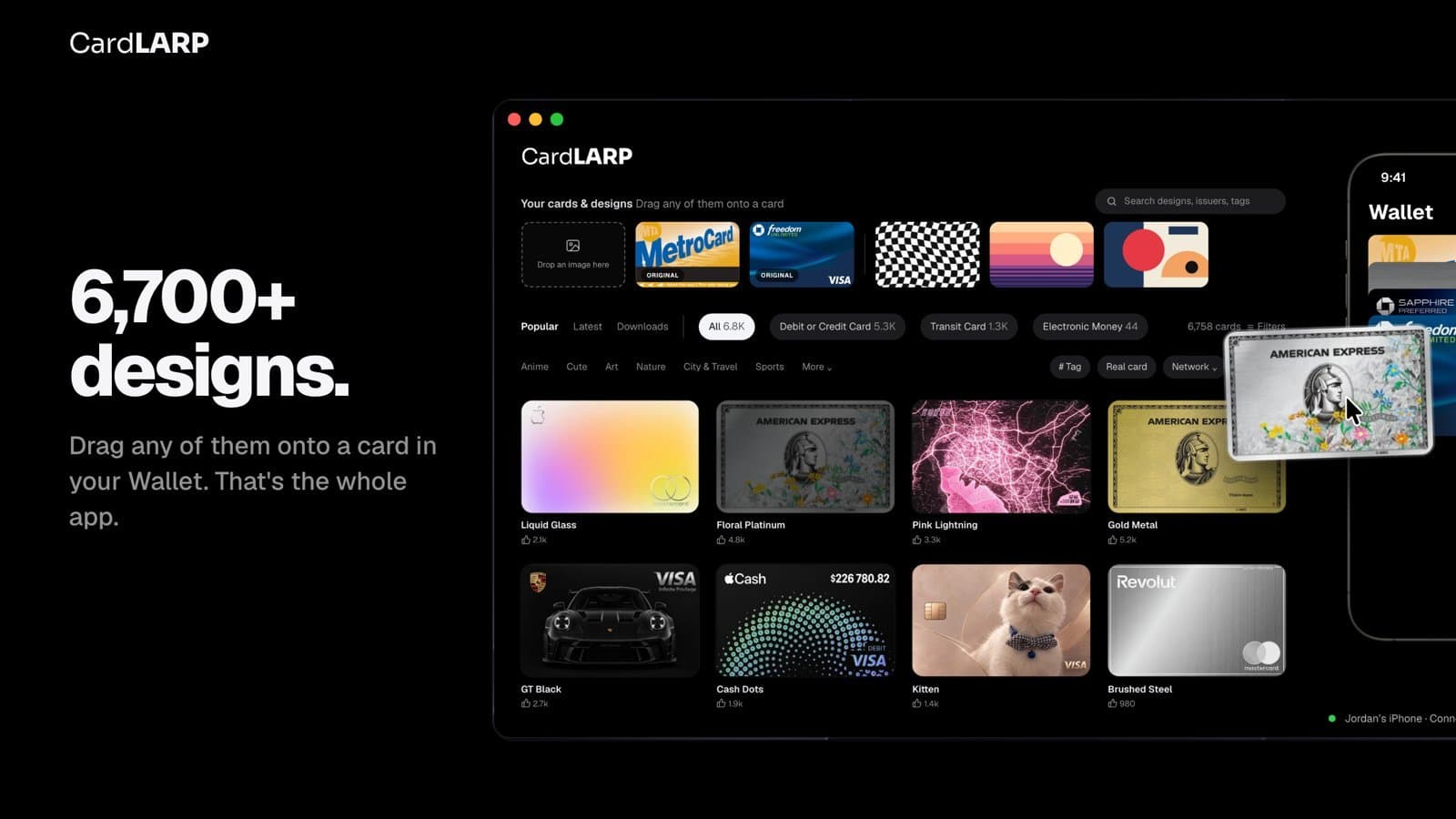
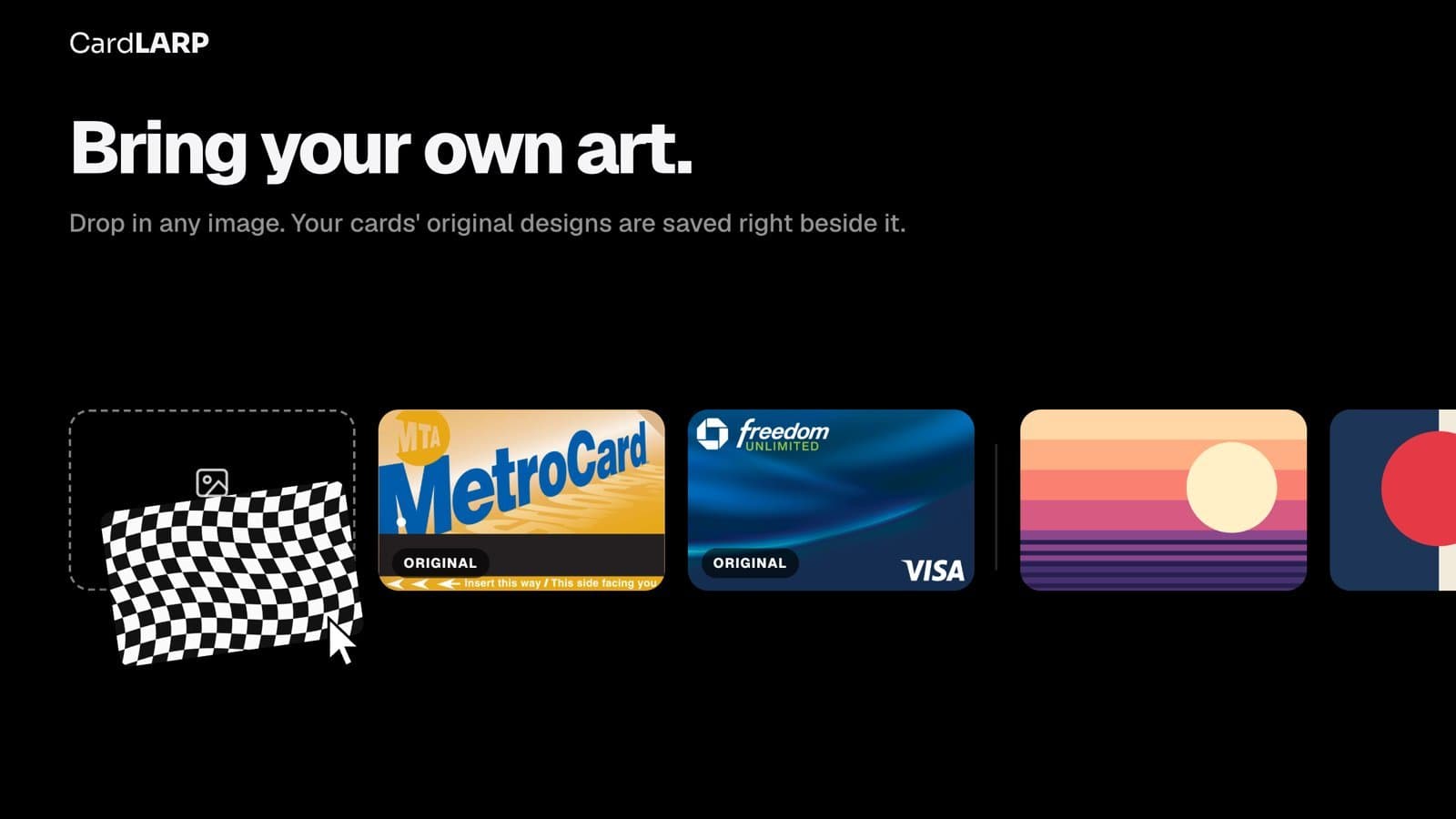
CardLARP is a free macOS app that lets you customize the look of your Apple Wallet cards directly from your Mac. With thousands of community designs or your own artwork, you can drag and drop new styles onto your credit, debit, or transit cards. It works over cable or Wi-Fi, requires no jailbreak, and keeps your card details and Apple Pay functionality intact. The app is built on the open-source AirCard project and offers undo history for each card, ensuring you can always revert to the original design. Perfect for anyone who wants to add a personal touch to their digital wallet without compromising security.
Drawn from the product itself, not from a survey.
Demographic
Tech-savvy iPhone users who own a Mac
Pain points
Bored with the default Apple Wallet card designs; want personalization but think it requires jailbreaking.
Primary needs
A safe, easy way to customize Wallet cards without voiding warranty or losing Apple Pay functionality.
Demographic
Design enthusiasts and creatives
Pain points
Limited options to showcase personal style in everyday digital interfaces; desire to use own artwork.
Primary needs
Ability to upload custom images and apply them to cards seamlessly; access to a gallery of unique designs.
Demographic
Apple ecosystem loyalists
Pain points
Fragmented experience when trying to manage iPhone from Mac; existing tools are complex or unsafe.
Primary needs
A native Mac app that integrates smoothly with iPhone via cable or Wi-Fi; no account or sign-up required.
Written by AI from measured evidence, scored out of 100.
CardLARP is a free macOS app that lets you restyle your Apple Wallet cards — credit, debit, transit — by dragging designs from a built-in gallery or your own artwork onto a card, over cable or Wi-Fi, no jailbreak, no account, no server. It's built on the MIT-licensed AirCard project with designs from cardart.cc, and every card keeps an undo history so you can always revert. The pitch is tight and the landing page sells it well: clean dark UI, realistic mockups, a drag-and-drop demo, and a FAQ that preempts the Apple Pay and card-number worries. The measured reality is more uneven. Design is polished but has rough edges (hero overlap, cramped gallery strip). Mobile performance is sluggish at a 6.5s LCP. Security headers are thin and no audits are published, though the local-only architecture is a real privacy strength. Accessibility is excellent at 98/100. And the download link, per the site itself, isn't live yet — which is a problem for an app whose entire value is 'download this.'
Numbered guided setup, drag-and-drop demo, and a real FAQ make the flow clear. Undercut by a download link the site itself says is 'being set up.'
Polished dark-mode landing page with realistic MacBook/iPhone mockups and a consistent Wallet-matching aesthetic. Hero card overlap and a cramped community strip keep it short of excellent.
Desktop Lighthouse 91/100, but mobile 73/100 with a 6.5s LCP — well past the 2.5s good threshold. CLS and TBT are fine; the hero imagery is the weight.
HTTPS enforced with SPF/DMARC and a local-only, no-server design. But no HSTS, CSP, frame protection, or Permissions-Policy, and no published audits — 6/12 on the header checklist.
Lighthouse accessibility 98/100 with only a missing main landmark failing. No a11y statement or multi-language support found, so it sits at the top of the measured band, not beyond it.
A real, specific itch — Wallet cards look boring and jailbreaking is scary — with a clear wedge: native Mac app, no jailbreak, no account. Niche but genuinely underserved.
CardLARP's landing page is genuinely well-made. The dark theme mirrors Apple Wallet, the MacBook and iPhone mockups show real app state, and the 1-Grab/2-Drop/3-Done demo explains the whole product without a paragraph of copy. The guided setup steps (plug in, tap Trust, open Wallet, tap a card) preempt the obvious 'how do I even connect this' question, and the FAQ answers the scary ones about Apple Pay and card numbers. The cracks: the hero's floating cards clip the headline on the right, the community gallery strip is packed shoulder-to-shoulder, and the upload dropzone looks like an afterthought next to the polished mockups. The bigger usability problem is the download button — the site literally says the link is 'being set up.' You cannot ship a download page without a download.
On desktop, CardLARP's site is quick — Lighthouse 91/100. On mobile it drops to 73/100 with a 6.5-second Largest Contentful Paint, which is roughly two and a half times past Google's 'good' threshold. The culprit is almost certainly the heavy hero imagery and mockups; CLS (0.002) and TBT (62ms) are clean, so it's a payload problem, not a scripting one. Security is a mixed bag. The architecture is genuinely privacy-forward: no servers, no accounts, designs move locally from Mac to iPhone, and the .dmg is claimed signed and notarized. But the HTTP probe shows no HSTS, no CSP, no frame protection, and no Permissions-Policy — 6/12 on the checklist. There's no SOC 2, ISO, pen-test, or bug bounty published, which is normal for a small indie tool but leaves the security story resting on the maker's word.
Accessibility is the standout: Lighthouse scores 98/100, with a single failing audit — a missing <main> landmark. That's a one-line fix. There's no accessibility statement or multi-language support, so it lands at the top of the measured band rather than above it, but for an indie Mac utility this is well above average. Growth is a judgment call on the idea. The problem is real and specific: default Wallet cards are dull, and the only way to change them used to be jailbreaking or fiddling with the open-source AirCard project by hand. CardLARP's wedge is a native Mac app with drag-and-drop, a 6,700+ design gallery pulled from cardart.cc, and no account. That's a clear, defensible differentiator against both listed alternatives — AirCard needs technical setup, CardArt has no iPhone integration. The limit is the addressable market: you need a Mac, an iPhone, and a desire to restyle your debit card. That's a small pond, but CardLARP is the only real fish in it.
Conclusion
CardLARP is a genuinely charming idea executed with more care than most indie Mac utilities. The privacy-first, no-server, no-account design is the right call, the accessibility score is excellent, and the drag-and-drop workflow is communicated better than most funded startups manage. But it's not finished. The download link is 'being set up,' mobile LCP is 6.5 seconds, and the security headers are half-present. None of these are fatal — they're a weekend of work. Fix the download, compress the hero images, add HSTS and a CSP, drop in a <main> tag, and this goes from 'promising side project' to 'genuinely good little app.' The niche is small, but CardLARP is the only polished option in it. That's worth finishing.
Named competitors, point by point. Nobody paid to appear here or to be left out.
 CardLARP CardLARP |  AirCard AirCard | CardArt | |
|---|---|---|---|
| Directly applies designs to your iPhone's Wallet cards | Yes — drag-and-drop over cable or Wi-Fi, no jailbreak | Yes, but requires manual technical setup | No — gallery only, no iPhone integration |
| Built-in design gallery | 6,700+ designs sourced from cardart.cc, browsable in-app | No built-in gallery; user supplies artwork | Yes — community gallery is the core product |
| Technical skill required | Low — native Mac app, guided setup, no account | High — command-line/manual setup | Low to browse, but no way to apply designs |
| Undo / revert to original design | Yes — per-card undo history and 'first look' rewind | Manual backup/restore required | N/A — does not modify cards |
| Price | Free | Free (open source, MIT) | Free |
AirCard
Open-source project that allows customizing Apple Wallet cards, but requires technical know-how and manual setup.
CardArt
Community gallery for Apple Wallet card designs, but lacks direct integration with your iPhone for applying designs.
Comparing options? See CardLARP alternatives, scored side by side

A locally-owned mattress store in Overland Park, KS offer...

An AI-powered interior and exterior design tool that tran...

A hold-to-thrust cave flyer with a new daily level, ghost races, and a global leaderboard.

AI-powered personalized face swap art platform creating c...

A global travel eSIM app offering instant activation, no ...

Free YouTube transcript generator with timestamps and AI ...

A massive collection of free printable coloring pages for...

Free online YouTube to MP3 converter with no signup or so...

InviteVia is a digital invitation platform for creating beautiful online invitations for weddings, birthdays, engagements, parties, and special events. Choose a template, customize your invitation, collect RSVPs, and share it instantly through WhatsApp, Instagram, SMS, or a simple link. No guest accounts or app downloads required.

Free, private tool to find your tarot birth cards instantly.

AI face swap for photos, videos, GIFs with free trial.

Drag-and-drop seating charts for weddings, quinceañeras and events. Import your guest list from Excel, export print-ready PDFs. Free up to 40 guests, no signup.
A platform dedicated to providing unbiased reviews of newly launched applications, analyzing everything from their features to their full potential.
info@scoutforge.net© 2026 Scoutforge. All rights reserved.
