Cycling through all six. Tap any point to stop.
Measured on six things
Automated Academic Councilor
Growth
32Very new (blog June 2026); zero reviews, community, or traction signals despite targeted searches across review sites and GitHub.
Screenshots
1 / 8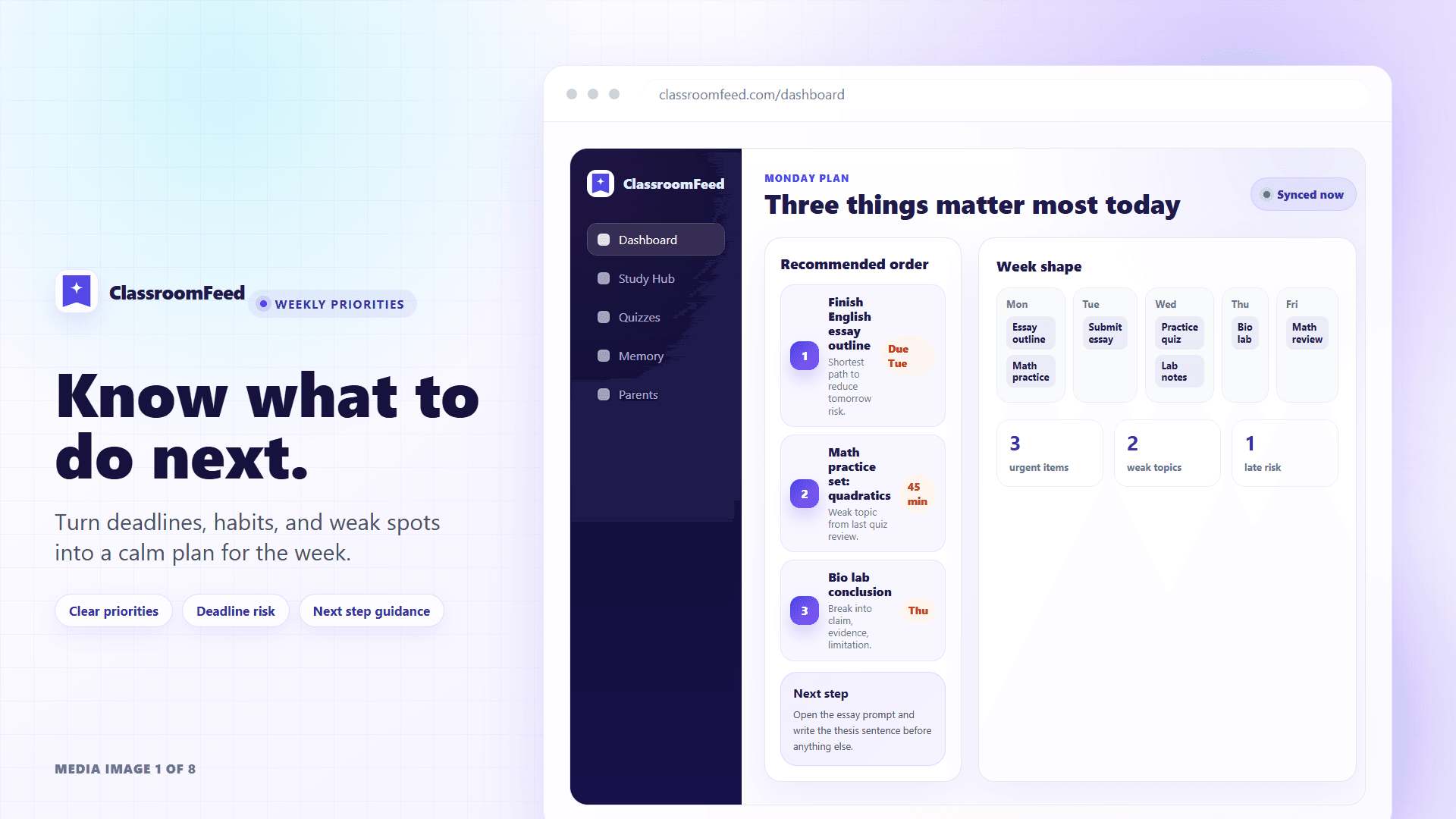
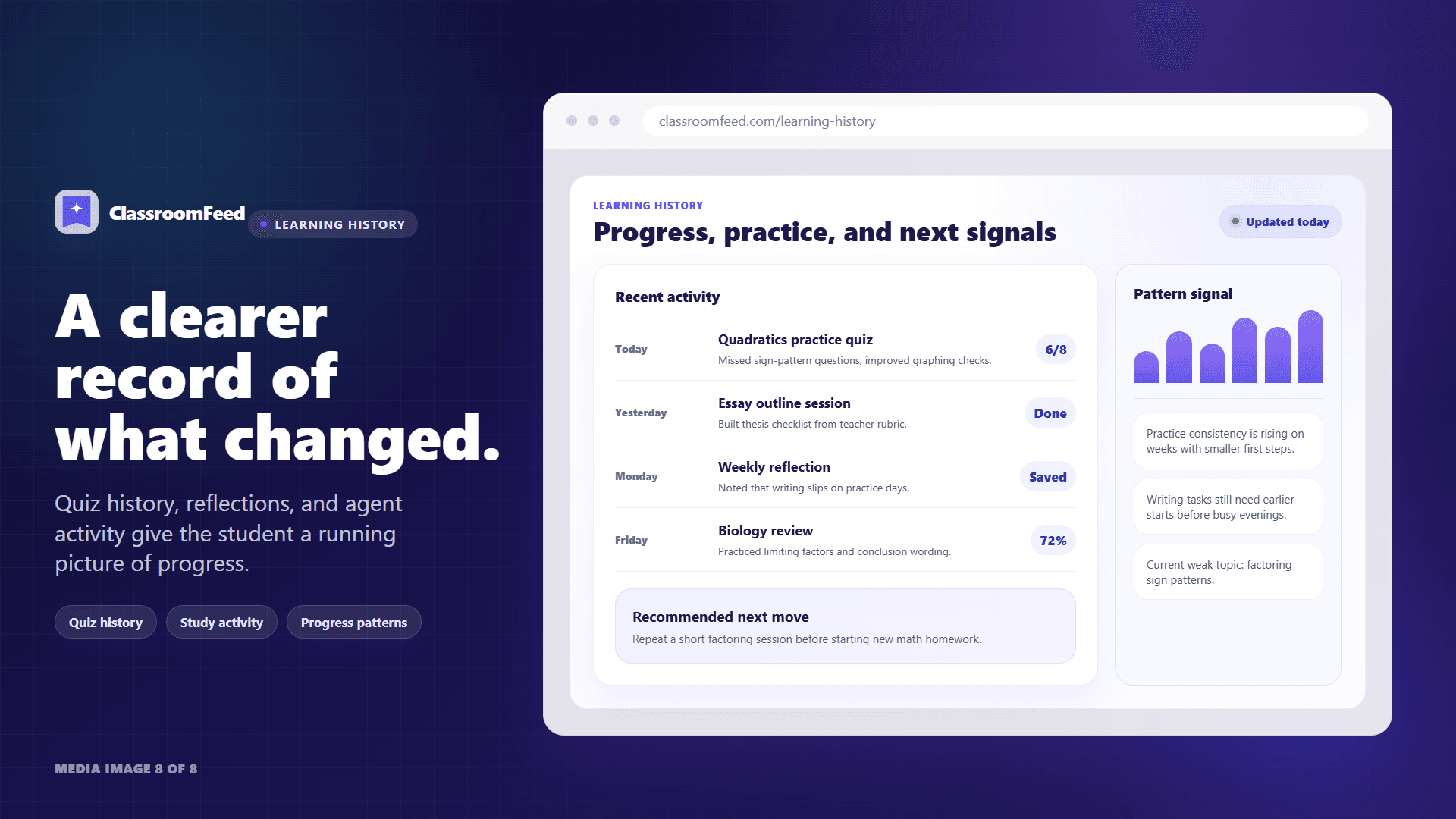
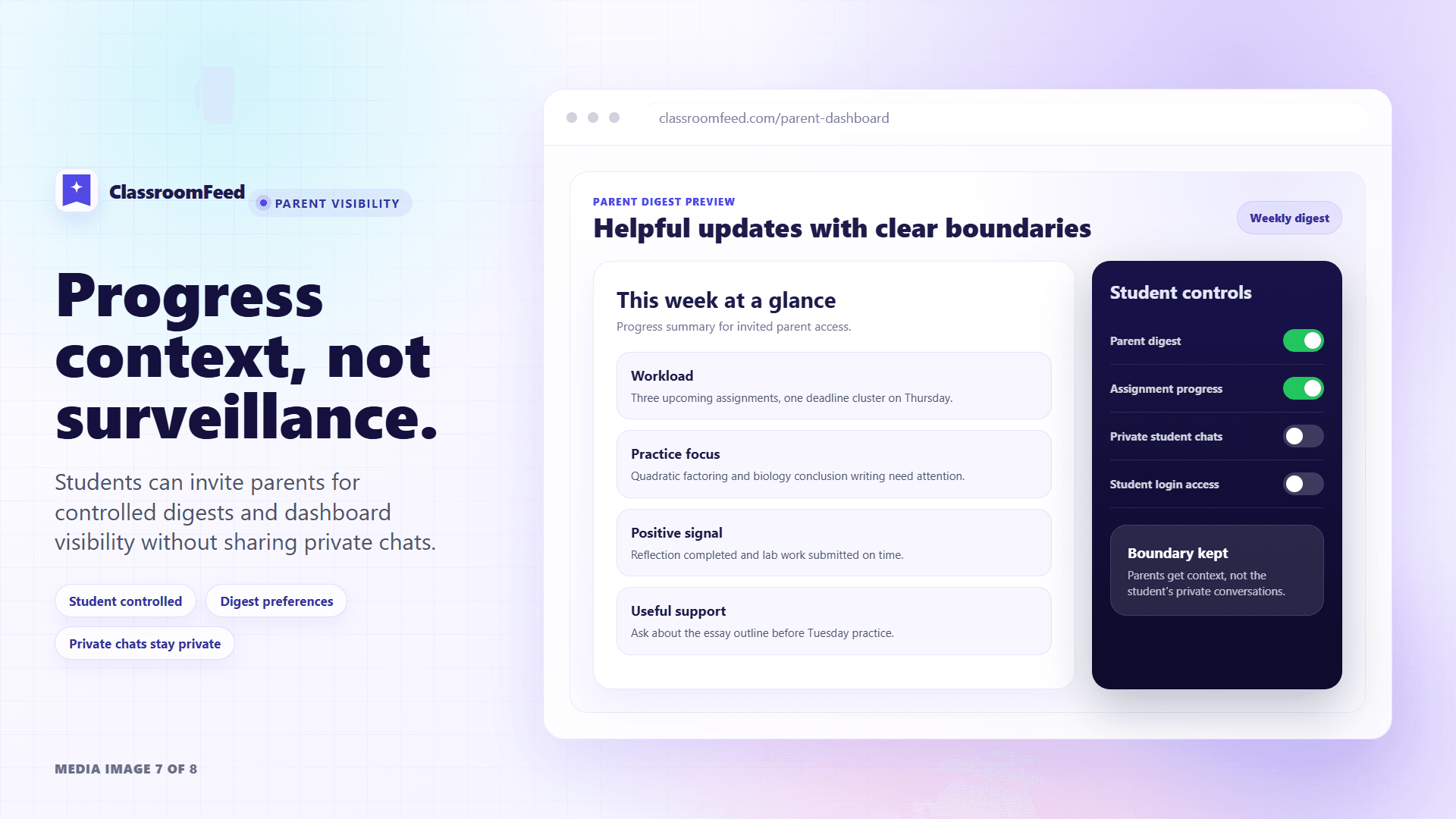
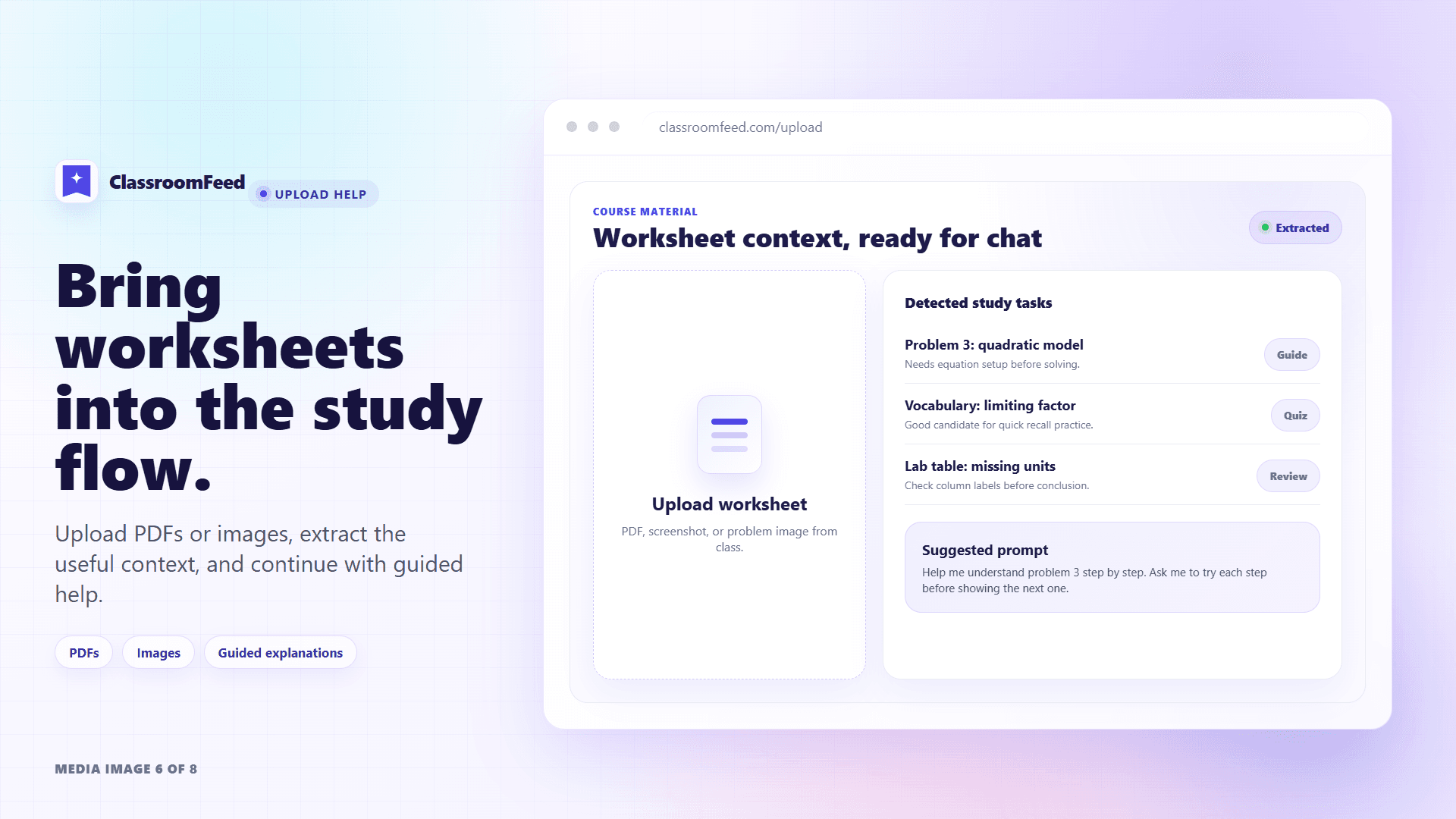
About this app
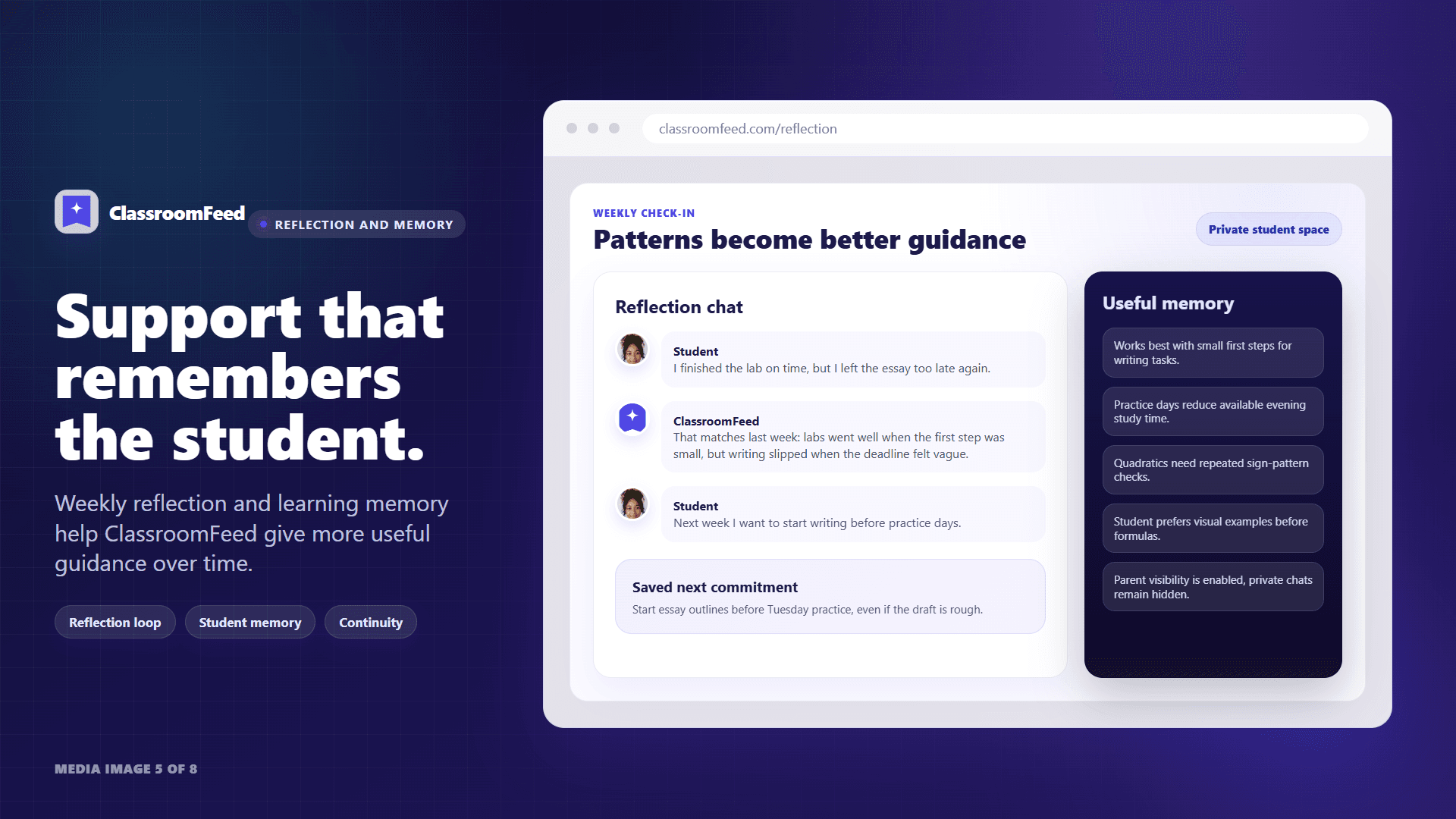
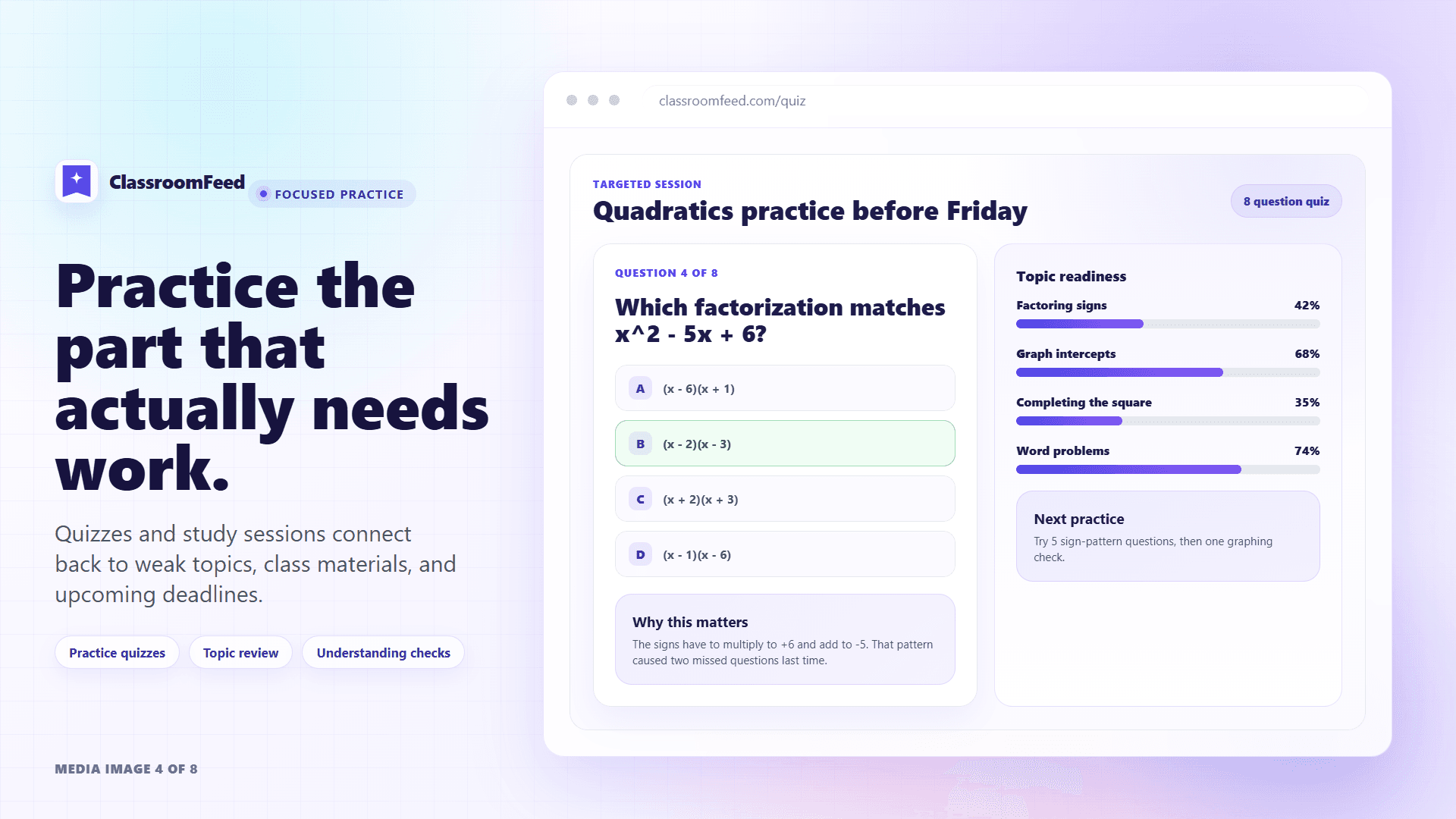
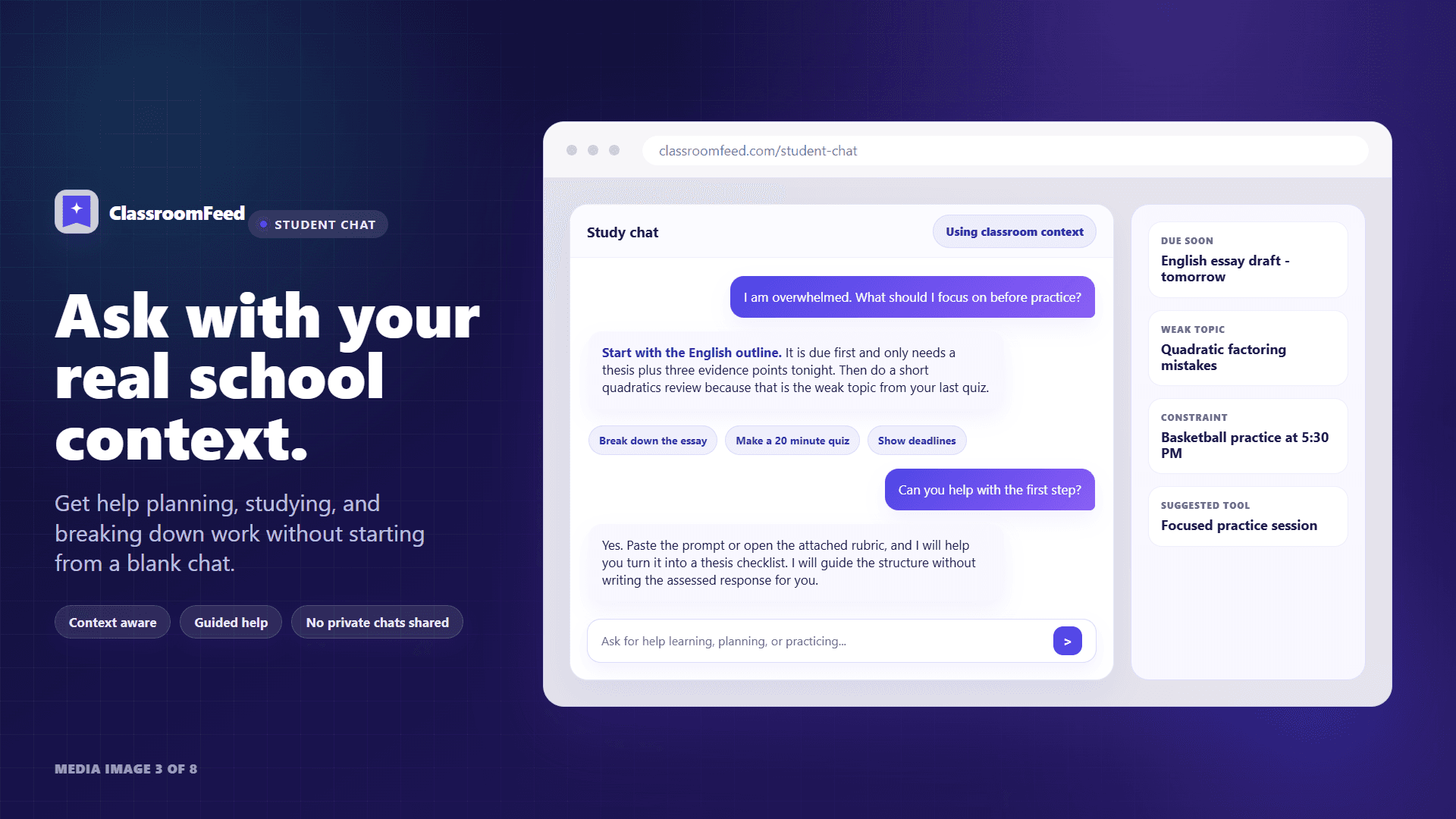
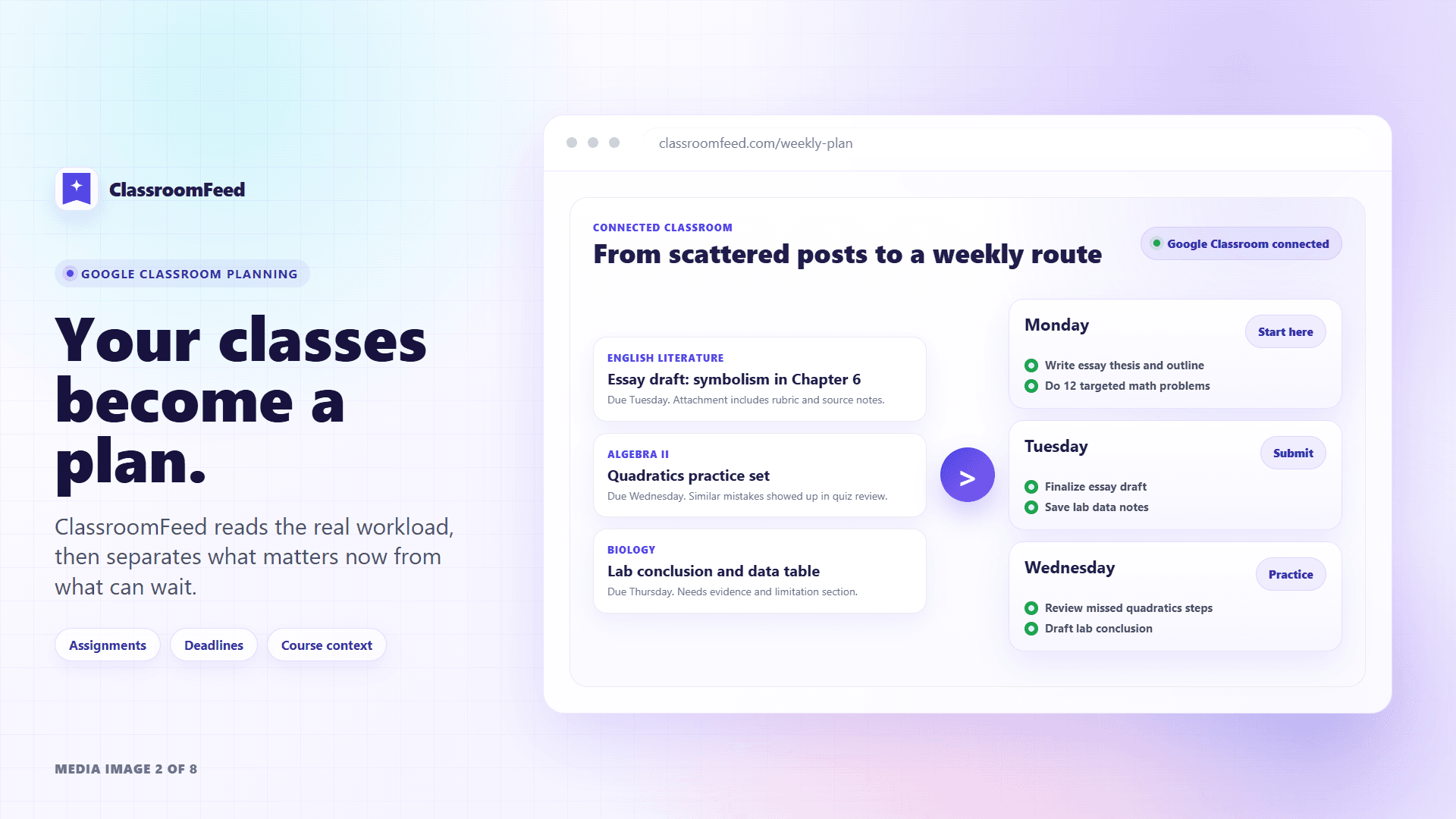
ClassroomFeed is a student-first academic counselor for students who use Google Classroom. It connects to a student’s real classroom context, including assignments, deadlines, course activity, and study history, then helps turn that information into clearer priorities, weekly guidance, and practical next steps. ClassroomFeed builds continuity over time. It uses student memory, reflection, quiz history, and classroom data to help students understand what matters now, what can wait, where they may be stuck, and what to work on next. Students can use it to plan their week, break down assignments, review deadlines, generate practice quizzes, get guided explanations, reflect on progress, and focus practice around weak topics. ClassroomFeed is designed to support student thinking, not replace it. It helps students feel less overwhelmed by schoolwork while keeping them in control of their decisions and learning.
Key features
- 1Google Classroom sync for assignments, deadlines, and course activity
- 2Persistent student memory for reflection, weak topic identification, and weekly plans
- 3AI-guided practice quizzes, priority alerts, and student-controlled parent digests
Target customer profile
Drawn from the product itself, not from a survey.
Demographic
High school students with heavy workloads and multiple Google Classroom classes
Pain points
Overwhelmed by competing deadlines, no clear study focus, forgets assignments
Primary needs
Centralized assignment tracking, priority alerts, weekly planning
Demographic
College students aiming for better grades and study efficiency
Pain points
Poor time management, weak topic identification, cramming for exams
Primary needs
Personalized study plans, reflection tools, focused practice quizzes
Demographic
Parents wanting visibility into student progress without nagging
Pain points
Lack of insight into daily academic tasks, student privacy concerns
Primary needs
Student-controlled progress digests, non-intrusive updates
Demographic
Students with learning differences who need structured support
Pain points
Difficulty organizing tasks, anxiety from unstructured environments
Primary needs
Clear next steps, consistent routines, adaptive planning
Scout Review
Written by AI from measured evidence, scored out of 100.
ClassroomFeed offers a promising concept for AI-assisted academic counseling tied directly to Google Classroom, emphasizing student agency through memory, reflection, and focused practice. Its minimalist execution delivers clear messaging on priorities and weekly guidance but falls short on verifiable execution details like demos, security, and accessibility. Against alternatives, it differentiates via personalization but needs more substance to compete effectively.
Measure by measure
Usability
48No demo, trial, or onboarding visible; relies on contact form for schools and static feature claims without user guidance.
Design
52Minimalist text-based landing pages with consistent headings and lists but lacking visual elements, screenshots, or modern polish.
Speed
61Lightweight static pages suggest fast loads; no performance complaints or benchmarks but no heavy elements to slow it down.
Security
45No security claims, policies, or compliance details published; handles sensitive student data with zero transparency signals.
Accessibility
50No a11y statements, WCAG references, or support details; basic structure present but unverified for real accessibility.
Growth
32Very new (blog June 2026); zero reviews, community, or traction signals despite targeted searches across review sites and GitHub.
Improvement areas
- Lack of visible demo, trial, or onboarding flow limits immediate usability testing
- No published security, privacy, or compliance details despite handling student data
- Minimal visual design and zero accessibility or growth signals hinder broader adoption
Design & Usability
ClassroomFeed presents a straightforward, text-focused landing experience that clearly outlines its Google Classroom integration and student planning features without unnecessary fluff. The design is consistent across pages but remains basic, relying on bullet points rather than visuals or interactive elements. Usability suffers from the absence of any trial, demo, or documented onboarding, making it difficult for potential users to evaluate the AI-driven prioritization and reflection tools quickly. This early-stage approach suits a niche academic tool but leaves high school and college students without immediate hands-on validation of weekly plans or practice quizzes.
Speed & Security
The site itself loads efficiently as a lightweight static experience with no reported performance issues, aligning with expectations for a minimal marketing presence. However, security transparency is notably absent—no privacy policies, compliance certifications, or data handling details are provided despite the product's focus on sensitive student academic data from Google Classroom. This creates uncertainty for parents and schools seeking non-intrusive progress digests, positioning it behind peers that publish basic security assurances even at similar stages.
Accessibility & Growth
Accessibility features receive no explicit coverage on the site, with no mentions of WCAG compliance, multi-language options, or adaptive interfaces that could benefit students with learning differences. Growth metrics reflect a brand-new product with a single recent blog post and no independent reviews, community presence, or GitHub activity, indicating limited traction compared to established planners. While the pilot contact form signals intent to expand in schools, the lack of visible momentum keeps it in early exploratory territory.
Conclusion
For overwhelmed students or parents seeking structured support, ClassroomFeed shows potential once live features are accessible. Continued development around transparency and user testing could elevate it from concept to reliable tool.
Suggestions for improvement
- Add interactive demo or free trial signup to reduce evaluation friction.
- Publish basic privacy policy and security overview for student data trust.
- Include screenshots, alt text, and accessibility statement on all pages.
- Build changelog and community channels to demonstrate ongoing growth.
Alternatives comparison
Named competitors, point by point. Nobody paid to appear here or to be left out.
 ClassroomFeed |  My Study Life |  Google Classroom (native) | |
|---|---|---|---|
| Google Classroom Integration & Sync | Direct sync with assignments, deadlines, and activity for planning | Manual entry; no native Google Classroom sync | Native platform; no external sync needed but limited planning |
| AI Personalization & Memory | Uses student history, reflection, and weak topics for adaptive plans | Basic planner; no AI or memory features | No AI personalization or long-term student memory |
| Weekly Planning & Practice Quizzes | Generates plans, breaks down assignments, and creates focused quizzes | Calendar and reminders; no AI quizzes or adaptive planning | Basic assignment lists; no planning tools or quizzes |
My Study Life
A cross-platform planner for managing classes, homework, and exams, but lacks AI personalization and Google Classroom sync.
Google Classroom (native)
Built-in Google Classroom tools, but minimal planning assistance and no AI-driven prioritization or memory.
Comparing options? See ClassroomFeed alternatives, scored side by side
Sources
What the review was written against. A verdict with no sources is an opinion.
More EdTech (Educational Technology) apps
View all EdTech (Educational Technology)
SheetScroll
90> You play; SheetScroll turns the page. It listens through the microphone or a MIDI piano and holds the page until it's sure where you are.

Tracé slides
89Interactive math & physics slides with live graphs and an...

English Test Coach
89English Test Coach checks your IELTS essays and letters, gives an estimated band score across all four criteria, and tells you exactly what to revise next.

Speakuma
88Speakuma is an AI-powered English conversation practice app for Japanese adults — the interface is in Japanese, the conversation practice is in English.

Cromagnon
88Free, private browser-based PDF, Word, Excel, and study t...

CertWorthIt
87Data-driven tool revealing which certifications actually ...

PracticeExcel
87Get better at Excel with short exercises in a real spreadsheet in your browser. See at once if your formula works, get a hint when stuck, and start free.

SysRound
87AI voice interviewer for system design mock interviews

「自听」MyListen
86Turn AI articles into natural audio, locally on your iPhone

Unrust
86Unassisted JavaScript, TypeScript, and Python coding diagnostic and practice for developers.

Ciroexam
84All-in-one CIRO exam prep for CIRE and 8 other exams, wit...

WellWired
84AI explained simply for older adults, with safety lessons...


A platform dedicated to providing unbiased reviews of newly launched applications, analyzing everything from their features to their full potential.
info@scoutforge.net© 2026 Scoutforge. All rights reserved.
