Cycling through all six. Tap any point to stop.
Measured on six things
Web analytics that shows why visitors don't buy and what ...
Growth
63A real, specific pain (cart abandonment with no 'why') met with a concrete wedge: a fix-tracking to-do loop plus SEO and an MCP server at a $0–$29 entry price. Early stage, but the idea has room.
Screenshots
1 / 5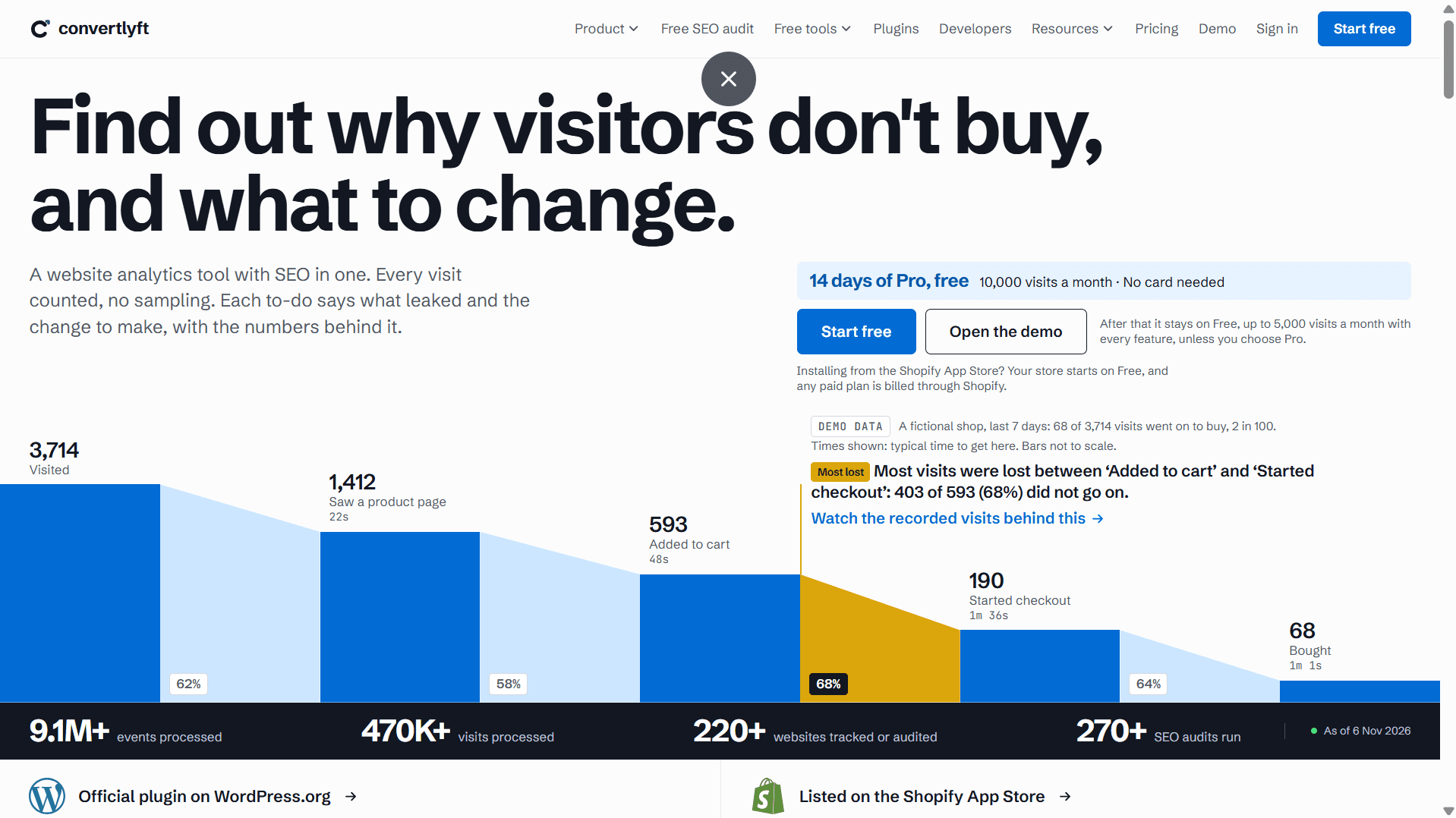
About this app
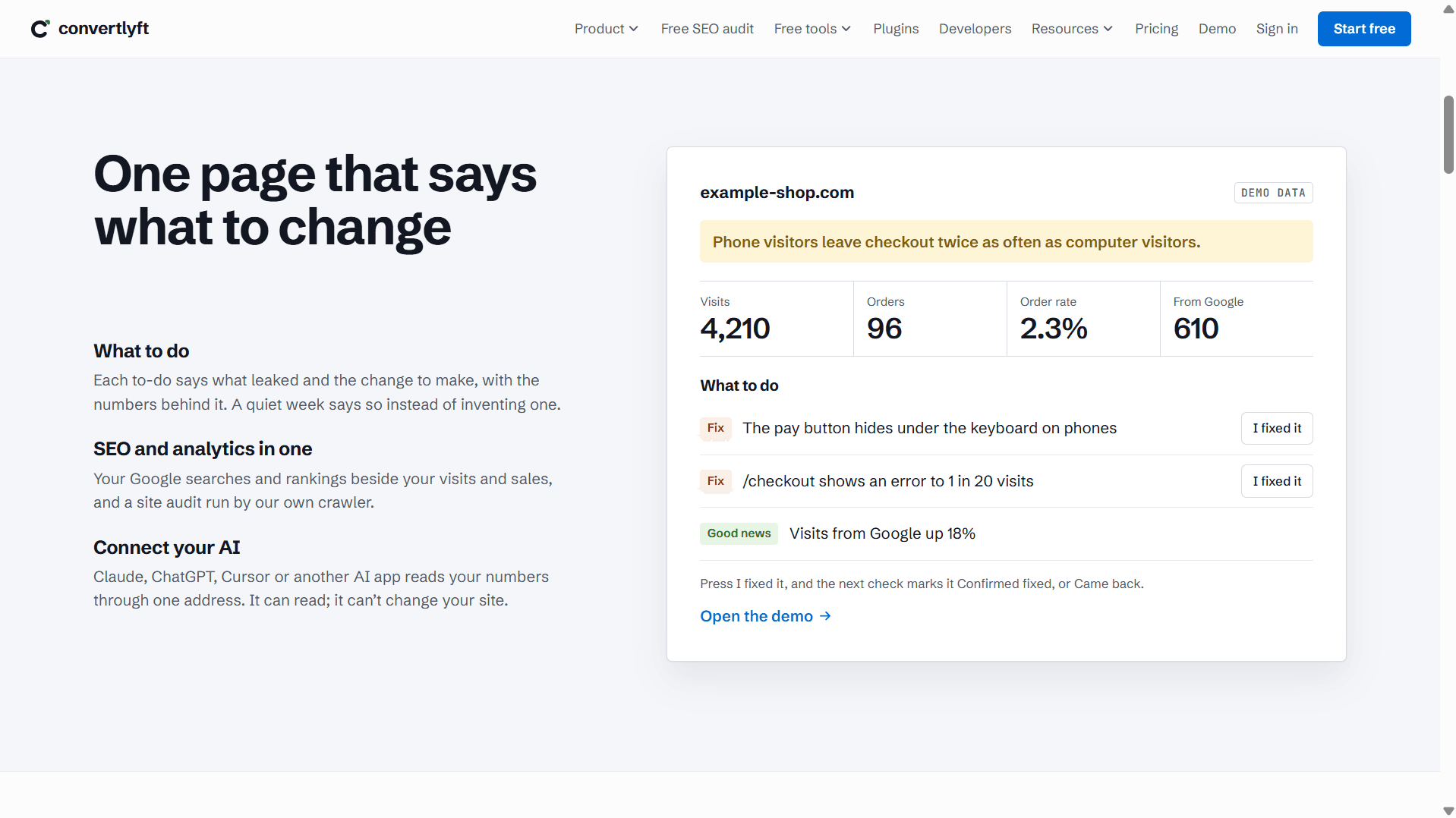
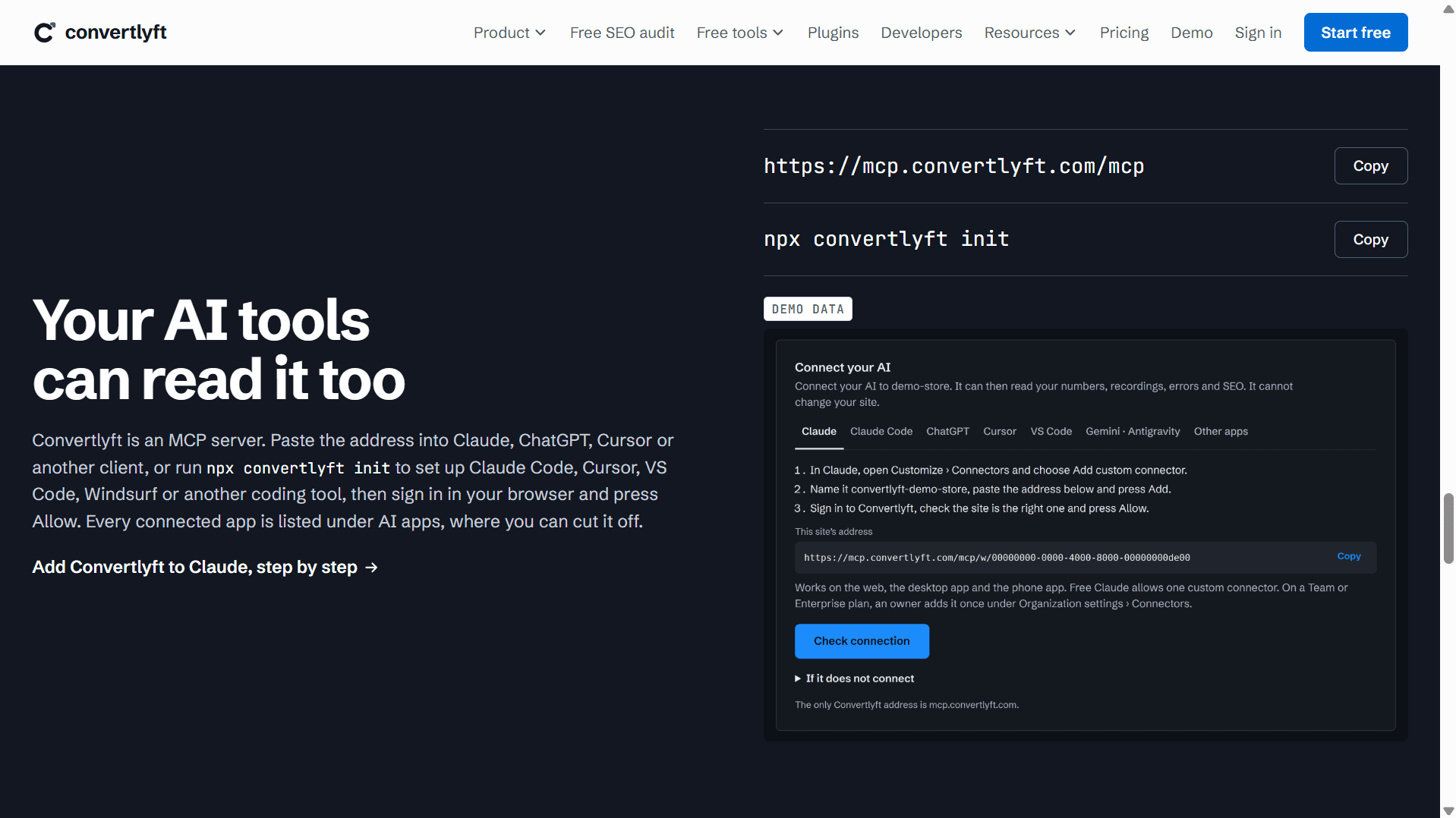
Convertlyft is a website analytics platform that combines conversion rate optimization (CRO) and SEO in one dashboard. It records every visit without sampling, builds funnels of up to six steps, and surfaces heatmaps, session recordings, JavaScript errors, and Core Web Vitals per page. What sets it apart is its action-oriented "What To Do" list: each to-do explains what leaked, the change to make, and the numbers behind it, with a fix-tracking loop that confirms whether a change actually held. It also ships an SEO audit tool, Google Search Console integration, rank tracking, and an MCP server so AI assistants like Claude, ChatGPT, and Cursor can read your metrics. It's GDPR-conscious, doesn't touch your site's code, and offers a generous free tier plus a 14-day Pro trial with no card required.
Key features
- 1Action-oriented 'What To Do' list with a fix-tracking loop (Confirmed fixed / Came back).
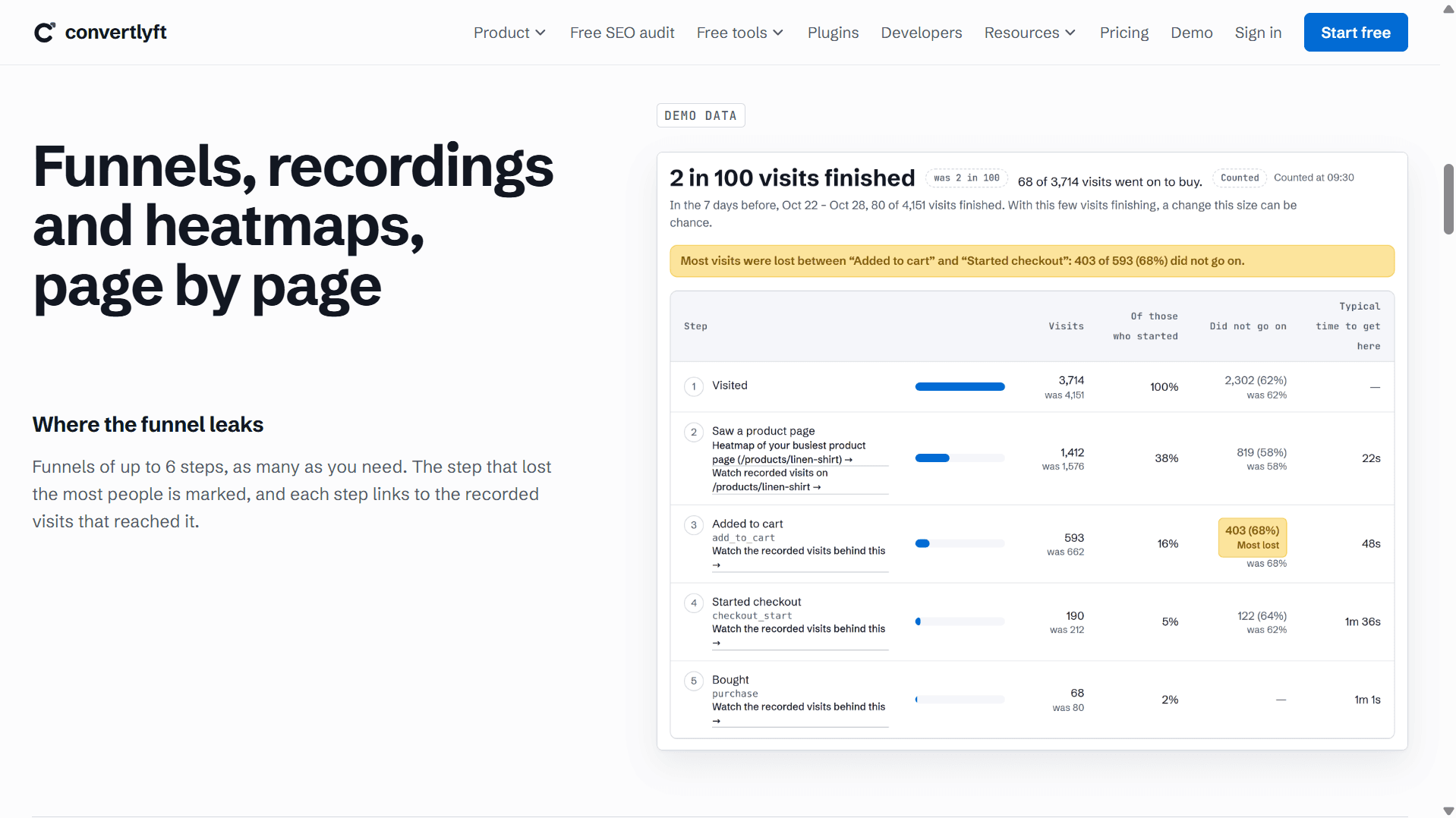
- 2No-sampling visit recording, funnels up to six steps, heatmaps, session recordings and JS error triage.
- 3SEO audit, Google Search Console integration, rank tracking and an MCP server for AI assistants.
Target customer profile
Drawn from the product itself, not from a survey.
Demographic
E-commerce store owners (Shopify, WooCommerce) doing $10k–$500k/year
Pain points
Visitors add to cart but abandon before checkout; no clear idea why
Primary needs
Funnel leak identification, session replays, and prioritized fixes
Demographic
SaaS marketing and growth teams with landing pages and signup flows
Pain points
Analytics tools show numbers but not the 'why' or actionable next steps
Primary needs
CRO to-dos, error tracking, page speed insights tied to conversions
Demographic
Freelance web developers and small agencies managing client sites
Pain points
Juggling multiple analytics and SEO tools; hard to prove ROI to clients
Primary needs
All-in-one analytics + SEO, multi-site seats, weekly Monday reports
Demographic
Solo founders and indie makers using no-code builders (Lovable, Framer, Webflow)
Pain points
Limited budget and time; need simple setup and clear guidance
Primary needs
Easy snippet install, free tier, plain-language recommendations
Scout Review
Written by AI from measured evidence, scored out of 100.
Convertlyft is a conversion-focused analytics tool that refuses to just show you numbers. Every visit is recorded without sampling, funnels go up to six steps, and the standout is the 'What To Do' list: each to-do names the leak, the fix, and the numbers, then tracks whether the fix held. Heatmaps, session recordings, JS error triage, Core Web Vitals per page, an SEO audit and Google Search Console integration sit in the same dashboard, plus an MCP server for AI assistants. Pricing is refreshingly simple — one price, everything on every plan, you only choose visit volume, from Free at 5,000 visits to $349/mo at 500k. The site is fast (97 mobile Lighthouse), secure on headers, and the hero funnel chart is one of the better product demos in the category. The gaps are polish below the fold, a dense nav, and no published compliance certifications yet.
Measure by measure
Usability
68One-snippet install with auto-detection of Shopify, WordPress, Wix, Webflow, Framer and Next.js, plus a no-commitment demo and a genuinely clear one-price pricing page. The nine-item nav and small left-column body copy make scanning harder than it needs to be.
Design
71Confident editorial hero where the funnel chart is the product demo, with consistent DEMO DATA tags and a disciplined blue/amber palette. Lower-section mockups shrink to unreadable and the stat figures wobble in precision.
Speed
89Lighthouse mobile 97/100 with LCP 1.1s, CLS 0 and TBT 100ms; desktop a clean 100/100. The marketing site is lean and snappy, and no lag complaints surfaced in the collected evidence.
Security
76Full header stack — HSTS, CSP, frame protection, Referrer-Policy, X-Content-Type-Options — plus SPF and DMARC, 11/12 on the probe. EU (Germany) hosting and hidden typed values are stated; no SOC 2 or pen-test claim found.
Accessibility
80Lighthouse accessibility 100/100 with a single failing audit on visible text labels lacking matching accessible names. No public WCAG statement or multi-language evidence found, so the automated score carries most of the weight.
Growth
63A real, specific pain (cart abandonment with no 'why') met with a concrete wedge: a fix-tracking to-do loop plus SEO and an MCP server at a $0–$29 entry price. Early stage, but the idea has room.
Improvement areas
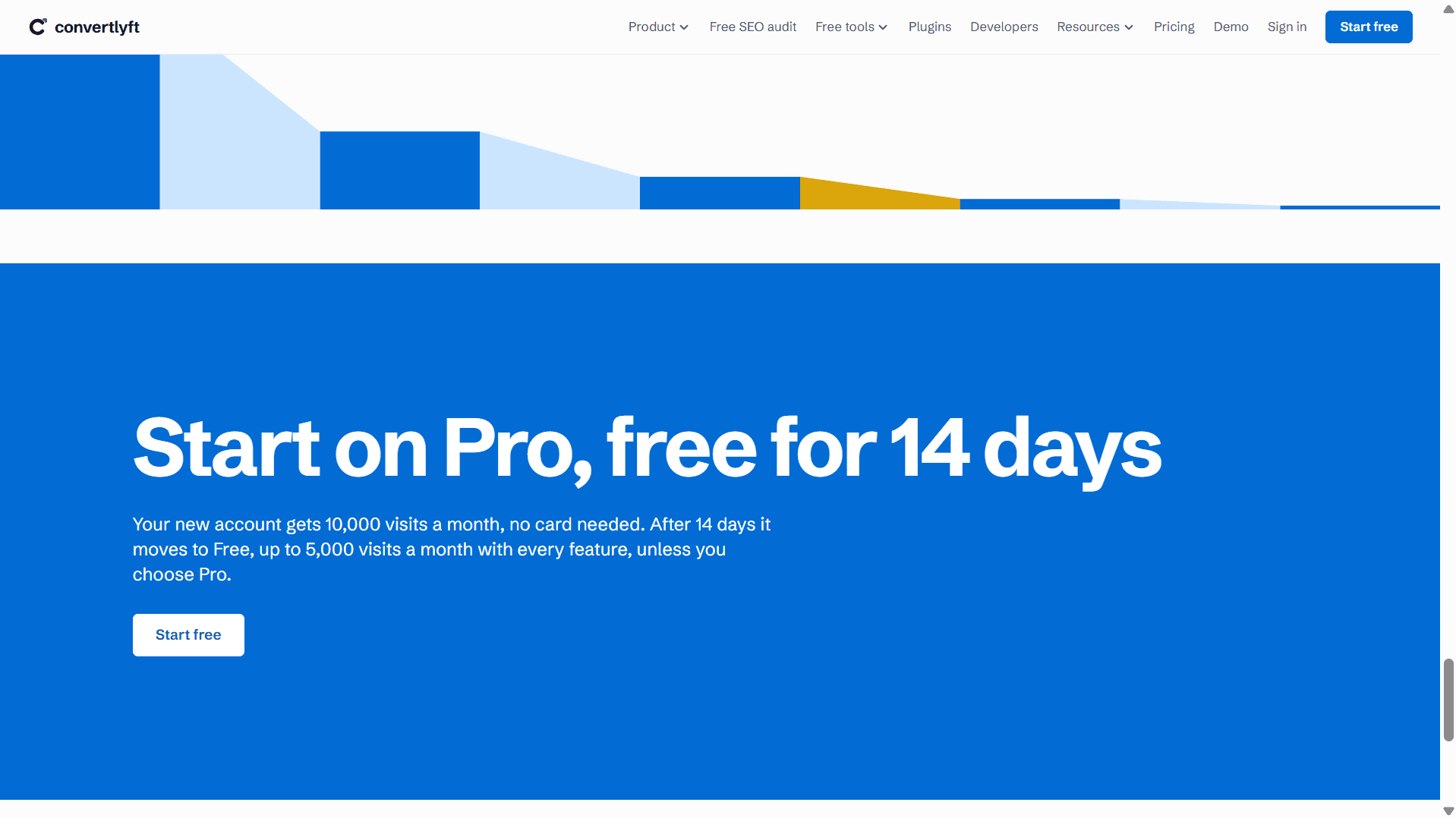
- Lower-section mockups shrink to unreadable; stat figures mix precision and don't match across captures.
- Nine-item top nav dilutes the single-message pitch; small left-column body copy hurts scanning.
- No published SOC 2 / ISO / pen-test or WCAG accessibility statement for enterprise and a11y buyers.
Design & Usability
The homepage does the hardest thing well: the hero funnel chart is the product, showing 3,714 visits collapsing to 68 purchases with the amber 'Most lost' step doing the explaining before a word of copy. Consistent DEMO DATA tags keep the mockups honest. Below the fold it loses discipline — recordings and click-map mockups shrink until the table text is unreadable, and the stat strip mixes '10,350,000+' with '307+' in a way that reads as decoration rather than proof. Usability is strong where it counts: one snippet, auto-detection of Shopify, WordPress, Wix, Webflow, Framer and Next.js, a real demo, and a pricing page that states one price with everything included. The nine-item nav and small left-column body copy are the friction points.
Speed & Security
Speed is a genuine strength: Lighthouse mobile 97/100 with LCP 1.1s, CLS 0 and TBT 100ms, desktop a clean 100/100. For a product that also sells Core Web Vitals monitoring, shipping a fast marketing site is the right kind of hypocrisy-free. Security is solid for its stage: HTTPS enforced, HSTS, CSP, frame protection, X-Content-Type-Options and Referrer-Policy all present, plus SPF and DMARC — 11 of 12 on the probe, with only Permissions-Policy missing. The site states EU (Germany) hosting and that typed values are always hidden in recordings, which matters for a tool that records sessions. What's absent is the enterprise paperwork: no SOC 2, ISO or pen-test claim surfaced, so buyers with a security questionnaire will have homework.
Accessibility & Growth
Accessibility scores 100/100 on the automated Lighthouse run, with a single failing audit about visible text labels not matching their accessible names — a small, fixable gap. No public WCAG statement or multi-language support was evidenced, so the automated score is doing most of the work. Growth is the interesting one. The category is crowded — Hotjar, Clarity, GA4, Mixpanel, PostHog — but Convertlyft's wedge is specific: a 'What To Do' list where each item says what leaked, the change to make, and the numbers behind it, then a fix-tracking loop that confirms whether the change held. Add SEO in the same dashboard and an MCP server so Claude or Cursor can read the metrics, and you have a reason to pick it that the incumbents structurally don't offer. The limit is reach: it's early (domain registered 2026-08-07) and the wedge is strongest for small e-commerce and indie builders, not enterprise teams.
Conclusion
If you run a Shopify or WooCommerce store doing real revenue and you've stared at GA4 wondering why people abandon at checkout, Convertlyft is aimed squarely at you — and the fix-tracking loop is the part that earns the signup. The free tier at 5,000 visits with every feature is a genuinely low-risk way to test it, and the 14-day Pro trial needs no card. Agencies juggling client sites will like the unlimited-websites and seats model. Where it falls short is enterprise readiness: no SOC 2, no a11y statement, and lower-page mockups that need a polish pass. For indie makers, small stores and growth teams, the value proposition is clear enough to try this week.
Suggestions for improvement
- Publish a WCAG/accessibility statement and fix the one failing audit on text-label accessible names.
- Enlarge the recordings and click-map mockups so table text is legible at normal zoom.
- Add a Permissions-Policy header to complete the security header set.
- Trim the top nav to the four or five items that matter and move the rest into a Resources menu.
Alternatives comparison
Named competitors, point by point. Nobody paid to appear here or to be left out.
 Convertlyft |  Hotjar |  Microsoft Clarity |  Google Analytics 4 |  Mixpanel |  PostHog | |
|---|---|---|---|---|---|---|
| Pricing entry point | Free up to 5,000 visits; Pro from $15–$29/mo | Free tier limited; paid plans higher | Free | Free (GA4 standard) | Free tier; paid scales with events | Generous free tier; usage-based paid |
| Session recordings & heatmaps | Yes, on every plan | Yes, core feature | Yes, free | No native recordings | Limited / add-on | Yes |
| Built-in SEO audit & rank tracking | Yes, own crawler + GSC + rank tracking | No | No | GSC integration only | No | No |
| Actionable fix recommendations with tracking | Yes — 'What To Do' + Confirmed fixed loop | Insights, no fix-tracking loop | Insights, no fix-tracking loop | Insights only | No | No |
| MCP server for AI assistants | Yes (Claude, ChatGPT, Cursor) | No | No | No | No | No |
Hotjar
Popular heatmaps and session recording tool with surveys and feedback widgets; Convertlyft pitches itself as a leaner, action-first alternative with built-in SEO.
Microsoft Clarity
Free heatmaps and session replay from Microsoft; Convertlyft adds funnels, SEO audits, error tracking, and explicit fix recommendations.
Google Analytics 4
Free, ubiquitous web analytics; Convertlyft differentiates with no-sampling visit recording, CRO to-dos, and an MCP server for AI assistants.
Mixpanel
Product analytics focused on event tracking and user behavior; Convertlyft adds session replay, heatmaps, and SEO in the same package.
PostHog
Open-source product analytics suite with session replay and feature flags; Convertlyft is lighter-weight and oriented toward conversion fixes rather than engineering telemetry.
Comparing options? See Convertlyft alternatives, scored side by side
More Marketing & Sales apps
View all Marketing & Sales
EmbedMyReviews
92White-label reputation management software for agencies s...

Puzzly – B2B Lead Generation & Sales Intelligence Platform
92Puzzly is an all-in-one B2B lead generation platform that...

Geogrid
92A UULE-powered local rank tracker for SEO agencies, offer...

Vibe Coding Agent Skills
92A free, open-source platform offering 110 AI agent skills...

QRBliss
91Branded QR codes with AI Brand Sync, 15 free dynamic code...

ThumbnailMaker
90AI YouTube thumbnail maker: paste a video link, get the brief, the thumbnail, and a check at feed size.

WAButton
90WhatsApp website leads, forms and contact routing

PitchWhip
90AI cold call scripts & direct dials from LinkedIn

BACKLNK
90Backlnk is a free SEO and AI visibility website: 15 website checks, a full audit as a PDF report, and guides to get found in search and AI answers.

DemoVexa
90Turn your code into professional product demo videos with AI-generated scripts, animated UI, and natural voiceovers.

Opus Growth
89Opus Growth is a single MCP server for Google Ads, Meta Ads, TikTok Ads, LinkedIn Ads, Microsoft Ads and ChatGPT Ads. ChatGPT, Claude, Codex, Perplexity, Cursor and other assistants connect with the same address.

AuditCloser
89White-label website audits that close deals for digital a...


A platform dedicated to providing unbiased reviews of newly launched applications, analyzing everything from their features to their full potential.
info@scoutforge.net© 2026 Scoutforge. All rights reserved.
