Cycling through all six. Tap any point to stop.
Measured on six things
AI YouTube thumbnail maker: paste a video link, get the brief, the thumbnail, and a check at feed size.
Growth
68Real problem, specific buyer, and a wedge competitors structurally don't have: verification (text read-back, 336px grading) plus MCP/API distribution into Claude and ChatGPT.
Screenshots
1 / 4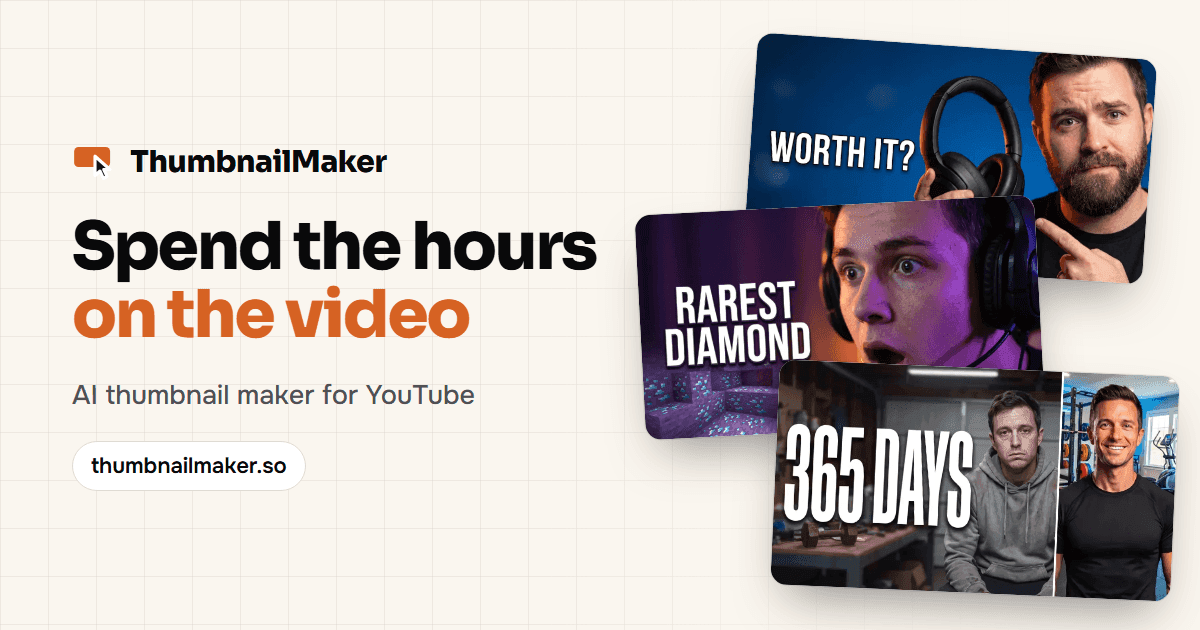
About this app
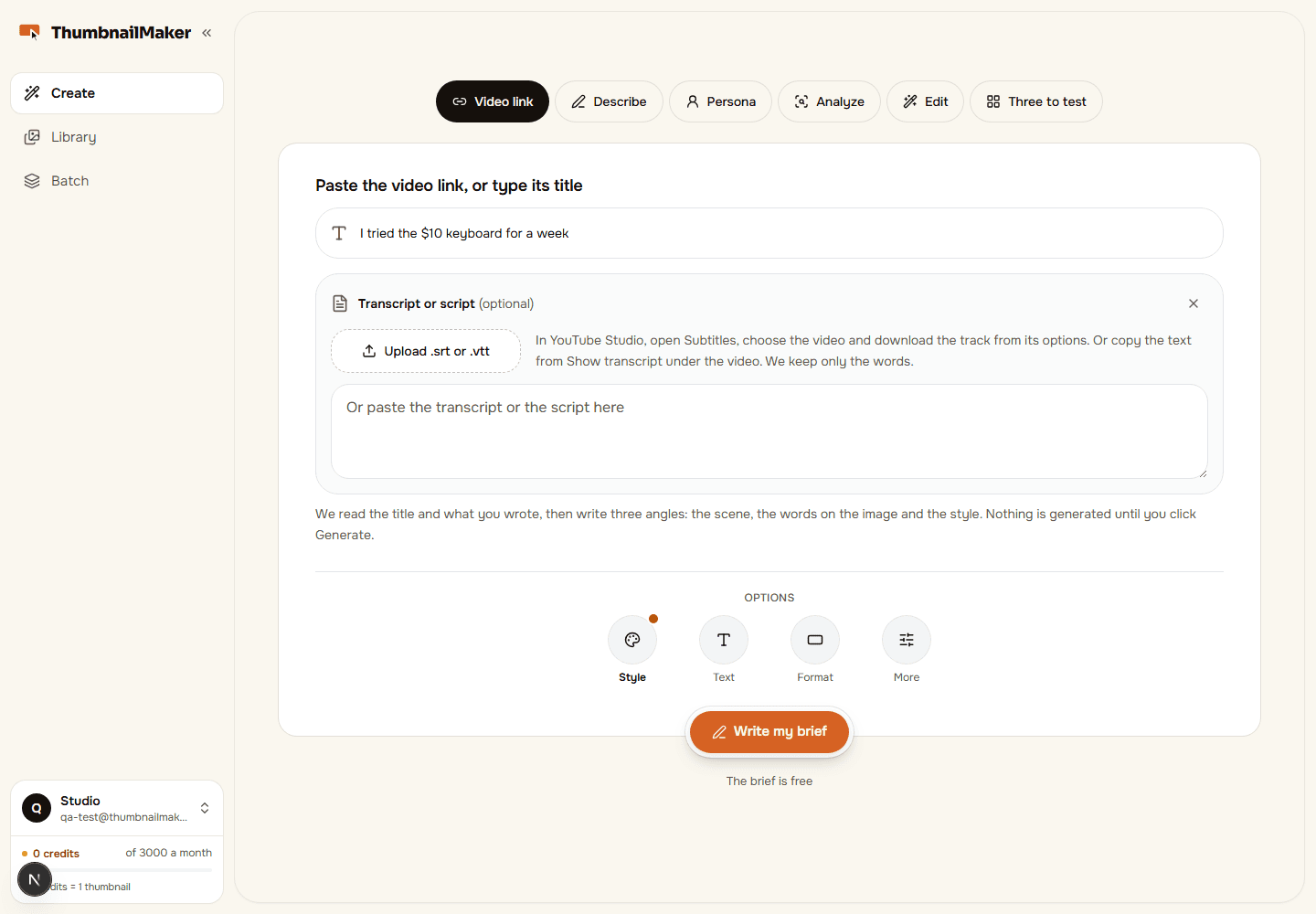
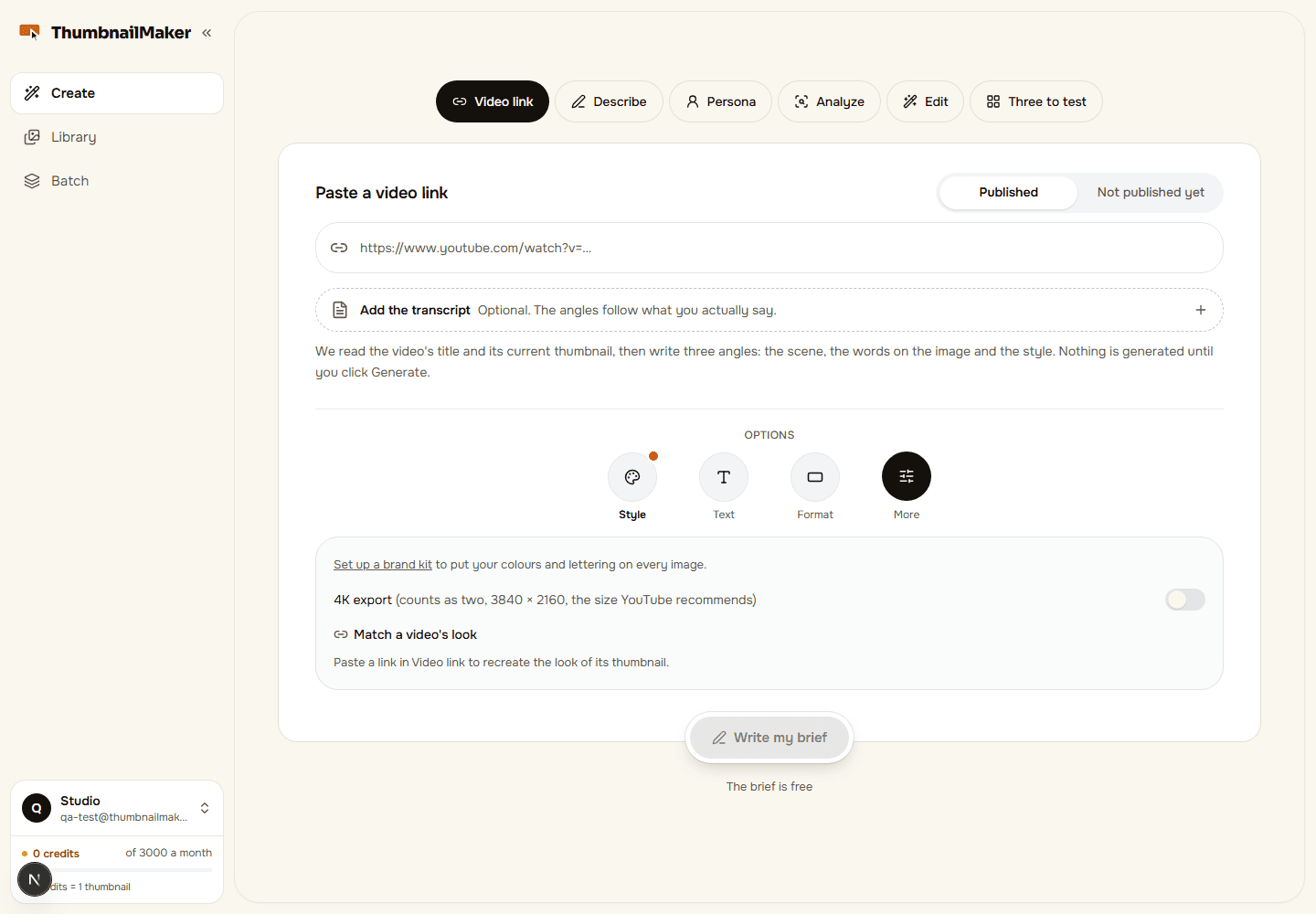
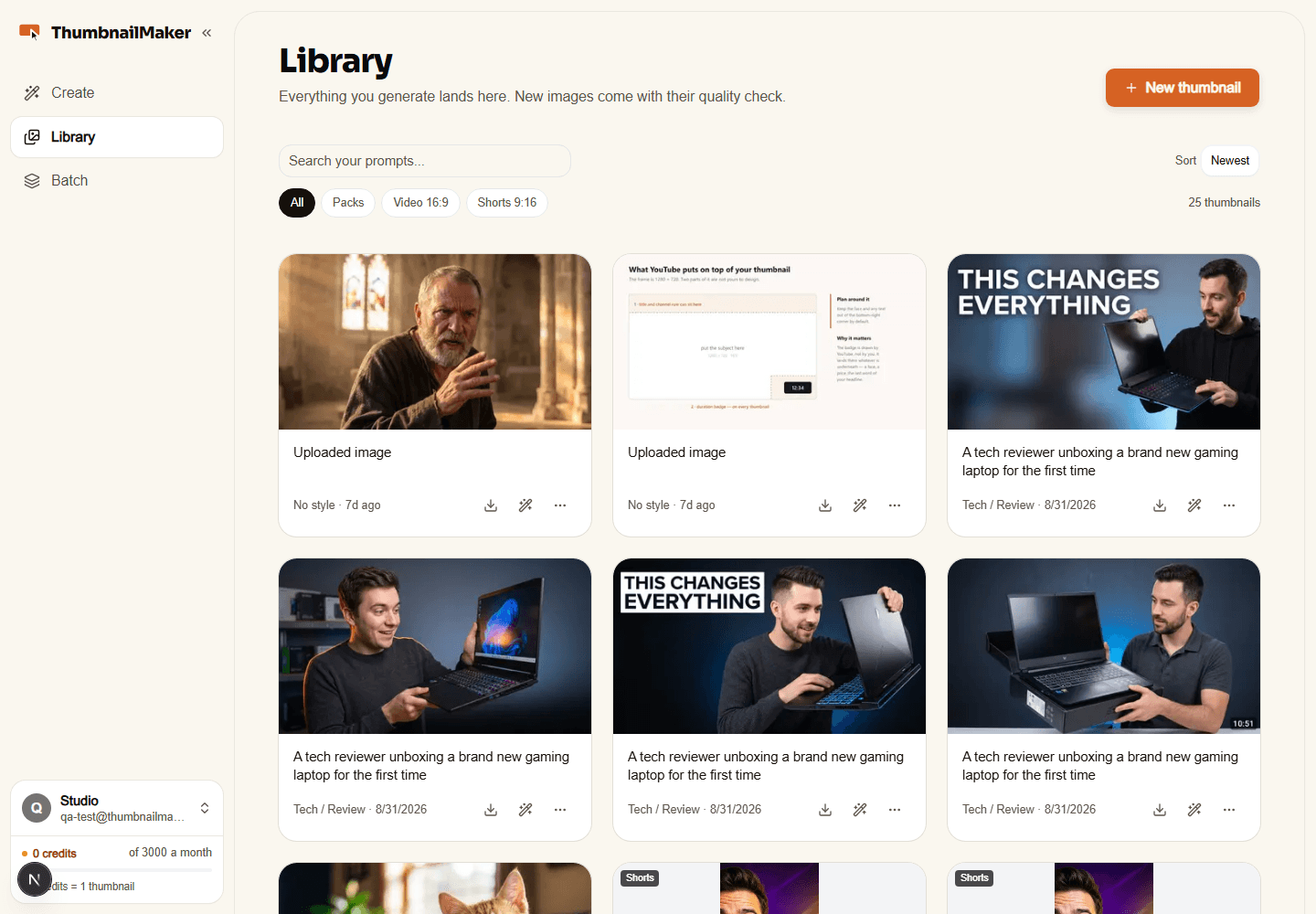
ThumbnailMaker turns a YouTube video into its thumbnail. Paste the video's link, or type the title of one not published yet: it reads the title, the current thumbnail and the transcript if you add it, writes three angles (scene, words on the image, style), and generates the one you pick. The difference is the checking: the text is drawn as typed and read back, redrawn if a letter is wrong; every image is graded at 336 px, the size YouTube shows in the feed, with the duration-badge corner kept clear. Then correct it in a sentence and the parts that worked are kept; make three concepts for YouTube's A/B test; keep a brand kit; run a batch of ten videos; export in 16:9, 9:16 for Shorts or 4K. Works from Claude and ChatGPT through MCP, and a REST API. Try it: one free preview per account, small and watermarked, no card. Full-size thumbnails come with the plans: Starter $12/month (400 credits, 10 per thumbnail), Pro $39, Studio $99; cancel anytime. Six languages.
Key features
- 1Paste a video link or type a title; the tool writes the scene, on-image text and style brief automatically.
- 2Text is drawn as typed, read back, and redrawn if a letter is wrong; readability graded at 336px feed size.
- 3Plain-language corrections that preserve the parts of the image that worked, plus three-concept A/B packs.
- 4Brand kit, batch runs of ten videos, 16:9 / 9:16 / 4K export, and MCP + REST API access on Studio.
Target customer profile
Drawn from the product itself, not from a survey.
Demographic
YouTube creators
Pain points
Spending hours on thumbnail design, inconsistent branding, low click-through rates
Primary needs
Fast, professional thumbnails that increase views and maintain channel identity
Demographic
Podcasters and streamers
Pain points
Lack of design skills, need for eye-catching visuals for episodes and streams
Primary needs
Easy-to-use tool that generates thumbnails from episode links or descriptions
Demographic
Social media managers
Pain points
Managing multiple channels, tight deadlines, need for consistent quality
Primary needs
Batch processing, brand kit, and quick turnaround for multiple clients
Scout Review
Written by AI from measured evidence, scored out of 100.
ThumbnailMaker is a focused AI thumbnail generator that competes on checking rather than drawing. Paste a video link and it writes the brief, generates at 16:9 or 9:16, reads the text back and redraws if a letter is wrong, then grades readability at the 336px size YouTube actually shows. Corrections happen in plain language and preserve what worked. Pro adds a brand kit, Auto-Polish and three-concept A/B packs; Studio adds three channels, batch runs of ten and API access. Pricing is transparent and credit-based at $12/$39/$99. The site is fast, the headers are clean, and the demo is honest. The gaps are the usual early-stage ones: no compliance certifications, one contrast failure, and a free tier that only proves the product works.
Measure by measure
Usability
71Link-paste to brief to image, one free watermarked preview with no card, and a pricing page that publishes an exact credit ledger including refunds for empty calls. Onboarding path is clear.
Design
78Modern dark landing page with a live link-to-thumbnail demo and 14 named styles. Showing the exact brief beside the generated image is a real craft signal most competitors skip.
Speed
82Lighthouse mobile 90/100 (LCP 1.7s, CLS 0, TBT 289ms) and desktop 99/100. The marketing site is genuinely fast; no lag complaints in the collected evidence.
Security
74Full security-header sweep: HTTPS enforced, HSTS, CSP, frame protection, Referrer-Policy, Permissions-Policy, plus SPF and DMARC — 12/12. No published SOC 2 or pen-test claim yet.
Accessibility
76Lighthouse accessibility 97/100 with six-language support. One failing audit: insufficient color contrast in places. No WCAG conformance statement published.
Growth
68Real problem, specific buyer, and a wedge competitors structurally don't have: verification (text read-back, 336px grading) plus MCP/API distribution into Claude and ChatGPT.
Improvement areas
- No published SOC 2, ISO 27001 or penetration test, and no dedicated security or trust page.
- One Lighthouse accessibility failure (color contrast) and no WCAG conformance statement.
- Free tier is a single small watermarked preview — not enough to judge real output quality.
- No public gallery or benchmark proving the 336px readability grading actually improves click-through.
Design & Usability
The landing page does the hard thing well: it shows the product working. A pasted YouTube link becomes three styled thumbnails, and the exact brief that produced each image sits right next to it — a transparency move that reads as confidence rather than marketing. Fourteen named styles give the visual system real consistency. On usability, the path is short and the pricing page is unusually honest: 10 credits a thumbnail, corrections and second takes cost one, 4K costs two, and calls that return nothing are refunded. The free tier is a single watermarked preview, which is enough to judge quality but not enough to ship anything.
Speed & Security
Measured performance is strong: Lighthouse mobile 90/100 with a 1.7s LCP, zero layout shift and 289ms total blocking time; desktop hits 99/100. For a site carrying a live demo and generated imagery, that is well above the category norm. Security is the quieter win — HTTPS enforced with HSTS, a Content-Security-Policy, frame protection, Referrer-Policy and Permissions-Policy all present, plus SPF and DMARC on the domain, a clean 12/12 on the header checklist. What is missing is the paperwork layer: no SOC 2, ISO 27001 or published penetration test, and no dedicated security page. For an indie-stage tool handling customer brand assets that is normal, but it caps how far the score can go.
Accessibility & Growth
Automated accessibility lands at 97/100 with a single failing audit — insufficient color contrast somewhere on the page. Six languages are supported, which is more than most peers bother with, but there is no WCAG conformance statement or accessibility page to back the score up. Growth is the more interesting question. The category is crowded: Canva and Adobe Express own the general design market, Pikzels and Thumbmagic start from a video link, and 1of10 bundles outlier research. ThumbnailMaker's wedge is verification rather than generation — text drawn as typed and read back, readability graded at 336px, the duration-badge corner measured — plus distribution through MCP and a REST API so thumbnails can be made from inside Claude, ChatGPT or Cursor. That is a real, defensible position against tools that just call an image model. The limit is that the wedge is a feature, not a moat: any competitor can add a read-back check.
Conclusion
If you make thumbnails weekly and the recurring pain is a typo you catch after upload or text that vanishes at phone size, this is aimed squarely at you and the credit math is easy to check. If you need enterprise procurement paperwork, SOC 2 or a design system you can hand to a team, look at Canva or Adobe Express instead — they are slower and more manual but they come with the compliance story. The honest test is the free preview: generate one, look at it at feed size on your phone, and decide whether the checking is worth $12 a month.
Suggestions for improvement
- Publish a security page with data-handling details and a roadmap toward SOC 2 or a third-party pen test.
- Fix the contrast failure flagged by Lighthouse and add a short WCAG conformance statement.
- Make the free preview downloadable at full size once, watermarked, so buyers can judge real output.
- Add a public gallery of before/after feed-size comparisons to prove the 336px grading claim.
Alternatives comparison
Named competitors, point by point. Nobody paid to appear here or to be left out.
 ThumbnailMaker ThumbnailMaker |  Canva Canva |  Adobe Express Adobe Express | Pikzels | Thumbmagic | 1of10 | |
|---|---|---|---|---|---|---|
| Generates a thumbnail directly from a YouTube video link | Yes — reads title, current thumbnail and optional transcript, writes the brief | No — template-based manual design | No — templates plus manual editing | Partial — Recreate mode from a reference image | Yes — starts from the video link | Yes — generator plus outlier research |
| Verifies on-image text is spelled correctly and readable at feed size | Yes — text read back and redrawn; graded at 336px; badge corner checked | No automated check | No automated check | Score-then-fix loop, not text verification | Not advertised | Not advertised |
| Free tier without a credit card | One watermarked preview per account, no card | Generous free plan with templates | Free plan with limited features | Free generation, download locked behind card trial | Three free thumbnails | 60 watermarked credits per month |
| Entry-level monthly price | $12/mo Starter (400 credits) | Free tier; Pro around $15/mo | Free tier; Premium around $10/mo | From $40/mo | About $29/mo for 100 thumbnails | From $19/mo |
| Batch processing and multi-channel brand kits | Studio: three channels/brand kits, batches of ten | Brand kits on paid plans; no batch generation | Brand kits on paid plans; no batch generation | Personas; batch not advertised | Avatars and edit history; batch not advertised | Channel tracking and research; batch not advertised |
| API / MCP access for use inside Claude or ChatGPT | Yes — MCP plus REST API on Studio | Connect APIs, not thumbnail generation via MCP | Firefly APIs, not MCP thumbnail generation | Not advertised | Not advertised | Chrome extension, not MCP |
Canva
Graphic design platform with templates for thumbnails, but requires manual design work and lacks AI generation from video links.
Adobe Express
Design tool with thumbnail templates and some AI features, but not specialized for YouTube thumbnails and requires more manual effort.
Pikzels
AI thumbnail maker with a Recreate mode, personas and a score-then-fix loop; generates for free, then locks the download behind a card trial; plans from $40/month.
Thumbmagic
Starts from the video link like ThumbnailMaker, with avatars and an edit history; three free thumbnails, then about $29/month for 100 thumbnails.
1of10
Thumbnail generator plus outlier research: tracked channels, a Chrome extension inside YouTube, 60 free watermarked credits a month; plans from $19/month.
Comparing options? See ThumbnailMaker alternatives, scored side by side
More Design & Creativity apps
View all Design & Creativity
RoomCreator
92An AI-powered interior and exterior design tool that tran...

Tracé slides
89Interactive math & physics slides with live graphs and an...

English Test Coach
89English Test Coach checks your IELTS essays and letters, gives an estimated band score across all four criteria, and tells you exactly what to revise next.

What the GIF
89Frame-perfect video-to-GIF maker that runs entirely in yo...

Portrait Gift
88AI-powered personalized face swap art platform creating c...

TranscriptYou
88Free YouTube transcript generator with timestamps and AI ...

Pixelimg
88A free online AI-powered tool that instantly converts ima...

ButterKit
82macOS app for App Store screenshots: 3D mockups, auto-tra...

BeartIMAGE
88BeartIMAGE is a free, web-based image processing platform engineered for fast, bulk photo editing and conversion directly in your browser.

RestorePhotosApp
88An AI-powered photo restoration app that brings old, blur...

Coloring Pages Pro
87A massive collection of free printable coloring pages for...

QRocodile
87Design And Animate QR Codes People Want to Scan


A platform dedicated to providing unbiased reviews of newly launched applications, analyzing everything from their features to their full potential.
info@scoutforge.net© 2026 Scoutforge. All rights reserved.
