Cycling through all six. Tap any point to stop.
Measured on six things
FetchPins is a free Pinterest video downloader. Save Pinterest videos, images, GIFs and MP3 audio in one tap — no account, no watermark, no app to install.
Growth
58Real, recurring need with a specific audience and honest-quality positioning, but the wedge (no login, no watermark, MP3) is thin against SavePin and PinDown doing the same thing.
Screenshots
1 / 3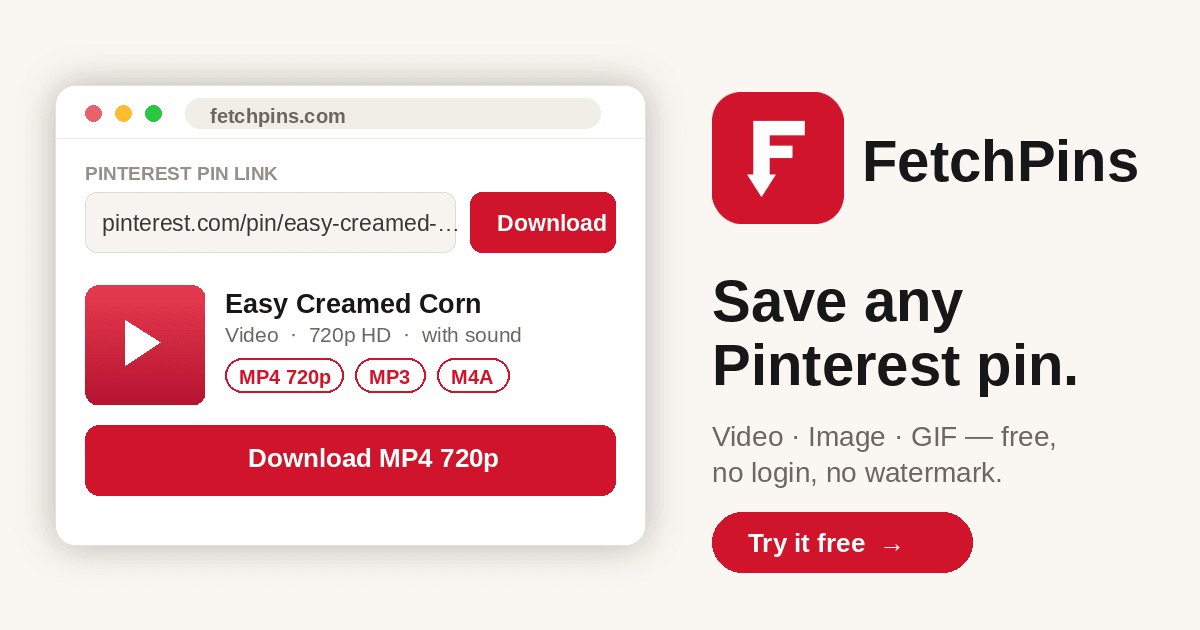
About this app
FetchPins is a free Pinterest video downloader that works in your browser. Paste any Pinterest link and download the video as an MP4 with sound, the image at full size (up to 736 px), a real GIF, or just the audio as MP3. No account, no app to install, no watermark added. A free Chrome extension adds one-click downloads on the pin page.
Key features
- 1Paste any Pinterest link to download video as MP4 with sound, image up to 736px, GIF, or audio as MP3/M4A.
- 2No account, no install, no watermark — works in any modern browser on iPhone, Android, Windows, Mac and Chromebook.
- 3Free Chrome and Edge extension for one-click downloads directly on the Pinterest pin page.
Target customer profile
Drawn from the product itself, not from a survey.
Demographic
Social media managers and content curators aged 22-40
Pain points
No native download button for other creators' Pinterest videos and no offline access
Primary needs
Quickly save reference videos and images for mood boards, campaigns and reposting
Demographic
DIY crafters, home cooks and hobbyists aged 25-55
Pain points
Saved pins disappear when creators delete them and don't work offline
Primary needs
Permanent, offline copies of tutorials, recipes and design inspiration on phone or PC
Demographic
Designers, marketers and small business owners aged 20-45
Pain points
Juggling unreliable downloader sites that add watermarks, ask for logins or mislead on quality
Primary needs
A safe, no-login, watermark-free tool with honest quality and multi-format support
Scout Review
Written by AI from measured evidence, scored out of 100.
FetchPins is a well-executed, fast, no-frills Pinterest downloader that does exactly what it says: paste a link, get an MP4 with sound, an image, a GIF or an MP3, with no login and no watermark. The site is clean and quick, the flow is genuinely simple, and the honest-quality stance — telling you 720p is the ceiling instead of promising fake 4K — is refreshing. The gaps are the ones you'd expect from a young tool: no published security audits, missing email authentication, a few accessibility contrast failures, and a differentiator set that overlaps heavily with SavePin and PinDown. It is a solid pick if you want a fast, ad-light downloader; it is not yet a category leader.
Measure by measure
Usability
72Paste-link flow is dead simple, with per-format and per-device guides plus a Chrome/Edge extension. Onboarding is near-zero-friction; the lower half gets dense on mobile.
Design
70Clean, coherent single-accent design with a disciplined hero and comparison tables. Held back by repetitive copy and a step-1 mockup that shows Pinterest's UI instead of its own.
Speed
90Lighthouse 98 mobile / 99 desktop, LCP 1.7s, CLS 0, TBT 76ms. A genuinely snappy static-feeling page with no measurable layout shift.
Security
62HTTPS with HSTS, frame protection and secure cookies in place, and files claimed not stored server-side. Missing CSP, Permissions-Policy, SPF and DMARC; no published audits.
Accessibility
70Lighthouse 93/100 with five-language support. Contrast failures, non-sequential headings and color-only links keep it out of the top tier; no WCAG statement published.
Growth
58Real, recurring need with a specific audience and honest-quality positioning, but the wedge (no login, no watermark, MP3) is thin against SavePin and PinDown doing the same thing.
Improvement areas
- Missing SPF, DMARC and CSP headers leave the domain open to email spoofing and injection.
- Three failing accessibility audits: contrast, heading order, and color-only links; no WCAG statement.
- Differentiation is thin against SavePin and PinDown, which offer near-identical paste-a-link workflows.
Design & Usability
FetchPins presents a tight, coherent landing page: one red accent, a hero that puts the paste field and Download button front and center, and comparison tables that are actually readable. The three-step guide with numbered phone frames gets a first-timer to value in about ten seconds, and the per-format and per-device pages answer the obvious follow-up questions. The weaknesses are cosmetic but real: 'No login' is repeated in four separate places, the step-1 mockup shows Pinterest's interface rather than FetchPins's own, and the lower half of the page stacks enough tables to slow mobile scanning. Usability is the stronger of the two — the flow is genuinely near-frictionless.
Speed & Security
Speed is the standout: Lighthouse 98 on mobile and 99 on desktop, LCP 1.7s, zero layout shift and 76ms total blocking time. That is a fast, well-built page and it shows in the experience. Security is competent but incomplete. HTTPS is enforced with HSTS, frame protection and secure cookies are present, and the site states files are not stored on its servers. But there is no CSP, no Permissions-Policy, and DNS is missing both SPF and DMARC — meaning the domain can be spoofed in email. No SOC 2, ISO or bug bounty is published, which is normal for a tool this young but leaves the security story thin.
Accessibility & Growth
Accessibility scores 93/100 on Lighthouse and the site ships in five languages, which is better than most downloader tools bother with. The failing audits are the usual suspects — insufficient contrast on small gray helper text, non-sequential heading order, and links distinguished only by color — and there is no published WCAG statement. Growth is the harder call. The problem is real and recurring: Pinterest has no native download button, and saved pins vanish when creators delete them. The audience is specific and the honest-quality messaging (720p, not fake 4K) is a genuine trust play. But SavePin and PinDown offer the same paste-a-link workflow, and 'no watermark, no login' is table stakes in this category rather than a moat. The Chrome extension is the most defensible wedge; the rest is a crowded field.
Conclusion
If you need to grab a Pinterest video or image right now and don't want to hand over a login or wade through watermark-adding downloader sites, FetchPins does the job cleanly and quickly. The Chrome extension is the feature most likely to keep you coming back. Where it needs work: publish a security page or at least add SPF/DMARC and a CSP, fix the contrast and heading-order issues, and find a wedge beyond 'no watermark' — because that is not a moat, it is a checkbox. A promising, well-built early tool that needs a sharper reason to exist alongside its peers.
Suggestions for improvement
- Add SPF and DMARC records and a Content-Security-Policy header to close the email-spoofing and injection gaps.
- Fix the three failing accessibility audits: contrast on gray helper text, heading order, and color-only links.
- Replace the step-1 phone mockup showing Pinterest's UI with a mockup of FetchPins's own flow.
- Trim the repeated 'No login' claims and give the Chrome extension a more prominent, differentiated pitch.
Alternatives comparison
Named competitors, point by point. Nobody paid to appear here or to be left out.
 FetchPins | SavePin | PinDown | |
|---|---|---|---|
| Price | Free, no premium plan | Free | Free |
| Login required | No | No | No |
| Formats supported | MP4, image (up to 736px), GIF, MP3/M4A | Video, image, GIF | Video (MP4) |
| Watermark added | None | None | None |
| Browser extension | Chrome and Edge | Not offered | Not offered |
| Audio extraction (MP3) | Yes (MP3 or M4A) | No | No |
SavePin
A popular Pinterest video downloader that lets you save videos, images and GIFs by pasting a pin link, with a similar no-install browser workflow.
PinDown
An online Pinterest downloader focused on saving video pins as MP4, often used as a quick alternative for grabbing Pinterest media without an app.
Comparing options? See FetchPins alternatives, scored side by side
More Social Media apps
View all Social Media
Voqusa
89Transcribe social media video and audio links into text (free signup, 5 free credits, then pay-as-you-go)

PodRescale
89Every episode becomes two weeks of posts. In your voice. Posted for you.

AnyScript
88Timestamped video transcripts for source checking and script research.

PlanSend
88Social media scheduler with client approvals built in

TranscriptYou
88Free YouTube transcript generator with timestamps and AI ...

Evoriqa
88White-label AI customer service agent for small businesse...

AI Dance Trend
88Turn one photo into a 10-second AI dance video — no app, ...

LurkAPI
88Public social media data as clean JSON, in one request

Buzzsift
88AI social listening reports across TikTok, Reddit, YouTube, Instagram and X with linked quotes—$9.99 per report.

AI Comment Exporter
88YouTube comment exporter to CSV, Excel and JSON, with AI reports

AdRate
87TikTok ads automation for multi-account growth

Kinomo
87The Mac motion studio your AI agent drives.


A platform dedicated to providing unbiased reviews of newly launched applications, analyzing everything from their features to their full potential.
info@scoutforge.net© 2026 Scoutforge. All rights reserved.
