Cycling through all six. Tap any point to stop.
Measured on six things
Free IELTS Writing scorer — band scores in seconds
Security
52HTTPS enforced with HSTS and SPF, but no CSP, frame protection, X-Content-Type-Options, Referrer-Policy, or DMARC — 5/12 checklist points. No published security page or compliance certifications found.
Screenshots
1 / 5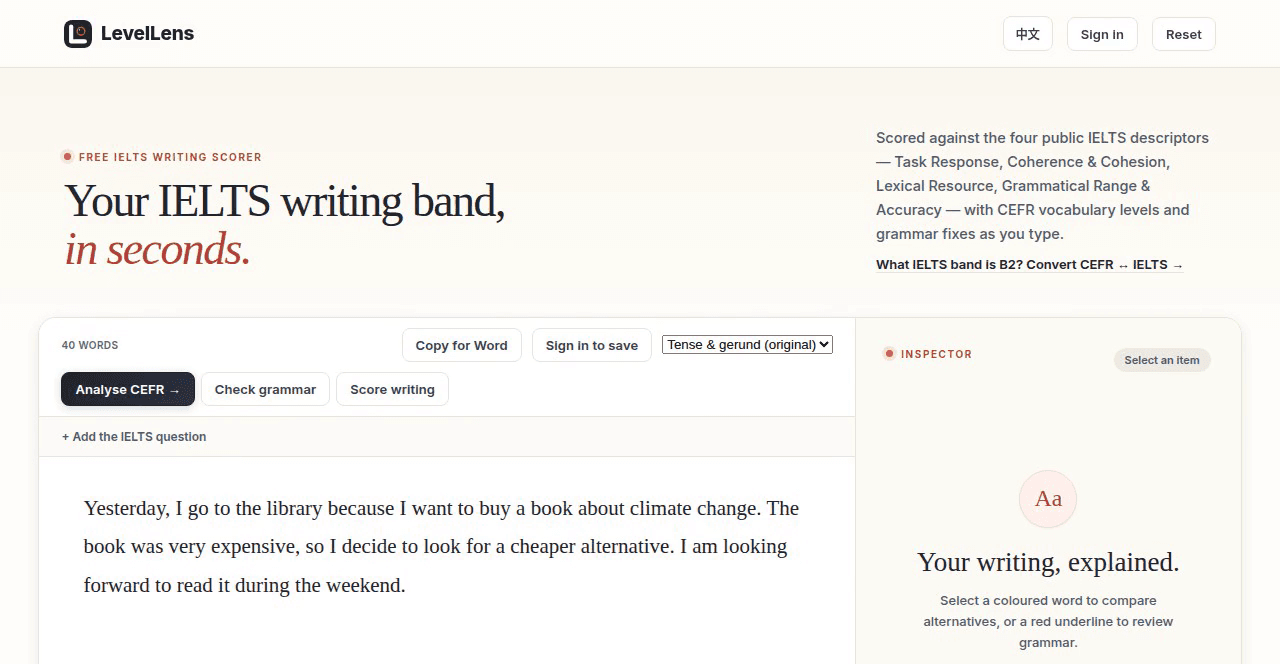
About this app
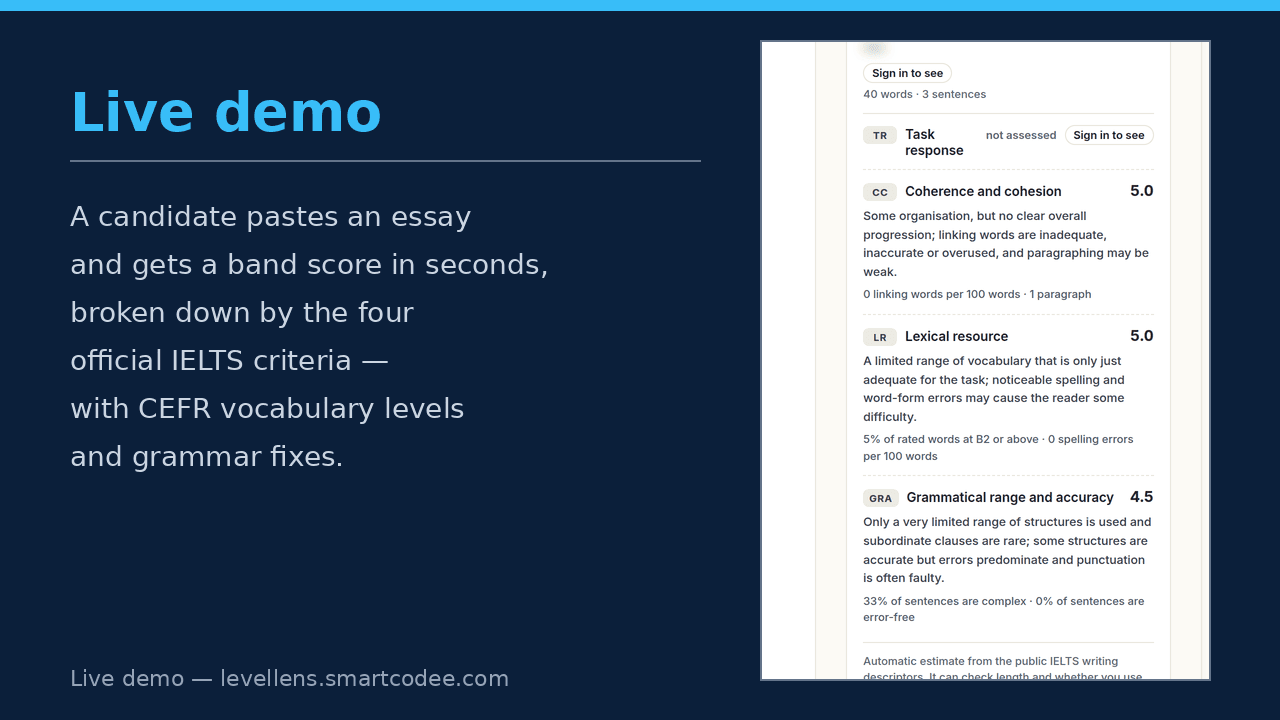
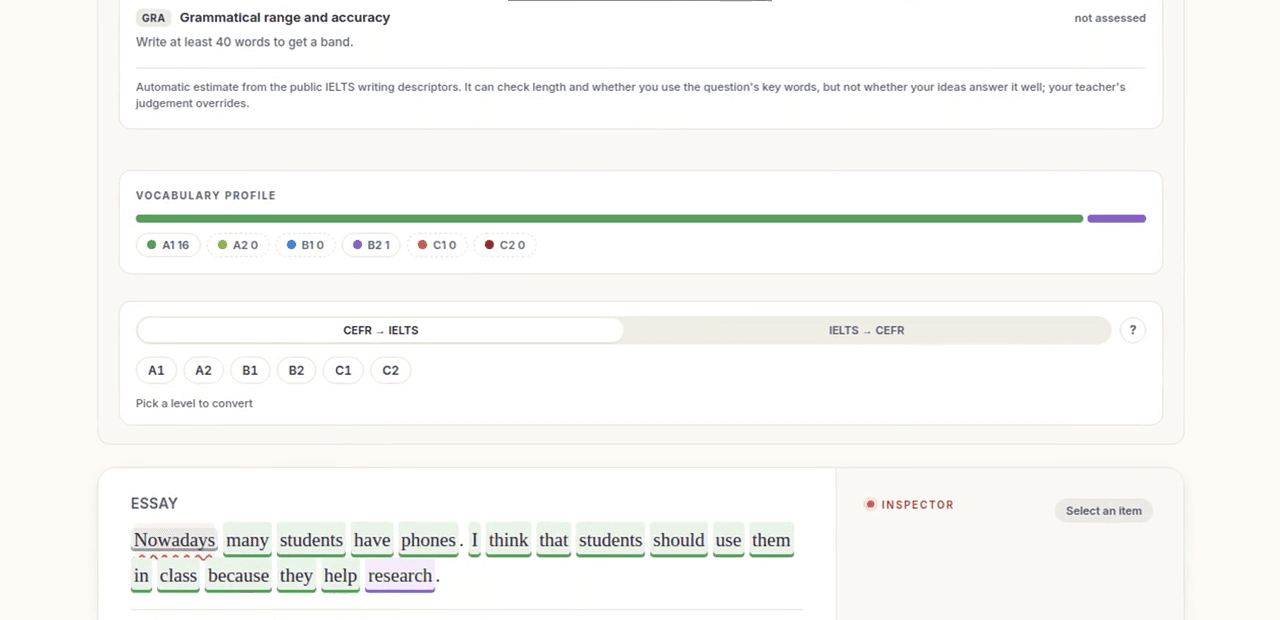
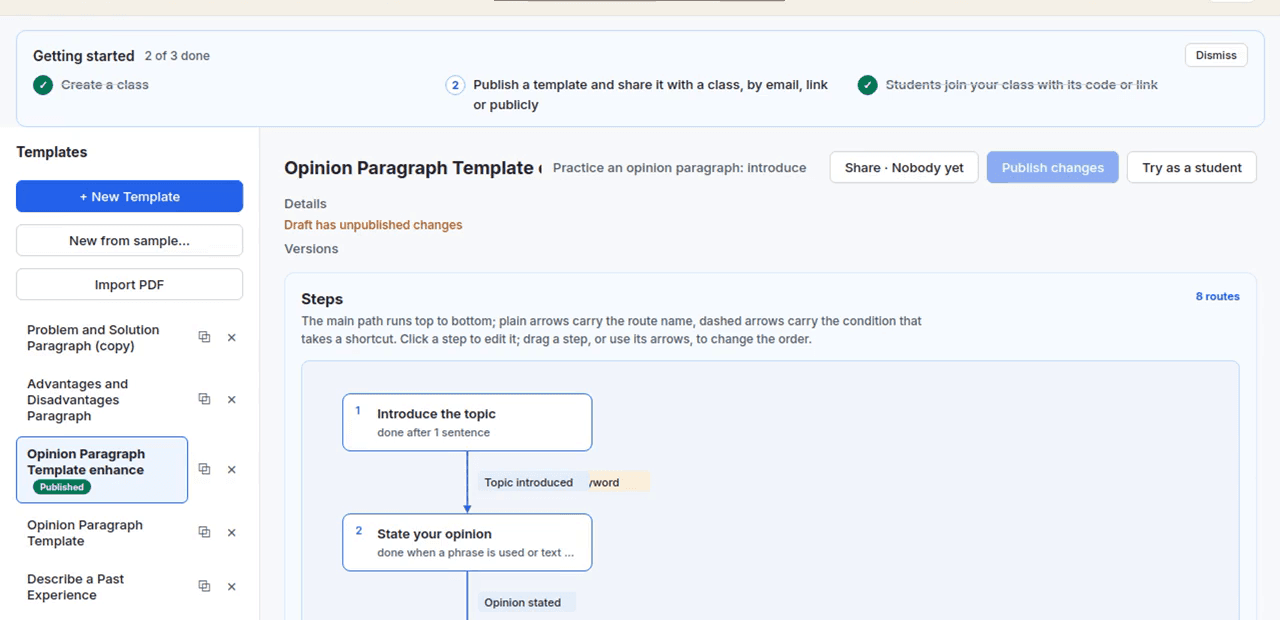
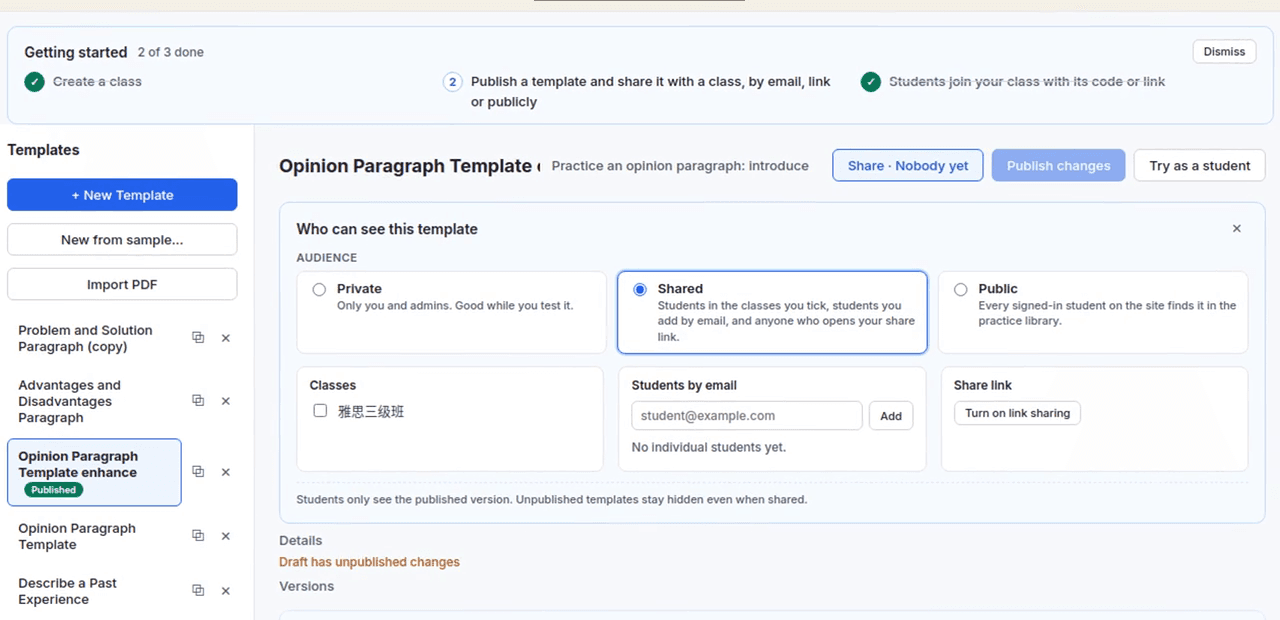
LevelLens is a free IELTS Writing scorer — paste an essay and get a band score in seconds, broken down by the four official IELTS criteria (task response, coherence and cohesion, lexical resource, grammatical range and accuracy), plus CEFR vocabulary levels and grammar fixes. No sign-up is needed to try it. It also includes a teacher workbench with step-by-step templates, class sharing and per-step analytics. Built in Toronto by a two-person part-time team — a developer and an IELTS teacher.
Key features
- 1Instant IELTS band score across the four official criteria (TR, CC, LR, GRA).
- 2CEFR vocabulary level highlighting (A1–C2) with grammar fixes as you type.
- 3Teacher workbench with step-by-step templates, class sharing, and per-step analytics.
Target customer profile
Drawn from the product itself, not from a survey.
Demographic
IELTS test-takers (18-35)
Pain points
Lack of affordable, instant feedback on writing practice
Primary needs
Quick band score estimates and grammar correction
Demographic
English language learners (B1-C1)
Pain points
Uncertainty about vocabulary level and grammatical accuracy
Primary needs
CEFR alignment, vocabulary profiling, and error explanations
Demographic
ESL teachers and tutors
Pain points
Time-consuming manual assessment of student essays
Primary needs
Fast preliminary scoring to supplement their own evaluation
Scout Review
Written by AI from measured evidence, scored out of 100.
LevelLens is a free IELTS Writing scorer that does the core job well: paste an essay, get a band score broken down by the four official criteria, plus CEFR vocabulary levels and grammar fixes. The site is fast (97 mobile Lighthouse), accessible (100/100), and has a genuinely distinct editorial design. The main friction is the sign-in gate on Task Response, which contradicts the 'no sign-up' pitch, and thin security headers for a tool handling personal writing. The teacher workbench is a smart second act. For IELTS test-takers and tutors wanting quick, affordable feedback, it's a credible option — just don't expect the full score for free.
Measure by measure
Usability
63Paste-and-score flow is clear and needs no sign-up to try, with a teaching empty state in the inspector. Undercut by the Task Response criterion being gated behind sign-in and instructions that assume you notice highlighting first.
Design
72Distinct editorial identity — serif headline with red italic accent, warm palette, editor-first layout with a supporting inspector. Held back by cookie banner overlap, inconsistent dropdowns, and tiny low-contrast helper text.
Speed
88Lighthouse mobile 97/100 (LCP 906ms, CLS 0, TBT 61ms) and desktop 99/100. Genuinely fast, near-instant page with no layout shift — well above category norms for a text-analysis tool.
Security
52HTTPS enforced with HSTS and SPF, but no CSP, frame protection, X-Content-Type-Options, Referrer-Policy, or DMARC — 5/12 checklist points. No published security page or compliance certifications found.
Accessibility
80Lighthouse accessibility audit scores a perfect 100/100, with a 中文 language toggle and colour-coded CEFR chips backed by a legend. Minor real-world concern: visual audit flagged very small, low-contrast helper text and footnotes.
Growth
62Real, specific problem (instant affordable IELTS feedback vs paid human examiners) with a genuine wedge: free scoring plus a teacher workbench for class analytics. Early-stage two-person team, so headroom depends on execution.
Improvement areas
- Task Response is gated behind sign-in, contradicting the no-sign-up free pitch.
- Missing security headers (CSP, frame protection, DMARC) for a tool handling personal writing.
- Small, low-contrast helper text and footnotes hurt real-world legibility.
Design & Usability
LevelLens has one of the more considered landing pages in the free-writing-tool space. The serif headline with a red italic second line, warm off-white background, and restrained palette give it an editorial identity that most competitors skip entirely. The editor-first layout — essay front and centre, inspector as a supporting panel — is the right call for a writing tool, and the empty state ('Your writing, explained.') does real teaching work. Usability is mostly solid: paste an essay, hit 'Analyse CEFR', get results, no sign-up required. But the promo card gates Task Response behind 'Sign in to see', which undercuts the free promise, and the inspector's instruction to 'select a coloured word' assumes you've already noticed the highlighting. The cookie banner overlapping the footer and inconsistent dropdown styling are small but visible polish gaps.
Speed & Security
Speed is the standout measured dimension: Lighthouse mobile 97/100 with LCP 906ms, CLS 0, and TBT 61ms, plus desktop 99/100. For a tool that runs text analysis, that near-instant load is a real advantage and there are no signs of heavy SPA bloat. Security is the weak spot. HTTPS is enforced with HSTS and SPF is present, but the probe found no CSP, no frame protection, no X-Content-Type-Options, no Referrer-Policy, and no DMARC — 5 of 12 checklist points. For a product that asks users to paste personal writing into a box, the absence of a published security page or any compliance certification is a gap worth closing. None of this is a breach, but it's clearly behind what a careful user would want before trusting an essay to the tool.
Accessibility & Growth
Accessibility is strong on paper: a perfect 100/100 Lighthouse audit, a 中文 language toggle, and colour-coded CEFR chips with a legend. The one caveat is real-world legibility — the visual audit flagged very small, low-contrast helper text and footnotes that automated checks won't catch. Growth potential is a judgement on the idea, and the idea holds up. IELTS writing feedback is expensive and slow; human examiners charge per test, and Grammarly corrects grammar but has no concept of a band score. LevelLens's wedge is free instant scoring against the four official criteria plus CEFR vocabulary profiling, and the teacher workbench (templates, class sharing, per-step analytics) opens a second, stickier segment. The category has headroom, but the product is early — a two-person part-time team on a domain registered in 2021 — so the score reflects a sound idea with a clear differentiator, not proven scale.
Conclusion
If you're an IELTS candidate who wants a fast sanity check on a practice essay before paying an examiner, LevelLens is worth a paste. The four-criteria breakdown and CEFR highlighting are more useful than a generic grammar checker, and the speed makes it painless to iterate. Teachers get a bonus workbench for class analytics. The caveats are real but fixable: unlock Task Response for anonymous users or make the gate honest, tighten the security headers, and bump the helper-text contrast. It's an early product from a small team, but the idea is sound and the execution is already above average.
Suggestions for improvement
- Remove or clearly label the sign-in gate on Task Response so the 'free, no sign-up' promise holds.
- Add CSP, frame protection, X-Content-Type-Options, Referrer-Policy, and DMARC to the security headers.
- Increase helper-text and footnote size/contrast to match the otherwise strong accessibility score.
- Fix the cookie banner overlap and unify the dropdown styling for a cleaner first impression.
Alternatives comparison
Named competitors, point by point. Nobody paid to appear here or to be left out.
 LevelLens |  Grammarly |  IELTS Online Tests | |
|---|---|---|---|
| IELTS band scoring | Yes — four official criteria, instant, free to try | No — grammar/tone only, no band score | Yes — human examiner evaluation, often paid per test |
| Free to use | Yes, no sign-up to try; Task Response gated | Freemium with paid premium tiers | Mostly paid per test |
| CEFR vocabulary profiling | Yes — A1–C2 highlighting and conversion | No CEFR profiling | No CEFR vocabulary tooling |
| Teacher / classroom tools | Yes — templates, class sharing, per-step analytics | Team/business plans, not IELTS-specific | Limited; focused on individual test practice |
| Grammar correction | Yes — inline grammar fixes with explanations | Yes — core strength, advanced checker | Via human examiner feedback |
Grammarly
Advanced grammar and spelling checker with tone and clarity suggestions, but no IELTS band scoring.
IELTS Online Tests
Practice tests and writing evaluation by human examiners, often paid per test.
Comparing options? See LevelLens alternatives, scored side by side
More Education apps
View all Education
The Stack Newsletter
92A weekly newsletter delivering curated tech jobs, intervi...

Enlyo
90Video analysis for team-sport coaches: tag matches as they play, cut clips, record reviews and share the moments that matter.

SheetScroll
90> You play; SheetScroll turns the page. It listens through the microphone or a MIDI piano and holds the page until it's sure where you are.

Tracé slides
89Interactive math & physics slides with live graphs and an...

Cross Stitch Pattern Maker
89Free on-device photo-to-DMC/Anchor chart with skein counts.

English Test Coach
89English Test Coach checks your IELTS essays and letters, gives an estimated band score across all four criteria, and tells you exactly what to revise next.

Startup Science
88A unified platform replacing 12-20 disconnected tools for...

Cromagnon
88Free, private browser-based PDF, Word, Excel, and study t...

NOSTRES
88Free step-by-step guides for moving to Berlin: documents,...

TranscriptYou
88Free YouTube transcript generator with timestamps and AI ...

Random Movie Generator
88Free random movie picker from 142k+ films—no sign-up.

Speakuma
88Speakuma is an AI-powered English conversation practice app for Japanese adults — the interface is in Japanese, the conversation practice is in English.


A platform dedicated to providing unbiased reviews of newly launched applications, analyzing everything from their features to their full potential.
info@scoutforge.net© 2026 Scoutforge. All rights reserved.
