Cycling through all six. Tap any point to stop.
Measured on six things
Free multiplication chart printable — build 1-12, 1-20 or 1-100 grids. Blank worksheets, color themes, practice mode with answer key. Download PDF instantly.
Security
52HTTPS and HSTS in place, and no sign-up means little stored data. But CSP, frame protection, Referrer-Policy, SPF and DMARC are all missing — 4/12 on headers. Fine for a static tool, thin on hardening.
Screenshots
1 / 2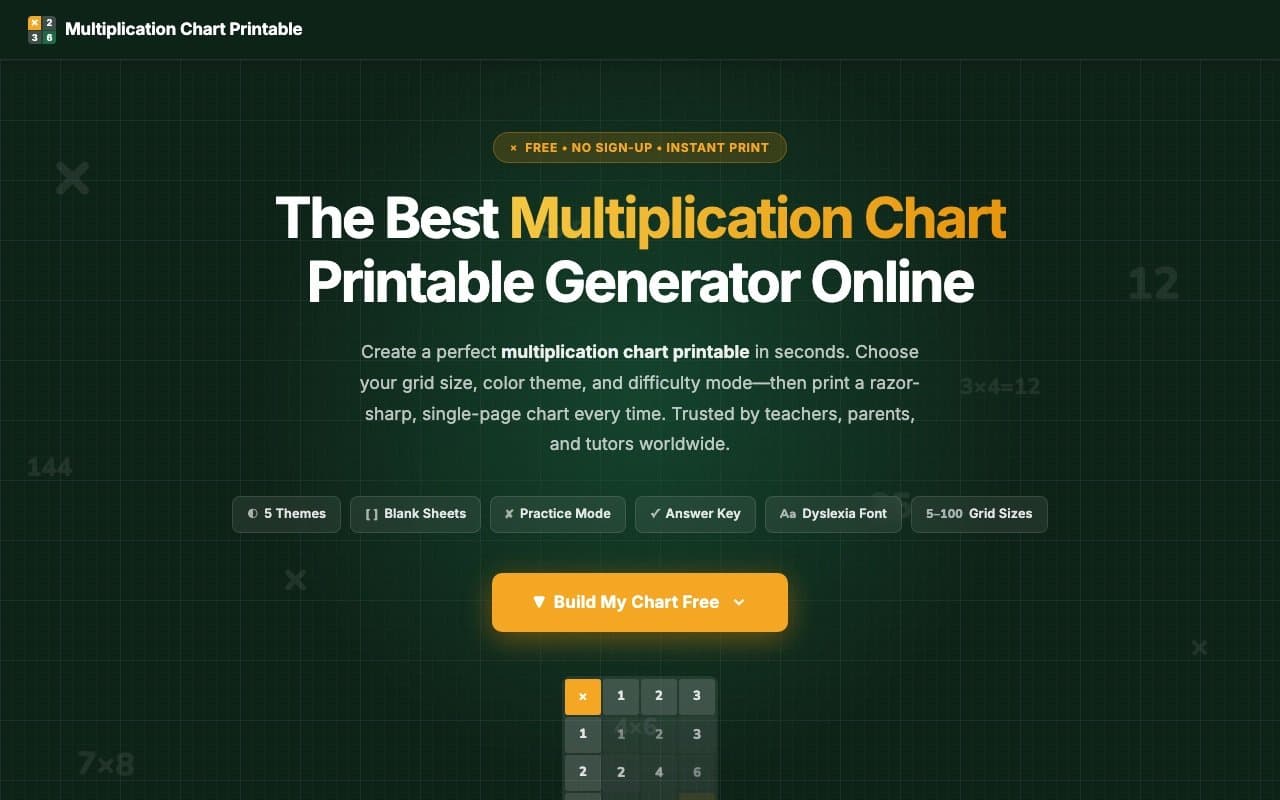
About this app
Multiplication Chart Printable is a free browser-based generator for creating customized, print-perfect multiplication tables in seconds. It supports nine grid presets (5, 10, 12, 15, 20, 25, 30, 50, 100) plus custom ranges like 11-20 or 51-100, three modes (reference chart, blank worksheet, and practice mode with randomized missing answers), five color themes including Classic B&W, Alternating Rows, Perfect Squares, Rainbow Pastel, and High Contrast, and accessibility options like OpenDyslexic font. It includes an interactive cell hover feature for desktop users, a live preview that updates instantly, one-click answer key generation, and vector PDF export ensuring razor-sharp output at any printer resolution. No sign-up, no watermark, and completely free for personal, classroom, and small tutoring use.
Key features
- 1Nine grid presets (5-100) plus custom ranges like 11-20 or 51-100 with live preview.
- 2Three modes: reference chart, blank worksheet, and practice with randomized missing answers.
- 3Five color themes including High Contrast, plus OpenDyslexic font and one-click answer key.
- 4Vector PDF export and quick print, no sign-up, no watermark, free for classroom use.
Target customer profile
Drawn from the product itself, not from a survey.
Demographic
K-5 teachers and classroom instructors
Pain points
Need affordable, customizable times table worksheets for diverse student levels without watermarks or sign-ups
Primary needs
Bulk-printable blank and reference charts in multiple grid sizes with answer keys
Demographic
Parents homeschooling or tutoring children
Pain points
Children struggle with multiplication facts; store-bought charts are limited and expensive
Primary needs
Free, engaging practice printables with color themes and gradual difficulty options
Demographic
Special education teachers and dyslexia specialists
Pain points
Standard charts lack accessible typography and high-contrast options for students with dyslexia
Primary needs
OpenDyslexic font support and visually accessible high-contrast layouts
Scout Review
Written by AI from measured evidence, scored out of 100.
Multiplication Chart Printable is a focused, genuinely useful tool that does one thing well: turn a few dropdowns into a print-perfect, customized multiplication chart in seconds. The generator is the star — nine presets plus custom ranges, three modes including randomized practice, five themes, OpenDyslexic font, one-click answer key, and vector PDF, all with a live preview and no sign-up. Speed is excellent (95 mobile / 100 desktop Lighthouse). The gaps are on the edges: a landing page whose first viewport is an empty dark field, small low-contrast body text, a logo-only header, and thin security headers. Accessibility intent is real but the site's own contrast and heading order fail the audit. For teachers, homeschool parents, and dyslexia specialists who want a free, watermark-free, customizable chart, it's a strong pick — just don't judge it by the first screen.
Measure by measure
Usability
66The generator itself is genuinely complete — range, orientation, mode, themes, fonts, answer key, live preview. But a logo-only header and faint scroll cue make the path to it easy to miss.
Design
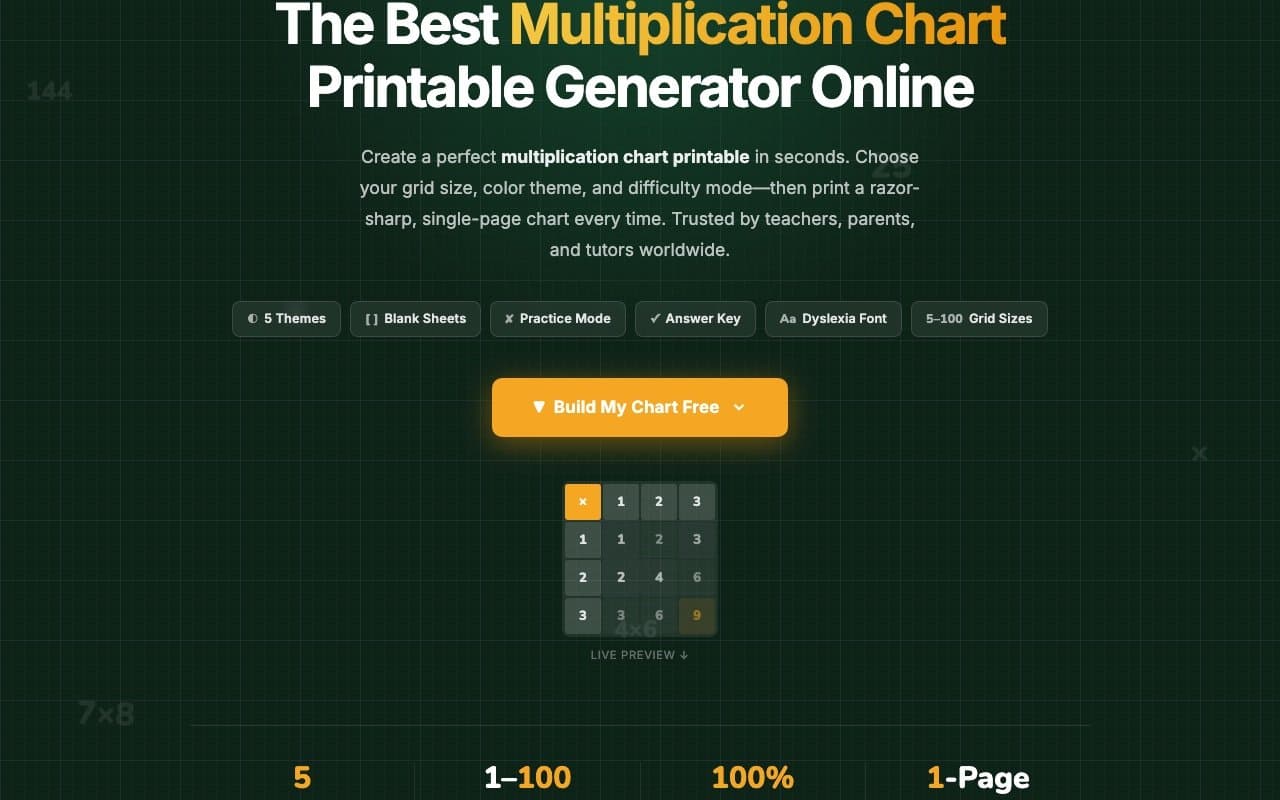
56Confident deep-green/amber palette and a strong headline, but the first viewport is a near-empty dark field and body text is tiny low-contrast grey. Polished once it renders, weak above the fold.
Speed
88Lighthouse 95 mobile / 100 desktop, LCP 2.3s, CLS 0, TBT 0ms. Genuinely snappy for a live-preview generator — the instant-update preview backs up the lab numbers.
Security
52HTTPS and HSTS in place, and no sign-up means little stored data. But CSP, frame protection, Referrer-Policy, SPF and DMARC are all missing — 4/12 on headers. Fine for a static tool, thin on hardening.
Accessibility
79Lighthouse 95/100 and real intent — OpenDyslexic font and a High Contrast theme built into the output. Held back by contrast failures, heading order, and mismatched accessible names on the site itself.
Growth
62Real, specific problem with a clear underserved wedge — custom ranges, practice mode, dyslexia font, no sign-up. Differentiated vs Math-Aids/WorksheetWorks, but a free niche tool with a ceiling.
Improvement areas
- First viewport is a near-empty dark field; hero and CTA sit far below the fold.
- Body copy and feature chips are small and low-contrast grey on dark green.
- Missing security headers (CSP, frame protection, Referrer-Policy) and SPF/DMARC records.
- Three Lighthouse a11y failures: contrast, heading order, and mismatched accessible names.
Design & Usability
The landing page has a real point of view: deep green, one amber accent, a bold headline with the key phrase highlighted, and a live preview grid that shows the actual product output right on the page — smart for a printable-generator category. The problem is the first impression. The top ~1,200px render as an almost-empty dark field with faint ghost equations, so the hero and CTA sit far below the fold. Body copy and feature chips are small and low-contrast grey on dark green, hard to scan for the teacher/parent audience. The generator itself is the strong part: grid range, rows/columns per page, orientation, three modes, five themes, font choice, and one-click answer key, all with a live preview. A logo-only header and a faint scroll cue are the main usability drags.
Speed & Security
Speed is the standout. Lighthouse scores 95 on mobile and a perfect 100 on desktop, with LCP 2.3s, zero layout shift, and zero total blocking time — impressive for a page running a live-preview generator, and consistent with the instant-update preview the site promises. Security is the weak flank: HTTPS and HSTS are enforced, which is the baseline, but CSP, frame protection, X-Content-Type-Options, Referrer-Policy, Permissions-Policy, SPF and DMARC are all absent — 4/12 on the header checklist. For a static, no-sign-up tool the exposure is limited (little stored user data), but the hardening is thin and there's no published security page, audit, or bug bounty to point to.
Accessibility & Growth
Accessibility shows genuine intent: the product ships an OpenDyslexic font option and a High Contrast theme, directly serving the dyslexia/special-ed segment it names. Lighthouse scores 95/100, but three real failures remain — insufficient contrast, non-sequential heading order, and visible labels not matching accessible names — and the site's own low-contrast body text undercuts the message. No WCAG statement or multi-language support found. On growth: the problem is real and the wedge is specific. Custom ranges like 11-20 and 51-100, a practice mode with randomized blanks, dyslexia-friendly typography, and no sign-up genuinely out-feature Math-Aids, WorksheetWorks, and DadsWorksheets for the teacher/parent who wants one tailored sheet fast. The limit is the category: a free, single-purpose utility with no account, no data moat, and no network effect — it can win a loyal niche, not compound.
Conclusion
If you're a K-5 teacher, a homeschooling parent, or a special-ed specialist who needs a tailored times-table sheet without a sign-up wall or a watermark, this earns a bookmark. The generator is complete and fast, and the accessibility options are more than checkbox theater. Go in expecting to scroll past a moody empty hero to reach the tool, and bring your own judgment on the thin security headers — for a static, no-account utility that's a minor concern, not a dealbreaker. It won't replace a full worksheet platform, but for the specific job of 'print me a clean 1-20 chart with an answer key, now,' it delivers.
Suggestions for improvement
- Fix the first viewport: pull the hero and CTA above the fold so the product is visible immediately, not after 1,200px of dark green.
- Raise body-copy and feature-chip contrast and size — the teacher/parent audience shouldn't squint to read the offer.
- Add the missing security headers (CSP, X-Frame-Options, Referrer-Policy, X-Content-Type-Options) and SPF/DMARC records.
- Fix the three Lighthouse a11y failures — contrast, heading order, and accessible names — and add a short accessibility statement.
Alternatives comparison
Named competitors, point by point. Nobody paid to appear here or to be left out.
 Multiplication Chart Printable |  Math-Aids |  WorksheetWorks | DadsWorksheets | |
|---|---|---|---|---|
| Custom grid ranges (e.g. 11-20, 51-100) | Yes — any From/To range plus nine presets | Limited — preset ranges, less granular | No dedicated multiplication chart builder | Limited preset charts |
| Practice mode with randomized missing answers | Yes — adjustable missing-answer percentage, reshuffle | Worksheet generation, not chart-based practice | No chart practice mode | Limited practice options |
| Accessibility options (dyslexia font, high contrast) | Yes — OpenDyslexic font and High Contrast theme | No dedicated accessibility features | No accessibility features | No accessibility features |
| Live preview + vector PDF export | Yes — instant live preview and vector PDF | No interactive preview; PDF output | Template preview, PDF output | Static PDFs, no live preview |
| Sign-up / watermark requirement | No sign-up, no watermark, free | Free, no sign-up | Free, no sign-up | Free, no sign-up |
Math-Aids
Free worksheet generator covering multiplication and other math topics, but with less customization and no interactive preview.
WorksheetWorks
Printable worksheet creator with varied templates, though it lacks a dedicated multiplication chart builder and accessibility features.
DadsWorksheets
Offers free printable multiplication charts and worksheets, but customization and practice modes are more limited.
Comparing options? See Multiplication Chart Printable alternatives, scored side by side
More Education apps
View all Education
The Stack Newsletter
92A weekly newsletter delivering curated tech jobs, intervi...

Enlyo
90Video analysis for team-sport coaches: tag matches as they play, cut clips, record reviews and share the moments that matter.

SheetScroll
90> You play; SheetScroll turns the page. It listens through the microphone or a MIDI piano and holds the page until it's sure where you are.

Tracé slides
89Interactive math & physics slides with live graphs and an...

Cross Stitch Pattern Maker
89Free on-device photo-to-DMC/Anchor chart with skein counts.

English Test Coach
89English Test Coach checks your IELTS essays and letters, gives an estimated band score across all four criteria, and tells you exactly what to revise next.

Startup Science
88A unified platform replacing 12-20 disconnected tools for...

Cromagnon
88Free, private browser-based PDF, Word, Excel, and study t...

NOSTRES
88Free step-by-step guides for moving to Berlin: documents,...

TranscriptYou
88Free YouTube transcript generator with timestamps and AI ...

Random Movie Generator
88Free random movie picker from 142k+ films—no sign-up.

Speakuma
88Speakuma is an AI-powered English conversation practice app for Japanese adults — the interface is in Japanese, the conversation practice is in English.


A platform dedicated to providing unbiased reviews of newly launched applications, analyzing everything from their features to their full potential.
info@scoutforge.net© 2026 Scoutforge. All rights reserved.
