Cycling through all six. Tap any point to stop.
Measured on six things
Dub your video into another language, in your own voice
Growth
58A real problem — cheap, private dubbing — with a genuine local-processing wedge against HeyGen and ElevenLabs, but the free-tier limits and young footprint cap the reach.
Screenshots
1 / 2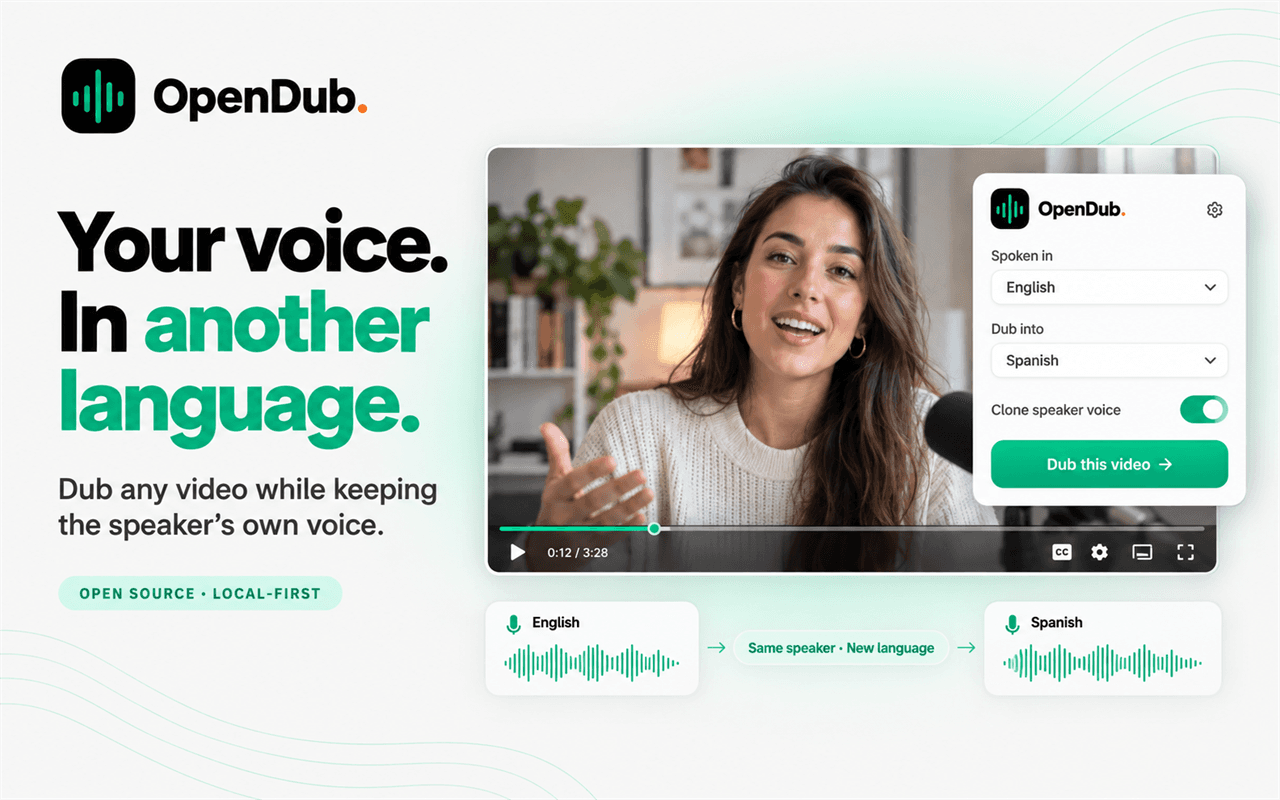
About this app
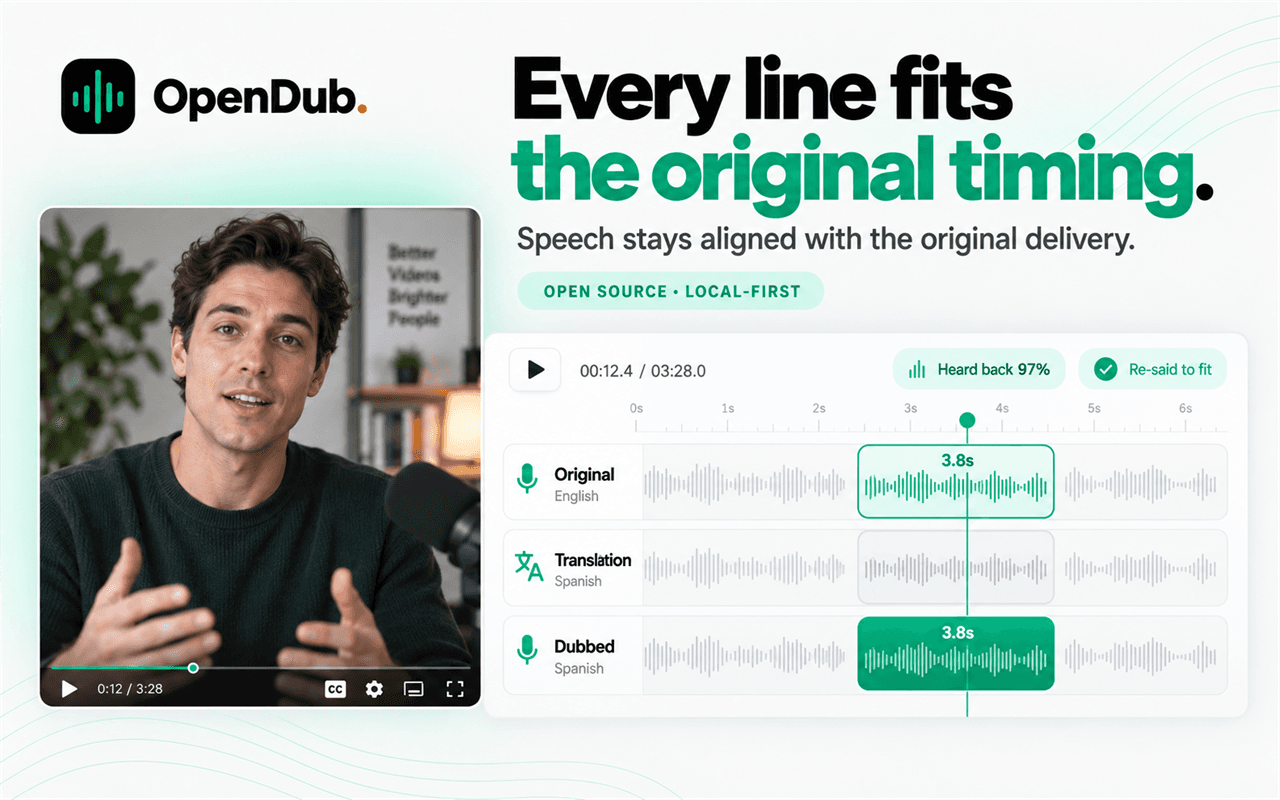
OpenDub is an open-source AI video dubbing tool. Upload a video in one language and choose another: it separates the speech from the music, transcribes and translates it, and speaks it back in a clone of the original voice, timed to the speaker, with subtitles in the new language. The video file never leaves your device.
Key features
- 1Free browser dubbing with no account or key for videos up to 5 minutes, video never uploaded.
- 2Local-first processing: separation, timing, mixing, and rendering run on your device.
- 317-language support with cloned-voice dubbing, tone matching, and burned-in subtitles.
- 4Open source at gitlab.com/open-dubapp/OpenDub with desktop app for Mac and Windows.
- 5Voice-model choice: free local OmniVoice, or your own Higgs Audio / ElevenLabs API key.
Target customer profile
Drawn from the product itself, not from a survey.
Scout Review
Written by AI from measured evidence, scored out of 100.
OpenDub is an open-source AI dubbing tool that does something genuinely useful: upload a video, pick a language, and get it back in a cloned voice with subtitles, with the video never leaving your device. The free browser tier needs no account and no key for clips up to 5 minutes. The site is well-designed with a clear voice-model selector, though empty demo players and dense grey copy hurt the first impression. Speed is fast on desktop and decent on mobile despite layout shift. Security is solid for an indie tool with a real local-first privacy story. Accessibility scores 97. Growth is the open question — a real wedge, unproven reach.
Measure by measure
Usability
68No-account free browser dubbing and clear voice-model tags make starting easy, though the greyed-out primary button and buried privacy note slow the first step.
Design
70Confident typographic hierarchy and a restrained olive/gold palette, but empty black demo players and dense grey hero copy undercut the strongest proof points.
Speed
72Desktop Lighthouse 98 and mobile 78 with a fast 1.4s LCP, dragged down by a 0.521 CLS and a one-time ~750 MB model download on first browser run.
Security
76HTTPS enforced with CSP, frame protection, and DMARC/SPF in place; 9/12 header checks pass, with HSTS and Permissions-Policy missing and no published audit found.
Accessibility
82Lighthouse accessibility 97/100 with only a contrast-ratio failure, plus 17-language support and browser, Android, and desktop coverage.
Growth
58A real problem — cheap, private dubbing — with a genuine local-processing wedge against HeyGen and ElevenLabs, but the free-tier limits and young footprint cap the reach.
Improvement areas
- Demo video players render as empty black boxes, hiding the product's main proof.
- Low-contrast, dense grey hero copy makes the top of the page hard to scan.
- Missing HSTS and Permissions-Policy headers; no published security or compliance page.
- Free tier capped at 5 minutes and a young footprint with minimal distribution signals.
Design & Usability
OpenDub's homepage has real craft: a large, tightly leaded hero headline, a restrained olive/gold accent, and a well-organized dubbing form where each voice model is tagged IN THIS BROWSER, DESKTOP APP, YOUR OWN API KEY, or PAID. That tagging is the best usability decision on the page — it answers the cost and privacy question before you commit. The problems are execution details: both demo players render as black rectangles, the left-column intro and language list are small grey walls, and the primary button sits greyed out until a file is chosen. The privacy promise is buried in fine print. Good bones, rough edges.
Speed & Security
Speed is a mixed bag. Desktop Lighthouse hits 98 and mobile 78 with a 1.4s LCP, but CLS 0.521 means the layout shifts noticeably while loading, and the first browser dubbing run pulls up to ~750 MB of model weights. Security is above average for an indie tool: HTTPS enforced, CSP, frame protection, SPF and DMARC all present, 9/12 header checks passing. HSTS and Permissions-Policy are missing, and there's no published SOC 2 or pen-test report — but the local-first architecture, where video never leaves the device and API keys are never stored, is a meaningful privacy posture that most competitors can't claim.
Accessibility & Growth
Accessibility is strong: Lighthouse scores 97/100 with a single contrast-ratio failure, and the product ships in 17 languages across browser, Android, and desktop. The contrast miss is ironic given the dense grey hero copy the visual audit also flagged. Growth is the honest question mark. The idea is real — private, cheap, open-source dubbing — and the local-processing wedge is something HeyGen and ElevenLabs structurally can't copy without abandoning their cloud model. But the free tier caps at 5 minutes, the domain is 0.2 years old, and the only social presence is a Twitter link. The wedge is genuine; the distribution is unproven.
Conclusion
If you dub videos regularly and care about where the footage goes, OpenDub is worth a real test — the local-first architecture and open-source code are not marketing fluff, they're the product. Start with the free browser tier on a short clip, then decide if the desktop app's no-length-limit and line-editing features justify the setup. The gaps are fixable: publish the demo videos properly, raise the contrast on that hero copy, add HSTS, and ship a security or compliance page. The foundation is stronger than the polish suggests.
Suggestions for improvement
- Fix the two demo video players rendering as empty black boxes — they're the main proof of quality.
- Raise contrast and size on the grey hero intro copy and language list so the top of the page is scannable.
- Add HSTS and Permissions-Policy headers to close the remaining 3/12 security checklist gaps.
- Publish a security/compliance page and a real demo clip to convert the local-first story into trust.
Alternatives comparison
Named competitors, point by point. Nobody paid to appear here or to be left out.
 OpenDub |  HeyGen |  ElevenLabs Dubbing | |
|---|---|---|---|
| Free tier without an account | Yes — free browser dubbing, no account, up to 5 min | Limited free plan, account required | Free tier with character limits, account required |
| Video stays on device (local processing) | Yes — video never leaves device; only speech clips/text sent to model | No — cloud processing | No — cloud processing |
| Open source | Yes — code on GitLab | No — proprietary | No — proprietary |
| Voice cloning | Yes — OmniVoice local or Higgs/ElevenLabs key | Yes — built-in avatar and voice cloning | Yes — instant voice cloning |
| Language coverage | 17 languages | 175+ languages and accents | 29+ languages |
| Desktop app | Yes — Mac and Windows, no length limit | No — browser-based | No — browser/API-based |
Comparing options? See OpenDub alternatives, scored side by side
More AI Generations apps
View all AI Generations
Uni-1 by Luma AI
92Uni-1 is an advanced multimodal text-to-image AI model th...

Gerty
91Private, local AI assistant for Mac that runs offline

LTX 2.3 AI Video Generator
91Fast, open-source AI video generator with 4K support, mul...

DemoVexa
90Turn your code into professional product demo videos with AI-generated scripts, animated UI, and natural voiceovers.

All of Us
89Add deceased loved ones to photos with AI and see free pr...

Voqusa
89Transcribe social media video and audio links into text (free signup, 5 free credits, then pay-as-you-go)

PodRescale
89Every episode becomes two weeks of posts. In your voice. Posted for you.

AI Vocals Generator
89Add AI singers or rappers to your own beat, get two takes...

IraVoice
88Private on-device dictation for Apple-silicon Macs.

HeyVid AI
88HeyVid AI is a free all-in-one AI video and image generat...

OBVELO
88Privacy gateway that masks personal data in LLM traffic

tradutor de mangá com IA
88O tradutor de mangá com IA traduz capítulos em lote, personaliza textos e oferece edição visual para estúdios.


A platform dedicated to providing unbiased reviews of newly launched applications, analyzing everything from their features to their full potential.
info@scoutforge.net© 2026 Scoutforge. All rights reserved.
