Cycling through all six. Tap any point to stop.
Measured on six things
Point your camera: AI identifies plants, birds, rocks, coins
Security
52HTTPS enforced with frame protection, nosniff and Referrer-Policy, plus SPF. Missing HSTS, CSP, Permissions-Policy and DMARC, and no published audit or bug bounty — 6/12 on the header checklist.
Screenshots
1 / 1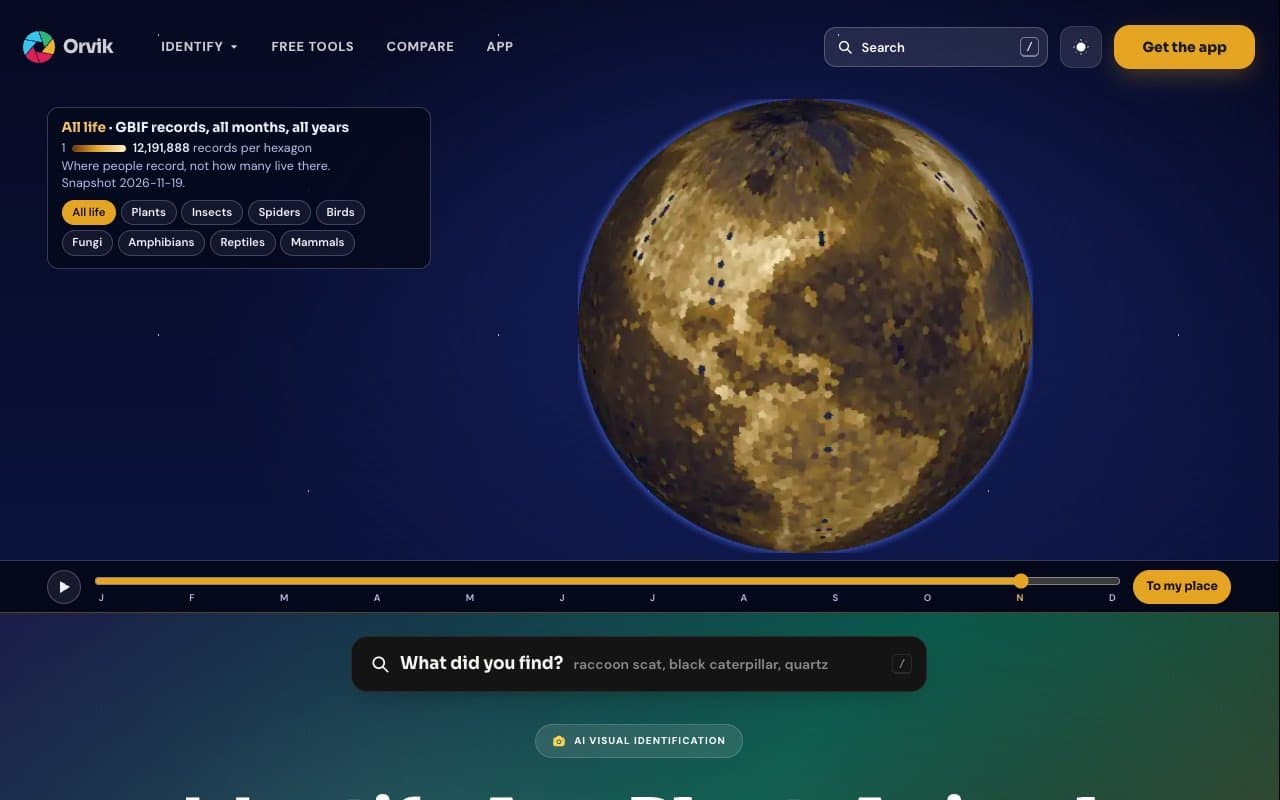
About this app
Most identifier apps cover one subject. Orvik puts the camera modes in one place: plants, insects, birds, rocks, coins, pet breeds, objects, antiques and gems, plus counting, color palettes and camera translation. Pick a mode, take a photo and read what the app suggests. Orvik proposes names and shows look-alikes, so check the result before you rely on it.
Key features
- 1One camera with ten identification modes: plants, insects, birds, rocks, coins, pet breeds, objects, antiques, gems and more.
- 2Look-alike results ranked under each suggestion so you can verify before relying on it.
- 3Scan history saved to a field notebook on your phone.
- 4Free web identification keys and calculators that work without the app.
- 5GBIF-backed 'what's near me' month checklist of commonly recorded species.
- 6Counting, color palette extraction and camera translation modes.
Target customer profile
Drawn from the product itself, not from a survey.
Demographic
People who come across plants, insects, birds and rocks on a walk
Pain points
A walk turns up leaves, feathers, stones and insects with no names attached
Primary needs
A suggested identification from a photo, with look-alikes to compare
Demographic
People with a drawer of coins or a box of old things
Pain points
Not knowing what each piece is
Primary needs
A suggestion from a photo with details to check, saved to a scan history
Scout Review
Written by AI from measured evidence, scored out of 100.
Orvik is an all-in-one identifier that puts plants, insects, birds, rocks, coins, gems and more behind one camera, with look-alikes ranked underneath and a scan history. The app UI is focused and legible; the website is ambitious but uneven, mixing a standout GBIF globe with a template-stacked middle and a punishingly long species table. Speed is strong on desktop and fine on mobile, accessibility measures well, and security is the soft spot with half the header checklist missing. The idea has a real problem and a defensible content moat.
Measure by measure
Usability
63The camera loop is legible without explanation and the site's free keys give value before install. But the species table offers no hierarchy — every row shouts 'Found it' at equal volume — and secondary text is small and faint.
Design
70Judging the app UI and store material: a focused camera screen with one clear shutter and a labelled IDENTIFIER mode reads well. The homepage is distinctive (GBIF globe, consistent gold accent) but stacks three unrelated-looking sections.
Speed
71Desktop Lighthouse 100/100 and mobile 76/100 with LCP 2.6s and zero layout shift. The 641ms mobile TBT is the cost of the heavy globe and long species list, but it stays inside acceptable range.
Security
52HTTPS enforced with frame protection, nosniff and Referrer-Policy, plus SPF. Missing HSTS, CSP, Permissions-Policy and DMARC, and no published audit or bug bounty — 6/12 on the header checklist.
Accessibility
80Lighthouse accessibility 97/100 with a single failing audit: color contrast. The app ships in 14 languages, which is real reach. No public WCAG statement, so the score sits at the top of the band on measured strength.
Growth
58A real, recurring problem (what did I just find?) with a specific wedge: breadth across ten subjects plus look-alikes and scan history. The GBIF-backed keys and month checklist add a content moat, but single-subject leaders are entrenched.
Improvement areas
- Security headers incomplete: no HSTS, CSP, Permissions-Policy or DMARC (6/12 checklist).
- Homepage stacks three visually unrelated sections; needs a unified layout and hierarchy.
- Species table repeats an identical 'Found it' button across ~1,000 rows.
- Low-contrast secondary text fails the one accessibility audit.
Design & Usability
Judged on the app first: the camera screen is clean, with one dominant shutter and a labelled IDENTIFIER mode that needs no tutorial. The website is where it wobbles — a striking GBIF globe hero and a disciplined gold accent, then a teal gradient search section and a light species table that feel bolted on from different templates. Usability is carried by the free web keys and the obvious 'Get the app — free to try' path, but the ~1,000-row species list gives every row an identical 'Found it' button, so the eye has nowhere to land, and secondary text is small and faint throughout.
Speed & Security
Speed is genuinely solid: desktop Lighthouse 100/100, mobile 76/100 with LCP 2.6s, CLS 0 and FCP 1.1s. The 641ms mobile TBT is the price of the globe and long list, but it stays within acceptable bounds. Security is the weak flank: HTTPS is enforced and frame protection, nosniff, Referrer-Policy and SPF are present, but HSTS, CSP, Permissions-Policy and DMARC are all missing — 6/12 on the header checklist — and there is no published audit, pen-test or bug bounty to point to.
Accessibility & Growth
Accessibility is a measured strength: Lighthouse 97/100 with a single failing audit for color contrast, and the app is localized in 14 languages. There is no public WCAG statement, so the score rests on the automated result. Growth is a judgement on the idea: 'what did I just find?' is a real, recurring question, and Orvik's wedge is breadth — ten subjects in one camera plus look-alikes and scan history — backed by a GBIF data globe and free web identification keys that work without installing anything. That content layer is the part a single-subject competitor can't clone in a weekend, though entrenched plant and bird apps own their niches.
Conclusion
If you regularly come home with a pocket full of unidentified leaves, feathers and stones, Orvik's breadth and its free web keys make it worth a try before you commit to a single-subject app. Just verify the suggestion against the look-alikes — the app says as much itself. The gaps to watch are security hardening and a homepage that needs fewer stacked heroes and more hierarchy.
Suggestions for improvement
- Add HSTS, a Content-Security-Policy, Permissions-Policy and DMARC to close the 6/12 header gap.
- Give the species table hierarchy: vary 'Found it' weight or collapse rows behind a 'show more' control.
- Raise contrast on scrubber month labels, source lines and 'Peaking' badges to clear the one failing a11y audit.
- Unify the store screenshots under one typeface and illustration style so the listing reads as one product.
Alternatives comparison
Named competitors, point by point. Nobody paid to appear here or to be left out.
 Orvik - AI Identifier Scanner | ||
|---|---|---|
| Number of identification subjects covered | Ten+ (plants, insects, birds, rocks, coins, pet breeds, objects, antiques, gems) | Not specified in provided details |
| Look-alike comparison for verification | Yes — look-alikes ranked under each suggestion | Not specified in provided details |
| Free web tools usable without the app | Yes — identification keys and calculators on site | Not specified in provided details |
| Scan history / field notebook | Yes — saved scan history on device | Not specified in provided details |
| Localization | 14 languages (App Store listing) | Not specified in provided details |
Comparing options? See Orvik - AI Identifier Scanner alternatives, scored side by side
More Lifestyle & Entertainment apps
View all Lifestyle & Entertainment
RoomCreator
92An AI-powered interior and exterior design tool that tran...

Factory Direct Mattress Overland Park
92A locally-owned mattress store in Overland Park, KS offer...

SheetScroll
90> You play; SheetScroll turns the page. It listens through the microphone or a MIDI piano and holds the page until it's sure where you are.

Seating Chart Generator
90Free seating chart maker for weddings and events

TUNL - Cave Flyer
89A hold-to-thrust cave flyer with a new daily level, ghost races, and a global leaderboard.

Hireci
89Save every recipe. Plan every meal.

Roami eSIM
88A global travel eSIM app offering instant activation, no ...

NOSTRES
88Free step-by-step guides for moving to Berlin: documents,...

Portrait Gift
88AI-powered personalized face swap art platform creating c...

TranscriptYou
88Free YouTube transcript generator with timestamps and AI ...

Random Movie Generator
88Free random movie picker from 142k+ films—no sign-up.

Sensecast
88Weather app that explains the forecast


A platform dedicated to providing unbiased reviews of newly launched applications, analyzing everything from their features to their full potential.
info@scoutforge.net© 2026 Scoutforge. All rights reserved.
