Cycling through all six. Tap any point to stop.
Measured on six things
All-in-one AI suite for generating and editing images, vi...
Growth
35Tiny Trustpilot footprint (11 reviews), very recent launch signals, no GitHub or major review platforms; early indie-stage traction only.
Screenshots
1 / 5
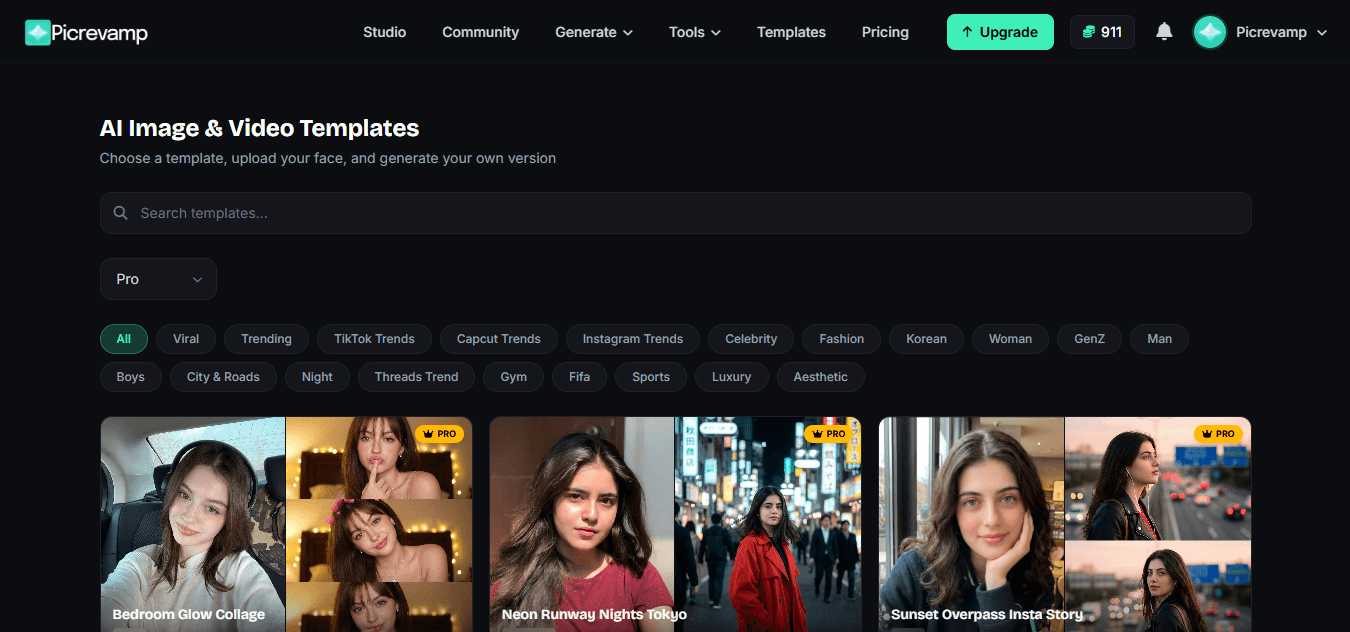
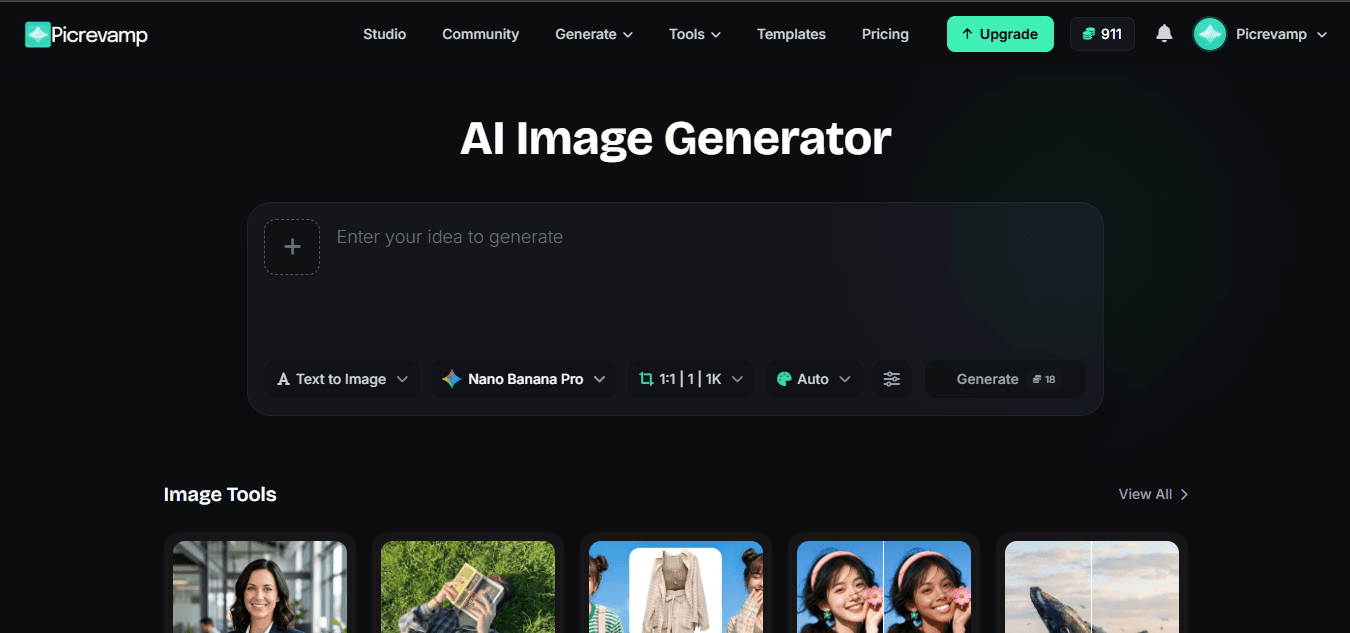
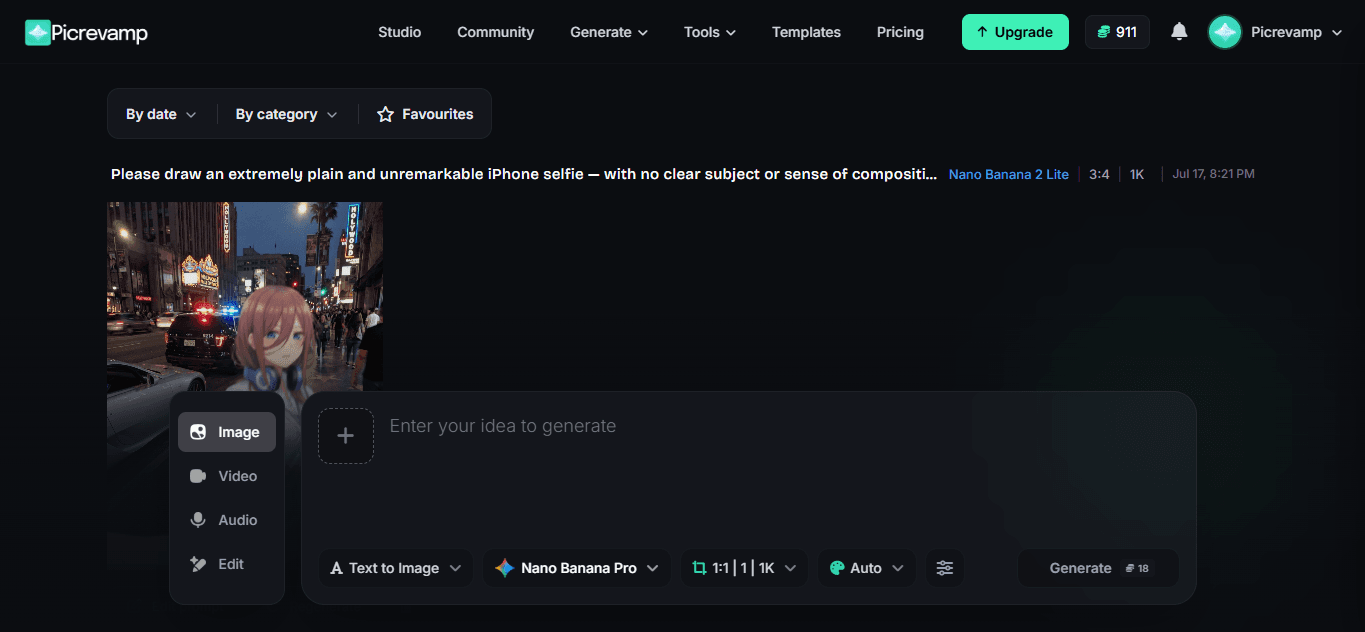
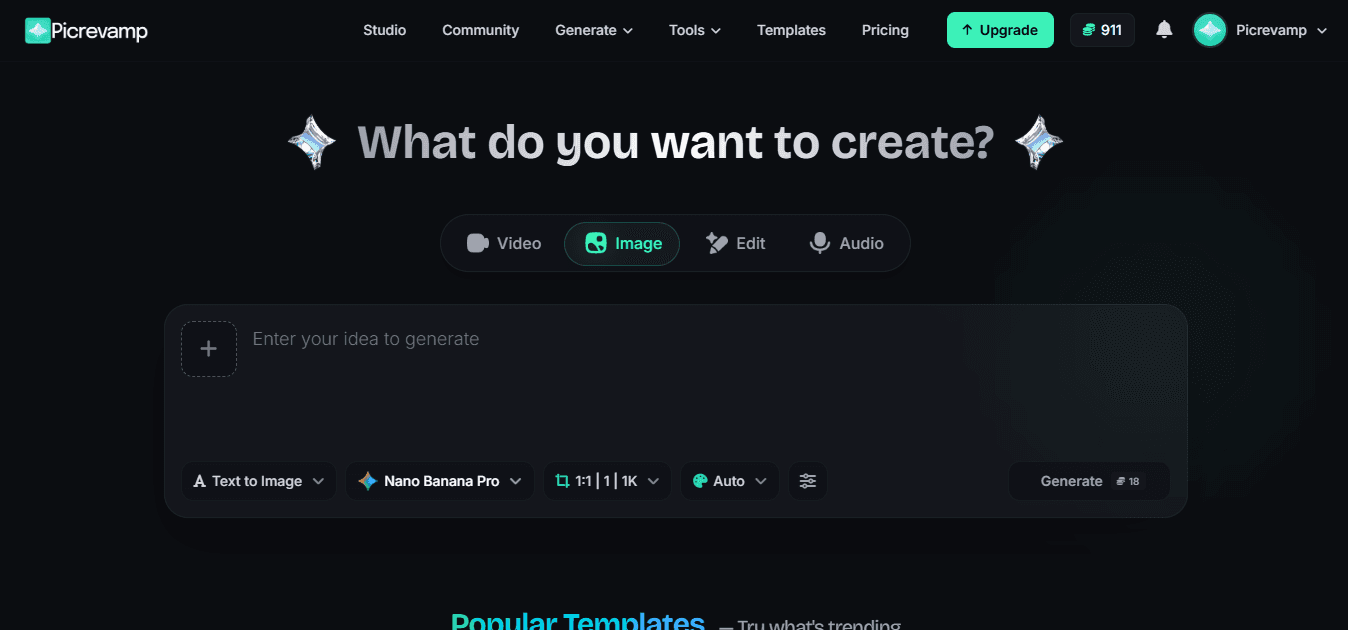
About this app
PicRevamp is an impressive all-in-one AI creative suite that lets you generate stunning images, videos, and audio from text prompts, edit with tools like background removal, inpainting, upscaling, and face swap, and leverage cutting-edge models from Google Gemini, Veo, Nano Banana, and more. It offers a generous free tier (10 credits on signup) and is perfect for content creators, marketers, and designers looking to streamline their workflow.
Key features
- 1All-in-one generation: text-to-image/video/audio plus editing (inpainting, upscale, background removal, face swap) using Gemini, Veo, Nano Banana and more.
- 2Generous free tier (10 credits on signup) and transparent plans from $12/mo Lite to $99/mo Enterprise with annual discounts.
- 3Model marketplace with credit costs shown upfront and style presets for quick creative direction.
Target customer profile
Drawn from the product itself, not from a survey.
Demographic
Content creators and social media influencers
Pain points
Need quick, high-quality visual content for posts and stories
Primary needs
AI image generation, template-based edits, face swap, background changer
Demographic
Digital marketers and small business owners
Pain points
Limited budget and time for professional design work
Primary needs
Affordable AI tools for ads, product images, and social media graphics
Demographic
Graphic designers and video editors
Pain points
Repetitive tasks like background removal, upscaling, and colorization
Primary needs
AI-assisted editing tools to speed up workflow and enhance creativity
Scout Review
Written by AI from measured evidence, scored out of 100.
PicRevamp offers an ambitious all-in-one AI suite spanning image, video, and audio generation plus editing tools powered by Gemini, Veo, and custom models. The free tier and transparent pricing (Lite at $12/mo up to Enterprise) make it accessible for creators and small teams. Execution is uneven—solid prompt interface and model variety are offset by average design polish, middling speed, and thin security/accessibility depth. Early traction exists but remains limited. It serves budget-conscious users needing quick experiments today while competing against more established platforms on depth and trust.
Measure by measure
Usability
58Quick free-tier signup delivers immediate value across image/video/audio modes, but lacks docs or structured onboarding for the many model options.
Design
55Average polish with consistent green accents and dark theme, but uneven pricing cards, cluttered filter bars, and distracting nav badge hurt scannability.
Speed
55Lighthouse 64 mobile / 68 desktop with slow 6.9s LCP; functional but not snappy, no user complaints or benchmarks surfaced.
Security
48Basic HTTPS + CSP + DMARC in place; missing HSTS and several headers, no published audits or compliance claims.
Accessibility
68Strong 91 Lighthouse score undercut by contrast and touch-target failures; dark theme helps readability but no explicit a11y docs or multi-lang support.
Growth
35Tiny Trustpilot footprint (11 reviews), very recent launch signals, no GitHub or major review platforms; early indie-stage traction only.
Improvement areas
- Missing documentation and onboarding for the extensive model and tool options.
- Design inconsistencies (nav badge, filter overflow, uneven pricing cards) and slow mobile LCP.
- Limited security posture and accessibility fixes needed beyond automated scores.
Design & Usability
PicRevamp's homepage nails the 'start creating instantly' vibe with a wide prompt field and mode tabs right up front, backed by a generous 10-credit free tier that lets users test Text-to-Image, Video, Edit, and Audio without friction. The dark theme and green accents feel modern, yet the navigation carries an unexplained '911' badge and pricing cards suffer from uneven visual hierarchy. Usability is competent for quick experiments but hampered by absent documentation and a crowded templates filter row that offers no overflow handling. Overall it delivers core value fast for creators on a budget, though the experience feels more prototype than polished product.
Speed & Security
Performance sits in the middle of the road per Lighthouse (64 mobile, 68 desktop) with a painful 6.9s LCP that will frustrate users expecting instant generations. Security is baseline—HTTPS, CSP, and DMARC are present while HSTS and several recommended headers are missing, and no third-party audits or compliance badges appear anywhere. For an early-stage AI tool handling user uploads and generations, this is acceptable but not enterprise-ready. The combination keeps the product usable for individuals yet leaves room for improvement on both responsiveness and trust signals.
Accessibility & Growth
Accessibility scores a respectable 91 on automated checks despite two clear failures around contrast and touch targets; the dark theme aids readability but lacks any public a11y statement or multi-language options. Growth is the weakest dimension: only 11 Trustpilot reviews, no GitHub activity, and launch signals from the past day indicate a brand-new entrant with minimal community footprint. Compared with mature alternatives, PicRevamp is still proving itself. The small review count and recent visibility suggest potential if the team ships consistently and gathers feedback.
Conclusion
For indie creators tired of juggling separate tools, PicRevamp's unified credits system and broad model access are genuinely useful right now. With tighter design details, better docs, and stronger security posture it could climb quickly.
Suggestions for improvement
- Add a lightweight docs/help center or tooltip explanations for the model selector to reduce trial-and-error.
- Fix the filter bar overflow on templates and add labels/metadata to homepage thumbnails for better scannability.
- Implement missing security headers (HSTS, Referrer-Policy) and publish a basic privacy/compliance page.
- Improve mobile touch targets and contrast ratios flagged in Lighthouse to push accessibility higher.
Alternatives comparison
Named competitors, point by point. Nobody paid to appear here or to be left out.
 PicRevamp PicRevamp |  Canva Canva |  Adobe Firefly Adobe Firefly |  RunwayML RunwayML | |
|---|---|---|---|---|
| Core AI image generation from text prompts | Yes, multiple models (Gemini, Nano Banana, Flux, Imagen) | Yes, Magic Studio + text-to-image | Yes, integrated Firefly models | Yes, image gen alongside video tools |
| AI video generation | Yes, Veo 3.1 models with audio options | Limited (Magic Media video clips) | No native video gen | Yes, advanced Gen-3 video tools |
| Free tier / starting credits | 10 credits on signup | Free plan with limited AI uses | Limited free credits via Adobe account | Free tier with monthly credits |
| Background removal & inpainting tools | Yes, dedicated tools + Pro Editor | Yes, one-click background remover | Yes, generative fill & remove | Yes, advanced masking & editing |
Canva
Popular design platform with AI features, but more focused on templates and collaboration.
Adobe Firefly
Adobe's generative AI suite for images and effects, integrated with Creative Cloud.
RunwayML
Advanced AI video and image editing platform for creatives.
Comparing options? See PicRevamp alternatives, scored side by side
Sources
What the review was written against. A verdict with no sources is an opinion.
More AI Generations apps
View all AI Generations
Uni-1 by Luma AI
92Uni-1 is an advanced multimodal text-to-image AI model th...

LTX 2.3 AI Video Generator
91Fast, open-source AI video generator with 4K support, mul...

IraVoice
88Private on-device dictation for Apple-silicon Macs.

OBVELO
88Privacy gateway that masks personal data in LLM traffic

tradutor de mangá com IA
88O tradutor de mangá com IA traduz capítulos em lote, personaliza textos e oferece edição visual para estúdios.

Pixelimg
88A free online AI-powered tool that instantly converts ima...

HeyVid AI
88HeyVid AI is a free all-in-one AI video and image generat...

RestorePhotosApp
88An AI-powered photo restoration app that brings old, blur...

Mygom SEO
87MygomSEO is an AI marketing agent that audits your site, writes SEO content, publishes to 12+ CMS platforms, posts to social, and monitors rankings 24/7.

pause.do
87A privacy-first browser extension that inserts gentle pau...

DeepSwapAI
87AI face swap online with no subscription, pay per use.

ContentIQ
87AI writer that fact-checks before writing, with real sour...


A platform dedicated to providing unbiased reviews of newly launched applications, analyzing everything from their features to their full potential.
info@scoutforge.net© 2026 Scoutforge. All rights reserved.
