Cycling through all six. Tap any point to stop.
Measured on six things
Reeldo AI turns text, images, links, and reference clips into videos for social media, product demos, and ads.
Security
50HTTPS and HSTS are in place, but the header probe found no CSP, no frame protection, no Referrer-Policy, no secure cookies, and no DMARC. 5/13 checklist points; no published audits.
Screenshots
1 / 1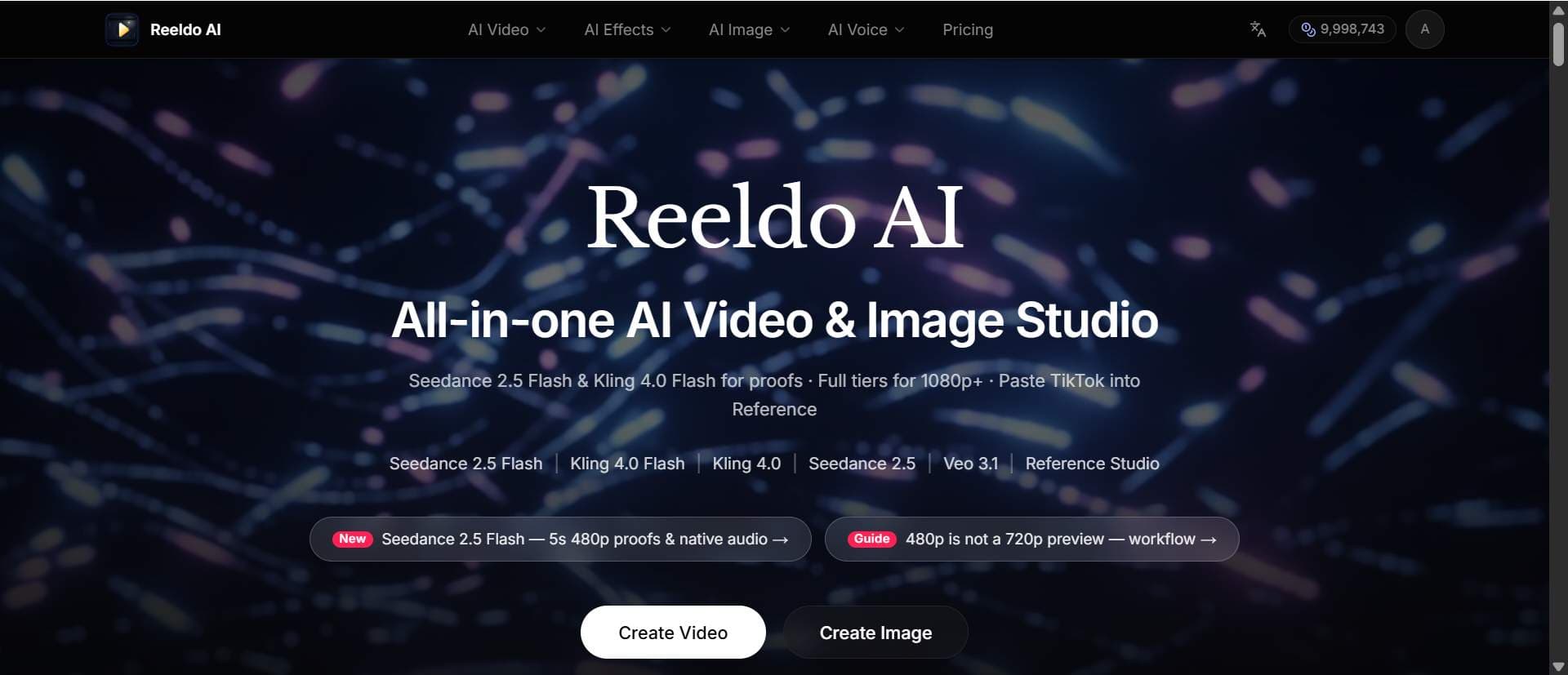
About this app
Reeldo AI is a web-based video and image creation studio for creators and marketing teams. Generate videos from text prompts or images, turn webpages and PDFs into clips, or use a TikTok or Instagram Reels link as a reference. In Reference Studio, you can also upload images, video, and audio to guide the look, motion, and rhythm of a new scene. Choose from models such as Seedance, Kling, and Veo. Supported models can generate dialogue, ambience, and sound effects alongside the video. Use Reeldo AI to create short-form social content, product demos, and video ads.
Key features
- 1Multi-model video generation: Seedance, Kling, Veo, Wan, and Runway in one workspace
- 2Reference Studio: paste a TikTok/Reels link or upload image/video/audio refs to steer look, motion, and rhythm
- 3Native sound-on generation: dialogue, ambience, and SFX produced with the clip in one pass
- 4Transparent per-clip pricing with failed-render refunds and a 7-day money-back guarantee on new plans
Target customer profile
Drawn from the product itself, not from a survey.
Demographic
Social media content creators and influencers
Pain points
Struggling to produce engaging video content consistently; limited budget for professional editing tools; need for quick, trend-based videos.
Primary needs
Easy-to-use AI video generation with native sound, trending templates, and cost-effective pricing for high-volume content.
Demographic
Small marketing agencies and freelance video editors
Pain points
Managing multiple client projects with tight deadlines; need for diverse AI models without multiple subscriptions; budget constraints on renders.
Primary needs
All-in-one platform with commercial licensing, watermark-free output, and transparent credit costs for client approvals.
Demographic
E-commerce brands and product marketers
Pain points
Creating compelling product videos and ads quickly; high cost of traditional video production; need for consistent branding across shots.
Primary needs
Image-to-video and reference-to-video capabilities to turn product photos into dynamic ads; character continuity to maintain brand identity.
Scout Review
Written by AI from measured evidence, scored out of 100.
Reeldo AI is a young, ambitious multi-model video studio with a real product behind the marketing. The prompt box works before sign-in, the pricing page is unusually transparent (per-clip costs, failed-render refunds, a 7-day guarantee), and the Reference Studio's TikTok-link paste is a genuinely useful wedge for social creators. The problems are execution-level: a homepage that opens on 700px of black, a mobile LCP of 12.8s, security headers that stop at HSTS, and accessibility failures on unnamed buttons and low-contrast text. None of these are fatal. All of them are fixable in a week. Against Runway, Pika, and Synthesia, Reeldo's differentiator is breadth of models plus price — a good position, but one that needs proof-of-output on the landing page to convert.
Measure by measure
Usability
63Prompt box, model picker, resolution/duration/aspect controls and native-audio toggle are usable before sign-in, and pricing shows per-clip cost up front. No output examples above the fold.
Design
57Editorial serif wordmark and bold sans headline give real personality, but a ~700px black void above the hero and 10px gray subcopy undercut the first impression.
Speed
55Desktop Lighthouse 94 but mobile 60 with a 12.8s LCP — the mobile hero is dragging a heavy asset. CLS 0 and TBT 344ms are fine; the LCP is the problem.
Security
50HTTPS and HSTS are in place, but the header probe found no CSP, no frame protection, no Referrer-Policy, no secure cookies, and no DMARC. 5/13 checklist points; no published audits.
Accessibility
68Lighthouse a11y 89/100 with named failures on ARIA toggles, unnamed buttons, and contrast. Multi-language switcher present; low-contrast 10px subcopy compounds the contrast issue.
Growth
62Real problem (cheap, fast short-form video), specific wedge (multi-model access + TikTok-link Reference Studio + native sound at undercut prices), but the category is crowded and the moat is pricing.
Improvement areas
- Homepage first viewport: ~700px of dead black space above the hero kills first impression
- Mobile performance: 12.8s LCP is 5x the 'good' threshold; desktop scores 94 by comparison
- Security headers: no CSP, frame protection, Referrer-Policy, secure cookies, or DMARC (5/13 checklist)
- Accessibility: unnamed buttons and ARIA toggles, plus low-contrast 10px subcopy
Design & Usability
Reeldo's design has a genuine idea — a high-contrast serif wordmark against a bold sans headline — and the nav is restrained and legible. The execution betrays it: the first viewport is a black void with roughly 700px of dead space above the hero, the announcement bar crams five promotions into one small purple strip, and the model list sits at 10-12px in mid-gray. Usability is stronger than design. The prompt box, model selector, resolution/duration/aspect controls, and native-audio toggle all work before sign-in, and pricing surfaces per-clip costs immediately. The gap is proof: no finished output appears above the fold, so a first-time visitor has to take the tool's word for what it produces.
Speed & Security
Speed is a tale of two devices. Desktop Lighthouse scores 94, but mobile lands at 60 with an LCP of 12.8 seconds — well past the 2.5s 'good' threshold and almost certainly a heavy hero asset. CLS of 0 and TBT of 344ms show the layout is stable; the paint is the bottleneck. Security is thin. HTTPS is enforced and HSTS is present, but the header probe found no Content-Security-Policy, no frame protection, no X-Content-Type-Options, no Referrer-Policy, no Permissions-Policy, no secure cookies, and no DMARC record — 5 of 13 checklist points. No SOC 2, ISO, pen-test, or bug bounty page appears in the site content, which is normal for a young product but leaves buyers with nothing to audit.
Accessibility & Growth
Accessibility scores 89/100 on Lighthouse, but the failing audits are the ones that matter: ARIA toggle fields without accessible names, buttons without accessible names, and insufficient color contrast. The ~10px mid-gray subcopy visible in the homepage audit compounds that contrast failure. A language switcher is present, which is a real plus. On growth: the problem is real — short-form video is expensive and slow to produce — and the wedge is specific. Multi-model access (Seedance, Kling, Veo, Wan, Runway) in one login, a Reference Studio that accepts TikTok/Reels links, native sound in one pass, and a published price table claiming 9/9 models beat official list prices by up to 50%. That is a coherent pitch. The limit is that the moat is pricing, and pricing is the easiest thing for a competitor — or the model vendors themselves — to copy.
Conclusion
The bones are good. A studio that lets a creator paste a TikTok link, pick Seedance or Kling or Veo, and get a sound-on clip for under a quarter is a product people will pay for. What's missing is the confidence to show it: put a finished clip in the first viewport, fix the mobile LCP, add the four missing security headers, and name your buttons. Do that and Reeldo stops looking like a promising beta and starts looking like the default choice for budget-conscious creators.
Suggestions for improvement
- Move a real finished clip into the first viewport — the 700px black void is costing you conversions.
- Fix mobile LCP: 12.8s is 5x the 'good' threshold. Compress or lazy-load the hero media.
- Add CSP, X-Frame-Options, Referrer-Policy, and DMARC — four headers, one afternoon.
- Give every button and ARIA toggle an accessible name, and raise subcopy contrast above 4.5:1.
Alternatives comparison
Named competitors, point by point. Nobody paid to appear here or to be left out.
 Reeldo AI |  Runway ML |  Pika Labs |  Synthesia | |
|---|---|---|---|---|
| Multiple AI video models in one subscription | Yes — Seedance, Kling, Veo, Wan, Runway, Gemini Omni in one login | Proprietary Gen-3/Gen-4 models only | Proprietary Pika models only | Proprietary avatar models only |
| Reference-based control (paste TikTok/Reels link, upload refs) | Yes — TikTok/Reels/Facebook links plus @image1/@video1/@audio1 refs | Image/video references, no social-link paste | Limited reference support | Avatar/script based, not reference-driven |
| Native audio generated with the clip | Yes — dialogue, ambience, SFX in one pass | Partial — separate audio tools | Limited native audio | Yes — TTS voiceover, not generative SFX |
| Entry price point | $9.90/mo Basic; clips from ~$0.14 | Higher-tier subscription pricing | Free tier plus paid plans | Enterprise-oriented pricing |
| Primary use case focus | Short-form social, product demos, video ads | Pro film/VFX and creative editing | Creative effects and quick social clips | Corporate training and avatar presentations |
Runway ML
A powerful AI video generation suite with advanced editing features, but often pricier and less focused on social media trends.
Pika Labs
An AI video generator known for its creative effects and ease of use, though it may lack the extensive model selection and reference-based control of Reeldo.
Synthesia
Specializes in AI avatar videos for corporate training and presentations, but is less suited for social media content and creative video generation.
Comparing options? See Reeldo AI alternatives, scored side by side
More AI Generations apps
View all AI Generations
Uni-1 by Luma AI
92Uni-1 is an advanced multimodal text-to-image AI model th...

Gerty
91Private, local AI assistant for Mac that runs offline

LTX 2.3 AI Video Generator
91Fast, open-source AI video generator with 4K support, mul...

DemoVexa
90Turn your code into professional product demo videos with AI-generated scripts, animated UI, and natural voiceovers.

All of Us
89Add deceased loved ones to photos with AI and see free pr...

Voqusa
89Transcribe social media video and audio links into text (free signup, 5 free credits, then pay-as-you-go)

PodRescale
89Every episode becomes two weeks of posts. In your voice. Posted for you.

AI Vocals Generator
89Add AI singers or rappers to your own beat, get two takes...

IraVoice
88Private on-device dictation for Apple-silicon Macs.

HeyVid AI
88HeyVid AI is a free all-in-one AI video and image generat...

OBVELO
88Privacy gateway that masks personal data in LLM traffic

tradutor de mangá com IA
88O tradutor de mangá com IA traduz capítulos em lote, personaliza textos e oferece edição visual para estúdios.


A platform dedicated to providing unbiased reviews of newly launched applications, analyzing everything from their features to their full potential.
info@scoutforge.net© 2026 Scoutforge. All rights reserved.
