Cycling through all six. Tap any point to stop.
Measured on six things
Cloud XML, HTML, llms.txt & markdown generator
Security
52HTTPS + HSTS + DMARC in place, but no CSP, frame protection, Referrer-Policy, or Permissions-Policy; SPF missing. 5/12 header checklist.
Screenshots
1 / 1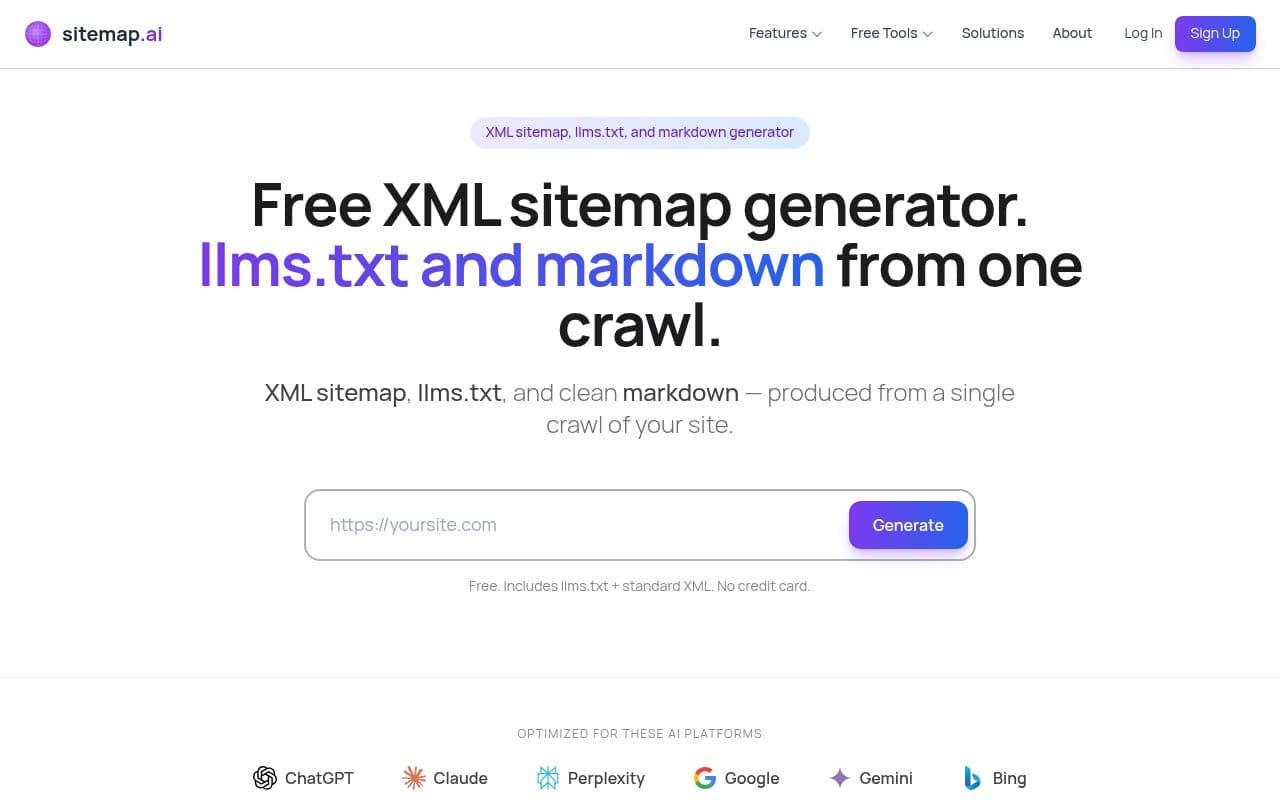
About this app
XML for search engines, HTML for visitors, llms.txt for AI, clean markdown for LLM workflows from one crawl; JavaScript rendering, saved projects, crawl comparison, scheduled re-crawls; free up to 5,000 URLs per crawl (500 as guest); founded in Cincinnati, Ohio, 2023.
Key features
- 1One crawl produces XML sitemap, llms.txt, HTML sitemap, and clean markdown bundle.
- 2JavaScript rendering and robots.txt respect during crawl.
- 3Free tier up to 5,000 URLs per crawl (500 as guest), no credit card required.
Target customer profile
Drawn from the product itself, not from a survey.
Demographic
Technical SEO consultants and in-house SEO specialists
Pain points
Hand-maintaining sitemap.xml, inconsistent plugins, and stale crawl data after publishing
Primary needs
Valid XML sitemaps, scheduled re-crawls, and quick submission to Search Console and Bing
Demographic
Web developers and AI/RAG engineers
Pain points
Scraping pages for LLM pipelines and cleaning navigation, footers, and scripts is tedious
Primary needs
Clean per-page markdown bundles and an llms.txt index from one crawl
Demographic
Content marketers and small business site owners
Pain points
New pages get indexed slowly and sites are invisible to AI tools; no SEO budget for desktop software
Primary needs
Free, no-install sitemap generation plus an AI-readable site index and change tracking
Scout Review
Written by AI from measured evidence, scored out of 100.
Sitemap.ai is a focused tool with a clear thesis: one crawl, three outputs, no install. The landing page is fast (95/100 mobile Lighthouse) and the onboarding is frictionless — paste a URL, get files, no account. Design is competent but generic, and the empty gradient regions read as unfinished. Security headers are thin (5/12) for a product that touches other people's content. Accessibility is close but fails on contrast and touch targets. Growth is the strongest dimension: a real, differentiated wedge at the SEO/AI intersection, with a free tier that makes trial trivial. The bet on llms.txt is the risk — it's a proposal, not a standard.
Measure by measure
Usability
66Paste-a-URL, no-signup first crawl is the right onboarding; minimal nav and clear CTA. Docs depth and integrations not verifiable from collected evidence.
Design
58Clean hero with strong type hierarchy and a prominent URL-input CTA, but generic indigo/violet palette and large empty gradient gaps make it read like a template.
Speed
88Lighthouse mobile 95/100 (LCP 1.8s, CLS 0, TBT 123ms) and desktop 100/100. Genuinely fast, well-optimized landing page.
Security
52HTTPS + HSTS + DMARC in place, but no CSP, frame protection, Referrer-Policy, or Permissions-Policy; SPF missing. 5/12 header checklist.
Accessibility
70Lighthouse a11y 93/100 with two real fails: insufficient color contrast and undersized touch targets. No a11y statement or multi-language support observed.
Growth
68Real, growing wedge: one crawl → XML + llms.txt + markdown for RAG. Specific target (SEO + AI engineers), free tier removes friction. Category has headroom.
Improvement areas
- Security headers thin (5/12): no CSP, frame protection, Referrer-Policy, Permissions-Policy, or SPF.
- Accessibility fails on color contrast and touch target size despite 93/100 Lighthouse score.
- Output-format toggle is visually light for the product's core differentiator.
Design & Usability
The homepage does the hard part right: a bold headline, a URL input that IS the CTA, and microcopy that kills the credit-card objection before it forms. The 'How it works' three-card module is orderly and scannable. Where it slips is polish — large empty gradient regions break the rhythm, and the indigo/violet palette is the same one every AI-era SaaS template ships with. Usability is the stronger half: no-login first crawl, minimal nav, and a free tier up to 5,000 URLs. The one weak spot is the output-format toggle, which is small and easy to miss given it's the whole point of the product.
Speed & Security
Speed is the standout: Lighthouse 95 mobile / 100 desktop, LCP 1.8s, CLS 0, TBT 123ms. That's a genuinely well-built landing page, not a heavy SPA pretending to be fast. Security is the opposite story — HTTPS and HSTS are there, DMARC is set, but there's no CSP, no frame protection, no Referrer-Policy, no Permissions-Policy, and SPF is missing. The header checklist lands at 5/12. For a tool that crawls other people's sites and hands back their content, that's a gap worth closing before anyone points a scanner at it.
Accessibility & Growth
Accessibility scores 93/100 on Lighthouse, but the two failing audits are the ones users feel: insufficient color contrast and undersized touch targets. No a11y statement or multi-language support was observed. Growth is the more interesting question. The wedge — one crawl producing XML sitemap, llms.txt, and clean markdown for RAG pipelines — is genuinely differentiated against Screaming Frog (desktop, 500-URL free tier), XML-Sitemaps (sitemaps only), and Yoast (WordPress-locked). The target customer is specific and the free tier removes friction. The honest limit: llms.txt is still a proposal, not a standard, so the AI half of the pitch depends on adoption that hasn't fully arrived.
Conclusion
If you're a technical SEO or an AI engineer tired of hand-assembling sitemaps and markdown bundles, this is worth ten minutes. The free tier is generous enough to actually test the output quality, and the speed of the site itself suggests the team knows how to build. The caveats are real: tighten the security headers before you point it at client sites, fix the contrast and touch targets, and treat llms.txt as a bonus rather than a guarantee. It won't replace Screaming Frog for deep audits, but for the specific job of 'give me a sitemap and a markdown bundle from one crawl,' it's a clean answer.
Suggestions for improvement
- Add CSP, Referrer-Policy, Permissions-Policy, and X-Frame-Options headers — 5/12 is thin for a crawler.
- Fix the two Lighthouse a11y fails: bump contrast on grey microcopy and enlarge touch targets.
- Make the XML / llms.txt / Markdown toggle more prominent — it's the product's whole pitch.
- Publish a security page and a short docs section on data handling for crawled content.
Alternatives comparison
Named competitors, point by point. Nobody paid to appear here or to be left out.
 Sitemap.ai |  Screaming Frog SEO Spider | XML-Sitemaps.com |  Yoast SEO (WordPress) | |
|---|---|---|---|---|
| Outputs from one crawl | XML sitemap + llms.txt + HTML sitemap + markdown bundle | XML sitemap + audit data; no llms.txt or markdown export | XML sitemap only | XML sitemap via WordPress plugin; no llms.txt or markdown |
| Free tier limit | 5,000 URLs per crawl (500 as guest) | 500 URLs | 500 URLs free | Free plugin, requires WordPress |
| Install / setup required | None — paste URL in browser | Desktop app install | None — web form | WordPress install + plugin |
| JavaScript rendering | Yes | Yes | Limited | N/A (WordPress-native) |
| Scheduled re-crawls | Yes (saved projects) | Desktop scheduling only | No | Auto via WordPress |
Screaming Frog SEO Spider
Desktop crawler popular for SEO audits; free tier limited to 500 URLs, no cloud scheduling or llms.txt/markdown exports.
XML-Sitemaps.com
Long-running free online XML sitemap generator; focused on sitemaps rather than combined AI-oriented outputs.
Yoast SEO (WordPress)
WordPress plugin that auto-generates sitemaps; requires WordPress and a plugin, no llms.txt or markdown export.
Comparing options? See Sitemap.ai alternatives, scored side by side
More Marketing & Sales apps
View all Marketing & Sales
EmbedMyReviews
92White-label reputation management software for agencies s...

Puzzly – B2B Lead Generation & Sales Intelligence Platform
92Puzzly is an all-in-one B2B lead generation platform that...

Geogrid
92A UULE-powered local rank tracker for SEO agencies, offer...

Vibe Coding Agent Skills
92A free, open-source platform offering 110 AI agent skills...

QRBliss
91Branded QR codes with AI Brand Sync, 15 free dynamic code...

ThumbnailMaker
90AI YouTube thumbnail maker: paste a video link, get the brief, the thumbnail, and a check at feed size.

WAButton
90WhatsApp website leads, forms and contact routing

PitchWhip
90AI cold call scripts & direct dials from LinkedIn

BACKLNK
90Backlnk is a free SEO and AI visibility website: 15 website checks, a full audit as a PDF report, and guides to get found in search and AI answers.

DemoVexa
90Turn your code into professional product demo videos with AI-generated scripts, animated UI, and natural voiceovers.

Opus Growth
89Opus Growth is a single MCP server for Google Ads, Meta Ads, TikTok Ads, LinkedIn Ads, Microsoft Ads and ChatGPT Ads. ChatGPT, Claude, Codex, Perplexity, Cursor and other assistants connect with the same address.

AuditCloser
89White-label website audits that close deals for digital a...


A platform dedicated to providing unbiased reviews of newly launched applications, analyzing everything from their features to their full potential.
info@scoutforge.net© 2026 Scoutforge. All rights reserved.
