Cycling through all six. Tap any point to stop.
Measured on six things
TeachAny is an AI-powered educational platform that streamlines teaching with tools for quiz generation, lesson planning, and assessment creation.
Security
52HTTPS and HSTS are enforced with SPF and DMARC in place, but CSP, frame protection, and several standard headers are missing. No SOC 2, ISO, or bug bounty signals found.
Screenshots
1 / 1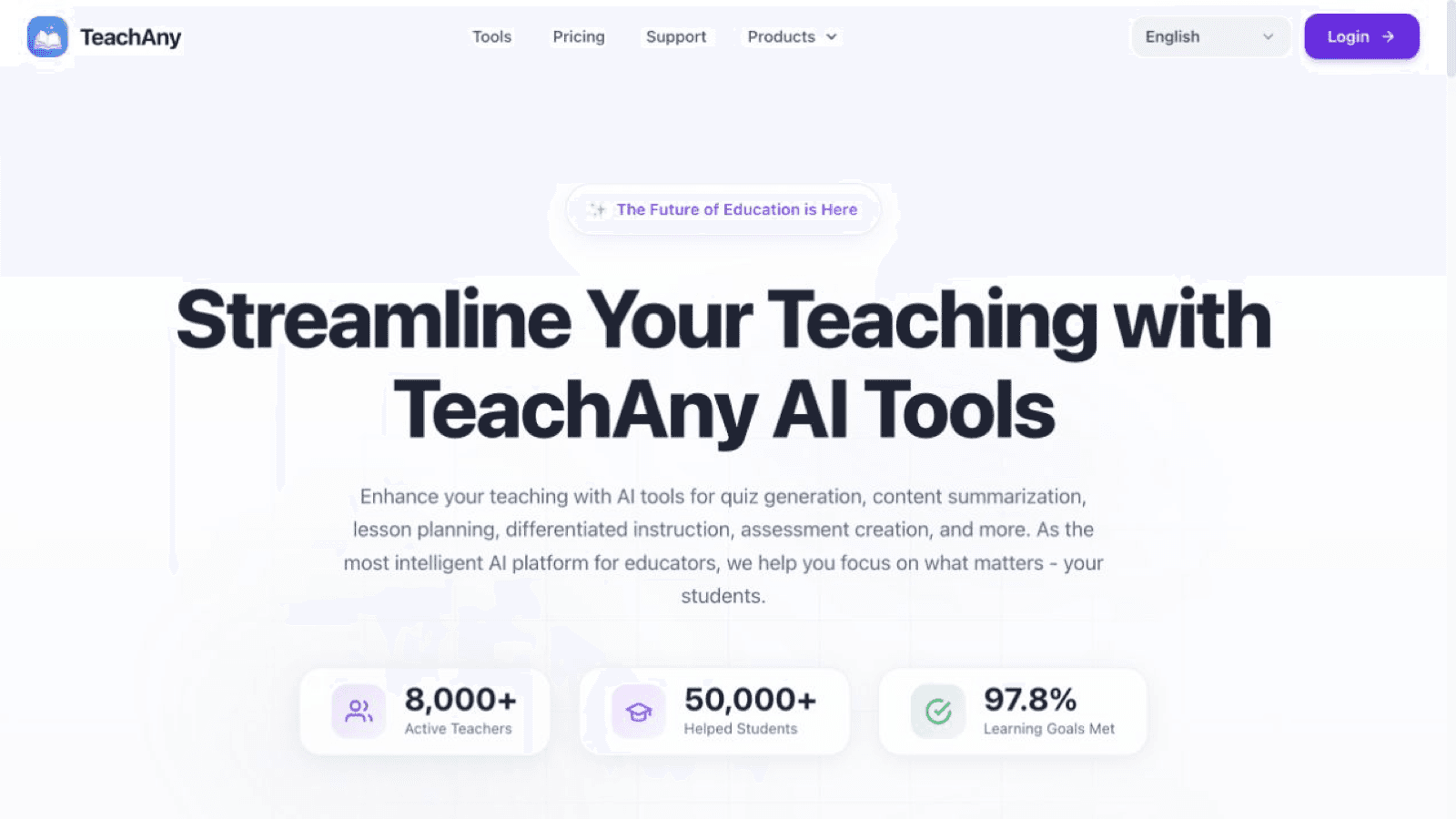
About this app
Designed by educators for educators, TeachAny uses AI to support time-consuming teaching tasks. Its Quiz Generator, Rubric Maker, and Lesson Planner help educators prepare materials for different curriculum needs. With support for over 30 languages, TeachAny is designed for classrooms around the world.
Key features
- 1AI Quiz Generator creates multiple-choice, short-answer, and long-form questions from teaching content
- 2Rubric Maker and Lesson Planner streamline prep for differentiated instruction across grade levels
- 3Support for 30+ languages with adaptive content that respects regional teaching standards
Target customer profile
Drawn from the product itself, not from a survey.
Scout Review
Written by AI from measured evidence, scored out of 100.
TeachAny is a competent AI teaching assistant with a real use case and a clean, if slightly sparse, presentation. The quiz generator, rubric maker, and lesson planner cover the core prep tasks teachers actually lose time to, and the 30+ language support is a meaningful differentiator for international classrooms. Speed is solid, accessibility scores are excellent on automated checks, and the free tier lowers the barrier to entry. The weaknesses are structural: missing security headers and no compliance certifications make institutional sales harder, the cancellation-by-email flow feels dated, and the homepage's broad targeting across four distinct audiences weakens the value proposition. It's a product with genuine utility that needs sharper positioning and a security story before it can credibly pitch to schools and districts.
Measure by measure
Usability
62Six-plus tools, a free tier with no credit card, and a FAQ that explains quiz generation and usage limits. Cancellation by emailing service@imgkits.com is a clunky, dated friction point.
Design
58Clean purple branding, consistent stat cards, and clear headline hierarchy, but the homepage opens with a large blank white gap below the header that makes the first impression feel sparse and unfinished.
Speed
71Lighthouse mobile 81/100 with LCP 2.5s and zero layout shift; desktop 89/100. TBT of 589ms is the main drag, but pages feel responsive and there are no visible lag complaints.
Security
52HTTPS and HSTS are enforced with SPF and DMARC in place, but CSP, frame protection, and several standard headers are missing. No SOC 2, ISO, or bug bounty signals found.
Accessibility
78Lighthouse accessibility score of 100/100 and claimed support for 30+ languages are strong signals. No public WCAG statement or dedicated a11y page, so the ceiling is capped.
Growth
58A real problem — teacher prep time — with a specific wedge in multilingual, differentiated instruction. Broad targeting across educators, parents, and institutions dilutes the pitch.
Improvement areas
- Missing security headers (CSP, frame protection, X-Content-Type-Options) and no SOC 2 or ISO certification
- Cancellation requires emailing service@imgkits.com instead of a self-serve billing portal
- Homepage targets educators, parents, autodidacts, and institutions simultaneously, diluting the value proposition
Design & Usability
TeachAny's homepage is clean and on-brand — purple accents, consistent stat cards, and a clear headline hierarchy. The problem is the giant white void below the header before any content loads, which makes the first impression feel like a half-finished template. Usability is stronger: six-plus tools (quiz, rubric, flashcards, worksheets, coloring pages, lesson planner), a free tier with no credit card, and an FAQ that actually answers questions about usage limits and quiz generation. The cancellation flow is the weak spot — emailing service@imgkits.com to cancel is a friction point that belongs in 2014, not a modern SaaS product. Onboarding is fast, but the lack of a self-serve billing portal undercuts trust.
Speed & Security
Speed is a genuine strength. Lighthouse mobile performance lands at 81/100 with an LCP of 2.5s and zero cumulative layout shift; desktop hits 89/100. The 589ms total blocking time is the main drag, but for a content-heavy educational site with AI tooling, these are respectable numbers. Security is where TeachAny stumbles. HTTPS and HSTS are enforced, and SPF/DMARC are configured, but CSP, frame protection, X-Content-Type-Options, Referrer-Policy, and Permissions-Policy are all missing — a 6/12 checklist. No SOC 2, ISO 27001, or bug bounty program is advertised. For a product handling student data and teacher accounts, that's a gap worth closing before pitching to institutions.
Accessibility & Growth
Accessibility is a bright spot: Lighthouse scores 100/100 on automated checks, and the platform claims support for over 30 languages, which matters for its international-school positioning. The caveat is the absence of a public WCAG conformance statement or dedicated accessibility page — the automated score is strong, but manual testing and a formal commitment are unverified. Growth potential is moderate. The problem TeachAny names — teacher prep time — is real and worth paying for. The multilingual and differentiated-instruction angles give it a specific wedge that generic AI quiz tools lack. But the homepage targets educators, autodidacts, parents, and institutions simultaneously, which dilutes the pitch. The 8,000+ teacher and 50,000+ student claims are unverified, and with no alternatives listed for comparison, the competitive moat is unclear. The idea can grow; the positioning needs focus.
Conclusion
If you're a teacher drowning in quiz prep and lesson planning, TeachAny is worth a free-tier test drive — the tools work, the interface is clean, and the multilingual support is a genuine advantage for diverse classrooms. If you're an institution evaluating vendors, the missing security headers and lack of SOC 2 or ISO certification should give you pause until those gaps are closed. The product has the bones of something useful; what it needs now is focus. Pick one audience, build the compliance story, and replace the email-based cancellation with a real billing portal. Do that, and TeachAny could move from 'interesting free tool' to 'budget line item schools actually approve.'
Suggestions for improvement
- Add a self-serve billing portal so users can cancel without emailing service@imgkits.com — this is a trust and retention issue.
- Implement the missing security headers (CSP, frame protection, X-Content-Type-Options, Referrer-Policy) and publish a security page.
- Pursue SOC 2 or at least a documented security posture to unlock institutional and district sales conversations.
- Narrow the homepage targeting to one primary audience — educators — and move parents/institutions to dedicated landing pages.
Alternatives comparison
Named competitors, point by point. Nobody paid to appear here or to be left out.
 TeachAny |  | |
|---|---|---|
| AI-powered quiz and assessment generation | Yes — generates multiple-choice, short-answer, and long-form questions from teaching content | - |
| Multilingual support | Yes — claims support for over 30 languages with adaptive regional content | - |
| Free tier availability | Yes — free plan with usage limits, no credit card required | - |
| Self-serve subscription cancellation | No — cancellation requires emailing service@imgkits.com | - |
| Published security certifications (SOC 2 / ISO) | No — no SOC 2, ISO, or bug bounty program advertised | - |
Comparing options? See TeachAny alternatives, scored side by side
More Education apps
View all Education
The Stack Newsletter
92A weekly newsletter delivering curated tech jobs, intervi...

Enlyo
90Video analysis for team-sport coaches: tag matches as they play, cut clips, record reviews and share the moments that matter.

SheetScroll
90> You play; SheetScroll turns the page. It listens through the microphone or a MIDI piano and holds the page until it's sure where you are.

Tracé slides
89Interactive math & physics slides with live graphs and an...

Cross Stitch Pattern Maker
89Free on-device photo-to-DMC/Anchor chart with skein counts.

English Test Coach
89English Test Coach checks your IELTS essays and letters, gives an estimated band score across all four criteria, and tells you exactly what to revise next.

Startup Science
88A unified platform replacing 12-20 disconnected tools for...

Cromagnon
88Free, private browser-based PDF, Word, Excel, and study t...

NOSTRES
88Free step-by-step guides for moving to Berlin: documents,...

TranscriptYou
88Free YouTube transcript generator with timestamps and AI ...

Random Movie Generator
88Free random movie picker from 142k+ films—no sign-up.

Speakuma
88Speakuma is an AI-powered English conversation practice app for Japanese adults — the interface is in Japanese, the conversation practice is in English.


A platform dedicated to providing unbiased reviews of newly launched applications, analyzing everything from their features to their full potential.
info@scoutforge.net© 2026 Scoutforge. All rights reserved.
