Cycling through all six. Tap any point to stop.
Measured on six things
Free in-browser text match cut maker: lock one phrase in place while newspaper pages change around it, then download a video with no sign-up or watermark.
Security
29HTTPS not enforced, no HSTS, no CSP, no frame protection, no Referrer-Policy, no Permissions-Policy, no SPF or DMARC — 1/12 on the header checklist. The local-render, nothing-uploaded model is a real privacy strength, but the transport and DNS hygiene are thin.
Screenshots
1 / 1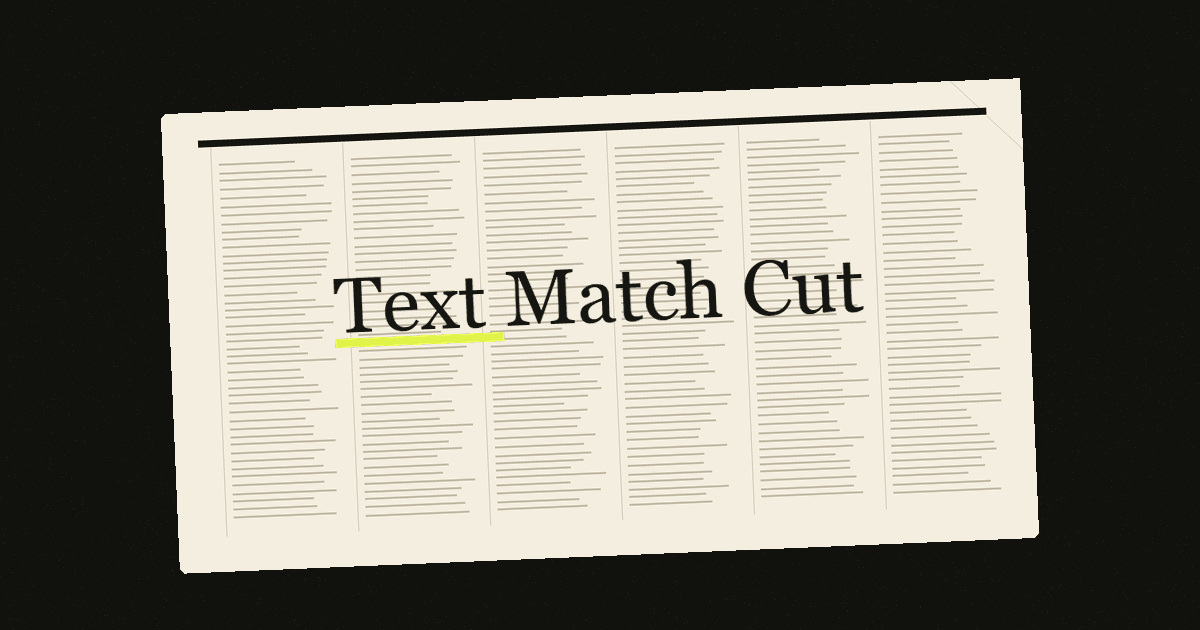
About this app
Text Match Cut Maker is a free, in-browser studio for one effect: the newspaper-clipping text match cut. You type a short phrase and it stays planted in the centre of the frame. A new fictional newspaper page lands on every cut — headlines, columns, and paper change, while your words do not. It is not a general video editor and not a generic text-to-video generator. There is no timeline and no upload: you preview the paper cut in the tab, then render the file on your device. The download has no watermark and no attribution requirement. Commercial use is allowed. Use it for a Reels hook, a TikTok reversal, a documentary beat that holds one name or date, or a news-style meme. Choose 9:16, 1:1, or 16:9; tune cut speed, drift, blur, grain, and length; optionally add a paper sound. Export is MP4 or WebM, depending on the browser.
Key features
- 1One-effect studio: type a phrase, it stays locked while a new fictional newspaper page lands on every cut.
- 2Full tuning: cut speed, camera drift, edge blur, paper grain, clip length, aspect ratio (9:16, 1:1, 16:9), and optional synthesized paper sound.
- 3Local in-browser render to MP4 or WebM — no upload, no watermark, no attribution, commercial use allowed, no signup.
Target customer profile
Drawn from the product itself, not from a survey.
Demographic
Short-form video creators and social media influencers
Pain points
Needs scroll-stopping hooks in the first second; generic templates look cheap
Primary needs
Fast, free, watermark-free visual hooks for Reels, TikTok, and Shorts
Demographic
Documentary and explainer video editors
Pain points
Needs to hold a key term or quote on screen while evidence changes
Primary needs
A polished match-cut text effect that feels editorial, not gimmicky
Demographic
Meme makers and group chat posters
Pain points
Wants a serious-news look wrapped around a ridiculous phrase; no design skills
Primary needs
One-click paper animation with no sign-up, no watermark, and commercial freedom
Scout Review
Written by AI from measured evidence, scored out of 100.
Text Match Cut Maker does one thing and does it with more taste than most tools that do fifty. The landing page has a genuine editorial identity — Didone serif, disciplined dark palette, one lime accent — and the live studio mockup shows the actual controls before you read any copy. The flow is exactly what the pitch promises: type a phrase, tune cut speed, drift, blur, grain and length, preview the motion, render locally, download an MP4 or WebM with no watermark and no attribution requirement. Speed is strong on desktop and fine on mobile. Accessibility clears 97 on the automated audit. The weak spots are real but fixable: security headers are nearly absent (1/12), mobile LCP sits at 3.1s, and the page buries a fast tool under long low-contrast SEO copy. As a free, no-signup utility for one specific shot, it's a genuinely useful thing to have bookmarked.
Measure by measure
Usability
68Type, tune, render — no signup, no upload, no timeline. The Generate button is obvious, Preview motion shows the effect first, and prompt cards kill the blank page. Long low-contrast explanatory copy is the main friction.
Design
71A genuinely editorial identity: Didone serif against clean sans, disciplined dark palette with one lime accent, and a live studio mockup that demonstrates the product above the fold. Held back by dim small body copy and a prompt card that overflows its frame.
Speed
71Lighthouse mobile 84/100 (LCP 3.1s, CLS 0, TBT 181ms) and desktop 98/100. Rendering is client-side so there's no server round-trip for the actual video. LCP at 3.1s is the one soft spot on mobile.
Security
29HTTPS not enforced, no HSTS, no CSP, no frame protection, no Referrer-Policy, no Permissions-Policy, no SPF or DMARC — 1/12 on the header checklist. The local-render, nothing-uploaded model is a real privacy strength, but the transport and DNS hygiene are thin.
Accessibility
79Lighthouse a11y 97/100 with only two failing audits: contrast on some text and visible labels without matching accessible names. Seven-language selector and a documented keyboard shortcut help. No WCAG statement published.
Growth
58A real problem (scroll-stopping hooks) with a sharply specific wedge: one effect, free, no watermark, no signup, commercial use. Clear named segments. But it's a single-effect tool in a category where CapCut ships the same look for free inside a full editor.
Improvement areas
- Security headers are nearly absent (1/12): enforce HTTPS, add HSTS, CSP, frame protection, Referrer-Policy, Permissions-Policy, SPF and DMARC.
- Mobile LCP at 3.1s — subset and preload the display serif to get first paint under 2.5s.
- Long low-contrast body copy and four near-identical SEO sections bury a fast tool under explanation.
- No published accessibility statement or WCAG conformance claim despite a 97/100 automated score.
Design & Usability
The design is the strongest thing here. A Didone display serif against a clean sans, a dark palette with a single lime accent used sparingly on the underline, sliders, toggles and CTA — it reads as editorial rather than template. The three-panel studio mockup above the fold is the smart move: it shows the actual control surface before you read a word of copy. Usability follows the same logic. No signup, no upload, no timeline; you type a phrase, tune the cut, hit Generate, and the file records on your device. Preview motion lets you see the effect before committing, and the prompt library cards remove the blank-page problem. The friction is all in the copy: long explanatory sections set in small dim grey on black, repeated across near-identical SEO blocks, make the page harder to scan than the tool is to use.
Speed & Security
Speed is solid where it counts. Lighthouse desktop 98/100, mobile 84/100, CLS a flat 0, TBT 181ms — and because rendering happens client-side there's no server round-trip for the video itself. The one soft spot is mobile LCP at 3.1s, which is a slow first paint for a page whose whole pitch is stopping a scroll in the first second. Security is the weak flank. The HTTP probe found HTTPS not enforced, no HSTS, no CSP, no frame protection, no Referrer-Policy, no Permissions-Policy, and no SPF or DMARC — one checklist point out of twelve. The local-render, nothing-uploaded model is a genuine privacy advantage and should be the headline, but the transport and DNS hygiene around it are thin, and there's no published audit, pen-test, or bug bounty to point at.
Accessibility & Growth
Accessibility is above average for an indie tool: Lighthouse 97/100 with only two failing audits — insufficient contrast on some text, and visible labels without matching accessible names. A seven-language selector and a documented keyboard shortcut ('/ focus phrase, ⌘ ↵ render') are real signals, though no WCAG conformance statement is published. Growth is the interesting question. The problem is real — the first second of a Reel is a negotiation with the scroll — and the positioning is unusually specific: one effect, free, no watermark, no signup, commercial use allowed, explicitly not a general editor. It names its segments (Reels hooks, TikTok reversals, documentary beats, meme makers) with concrete use cases rather than vague 'creators'. The limit is depth: it's a single-effect tool, and CapCut, Canva and Kapwing all ship paper-style text effects inside broader editors the user may already pay for. The wedge is real but narrow, and the domain is brand new.
Conclusion
If you make short-form video and you need a newspaper-clipping hook without opening a full editor or paying for a watermark removal, this is the shortest path from idea to file. It won't replace CapCut for anything else, and it isn't trying to. The honest recommendation: use it for the one shot it makes, keep the tab open, and hope the maker tightens the security headers and trims the essay sections before the novelty wears off.
Suggestions for improvement
- Enforce HTTPS and add HSTS, CSP, frame protection, Referrer-Policy and Permissions-Policy — 1/12 on headers is the biggest fixable gap.
- Publish SPF and DMARC records for the domain; they're cheap and they close an obvious spoofing hole.
- Raise mobile LCP below 2.5s — subset the display serif and preload the hero font.
- Cut or collapse the repeated SEO sections and raise body-copy contrast; the tool is faster than the page lets it feel.
Alternatives comparison
Named competitors, point by point. Nobody paid to appear here or to be left out.
 Text Match Cut Maker |  CapCut |  Canva |  Kapwing | |
|---|---|---|---|---|
| Price / free tier | Free, no account, no watermark | Free tier with watermark; Pro subscription | Free tier; Pro subscription for premium assets | Free tier with watermark; paid plans |
| Paper / newspaper text effect | Core product — the only effect, fully tunable | Available as a template/preset among many effects | Animated text tools; paper look via elements/templates | Text animation presets; paper style not a dedicated mode |
| Signup required | No — works immediately in the browser | Account required to export/save | Account required | Account required to export |
| Watermark on export | None — no watermark, no attribution | Watermark on free exports | Watermark on some free assets | Watermark on free exports |
| General video editing (timeline, uploads) | No — single effect only, no timeline, no upload | Yes — full multi-track editor | Yes — design + video editing suite | Yes — browser-based timeline editor |
| Where rendering happens | Locally on device — nothing uploaded | App/cloud processing | Cloud-based | Cloud-based |
CapCut
Full-featured video editor with text animations and templates, including paper-style effects.
Canva
Graphic design platform with animated text tools and social media video export options.
Kapwing
Browser-based video editor with text animation presets and collaborative features.
Comparing options? See Text Match Cut Maker alternatives, scored side by side
More Social Media apps
View all Social Media
PodRescale
89Every episode becomes two weeks of posts. In your voice. Posted for you.

Voqusa
89Transcribe social media video and audio links into text (free signup, 5 free credits, then pay-as-you-go)

PlanSend
88Social media scheduler with client approvals built in

Evoriqa
88White-label AI customer service agent for small businesse...

AI Comment Exporter
88YouTube comment exporter to CSV, Excel and JSON, with AI reports

AI Dance Trend
88Turn one photo into a 10-second AI dance video — no app, ...

TranscriptYou
88Free YouTube transcript generator with timestamps and AI ...

LurkAPI
88Public social media data as clean JSON, in one request

Kinomo
87The Mac motion studio your AI agent drives.

ZombieTrend AI
87ZombieTrend AI turns two photos into an emotional zombie love story video with a heartfelt hug, memory flashback, sound, no watermark, and a free scene preview.

Outstanding AI Video
87You and 2 friends in the Outstanding Tiny Desk AI meme

TinyDesk-AI.fun
87Tiny Desk AI makes your own version of the viral "Outstanding" Tiny Desk meme. Add a photo to any of the five seats on the stage (lead mic, keys, two backing vocals, sax), from one person to the whole band, and get a fresh 19-second 9:16 720p clip cut like the original post, usually about 10 minutes after paying. $8.99 once, no account, no prompts. The MP4 is silent so you attach the licensed meme sound inside TikTok. Not affiliated with NPR.


A platform dedicated to providing unbiased reviews of newly launched applications, analyzing everything from their features to their full potential.
info@scoutforge.net© 2026 Scoutforge. All rights reserved.
