Cycling through all six. Tap any point to stop.
Measured on six things
AI-powered digital safety app that blocks scams before yo...
Speed
47Lighthouse mobile 56/100 with a 5.9s LCP and 929ms TBT — the mobile experience is slow and JS-heavy. Desktop scores a healthier 78/100, so the gap is mobile-specific.
Screenshots
1 / 7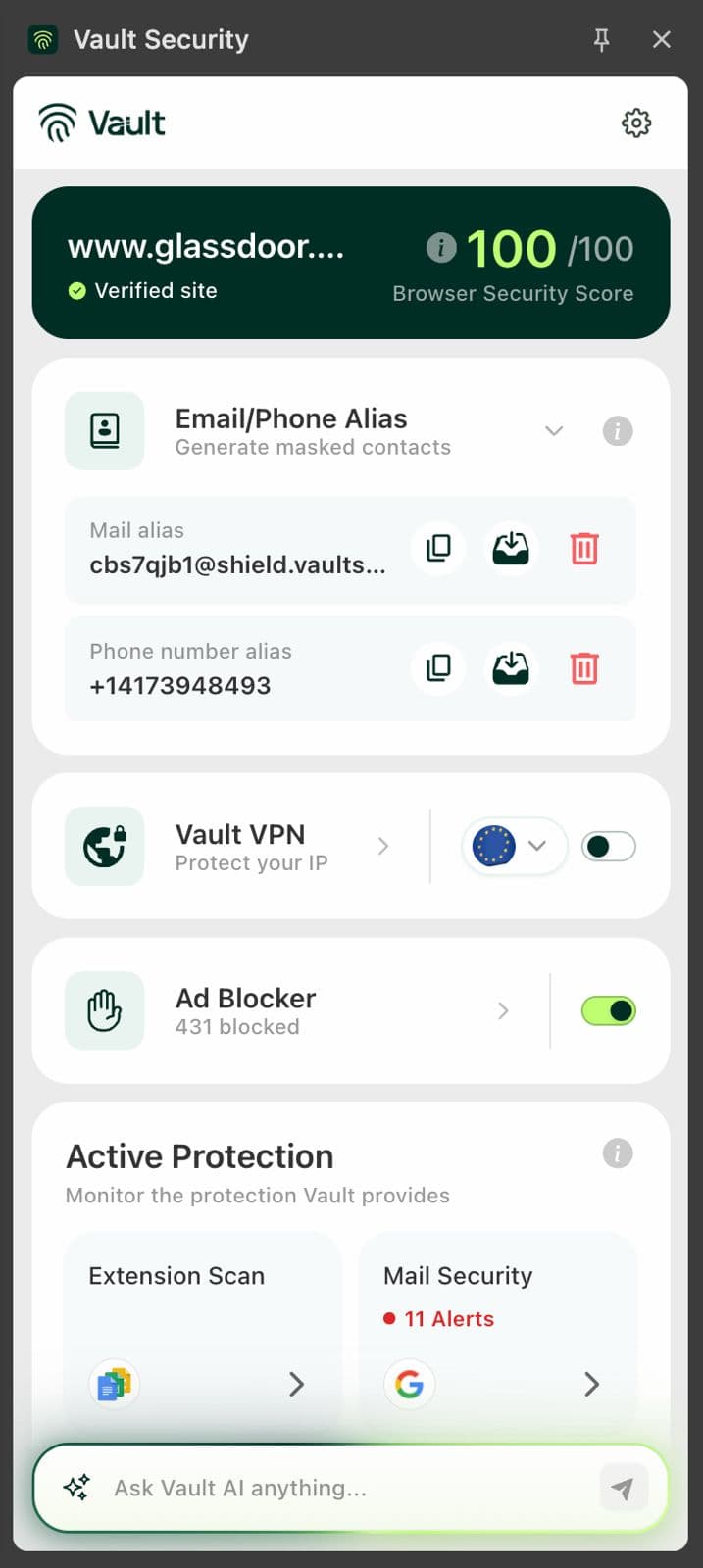
About this app
Vault Security is your personal AI safety assistant for the internet. It helps protect your digital life across the web and mobile by spotting scams, phishing links, suspicious texts, fake websites, risky pages, and data threats before they turn into real problems. Built for Android, iOS, and browser use, Vault gives you clear, real-time warnings in plain English, so you know when something looks unsafe and what to do next. It also supports privacy and identity protection with features like breach monitoring, VPN protection, ad blocking, aliases, and safer browsing guidance. Unlike traditional antivirus tools, Vault is built for the threats people actually face today: scam messages, fake websites, phishing pages, leaked personal data, trackers, and identity risks. It works quietly in the background, helping you browse, shop, bank, and work online with more confidence.
Key features
- 1AI-powered scam, phishing and fake-website detection with plain-language explanations of what's risky and what to do next.
- 2Email and phone aliases plus continuous breach monitoring to keep real contact details out of leaked databases.
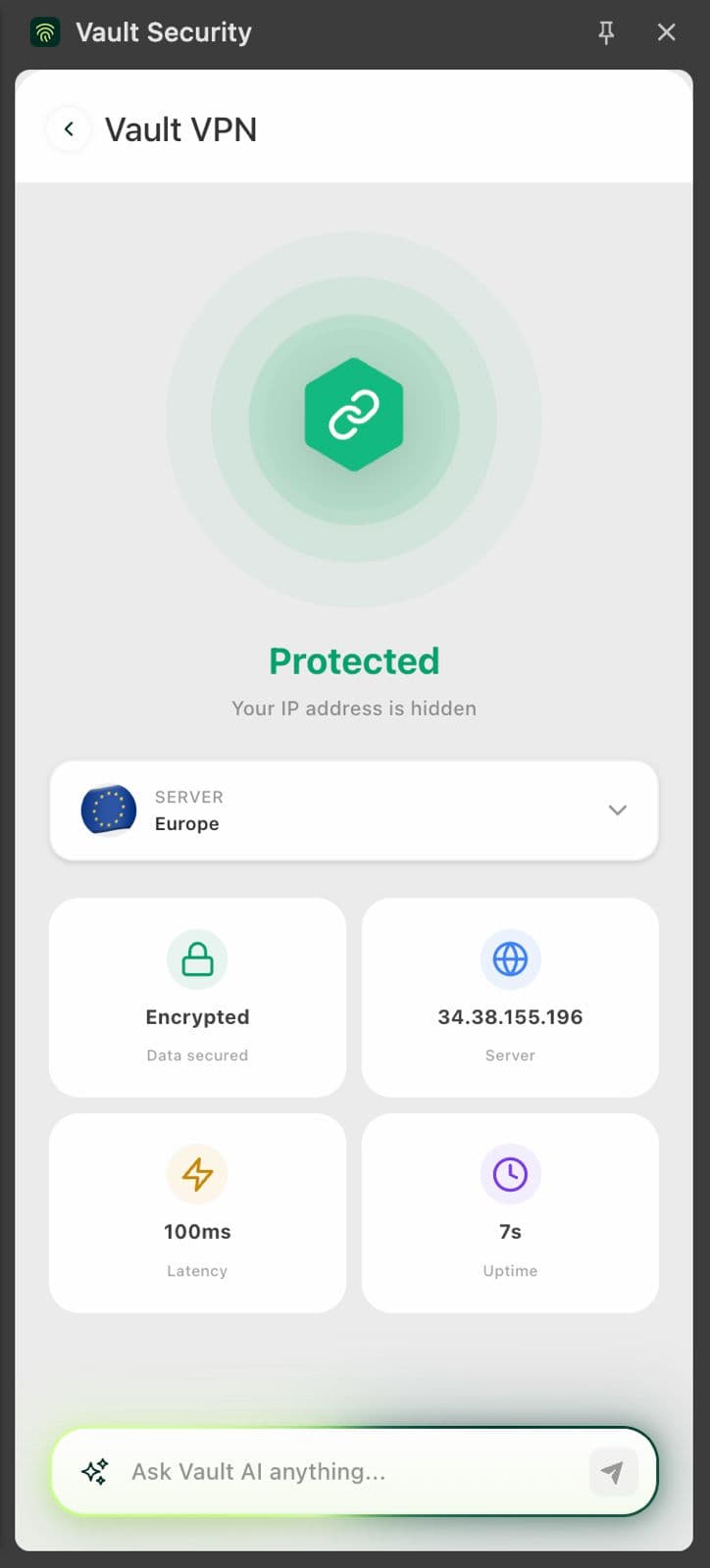
- 3Global VPN, ad blocking and unsafe-Wi-Fi network monitoring bundled into one consumer safety layer across iOS, Android and browser.
Target customer profile
Drawn from the product itself, not from a survey.
Demographic
Non-technical adults and seniors aged 45+ managing email, banking, and shopping online
Pain points
Hard to spot phishing links and fake websites; fear of clicking a scam and losing money
Primary needs
Plain-language threat explanations, one-click protection, and peace of mind
Demographic
Busy parents and families with multiple devices and shared online accounts
Pain points
Kids and partners click risky links; no central view of family digital safety
Primary needs
Family plan coverage, email/phone aliases, and real-time alerts across devices
Demographic
Small business owners and freelancers handling client data and payments
Pain points
Phishing and breach exposure threaten client trust; limited security budget or IT staff
Primary needs
Breach monitoring, secure network protection, and an affordable all-in-one toolkit
Demographic
Privacy-conscious remote workers and frequent travelers on public Wi-Fi
Pain points
Unsafe networks and location tracking; spam and breach leaks exposing personal details
Primary needs
Global VPN, secure network monitoring, and alias-based identity protection
Scout Review
Written by AI from measured evidence, scored out of 100.
Vault Security is an AI-first consumer safety assistant aimed at the people traditional antivirus leaves behind — non-technical adults, families and small businesses who need scams explained in English, not jargon. The app UI is the strongest part: Safe Mode is clean, the brand is consistent, and the core alert concept (an unrecognized login from Moscow, rendered as a plain notification) is exactly the right product idea. The website is the weaker half — the live homepage capture rendered only the nav, and the page copy repeats itself in stacked duplicate blocks. Measured performance is the real problem: 56/100 mobile Lighthouse with a 5.9s LCP undercuts a mobile-first pitch. Security headers are half-done and no compliance certifications are published. Accessibility is genuinely good at 93/100. The idea has a real wedge; execution needs tightening before the trust-heavy category will take it seriously.
Measure by measure
Usability
58Sign Up and free-trial CTAs are present and the Safe Mode primary action is unmissable, but the extension crams six features into one panel and the site's signup flow couldn't be verified end to end.
Design
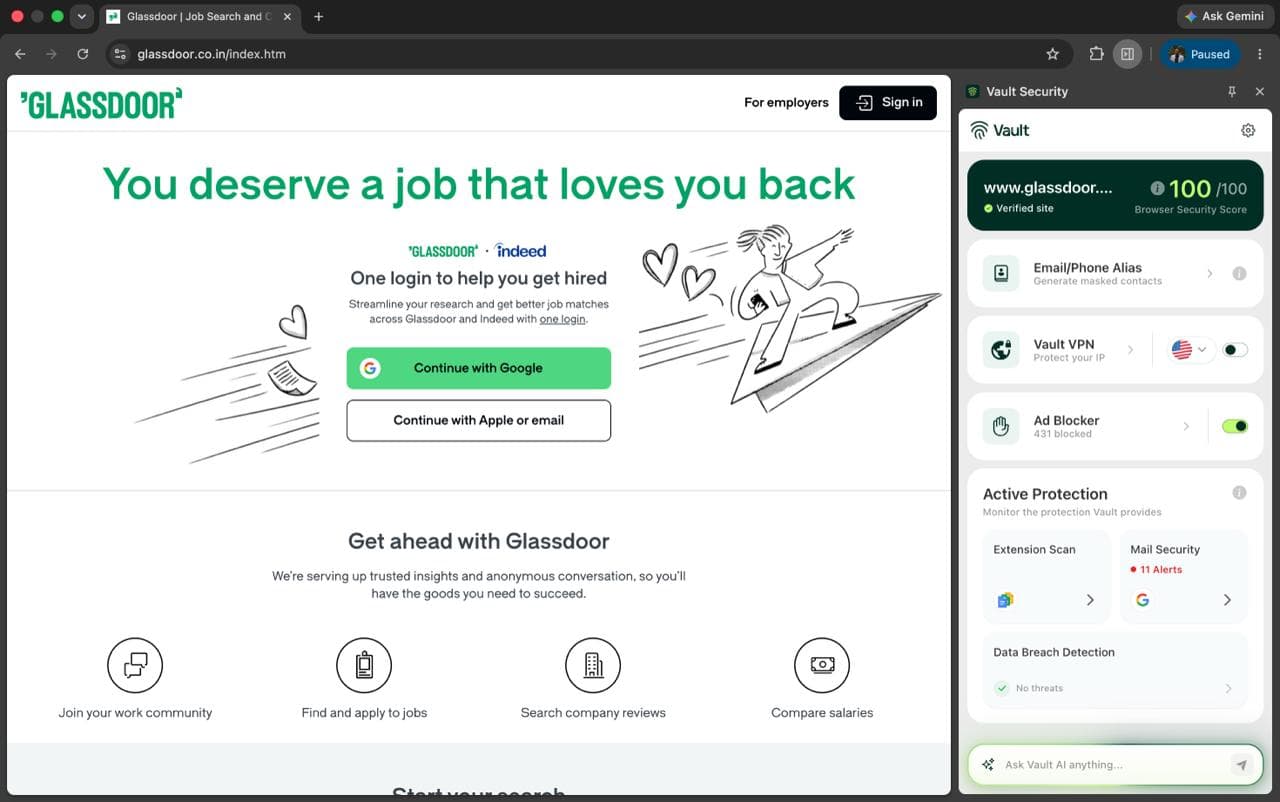
57Judging the app UI and store material: Safe Mode is clean and well-hierarchied with a consistent green/lime brand. The extension popup is cramped and truncates aliases, and the lock-screen mock's bonsai overlaps the clock.
Speed
47Lighthouse mobile 56/100 with a 5.9s LCP and 929ms TBT — the mobile experience is slow and JS-heavy. Desktop scores a healthier 78/100, so the gap is mobile-specific.
Security
52HTTPS and HSTS are enforced and DMARC is published, but there's no CSP, no frame protection, no Referrer-Policy and no SPF — 6/12 on the header checklist. No SOC 2, ISO or bug bounty found.
Accessibility
70Lighthouse a11y lands at 93/100 with only two failing audits (heading order, unnamed links) — solid automated coverage. Localized in just one language and no published a11y statement caps it.
Growth
63A real, specific problem (scam/phishing fear among non-technical adults) with a genuine wedge: plain-language AI explanations plus aliases, VPN and breach monitoring in one consumer bundle. Crowded, trust-gated category limits ceiling.
Improvement areas
- Mobile performance: 56/100 Lighthouse with 5.9s LCP and 929ms TBT — the mobile experience undercuts a mobile-first pitch.
- Security headers: no CSP, no frame protection, no Referrer-Policy, no SPF; no SOC 2, ISO or bug bounty published.
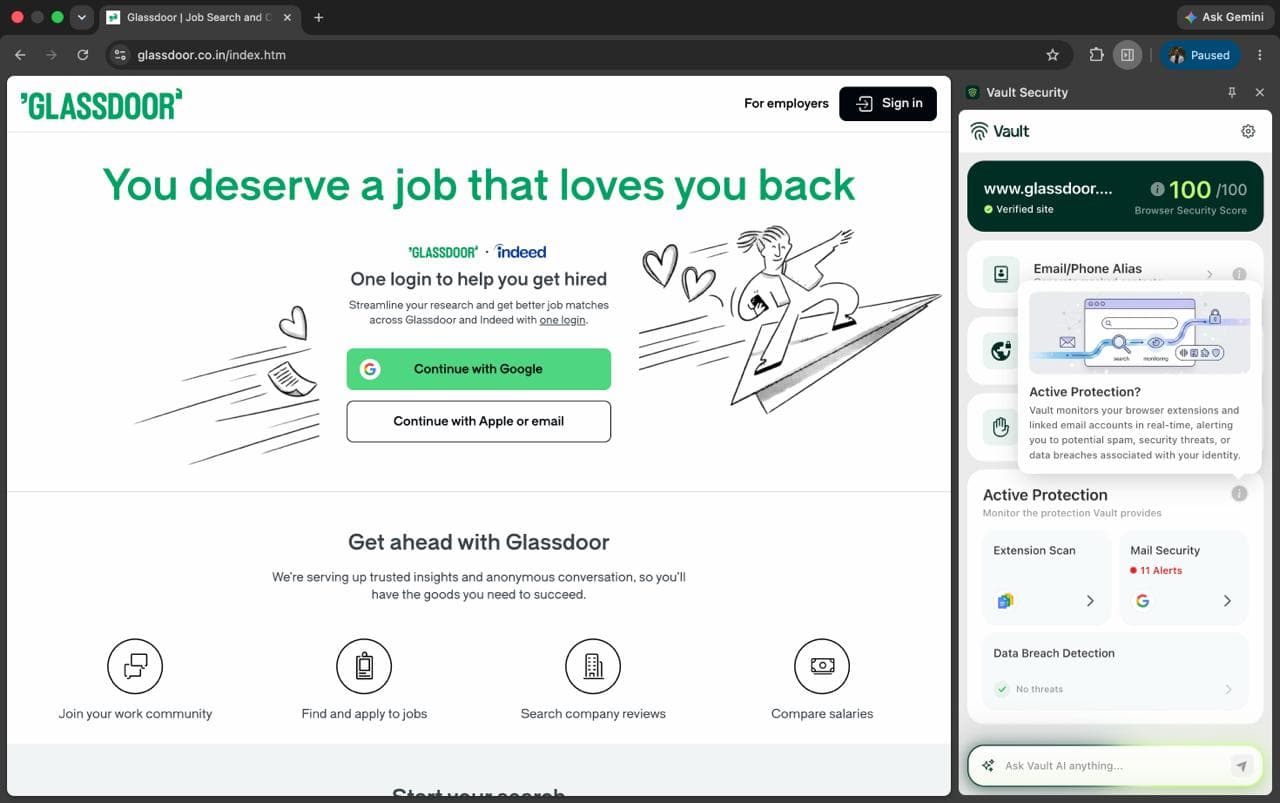
- Extension popup density: truncated domain and alias, clipped Active Protection cards behind the Ask AI input.
Design & Usability
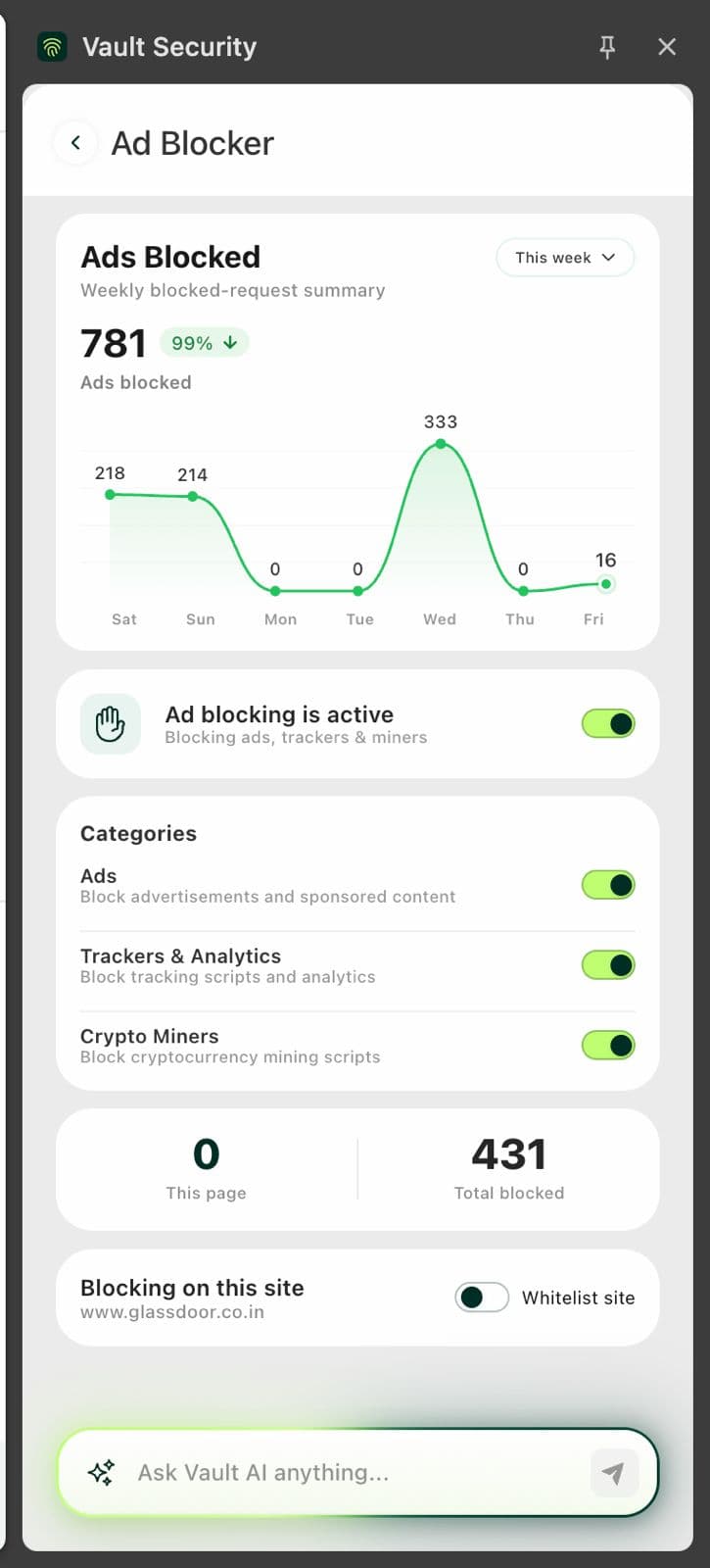
Vault ships through the App Store and Play Store, so the app UI is the product and the website is marketing — and the app UI is the stronger of the two. The Safe Mode screen is genuinely well-built: a clear title bar, an Active status pill, a 7-day blocked-threats chart, two stat tiles and one full-width primary action. The dark-green and lime brand carries consistently from store screenshots into the extension. Where it falls down is density: the browser extension popup truncates the site domain and the mail alias, and the bottom Active Protection cards get clipped by the Ask AI input — in a security tool, hiding the security status is the wrong trade. Usability is competent but not effortless: Sign Up and free-trial CTAs exist, the Safe Mode primary action is unmissable, but the extension asks a non-technical user to parse six features in one panel, and the signup-to-value flow could not be verified end to end from the collected evidence.
Speed & Security
Speed is the weakest measured dimension. Lighthouse mobile performance sits at 56/100 with an LCP of 5.9s and a total blocking time of 929ms — that is a JS-heavy mobile page that takes nearly six seconds to paint its main content, well past the 2.5s 'good' threshold. Desktop is a different story at 78/100, so the problem is specifically the mobile experience, which is unfortunate for a product whose pitch is 'protect your phone'. Security is mid-pack. The good: HTTPS is enforced, HSTS is present, X-Content-Type-Options is set and DMARC is published. The gaps: no Content-Security-Policy, no frame protection, no Referrer-Policy, no Permissions-Policy and no SPF — 6 of 12 on the header checklist. No SOC 2, ISO 27001, penetration-test report or bug bounty program surfaced in the collected evidence, which for a company selling trust is a notable absence rather than a proven failure.
Accessibility & Growth
Accessibility is the strongest measured dimension: Lighthouse scores 93/100 with only two failing audits — heading elements out of sequential order and links without discernible names. Both are cheap fixes. The limits are that the app is localized in exactly one language, which is thin for a product aimed at a broad 45+ consumer base, and no accessibility statement was found. Growth is a judgement on the idea, not the traction. The problem Vault names is real and specific: non-technical adults and families who cannot tell a phishing link from a real one, and who want a plain-English explanation rather than a Bitdefender alert dialog. The wedge — conversational AI threat explanations bundled with aliases, VPN and breach monitoring at a consumer price — is a genuine differentiator against Norton, Bitdefender, Aura and 1Password, none of which lead with plain language. The ceiling is the category itself: security is trust-gated and distribution-owned, and Vault starts from zero brand equity against incumbents with decades of it.
Conclusion
Vault is aiming at the right problem with the right tone — plain-language warnings for people who genuinely need them — and the app UI shows the team can build clean, legible screens. What holds it back is the unglamorous stuff: a mobile page that takes nearly six seconds to paint, a security posture missing CSP and frame protection, and a landing page that renders as a black void in a live capture. None of those are fatal; all of them are fixable in a sprint. For a product asking people to trust it with their banking and identity, the fundamentals need to be as polished as the Safe Mode screen already is.
Suggestions for improvement
- Fix mobile performance: LCP 5.9s and TBT 929ms are the biggest single drag on the product's credibility — cut JS, defer non-critical scripts.
- Ship a Content-Security-Policy, X-Frame-Options/frame-ancestors, Referrer-Policy and SPF; publish a security page with pen-test or SOC 2 roadmap.
- Fix the extension popup: stop truncating the site domain and alias, and stop clipping the Active Protection cards behind the Ask AI input.
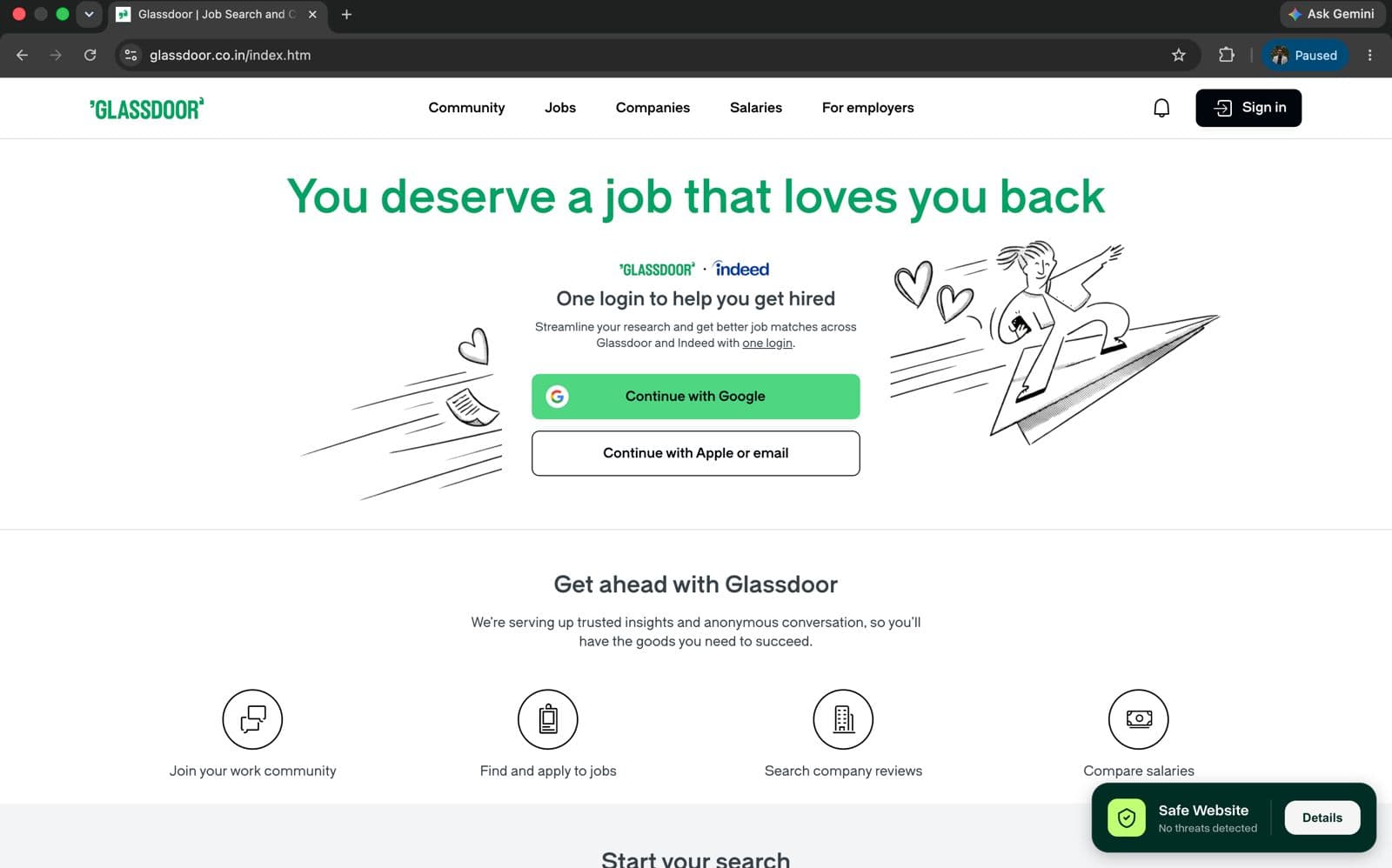
- Investigate why the live homepage renders only the nav — a black hero in a real capture is a conversion killer and possibly a lazy-load bug.
Alternatives comparison
Named competitors, point by point. Nobody paid to appear here or to be left out.
 Vault Security |  Norton 360 |  Bitdefender |  1Password | Aura | |
|---|---|---|---|---|---|
| Plain-language AI explanation of threats | Core feature — explains scams, phishing and risky pages in simple English | Alerts are more technical; less conversational explanation | Strong detection but technical interface and alerts | Not offered — focused on passwords and vault, not threat explanation | Identity-focused alerts; less plain-language scam coaching |
| Breach / dark-web monitoring | Continuous breach monitoring included | Dark web monitoring on higher tiers | Identity protection add-on with breach alerts | Watchtower breach alerts for stored credentials | Core strength — deep identity and breach monitoring |
| VPN included | Global VPN included | Norton Secure VPN included on plans | VPN included in Premium bundles | Not offered | VPN included |
| Email / phone aliases | Private email and phone aliases included | Not a core offering | Not offered | Masked email via Fastmail integration | Limited alias support |
| Family / multi-device coverage | Family plan with cross-device alerts | Multi-device family plans, mature | Multi-device family bundles | Family vault for passwords only | Family plan with parental controls |
Norton 360
Established all-in-one security suite with antivirus, VPN, and dark web monitoring, though less focused on plain-language AI scam explanations.
Bitdefender
Strong malware and phishing protection with multi-device coverage, but its interface and alerts can feel more technical than Vault's conversational approach.
1Password
Excellent password manager and breach alerts, but it doesn't monitor browsing, inbox, or network activity the way Vault's broader safety layer does.
Aura
Identity and fraud protection with VPN and parental controls, overlapping with Vault on breach monitoring but priced higher for similar family coverage.
Comparing options? See Vault Security alternatives, scored side by side
More Security apps
View all Security
issued.live
89Free certificate transparency search and SSL lookup with ...

OBVELO
88Privacy gateway that masks personal data in LLM traffic

kosa8
88Sealed VMs for AI agents with instant rewind, audit trails & zero key exposureSealed VMs for AI agents with instant rewind and audit tr...

C2PA Lab
87Free C2PA Content Credentials Checker

Xsilent Vault: Hide Photos
87Private Android vault for photos, videos, PDFs and files, with no required account, no ads and no mandatory cloud.

Magery Forge
87Weekly security audits for vibe-coded sites, explained in...

Sidenty
87Sidenty is a professional digital identity protection ser...

ProcessSpy
87A native macOS process explorer and advanced monitor that...

Basalt
86Eighteen PDF tools in one native Mac window: merge, split, compress, OCR, Bates numbering, forms, signing and redaction. Offline. $29 once.

PromptTrace
85Free hands-on AI security labs for prompt injection and L...

Sanctix
85Sanctions screening with verifiable SHA-256 audit trails.

Privacy Requests
84DSAR management software for small teams.


A platform dedicated to providing unbiased reviews of newly launched applications, analyzing everything from their features to their full potential.
info@scoutforge.net© 2026 Scoutforge. All rights reserved.
