Cycling through all six. Tap any point to stop.
Measured on six things
Manage multiple X accounts in one workspace. AI writes unique posts, schedules publishing, and finds customers with SmartReach.
Security
52HTTPS enforced with HSTS and secure cookies, but only 5/13 checklist points: no CSP, frame protection, or referrer policy, and no SPF/DMARC. No published audits or bug bounty found.
Screenshots
1 / 1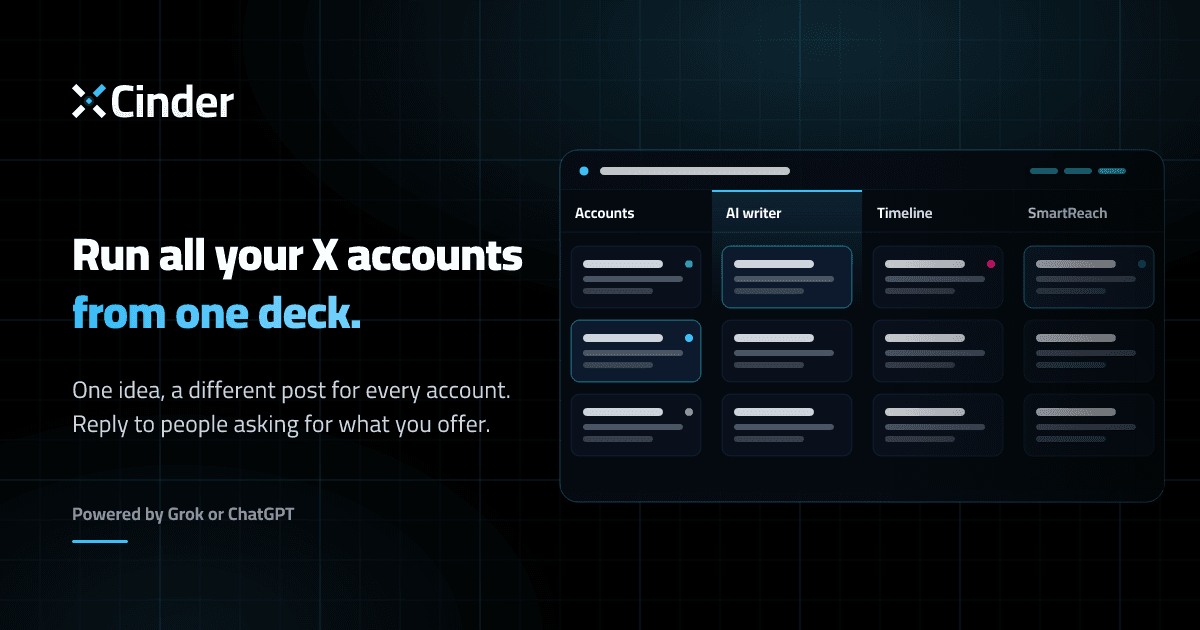
About this app
xCinder is a workspace for managing multiple X (Twitter) accounts from one deck. Write one idea and xCinder creates a distinct draft for each account, using Grok or your own OpenAI API key. Review every draft, then post now, pick a time, or save a recurring schedule on the server. The deck also includes timelines, live search, trends for 62 countries, an activity log, and CSV or JSON export. Paid plans add SmartReach, Boost, mention replies, and account cleanup. Solo is free forever for 2 X accounts; monthly plans run from $9 (5 accounts) to $249 (500 accounts). No X Premium+ needed.
Key features
- 1Multi-account X deck with per-account AI drafts via Grok or your own OpenAI API key.
- 2Scheduling with post-now, pick-a-time, or recurring server-side schedules.
- 3SmartReach reply discovery, Boost engagement, mention replies, and account cleanup on paid plans.
- 4Timelines, live search, trends for 62 countries, activity log, and CSV/JSON export.
- 5No-auto-renewal pricing from free Solo (2 accounts) to $249/month Command (500 accounts).
Target customer profile
Drawn from the product itself, not from a survey.
Demographic
Social media managers and agencies
Pain points
Juggling multiple X accounts manually, repetitive posting, missing engagement opportunities
Primary needs
Centralized dashboard, AI-generated unique posts, scheduling, and reply automation
Demographic
Small business owners with multiple brands
Pain points
Lack of time to post consistently, risk of duplicate content across accounts
Primary needs
Quick multi-account posting with varied wording, 24/7 scheduling, easy export
Demographic
Content creators and influencers
Pain points
Maintaining distinct voices on separate accounts, finding relevant conversations to join
Primary needs
AI writing assistance per account, SmartReach for targeted replies, audience growth tools
Scout Review
Written by AI from measured evidence, scored out of 100.
xCinder is a focused multi-account X workspace with a genuinely fast site, a clear pricing model, and a real differentiator in per-account AI drafting. The deck metaphor is well executed on the landing page, and the no-auto-renewal pricing is refreshingly honest. The gaps are security hardening (5/13 header checklist, no audits) and documentation depth — the site sells the workflow but doesn't show the help center. Accessibility is a bright spot at 100/100 automated. For social managers and small agencies running several X accounts, it's a credible, affordable alternative to Hootsuite and Buffer, provided they accept the account-safety caveat the site itself states plainly.
Measure by measure
Usability
66Clear conversion path, a plan-picker that sizes you automatically, and an FAQ covering payment and renewal. Trust cues like 'logins stored encrypted' are buried at tiny sizes, and docs aren't visible from the collected content.
Design
71Polished dark landing page with a clear hero focal point and a real workflow mockup. Held back by tiny low-contrast mockup text, a clipped Timeline column, and cramped feature captions.
Speed
88Lighthouse mobile 98/100 with LCP under 1s, zero layout shift, and 52ms total blocking time; desktop hits a perfect 100. Genuinely fast, lightweight delivery.
Security
52HTTPS enforced with HSTS and secure cookies, but only 5/13 checklist points: no CSP, frame protection, or referrer policy, and no SPF/DMARC. No published audits or bug bounty found.
Accessibility
80Lighthouse accessibility scores a clean 100/100, with one failing audit on visible-text elements lacking matching accessible names. English/Arabic toggle is a plus; no WCAG statement found.
Growth
62Real, specific pain — many X accounts, distinct voices, AI drafts, reply discovery — with a clear wedge over TweetDeck, Hootsuite, and Buffer. Early stage (domain 0.2 years), but the idea has room.
Improvement areas
- Security headers incomplete (5/13): no CSP, frame protection, Referrer-Policy, or DMARC/SPF.
- No visible help center or documentation beyond the pricing FAQ.
- Homepage mockup text is tiny and low-contrast; Timeline column clips at the bottom.
- One failing accessibility audit on visible-text elements lacking matching accessible names.
Design & Usability
xCinder's landing page is a competent, dark-themed pitch built around a real product mockup rather than abstract art. The hero headline lands, the auth stack is easy to scan, and the pricing page does something genuinely useful: type your account count and it picks the smallest plan. The weaknesses are legibility and depth — the mockup's body text is tiny and low-contrast, the Timeline column clips at the bottom, and the feature strip reads like an afterthought. Onboarding looks fast (Google sign-in, instant plan start), but the 'logins stored encrypted' trust cue is buried at a size most visitors will miss, and no help center or docs surfaced in the collected content. Solid, not exceptional.
Speed & Security
Speed is the standout: Lighthouse mobile 98/100 with a 984ms LCP, zero CLS, and 52ms TBT; desktop is a perfect 100. Whatever stack they're running, it's lean and edge-friendly. Security is the weak flank. HTTPS, HSTS, and secure cookies are in place, but the probe found only 5 of 13 checklist points — no CSP, no frame protection, no X-Content-Type-Options, no Referrer-Policy, and no SPF or DMARC records. There's no SOC 2, ISO, pen-test, or bug-bounty claim anywhere in the collected content. To their credit, the pricing FAQ is honest that xCinder can't guarantee X won't limit an account. For a tool that stores logins for up to 500 accounts, the header hygiene needs work.
Accessibility & Growth
Accessibility is strong on paper: Lighthouse scores 100/100, with one failing audit about visible-text elements lacking matching accessible names — a fixable label issue, not a structural one. The site offers English and Arabic, which is more localization than most indie tools bother with, though no WCAG statement or a11y page was found. Growth is a judgement on the idea, not the traction. The problem is real and specific: social managers and small brands juggling multiple X accounts need distinct voices, not copy-paste duplicates. xCinder's wedge — per-account AI drafts via Grok or your own OpenAI key, SmartReach reply discovery, Boost, and no-auto-renewal pricing from $9 to $249 — is concrete and differentiated against TweetDeck, Hootsuite, and Buffer. The category has headroom, but the domain is 0.2 years old and the only listed social profile is Twitter. The idea can grow; whether it does is an execution question.
Conclusion
If you're paying Hootsuite prices to post the same thing five times with slightly different wording, xCinder is worth a look — especially the free Solo tier for two accounts. Go in with eyes open: the security headers are thin, there's no published audit, and X can still limit accounts regardless of what any tool promises. Start on Solo or the $2.99 Spark trial, verify the AI output quality on your own accounts, and only scale to Hive or Command once the workflow proves itself. The speed and pricing are real; the compliance story is still being written.
Suggestions for improvement
- Add CSP, frame protection, Referrer-Policy, and DMARC/SPF records — 5/13 header checklist is thin for a tool storing account logins.
- Publish a help center or docs page linked from the nav; the FAQ covers billing but not how to set up SmartReach or Boost.
- Fix the failing accessibility audit on visible-text elements lacking matching accessible names.
- Increase mockup text size and contrast on the homepage so the workflow preview is actually readable.
Alternatives comparison
Named competitors, point by point. Nobody paid to appear here or to be left out.
 xCinder |  TweetDeck (now X Pro) |  Hootsuite |  Buffer | |
|---|---|---|---|---|
| AI-generated unique drafts per account | Yes — Grok or your own OpenAI key, distinct wording per account | No | Yes — AI assistant, but not per-account variation | Yes — AI assistant, but no per-account variation |
| Multi-account X management in one dashboard | Yes — deck with columns per account | Yes — columns per account | Yes — multi-network, multi-account | Yes — multi-channel, multi-account |
| Scheduling and recurring posts | Yes — post now, pick a time, or recurring server-side schedule | Yes — native X scheduling | Yes — advanced scheduling and calendar | Yes — core scheduling feature |
| Reply discovery / engagement targeting | Yes — SmartReach and Boost on paid plans | No — manual only | Partial — social listening, not reply targeting | No |
| Pricing model | Free Solo (2 accounts); $9–$249/month, no auto-renewal | Free with X account; Premium+ required for some features | Subscription tiers, typically higher cost | Free tier; paid plans per channel |
| Data export | Yes — CSV or JSON export | Limited | Yes — analytics export on paid plans | Yes — CSV export |
TweetDeck (now X Pro)
X's official dashboard for managing multiple accounts and columns, but lacks AI writing and advanced automation.
Hootsuite
Social media management platform supporting multiple networks, including X, with scheduling and analytics, but pricier and less focused on AI per-account content.
Buffer
Simple scheduling and analytics for social media, including X, but doesn't offer AI post variation per account or SmartReach-style reply discovery.
Comparing options? See xCinder alternatives, scored side by side
More Social Media apps
View all Social Media
PodRescale
89Every episode becomes two weeks of posts. In your voice. Posted for you.

Voqusa
89Transcribe social media video and audio links into text (free signup, 5 free credits, then pay-as-you-go)

PlanSend
88Social media scheduler with client approvals built in

Evoriqa
88White-label AI customer service agent for small businesse...

AI Comment Exporter
88YouTube comment exporter to CSV, Excel and JSON, with AI reports

AI Dance Trend
88Turn one photo into a 10-second AI dance video — no app, ...

TranscriptYou
88Free YouTube transcript generator with timestamps and AI ...

LurkAPI
88Public social media data as clean JSON, in one request

Kinomo
87The Mac motion studio your AI agent drives.

ZombieTrend AI
87ZombieTrend AI turns two photos into an emotional zombie love story video with a heartfelt hug, memory flashback, sound, no watermark, and a free scene preview.

Outstanding AI Video
87You and 2 friends in the Outstanding Tiny Desk AI meme

TinyDesk-AI.fun
87Tiny Desk AI makes your own version of the viral "Outstanding" Tiny Desk meme. Add a photo to any of the five seats on the stage (lead mic, keys, two backing vocals, sax), from one person to the whole band, and get a fresh 19-second 9:16 720p clip cut like the original post, usually about 10 minutes after paying. $8.99 once, no account, no prompts. The MP4 is silent so you attach the licensed meme sound inside TikTok. Not affiliated with NPR.


A platform dedicated to providing unbiased reviews of newly launched applications, analyzing everything from their features to their full potential.
info@scoutforge.net© 2026 Scoutforge. All rights reserved.
