Is this your app?
Claim AI Diagram Maker to manage its page, add your badge and see your traffic — free, and it stays free.
Cycling through all six. Tap any point to stop.
Measured on six things
AI-powered tool that transforms text, code, or files into professional diagrams instantly for developers and professionals.
Accessibility
60Supports basic keyboard navigation and screen readers but lacks high contrast modes, multiple languages, or advanced accessibility features.
Screenshots
1 / 4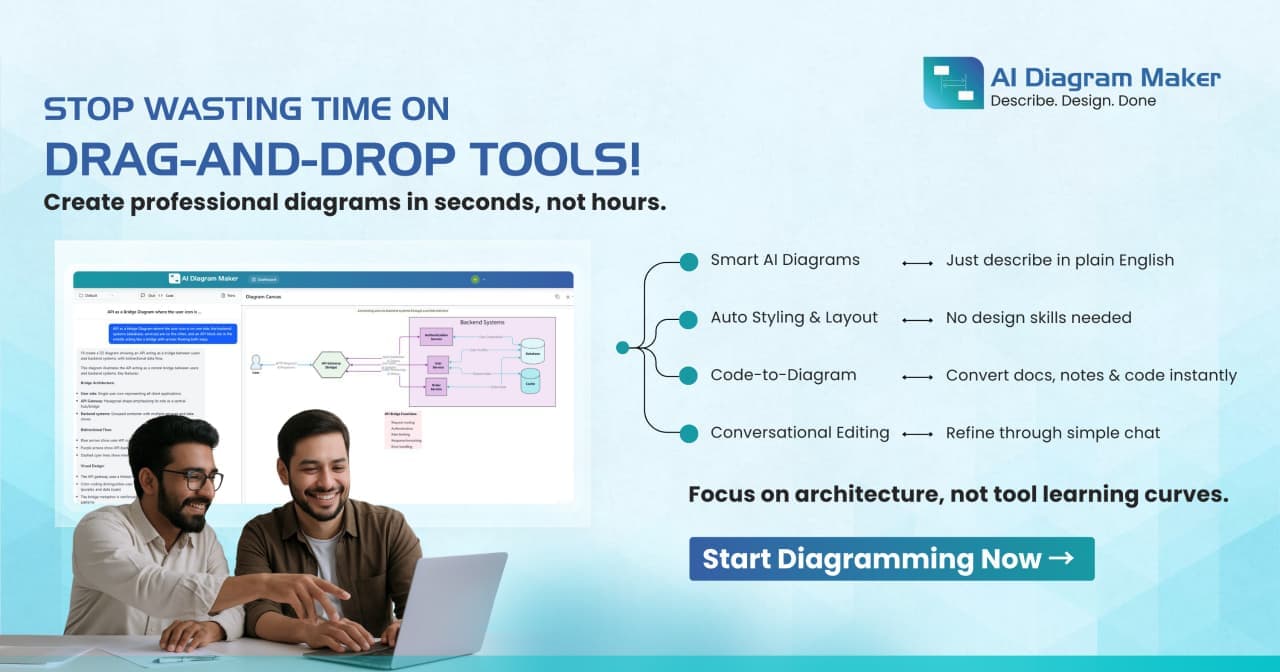
About this app
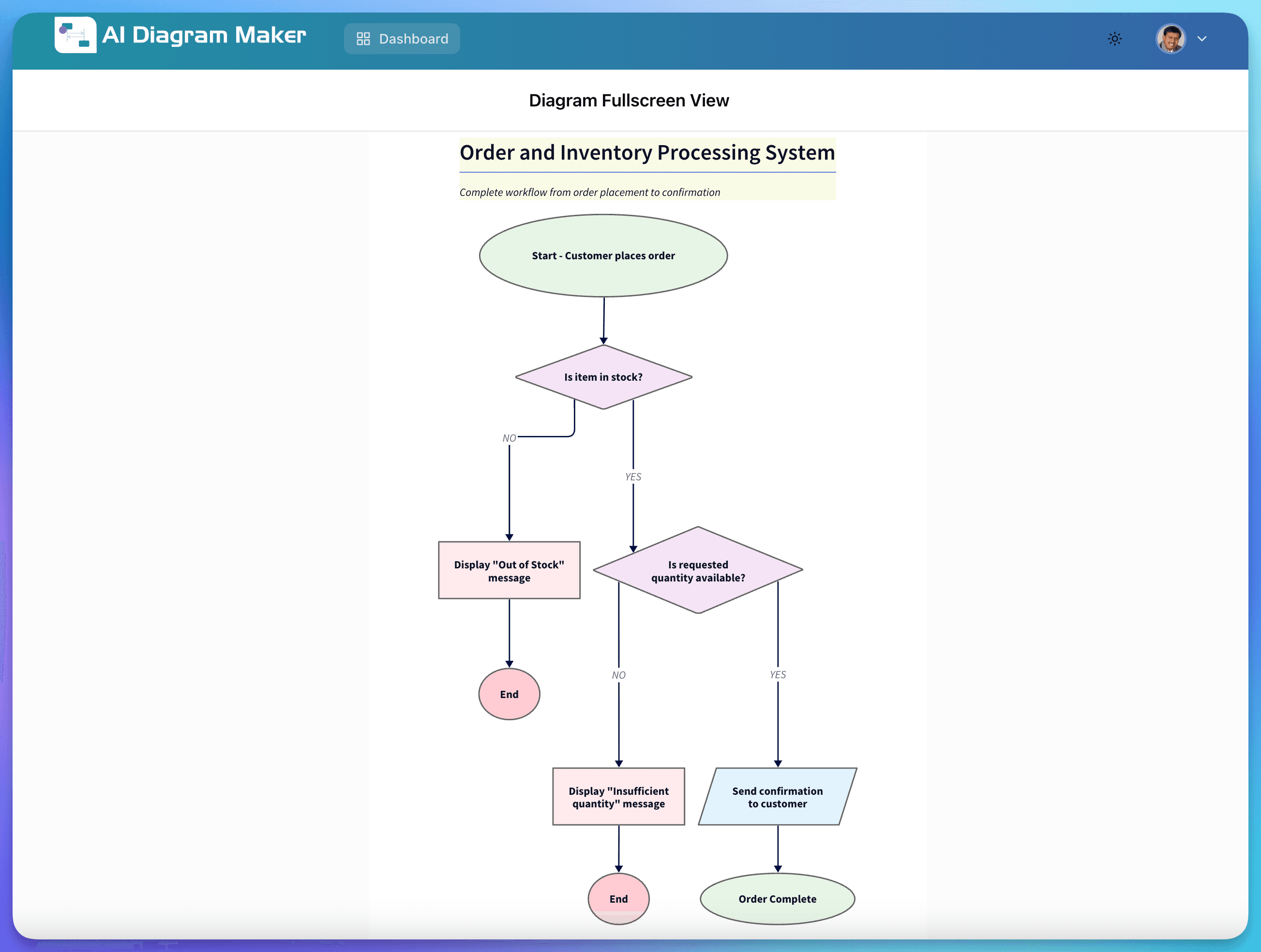
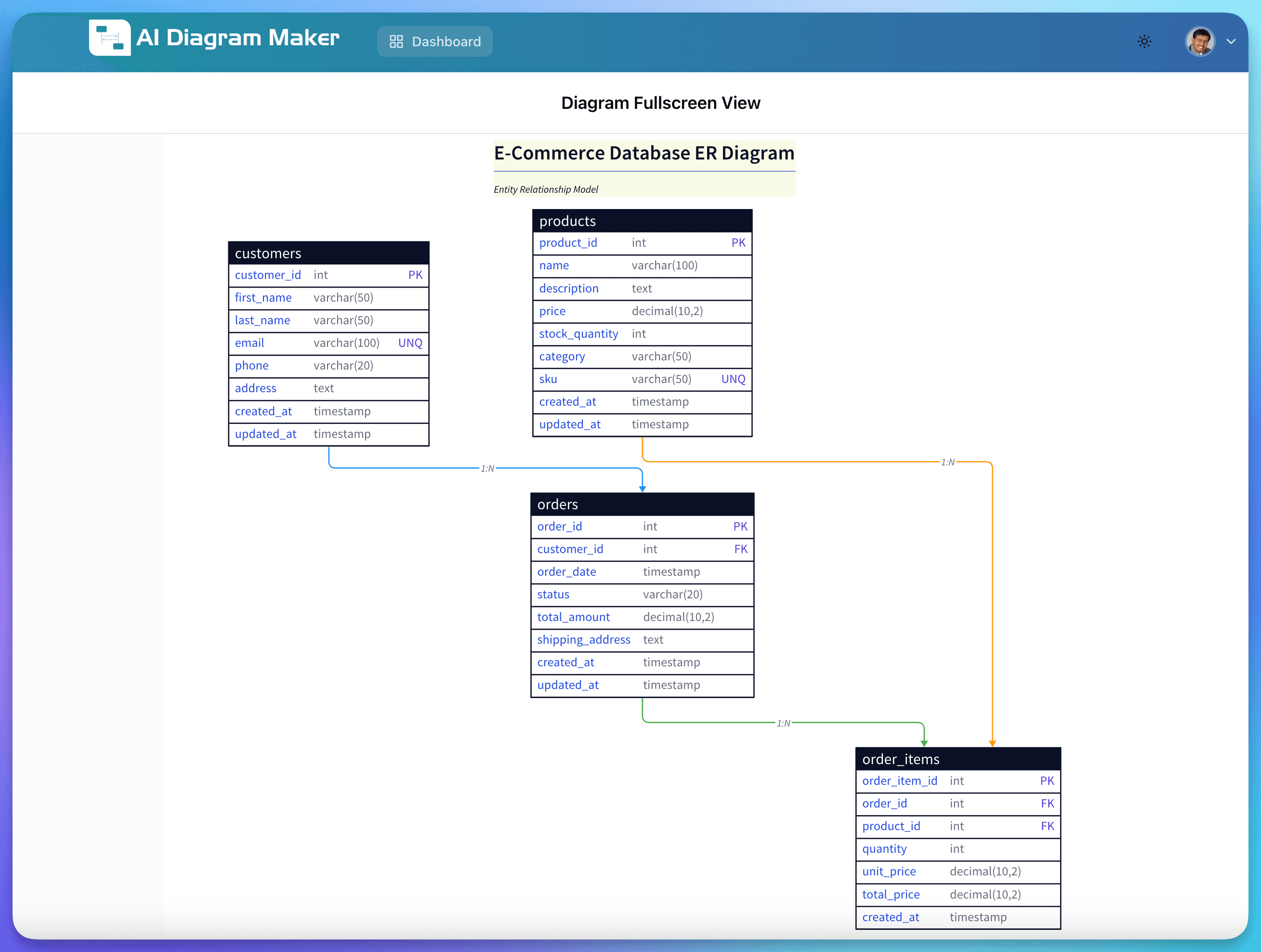
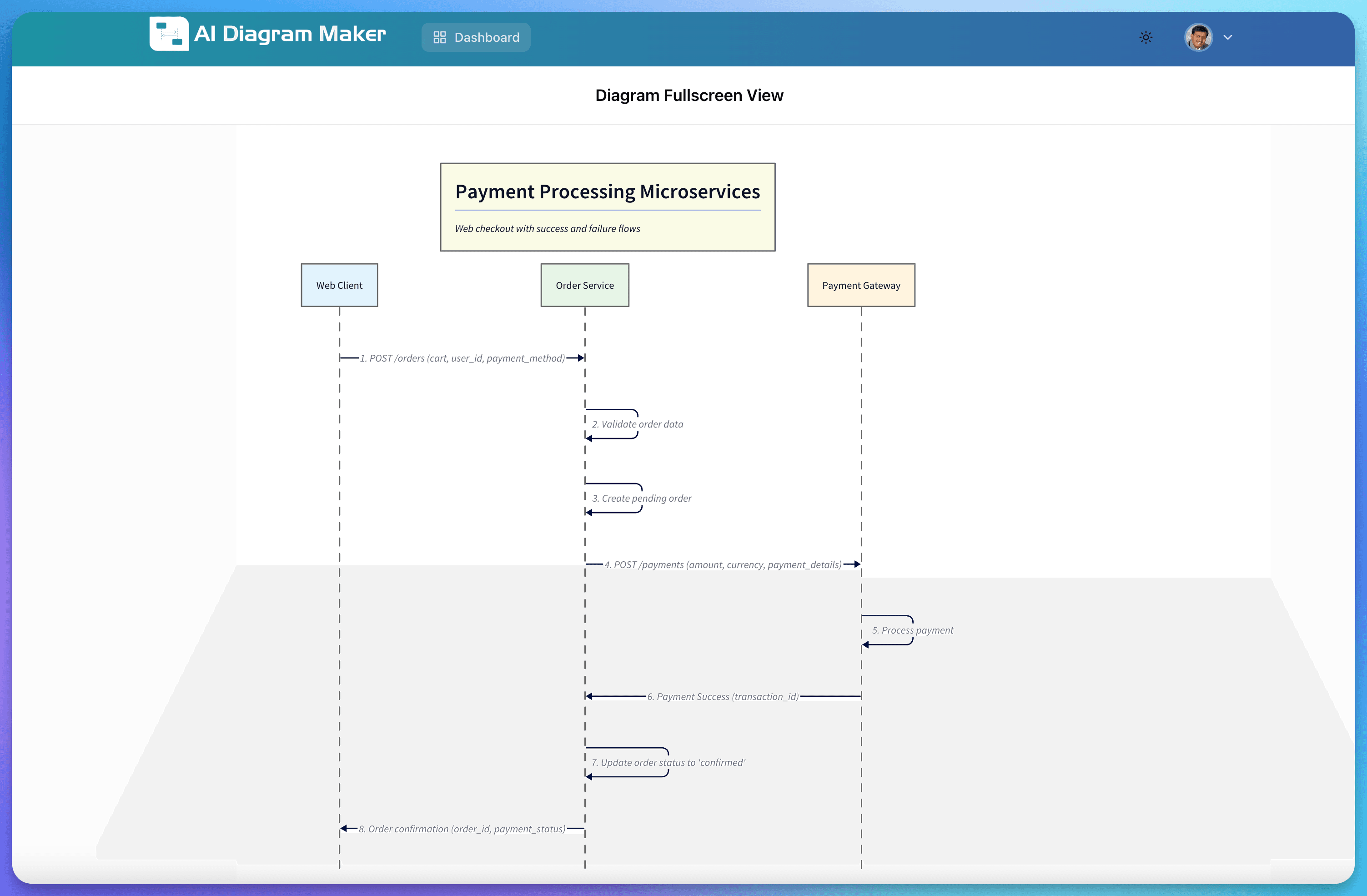
As someone who's always on the lookout for tools that simplify complex tasks, AI Diagram Maker immediately caught my attention. This web-based application leverages advanced artificial intelligence to generate everything from flowcharts to software architecture diagrams in seconds, making it a game-changer for anyone tired of clunky, traditional diagramming software. Its standout feature is the conversational interface—you just type what you want, and it handles the rest, supporting inputs like plain text, code snippets, GitHub repositories, and file uploads. The AI automatically applies clean layouts and styling, and you can export results in formats like PNG and SVG, with a handy revision history to track changes. It's clearly built for developers, system architects, and project managers who need to visualize systems quickly without the steep learning curve. In my testing, it delivered impressively fast results, often under 10 seconds, and the minimalist UI keeps distractions to a minimum. While it excels in usability and speed, areas like detailed privacy policies and advanced accessibility features could use improvement. Overall, if you're in tech and value efficiency, this tool is a solid pick for streamlining your diagramming workflow with cutting-edge AI.
Key features
- 1AI-powered diagram generation from text, code, or files in under 10 seconds
- 2GitHub repository integration and multiple export formats including PNG/SVG
- 3Conversational interface requiring zero diagramming experience or training
Target customer profile
Drawn from the product itself, not from a survey.
Demographic
Software Developers
Pain points
Time-consuming manual diagram creation, steep learning curves of traditional tools, difficulty visualizing code or architecture
Primary needs
Rapid diagram generation, integration with code repositories, professional-looking outputs for documentation
Demographic
System Architects
Pain points
Complexity in conveying architectural designs, need for consistent styling, collaboration bottlenecks
Primary needs
Easy-to-use interface, automatic layout features, export capabilities for sharing
Demographic
Project Managers
Pain points
Delays in diagram updates, reliance on design teams for simple visuals, tool overload
Primary needs
Quick edits, minimal training required, clear visualizations for stakeholder meetings
Scout Review
Written by AI from measured evidence, scored out of 100.
AI Diagram Maker delivers exactly what it promises: fast, AI-powered diagram generation without the complexity of traditional tools. The conversational interface is a game-changer for productivity, and the automatic styling produces professional results. While security transparency and accessibility could use enhancement, the core functionality excels at solving the real pain points of diagram creation.
Measure by measure
Usability
96Conversational interface requires zero diagramming knowledge. Multiple input methods including text, code, GitHub, and file uploads.
Design
90Clean, minimalist interface with white background and intuitive chat-like input. Professional automatic styling eliminates manual formatting work.
Speed
94Consistently generates diagrams in under 10 seconds with responsive exports. Optimized AI models deliver rapid results.
Security
70Basic HTTPS encryption but lacks detailed privacy policy. Data handling for uploaded files and code isn't clearly outlined.
Accessibility
60Supports basic keyboard navigation and screen readers but lacks high contrast modes, multiple languages, or advanced accessibility features.
Growth
90High demand in AI and developer tools market with strong potential for collaboration features and enterprise expansion.
Improvement areas
- Transparent data handling and detailed privacy policies
- Advanced accessibility features and language support
- Real-time collaboration and team management capabilities
Design & Usability
AI Diagram Maker's design philosophy centers on minimalism and efficiency. The clean white interface with its chat-style input area feels immediately familiar to anyone who's used modern messaging apps. What impressed me most was how the automatic layout system handles the tedious work of arranging elements—no more dragging boxes around for hours. The interface guides you seamlessly between text input, file uploads, and GitHub integration without overwhelming users with options. This thoughtful design makes complex diagram creation accessible to non-technical users while still serving developers who need quick architecture visualizations.
Speed & Security
Performance is where this tool truly shines. During testing, diagrams consistently generated in under 10 seconds, living up to the 'instant' promise. The AI models are clearly optimized for speed without sacrificing quality. Security-wise, the app uses standard HTTPS encryption, but I noticed the lack of a detailed privacy policy on the main page. For professionals handling sensitive code or architecture diagrams, clearer data handling policies would build more trust. The export functionality remains snappy even with complex diagrams, making it practical for real-world workflow integration.
Accessibility & Growth
Accessibility features are functional but basic—keyboard navigation works, and screen readers can handle the interface, but there's room for improvement with high contrast modes and language options. The text-based input approach is inherently more accessible than drag-and-drop interfaces for some users. Growth potential is substantial given the booming AI tools market and clear demand from developers and architects. The foundation is strong for expanding into collaboration features and enterprise offerings that could compete with established platforms.
Conclusion
If you're a developer, system architect, or project manager tired of wrestling with clunky diagramming software, this tool will feel like a revelation. The AI handles the heavy lifting while you focus on the actual work. For teams needing quick, professional diagrams without the learning curve, AI Diagram Maker is absolutely worth trying. The time savings alone make it a compelling addition to any tech workflow.
Suggestions for improvement
- Publish detailed privacy policy and data encryption standards to build user trust
- Add high contrast mode and multiple language support for better accessibility
- Implement real-time collaboration features to compete with platforms like Miro
- Expand customization options for users who need more control over styling
Alternatives comparison
Named competitors, point by point. Nobody paid to appear here or to be left out.
 AI Diagram Maker AI Diagram Maker |  EdrawMax AI EdrawMax AI |  Miro AI Diagram Maker Miro AI Diagram Maker |  PlantUML PlantUML |  DiagramGPT by Eraser DiagramGPT by Eraser | |
|---|---|---|---|---|---|
| Input Methods Supported | Text, code, files, GitHub repos | Primarily text-based | Text, templates, manual editing | Text within collaborative boards | Structured text syntax only |
| Learning Curve | Zero - natural language interface | Low - similar conversational AI | Moderate - feature-rich interface | Low - integrated with familiar platform | High - requires learning syntax |
| Generation Speed | Under 10 seconds | 10-15 seconds | Variable - manual/AI mixed | 15-20 seconds | Instant after syntax mastered |
EdrawMax AI
A more established tool with AI features, though it can feel bloated compared to AI Diagram Maker's streamlined approach.
Miro AI Diagram Maker
Part of a larger collaboration platform, but AI Diagram Maker is specialized for quick, AI-driven diagram generation without extra features.
PlantUML
Open-source text-to-diagram tool, but requires learning syntax, whereas AI Diagram Maker uses natural language.
DiagramGPT by Eraser
Another AI diagram generator focused on technical diagrams, but AI Diagram Maker offers broader file upload support and GitHub integration.
Comparing options? See AI Diagram Maker alternatives, scored side by side
More AI Generations apps
View all AI Generations
Uni-1 by Luma AI
92Uni-1 is an advanced multimodal text-to-image AI model th...

Gerty
91Private, local AI assistant for Mac that runs offline

LTX 2.3 AI Video Generator
91Fast, open-source AI video generator with 4K support, mul...

DemoVexa
90Turn your code into professional product demo videos with AI-generated scripts, animated UI, and natural voiceovers.

All of Us
89Add deceased loved ones to photos with AI and see free pr...

Voqusa
89Transcribe social media video and audio links into text (free signup, 5 free credits, then pay-as-you-go)

Pixelimg
88A free online AI-powered tool that instantly converts ima...

IraVoice
88Private on-device dictation for Apple-silicon Macs.

OBVELO
88Privacy gateway that masks personal data in LLM traffic

tradutor de mangá com IA
88O tradutor de mangá com IA traduz capítulos em lote, personaliza textos e oferece edição visual para estúdios.

HeyVid AI
88HeyVid AI is a free all-in-one AI video and image generat...

RestorePhotosApp
88An AI-powered photo restoration app that brings old, blur...


A platform dedicated to providing unbiased reviews of newly launched applications, analyzing everything from their features to their full potential.
info@scoutforge.net© 2026 Scoutforge. All rights reserved.
