Is this your app?
Claim AI Formatter to manage its page, add your badge and see your traffic — free, and it stays free.
Cycling through all six. Tap any point to stop.
Measured on six things
A free AI-powered tool that automatically formats documents into professional templates for resumes, cover letters, and agendas.
Accessibility
40Minimal accessibility features with no screen reader support or multilingual options beyond English.
Screenshots
1 / 4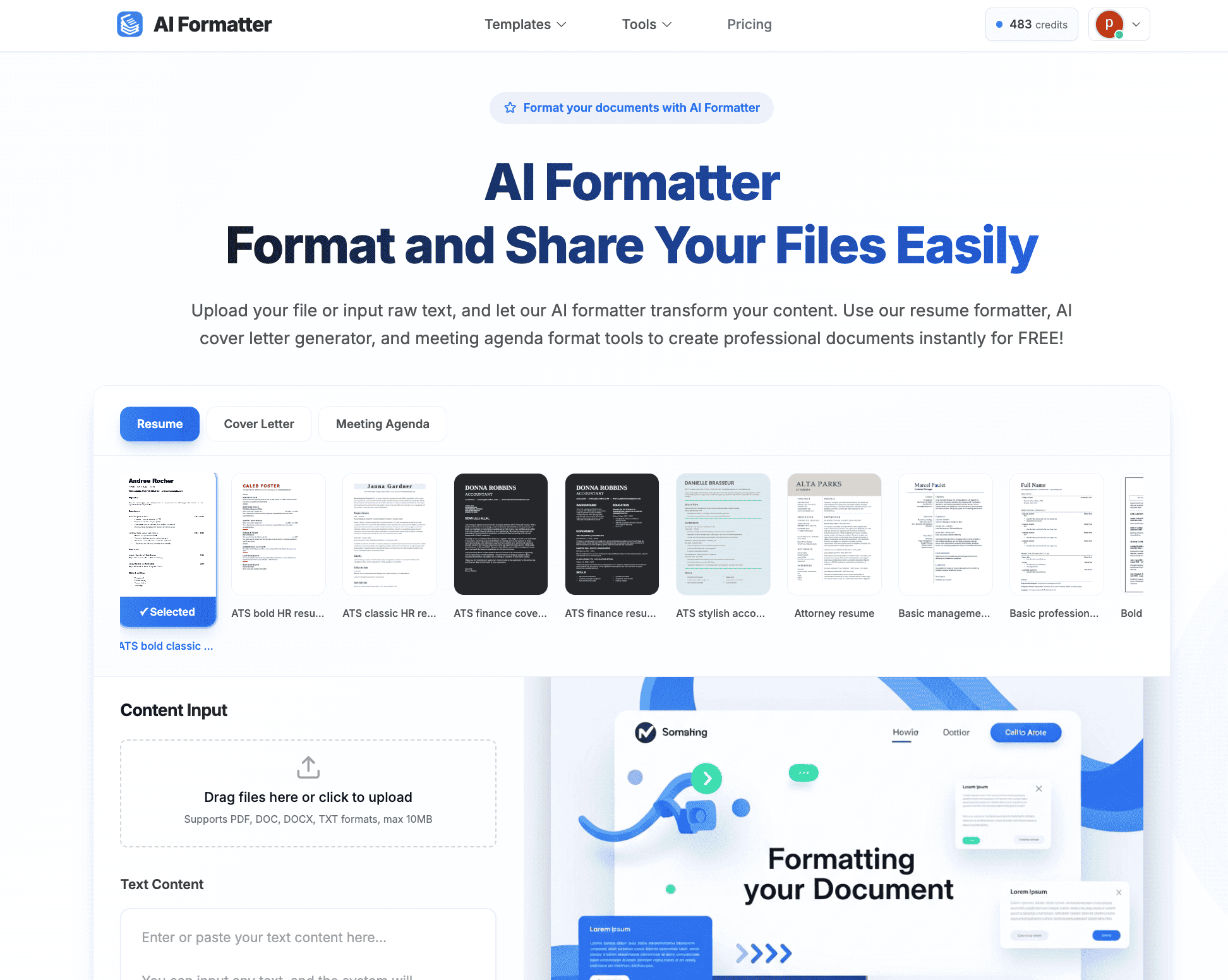
About this app
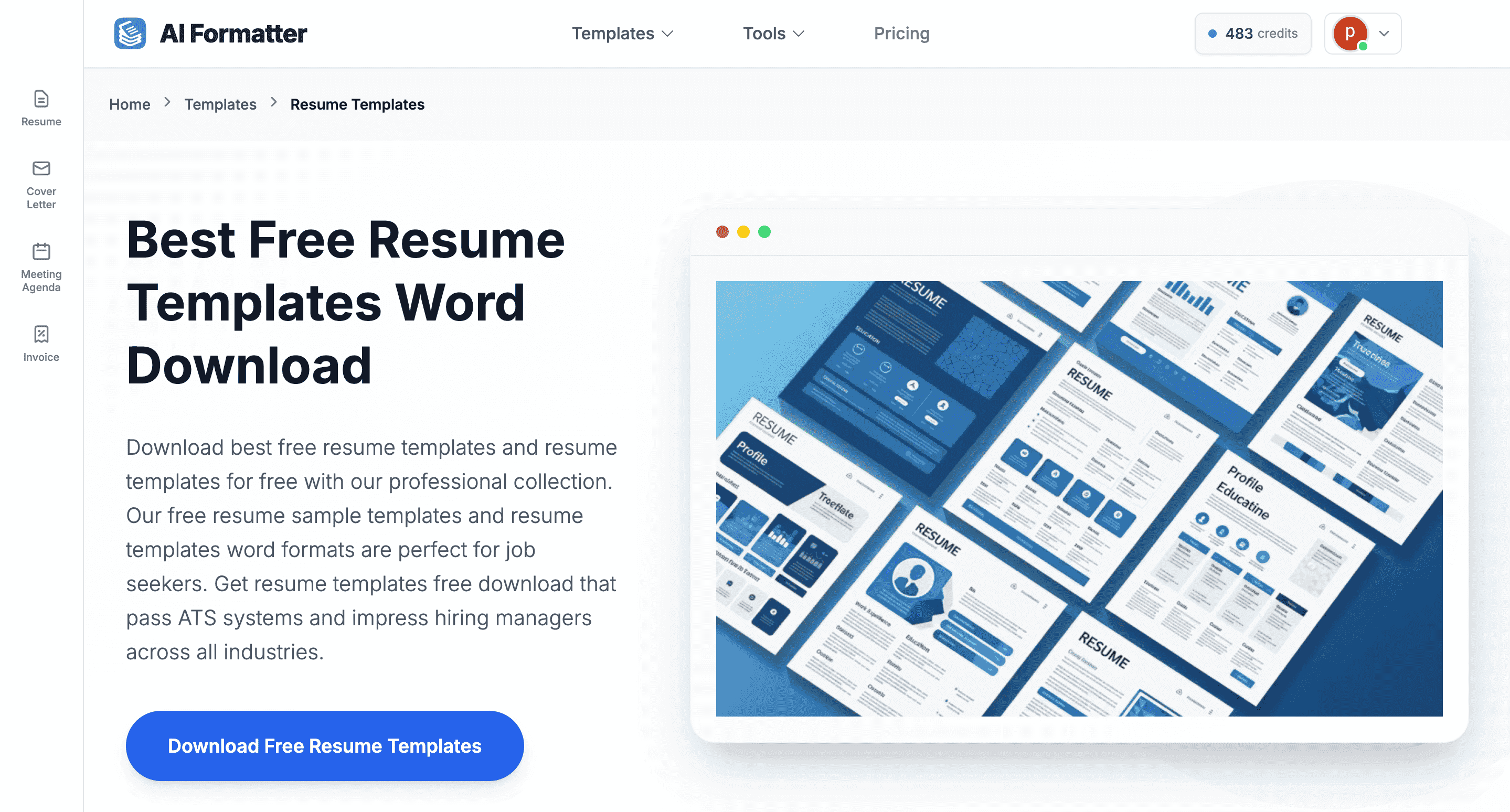
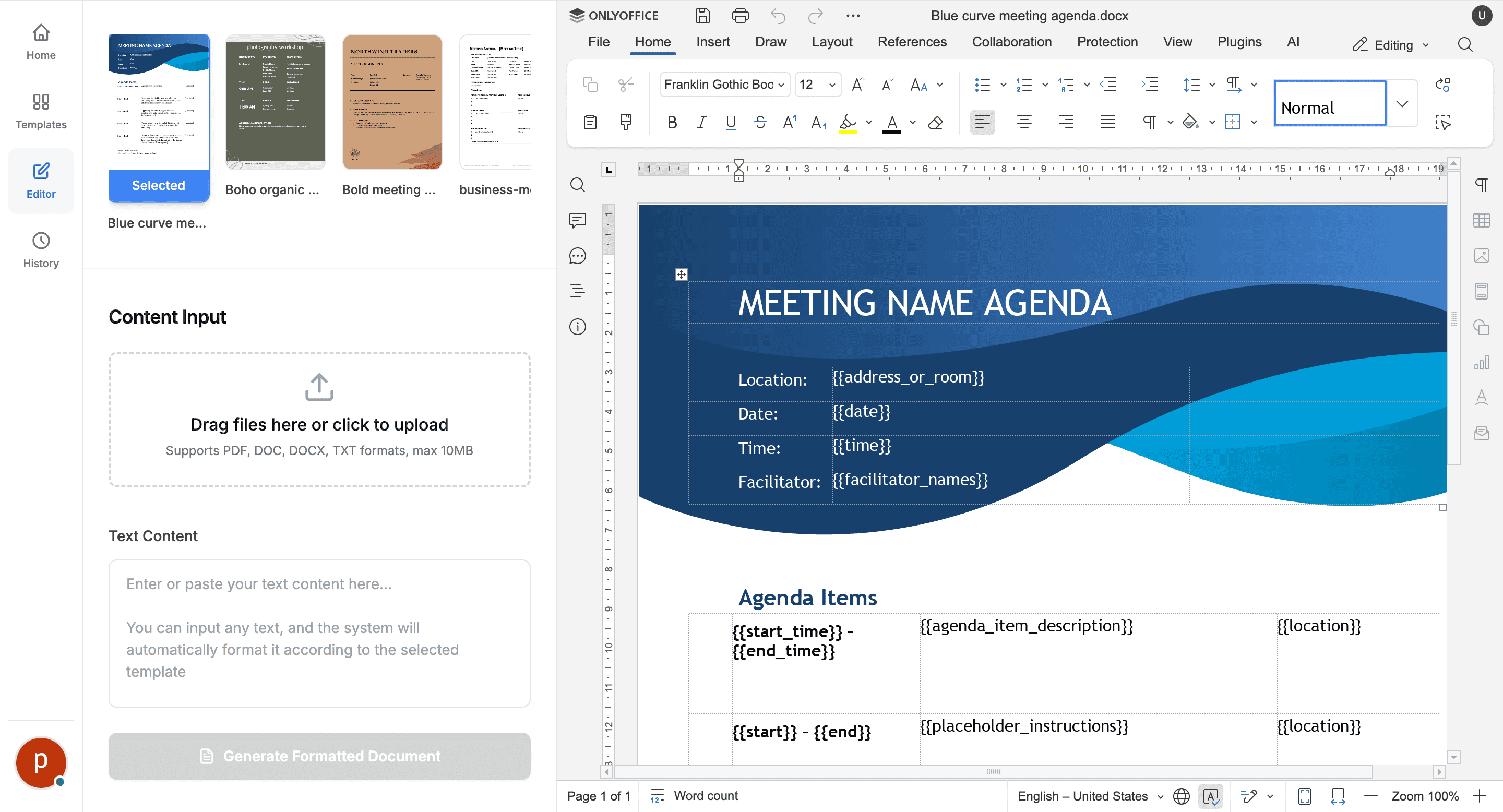
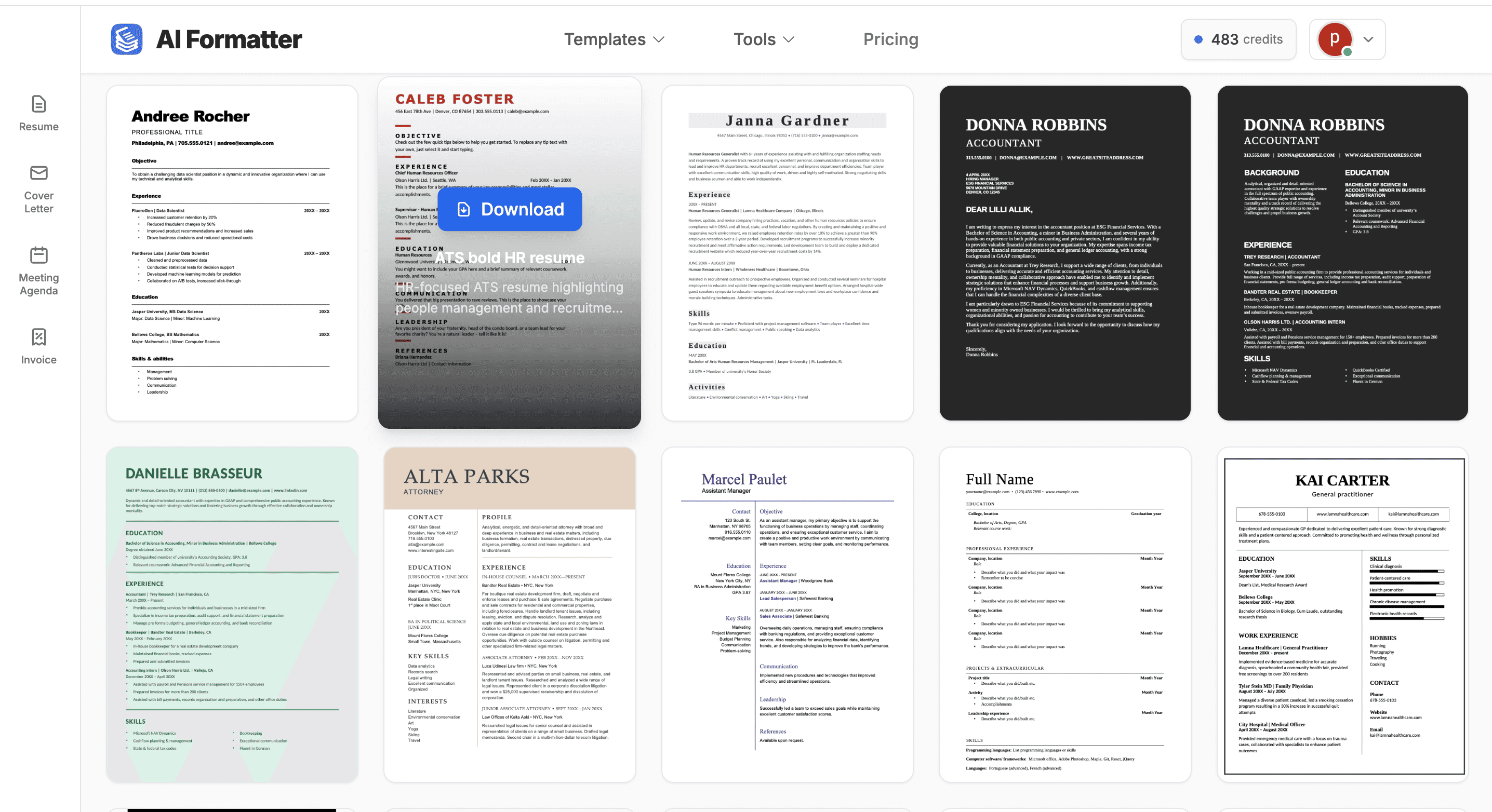
AI Formatter is a game-changer for anyone tired of manual document formatting. As someone who's wrestled with clunky templates and inconsistent styles, I found this tool incredibly refreshing. It uses artificial intelligence to transform raw text or uploaded documents into polished, professional formats in seconds. The standout feature is its template library, which includes ATS-optimized resumes and meeting agendas, making it a lifesaver for job seekers and busy professionals. The built-in editor lets you tweak fonts and layouts before exporting to Word or PDF, offering a seamless experience from start to finish. While it excels in usability and speed, it's best for non-sensitive content due to limited security details. Overall, it's like having a personal designer for your documents, minus the hassle and cost.
Key features
- 1AI-powered automatic document formatting for resumes, cover letters, and agendas
- 2ATS-optimized templates that pass automated screening systems
- 3Built-in editor with real-time customization before export to Word or PDF
Target customer profile
Drawn from the product itself, not from a survey.
Demographic
Job Seekers
Pain points
Time-consuming resume formatting, ATS compatibility issues, lack of design skills
Primary needs
Quick, professional resume and cover letter creation that passes automated screening systems
Demographic
Professionals and Small Business Owners
Pain points
Inconsistent document styles, difficulty creating polished reports or agendas efficiently
Primary needs
Streamlined document formatting for meetings, proposals, and internal communications
Demographic
Students and Academics
Pain points
Formatting errors in papers or assignments, time wasted on manual adjustments
Primary needs
Easy-to-use tool for converting raw text into structured, academic-style documents
Scout Review
Written by AI from measured evidence, scored out of 100.
AI Formatter delivers exactly what it promises: fast, AI-powered document formatting that eliminates the tedious manual work of creating professional-looking resumes, cover letters, and agendas. The tool excels in usability and speed, making it particularly valuable for job seekers needing ATS-optimized resumes and professionals requiring quick document polishing. However, limited security transparency and accessibility features mean it's best suited for non-sensitive documents and users without special accessibility needs.
Measure by measure
Usability
90Intuitive four-step process makes document formatting accessible even for non-technical users with seamless workflow.
Design
80Clean, minimalist interface with well-organized template gallery and responsive editor, though color scheme lacks visual flair.
Speed
80Fast AI processing completes formatting in seconds with quick downloads to PDF and Word formats.
Security
60Basic HTTPS encryption but lacks detailed privacy policy or data handling guidelines for sensitive documents.
Accessibility
40Minimal accessibility features with no screen reader support or multilingual options beyond English.
Growth
90Strong market position in AI productivity space with clear expansion potential into new document types and features.
Improvement areas
- Security transparency and detailed privacy policies
- Accessibility features like screen reader support
- Multilingual interface and template options
Design & Usability
AI Formatter's interface strikes a balance between functionality and simplicity. The clean, minimalist design features a well-organized template gallery that clearly categorizes options like resumes, cover letters, and meeting agendas. The four-step workflow—template selection, content input, AI formatting, and customization—flows naturally without overwhelming users. The built-in editor responds quickly to real-time adjustments, allowing users to tweak fonts and layouts without frustrating lag. While the color scheme of standard blues and whites feels professional, it could benefit from more visual personality to enhance user engagement. The overall experience demonstrates thoughtful UX design that prioritizes ease of use over flashy aesthetics.
Speed & Security
Performance is where AI Formatter truly shines—the AI processing engine transforms documents in mere seconds, and downloads to common formats like PDF and Word happen almost instantaneously. This speed makes it ideal for last-minute document preparation or quick formatting tasks. However, security considerations give pause. The tool relies on standard HTTPS encryption but lacks transparent privacy policies or detailed data handling guidelines. For job seekers uploading sensitive personal information or professionals working with confidential documents, this opacity could be concerning. The platform performs smoothly without noticeable delays, but users should exercise caution with sensitive content until security measures are more clearly communicated.
Accessibility & Growth
Accessibility remains AI Formatter's most significant limitation. The interface offers no screen reader compatibility, keyboard navigation enhancements, or language options beyond English. While clear labels and simple icons provide basic usability, users with visual impairments or those requiring multilingual support will find the experience lacking. Conversely, the growth potential is substantial. As AI-driven productivity tools continue gaining traction, AI Formatter's specialized focus on document formatting positions it well for expansion into new document types like invoices, business plans, or academic papers. The free model with potential premium features creates a solid foundation for capturing broader market segments.
Conclusion
If you're tired of wrestling with clunky templates and inconsistent formatting, AI Formatter offers a refreshing solution that saves time and frustration. Job seekers will appreciate the ATS-optimized resume templates, while busy professionals can quickly format meeting agendas and reports. The free access makes it easy to test drive, though consider the security limitations for sensitive documents. For anyone needing to transform raw text into polished formats without design expertise, this tool delivers impressive results with minimal effort.
Suggestions for improvement
- Implement detailed privacy policy and data encryption documentation to build user trust
- Add screen reader compatibility and keyboard navigation for accessibility compliance
- Expand template library to include invoices, business plans, and academic papers
- Introduce multilingual support to serve global user base more effectively
Alternatives comparison
Named competitors, point by point. Nobody paid to appear here or to be left out.
 AI Formatter |  TextFormatter.ai |  FormatMagic.ai |  Slite AI Document Formatter | |
|---|---|---|---|---|
| Specialized Professional Templates | Yes (Resumes, Cover Letters, Agendas) | No | Limited | Basic |
| ATS Optimization | Yes | No | No | Limited |
| Built-in Editor | Yes | Basic | Yes | Limited |
| Free Access | Yes | Limited Free | Freemium | Freemium |
TextFormatter.ai
Focuses on cleaning up messy text and fixing formatting errors, but lacks specialized templates for resumes or agendas.
FormatMagic.ai
Converts plain text or ChatGPT output into styled documents, but doesn't emphasize ATS optimization or professional templates as heavily.
Slite AI Document Formatter
Offers AI-enhanced formatting for documents within collaborative workspaces, though it may not be as template-driven for individual use cases.
Comparing options? See AI Formatter alternatives, scored side by side
More AI Generations apps
View all AI Generations
Uni-1 by Luma AI
92Uni-1 is an advanced multimodal text-to-image AI model th...

LTX 2.3 AI Video Generator
91Fast, open-source AI video generator with 4K support, mul...

Gerty
91Private, local AI assistant for Mac that runs offline

DemoVexa
90Turn your code into professional product demo videos with AI-generated scripts, animated UI, and natural voiceovers.

All of Us
89Add deceased loved ones to photos with AI and see free pr...

Voqusa
89Transcribe social media video and audio links into text (free signup, 5 free credits, then pay-as-you-go)

IraVoice
88Private on-device dictation for Apple-silicon Macs.

Pixelimg
88A free online AI-powered tool that instantly converts ima...

HeyVid AI
88HeyVid AI is a free all-in-one AI video and image generat...

RestorePhotosApp
88An AI-powered photo restoration app that brings old, blur...

tradutor de mangá com IA
88O tradutor de mangá com IA traduz capítulos em lote, personaliza textos e oferece edição visual para estúdios.

OBVELO
88Privacy gateway that masks personal data in LLM traffic


A platform dedicated to providing unbiased reviews of newly launched applications, analyzing everything from their features to their full potential.
info@scoutforge.net© 2026 Scoutforge. All rights reserved.
