Is this your app?
Claim AI Video Maker to manage its page, add your badge and see your traffic — free, and it stays free.
Cycling through all six. Tap any point to stop.
Measured on six things
Free online AI tool for instant 5-second video generation from text or images, no sign-up required.
Accessibility
40Severely lacking screen reader support, keyboard navigation, and multi-language options
Screenshots
1 / 1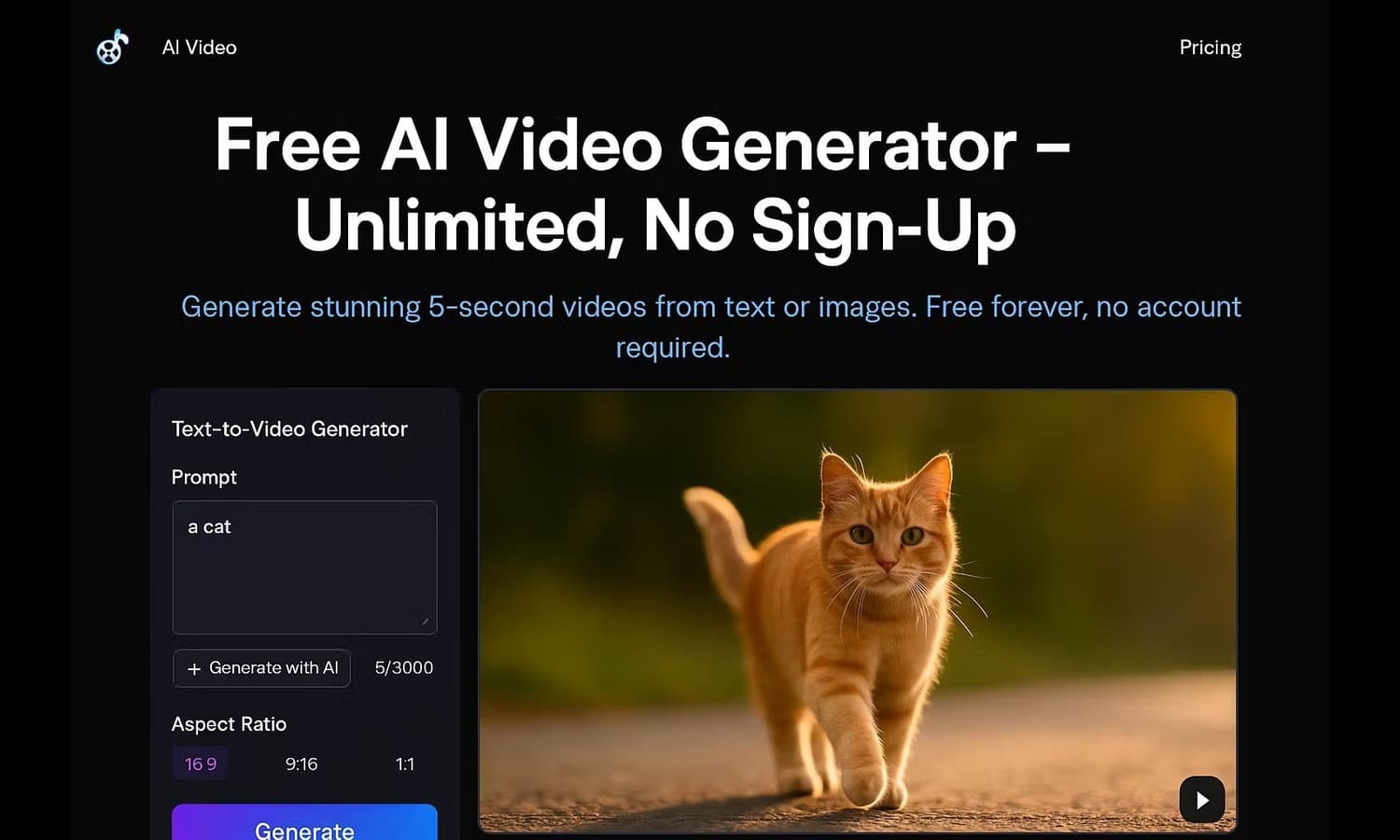
About this app
AI Video Maker is a web-based platform that leverages the WAN 2.2 AI model to create short, 480p videos from text prompts or uploaded images in just a few clicks. What sets it apart is its zero-friction approach—no account creation is needed, making it incredibly accessible for quick content creation. The free version offers unlimited generations with no watermarks, though it's limited to 5-second clips at 480p resolution. Paid tiers unlock higher quality (720p), faster processing, and commercial usage rights. Its minimalist interface and straightforward workflow make it ideal for users who need fast, simple video clips without the complexity of traditional editing software. While it excels in usability and immediacy, it lacks advanced features and robust accessibility options, positioning it as a solid entry-level tool for social media creators, small businesses, and educators.
Key features
- 1No account creation required for immediate access
- 2Unlimited free video generations with no watermarks
- 3Simple text-to-video or image-to-video conversion
Target customer profile
Drawn from the product itself, not from a survey.
Demographic
Social media content creators
Pain points
Limited video editing skills, tight budgets, need for quick content turnaround
Primary needs
Fast video generation for stories/reels, no watermark content, easy-to-use tools
Demographic
Small business marketers
Pain points
Lack of video production resources, cost constraints for content creation
Primary needs
Affordable video assets for promotions, simple creation process, commercial usage options
Demographic
Educators and students
Pain points
Complex video software learning curves, limited technical resources
Primary needs
Quick visual content for presentations, zero-cost solutions, immediate access
Scout Review
Written by AI from measured evidence, scored out of 100.
AI Video Maker excels at one thing perfectly: removing barriers to entry for AI video generation. The combination of zero account requirements, unlimited free generations, and dead-simple interface makes it an ideal starting point for anyone curious about AI video tools. While it lacks advanced features and robust accessibility, it delivers exactly what it promises - quick, no-commitment video creation for social media content, educational materials, or small business promotions.
Measure by measure
Usability
90Zero learning curve with intuitive three-step workflow, no account creation required for immediate access
Design
80Clean minimalist interface with white/blue scheme, focused single-page layout that eliminates confusion
Speed
6030-60 second generation times for free tier, fast website loading with reasonable processing delays
Security
60Minimal data collection due to no sign-up, though privacy policy transparency needs improvement
Accessibility
40Severely lacking screen reader support, keyboard navigation, and multi-language options
Growth
70Strong foundation in growing AI video market with clear paid upgrade path and feature expansion potential
Improvement areas
- Limited 5-second duration and 480p quality on free tier
- Severe lack of accessibility features and language options
- No advanced editing or customization capabilities
Design & Usability
AI Video Maker's design philosophy is refreshingly simple - a clean white and blue interface that puts the core functionality front and center. The single-page layout eliminates decision fatigue, with a prominent text input field and image upload option immediately visible. What truly sets it apart is the frictionless user experience: no account creation means you can start generating videos within seconds of landing on the site. The three-step workflow (input, generate, download) is so intuitive that even complete beginners can navigate it effortlessly. The minimalist approach does sacrifice some advanced features, but for users who just need quick video clips without the complexity of traditional editing software, this design choice is brilliant.
Speed & Security
Performance-wise, AI Video Maker delivers adequate speed for its free tier, with video generation typically taking 30-60 seconds. While not lightning-fast, this is reasonable considering the AI processing involved. The website itself loads quickly and remains stable during use. From a security perspective, the no-sign-up approach is a double-edged sword - it minimizes data collection (a privacy win) but leaves questions about their data handling practices since the privacy policy isn't prominently featured. The server-based processing means your videos are generated on their infrastructure, which could raise concerns for sensitive content, though the 5-second limit and 480p quality likely mitigate most serious security risks.
Accessibility & Growth
Accessibility is where AI Video Maker falls significantly short. The platform lacks basic web accessibility features like screen reader optimization, keyboard navigation support, and high contrast modes. Language options appear limited to English, restricting global reach. There are no closed captioning or audio description capabilities for generated videos. However, the platform shows strong growth potential in the rapidly expanding AI video market. The clear upgrade path to paid tiers with higher quality, faster processing, and commercial rights provides a solid business model. The foundation is there for significant feature expansion while maintaining the core simplicity that makes it appealing to beginners.
Conclusion
If you're a social media creator needing fast content for stories and reels, a small business marketer with limited resources, or an educator looking for simple visual aids, AI Video Maker is worth bookmarking. The unlimited free tier lets you experiment without risk, and the straightforward upgrade path provides clear value when your needs grow. For quick, no-fuss video generation that gets the job done without overwhelming you with options, this tool delivers exactly what beginners need.
Suggestions for improvement
- Implement basic web accessibility features like keyboard navigation and screen reader compatibility
- Add multi-language support to expand global accessibility beyond English speakers
- Display privacy policy more prominently to address transparency concerns
- Include a preview feature before final generation to reduce processing waste
Alternatives comparison
Named competitors, point by point. Nobody paid to appear here or to be left out.
 AI Video Maker |  Invideo AI |  Canva AI Video Generator |  Adobe Firefly AI Video | |
|---|---|---|---|---|
| Account Requirement | No account needed | Account required | Account required | Account required |
| Free Tier Video Length | 5 seconds | Limited minutes per month | Varies with subscription | Part of paid Creative Cloud |
| Learning Curve | Extremely low | Moderate | Moderate to high | High |
Invideo AI
More feature-rich with script generation and editing tools, but requires account creation and has usage limits on free tier
Canva AI Video Generator
Integrated with Canva's design ecosystem but requires subscription for full features and has a steeper learning curve
Adobe Firefly AI Video
Professional-grade results but part of Adobe's paid ecosystem and more complex for quick video generation
Comparing options? See AI Video Maker alternatives, scored side by side
More AI Generations apps
View all AI Generations
Uni-1 by Luma AI
92Uni-1 is an advanced multimodal text-to-image AI model th...

LTX 2.3 AI Video Generator
91Fast, open-source AI video generator with 4K support, mul...

Gerty
91Private, local AI assistant for Mac that runs offline

DemoVexa
90Turn your code into professional product demo videos with AI-generated scripts, animated UI, and natural voiceovers.

All of Us
89Add deceased loved ones to photos with AI and see free pr...

Voqusa
89Transcribe social media video and audio links into text (free signup, 5 free credits, then pay-as-you-go)

IraVoice
88Private on-device dictation for Apple-silicon Macs.

Pixelimg
88A free online AI-powered tool that instantly converts ima...

HeyVid AI
88HeyVid AI is a free all-in-one AI video and image generat...

RestorePhotosApp
88An AI-powered photo restoration app that brings old, blur...

tradutor de mangá com IA
88O tradutor de mangá com IA traduz capítulos em lote, personaliza textos e oferece edição visual para estúdios.

OBVELO
88Privacy gateway that masks personal data in LLM traffic


A platform dedicated to providing unbiased reviews of newly launched applications, analyzing everything from their features to their full potential.
info@scoutforge.net© 2026 Scoutforge. All rights reserved.
