Cycling through all six. Tap any point to stop.
Measured on six things
Album Shield is a secure, privacy-focused photo and video vault for iPhone and iPad. Protect personal media with AES-256-GCM encryption, Face ID, Touch ID, and PIN security. Advanced features include a Duress PIN, Break-In Log, automatic locking, private folders, and GPS metadata removal. All media stays on your device with no cloud uploads or accounts required. Enjoy powerful privacy protection with affordable one-time purchases and no subscriptions.
Growth
58A real, specific problem — sensitive media mixed into a shared library — with a genuine wedge: offline-only, Duress PIN, one-time pricing. Niche ceiling, but the segment is underserved.
Screenshots
1 / 4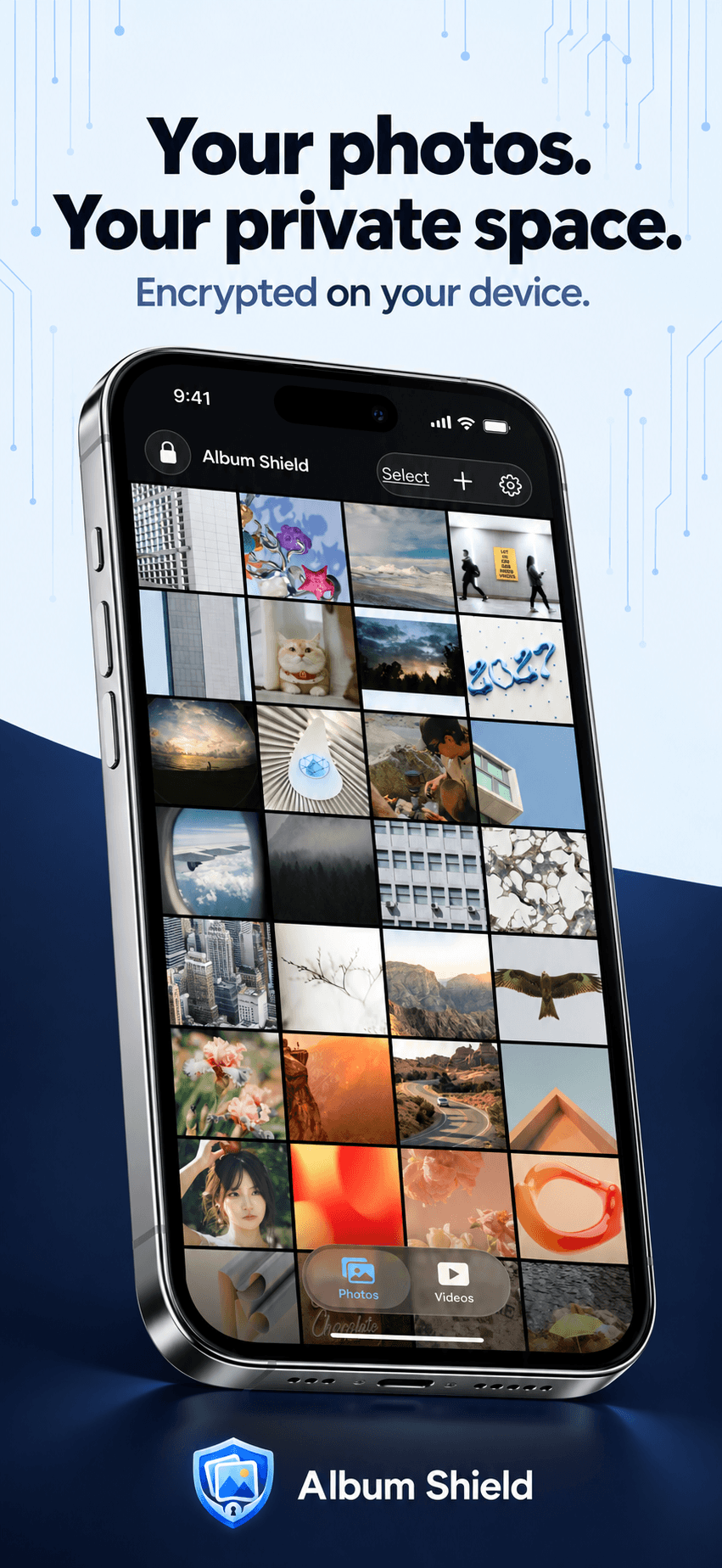
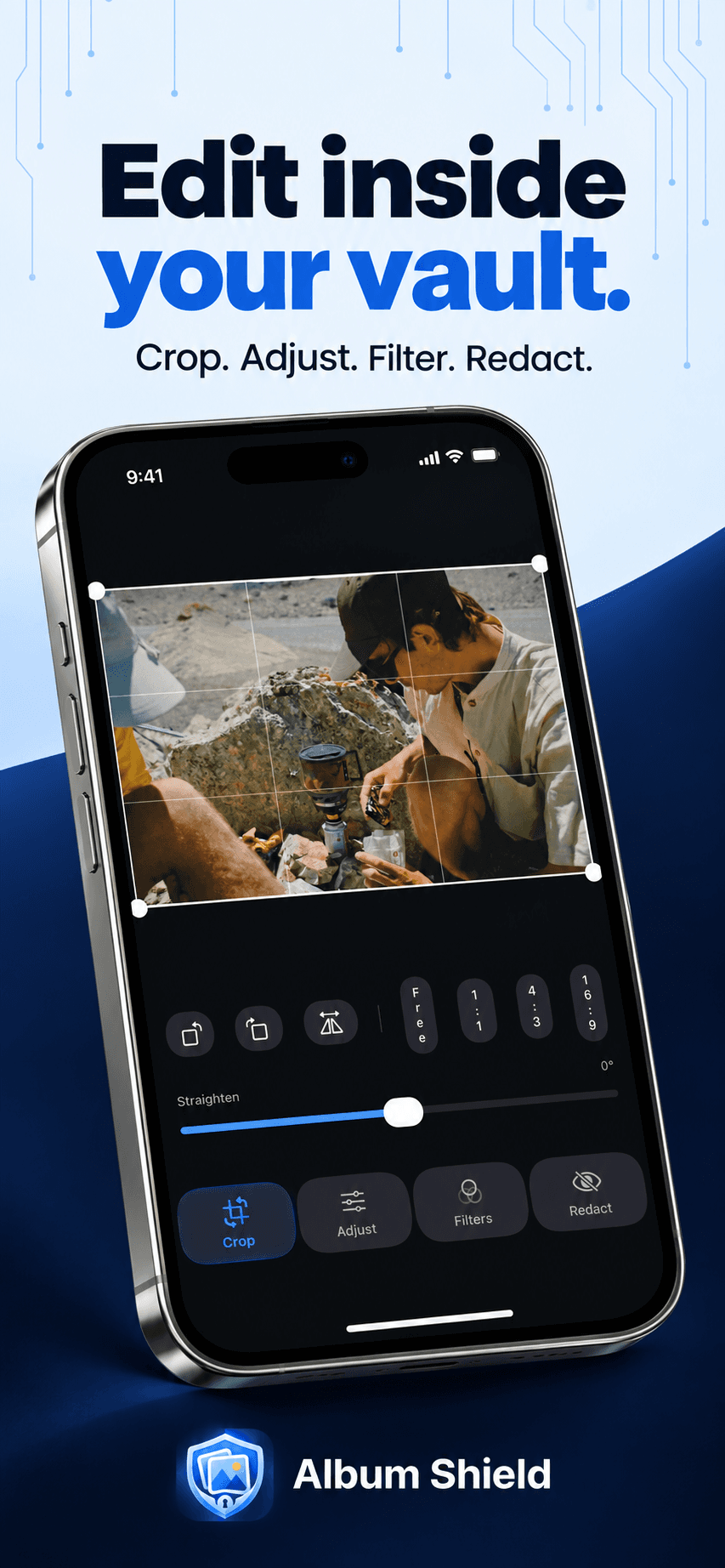
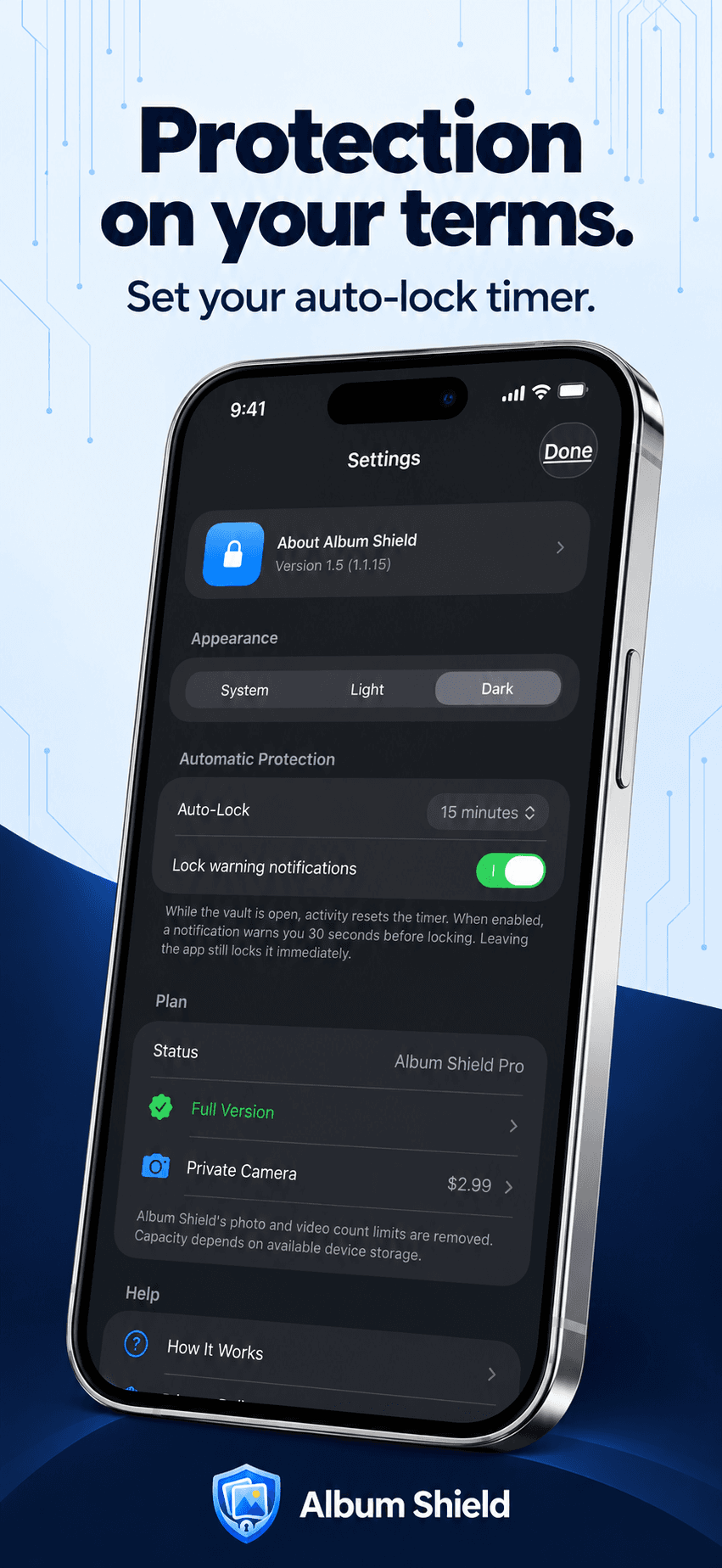
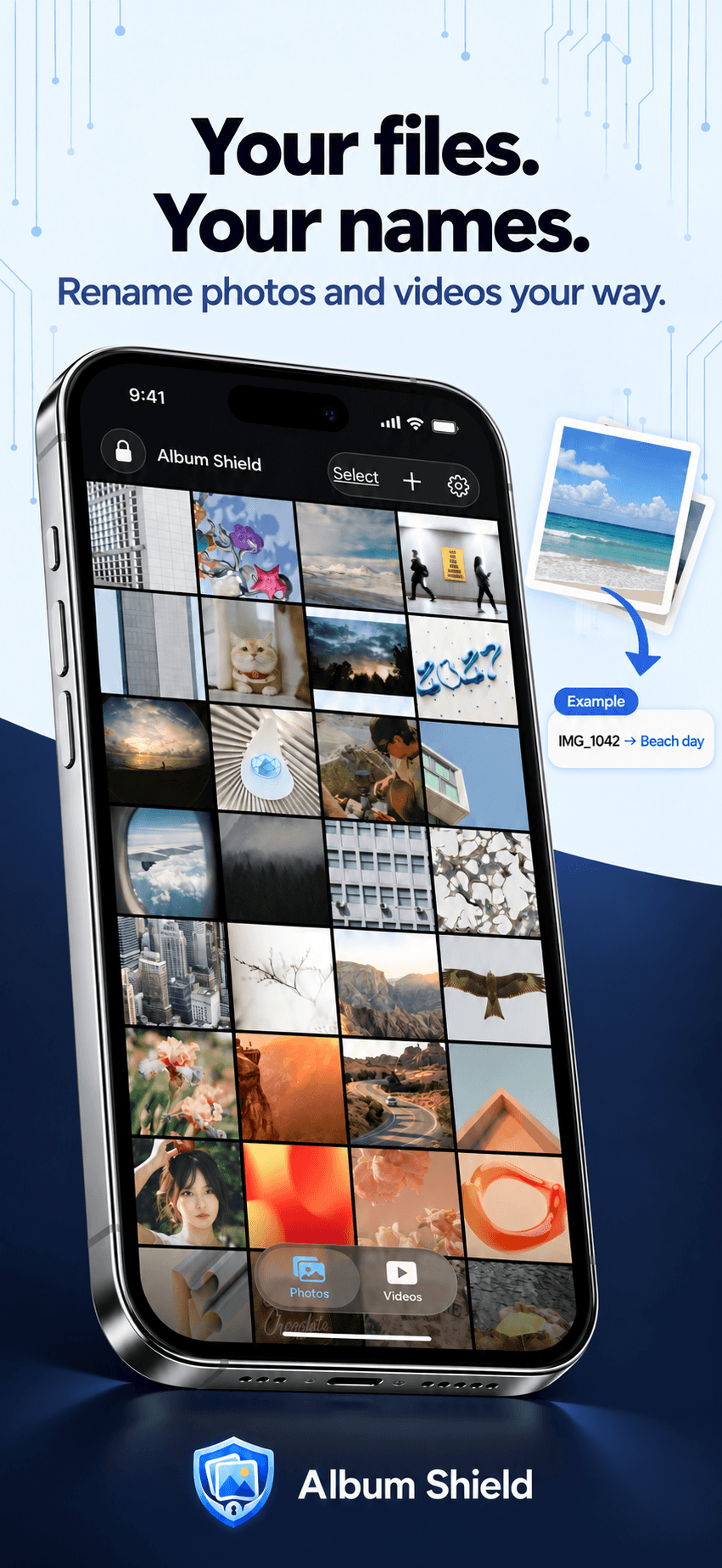
About this app
Album Shield is a privacy-focused photo and video vault for iPhone and iPad. It protects personal media using AES-256-GCM encryption, keeping files securely stored on the device without cloud uploads, accounts, or external servers. Security features include Face ID, Touch ID, PIN protection, a Duress PIN that opens a separate decoy vault, a Break-In Log that captures unauthorized access attempts, and automatic PIN lockouts. Users can organize photos and videos into folders, add tags, remove GPS location data, import and export media, and use an optional Private Camera. Album Shield supports English, French, and Spanish. The free version allows 15 photos and 5 videos. Full access costs $9.99, with an optional $2.99 Private Camera add-on. All purchases are one-time payments, with no subscriptions or recurring fees.
Key features
- 1AES-256-GCM on-device encryption with no cloud uploads, accounts or external servers.
- 2Duress PIN that opens a separate decoy vault, plus Break-In Log and escalating PIN lockouts.
- 3Folders, tags, in-vault photo editing, GPS removal, and import/export via Photos, Files and Share Sheet.
Target customer profile
Drawn from the product itself, not from a survey.
Demographic
Adults aged 18–55 who use iPhone or iPad
Pain points
Concerned about others accessing personal photos and videos
Primary needs
Encrypted, private photo and video storage with biometric protection
Demographic
iPhone and iPad users with large personal media collections
Pain points
Sensitive photos mixed with everyday pictures in their photo library
Primary needs
Private folders, tags, easy import and export, and secure organization
Demographic
Privacy-focused adults who prefer offline mobile apps
Pain points
Concerned about cloud exposure, unauthorized access, and subscription costs
Primary needs
On-device encryption, Duress PIN, Break-In Log, and one-time pricing
Scout Review
Written by AI from measured evidence, scored out of 100.
Album Shield is a focused, well-built privacy vault for iPhone and iPad. The security feature list is genuinely above average for an indie app — AES-256-GCM on-device encryption, Duress PIN with a decoy vault, Break-In Log, escalating lockouts — and the one-time $9.99 pricing with no subscription is a real differentiator against cloud vault competitors. The app UI is clean and iOS-native, onboarding is three steps, and the free tier is generous enough to actually test. The weak points are honest ones: no cloud backup or cross-device restore, a slow mobile LCP on the marketing site, a missing DMARC record, and a contrast failure on the site. None of these are dealbreakers; they are the gaps between a good indie utility and a polished one.
Measure by measure
Usability
68Three-step setup, no account, and a free tier with no time limit means you reach a working vault fast. Import via Photos, Files and Share Sheet is well covered. No cloud backup is a real limitation.
Design
71Judging the app UI from 9 store screenshots and the site's 'actual app screens': a clean, iOS-native gallery, editor and settings layout. Consistent and legible, though conventional rather than distinctive.
Speed
68Lighthouse desktop 97/100 and mobile 80/100 with CLS 0 and TBT 0ms — a light, stable marketing page. Mobile LCP of 5.3s is the one metric dragging it down.
Security
7611/12 on the header probe: HTTPS, HSTS, CSP, frame protection and Permissions-Policy all set. AES-256-GCM on-device encryption with Duress PIN and Break-In Log is a strong feature set. DMARC missing; no third-party audit found.
Accessibility
80Lighthouse accessibility 96/100 with a single contrast failure. Three-language localization (EN/FR/ES) with an in-app language selector is a genuine accessibility win beyond the automated checks.
Growth
58A real, specific problem — sensitive media mixed into a shared library — with a genuine wedge: offline-only, Duress PIN, one-time pricing. Niche ceiling, but the segment is underserved.
Improvement areas
- No cloud backup or cross-device restore — device loss means vault loss unless manually exported.
- Mobile landing page LCP of 5.3s and a single Lighthouse contrast failure.
- Missing DMARC record and no published third-party security audit to back the encryption claims.
Design & Usability
Album Shield ships as an iOS app, so the app UI is the product and the website is marketing. The nine store screenshots show a clean, iOS-native gallery with folders, tags, an in-vault editor and a settings screen — conventional but well-executed. Usability is where it earns its keep: three-step setup, no account, and a free tier of 15 photos and 5 videos with no time limit, so you can evaluate the real thing in minutes. Import covers Apple Photos, Files and the Share Sheet, with an optional prompt to delete originals after copying. The honest caveat is on the site itself: no cloud backup, no cross-device restore. Lose the phone and the vault is gone unless you exported.
Speed & Security
The marketing site is light and stable: Lighthouse desktop 97/100, mobile 80/100, CLS 0 and TBT 0ms. The one soft spot is mobile LCP at 5.3s, which is slow enough to notice on a phone — the exact device the product targets. Security is the strongest dimension. The header probe returned 11/12 with HTTPS enforced, HSTS, CSP, frame protection, X-Content-Type-Options, Referrer-Policy and Permissions-Policy all present; only DMARC is missing. The product claims AES-256-GCM on-device encryption with no cloud uploads, plus Face ID/Touch ID, a Duress PIN opening a decoy vault, a Break-In Log that captures a front-camera photo after a wrong PIN, and escalating PIN lockouts. Those are thoughtful, threat-model-aware features. What is not present in the collected evidence is any third-party audit, SOC 2 or pen-test disclosure — the encryption claims are the maker's own.
Accessibility & Growth
Accessibility scores 96/100 on Lighthouse with a single failing audit: insufficient color contrast. That is a one-line CSS fix and the only automated ding. Beyond the audit, the app is localized in English, French and Spanish with an in-app language selector, which is more than most indie vault apps bother with. Growth is a judgement on the idea, not the traction. The problem is real and specific: people keep sensitive photos in the same library as everything else, and cloud-syncing vaults ask them to trust a server. Album Shield's wedge is offline-only storage, a Duress PIN that opens a decoy vault, and one-time pricing instead of a subscription. That is a coherent answer for a privacy-conscious iPhone user. The ceiling is the segment size — this is a paid utility, not a platform — but within that segment the positioning is sharper than most. Store context (5/5 from 2 ratings, released August 2026) shows how early it is, not how far it can go.
Conclusion
If you are an iPhone or iPad user who keeps sensitive media in the same library as everything else and does not want to hand it to a cloud provider, Album Shield is a credible, fairly priced option with security features most competitors do not offer. Go in knowing the trade-off: local-only means local-only, so export and back up anything you cannot lose. The product is early — two App Store ratings — but the idea and the execution are sound. Fix the contrast, add DMARC, and speed up the mobile landing page, and this moves from good to genuinely strong.
Suggestions for improvement
- Fix the single Lighthouse contrast failure — it is a one-line color change and the only automated accessibility ding.
- Add a DMARC record to complete the email authentication stack alongside the existing SPF.
- Improve mobile LCP (5.3s) by optimizing the hero image and screenshots on the landing page.
- Publish a security page documenting the AES-256-GCM implementation and consider a third-party audit.
Alternatives comparison
Named competitors, point by point. Nobody paid to appear here or to be left out.
 Album Shield Album Shield | ||
|---|---|---|
| Encryption | AES-256-GCM, on-device, no cloud | Not specified in provided details |
| Pricing model | $9.99 one-time + $2.99 Private Camera add-on | Not specified in provided details |
| Duress / decoy vault | Yes — Duress PIN opens a separate decoy vault | Not specified in provided details |
| Break-in logging | Yes — front-camera photo and timestamp after wrong PIN | Not specified in provided details |
| Cloud backup | No — local only, manual export required | Not specified in provided details |
| Languages | English, French, Spanish | Not specified in provided details |
Comparing options? See Album Shield alternatives, scored side by side
More Security apps
View all Security
OBVELO
88Privacy gateway that masks personal data in LLM traffic

kosa8
88Sealed VMs for AI agents with instant rewind, audit trails & zero key exposureSealed VMs for AI agents with instant rewind and audit tr...

Sidenty
87Sidenty is a professional digital identity protection ser...

ProcessSpy
87A native macOS process explorer and advanced monitor that...

Basalt
86Eighteen PDF tools in one native Mac window: merge, split, compress, OCR, Bates numbering, forms, signing and redaction. Offline. $29 once.

Sanctix
85Sanctions screening with verifiable SHA-256 audit trails.

PromptTrace
85Free hands-on AI security labs for prompt injection and L...

eGuard
84Verifiable parental controls for families in the Philippines

yourdrive
84YourDrive is a self-hosted file manager and media timeline that runs entirely on your own infrastructure. Organize files in nested folders, move them with drag-and-drop, search instantly, and browse photos and videos by month and year. Files stream straight to your own AWS S3, Azure Blob, MinIO, Cloudflare R2 or Wasabi storage. Install with one command. Free for personal use; teams pay per server, not per seat.

Noden
84Native macOS SSH, SFTP & RDP client with a Keychain-backe...

VaultKeepR
84Password manager with no email, no account, no tracking. ...

Archonum
84Real-device browser automation for AI agents


A platform dedicated to providing unbiased reviews of newly launched applications, analyzing everything from their features to their full potential.
info@scoutforge.net© 2026 Scoutforge. All rights reserved.
