

A platform dedicated to providing unbiased reviews of newly launched applications, analyzing everything from their features to their full potential.
info@scoutforge.net© 2026 Scoutforge. All rights reserved.
A platform dedicated to providing unbiased reviews of newly launched applications, analyzing everything from their features to their full potential.
info@scoutforge.net© 2026 Scoutforge. All rights reserved.
A platform dedicated to providing unbiased reviews of newly launched applications, analyzing everything from their features to their full potential.
info@scoutforge.net© 2026 Scoutforge. All rights reserved.
Cycling through all six. Tap any point to stop.
Measured on six things
Verifiable parental controls for families in the Philippines
A real problem with a specific wedge: verification-first parental controls priced in pesos for Filipino families, with GCash/Maya/QR Ph rails the global incumbents don't bother with. Differentiated, but the category is crowded and Google Family Link is free.
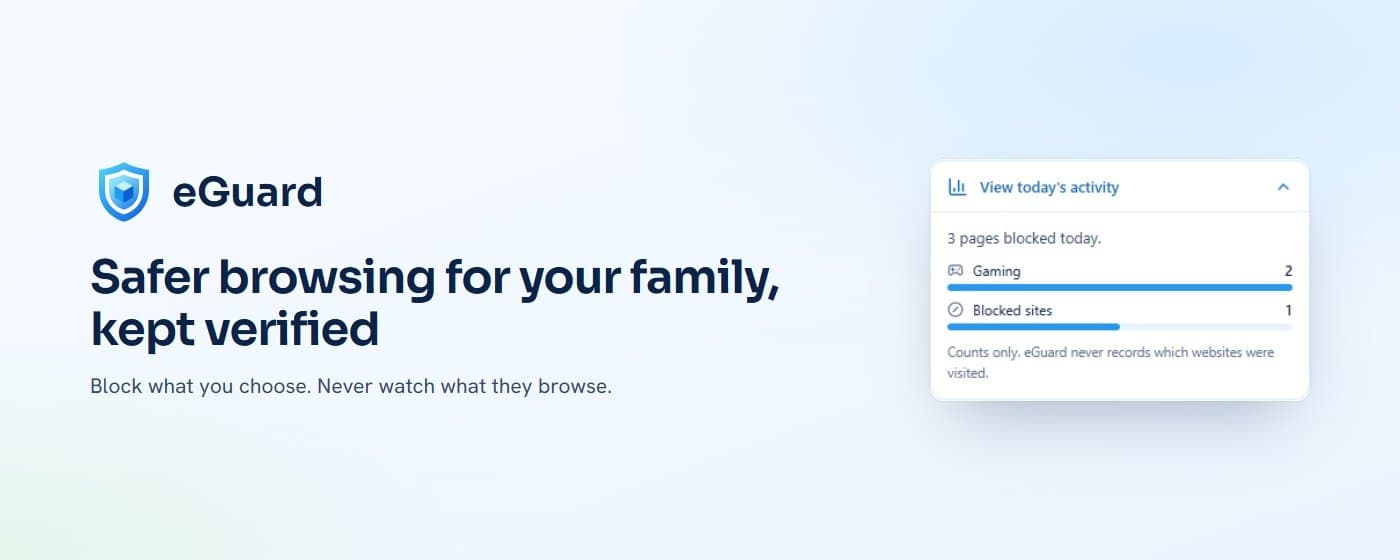
eGuard is a parental control app built for modern families, schools, and communities. It helps parents configure, manage, and verify digital safety protections on their children's devices. With features like screen time management, app and content controls, location guidance, and instant alerts, eGuard ensures that the protections you set are actually applied. The app offers a free plan for one child and affordable paid plans starting at ₱149 per month. It supports Android (with iOS coming soon) and includes browser protection extensions for Chrome and Edge. eGuard focuses on verification, so you can be confident that your child's device is safe. It's ideal for parents who want peace of mind without constant monitoring.
Drawn from the product itself, not from a survey.
Demographic
Parents of children aged 6-14 in the Philippines
Pain points
Struggling to manage screen time and ensure online safety
Primary needs
Easy setup, verified protections, and affordable pricing
Demographic
Schools and educational institutions
Pain points
Managing student device usage and ensuring compliance
Primary needs
Centralized control, API access, and reporting
Demographic
Small businesses with employee families
Pain points
Employees distracted by family concerns affecting productivity
Primary needs
Employee peace of mind, scalable plans, and priority support
Written by AI from measured evidence, scored out of 100.
eGuard is a parental control app for Filipino families that does one thing differently: it verifies that the protections you set are actually still applied on your child's device, and alerts you when something changes. That's a genuinely useful angle in a category where most tools set a rule and hope it sticks. The execution is competent across the board — a fast, well-secured site, a clean dashboard, age-banded setup guides, and a free tier that covers one child without a credit card. Pricing is transparent and local: ₱149/month for five children, ₱249 for ten, payable via GCash, Maya, QR Ph or card through PayMongo. The honest caveats are that iOS, Firefox support, and push alerts are all still 'coming soon', the security posture is good but not audited, and the accessibility work has two concrete failures to fix. Against Google Family Link (free), Qustodio, and Norton Family, eGuard's case rests on local payments, peso pricing, and the verification promise — not on being cheaper or more feature-complete. For a Filipino parent who's tried a global tool and found the payment flow or the content filtering didn't fit, this is worth a look. For everyone else, the free tier is a fair way to find out.
Clear 4-step onboarding, age-banded guides with concrete screen-time and bedtime presets, and a genuinely free tier for one child with no card. Chrome and Edge extensions are live; Firefox and iOS are still 'coming soon', which limits the promise.
Judging the app UI from store material and site mockups: a clean teal/white dashboard with a clear Family Protection score, tidy pricing table, and consistent branding. Polished for an indie parental-control tool, though the landing page leans on stock dashboard mockups rather than real screenshots.
Lighthouse mobile 96/100 and desktop 100/100, with LCP 2.8s, CLS 0 and TBT 25ms. The site is genuinely fast and stable — no layout shift, minimal blocking time, and no user complaints about lag in the collected evidence.
Strong header hygiene: HTTPS enforced with HSTS, CSP, frame protection, Referrer-Policy and Permissions-Policy all set (10/12 probe points). Payments run through PayMongo with no card data touching eGuard. No SPF/DMARC and no published SOC 2 or pen-test.
Lighthouse accessibility 94/100 with a responsive layout and readable structure. Two real failures: insufficient color contrast on some text and non-sequential heading order. No WCAG statement or a11y page published, so the automated score is the ceiling of what's verified.
A real problem with a specific wedge: verification-first parental controls priced in pesos for Filipino families, with GCash/Maya/QR Ph rails the global incumbents don't bother with. Differentiated, but the category is crowded and Google Family Link is free.
eGuard's design story is best judged on the app itself, since it ships through Google Play and the website is marketing. From store material and the site's own mockups, the UI is clean: a teal-and-white dashboard with a Family Protection score, per-child status cards, and a screen-time chart that reads at a glance. The pricing page is a tidy three-tier table with a real feature comparison grid, which is more than most indie parental-control tools bother with. Usability is where the product earns its keep. Onboarding is a documented four-step flow, the guides page hands you age-banded presets with concrete numbers (2h school-day limits for a 6-year-old, 4h30m for a teen), and the free tier covers one child with no card required. Chrome and Edge extensions are live with a five-minute rule-sync promise. The gaps are real though: iOS is still 'coming soon', Firefox is 'coming soon', and push alerts are 'coming soon' — three of the headline features are promises, not products.
Speed is eGuard's strongest measured dimension. Lighthouse gives it 96/100 on mobile and a perfect 100 on desktop, with LCP at 2.8s, cumulative layout shift at zero, and total blocking time of just 25ms. That's a genuinely well-built site — no heavy SPA bloat, no janky hero animations, no layout thrash. For a product whose audience is parents on mid-range Android phones in the Philippines, that matters more than it would for a US SaaS. Security is solid but not exceptional. The HTTP probe found HTTPS enforced with HSTS, a content security policy, frame protection, X-Content-Type-Options, Referrer-Policy and Permissions-Policy — ten of twelve checklist points. Payments route through PayMongo and the site explicitly states eGuard never sees card details, which is the right architecture. The two misses are SPF and DMARC, meaning the domain is spoofable for phishing — a real concern for a product that sends parents security alerts by email. There's also no published SOC 2, ISO certification, or bug bounty, which is normal for a product this young but caps how high this dimension can go.
Accessibility lands at 70. The Lighthouse audit scores 94/100, which is strong, but two real failures hold it back: insufficient color contrast on some text and heading elements that aren't in sequentially-descending order. Neither is catastrophic, and both are fixable in an afternoon. What's missing is the documentation layer — no WCAG conformance statement, no accessibility page, no mention of screen-reader testing. For a product aimed at families, some of whom will have children with disabilities, that's a gap worth closing. Growth is a judgement on the idea, not the traction. The problem eGuard names is real: parents in the Philippines want to manage their kids' screen time and the global tools are priced in dollars, paid with cards many families don't use, and built around US-centric content categories. eGuard's wedge is verification — it doesn't just set a rule, it checks the rule is still applied and alerts you if it changes — plus local payment rails (GCash, Maya, QR Ph) and peso pricing starting at ₱149/month. That's a specific, defensible position. The limit is that Google Family Link is free and does most of the same job, and Qustodio and Norton Family have years of brand trust. eGuard's ceiling depends on whether 'verified protection' is a feature parents will pay for or a checkbox they assume they already have.
Conclusion
The thing that will decide eGuard's fate isn't the dashboard or the pricing table — it's whether 'verified protection' lands as a real benefit or as marketing noise. Parents who've been burned by a filter that silently stopped working will get it immediately. Parents who assume the default Android controls are enough won't. The product's job over the next year is to make the first group loud enough that the second group starts asking questions. Shipping iOS and Firefox would help. So would an accessibility statement and a security page, because right now the strongest claims on the site are the ones nobody can independently check. The bones are good. The follow-through is what's missing.
Named competitors, point by point. Nobody paid to appear here or to be left out.
 eGuard eGuard |  Google Family Link Google Family Link |  Qustodio Qustodio |  Norton Family Norton Family | |
|---|---|---|---|---|
| Pricing | Free for 1 child; ₱149/mo for 5 children; ₱249/mo for 10 children | Completely free | Free tier; paid plans roughly $54-$100+/year depending on tier | Paid subscription, typically bundled with Norton 360 plans |
| Platform support | Android now; iOS 'coming soon'; Chrome and Edge extensions; Firefox 'coming soon' | Android and iOS | Windows, macOS, Android, iOS, Kindle, Chromebook | Windows, macOS, Android, iOS |
| Verification that protections are actually applied | Core feature: Configuration Health checks every setting on the device, on every plan including Free | No verification layer; settings apply or don't | Activity reports, but no explicit 'is the protection still on' check | Monitoring and reports, no configuration-health verification |
| Local payment methods (Philippines) | GCash, Maya, QR Ph, card via PayMongo; peso pricing | Free, no payment needed | International card/PayPal; USD pricing | International card/PayPal; USD pricing |
| Free tier scope | 1 child, basic protection setup, screen time, limited app monitoring, email support | Full product, unlimited children | 1 child, limited features | No free tier; trial only |
Google Family Link
Free parental control app by Google for Android and iOS devices, offering screen time limits, app approvals, and location sharing.
Qustodio
Comprehensive parental control software with web filtering, time limits, and activity reports across multiple platforms.
Norton Family
Parental control service from Norton that helps monitor and manage children's online activities, with web supervision and time limits.
Comparing options? See eGuard alternatives, scored side by side

Sidenty is a professional digital identity protection ser...

A native macOS process explorer and advanced monitor that...

Real-device browser automation for AI agents

Password manager with no email, no account, no tracking. ...

Native macOS SSH, SFTP & RDP client with a Keychain-backe...

Simple, affordable compliance certification for ISO 27001...

Reveal No Caller ID, unknown numbers, and private callers...

A zero-config AI-powered vulnerability scanner automating...

A security solution that integrates VPN access with identity platforms to reduce network vulnerabilities and protect against zero-day exploits.

CyberSafe Pro is a completely offline password manager that stores your credentials securely on your device using military-grade encryption.

Advanced parental control software for Windows & Android

An encrypted digital legacy service that securely deliver...
A platform dedicated to providing unbiased reviews of newly launched applications, analyzing everything from their features to their full potential.
info@scoutforge.net© 2026 Scoutforge. All rights reserved.
