Is this your app?
Claim Flow Veo 3 to manage its page, add your badge and see your traffic — free, and it stays free.
Cycling through all six. Tap any point to stop.
Measured on six things
AI-powered platform generating cinematic videos from text or images with quick and professional modes for creators.
Accessibility
60Minimal accessibility features with no specialized screen reader support or language diversity beyond major languages.
Screenshots
1 / 1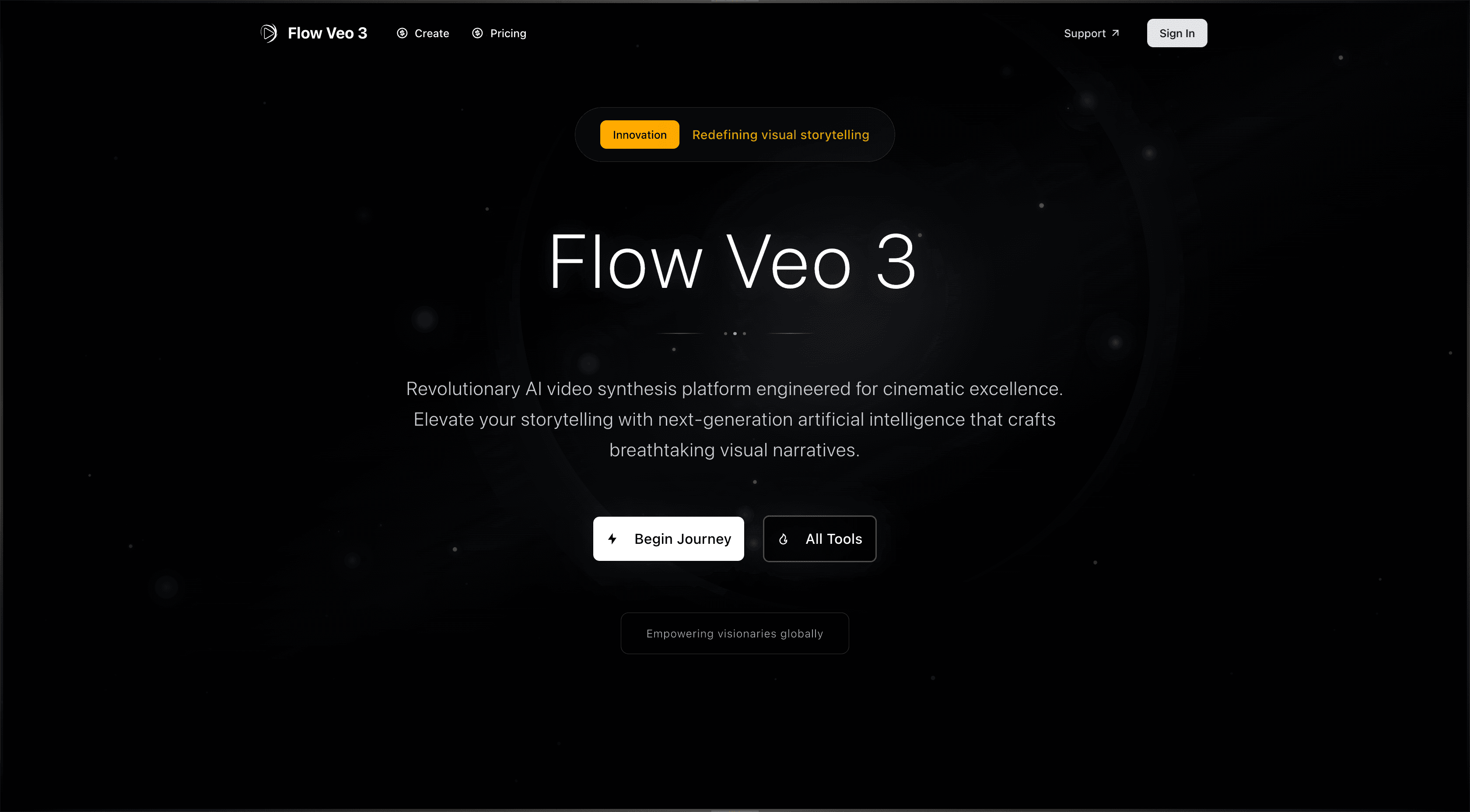
About this app
Flow Veo 3 is a cutting-edge AI video generation tool that transforms text prompts or images into high-quality, cinematic videos. Leveraging Google's Veo 3 technology, it offers two main modes: Quick Create for rapid, effortless video synthesis and Professional Mode for detailed control over duration, style, and customization. Designed for creators of all skill levels, it addresses common pain points like time-consuming editing and high production costs with accelerated rendering and a credit-based system. Ideal for content creators, marketers, and filmmakers, it supports multi-format distribution and intelligent video synthesis, making visual storytelling more accessible and efficient. While it excels in usability and output quality, areas like accessibility and security could see enhancements for broader appeal.
Key features
- 1Dual-mode operation with Quick Create for instant results and Professional Mode for detailed customization
- 2Google Veo 3 technology powering high-quality cinematic video generation from text or images
- 3Accelerated AI rendering that significantly reduces traditional video production time
- 4Credit-based system managing video length and usage with transparent allocation
Target customer profile
Drawn from the product itself, not from a survey.
Demographic
Content Creators and Social Media Influencers
Pain points
Time-consuming video editing, high costs for quality production, lack of advanced editing skills
Primary needs
Quick, easy video generation tools, high-quality visuals for engagement, scalable content creation
Demographic
Digital Marketers and Small Businesses
Pain points
Limited budgets for video campaigns, need for fast turnaround, difficulty creating professional-grade content
Primary needs
Cost-effective video solutions, professional output for branding, efficient workflow integration
Demographic
Independent Filmmakers and Creative Professionals
Pain points
Complex software workflows, high equipment costs, time-intensive rendering processes
Primary needs
Advanced creative control, cinematic quality output, flexibility in video customization
Scout Review
Written by AI from measured evidence, scored out of 100.
Flow Veo 3 successfully bridges the gap between amateur video creation and professional production quality. Its dual-mode approach is the standout feature, making cinematic video generation accessible to complete beginners while still offering enough depth to satisfy creative professionals. The platform excels at delivering high-quality visual content quickly, though the credit system requires some planning for longer projects. While security and accessibility need enhancement, the core value proposition - transforming text or images into professional videos with minimal effort - is compelling and well-executed.
Measure by measure
Usability
90Excellent dual-mode system caters to both beginners and pros with straightforward text input and detailed customization controls.
Design
84Clean, modern interface with intuitive mode separation between Quick Create and Professional options, using neutral tones with accent colors for clarity.
Speed
80AI-optimized rendering delivers fast results, though credit system and server load can cause occasional performance dips.
Security
70Basic login authentication protects accounts but lacks detailed encryption transparency or comprehensive privacy policies.
Accessibility
60Minimal accessibility features with no specialized screen reader support or language diversity beyond major languages.
Growth
90Strong market position in booming AI video generation space with evolving technology and increasing creator adoption.
Improvement areas
- Comprehensive accessibility support including screen readers and multi-language options
- Enhanced security transparency with detailed encryption and privacy policies
- Collaborative features for team projects and shared workspaces
- Advanced audio integration and professional-grade color grading tools
Design & Usability
Flow Veo 3's design philosophy centers on making AI video creation accessible to everyone. The interface immediately impresses with its clean, modern aesthetic that doesn't overwhelm users with unnecessary clutter. The clear separation between Quick Create and Professional Mode is genius - beginners can jump right in with simple text prompts while advanced users get granular control over duration, style adjustments, and refinement options. The neutral color scheme with strategic accent colors guides the eye naturally through the workflow, and the prominent display of the credit system manages expectations upfront. What really stands out is how the platform maintains this simplicity while offering genuine professional-grade capabilities underneath.
Speed & Security
Performance-wise, Flow Veo 3 leverages Google's Veo 3 technology to deliver impressively fast rendering times that make traditional video editing feel archaic. The AI-optimized processing handles complex video synthesis with remarkable efficiency, though the credit-based system introduces some variability - you'll get lightning-fast results for short clips but might experience delays during peak usage or for extended videos. Security measures are functional but basic, relying on standard login authentication without the robust encryption or detailed privacy policies that would give power users complete peace of mind. The platform does protect your generated content through account-based access, but transparency around data handling could be improved.
Accessibility & Growth
Accessibility represents the platform's most significant area for improvement. While the interface follows standard web practices, there's a noticeable lack of specialized features for users with disabilities - no screen reader optimization, limited keyboard navigation enhancements, and minimal language support beyond major languages. However, Flow Veo 3's growth potential is undeniable in the exploding AI video market. The technology addresses real pain points for content creators, marketers, and filmmakers who need professional results without professional budgets. As AI video generation becomes increasingly mainstream, platforms like this that balance ease of use with quality output are positioned for substantial market expansion.
Conclusion
For content creators tired of complex editing software, marketers needing rapid campaign assets, or anyone wanting to experiment with AI video without a steep learning curve, Flow Veo 3 delivers impressive results. The combination of Google's advanced technology with thoughtful user experience design creates a tool that feels both powerful and approachable. If you're looking to elevate your visual content without the traditional production headaches, this platform deserves your attention. Give Flow Veo 3 a try and discover how AI can transform your creative workflow.
Suggestions for improvement
- Implement comprehensive accessibility features including screen reader support and expanded language options
- Add transparent documentation about data encryption and privacy protection measures
- Develop collaborative workspace features for team-based video projects
- Enhance Professional Mode with advanced audio integration and color grading tools
Alternatives comparison
Named competitors, point by point. Nobody paid to appear here or to be left out.
 Flow Veo 3 |  Sora by OpenAI |  Adobe Firefly AI Video Generator |  Canva AI Video Generator | |
|---|---|---|---|---|
| Public Access Availability | Fully accessible with registration | Limited public access with waitlists | Available through Adobe subscription | Integrated within Canva platform |
| Output Speed & Processing Time | Fast AI-optimized rendering with credit system | Longer wait times for high-quality outputs | Integrated workflow with Adobe ecosystem | Quick processing for social media content |
| Cinematic Quality & Depth | High cinematic quality with professional controls | Exceptional realism and video quality | Professional-grade with Adobe integration | Optimized for social media, less cinematic depth |
| Learning Curve & User Experience | Dual-mode system for beginners and experts | Technical interface requiring some expertise | Familiar for Adobe users, steeper for newcomers | Extremely user-friendly with drag-and-drop interface |
Sora by OpenAI
A text-to-video AI model known for realistic video generation, but with limited public access and longer wait times for outputs.
Adobe Firefly AI Video Generator
Integrates with Adobe's ecosystem for text-to-video creation, offering seamless editing but requiring subscription for full features.
Canva AI Video Generator
Uses Veo 3 technology within Canva's platform, ideal for quick social media videos but less focused on cinematic depth.
Comparing options? See Flow Veo 3 alternatives, scored side by side
More AI Generations apps
View all AI Generations
Uni-1 by Luma AI
92Uni-1 is an advanced multimodal text-to-image AI model th...

Gerty
91Private, local AI assistant for Mac that runs offline

LTX 2.3 AI Video Generator
91Fast, open-source AI video generator with 4K support, mul...

DemoVexa
90Turn your code into professional product demo videos with AI-generated scripts, animated UI, and natural voiceovers.

All of Us
89Add deceased loved ones to photos with AI and see free pr...

Voqusa
89Transcribe social media video and audio links into text (free signup, 5 free credits, then pay-as-you-go)

Pixelimg
88A free online AI-powered tool that instantly converts ima...

IraVoice
88Private on-device dictation for Apple-silicon Macs.

OBVELO
88Privacy gateway that masks personal data in LLM traffic

tradutor de mangá com IA
88O tradutor de mangá com IA traduz capítulos em lote, personaliza textos e oferece edição visual para estúdios.

HeyVid AI
88HeyVid AI is a free all-in-one AI video and image generat...

RestorePhotosApp
88An AI-powered photo restoration app that brings old, blur...


A platform dedicated to providing unbiased reviews of newly launched applications, analyzing everything from their features to their full potential.
info@scoutforge.net© 2026 Scoutforge. All rights reserved.
