Cycling through all six. Tap any point to stop.
Measured on six things
Free, no-signup AI video generator for short text-to-vide...
Security
41HTTPS is enforced, but the header probe found no HSTS, CSP, frame protection, or Referrer-Policy — 3/13 checklist points. SPF exists, DMARC doesn't. No SOC 2, ISO, or bug bounty surfaced. Basic but thin for a tool handling uploads.
Screenshots
1 / 1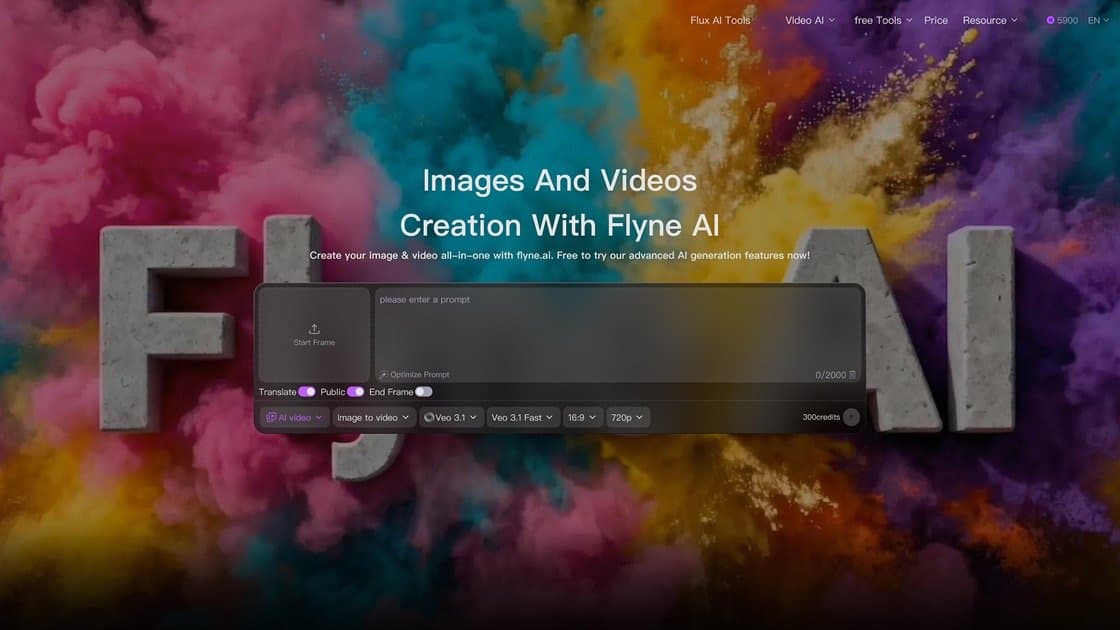
About this app
I've spent some time poking at Flyne AI's free video generator, and the first thing that jumps out is how frictionless it is. No account, no credit card, no watermark—just drop in a prompt or upload a pair of frame images (first frame and last frame), pick your aspect ratio, and let it render a 5-second, 480p clip. That's it. The free form is genuinely free and has no total generation cap, so you can iterate on a motion idea as many times as you like, even if requests sometimes wait in a queue. Text-only generation is supported, but the image path requires exactly two images, which is a slightly odd constraint worth knowing up front. Under the hood, Flyne leans on models like MiniMax H3, and the broader platform nods to Seedance, Kling, Veo, WAN and others for its paid workflows. What this free tool really is, in my view, is a low-stakes sandbox: it's brilliant for testing a camera move, a product reveal, or a social opening before committing to a heavier production. You can downloa...
Key features
- 1Free 5s/480p video from text or two frame images — no signup, no watermark, no generation cap.
- 2Aspect ratio choice (16:9, 9:16, 1:1) with download of results.
- 3Broader paid suite: MiniMax H3, Seedance, Kling, Veo, WAN model workflows and APIs.
Target customer profile
Drawn from the product itself, not from a survey.
Demographic
Indie social media creators and influencers
Pain points
Paid AI video tools are costly for frequent, throwaway tests
Primary needs
Free, unlimited short clips to prototype Reels, TikToks and hooks
Demographic
Small business owners and e-commerce sellers
Pain points
Professional video production is expensive for product teasers
Primary needs
Quick motion previews of product reveals without a budget
Demographic
Marketing teams and agency creatives
Pain points
Stakeholder sign-off needs fast visual mockups before spend
Primary needs
Low-risk concept validation and prompt testing at zero cost
Scout Review
Written by AI from measured evidence, scored out of 100.
Flyne AI's free video generator is a genuinely useful sandbox: no signup, no card, no watermark, unlimited 5s/480p clips from text or two frame images. The app UI is polished and modern; the website is heavier and slower (13.2s LCP). Security headers are thin and localization is one language. It's a competent, clearly positioned tool that earns its place for prototyping — not a production suite, and not yet a moat.
Measure by measure
Usability
64The free form is genuinely frictionless: no signup, no card, no watermark, three aspect ratios, download included. The 'exactly two images' rule and the shared free queue are real friction points, but onboarding-to-value is near zero.
Design
62Judging the app UI from store screenshots: a clean, modern multi-tool AI suite with consistent iconography and dark-mode cards. The website is denser marketing with a sprawling mega-menu, but the app itself reads polished and current.
Speed
55Lighthouse mobile performance 60/100 with a brutal 13.2s LCP — the landing page is heavy. CLS is a clean 0 and TBT is modest at 257ms, but the hero load is slow, and free generations sit in a shared queue by design.
Security
41HTTPS is enforced, but the header probe found no HSTS, CSP, frame protection, or Referrer-Policy — 3/13 checklist points. SPF exists, DMARC doesn't. No SOC 2, ISO, or bug bounty surfaced. Basic but thin for a tool handling uploads.
Accessibility
80Lighthouse accessibility 96/100 with only a color-contrast failure — strong automated result. The catch is localization: the iOS app ships in just 1 language, which caps real-world reach despite the clean audit.
Growth
58A real problem (paid AI video is expensive for throwaway tests) with a concrete wedge: free, no-signup, no-watermark 5s clips. Differentiated vs. credit-gated Pika/Runway, but the wedge is copyable and the category is crowded.
Improvement areas
- Landing page performance: 13.2s LCP is far past the 2.5s good threshold.
- Security headers: 3/13 checklist points, no HSTS/CSP/DMARC.
- Free image path requires exactly two images; single-image support would help.
- iOS app localized in only one language.
Design & Usability
Judged on the app UI, not the landing page: the iOS screenshots show a tidy, modern multi-tool suite with consistent cards and dark-mode polish — clearly on par with CapCut and Pika's app presentation. Usability is the standout: the free form asks for a prompt or two frames, an aspect ratio, and nothing else — no account, no card, no watermark, download included. The friction is the 'exactly two images' rule and the shared free queue, which throttles iteration. A 3/5 from four ratings is too thin to trust either way.
Speed & Security
Speed is the weak spot: Lighthouse mobile 60/100 with a 13.2s LCP — the landing page hero is heavy, even if CLS (0) and TBT (257ms) are fine. Free generations also wait in a shared queue, so perceived speed is throttled on purpose. Security is basic: HTTPS enforced but 3/13 header checklist points, no HSTS, CSP, or DMARC, and no SOC 2/ISO/bug-bounty page surfaced. For a tool that accepts image uploads, that's thin — not alarming, but not reassuring either.
Accessibility & Growth
Accessibility is a genuine strength on paper: Lighthouse 96/100 with only a color-contrast failure. The limit is localization — the iOS app ships in one language, so reach is narrow. Growth is a judgment on the idea: the problem (paid AI video is too costly for throwaway tests) is real, and free/no-signup/no-watermark is a concrete wedge against credit-gated Pika and Runway. But the wedge is easily copied and the category is packed, so headroom exists without a durable moat. Traction is early (domain ~0.6 yrs, 4 ratings).
Conclusion
If you need to test a camera move or a product reveal before spending on Kling or Veo, this is the lowest-friction way to do it today. Go in expecting a queue and 480p, keep your uploads non-sensitive given the thin security posture, and treat it as a sketchpad — not a render farm. It does one job well and doesn't pretend otherwise.
Suggestions for improvement
- Cut the 13.2s LCP: compress the hero media and lazy-load below-the-fold sections.
- Add HSTS, CSP, and a Referrer-Policy — 3/13 header points is an easy win.
- Allow a single image on the free image-to-video path; the two-frame rule blocks quick tests.
- Localize the iOS app beyond one language and publish an accessibility statement.
Alternatives comparison
Named competitors, point by point. Nobody paid to appear here or to be left out.
 Flyne AI Free AI Video Generator |  CapCut AI Video |  Pika |  Runway | |
|---|---|---|---|---|
| Free tier without signup | Yes — no account, no card, no watermark | Account required; free tier with limits | Signup required; limited free credits | Account required; paid-focused |
| Generation cap on free use | No total cap; shared queue | Credit/feature limits | Limited free credits | Limited free credits |
| Output quality / length | 5s at 480p (free) | Higher-res, editor-integrated | Short clips, higher-res on paid | Professional-grade output |
| Editing / production controls | Minimal — prompt + aspect ratio | Full editor + templates | Moderate creative controls | Extensive creative controls |
| Best fit | Zero-cost motion prototyping | Social editing with AI assists | Quick generative clips | Paid professional production |
CapCut AI Video
A popular editor with AI-driven text-to-video and template features, though usually tied to an account and broader editing workflow.
Pika
An AI video platform focused on short generative clips, generally requiring signup and offering limited free credits.
Runway
A professional-grade AI video suite with strong creative controls, aimed at paid production rather than frictionless free tests.
Comparing options? See Flyne AI Free AI Video Generator alternatives, scored side by side
More AI Generations apps
View all AI Generations
Uni-1 by Luma AI
92Uni-1 is an advanced multimodal text-to-image AI model th...

Gerty
91Private, local AI assistant for Mac that runs offline

LTX 2.3 AI Video Generator
91Fast, open-source AI video generator with 4K support, mul...

DemoVexa
90Turn your code into professional product demo videos with AI-generated scripts, animated UI, and natural voiceovers.

All of Us
89Add deceased loved ones to photos with AI and see free pr...

Voqusa
89Transcribe social media video and audio links into text (free signup, 5 free credits, then pay-as-you-go)

Pixelimg
88A free online AI-powered tool that instantly converts ima...

IraVoice
88Private on-device dictation for Apple-silicon Macs.

OBVELO
88Privacy gateway that masks personal data in LLM traffic

tradutor de mangá com IA
88O tradutor de mangá com IA traduz capítulos em lote, personaliza textos e oferece edição visual para estúdios.

HeyVid AI
88HeyVid AI is a free all-in-one AI video and image generat...

RestorePhotosApp
88An AI-powered photo restoration app that brings old, blur...


A platform dedicated to providing unbiased reviews of newly launched applications, analyzing everything from their features to their full potential.
info@scoutforge.net© 2026 Scoutforge. All rights reserved.
