

A platform dedicated to providing unbiased reviews of newly launched applications, analyzing everything from their features to their full potential.
info@scoutforge.net© 2026 Scoutforge. All rights reserved.
A platform dedicated to providing unbiased reviews of newly launched applications, analyzing everything from their features to their full potential.
info@scoutforge.net© 2026 Scoutforge. All rights reserved.
A platform dedicated to providing unbiased reviews of newly launched applications, analyzing everything from their features to their full potential.
info@scoutforge.net© 2026 Scoutforge. All rights reserved.
Cycling through all six. Tap any point to stop.
Measured on six things
Scrape Google Maps leads with emails & socials for outreach.
HTTPS enforced with SPF and DMARC, but the probe found no HSTS, CSP, frame protection, or Referrer-Policy (4/12). No SOC 2, ISO, or security page published. Typical for an early-stage indie tool.
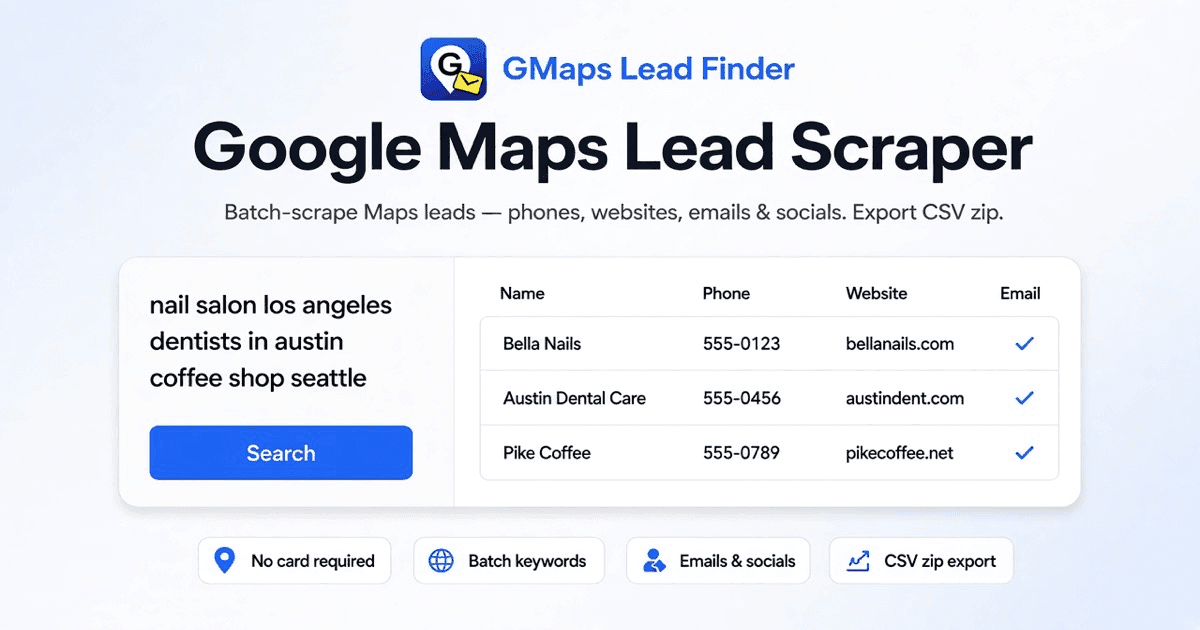
GMaps Lead Finder is a powerful Google Maps lead scraper that extracts business data like names, phones, websites, emails, and social profiles from Google Maps. It's designed for sales teams, agencies, and marketers who need to build targeted prospect lists quickly. With batch keyword scraping, you can paste multiple city and niche combinations, and the tool will paginate through Google Maps results, collecting detailed lead information. It then enriches each lead with public emails and social links from the business website, and exports the data as a CSV zip file—one CSV per keyword. The tool also offers a Chrome extension for on-the-go scraping, and an API/MCP integration for use with AI agents like Claude and Cursor. Pricing starts with a free tier with lifetime credits, and paid plans offer higher volume and agent access. Whether you're an SDR building city grids, an agency prospecting local businesses, or a franchise mapping territories, GMaps Lead Finder streamlines the lead g...
Drawn from the product itself, not from a survey.
Demographic
Sales Development Reps (SDRs)
Pain points
Manually copying leads from Google Maps is time-consuming and error-prone; lack of emails hinders outreach.
Primary needs
Efficiently build large lead lists with contact details for email campaigns.
Demographic
Local Marketing Agencies
Pain points
Struggle to find and reach local businesses for client prospecting; need niche-specific leads quickly.
Primary needs
Generate targeted leads by city and niche with verified contact info for pitching.
Demographic
SEO & GBP Consultants
Pain points
Building prospect lists for SEO services requires detailed business data including website and socials.
Primary needs
Extract comprehensive business profiles to identify optimization opportunities and pitch services.
Demographic
Franchise Development Managers
Pain points
Mapping competitors and potential territories requires extensive local business data across regions.
Primary needs
Analyze market saturation and identify expansion opportunities with location-based lead data.
Written by AI from measured evidence, scored out of 100.
GMaps Lead Finder is a competent Google Maps scraper with a real product behind the landing page. The free tier is genuinely generous — 500 lifetime credits, no card, on-page preview before sign-in — and the docs are real docs: MCP guide, seven SDKs, HTTP API reference. The agent-native angle (Claude, Cursor, Codex via MCP) is the sharpest differentiator against Outscraper, Apify, and D7, and the per-keyword CSV zip export is a thoughtful touch for city × niche grids. Where it falls short: mobile performance is mediocre (Lighthouse 69/100, LCP 4.6s), security headers are thin (4/12 on the probe, no HSTS or CSP), and there's no published compliance or accessibility statement. The landing page is long and repetitive, burying pricing under four sections of the same pitch. None of these are dealbreakers for an indie tool at this stage, but they're the difference between 'works fine' and 'trusted by teams.' If you're an SDR or agency who wants Maps leads inside your AI agent, this is worth a look. If you need enterprise compliance paperwork, keep scrolling.
500 free lifetime credits with no card, on-page preview before sign-in, sample CSV download, and real docs with SDKs and MCP guide. Onboarding path is unusually clear for a scraper.
Clean dark SaaS layout with a live demo widget, clear sectioning, and a genuinely useful export-fields table. Polished for an indie tool, though the page leans long and repetitive.
Desktop Lighthouse 92/100 but mobile 69/100 with a 4.6s LCP and 4.2s FCP. Heavy landing page hurts mobile; desktop is fine. No user lag complaints found.
HTTPS enforced with SPF and DMARC, but the probe found no HSTS, CSP, frame protection, or Referrer-Policy (4/12). No SOC 2, ISO, or security page published. Typical for an early-stage indie tool.
Lighthouse accessibility audit scored 100/100, and the site is responsive. No WCAG statement or multi-language support found, so this sits at the top of the automated-check band rather than above it.
Real, specific pain (manual Maps copying) with a clear wedge: agent-native MCP workflow and per-keyword CSV zips. Crowded category against Outscraper, Apify, and D7, but the agent angle is a genuine differentiator.
The design is competent indie-SaaS work: dark theme, a live demo widget that actually shows the product, and a well-built export-fields table that tells you exactly what columns you get. It's long and repetitive — the same 'batch keywords' pitch appears in four sections — but nothing is broken or confusing. Usability is the stronger half. The free tier gives 500 lifetime credits with no card, the on-page preview lets you see results before signing in, and there's a sample CSV download so you can inspect real export headers before committing. The docs page is real documentation: an MCP guide, seven client SDKs, and an HTTP API reference with auth and pagination details. For a scraper tool, that's an unusually honest onboarding path. The main friction is that the landing page buries pricing and the FAQ is doing a lot of work that a dedicated comparison page would do better.
Speed is split: desktop Lighthouse lands at 92/100, but mobile drops to 69/100 with a 4.6s LCP and 4.2s FCP. The landing page is heavy and section-stacked, which is what's dragging mobile down. Desktop users won't notice; mobile visitors on a slow connection will. No user complaints about lag surfaced in the collected evidence, so this is a lab-measured issue rather than a reported one. Security is the weakest dimension. HTTPS is enforced and SPF/DMARC are set, but the HTTP probe found no HSTS, no CSP, no frame protection, no X-Content-Type-Options, no Referrer-Policy, and no Permissions-Policy — 4 out of 12 checklist points. There's no SOC 2, ISO, pen-test, or bug bounty published, and no security page or data-handling disclosure. For an early-stage indie tool that's not damning, but it's also not a product you'd hand to a compliance-conscious enterprise buyer without questions. The API uses Bearer auth per the docs, which is standard.
Accessibility scores well on the automated audit — Lighthouse gave it 100/100, and the site is responsive. But automated checks only cover part of WCAG, and there's no accessibility statement, no WCAG conformance claim, and no mention of multi-language support. Keyboard navigation and screen-reader behavior weren't independently verified. So this is a solid-but-unproven accessibility profile: top of the band the automated checks can justify, not above it. Growth is a judgement call on the idea. The problem is real and specific — SDRs, agencies, and GBP consultants genuinely waste hours copying Maps data by hand — and the target customer is named clearly. The wedge is the agent-native workflow: MCP integration with Claude, Cursor, and Codex, plus an HTTP API and seven SDKs. That's a genuine differentiator against Outscraper, Apify, and D7, which are all established but not agent-first. The limit is that the underlying data is public Google Maps data, so the moat is workflow and pricing, not data. The 500-credit free tier and permanent credit packs are smart acquisition levers. The category has headroom, but the wedge is narrow.
Conclusion
The honest read: this is a scraper that knows exactly what it is and doesn't oversell. The free tier lets you validate before paying, the export format is clean, and the agent integration is a real feature rather than a buzzword bolted on. The gaps — mobile speed, security headers, no a11y statement — are the gaps of a young product, not a broken one. If the team tightens the security headers, trims the landing page, and publishes a basic data-handling page, this moves from 'solid indie tool' to 'easy recommendation.' Until then, it's a good fit for solo SDRs and small agencies who care more about the CSV than the compliance binder.
Named competitors, point by point. Nobody paid to appear here or to be left out.
 GMaps Lead Finder GMaps Lead Finder |  Outscraper Outscraper |  Apify Google Maps Scraper Apify Google Maps Scraper |  D7 Lead Finder D7 Lead Finder | |
|---|---|---|---|---|
| Pricing model | Free 500 lifetime credits; $19/mo Starter (20k credits); $49/mo Growth (80k); permanent credit packs from $15/10k. | Pay-as-you-go credit pricing; no monthly subscription required. | Apify platform credits; pay per run, plus Apify subscription tiers. | Monthly subscription tiers for lead generation with email extraction. |
| Batch keyword scraping | Yes — paste multiple city × niche keywords, one per line, scraped as a single job with per-keyword progress. | Yes — supports bulk queries and multiple locations per task. | Yes — supports search queries and location inputs, customizable via actor config. | Yes — keyword and location based lead searches. |
| Email and social enrichment | Automatic: public emails and social links (FB, IG, LinkedIn, YouTube, TikTok, X) pulled from business websites. | Email and social enrichment available as add-on enrichment services. | Core scraper returns Maps data; email/social enrichment requires additional actors or integrations. | Built-in email extraction as a core feature. |
| AI agent / MCP integration | Native MCP support for Claude, Cursor, and Codex, plus HTTP API and SDKs in Python, TS, Go, Rust, PHP, Ruby, .NET. | REST API available; no native MCP integration advertised. | Apify API and integrations; MCP support via Apify platform, not actor-native. | API available; no MCP or agent-native integration advertised. |
| Export format | CSV zip with one CSV per keyword, plus re-download from job history. | CSV, JSON, and Google Sheets export. | JSON, CSV, Excel via Apify dataset export. | CSV export of lead lists. |
| Free tier | 500 lifetime credits, no card required, with on-page preview before sign-in. | Free trial credits on signup; pay-as-you-go thereafter. | Apify free tier with monthly platform credits. | Limited free trial; paid subscription required for full access. |
Outscraper
A Google Maps scraping tool that extracts business data and reviews, with a pay-as-you-go pricing model.
Apify Google Maps Scraper
An Apify actor that scrapes Google Maps for business leads, allowing customization and integration with other tools.
D7 Lead Finder
A lead generation tool that finds business leads from various sources including Google Maps, with built-in email extraction.
Comparing options? See GMaps Lead Finder alternatives, scored side by side

Puzzly is an all-in-one B2B lead generation platform that...

White-label reputation management software for agencies s...

A UULE-powered local rank tracker for SEO agencies, offer...

A free, open-source platform offering 110 AI agent skills...

White-label website audits that close deals for digital a...

Frame-perfect video-to-GIF maker that runs entirely in yo...

A top-rated virtual assistant agency that matches busines...

A unified platform replacing 12-20 disconnected tools for...

An all-in-one platform for creators to sell digital produ...

An AI-enhanced executive search firm delivering pre-mappe...

Specialized SEO services for moving companies to dominate...

Analyze your landing page and get a score, teardown, and ...
A platform dedicated to providing unbiased reviews of newly launched applications, analyzing everything from their features to their full potential.
info@scoutforge.net© 2026 Scoutforge. All rights reserved.
