Cycling through all six. Tap any point to stop.
Measured on six things
AI icon set generator for consistent, batch-produced icon...
Speed
57Desktop Lighthouse 95/100 is snappy, but mobile 70/100 with a 6.6s LCP means phone visitors stare at a blank field before anything lands. CLS 0 and 102ms TBT are clean.
Screenshots
1 / 6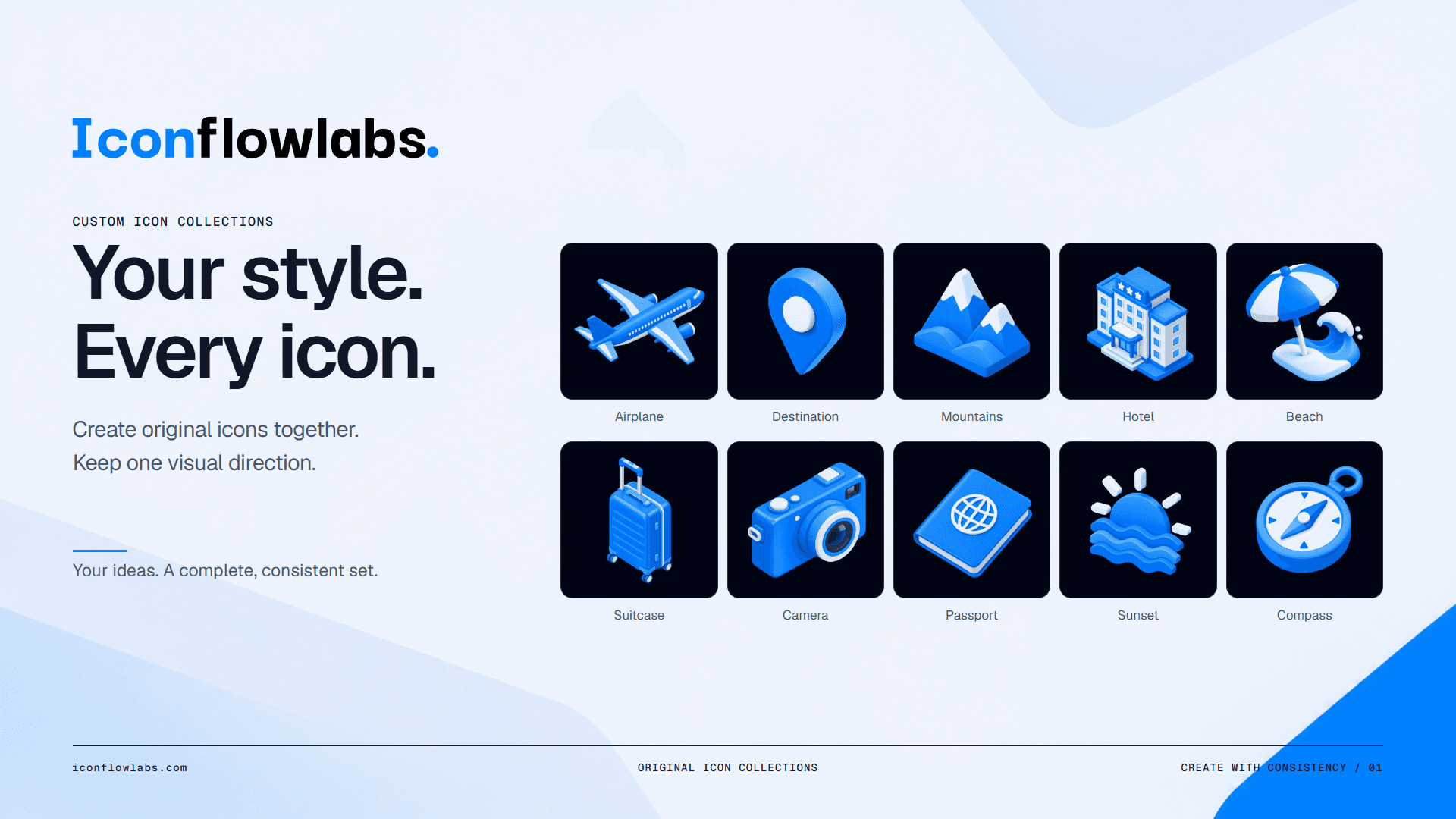

About this app
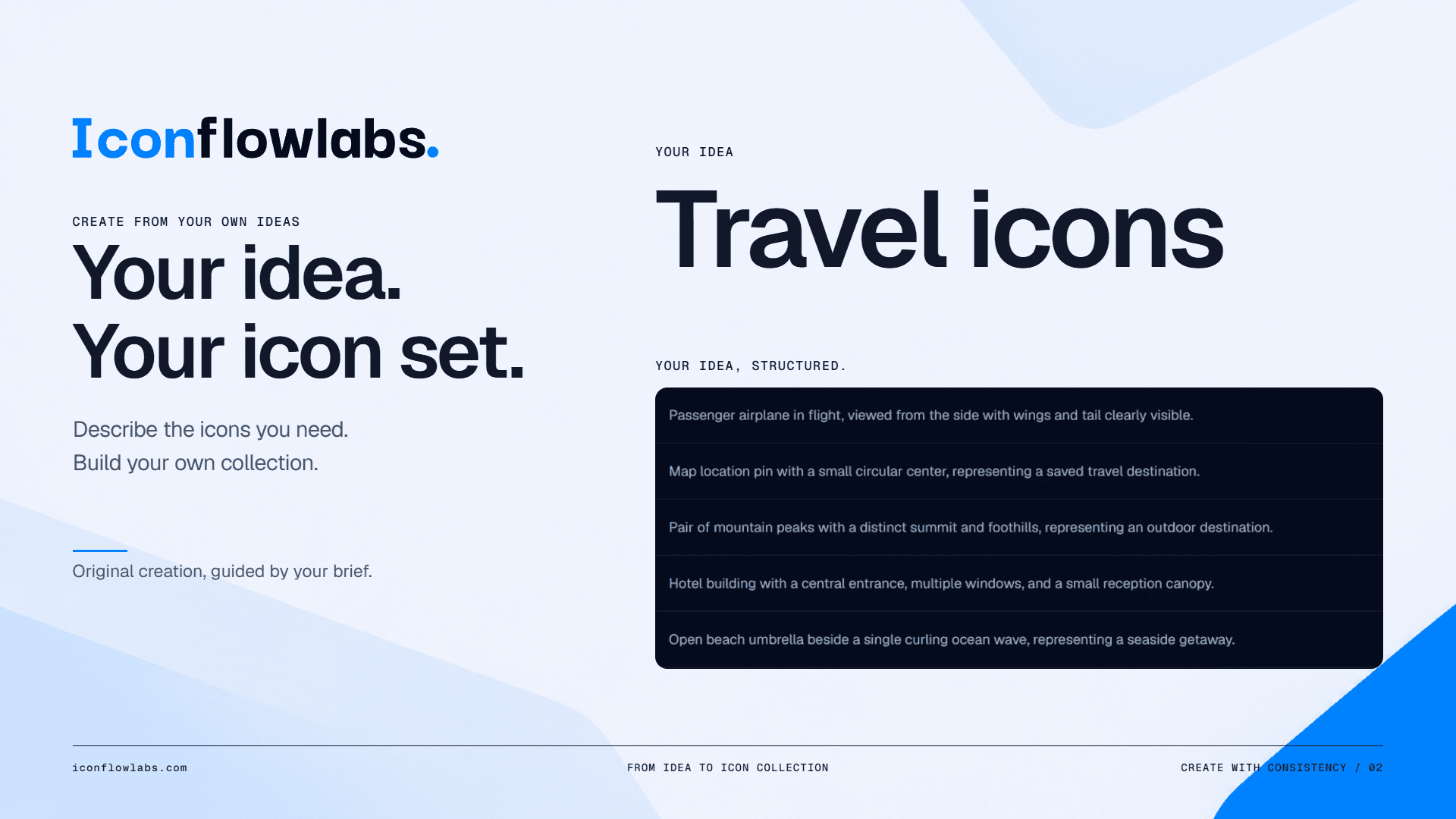
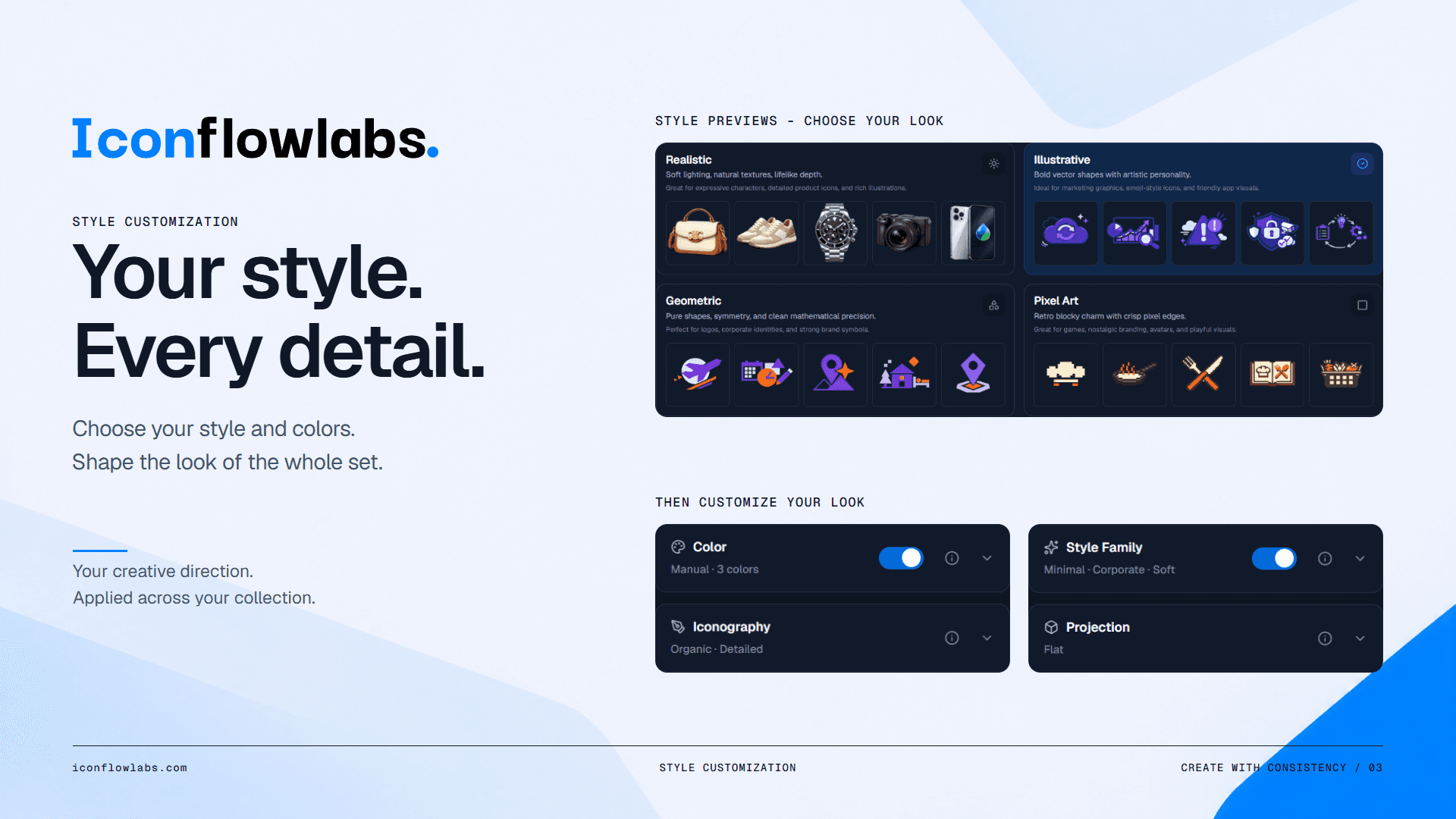
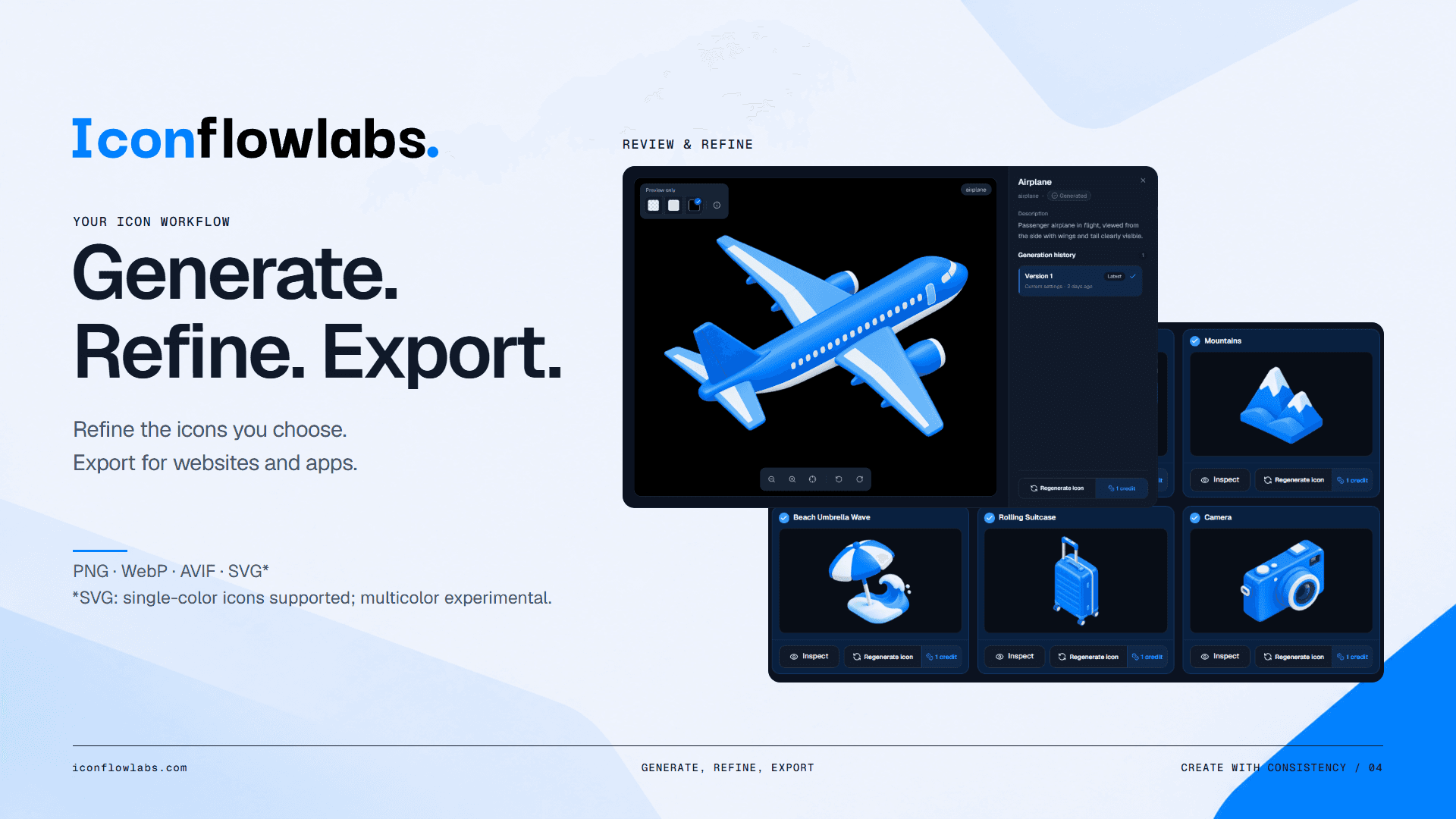
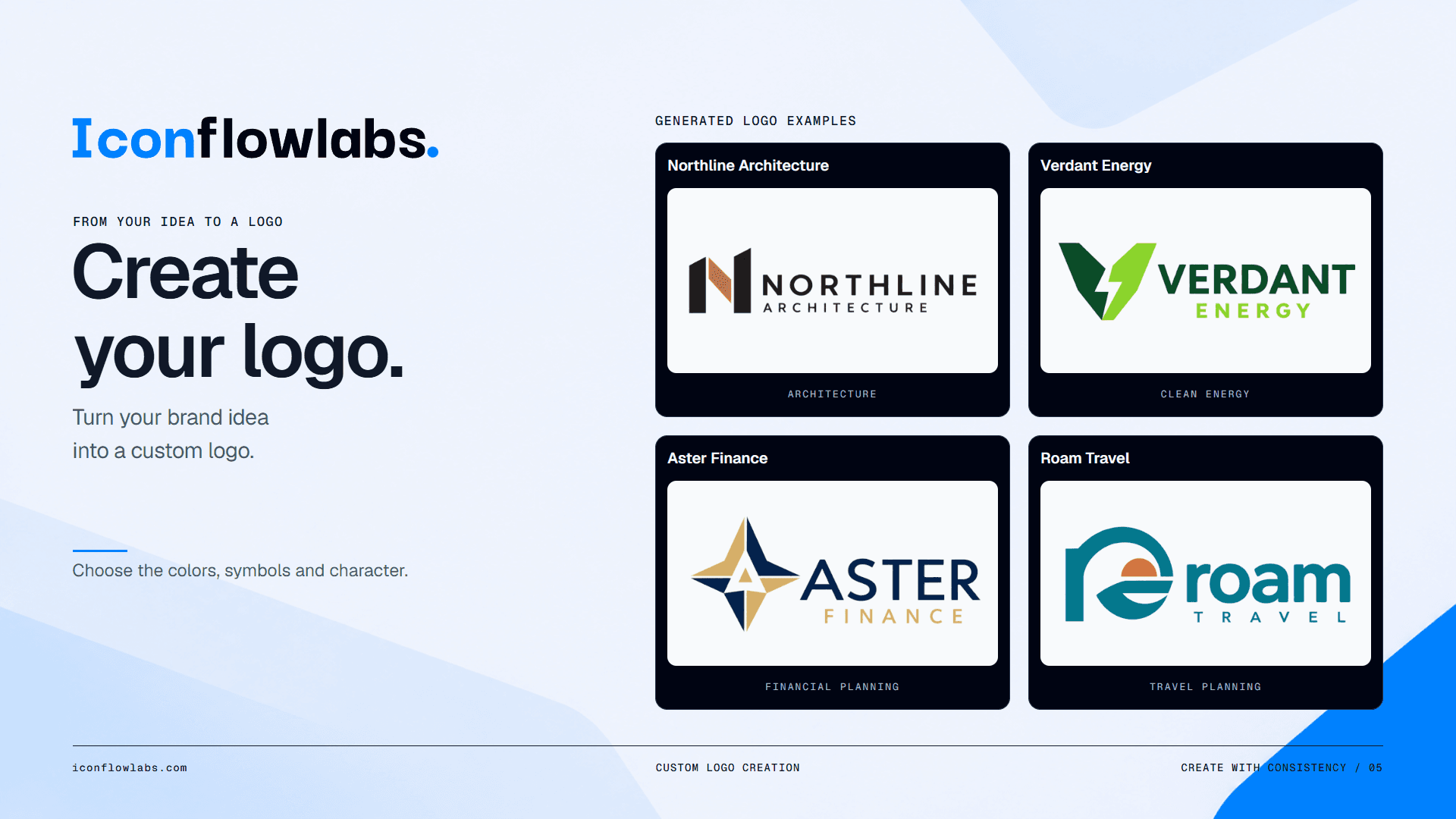
IconFlowLabs is a web-based AI icon set generator that solves a very specific, very real headache: making dozens of icons that actually look like they belong together. Instead of prompting an AI image tool one icon at a time and watching the style drift with every generation, you define your visual direction once — palette, stroke, composition, format — and generate a whole family in a single batch. From there you review a small sample before committing credits to the full set, regenerate only the icons that feel off, and export organized SVG, PNG, WebP, or AVIF files ready for Figma, React, Flutter, or plain web and mobile work. It also handles logo concepts if you need a brand mark to match. The workflow is guided enough for non-designers but opens up advanced controls for design-system pros, and the credit model is refreshingly transparent: 2 free signup credits, no credit card, 1 credit per standard asset, 4 for high quality. The UI is clean, the flow from import to export is ge...
Key features
- 1Batch icon generation under one shared visual direction — palette, stroke, composition, format defined once.
- 2Sample preview before committing credits to the full set, with selective regeneration of individual icons.
- 3Organized SVG, PNG, WebP, and AVIF export ready for Figma, React, Flutter, web, and mobile.
- 4Logo concept generation alongside icon sets for matching brand marks.
- 5Transparent credit model: 2 free signup credits, no card, 1 credit standard / 4 high quality, 12-month validity.
Target customer profile
Drawn from the product itself, not from a survey.
Demographic
Product designers and design-system leads at SaaS startups
Pain points
Manual icon creation doesn't scale; styles drift across contributors and revisions
Primary needs
Batch generation with shared style settings and clean, organized exports for design systems
Demographic
Indie makers and solo founders building apps without a dedicated designer
Pain points
No budget or time for custom icon sets; one-off AI generations look inconsistent
Primary needs
A guided, low-cost workflow that produces a coherent icon family and logo concepts
Demographic
Frontend and mobile developers (React, Flutter) shipping UI
Pain points
Waiting on design for assets; inconsistent formats and messy handoffs slow releases
Primary needs
Production-ready SVG/PNG exports organized for direct use in code and app projects
Scout Review
Written by AI from measured evidence, scored out of 100.
IconFlowLabs attacks a real, narrow problem with a real, narrow tool: generate a whole icon family under one visual direction instead of prompting one icon at a time and watching the style wander. The workflow is legible (Import → Style → Customize → Sample → Review), the pricing is transparent (1 credit per standard asset, 4 for high quality, 2 free signup credits, no card), and the security headers are better than the category average. The weak spots are mobile performance (6.6s LCP), a homepage that didn't fully render in capture, and accessibility contrast failures. It's a competent, clearly positioned early product — not a category leader yet, but not pretending to be.
Measure by measure
Usability
64Clear 5-step workflow mockups, a credit estimator, a pricing FAQ, and help guides added in 2026 make onboarding legible; 2 free credits with no card gets you to first value fast.
Design
58Deliberate type pairing and a genuinely consistent isometric icon grid sell the core promise, but competing blue accents, colliding footer wedges, and low-contrast captions keep it mid-pack.
Speed
57Desktop Lighthouse 95/100 is snappy, but mobile 70/100 with a 6.6s LCP means phone visitors stare at a blank field before anything lands. CLS 0 and 102ms TBT are clean.
Security
7612/13 security headers present including HSTS, CSP, frame protection, and secure cookies — solid hygiene. SPF missing and no published SOC 2, ISO, or pen-test claims.
Accessibility
80Lighthouse 96/100 with multilingual coverage is strong, but failing contrast and mismatched accessible-name audits plus no public WCAG statement keep it short of excellent.
Growth
63A real, specific pain — style drift across one-off generations — with a concrete batch-plus-shared-settings wedge the listed alternatives don't center. Early domain (2025), but the idea has room.
Improvement areas
- Mobile performance: 6.6s LCP is the biggest conversion risk on the site.
- Accessibility: failing contrast and accessible-name audits; no public WCAG statement.
- Security completeness: missing SPF record and no published SOC 2, ISO, or pen-test claims.
- Homepage render reliability: live capture showed only the nav, no hero or CTA in the captured state.
Design & Usability
The design story is split. The maker media slides show a genuinely coherent isometric icon family — same angle, palette, lighting — which is exactly the promise the product sells, and the type pairing (display grotesk, mono eyebrows, muted sans) reads as intentional. But the live homepage capture rendered only the nav, and the visible issues are real: two competing blues in the nav, decorative wedges colliding with the footer tagline, low-contrast captions. Usability is the stronger half: the five-step workflow mockups, credit estimator, pricing FAQ, and 2026 help guides make the path to value legible, and 2 free credits with no card is the right on-ramp.
Speed & Security
Speed is a tale of two devices. Desktop Lighthouse 95/100 is genuinely snappy; mobile 70/100 with a 6.6s LCP is the number that matters, because that's a long blank stare before anything lands. CLS 0 and 102ms TBT show the page isn't janky once it arrives — it's just slow to start on phones. Security is the quiet overachiever: 12/13 headers including HSTS, CSP, frame protection, and secure cookies is better hygiene than most indie SaaS bothers with. The gaps are the missing SPF record and the absence of any published SOC 2, ISO, or pen-test claim — normal for the stage, but not yet a trust signal.
Accessibility & Growth
Accessibility lands at 80: Lighthouse 96/100, multilingual coverage, but failing contrast and mismatched accessible-name audits, and no public WCAG statement to point to. Growth is the most interesting question. The problem is real and specific — one-off AI generation drifts in style, and manual icon creation doesn't scale past a handful of assets. The wedge is concrete: batch generation under shared style settings, selective regeneration, organized SVG/PNG export. Iconify is a ready-made library, Nucleo is hand-crafted premium, Recraft is a broader design tool with a steeper curve — none of them center on style-locked icon families. That's a defensible niche. The limit is pricing psychology: CHF 2.99–9.99 credit packs compete against free Figma plugins and existing libraries, and the site doesn't yet show why a team would switch rather than supplement.
Conclusion
If you're a design-system lead tired of herding style drift across a dozen icon generations, this is worth the two free credits. If you're a solo dev who needs five icons once, Iconify is free and already done. The product's bet is that consistency at batch scale is worth paying for — and the workflow it shows makes that bet plausible, even if the pricing page hasn't yet proven it.
Suggestions for improvement
- Fix the mobile LCP — 6.6s is the single biggest conversion killer on the site.
- Resolve the contrast and accessible-name audit failures; publish a short WCAG statement.
- Add an SPF record to complete the email authentication stack alongside DMARC.
- Show a side-by-side 'one-off generation vs. IconFlowLabs batch' comparison to make the wedge visceral.
Alternatives comparison
Named competitors, point by point. Nobody paid to appear here or to be left out.
 IconFlowLabs | Iconify |  Recraft | Nucleo | |
|---|---|---|---|---|
| Generation model | AI batch generation under shared style settings | Ready-made open-source library, no generation | AI vector/icon generation, broader design scope | Hand-crafted premium library, no AI generation |
| Style consistency across a set | Core promise: one visual direction applied to whole family | Consistent by design — curated library sets | Style consistency features, steeper learning curve | Consistent hand-crafted sets, not customizable from a brief |
| Pricing model | Pay-as-you-go credits: CHF 2.99–9.99, 2 free signup credits | Free and open-source | Subscription-based, different pricing model | Premium one-time/library purchase |
| Export formats | SVG, PNG, WebP, AVIF organized for Figma/React/Flutter | SVG with framework integrations and unified API | SVG and raster export across design formats | SVG, PDF, PNG with icon management app |
| Logo generation | Yes — distinct logo concepts alongside icon sets | No | Yes, within broader design tool | No |
Iconify
A massive open-source icon library with a unified API and framework integrations; great for ready-made icons but not for generating custom, style-matched sets.
Recraft
AI design tool with strong icon and vector generation and style consistency features; broader design scope, with a steeper learning curve and different pricing model.
Nucleo
A premium hand-crafted icon library and app for managing icon sets; excellent quality and organization, but not AI-generated or batch-customizable from a brief.
Comparing options? See IconFlowLabs alternatives, scored side by side
More AI Generations apps
View all AI Generations
Uni-1 by Luma AI
92Uni-1 is an advanced multimodal text-to-image AI model th...

LTX 2.3 AI Video Generator
91Fast, open-source AI video generator with 4K support, mul...

Gerty
91Private, local AI assistant for Mac that runs offline

DemoVexa
90Turn your code into professional product demo videos with AI-generated scripts, animated UI, and natural voiceovers.

All of Us
89Add deceased loved ones to photos with AI and see free pr...

Voqusa
89Transcribe social media video and audio links into text (free signup, 5 free credits, then pay-as-you-go)

HeyVid AI
88HeyVid AI is a free all-in-one AI video and image generat...

IraVoice
88Private on-device dictation for Apple-silicon Macs.

Pixelimg
88A free online AI-powered tool that instantly converts ima...

OBVELO
88Privacy gateway that masks personal data in LLM traffic

RestorePhotosApp
88An AI-powered photo restoration app that brings old, blur...

tradutor de mangá com IA
88O tradutor de mangá com IA traduz capítulos em lote, personaliza textos e oferece edição visual para estúdios.


A platform dedicated to providing unbiased reviews of newly launched applications, analyzing everything from their features to their full potential.
info@scoutforge.net© 2026 Scoutforge. All rights reserved.
