

A platform dedicated to providing unbiased reviews of newly launched applications, analyzing everything from their features to their full potential.
info@scoutforge.net© 2026 Scoutforge. All rights reserved.
A platform dedicated to providing unbiased reviews of newly launched applications, analyzing everything from their features to their full potential.
info@scoutforge.net© 2026 Scoutforge. All rights reserved.
A platform dedicated to providing unbiased reviews of newly launched applications, analyzing everything from their features to their full potential.
info@scoutforge.net© 2026 Scoutforge. All rights reserved.
Cycling through all six. Tap any point to stop.
Measured on six things
Save public Reels and videos as MP4 — no sign-in, no wate...
HTTPS enforced with frame protection and X-Content-Type-Options, but no HSTS, CSP, SPF, or DMARC. No published audits or bug bounty. Basic hygiene only.
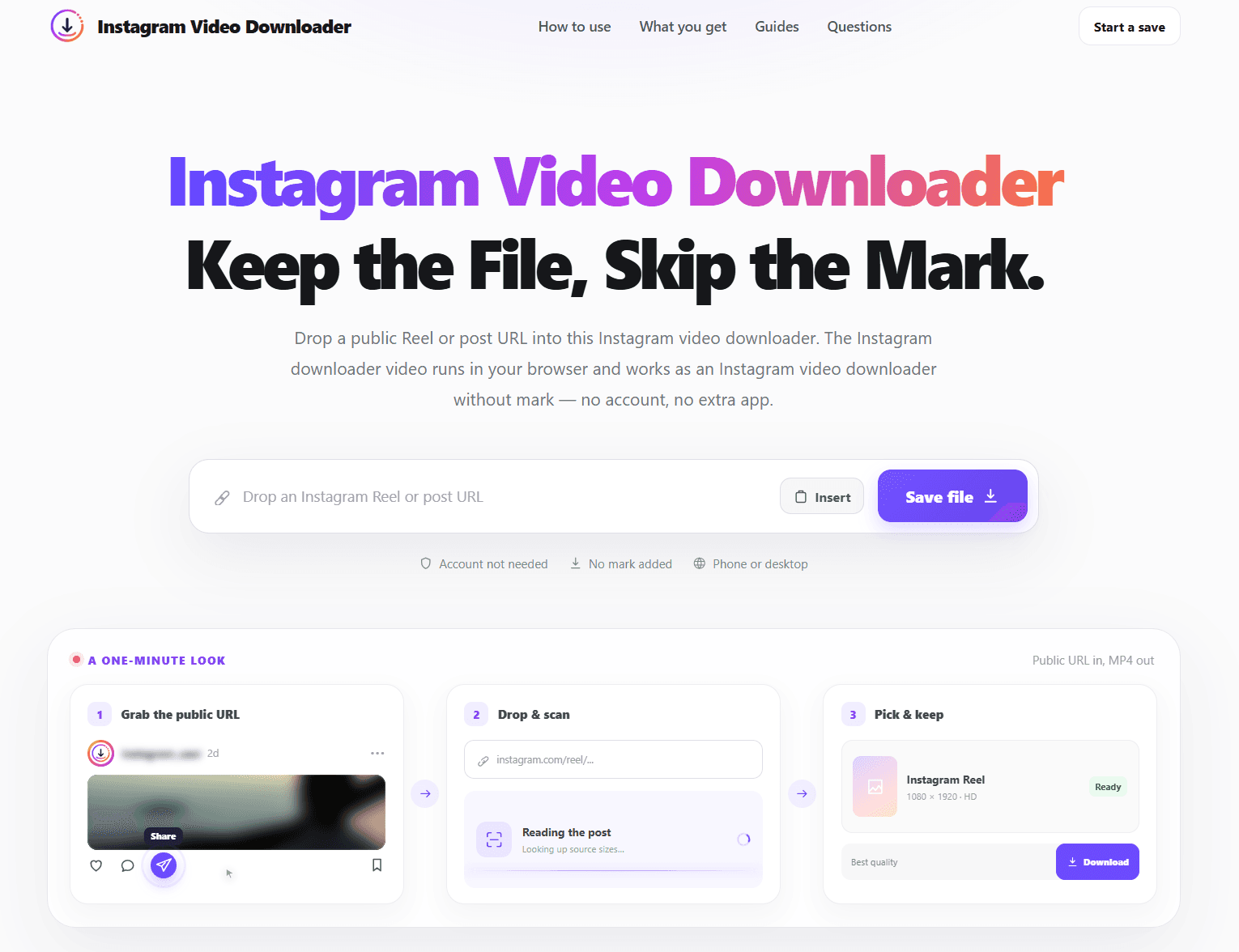
Instagram Video Downloader is a free, browser-based tool that turns any public Instagram Reel or video post URL into a downloadable MP4 file. There's no account required, nothing to install, and — crucially — no site logo stamped onto your saved clip. You just copy the link from Instagram, drop it into the box on the site, preview the file, and save it to your device. It works the same way on iPhone, Android, Windows, macOS, and Linux, as long as you're using a modern browser like Chrome, Safari, or Firefox. The tool pulls the highest-quality version Instagram has already published for that post, so you're not getting a degraded copy — you get whatever resolution the platform stored, whether that's 720p, 1080p, or 4K. If the original clip includes audio, the MP4 keeps it. The site is refreshingly upfront about its limitations: it only handles public content. Private accounts, Stories, Highlights, deleted posts, and anything gated behind a login simply won't work — and the developers...
Drawn from the product itself, not from a survey.
Demographic
Social media managers and content curators
Pain points
Need to archive competitor or inspiration Reels quickly for mood boards and reports
Primary needs
Fast, watermark-free downloads without creating accounts on sketchy sites
Demographic
Casual Instagram users on mobile (iPhone/Android)
Pain points
Can't natively save Reels to their camera roll without screen-recording
Primary needs
A simple browser tool that works without installing an app or signing in
Demographic
Video editors and creators
Pain points
Need original-quality source clips for editing, but downloaders often compress or add logos
Primary needs
High-resolution MP4 files with original audio intact
Demographic
Researchers, journalists, and archivists
Pain points
Public posts can be deleted or made private at any time, losing access to evidence or reference material
Primary needs
Reliable local backups of public content for documentation purposes
Written by AI from measured evidence, scored out of 100.
Instagram Video Downloader is a competent, fast, no-frills tool that does exactly what it says: paste a public Reel URL, get an MP4 without a watermark or an account. The three-step flow is clear, the device instructions are helpful, and the Lighthouse scores are genuinely impressive. Where it stumbles is security hygiene (5/12 headers, no HSTS or CSP) and copy that's been SEO-stuffed to the point of parody. Accessibility is strong at 96/100 with one contrast fix needed. Growth is the real question mark — the wedge is good, but the downloader space is crowded and legally murky. If you need a quick, clean save and don't want to hand over your Instagram password, this works. Just don't expect it to replace a proper archiving workflow.
No account, no install, three clear steps, and device-specific instructions for iPhone, Android, and desktop. Troubleshooting section exists. Solid for the category.
Clean dark/light layout with a clear hero and 3-step flow, but the copy is keyword-stuffed to the point of hurting readability. Functional, not distinctive.
Lighthouse mobile 97/100 (LCP 2.6s, CLS 0, TBT 44ms) and desktop 100/100. Genuinely fast, lightweight page with no heavy SPA overhead.
HTTPS enforced with frame protection and X-Content-Type-Options, but no HSTS, CSP, SPF, or DMARC. No published audits or bug bounty. Basic hygiene only.
Lighthouse accessibility 96/100 with one contrast-ratio failure. Responsive across platforms, but no WCAG statement or multi-language support found.
Real problem (watermark-free, no-account downloads) with a specific wedge, but the downloader category is crowded and legally contested. Domain is 0.1 years old.
The site is clean and functional, with a clear three-step flow that works the same on phone and desktop. No account, no install, no password — just paste and save. The device-specific instructions for iPhone, Android, and desktop are a genuinely helpful touch, and the troubleshooting section for failed URLs shows they've thought about real usage. Where it falls down is the copy: 'Instagram video downloader without mark' is repeated so often the page reads like it was written for a search engine, not a human. The design itself is competent but generic — dark hero, three steps, FAQ. It does the job without making you think, which for a utility tool is exactly right. Just stop saying 'Instagram video downloader' every other sentence.
Speed is the standout: Lighthouse mobile 97/100 with a 2.6s LCP and zero layout shift, desktop a perfect 100. The page is lightweight and snappy, which matters when you're pasting URLs and waiting for a preview. Security is where it gets thin. HTTPS is enforced and there's frame protection plus X-Content-Type-Options, but no HSTS, no CSP, no Permissions-Policy, and no SPF or DMARC records — a 5/12 checklist score. There's no SOC 2, no bug bounty, no security page. For a free browser tool that never touches your Instagram credentials, that's not catastrophic, but it's basic hygiene, not a security posture. If you're pasting public URLs and nothing else, the risk is low. Just don't expect enterprise-grade hardening.
Accessibility scores 96/100 on Lighthouse, with the single failure being insufficient color contrast — an easy fix that would push it near-perfect. The site is responsive across iPhone, Android, Windows, macOS, and Linux, and the instructions adapt per platform. There's no WCAG statement or multi-language support, which is typical for a tool this size. Growth is a tougher call. The problem is real: Instagram doesn't let you save Reels natively, and most downloaders either watermark your file or bury you in ads. The no-watermark, no-account wedge is specific and appealing. But the category is crowded — SnapInsta, SaveFrom.net, Instaloader, and 4K Stogram all exist — and it's legally contested territory. The domain is 0.1 years old, so traction is minimal. The idea can grow, but it needs to out-execute a lot of entrenched players.
Conclusion
For casual users and social media managers who just need a clean MP4 without the drama, this tool delivers. It's fast, it's free, and it doesn't ask for your credentials. The limitations are clearly stated — public content only, no Stories, no private accounts — which is refreshingly honest. If you're archiving competitor Reels or saving inspiration clips, it does the job in under a minute. The caveats are real: no security certifications, thin headers, and a category full of alternatives. But for a free browser tool, it's a solid pick. Just fix the contrast ratio and maybe hire a copywriter who isn't paid per keyword.
Named competitors, point by point. Nobody paid to appear here or to be left out.
 Instagram Video Downloader Instagram Video Downloader | SnapInsta |  SaveFrom.net SaveFrom.net |  Instaloader Instaloader |  4K Stogram 4K Stogram | |
|---|---|---|---|---|---|
| Watermark-free downloads | Yes — explicitly no site logo stamped on MP4 | No — typically adds watermark or ads | No — may add branding | Yes — CLI tool, no watermark | Yes — paid license for full features |
| Account required | No | No for public, yes for Stories | No | No, but requires CLI setup | No, but requires install and license |
| Platform support | Browser-based: iPhone, Android, Windows, macOS, Linux | Browser-based, mobile and desktop | Browser-based plus extensions | Command-line, cross-platform | Desktop app: Windows, macOS, Linux |
| Stories and Highlights support | No — public Reels and posts only | Yes for logged-in users | Limited | Yes, with login | Yes |
| Cost | Free | Free, ad-supported | Free, ad-supported | Free, open-source | Paid license for full features |
SnapInsta
A popular Instagram downloader that works via browser and supports Reels, photos, and Stories (for logged-in users). Ad-heavy but functional.
SaveFrom.net
A long-standing downloader supporting many platforms including Instagram. Offers browser extensions but has a busier interface.
Instaloader
An open-source command-line tool for downloading Instagram content. Powerful for power users, but requires technical setup.
4K Stogram
A desktop application for downloading Instagram photos, videos, and Stories. Requires installation and a paid license for full features.
Comparing options? See Instagram Video Downloader alternatives, scored side by side

Puzzly is an all-in-one B2B lead generation platform that...

White-label reputation management software for agencies s...

A UULE-powered local rank tracker for SEO agencies, offer...

A free, open-source platform offering 110 AI agent skills...

White-label website audits that close deals for digital a...

Frame-perfect video-to-GIF maker that runs entirely in yo...

A top-rated virtual assistant agency that matches busines...

A unified platform replacing 12-20 disconnected tools for...

An all-in-one platform for creators to sell digital produ...

An AI-enhanced executive search firm delivering pre-mappe...

Specialized SEO services for moving companies to dominate...

Analyze your landing page and get a score, teardown, and ...
A platform dedicated to providing unbiased reviews of newly launched applications, analyzing everything from their features to their full potential.
info@scoutforge.net© 2026 Scoutforge. All rights reserved.
