Cycling through all six. Tap any point to stop.
Measured on six things
The Lesson Planner for Your Whole Week
Accessibility
50No WCAG statement or accessibility documentation found. No measurement available. Color-coded blocks may challenge color-blind users. Standard HTML structure implied.
Screenshots
1 / 7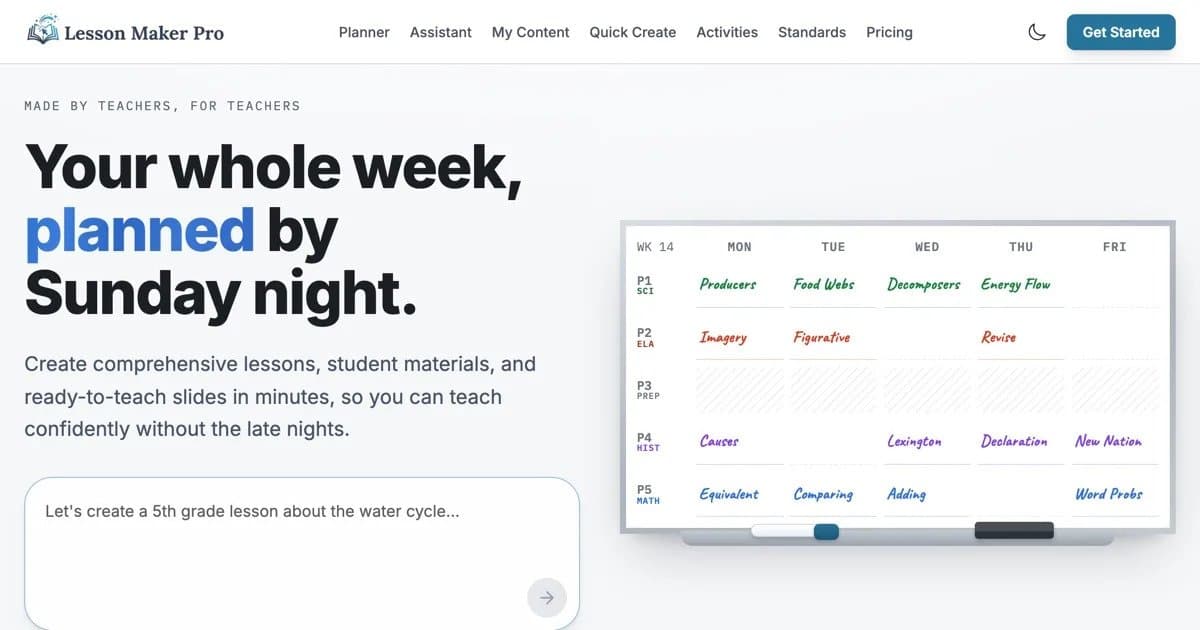
About this app
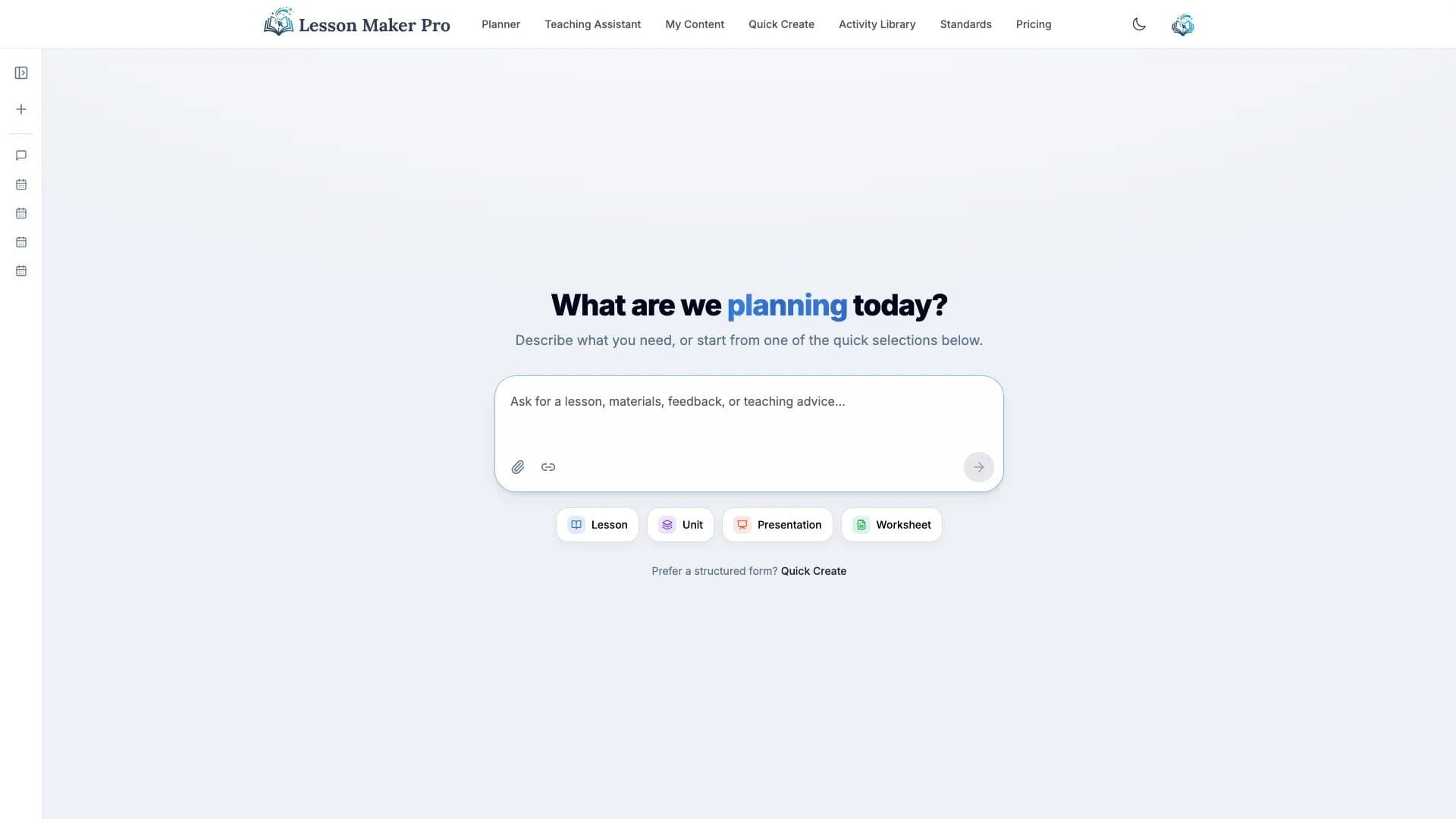
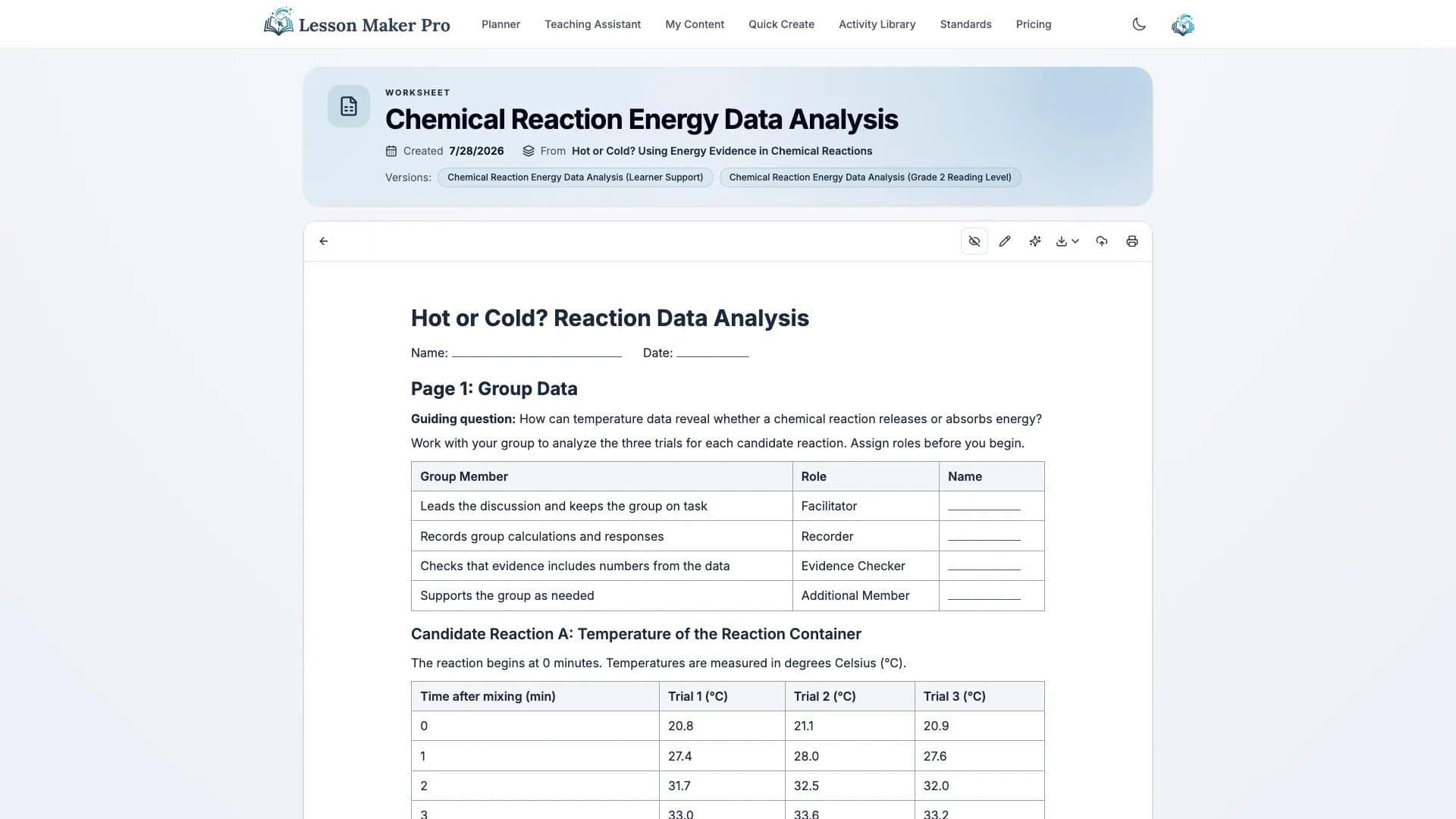
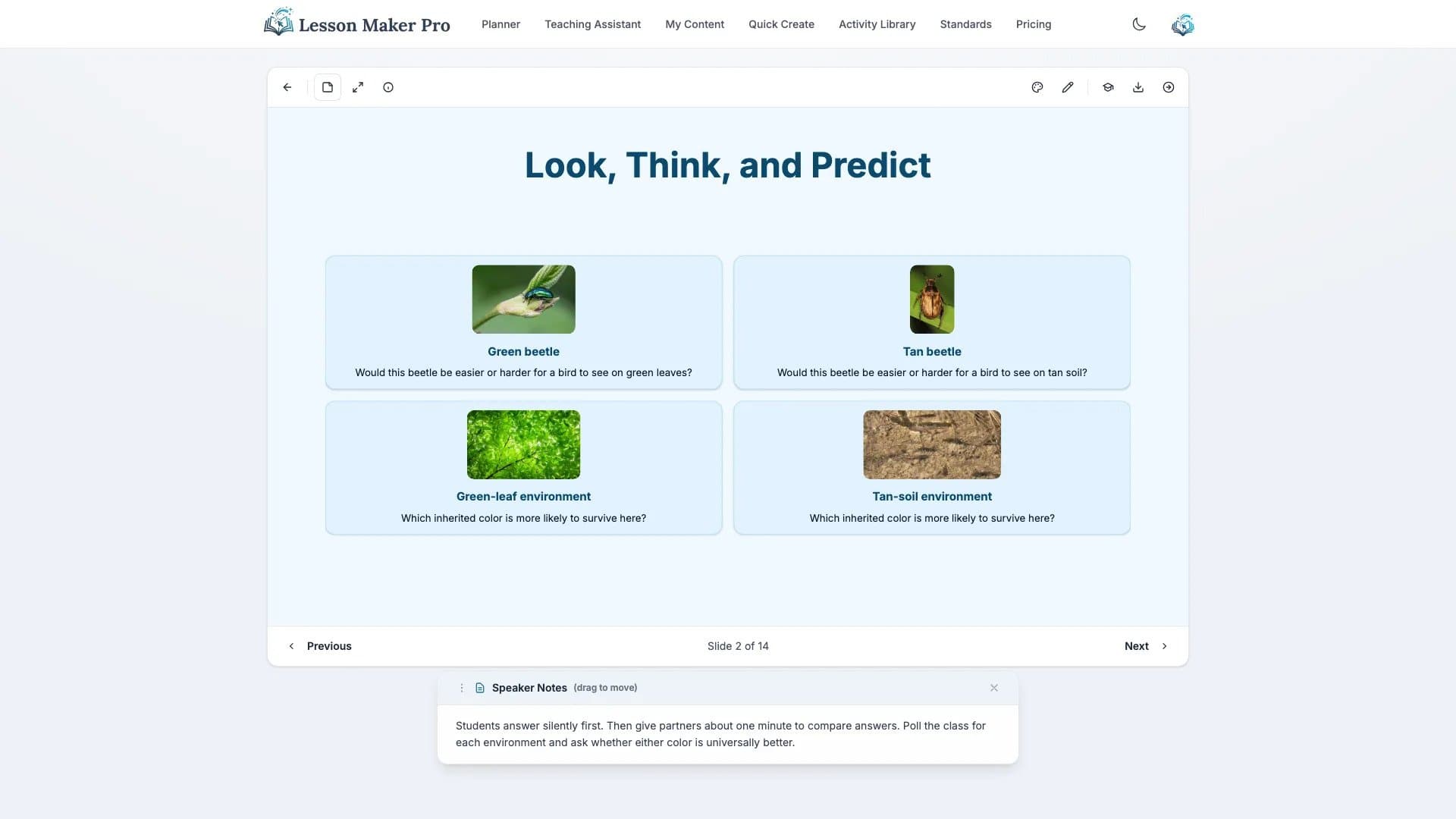
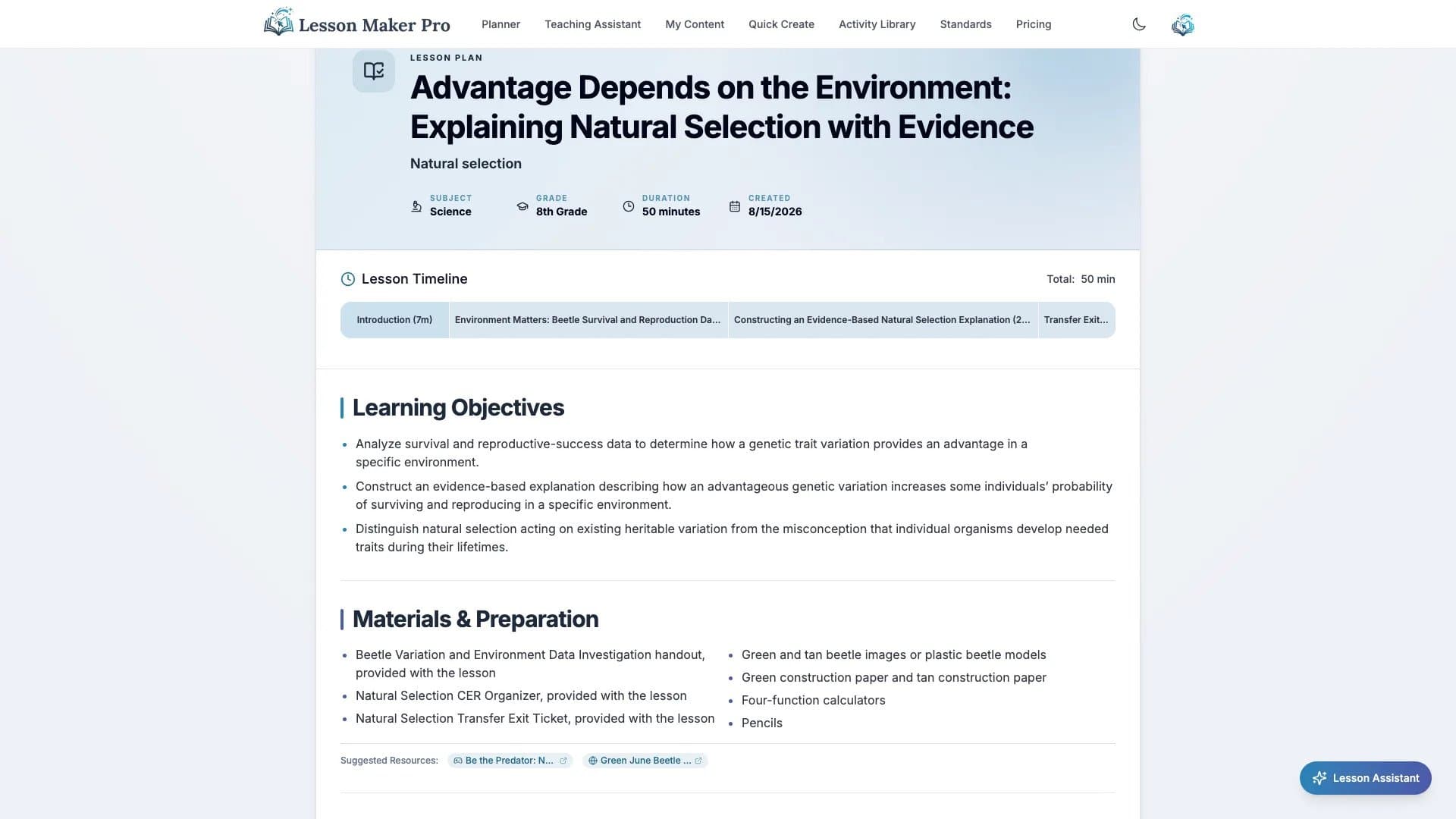
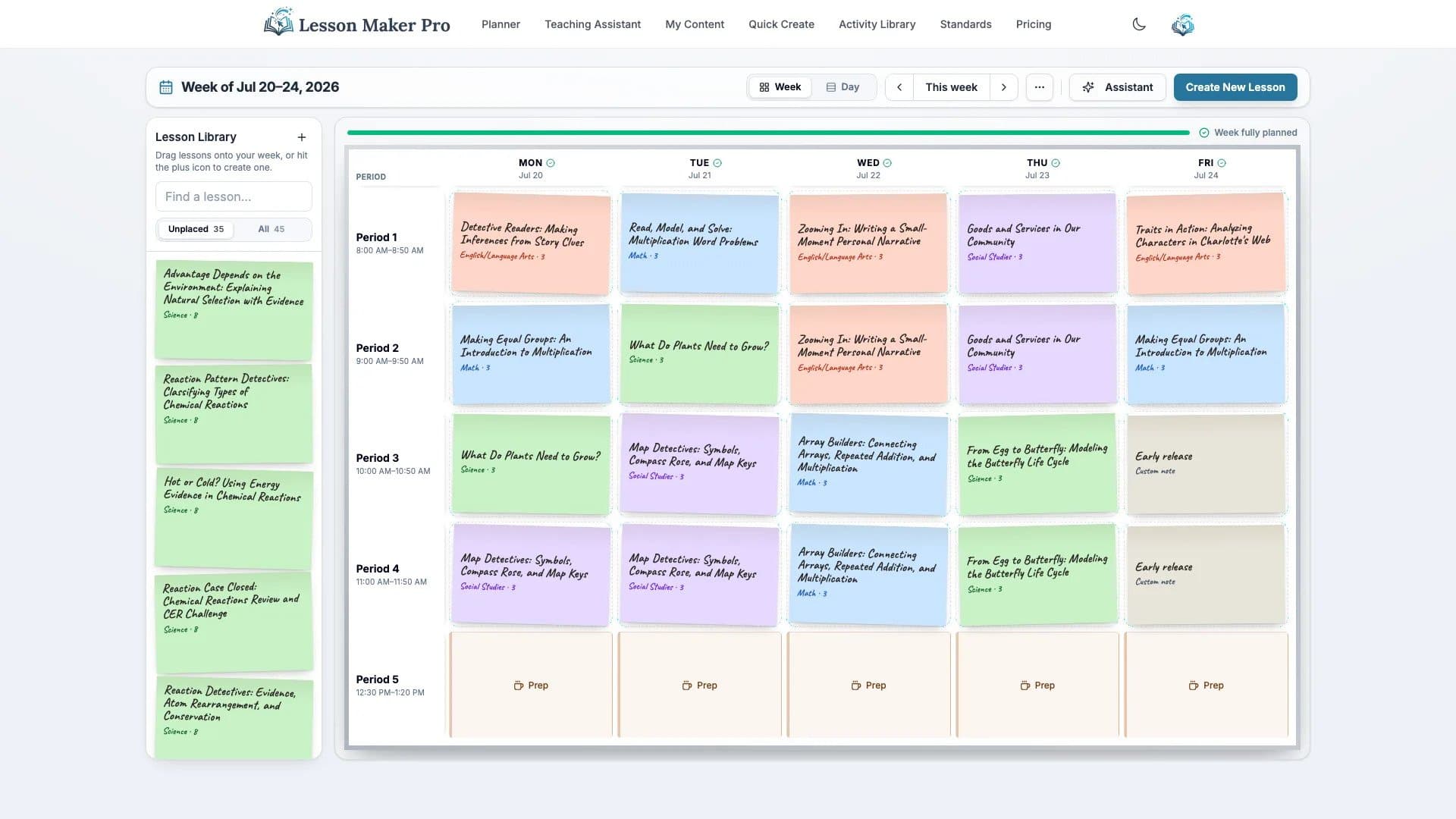
Lesson Maker Pro is a lesson plan maker and weekly planner for teachers. Teachers spend hours every week writing lesson plans, searching for resources, building worksheets, and formatting slides, losing time that comes out of evenings and weekends. Lesson Maker Pro gives that time back, helping teachers create high quality, ready-to-teach lessons in minutes, with all the materials and resources included. Chat with the AI teaching assistant to build a complete lesson with worksheets, assessments, and slides. Then refine anything by chat ("shorten the intro," "add a Spanish version," "make the exit ticket harder") or edit manually. You stay in control of the final product. Planning goes beyond a single lesson. Drag lessons into your real class schedule and see the entire week planned down to the minute, so pacing across periods and prep blocks is visible at a glance.
Key features
- 1AI Teaching Assistant: Chat to build complete lessons with worksheets, assessments, and slides, then refine by chat or manual edit.
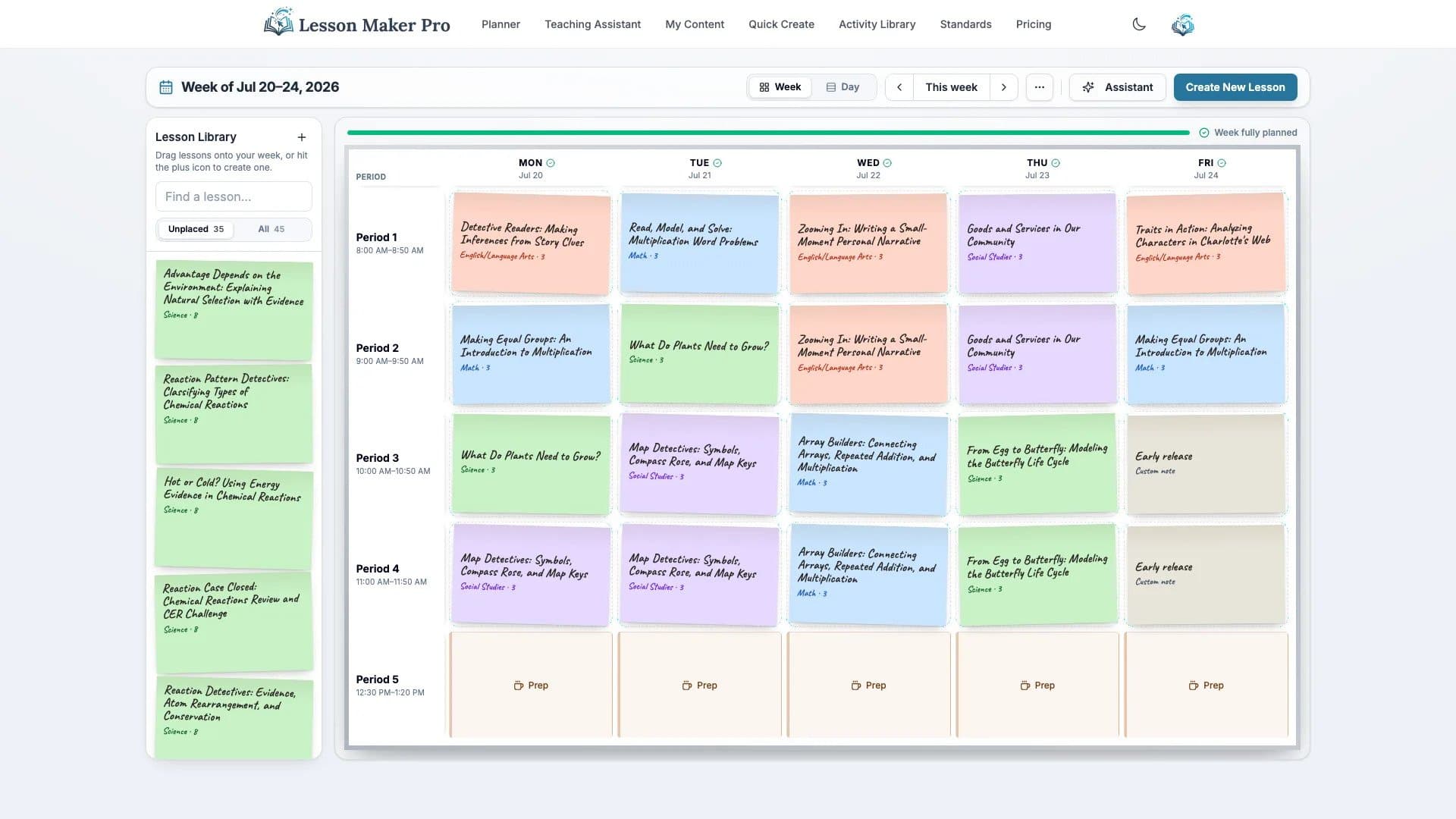
- 2Weekly Planner: Drag lessons into a real class schedule with color-coded blocks for at-a-glance pacing across periods and prep blocks.
- 3Verified Standards: Every standard code checked against a database of 450,000+ verified standards, with realistic activity timing and assessments matched to objectives.
Target customer profile
Drawn from the product itself, not from a survey.
Demographic
K-12 classroom teachers across all subjects, especially those with multiple preps or limited planning time.
Pain points
Spending hours each night and weekend creating lesson plans, finding aligned resources, and building materials from scratch; stress and burnout from the 'Sunday scaries'.
Primary needs
A fast, intuitive tool to generate complete lessons with standards alignment, realistic pacing, and ready-to-use materials, so they can reclaim personal time without sacrificing lesson quality.
Demographic
New and student teachers who need extra guidance in lesson planning and alignment to standards.
Pain points
Feeling overwhelmed by the complexity of lesson planning, unsure how to write effective objectives, and struggling to incorporate standards and assessments.
Primary needs
A tool that provides structured templates, validated standards, and step-by-step lesson components to build confidence and competence in planning.
Demographic
Instructional coaches and curriculum coordinators who support groups of teachers.
Pain points
Helping teachers save time while ensuring quality and consistency across lessons; need to verify standards and align resources for multiple classrooms.
Primary needs
A platform that offers a consistent framework for lesson creation, includes verified standards, and can be shared or reviewed to improve teaching effectiveness.
Scout Review
Written by AI from measured evidence, scored out of 100.
Lesson Maker Pro is a promising AI lesson-planning tool with a strong core concept: verified standards, realistic timing, and a visual weekly planner. The dual entry (chat or form) and drag-and-drop scheduling are thoughtful touches that address real teacher workflows. The free tier is generous enough to evaluate, and the pricing is competitive. However, the design of lesson cards is text-dense, the library lacks search, and accessibility documentation is absent. Security headers are incomplete, and no certifications are claimed, which may hinder school sales. The growth potential is solid if the standards verification proves reliable and the product can differentiate from MagicSchool and Khanmigo. Overall, it's a competent, well-positioned tool with clear strengths in planning and personalization, but it needs polish in card design, library management, and accessibility to fully realize its potential.
Measure by measure
Usability
64Dual entry (chat or Quick Create) plus drag-and-drop weekly planner. Clear free tier lowers friction. Sidebar library lacks visible search/filter. Demo video present but unverified.
Design
58Clean weekly planner grid with color-coded blocks and consistent alignment. Dense lesson cards lack visual hierarchy; empty prep cells create uneven rhythm. Homepage render unavailable, judged from catalogue images.
Speed
55No performance measurement available this run. Site content fetched successfully, indicating basic responsiveness. No user complaints or published benchmarks found.
Security
52HTTPS and HSTS enforced; SPF/DMARC present. Missing CSP, frame protection, and other headers (6/12 checklist). No SOC 2 or certification claims. No breach history found.
Accessibility
50No WCAG statement or accessibility documentation found. No measurement available. Color-coded blocks may challenge color-blind users. Standard HTML structure implied.
Growth
68Clear problem (teacher burnout), specific wedge (verified standards + realistic timing), and institutional path via school tier. Category has headroom; differentiation is concrete and defensible.
Improvement areas
- Lesson card design: Dense text with no truncation or visual hierarchy makes the weekly grid hard to scan.
- Library management: Sidebar lacks visible search or filter controls, hindering navigation with large lesson collections.
- Accessibility: No WCAG statement or color-blind-friendly palette, and security headers are incomplete (missing CSP, frame protection).
Design & Usability
Lesson Maker Pro presents a functional, teacher-focused interface centered on a color-coded weekly planner. The dual entry points — conversational AI chat and a structured Quick Create form — accommodate different working styles, which is thoughtful. The drag-and-drop weekly view is the standout feature, making pacing across periods visible at a glance. However, the lesson cards within the grid are text-dense with no visual hierarchy, and the sidebar library lacks visible search or filter controls, which will frustrate users with large lesson collections. The free tier (5 lessons/month) is generous enough to evaluate the core value, and the Pro pricing at $7.99/month is competitive. The demo video is a good idea but its quality and load performance could not be verified. Overall, the usability is above average for the category, with clear strengths in the planner and entry flexibility, but the library management and card design need refinement to match the polish of the core planner.
Speed & Security
Performance data was not available this run, so speed is assessed cautiously. The site content fetched successfully, indicating basic server responsiveness, but no benchmarks or user feedback on load times were found. Security posture is mixed: HTTPS and HSTS are properly enforced, and SPF/DMARC records are present, which is good hygiene. However, the absence of a Content Security Policy, frame protection, and other standard security headers (6/12 checklist points) leaves room for improvement. No SOC 2, ISO, or pen-test certifications are claimed, which is typical for an early-stage product but limits confidence for school districts with strict procurement requirements. The 'No student data' claim on the school pricing page is a positive signal for privacy-conscious buyers. No breach history was found, which is reassuring. For a tool handling teacher-created content and potentially student-related data, strengthening security headers and pursuing a recognized certification would significantly improve trust, especially for institutional sales.
Accessibility & Growth
Accessibility is an area of concern: no WCAG statement or accessibility documentation was found, and the color-coded planner may present challenges for color-blind users. This is a missed opportunity, as K-12 districts increasingly require accessibility compliance. The growth potential, however, is more promising. The product addresses a genuine, painful problem — teacher planning time and burnout — with a specific wedge: a database of 450,000+ verified standards, realistic activity timing, and a teaching profile that personalizes output. This differentiates it from generic AI generators. The free tier and school pricing (with per-seat discounts and invoice billing) provide a clear path from individual adoption to institutional rollout. The main risk is competition from well-funded incumbents like MagicSchool AI and Khanmigo, which have brand recognition and existing user bases. Lesson Maker Pro's wedge is defensible if the standards verification and timing accuracy hold up in practice, but it needs to build a community and gather teacher testimonials to prove its value beyond the marketing claims.
Conclusion
Lesson Maker Pro is worth a look for any teacher tired of Sunday-night planning marathons. The core idea — verified standards, realistic timing, and a visual planner — is genuinely useful. The free tier lets you test it without commitment, and the Pro price is reasonable. The main caveats are the unpolished card design, missing library search, and lack of accessibility documentation. If you're a district decision-maker, the missing security certifications might be a hurdle. But for an individual teacher, it's a solid tool that could genuinely save hours each week. Give it a try; the 'Sunday scaries' might just become a thing of the past.
Suggestions for improvement
- Add search and filter controls to the lesson library sidebar for easier navigation with large collections.
- Improve lesson card visual hierarchy with truncation, icons, and clearer typography to reduce text density.
- Publish an accessibility statement and ensure color-blind-friendly palettes for the weekly planner.
- Consider pursuing SOC 2 certification to strengthen trust for school and district sales.
Alternatives comparison
Named competitors, point by point. Nobody paid to appear here or to be left out.
 Lesson Maker Pro |  MagicSchool AI |  Khanmigo | Eduaide.Ai |  Common Curriculum | |
|---|---|---|---|---|---|
| AI Lesson Generation | Chat-based assistant with Quick Create form; generates full lessons with materials and slides | AI platform with 60+ tools for lesson plans, assessments, and student emails | AI tutoring and lesson planning assistant from Khan Academy | AI-powered lesson planning with templates and curriculum alignment | Online planner focused on collaboration; no AI generation mentioned |
| Standards Verification | Checks against 450,000+ verified standards database | Standards alignment mentioned but not detailed | Aligned with Khan Academy's curriculum, standards not explicitly detailed | Offers curriculum alignment, specifics not detailed | No standards verification mentioned; focuses on planning and collaboration |
| Weekly Planner | Drag-and-drop lessons into class schedule with color-coded blocks and minute-level pacing | No dedicated weekly planner mentioned | No dedicated weekly planner mentioned | No dedicated weekly planner mentioned | Core feature: create, organize, and share lesson plans with collaboration |
| Pricing Model | Free tier (5 lessons/month); Pro $7.99/month annual; School tier with per-seat discounts | Freemium with paid plans; specifics not detailed | Free for teachers (Khan Academy initiative); specifics not detailed | Freemium with paid plans; specifics not detailed | Free and paid plans; specifics not detailed |
| Target Customer | K-12 teachers, especially those with multiple preps; also new teachers and instructional coaches | K-12 educators broadly | Teachers and students via Khan Academy platform | K-12 teachers and educators | Teachers and schools focused on collaboration |
MagicSchool AI
AI platform for educators that generates lesson plans, assessments, and student emails, with a focus on practical tools.
Khanmigo
AI-powered tutoring and lesson planning assistant from Khan Academy, designed to personalize learning and support teachers.
Eduaide.Ai
AI-powered lesson planning and content generation tool for teachers, offering templates and curriculum alignment.
Common Curriculum
Online lesson planner that helps teachers create, organize, and share lesson plans with focus on collaboration.
Comparing options? See Lesson Maker Pro alternatives, scored side by side
More EdTech (Educational Technology) apps
View all EdTech (Educational Technology)
SheetScroll
90> You play; SheetScroll turns the page. It listens through the microphone or a MIDI piano and holds the page until it's sure where you are.

English Test Coach
89English Test Coach checks your IELTS essays and letters, gives an estimated band score across all four criteria, and tells you exactly what to revise next.

Flag Maker
89Free browser flag maker: 28 layouts, 197 country templates, SVG/PNG/HOI4 TGA—no account.

Tracé slides
89Interactive math & physics slides with live graphs and an...

Speakuma
88Speakuma is an AI-powered English conversation practice app for Japanese adults — the interface is in Japanese, the conversation practice is in English.

Cromagnon
88Free, private browser-based PDF, Word, Excel, and study t...

CertWorthIt
87Data-driven tool revealing which certifications actually ...

PracticeExcel
87Get better at Excel with short exercises in a real spreadsheet in your browser. See at once if your formula works, get a hint when stuck, and start free.

SysRound
87AI voice interviewer for system design mock interviews

「自听」MyListen
86Turn AI articles into natural audio, locally on your iPhone

Unrust
86Unassisted JavaScript, TypeScript, and Python coding diagnostic and practice for developers.

Ciroexam
84All-in-one CIRO exam prep for CIRE and 8 other exams, wit...


A platform dedicated to providing unbiased reviews of newly launched applications, analyzing everything from their features to their full potential.
info@scoutforge.net© 2026 Scoutforge. All rights reserved.
