Cycling through all six. Tap any point to stop.
Measured on six things
Free browser flag maker: 28 layouts, 197 country templates, SVG/PNG/HOI4 TGA—no account.
Growth
63A real, specific problem — correctly sized HOI4 TGA sets at three resolutions with country-tag naming — that Canva and generic designers genuinely cannot do. Niche but loyal, with a clear wedge into vexillology and classroom use.
Screenshots
1 / 3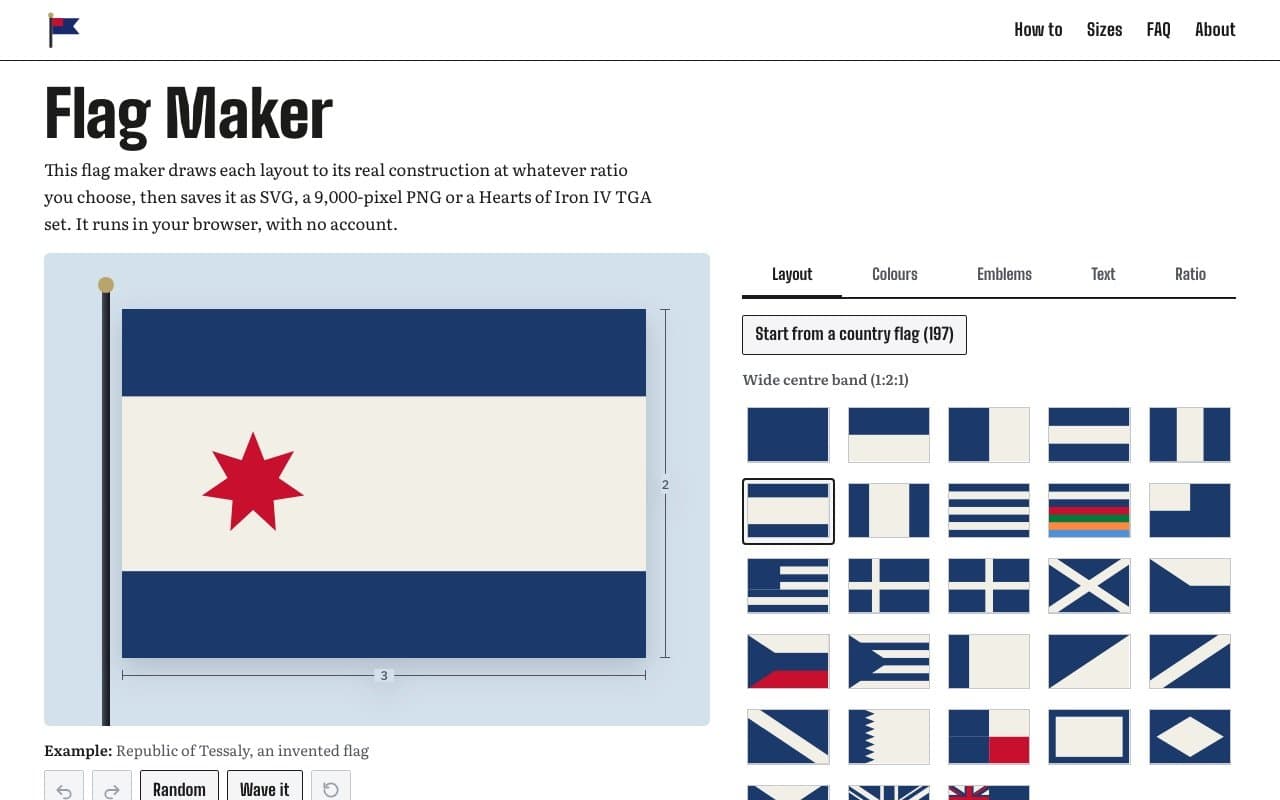
About this app
Flag Maker draws each layout to its real proportions at the ratio you choose, then saves SVG, a 9,000-pixel PNG or a Hearts of Iron IV TGA set. 28 layouts, 197 country flags to start from, 254 emblems, colour checks inspired by NAVA's Good Flag Bad Flag. No account, watermark, download limit or ads—design stays in your browser.
Key features
- 128 flag layouts computed at real construction proportions for any ratio you choose, not stretched artwork.
- 2197 national flags to start from, 254 emblems, plus custom images and lettering.
- 3Exports SVG, PNG up to 9,000px, and a Hearts of Iron IV TGA set at 82×52, 41×26 and 10×7.
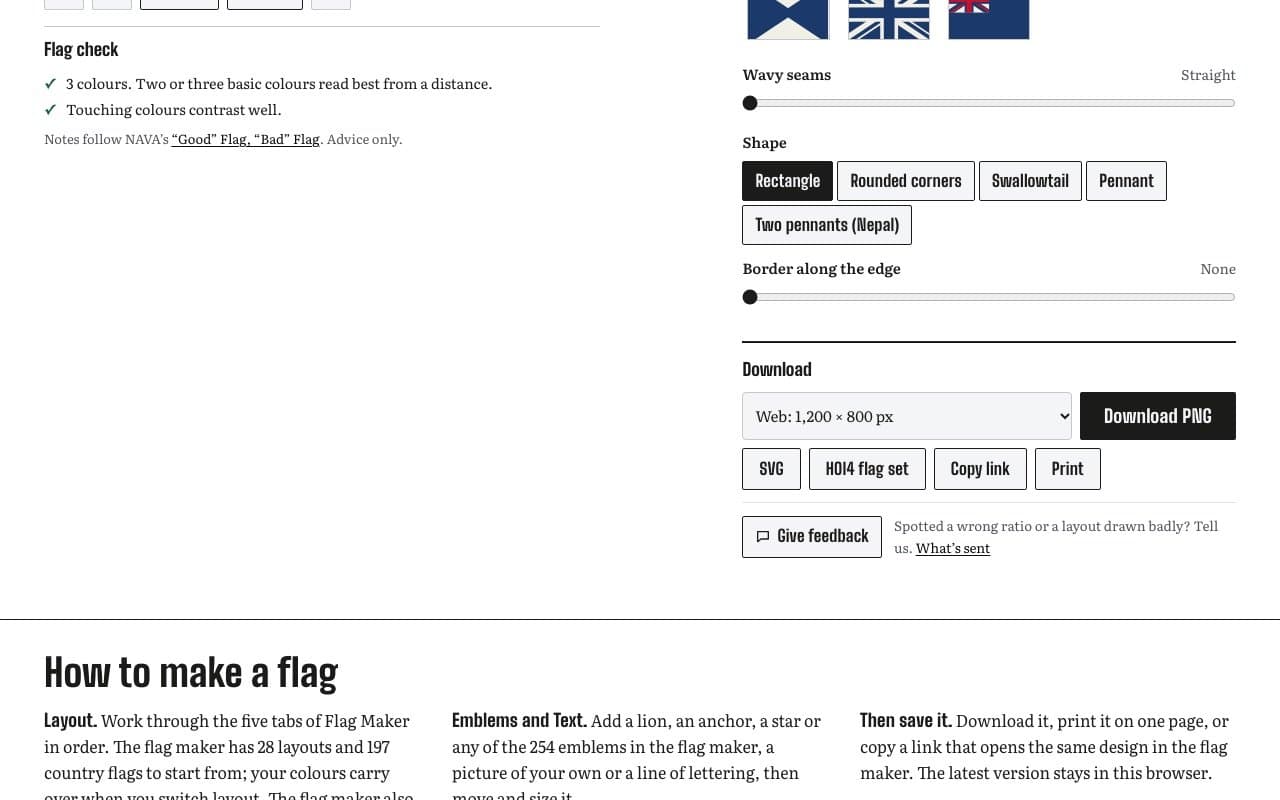
- 4NAVA-inspired flag check flags weak contrast and crowding without ever blocking a design.
- 5No account, no watermark, no download limit, no ads — design stays in the browser.
Target customer profile
Drawn from the product itself, not from a survey.
Demographic
Hearts of Iron IV modders and grand-strategy gamers
Pain points
Creating correctly sized TGA flag sets for the game is fiddly and manual
Primary needs
Three TGA sizes (82×52, 41×26, 10×7) from one design, country tag naming
Demographic
Worldbuilders, novelists and tabletop RPG players
Pain points
Making plausible fictional flags that look real and consistent
Primary needs
Real national flag templates, editable construction, fantasy-friendly layouts
Demographic
Teachers and students in classrooms
Pain points
No-account, ad-free creative tools for quick projects
Primary needs
Simple one-page print, no signup, kid-safe browser tool
Demographic
Vexillology hobbyists and flag collectors
Pain points
Generic design tools stretch layouts and ignore real flag proportions
Primary needs
Accurate construction at custom ratios, NAVA-based flag check feedback
Demographic
Club, team and event organisers
Pain points
Getting print-ready artwork to a flag printer at the right size
Primary needs
SVG and 9,000px PNG at 150 DPI, printer-spec ratios like 3:5
Scout Review
Written by AI from measured evidence, scored out of 100.
Flag Maker is a focused, well-built browser tool that does one thing properly: draw flags at real construction proportions rather than stretching artwork, then export SVG, a 9,000-pixel PNG or a Hearts of Iron IV TGA set. The measured numbers back the craft — 99/100 mobile Lighthouse performance, 100/100 accessibility, a full security header stack. The design is deliberately restrained so the flags carry the colour, and the dimensioned construction diagrams are quietly educational. Weak points are small but real: cramped layout thumbnails, low-contrast icon buttons, an unlabelled country mosaic, and no accessibility or security documentation. Against Flagmaker & Print, Tennessine and Canva, it wins on construction accuracy and HOI4 export, and loses on library breadth and print fulfilment.
Measure by measure
Usability
74Five tabs in fixed order plus a Download panel give a clear preview-to-export path, and the flag check gives non-blocking NAVA-based feedback. No signup, shareable links, and in-browser persistence keep friction low. Dense small serif body copy is the weak spot.
Design
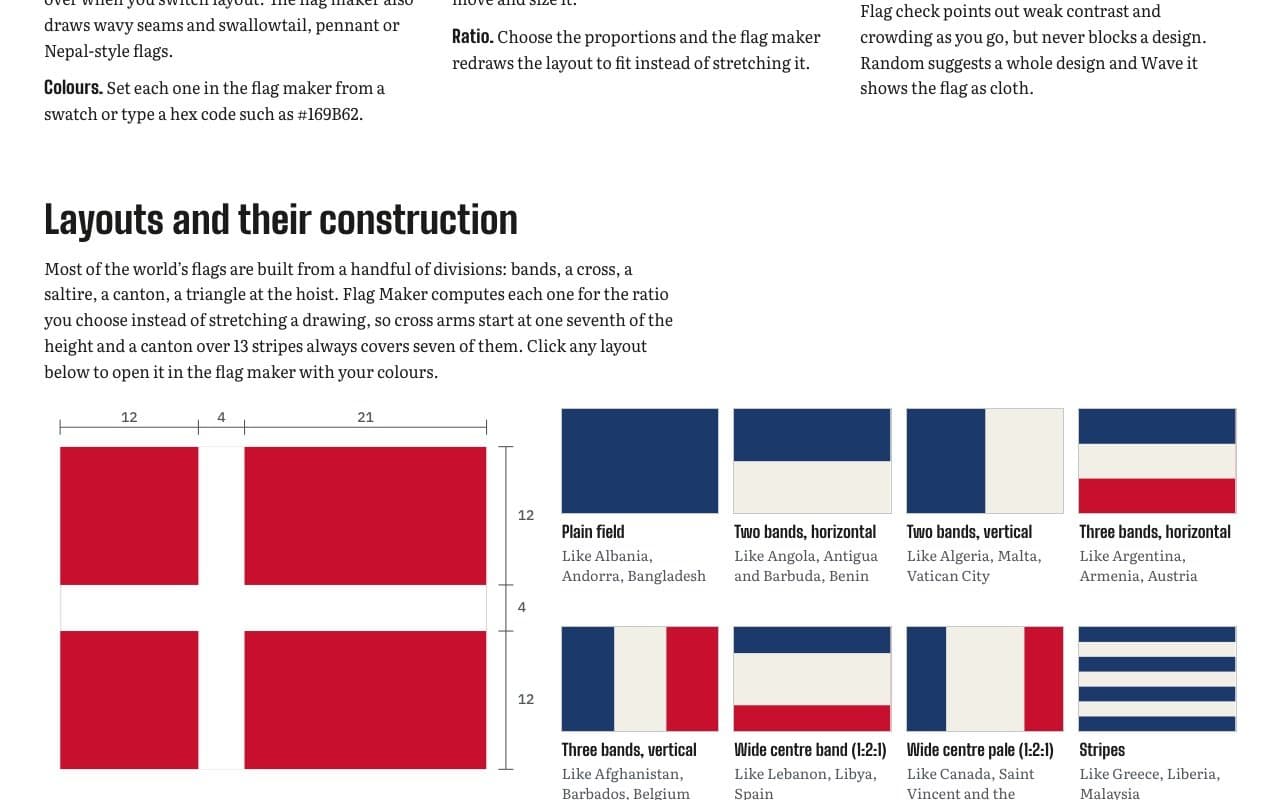
71Monochrome chrome lets the flags supply all the colour, and dimensioned construction diagrams make the layout picker genuinely educational. Held back by tiny layout thumbnails and grey-on-white undo/redo icons that read as disabled.
Speed
88Lighthouse mobile 99/100 (LCP 1.2s, CLS 0, TBT 105ms) and desktop 100/100. Design work happens client-side in the browser, so there are no server round-trips between edits and preview.
Security
76Full header stack verified: HTTPS enforced, HSTS, CSP, frame protection, Referrer-Policy and Permissions-Policy (10/12 checklist points). No SPF or DMARC on the domain, and no published security page or audit — but with no accounts and browser-only design, the stored-data surface is small.
Accessibility
79Lighthouse accessibility 100/100 with a single failing audit (visible text labels lacking matching accessible names). Responsive across mobile and desktop. No WCAG statement or accessibility page published, and the site is English-only.
Growth
63A real, specific problem — correctly sized HOI4 TGA sets at three resolutions with country-tag naming — that Canva and generic designers genuinely cannot do. Niche but loyal, with a clear wedge into vexillology and classroom use.
Improvement areas
- Layout picker thumbnails are too small to distinguish similar divisions at a glance.
- Undo, redo and reset icons are low-contrast grey and read as disabled.
- 197-flag country mosaic is unlabelled and hard to browse.
- No accessibility statement, no security page, and missing SPF/DMARC records.
Design & Usability
The interface is disciplined in a way that suits the subject: black, white and grey chrome so the flag's own colours do all the talking, with a live preview on a pale blue panel and dimension arrows that quietly prove the real-proportions claim. The five-tab flow (Layout, Colours, Emblems, Text, Ratio) with Download below reads left to right and needs no explanation. The flag check panel is the standout — plain-language, NAVA-referenced, and explicitly non-blocking. What drags it down is small stuff: layout thumbnails too tiny to tell similar divisions apart, undo/redo icons in a grey that looks disabled, and a 197-flag mosaic with no labels that scans as texture rather than a list.
Speed & Security
Speed is the strongest measured dimension: Lighthouse mobile 99/100 with LCP 1.2s, CLS 0 and TBT 105ms, desktop a clean 100. Because the design renders client-side, edits feel immediate with no server hop. Security is above category norm for an indie browser tool — HTTPS enforced with HSTS, CSP, frame protection, X-Content-Type-Options, Referrer-Policy and Permissions-Policy all verified, 10 of 12 checklist points. The gaps are SPF and DMARC on the domain, plus no published security page or audit. With no accounts and designs staying in the browser, the exposure is limited, but the email-spoofing surface is real.
Accessibility & Growth
Accessibility scores 100/100 on the automated Lighthouse audit with one failing check — visible text labels without matching accessible names — and no WCAG statement or accessibility page published, so the automated pass is all the evidence there is. The site is English-only. Growth is a judgement on the idea: Flag Maker names a genuinely underserved customer (HOI4 modders needing 82×52, 41×26 and 10×7 TGA sets with country-tag filenames) and does something Canva structurally cannot — compute layouts at real construction ratios rather than stretch a drawing. The NAVA-based flag check and the 197-flag starting library give it a second audience in vexillology hobbyists and classrooms. The ceiling is the niche itself: it will own its corner and then run out of people who care about canton proportions.
Conclusion
If you are a HOI4 modder tired of hand-resizing TGAs, or a worldbuilder who wants a flag that survives a close look, this is the tool to open first — no account, no watermark, no download limit, and it loads in about a second. If you need physical printing or an enormous symbol library, Flagmaker & Print and Tennessine still have the edge. The honest verdict: excellent execution, narrow audience, and a product that knows exactly what it is.
Suggestions for improvement
- Enlarge the layout picker thumbnails or add hover labels so similar divisions (canton vs canton-over-stripes) are distinguishable.
- Darken the undo/redo/reset icons to normal contrast so they stop reading as disabled controls.
- Add a searchable, labelled country flag list instead of an unlabelled 197-flag mosaic.
- Publish a short accessibility statement and add SPF/DMARC records to close the two verified gaps.
Alternatives comparison
Named competitors, point by point. Nobody paid to appear here or to be left out.
 Flag Maker | Flagmaker & Print |  Tennessine Flag Designer |  Canva | |
|---|---|---|---|---|
| Real construction at custom ratios (not stretched) | Yes — layouts computed for the chosen ratio | Template-based editing | Template-based with overlays | No — freeform canvas |
| Hearts of Iron IV TGA export | Yes — 82×52, 41×26, 10×7 set | No | No | No |
| Starting flag library | 197 national flags, 254 emblems | Templates plus symbol library | Large symbol/overlay library | Vast general template library |
| Account required | No | Optional for printing | Optional | Yes |
| Physical flag printing | No — print-ready files only | Yes | No | Via print partners |
| Design guidance / flag check | NAVA-based contrast and colour check | Not advertised | Not advertised | General design tips only |
Flagmaker & Print
Popular online flag designer with template-based editing and physical flag printing services.
Tennessine Flag Designer
Community flag creation tool with elaborate libraries of symbols, overlays and real flag templates.
Canva
General-purpose graphic design platform that can be used to build custom flag graphics from templates.
Comparing options? See Flag Maker alternatives, scored side by side
More Design & Creativity apps
View all Design & Creativity
RoomCreator
92An AI-powered interior and exterior design tool that tran...

QRBliss
91Branded QR codes with AI Brand Sync, 15 free dynamic code...

ThumbnailMaker
90AI YouTube thumbnail maker: paste a video link, get the brief, the thumbnail, and a check at feed size.

FontPlop
89Browser-based font viewer & tester for TTF, OTF, WOFF, WO...

Cross Stitch Pattern Maker
89Free on-device photo-to-DMC/Anchor chart with skein counts.

What the GIF
89Frame-perfect video-to-GIF maker that runs entirely in yo...

All of Us
89Add deceased loved ones to photos with AI and see free pr...

English Test Coach
89English Test Coach checks your IELTS essays and letters, gives an estimated band score across all four criteria, and tells you exactly what to revise next.

AI Vocals Generator
89Add AI singers or rappers to your own beat, get two takes...

Tracé slides
89Interactive math & physics slides with live graphs and an...

ButterKit
82macOS app for App Store screenshots: 3D mockups, auto-tra...

BeartIMAGE
88BeartIMAGE is a free, web-based image processing platform engineered for fast, bulk photo editing and conversion directly in your browser.


A platform dedicated to providing unbiased reviews of newly launched applications, analyzing everything from their features to their full potential.
info@scoutforge.net© 2026 Scoutforge. All rights reserved.
