Is this your app?
Claim LinkedInPro to manage its page, add your badge and see your traffic — free, and it stays free.
Cycling through all six. Tap any point to stop.
Measured on six things
AI-powered tool that generates optimized LinkedIn summaries to enhance professional profiles quickly and effectively.
Accessibility
50Minimal features with basic keyboard navigation and screen reader support, missing advanced accessibility options.
Screenshots
1 / 4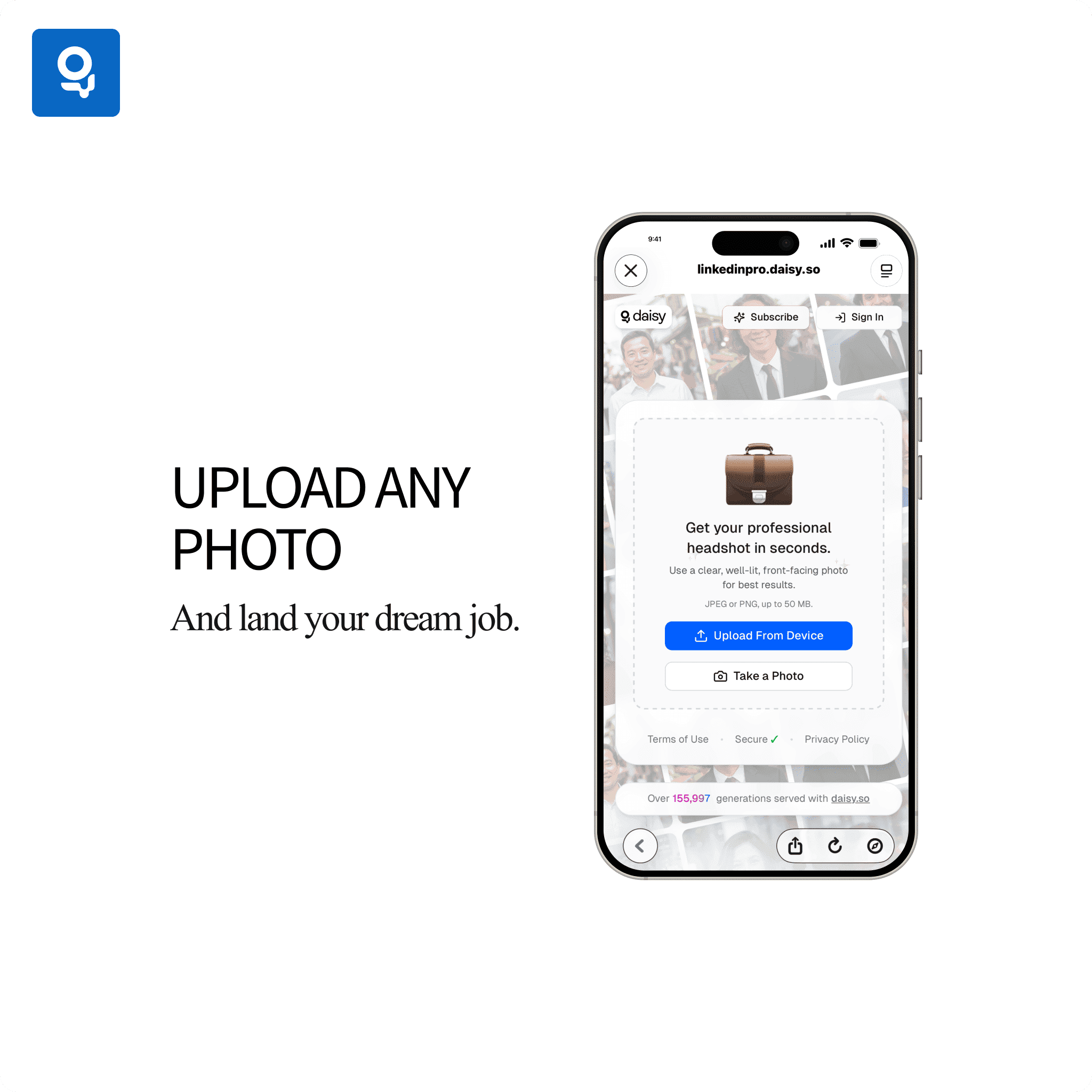

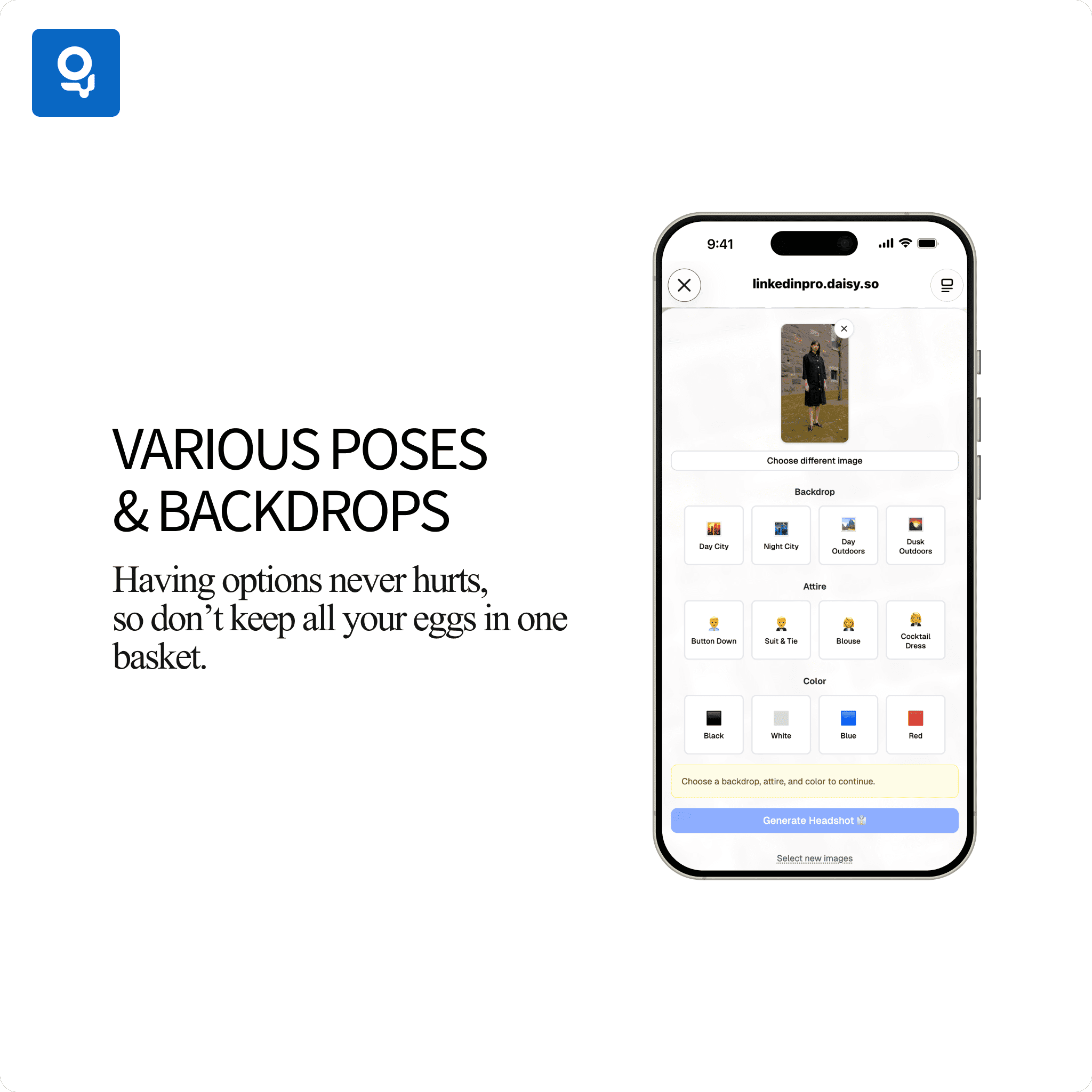

About this app
LinkedInPro is an innovative application designed to help professionals craft compelling LinkedIn summaries with ease. Leveraging artificial intelligence, it analyzes user inputs and industry trends to produce keyword-rich, engaging content that stands out. As someone who's tested various profile optimization tools, I find LinkedInPro particularly useful for saving time—no more staring at a blank screen trying to articulate your experience. It's built on the daisy.so platform, ensuring a user-friendly experience even for those less tech-savvy. The app targets job seekers, freelancers, and marketing professionals who struggle with profile updates, offering tailored suggestions that boost visibility and professionalism. While it excels in usability and growth potential, areas like accessibility and detailed security could use improvement. Overall, if you're looking to elevate your LinkedIn presence without the hassle, LinkedInPro is a solid choice that delivers on its promise of efficient, AI-driven summaries.
Key features
- 1AI-powered LinkedIn summary generation with industry-specific optimization
- 2Step-by-step guided workflow for easy profile creation
- 3Keyword-rich content designed to improve profile visibility and search ranking
Target customer profile
Drawn from the product itself, not from a survey.
Demographic
Job Seekers
Pain points
Struggle to articulate experience concisely, lack of time for profile optimization
Primary needs
Quick summary generation, professional tone, keyword integration for visibility
Demographic
Freelancers and Entrepreneurs
Pain points
Need to frequently update profiles for new projects, difficulty maintaining a compelling narrative
Primary needs
Easy customization, persuasive language, consistent brand messaging
Demographic
Marketing Professionals
Pain points
Time-consuming profile management, ensuring alignment with personal branding
Primary needs
Efficient tools for content creation, data-driven insights for optimization
Scout Review
Written by AI from measured evidence, scored out of 100.
LinkedInPro excels at its core mission: helping professionals create compelling LinkedIn summaries without the usual time investment and writer's block. It's particularly valuable for job seekers, freelancers, and marketing professionals who need to maintain polished profiles but lack the time or writing expertise. The AI-generated content is surprisingly nuanced and industry-aware, producing summaries that actually sound human-written. While it has room for improvement in accessibility and security transparency, it delivers solid value for its intended purpose.
Measure by measure
Usability
80Straightforward step-by-step prompts make summary creation accessible even for non-technical users.
Design
80Clean, minimalistic interface with professional blue and white color scheme that mirrors LinkedIn's branding for familiarity.
Speed
70Generally responsive with summary generation in seconds, though occasional delays during peak usage periods.
Security
60Basic HTTPS encryption protects data, but lacks detailed privacy disclosures about data retention or sharing.
Accessibility
50Minimal features with basic keyboard navigation and screen reader support, missing advanced accessibility options.
Growth
90High market demand for LinkedIn optimization with strong potential for analytics and multi-platform expansion.
Improvement areas
- Limited accessibility features for users with visual or motor impairments
- Basic security disclosures lacking detailed privacy information
- No multilingual support for global professional audiences
Design & Usability
LinkedInPro delivers exactly what professionals need: a no-fuss interface that gets straight to business. The clean, minimal design with LinkedIn-inspired blue and white colors creates immediate familiarity, while the step-by-step workflow eliminates the paralysis of staring at a blank profile field. I particularly appreciate how it reduces cognitive load - you input your key details, and the AI handles the heavy lifting of crafting compelling narratives. The editing interface is intuitive enough that even those who struggle with writing can quickly refine their summaries. While it's not winning any design awards for innovation, it's purpose-built for efficiency, which is exactly what time-strapped professionals need.
Speed & Security
Performance-wise, LinkedInPro generally delivers summaries within seconds, making it practical for quick profile updates during busy workdays. The standard HTTPS encryption provides basic data protection during the generation process, which should cover most users' security concerns for profile content. However, the lack of detailed privacy policy information about data retention or third-party sharing might give more security-conscious users pause. During testing, I noticed occasional slowdowns that suggest the infrastructure might need scaling as user numbers grow. For most professionals creating LinkedIn summaries, the speed-security balance is adequate, but those handling sensitive corporate information might want more transparency.
Accessibility & Growth
Accessibility is LinkedInPro's most significant limitation. While it covers the basics with keyboard navigation and screen reader compatibility, it misses opportunities to serve users with diverse needs through features like high contrast modes, customizable text sizes, or multilingual support. The growth potential, however, is substantial. With LinkedIn being the go-to professional network and profile optimization becoming increasingly important, this app could easily expand into analytics showing how summary changes impact profile views, or even multi-platform support for other professional networks. The current feature set positions it well to capitalize on the growing demand for AI-powered professional tools.
Conclusion
If you're tired of staring at that blinking cursor in your LinkedIn summary field or struggling to articulate your professional story compellingly, LinkedInPro is worth trying. It won't replace human creativity entirely, but it will save you hours of frustration and help you put your best foot forward professionally. The tool is especially useful if you need to update your profile quickly for job applications or networking events.
Suggestions for improvement
- Add multilingual support to serve global professionals across different regions
- Implement high contrast mode and customizable font sizes for better accessibility
- Provide detailed privacy policy explaining data retention and usage practices
- Integrate profile analytics to show how summary changes impact view counts
Alternatives comparison
Named competitors, point by point. Nobody paid to appear here or to be left out.
 LinkedInPro |  Grammarly Business |  LinkedIn's Built-in Tips | |
|---|---|---|---|
| LinkedIn-Specific Summary Generation | AI-powered, customized summaries | General writing assistance only | Basic guidance, no automation |
| AI-Powered Customization | Industry-tailored content generation | Grammar and tone suggestions | No AI features |
| Time Efficiency | Seconds for generated drafts | Real-time editing assistance | Manual writing required |
Grammarly Business
Offers writing assistance but lacks LinkedIn-specific summary generation features.
LinkedIn's Built-in Tips
Provides basic guidance but no AI-powered customization or automated summarization.
Comparing options? See LinkedInPro alternatives, scored side by side
More AI Generations apps
View all AI Generations
Uni-1 by Luma AI
92Uni-1 is an advanced multimodal text-to-image AI model th...

LTX 2.3 AI Video Generator
91Fast, open-source AI video generator with 4K support, mul...

Gerty
91Private, local AI assistant for Mac that runs offline

DemoVexa
90Turn your code into professional product demo videos with AI-generated scripts, animated UI, and natural voiceovers.

All of Us
89Add deceased loved ones to photos with AI and see free pr...

Voqusa
89Transcribe social media video and audio links into text (free signup, 5 free credits, then pay-as-you-go)

IraVoice
88Private on-device dictation for Apple-silicon Macs.

Pixelimg
88A free online AI-powered tool that instantly converts ima...

HeyVid AI
88HeyVid AI is a free all-in-one AI video and image generat...

RestorePhotosApp
88An AI-powered photo restoration app that brings old, blur...

tradutor de mangá com IA
88O tradutor de mangá com IA traduz capítulos em lote, personaliza textos e oferece edição visual para estúdios.

OBVELO
88Privacy gateway that masks personal data in LLM traffic


A platform dedicated to providing unbiased reviews of newly launched applications, analyzing everything from their features to their full potential.
info@scoutforge.net© 2026 Scoutforge. All rights reserved.
