Cycling through all six. Tap any point to stop.
Measured on six things
A working calculator that opens a private vault. Keep photos, notes, passwords and 2FA codes sealed, and message or call only the people you invite.
Security
52HTTPS enforced, HSTS present, some headers set. Missing CSP, frame protection, SPF, DMARC. Claims AES-256 on-device encryption but no published audits or bug bounty. 6/12 checklist points.
Screenshots
1 / 4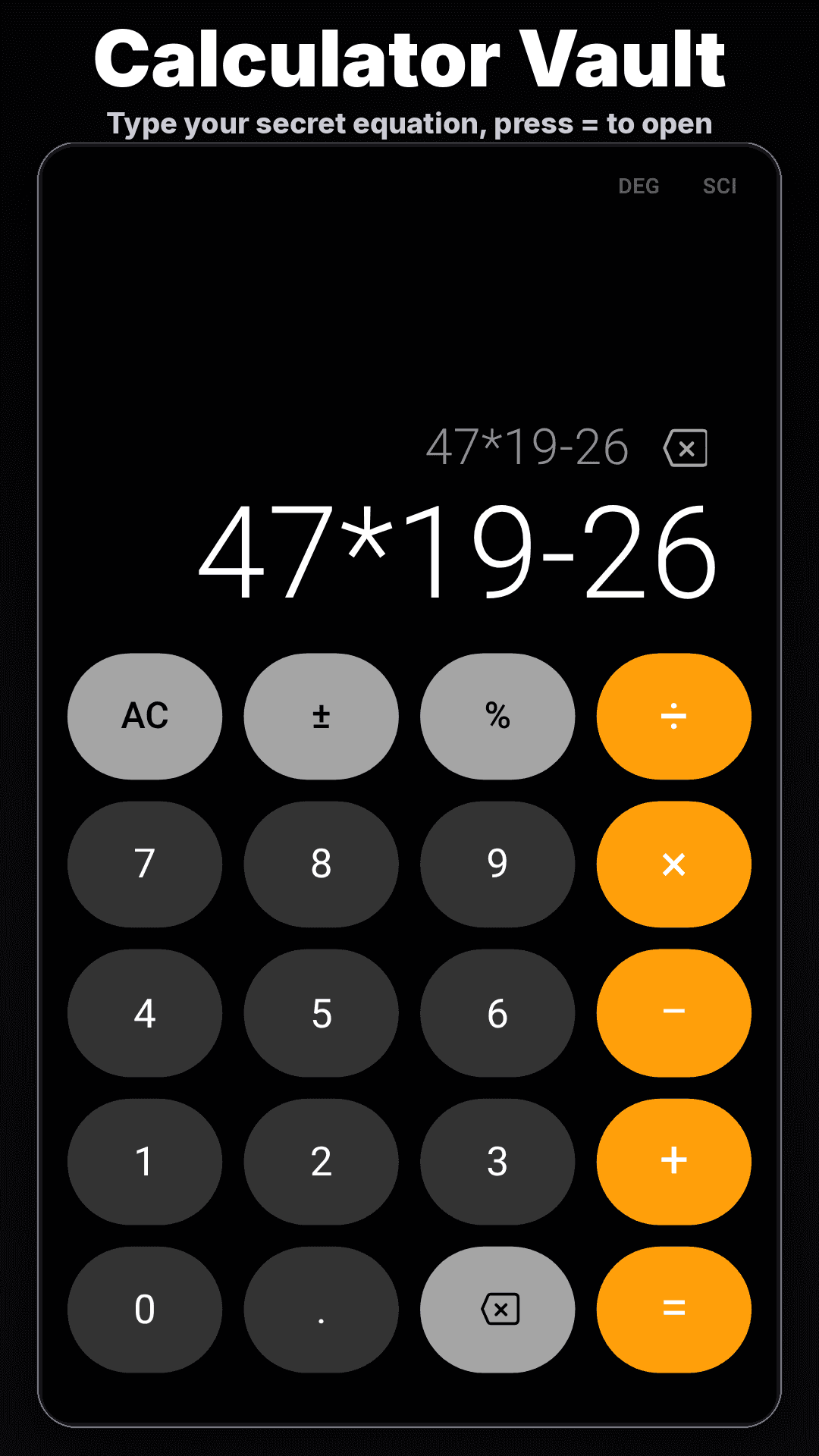
About this app
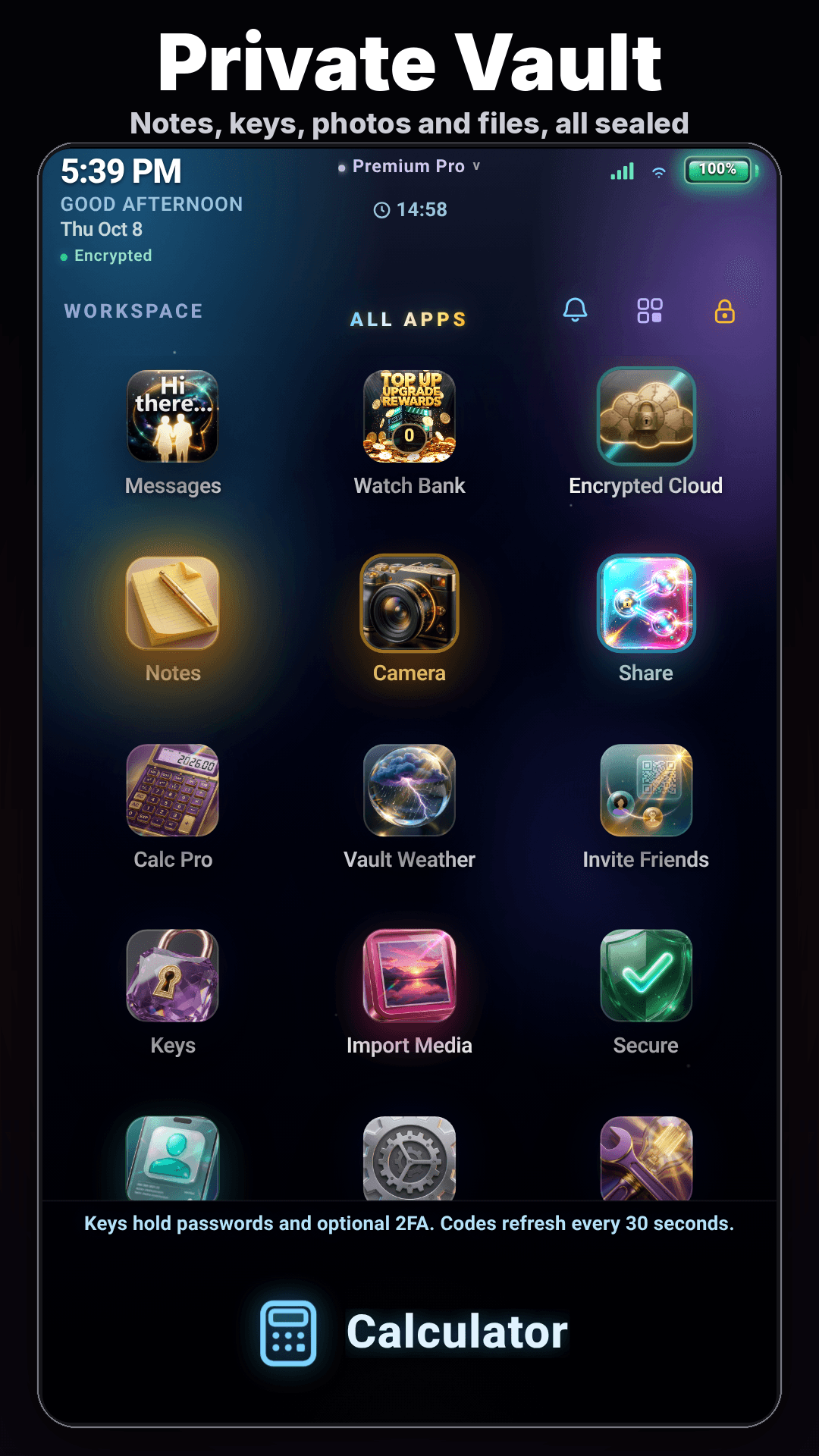
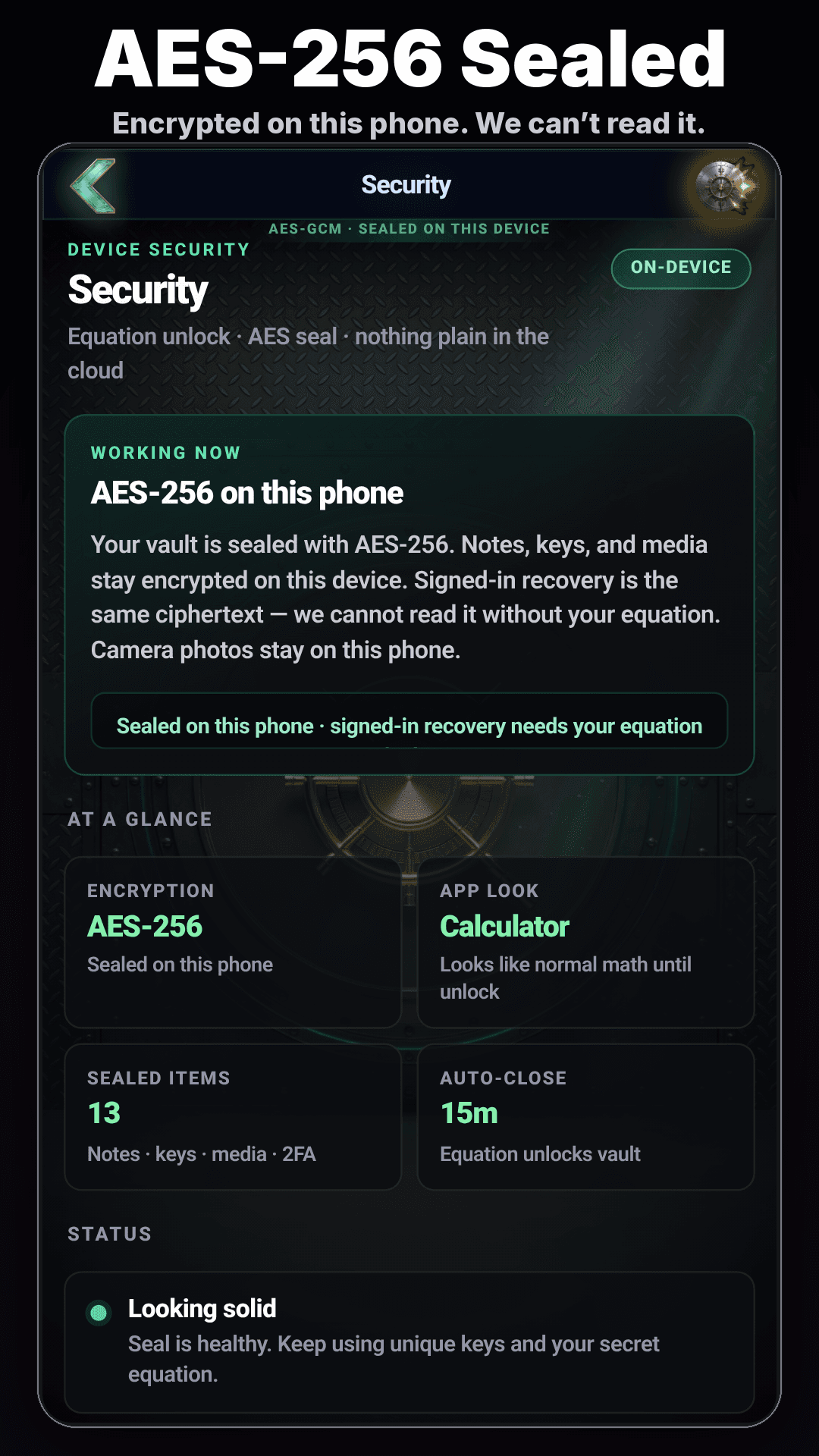
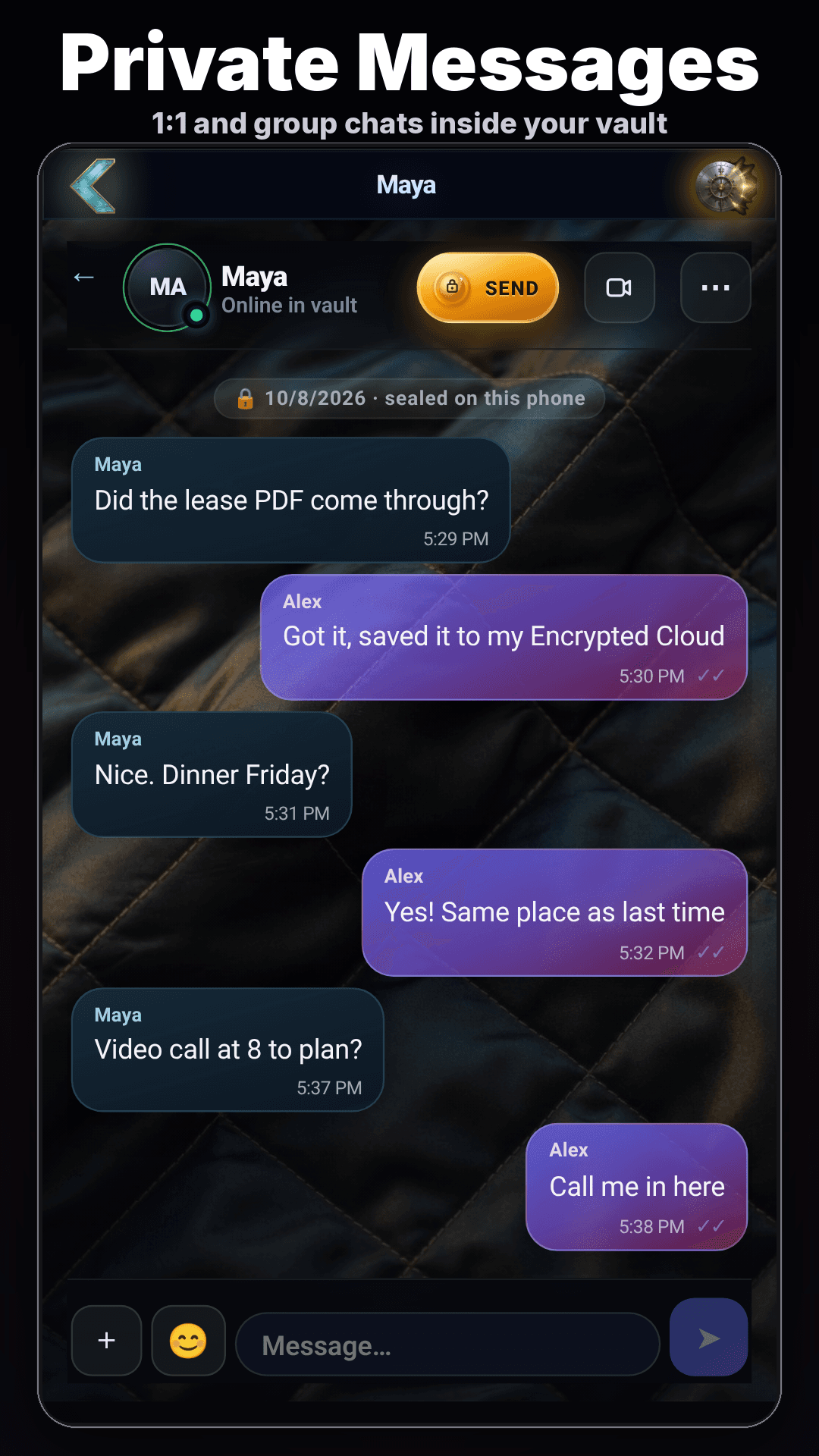
Lock It: Calculator Vault is a calculator that does real math. Type your own secret equation and press =, and it opens a private vault instead. Inside, you can keep photos and videos, notes, passwords and 2FA codes, encrypted with AES-256 on your phone. You can chat and make live video or voice calls with people you invite by key or QR code. Free with ads. Premium Pro is $4.99 a month, and Offline Vault is a $9.99 one-time purchase. Search "Lock It: Calculator Vault" on Google Play https://play.google.com/store/apps/details?id=com.appfactory.calculator&referrer=utm_source%3Dscoutforge%26utm_medium%3Dlisting%26utm_campaign%3Dfree_ads
Key features
- 1Calculator disguise: type a secret equation and press equals to open a private vault.
- 2Encrypted storage for photos, videos, notes, passwords, and 2FA codes using AES-256 on-device.
- 3Private messaging and live video/voice calls with invited contacts via key or QR code.
Target customer profile
Drawn from the product itself, not from a survey.
Demographic
Privacy-conscious Android users
Pain points
Worried about others accessing private photos, notes, or passwords on their phone.
Primary needs
A discreet, password-protected vault that doesn't look like a vault.
Demographic
Professionals handling sensitive data
Pain points
Need to store work-related credentials and 2FA tokens securely on a personal device.
Primary needs
Encrypted storage for multiple types of data, with easy access via a calculator disguise.
Demographic
Individuals in shared living situations
Pain points
Family members or roommates might borrow their phone and stumble upon private content.
Primary needs
A hidden app that looks innocuous, plus private messaging for confidential chats.
Scout Review
Written by AI from measured evidence, scored out of 100.
Lock It: Calculator Vault is a clever Android app that disguises a private vault behind a working calculator. Type your secret equation, press equals, and you're in. Inside: photos, notes, passwords, 2FA codes, encrypted chat, and live calls. The app UI looks polished and consistent. The website is less impressive — cramped text, undersized CTA, and missing security headers. Speed is excellent (Lighthouse 90/100 mobile). Security is a mixed bag: AES-256 on-device is good, but no third-party audits and incomplete HTTP headers. Accessibility is strong (96/100) with one minor fix needed. Growth is a real question — the disguise is clever, but Calculator Vault and Keepsafe already own this space. At $4.99/month or $9.99 one-time, pricing is fair. For privacy-conscious Android users who want a discreet vault, it's worth a look — just don't expect enterprise-grade compliance.
Measure by measure
Usability
60Value prop is clear in hero, but unlock mechanism requires reading dense text. Single Play CTA with no secondary path. Free tier with ads, $4.99/mo Pro, $9.99 one-time offline — pricing is straightforward.
Design
58Judged on the app's own UI via store screenshots and homepage mockups: consistent dark theme with orange accents, clear calculator/vault duality. Landing page has cramped text block and undersized Play CTA.
Speed
78Lighthouse mobile 90/100, desktop 95/100. LCP 2.4s, TBT 0ms, FCP 873ms. CLS 0.172 is the weak spot — layout shifts on load. No user complaints about lag found.
Security
52HTTPS enforced, HSTS present, some headers set. Missing CSP, frame protection, SPF, DMARC. Claims AES-256 on-device encryption but no published audits or bug bounty. 6/12 checklist points.
Accessibility
80Lighthouse accessibility 96/100. Failing audit: missing main landmark. No a11y statement or multi-language support found. Automated checks only cover part of WCAG.
Growth
55Real problem (phone privacy in shared spaces) with a specific wedge: calculator disguise plus encrypted chat. But alternatives like Calculator Vault and Keepsafe already own this niche. Domain is brand new.
Improvement areas
- Website security headers: add CSP, frame protection, Permissions-Policy, SPF, and DMARC.
- Publish third-party security audits or a bug bounty program to validate AES-256 claims.
- Improve landing page design: fix CLS, resize Play CTA, add demo video, and clean up screenshot grid.
Design & Usability
Lock It's design is judged on the app itself, not just the landing page. The store screenshots show a clean, consistent dark UI with orange accents — calculator keypad, vault grid, security settings, and chat all look cohesive. The homepage, however, is a mixed bag: the hero card floats in excessive black space, the screenshot grid has mismatched bezels, and the Google Play button is undersized. Usability-wise, the value proposition is immediately clear, but the unlock mechanism requires reading a dense paragraph. There's no demo video or secondary CTA for curious users. Pricing is straightforward: free with ads, $4.99/month Pro, $9.99 one-time offline. The core interaction — type equation, press equals, vault opens — is genuinely clever and well-executed in the screenshots. But the onboarding path on the website feels like an afterthought.
Speed & Security
Speed is a strength: Lighthouse mobile 90/100, desktop 95/100, with LCP 2.4s and TBT 0ms. The only blemish is a CLS of 0.172, meaning the page shifts slightly on load. No user complaints about lag were found. Security is more complicated. The app claims AES-256 on-device encryption, which is solid for a consumer vault. But the website's HTTP headers are incomplete: no CSP, no frame protection, no SPF or DMARC. The checklist scores 6/12. There's no published SOC 2, ISO certification, or bug bounty program. For a privacy-focused product, that's a gap — users are asked to trust the encryption without third-party verification. The HTTPS and HSTS are in place, which is table stakes, but the missing email authentication records are a real oversight.
Accessibility & Growth
Accessibility scores 96/100 on Lighthouse, with one failing audit: missing main landmark. That's a minor fix. There's no accessibility statement or multi-language support mentioned, which limits reach. Automated checks only cover part of WCAG, so manual testing would be needed for a full picture. Growth potential is moderate. The problem — hiding private content on a shared phone — is real and the calculator disguise is a specific, demonstrable differentiator. But the category already has established players: Calculator Vault (photo/video focus) and Keepsafe (dedicated photo vault). Lock It adds encrypted chat and 2FA storage, which broadens the use case. The domain is brand new (registered 2026-09-29), and there's no traction data yet. The idea has room, but it needs to prove why users should switch from the incumbents.
Conclusion
Lock It nails the core idea: a calculator that hides a vault is genuinely useful for anyone in a shared living situation or handling sensitive data on a personal phone. The app's UI is clean, the encryption claim is solid, and the speed is impressive. But the website undersells it, and the security story lacks third-party validation. If you're comfortable trusting on-device AES-256 without an audit, the free tier is a low-risk way to try it. The $9.99 one-time Offline Vault is the best value if you don't need chat. Just know that the calculator disguise only works if nobody watches you type the equation.
Suggestions for improvement
- Add a short demo video or animated GIF showing the equation-unlock flow — it's the killer feature and deserves more than a paragraph.
- Publish a security page with details on AES-256 implementation, key management, and any third-party audits or bug bounty programs.
- Fix the CLS (0.172) by reserving space for images and fonts to eliminate layout shift on load.
- Add a main landmark to the homepage and consider an accessibility statement to reach WCAG compliance.
Alternatives comparison
Named competitors, point by point. Nobody paid to appear here or to be left out.
 Lock It: Calculator Vault Lock It: Calculator Vault |  Calculator Vault Calculator Vault |  Keepsafe Keepsafe | |
|---|---|---|---|
| Disguise mechanism | Calculator with secret equation unlock | Calculator disguise for photo/video hiding | No disguise; dedicated photo vault app |
| Encryption | AES-256 on-device | Not specified | Military-grade encryption |
| Supported content types | Photos, videos, notes, passwords, 2FA, chat | Photos and videos | Photos and videos |
| Pricing | Free with ads; $4.99/mo Pro; $9.99 one-time offline | Free with ads; in-app purchases | Free with ads; premium subscription |
| Private messaging/calls | Yes, with invited contacts | No | No |
Calculator Vault
Another popular Android app that disguises a private gallery as a calculator, but focuses mainly on photo and video hiding.
Keepsafe
A dedicated photo vault with military-grade encryption, though it doesn't disguise itself as a calculator.
Comparing options? See Lock It: Calculator Vault alternatives, scored side by side
More Security apps
View all Security
OBVELO
88Privacy gateway that masks personal data in LLM traffic

Sidenty
87Sidenty is a professional digital identity protection ser...

ProcessSpy
87A native macOS process explorer and advanced monitor that...

Privacy Requests
84DSAR management software for small teams.

Noden
84Native macOS SSH, SFTP & RDP client with a Keychain-backe...

VaultKeepR
84Password manager with no email, no account, no tracking. ...

eGuard
84Verifiable parental controls for families in the Philippines

Archonum
84Real-device browser automation for AI agents

PCDOTS Email Recovery Software
83Recovers emails from corrupt mailboxes across 50+ platforms.

CertAssist.io
83Simple, affordable compliance certification for ISO 27001...

Traceback
83Reveal No Caller ID, unknown numbers, and private callers...

Axeploit
82A zero-config AI-powered vulnerability scanner automating...


A platform dedicated to providing unbiased reviews of newly launched applications, analyzing everything from their features to their full potential.
info@scoutforge.net© 2026 Scoutforge. All rights reserved.
