Is this your app?
Claim MindMap AI to manage its page, add your badge and see your traffic — free, and it stays free.
Cycling through all six. Tap any point to stop.
Measured on six things
An AI-powered tool that instantly generates mind maps from documents, audio, and video to streamline brainstorming and organization.
Accessibility
60Basic keyboard navigation but limited screen reader support and English-only inputs reduce global accessibility.
Screenshots
1 / 1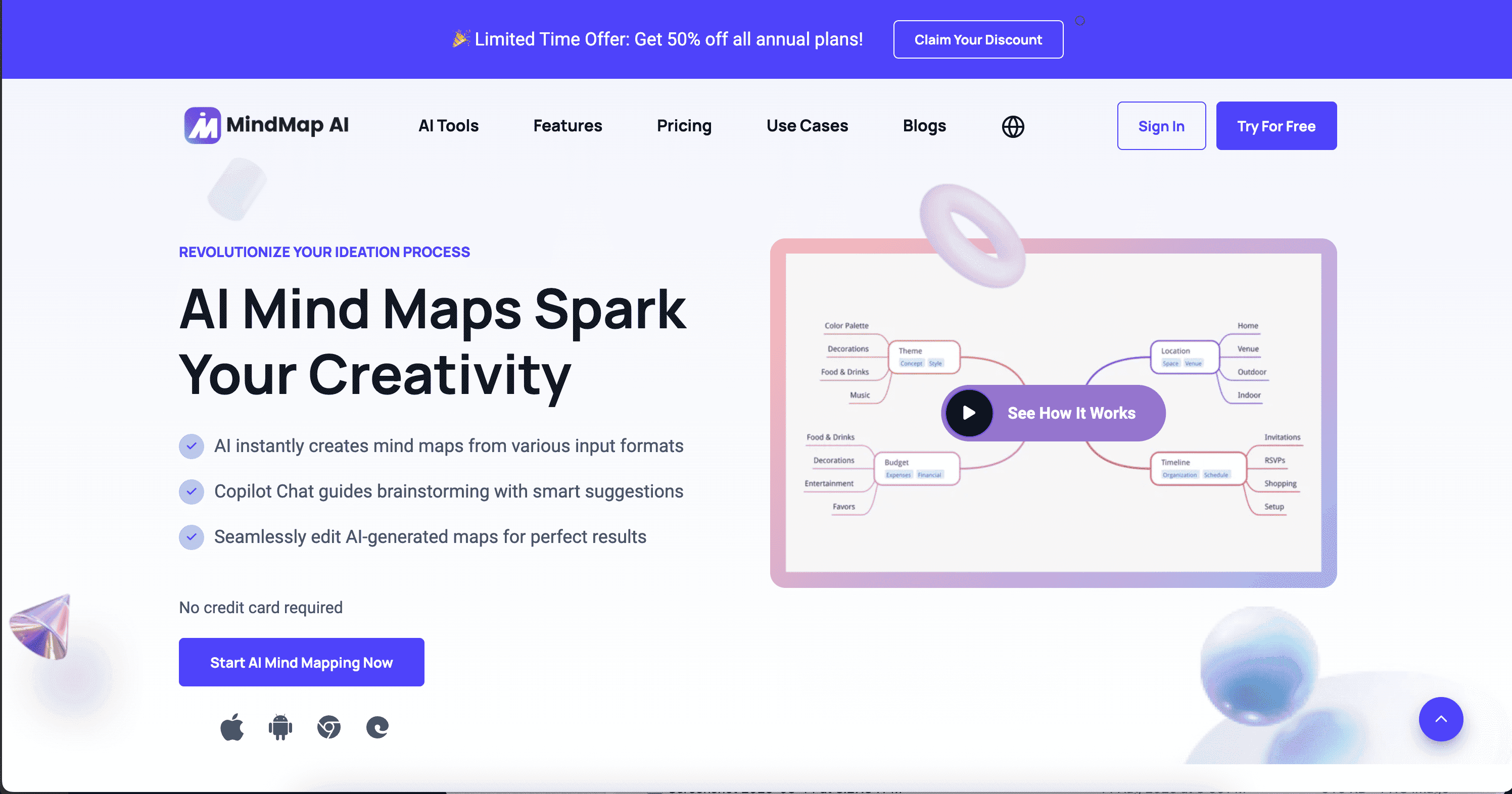
About this app
MindMap AI is an innovative application that uses artificial intelligence to transform how users create and interact with mind maps. By accepting inputs like PDFs, text, audio, and video, it quickly generates structured visual maps, making it ideal for students, professionals, and anyone dealing with information overload. Key features include the Copilot Chat for real-time idea refinement, multi-platform support (web, mobile, browser extensions), and a user-friendly interface. With over 100,000 users from institutions like Stanford and Georgetown, it's praised for its speed and ease of use, though it could improve in areas like security transparency and accessibility. Overall, it's a powerful tool for enhancing productivity in education, research, and business settings.
Key features
- 1AI-powered mind map generation from PDFs, text, audio, and video inputs
- 2Copilot Chat for real-time idea refinement and brainstorming assistance
- 3Multi-platform support across web, mobile, and browser extensions
Target customer profile
Drawn from the product itself, not from a survey.
Demographic
Students
Pain points
Time-consuming note-taking, difficulty organizing complex study materials, need for visual learning aids
Primary needs
Quick summarization of textbooks/lectures, efficient exam preparation, collaborative project planning
Demographic
Professionals (Researchers, Consultants, Managers)
Pain points
Information overload from reports and meetings, slow brainstorming processes, challenges in presenting ideas clearly
Primary needs
Rapid synthesis of data from multiple sources, effective team collaboration, streamlined project visualization
Demographic
Content Creators and Educators
Pain points
Struggling to structure ideas for courses or content, time constraints in creating visual aids, need for engaging presentation materials
Primary needs
Easy creation of instructional mind maps, integration of multimedia inputs, tools for enhancing audience engagement
Scout Review
Written by AI from measured evidence, scored out of 100.
MindMap AI excels at its core mission: transforming complex information into visual mind maps with impressive speed and ease. The AI-powered generation from multiple input formats makes it incredibly useful for students, researchers, and professionals dealing with information overload. The Copilot Chat feature adds valuable real-time refinement capabilities, acting like a brainstorming partner that enhances the creative process. While security transparency and accessibility need attention, the app's strong performance in usability and speed, combined with its growing institutional adoption, make it a compelling choice for anyone needing to organize thoughts visually.
Measure by measure
Usability
90Intuitive multi-format input with drag-and-drop, seamless editing tools, and straightforward navigation for both beginners and power users.
Design
80Clean modern interface with minimalist color scheme, though mobile experience feels cramped compared to spacious web version.
Speed
90Impressive 5-10 second generation for documents, quick website loading, minimal lag during edits - lives up to 'instant' claims.
Security
70Basic encryption mentioned for data transmission, but sparse details on storage encryption and data handling practices.
Accessibility
60Basic keyboard navigation but limited screen reader support and English-only inputs reduce global accessibility.
Growth
90Strong traction with 100K+ users from Stanford, Georgetown, high demand in education and professional sectors.
Improvement areas
- Mobile interface optimization for better small-screen usability
- Enhanced security transparency and detailed privacy practices
- Expanded accessibility features including multi-language support
Design & Usability
MindMap AI delivers a clean, modern interface that prioritizes functionality over flashy design. The minimalist color scheme using soft blues and grays creates a distraction-free environment where your mind maps take center stage. Navigation feels intuitive with clear buttons and drag-and-drop functionality that makes uploading PDFs or other content straightforward. The editing tools integrate seamlessly, allowing you to tweak AI-generated nodes without disrupting your workflow. However, there's a noticeable gap between the web and mobile experiences - while the desktop version offers spacious layouts perfect for complex projects, the mobile app feels cramped and could benefit from better optimization for smaller screens.
Speed & Security
Performance is where MindMap AI truly shines, with mind maps generating in just 5-10 seconds for standard documents - living up to its 'instant' promise. The website loads quickly, and edits apply without noticeable lag, making for a smooth user experience. Security presents a mixed picture: the privacy policy mentions data encryption during transmission, which is reassuring, but details about storage encryption and comprehensive data handling practices remain sparse. For an app handling sensitive documents from educational institutions and businesses, greater transparency around security measures would significantly boost user confidence. Heavy files like lengthy videos may slow processing slightly, but overall speed performance remains impressive.
Accessibility & Growth
Accessibility features represent the app's biggest area for improvement. While basic keyboard navigation is supported, screen reader compatibility isn't clearly highlighted, and language options appear limited to English-based inputs. This creates barriers for non-native speakers and users with visual impairments. On the growth front, MindMap AI shows tremendous potential with over 100,000 users from prestigious institutions like Stanford and Georgetown. The demand for AI-powered organization tools in education and professional sectors continues to grow, positioning this app well for continued expansion. The multi-platform availability across web, mobile, and browser extensions further enhances its market reach and adoption potential.
Conclusion
If you're drowning in documents, lectures, or meeting notes and need a fast way to visualize connections, MindMap AI is worth exploring. It's particularly well-suited for students tackling complex subjects, researchers synthesizing multiple sources, or professionals preparing presentations under tight deadlines. The 50% discount on annual plans makes it an affordable experiment in AI-powered organization. Give it a try if you want to transform your brainstorming sessions from chaotic to coherent in minutes rather than hours.
Suggestions for improvement
- Optimize mobile interface with more spacious layouts and better touch controls for on-the-go usability
- Publish comprehensive security documentation detailing encryption standards and data handling practices
- Implement multi-language support and enhance screen reader compatibility for global accessibility
- Add alt-text capabilities for images within mind maps to improve inclusivity
Alternatives comparison
Named competitors, point by point. Nobody paid to appear here or to be left out.
 MindMap AI |  Xmind AI |  Mapify |  Whimsical AI | |
|---|---|---|---|---|
| AI Generation Speed | 5-10 seconds for documents | Similar speed with traditional focus | Comparable multi-format processing | Integrated within broader workspace |
| Input Format Support | PDF, text, audio, video | Document and text focus | PDF and video emphasis | Text and document inputs |
| Platform Availability | Web, mobile, browser extensions | Desktop and web focus | Web-based platform | Web and desktop applications |
Xmind AI
An established mind mapping tool with AI features, focusing on traditional aesthetics and auto-generation capabilities.
Mapify
An AI summarizer that converts content like PDFs and videos into mind maps, competing on multi-format input support.
Whimsical AI
Provides AI mind mapping within a broader visual workspace, ideal for users needing diagrams and flowcharts alongside mind maps.
Comparing options? See MindMap AI alternatives, scored side by side
More AI Generations apps
View all AI Generations
Uni-1 by Luma AI
92Uni-1 is an advanced multimodal text-to-image AI model th...

Gerty
91Private, local AI assistant for Mac that runs offline

LTX 2.3 AI Video Generator
91Fast, open-source AI video generator with 4K support, mul...

DemoVexa
90Turn your code into professional product demo videos with AI-generated scripts, animated UI, and natural voiceovers.

All of Us
89Add deceased loved ones to photos with AI and see free pr...

Voqusa
89Transcribe social media video and audio links into text (free signup, 5 free credits, then pay-as-you-go)

Pixelimg
88A free online AI-powered tool that instantly converts ima...

IraVoice
88Private on-device dictation for Apple-silicon Macs.

OBVELO
88Privacy gateway that masks personal data in LLM traffic

tradutor de mangá com IA
88O tradutor de mangá com IA traduz capítulos em lote, personaliza textos e oferece edição visual para estúdios.

HeyVid AI
88HeyVid AI is a free all-in-one AI video and image generat...

RestorePhotosApp
88An AI-powered photo restoration app that brings old, blur...


A platform dedicated to providing unbiased reviews of newly launched applications, analyzing everything from their features to their full potential.
info@scoutforge.net© 2026 Scoutforge. All rights reserved.
