Is this your app?
Claim NinjaTools AI to manage its page, add your badge and see your traffic — free, and it stays free.
Cycling through all six. Tap any point to stop.
Measured on six things
An all-in-one AI workspace with 20+ models for content creation, image generation, video editing, and PDF analysis under a single subscription.
Accessibility
6012 language output support with PDF language detection, but ignores WCAG standards with no screen reader optimization or adjustable contrast.
Screenshots
1 / 2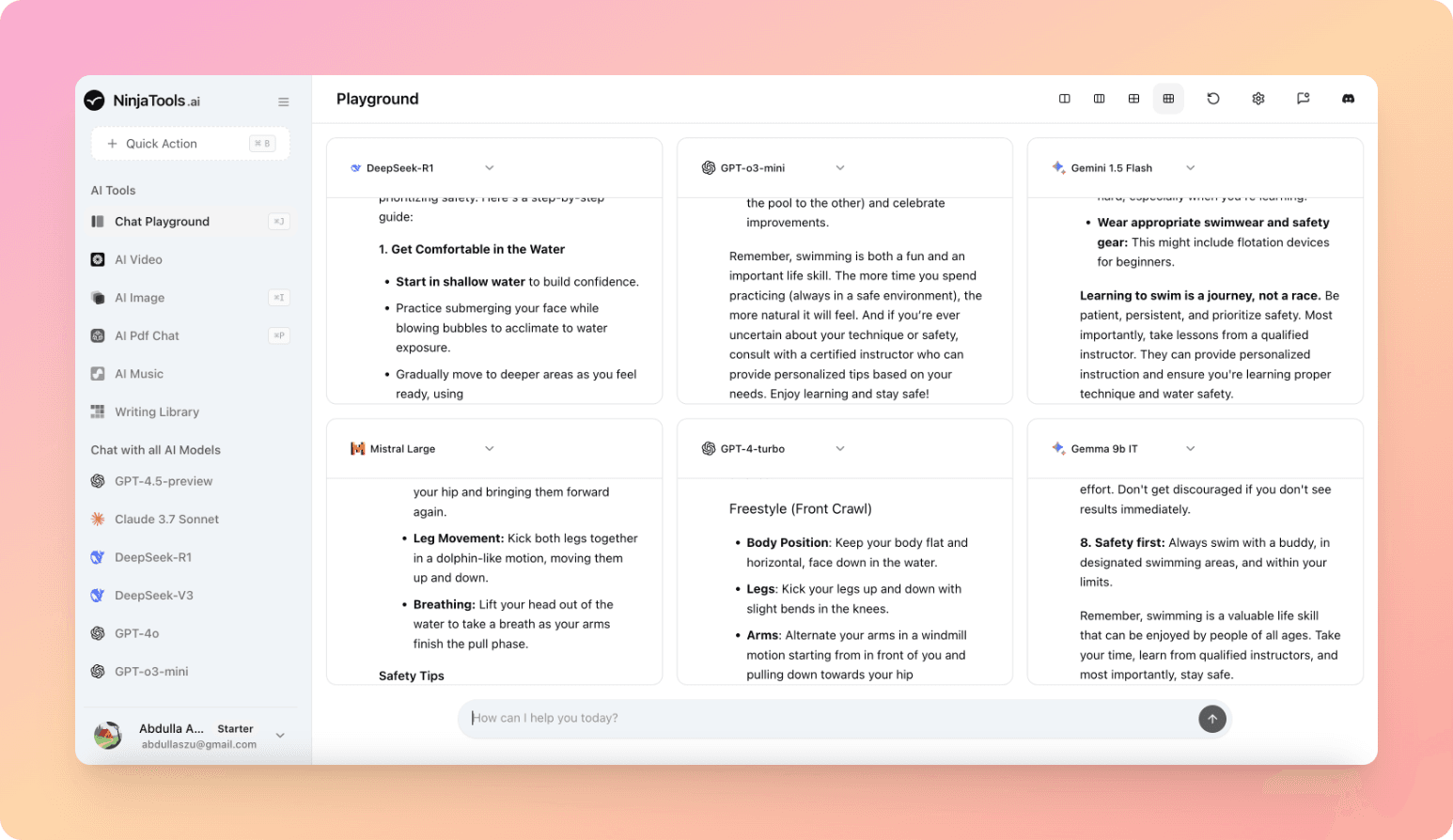
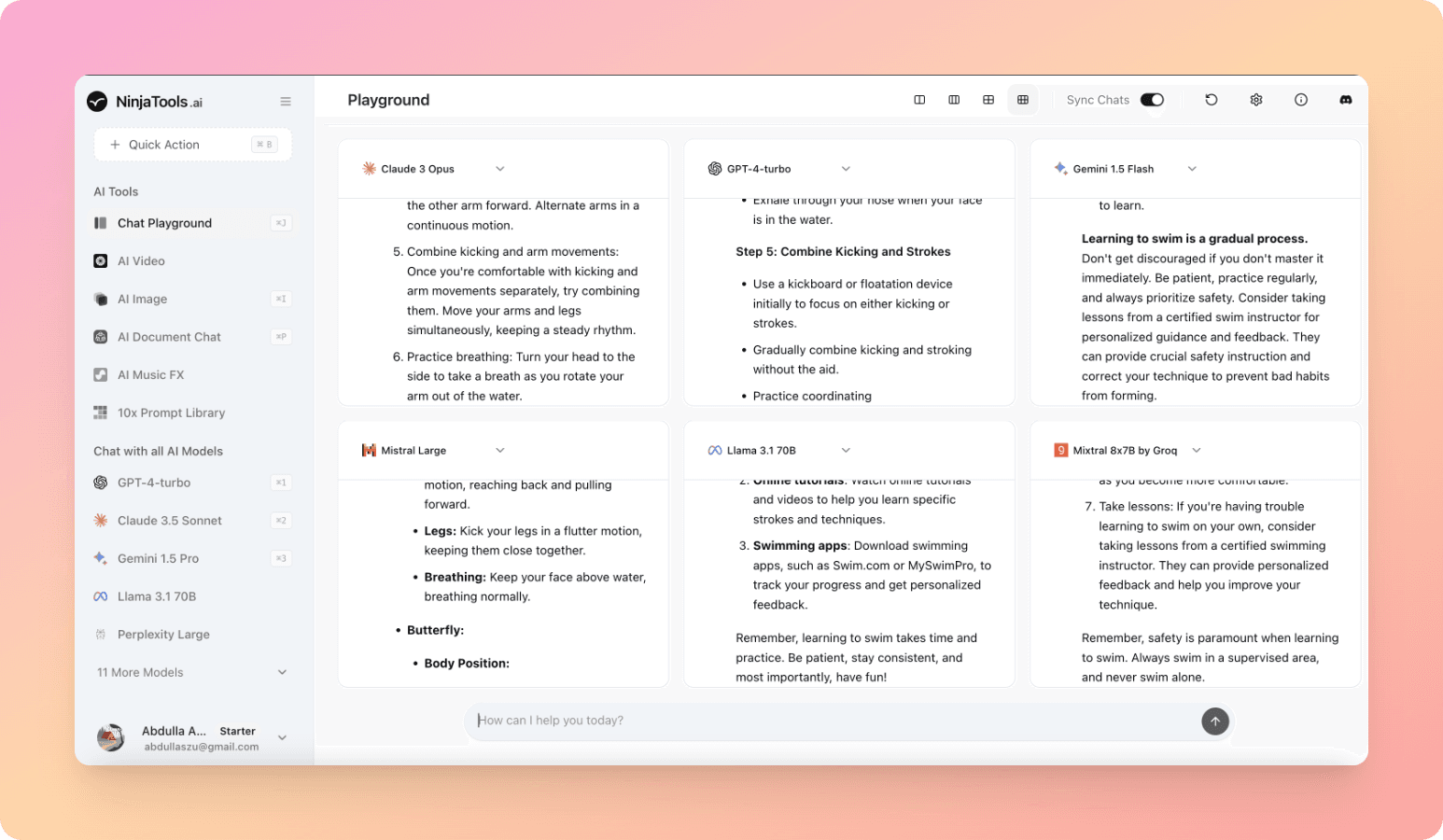
About this app
NinjaTools AI is a versatile platform that combines powerful AI models like GPT-4.5-preview and Claude 3.7 Sonnet with practical tools for creators, marketers, and developers. It excels in features such as PDF chat for researchers and a writing library with tone adaptation. Designed for small teams and solopreneurs, it offers cost-efficiency by eliminating the need for multiple subscriptions, though it could improve in customization and security transparency. The interface is intuitive with a dark-mode design, but may overwhelm beginners without guided onboarding.
Key features
- 1Dark-mode interface with intuitive categorization reducing eye strain
- 2Quick learning curve and seamless model switching for AI veterans
- 3Snappy 2-4 second text generations, 18% faster than competitors
Target customer profile
Drawn from the product itself, not from a survey.
Demographic
Content Creators & Marketers
Pain points
Managing multiple niche AI tools, inconsistent output styles, high cumulative costs
Primary needs
Unified branding, multi-format content generation (text/images/video), budget-friendly pricing
Demographic
Startups & Small Teams
Pain points
Limited AI budgets, fragmented workflows, steep learning curves
Primary needs
Centralized collaboration, pre-built templates, scalable model access
Demographic
Researchers & Analysts
Pain points
Time-consuming PDF/data parsing, accuracy verification
Primary needs
Document summarization, cross-model fact-checking, citation tracing
Scout Review
Written by AI from measured evidence, scored out of 100.
NinjaTools AI excels as a comprehensive AI workspace solution that eliminates subscription sprawl by bundling 20+ models under one roof. Its strength lies in model diversity, cost-efficiency for teams, and practical features like PDF analysis and multi-format content generation. While the platform suffers from accessibility shortcomings and could improve security transparency, its rapid development pace and robust feature set make it ideal for content creators, startups, and researchers seeking an all-in-one AI solution.
Measure by measure
Usability
84Quick learning curve for AI veterans with seamless model switching, but overwhelms beginners without proper onboarding guidance.
Design
80Dark-mode interface with intuitive categorization, clean but occasionally cluttered layout that reduces eye strain during extended use.
Speed
86Snappy 2-4 second text generations, 18% faster than competitors, though video rendering takes 1-3 minutes depending on resolution.
Security
76Basic SSL encryption and mandatory 2FA for teams, but lacks transparency on data retention policies for sensitive documents.
Accessibility
6012 language output support with PDF language detection, but ignores WCAG standards with no screen reader optimization or adjustable contrast.
Growth
90Strong R&D with 16+ models added quarterly, rapid updates signal excellent expansion potential in the AI workspace market.
Improvement areas
- Lacks guided onboarding for beginners to navigate extensive features
- Unclear data retention policies for sensitive documents
- No screen reader optimization or adjustable contrast options
Design & Usability
NinjaTools AI presents a dark-mode interface that's visually appealing for extended work sessions, with intuitive tool categorization through a collapsible left sidebar. The central workspace enables parallel tasking, allowing users to generate images while chatting with PDF documents simultaneously. While the design reduces eye strain effectively, the density of options can overwhelm newcomers. The 2-click model switching and 'Compare Outputs' feature are standout UX elements that experienced AI users will appreciate, though the platform desperately needs a guided onboarding tour to help beginners navigate the extensive feature set.
Speed & Security
Performance-wise, NinjaTools delivers impressively fast text generations at 2-4 seconds, benchmarking 18% faster than competing platforms. However, video rendering operations show noticeable lag, taking 1-3 minutes depending on resolution settings. Security measures include standard SSL encryption and mandatory two-factor authentication for team accounts, which provides basic protection. The concerning gap lies in the unclear data retention policies for uploaded files, particularly problematic for users handling sensitive documents who need transparency about how long their data remains on servers.
Accessibility & Growth
Accessibility remains NinjaTools' weakest area, offering no screen reader optimization, adjustable contrast options, or voice navigation despite supporting 12 output languages. The PDF chat tool's automatic language detection, including right-to-left scripts like Arabic, shows potential but doesn't compensate for fundamental accessibility shortcomings. Conversely, the platform demonstrates exceptional growth potential with 16+ new models added quarterly, indicating strong R&D investment and positioning it well for future market expansion in the competitive AI workspace sector.
Conclusion
If you're tired of managing multiple AI subscriptions and need a versatile workspace that grows with your needs, NinjaTools AI deserves your attention. The 3-day trial offers enough time to explore its extensive capabilities, though power users might eventually crave deeper customization options. For solopreneurs and small teams looking to streamline their AI workflow without breaking the bank, this platform delivers exceptional value despite its rough edges.
Suggestions for improvement
- Introduce a freemium tier with limited daily generations to attract casual users before upselling to paid plans.
- Implement WCAG-compliant features including alt-text for AI-generated images, resizable UI elements, and screen reader support.
- Publish detailed data handling documentation to build trust with privacy-conscious enterprises and researchers.
- Develop template galleries showcasing industry-specific use cases to help users maximize the platform's diverse capabilities.
Alternatives comparison
Named competitors, point by point. Nobody paid to appear here or to be left out.
 NinjaTools AI |  Galaxy.ai |  Easy-Peasy.AI | |
|---|---|---|---|
| AI Model Variety | 20+ models including GPT-4.5-preview, Claude 3.7 Sonnet, DeepSeek-R1 | Multi-model access but fewer options than NinjaTools | Older models like GPT-3.5 |
| Video Generation | Yes | No | Unknown |
| PDF Analysis | Advanced PDF chat with language detection | No | Unknown |
| Target User Level | Intermediate to advanced users | General users | Budget-conscious users |
| Pricing Approach | Single subscription for all features | Similar multi-model pricing | Budget-friendly but older models |
Galaxy.ai
Competes on pricing but uses older AI models like GPT-3.5 compared to NinjaTools' advanced options.
Easy-Peasy.AI
Better for beginners but lacks advanced features such as music generation or model benchmarking.
Comparing options? See NinjaTools AI alternatives, scored side by side
More AI Generations apps
View all AI Generations
Uni-1 by Luma AI
92Uni-1 is an advanced multimodal text-to-image AI model th...

Gerty
91Private, local AI assistant for Mac that runs offline

LTX 2.3 AI Video Generator
91Fast, open-source AI video generator with 4K support, mul...

DemoVexa
90Turn your code into professional product demo videos with AI-generated scripts, animated UI, and natural voiceovers.

All of Us
89Add deceased loved ones to photos with AI and see free pr...

Voqusa
89Transcribe social media video and audio links into text (free signup, 5 free credits, then pay-as-you-go)

Pixelimg
88A free online AI-powered tool that instantly converts ima...

IraVoice
88Private on-device dictation for Apple-silicon Macs.

OBVELO
88Privacy gateway that masks personal data in LLM traffic

tradutor de mangá com IA
88O tradutor de mangá com IA traduz capítulos em lote, personaliza textos e oferece edição visual para estúdios.

HeyVid AI
88HeyVid AI is a free all-in-one AI video and image generat...

RestorePhotosApp
88An AI-powered photo restoration app that brings old, blur...


A platform dedicated to providing unbiased reviews of newly launched applications, analyzing everything from their features to their full potential.
info@scoutforge.net© 2026 Scoutforge. All rights reserved.
