Cycling through all six. Tap any point to stop.
Measured on six things
Free online AI tools to remove backgrounds and objects, upscale photos, cartoonize images and videos, translate videos and remove text, right in your browser.
Security
40HTTPS and SPF are in place, but HSTS, CSP, frame protection and DMARC are all missing — 3/12 on headers. No SOC 2, ISO, or security page found.
Screenshots
1 / 2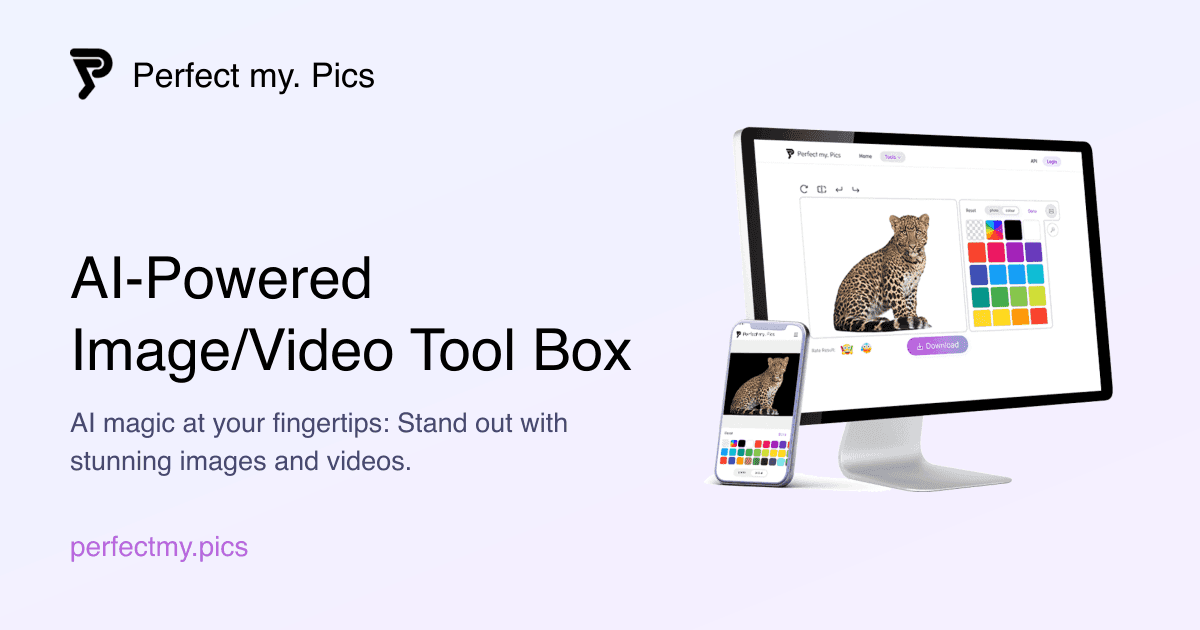
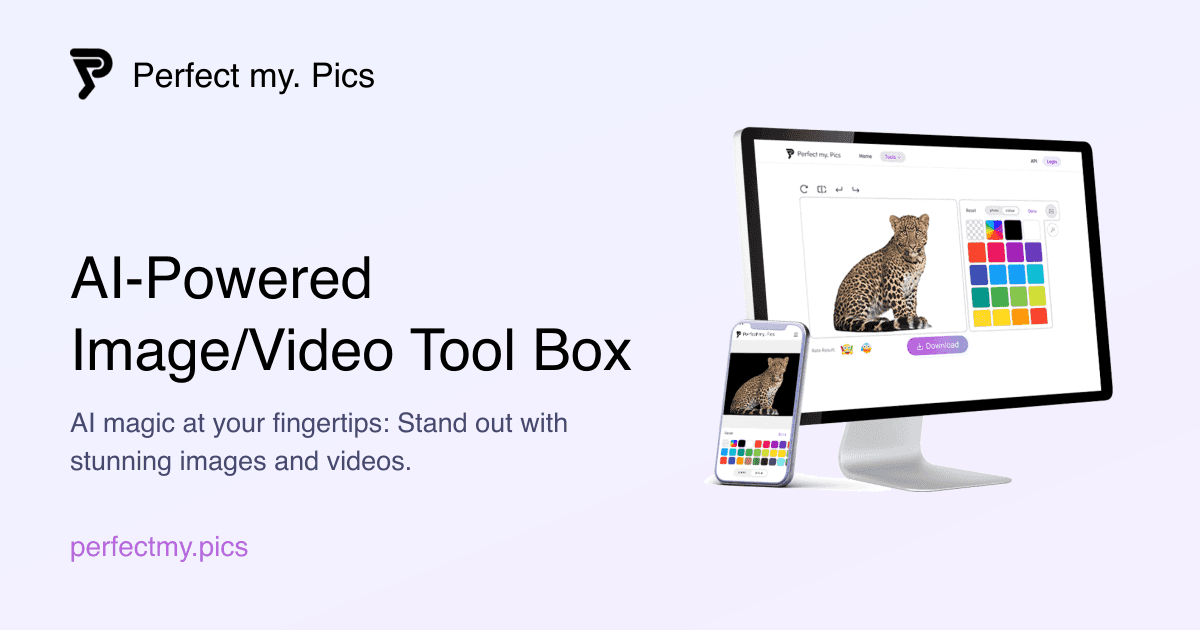
About this app
PerfectMyPics is a free, browser-based AI toolbox for editing images and videos without installing software. Remove Background clears the backdrop of any photo for transparent or custom backgrounds. Remove Object erases unwanted elements and blemishes, Upscale Image increases resolution while keeping detail sharp, and Image to Cartoon turns any photo into an artistic cartoon. On the video side, Video Translator translates a video's audio track, Remove Text from Video cleans up overlays, and Video to Cartoon stylizes footage for social media. The AI Photo Generator creates realistic photos of yourself, such as headshots and business portraits. Aimed at content creators, social media users, small sellers and anyone who wants professional-looking visuals in a few clicks. Operated by Oya Technology HK Ltd. Contact: support@acegate.io.
Key features
- 1Nine browser-based AI tools: background/object removal, upscaling, cartoonization, AI photos.
- 2Video suite: audio translation, text and watermark removal, video-to-cartoon stylization.
- 3Fast desktop performance (Lighthouse 99/100) with no software install required.
Target customer profile
Drawn from the product itself, not from a survey.
Demographic
Content creators and social media influencers
Pain points
Need quick, high-quality edits without expensive software
Primary needs
Easy-to-use tools for enhancing photos and videos
Demographic
Small business owners and marketers
Pain points
Limited budget for professional editing tools
Primary needs
Affordable solutions to create engaging marketing content
Demographic
Freelance graphic designers and video editors
Pain points
Time-consuming manual editing tasks
Primary needs
AI-powered automation to speed up workflow
Scout Review
Written by AI from measured evidence, scored out of 100.
PerfectMyPics is a browser-based AI toolbox with nine image and video tools, a clean card-based landing page, and genuinely fast desktop performance. Its video features — translation, text and watermark removal, cartoonization — give it a real differentiator against remove.bg and Canva. But the polish has cracks: a stray 'js Download' button, an uneven grid, no pricing page or docs, weak security headers, and an accessibility setup that blocks pinch-zoom. It's a promising, competent early product that needs to finish the details and prove its 'free' claim before it can compete on trust.
Measure by measure
Usability
58Logical Image/Video split and self-explanatory cards make the toolset easy to scan. But no visible pricing, docs, or help center — and 'free' is claimed without a page proving it.
Design
70Clean, consistent card system with strong sample imagery and clear hierarchy. Undermined by a literal 'js Download' button label and an uneven 4-then-1 column grid.
Speed
68Desktop Lighthouse 99/100 and mobile 84/100 with CLS 0 and TBT 5ms. Mobile LCP of 4.2s is the one real drag on an otherwise snappy site.
Security
40HTTPS and SPF are in place, but HSTS, CSP, frame protection and DMARC are all missing — 3/12 on headers. No SOC 2, ISO, or security page found.
Accessibility
58Lighthouse 85/100, but failing contrast ratios, broken list markup, and a viewport that blocks pinch-zoom. No accessibility statement or WCAG mention anywhere.
Growth
60A real problem (cheap, fast AI edits) with a genuine wedge: video tools remove.bg lacks and Canva paywalls. But 'free' is unproven and the segment is crowded.
Improvement areas
- No visible pricing page or documentation to clarify what 'free' includes.
- Weak security posture: 3/12 headers, no CSP/HSTS/DMARC, no security page.
- Accessibility gaps: blocked pinch-zoom, contrast failures, broken list markup.
Design & Usability
PerfectMyPics looks the part: a tidy grid of nine rounded cards, each with an icon, a two-line pitch and a high-res sample image that shows exactly what the tool does before you click. The Image/Video split is logical and the hierarchy is clean. Where it slips is in the details — a hero button literally labeled 'js Download' is a build artifact shipped to production, and the feature grid can't decide between four columns and one. Usability is scannable but thin: there's a Login button and testimonials, but no visible pricing page, documentation, or help center to tell you what 'free' actually means or how to get unstuck.
Speed & Security
Speed is the strongest measured dimension: desktop Lighthouse 99/100 and mobile 84/100, with zero layout shift and a 5ms total blocking time. The one blemish is a 4.2-second mobile LCP, which makes the hero image feel heavier than the rest of the page. Security is the weak spot. HTTPS is enforced and SPF is configured, but the header probe found no HSTS, no CSP, no frame protection, no X-Content-Type-Options, no Referrer-Policy and no Permissions-Policy — 3 of 12 checklist points — and DMARC is missing. No SOC 2, ISO, pen-test or security page appears anywhere, which for a tool that asks users to upload personal photos and video is a gap worth closing.
Accessibility & Growth
Accessibility lands at 85/100 on Lighthouse but with three concrete failures: insufficient color contrast, invalid list markup, and a viewport that sets user-scalable=no, blocking pinch-zoom on a product whose entire job is looking closely at images. There's no accessibility statement or WCAG reference. Growth is a judgement on the idea: the problem — cheap, fast AI edits for creators and small sellers — is real, and the video tools (translator, text and watermark removal, video-to-cartoon) are a genuine wedge that remove.bg doesn't offer and Canva gates behind a subscription. The risk is that the segment is crowded and the 'free' positioning is unproven without a pricing page.
Conclusion
If you need quick background removal, upscaling or video cleanup and don't want to install anything, PerfectMyPics is worth a look — the speed is real and the video tools are the standout. Go in expecting a lean product: verify what 'free' covers, keep sensitive uploads in mind given the thin security posture, and don't expect documentation to bail you out. Fix the header set, publish pricing, and restore pinch-zoom, and this moves from promising to genuinely competitive.
Suggestions for improvement
- Remove the 'js Download' build artifact from the hero and fix the 4-then-1 feature grid rhythm.
- Publish a pricing page that clarifies what 'free' includes and where limits apply.
- Add HSTS, CSP, frame protection and DMARC; publish a short security/data-handling page.
- Restore pinch-zoom, fix contrast and list markup, and add an accessibility statement.
Alternatives comparison
Named competitors, point by point. Nobody paid to appear here or to be left out.
 PerfectMyPics PerfectMyPics |  Canva Canva |  Remove.bg Remove.bg | |
|---|---|---|---|
| Background removal | Yes — one-click transparent or custom backdrop | Yes, via AI background remover (Pro features) | Yes — core specialty, best-in-class |
| Video editing tools | Yes — translator, text/watermark removal, cartoonization | Yes — full video editor, mostly subscription-gated | No — image background removal only |
| AI photo generation | Yes — headshots and business portraits | Yes — AI image generation via Magic Media | No |
| Pricing transparency | Claims 'free'; no pricing page visible | Clear free tier plus Pro subscription tiers | Free low-res credits plus credit packs/subscription |
| Documentation & support | No visible docs or help center; email support | Extensive help center, tutorials, community | Help center, API docs, tutorials |
Canva
A design platform with basic image editing and AI features, but requires subscription for advanced tools.
Remove.bg
Specialized in background removal, but lacks the broader video and image editing features of PerfectMyPics.
Comparing options? See PerfectMyPics alternatives, scored side by side
More Design & Creativity apps
View all Design & Creativity
RoomCreator
92An AI-powered interior and exterior design tool that tran...

What the GIF
89Frame-perfect video-to-GIF maker that runs entirely in yo...

TranscriptYou
88Free YouTube transcript generator with timestamps and AI ...

RestorePhotosApp
88An AI-powered photo restoration app that brings old, blur...

Portrait Gift
88AI-powered personalized face swap art platform creating c...

ButterKit
82macOS app for App Store screenshots: 3D mockups, auto-tra...

BeartIMAGE
88BeartIMAGE is a free, web-based image processing platform engineered for fast, bulk photo editing and conversion directly in your browser.

Pixelimg
88A free online AI-powered tool that instantly converts ima...

Coloring Pages Pro
87A massive collection of free printable coloring pages for...

QRocodile
87Design And Animate QR Codes People Want to Scan

FaceSwapAI
87AI face swap for photos, videos, GIFs with free trial.

TryInk
86Try on a tattoo on your own body photo before you book.


A platform dedicated to providing unbiased reviews of newly launched applications, analyzing everything from their features to their full potential.
info@scoutforge.net© 2026 Scoutforge. All rights reserved.
