Is this your app?
Claim PhotoStockEditor AI Image Generator to manage its page, add your badge and see your traffic — free, and it stays free.
Cycling through all six. Tap any point to stop.
Measured on six things
Free web-based AI image generator with instant creation, commercial rights, and no registration required.
Security
60Basic HTTPS encryption but lacks detailed privacy policy and data handling transparency. No account requirement reduces data collection.
Screenshots
1 / 1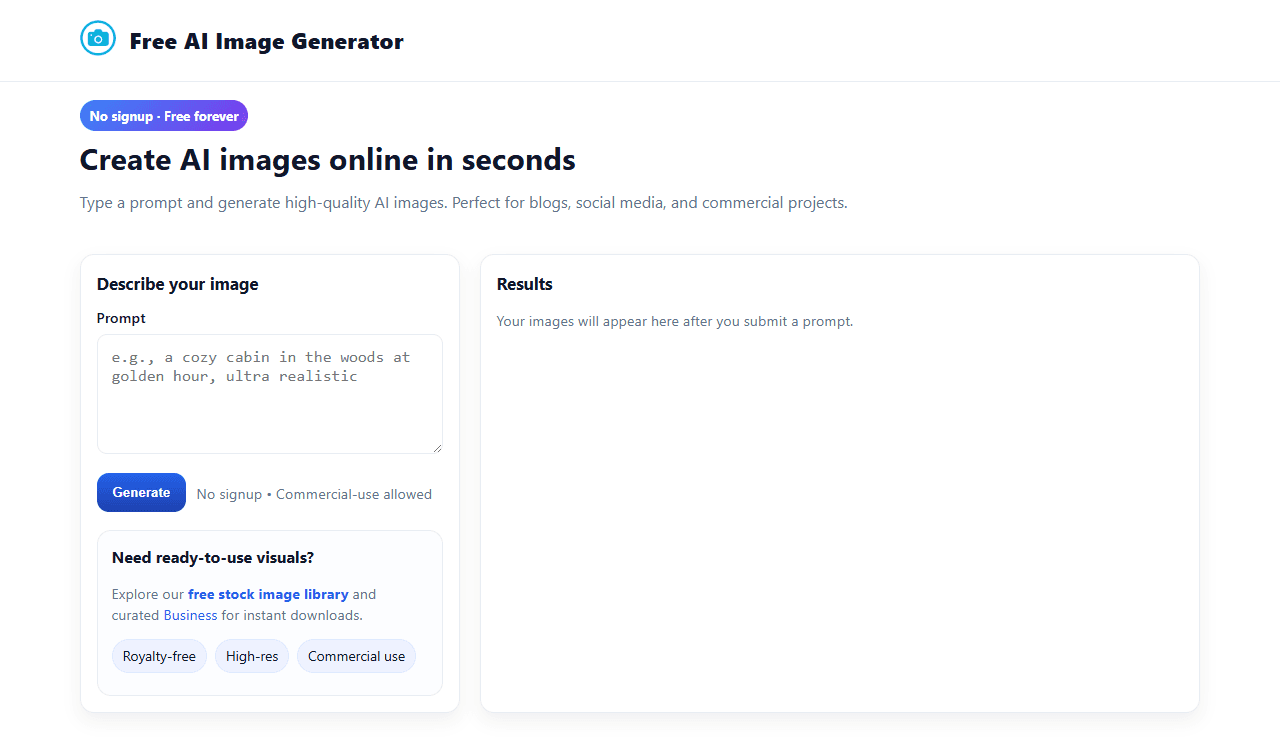
About this app
PhotoStockEditor's AI Image Generator is a standout web tool that creates visuals from text prompts instantly, without needing an account or payment. It's perfect for content creators, marketers, and casual users who need quick, royalty-free images for commercial use. The interface is clean and intuitive, focusing on ease of use with a prominent text input and fast results. Unique features include a gallery of recent user-generated images for inspiration and access to a free stock image library, making it a versatile resource. While it lacks advanced customization and detailed privacy info, its zero-barrier approach and commercial licensing make it a top choice for hassle-free AI image generation.
Key features
- 1Instant AI image generation without account creation
- 2Commercial usage rights for all generated images
- 3Integrated free stock image library access
Target customer profile
Drawn from the product itself, not from a survey.
Demographic
Content creators, bloggers, small business owners
Pain points
Need visual content quickly, limited budget for stock images, require commercial usage rights
Primary needs
Fast image generation, royalty-free content, no technical barriers
Demographic
Social media managers, marketing professionals
Pain points
Regular need for fresh visual content, tight deadlines, brand consistency
Primary needs
Quick iteration, diverse style options, commercial licensing
Demographic
Hobbyists, students, casual users
Pain points
Don't want to create accounts, need simple tools, occasional image needs
Primary needs
Ease of use, no commitment, free access
Scout Review
Written by AI from measured evidence, scored out of 100.
PhotoStockEditor's AI Image Generator excels at delivering exactly what it promises: instant, free AI image generation with commercial rights and zero barriers to entry. The tool's greatest strength is its simplicity - no accounts, no payments, no complicated interfaces. While it may not compete with premium tools on image quality or advanced features, it fills an important niche for users who need quick, commercial-ready images without commitment.
Measure by measure
Usability
90Extremely intuitive with zero learning curve - type prompt and get instant results. No account creation required.
Design
80Clean, minimalist interface with neutral color scheme that focuses attention on generated images. Prominent text input and clear navigation.
Speed
84Generates images within seconds of prompt submission. Fast loading times with minimal waiting.
Security
60Basic HTTPS encryption but lacks detailed privacy policy and data handling transparency. No account requirement reduces data collection.
Accessibility
70Works on mobile devices with decent color contrast, but lacks screen reader support, keyboard navigation, and multilingual options.
Growth
70Strong foundation with unique commercial rights feature, but faces intense competition from well-funded alternatives.
Improvement areas
- Limited advanced customization options
- Basic accessibility features missing
- Minimal privacy policy transparency
Design & Usability
PhotoStockEditor's AI Image Generator embraces a beautifully simple approach to design that prioritizes function over flash. The interface features a clean, minimalist aesthetic with neutral color schemes that don't compete with your generated images. The most prominent element is the text input field, making it immediately obvious how to start creating. Navigation is straightforward with clearly labeled sections for image generation, stock library access, and the recent creations gallery. This no-frills approach means zero learning curve - you type your prompt and get results instantly without wrestling with complex settings or menus. The design philosophy clearly targets users who value speed and simplicity over advanced customization.
Speed & Security
Performance-wise, this tool delivers impressively fast results, typically generating images within seconds of submitting your prompt. The web-based nature means no downloads or installations, contributing to the quick start-to-finish workflow. Security is a mixed bag - the lack of account requirements actually reduces potential data exposure, and standard HTTPS encryption protects your transmissions. However, the privacy policy and data handling practices aren't prominently displayed, which might concern users who are particular about their digital footprint. For casual use and non-sensitive content creation, the security measures are adequate, but businesses handling proprietary information might want more transparency.
Accessibility & Growth
Accessibility is where PhotoStockEditor shows room for improvement. While the responsive design works well across mobile and desktop devices, and the high contrast interface helps visually impaired users, there's a notable absence of advanced accessibility features. Screen reader optimization, keyboard navigation enhancements, and multilingual support are missing, limiting the tool's global reach. The growth potential is promising thanks to the unique combination of free access, commercial rights, and integrated stock library. However, competing against giants like Adobe and Canva will require continuous innovation and feature expansion to maintain relevance in the rapidly evolving AI image generation market.
Conclusion
If you're a content creator, blogger, or small business owner needing occasional AI-generated visuals without the hassle of account creation or subscription fees, this tool is your perfect match. The combination of instant access, commercial licensing, and integrated stock library makes it a versatile resource for quick content creation. Give it a try if you value simplicity and speed over advanced customization.
Suggestions for improvement
- Add basic image customization like style presets and aspect ratio selection
- Implement comprehensive privacy policy with clear data handling information
- Include multilingual support to expand global user base
- Add accessibility features like keyboard navigation and screen reader optimization
Alternatives comparison
Named competitors, point by point. Nobody paid to appear here or to be left out.
 PhotoStockEditor AI Image Generator PhotoStockEditor AI Image Generator |  Canva AI Image Generator Canva AI Image Generator |  Adobe Firefly Adobe Firefly |  DeepAI Text-to-Image DeepAI Text-to-Image | |
|---|---|---|---|---|
| Account Requirement | No account needed | Account required | Adobe account required | No account needed |
| Commercial Usage Rights | Full commercial rights | Limited in free tier | With subscription | Limited rights |
| Additional Features | Stock image library + user gallery | Advanced editing tools | Professional-grade quality | Basic generation only |
Canva AI Image Generator
Offers advanced editing features but requires account creation and has usage limits in the free tier.
Adobe Firefly
Professional-grade tool with better image quality but needs an Adobe account and has a more complex interface.
DeepAI Text-to-Image
Similar functionality but lacks the additional stock image library and user gallery features.
Comparing options? See PhotoStockEditor AI Image Generator alternatives, scored side by side
More AI Generations apps
View all AI Generations
Uni-1 by Luma AI
92Uni-1 is an advanced multimodal text-to-image AI model th...

LTX 2.3 AI Video Generator
91Fast, open-source AI video generator with 4K support, mul...

Gerty
91Private, local AI assistant for Mac that runs offline

DemoVexa
90Turn your code into professional product demo videos with AI-generated scripts, animated UI, and natural voiceovers.

All of Us
89Add deceased loved ones to photos with AI and see free pr...

Voqusa
89Transcribe social media video and audio links into text (free signup, 5 free credits, then pay-as-you-go)

IraVoice
88Private on-device dictation for Apple-silicon Macs.

Pixelimg
88A free online AI-powered tool that instantly converts ima...

HeyVid AI
88HeyVid AI is a free all-in-one AI video and image generat...

RestorePhotosApp
88An AI-powered photo restoration app that brings old, blur...

tradutor de mangá com IA
88O tradutor de mangá com IA traduz capítulos em lote, personaliza textos e oferece edição visual para estúdios.

OBVELO
88Privacy gateway that masks personal data in LLM traffic


A platform dedicated to providing unbiased reviews of newly launched applications, analyzing everything from their features to their full potential.
info@scoutforge.net© 2026 Scoutforge. All rights reserved.
