Cycling through all six. Tap any point to stop.
Measured on six things
Share one link now that opens at the time you choose.
Growth
64Real problem, specific wedge: time-locked sharing with encryption and a drand Timelock incumbents can't easily copy. Template library shows concrete demand. Niche ceiling is the limit.
Screenshots
1 / 4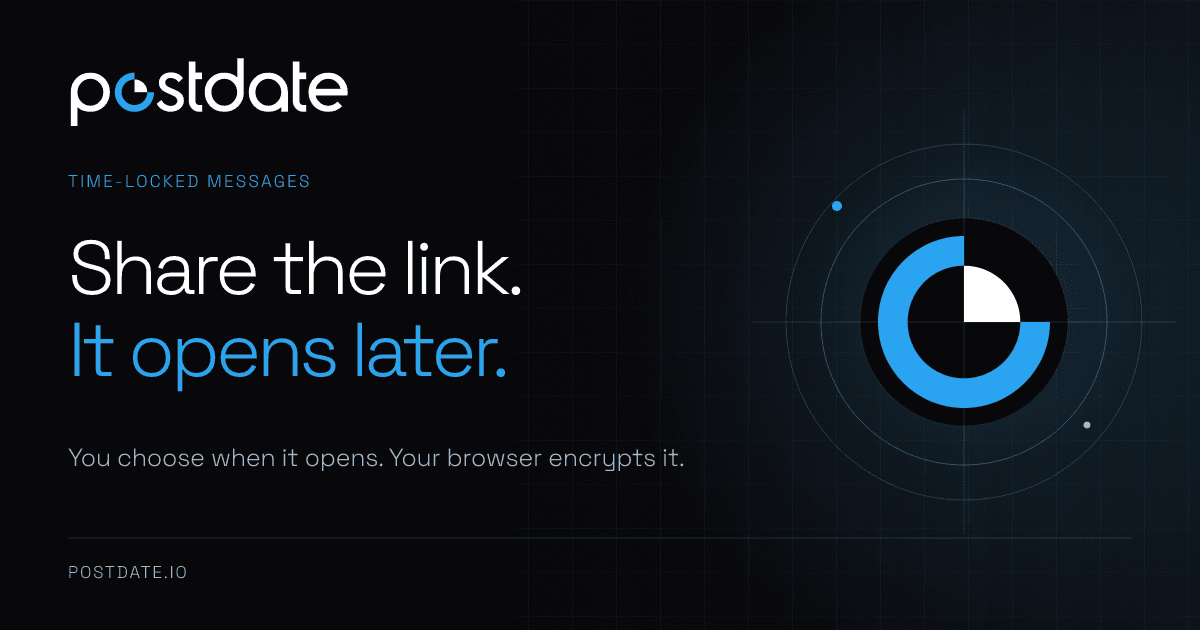
About this app
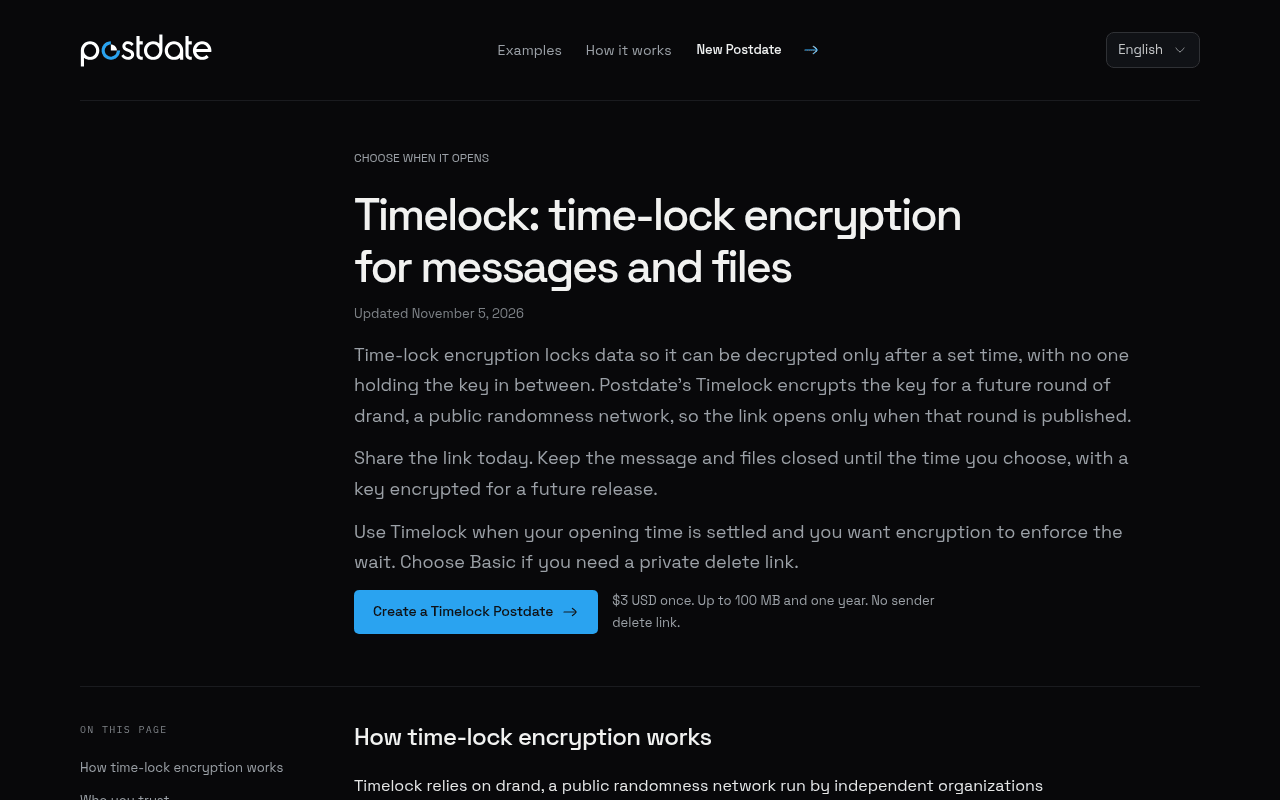
Postdate shares text and files through one link that opens at a time you choose. Before that time, anyone with the link sees a countdown. Text and files are encrypted in your browser before upload. No account is needed to create or open a Postdate. The Timelock option encrypts the key for a future round of drand, a public randomness network, so the link cannot open early.
Key features
- 1One link that shows a countdown and opens at a time you choose, from 5 minutes to 1 year away.
- 2Text and files encrypted in the browser before upload; no account needed to create or open.
- 3Timelock option ties the key to a scheduled drand release so the link cannot open early.
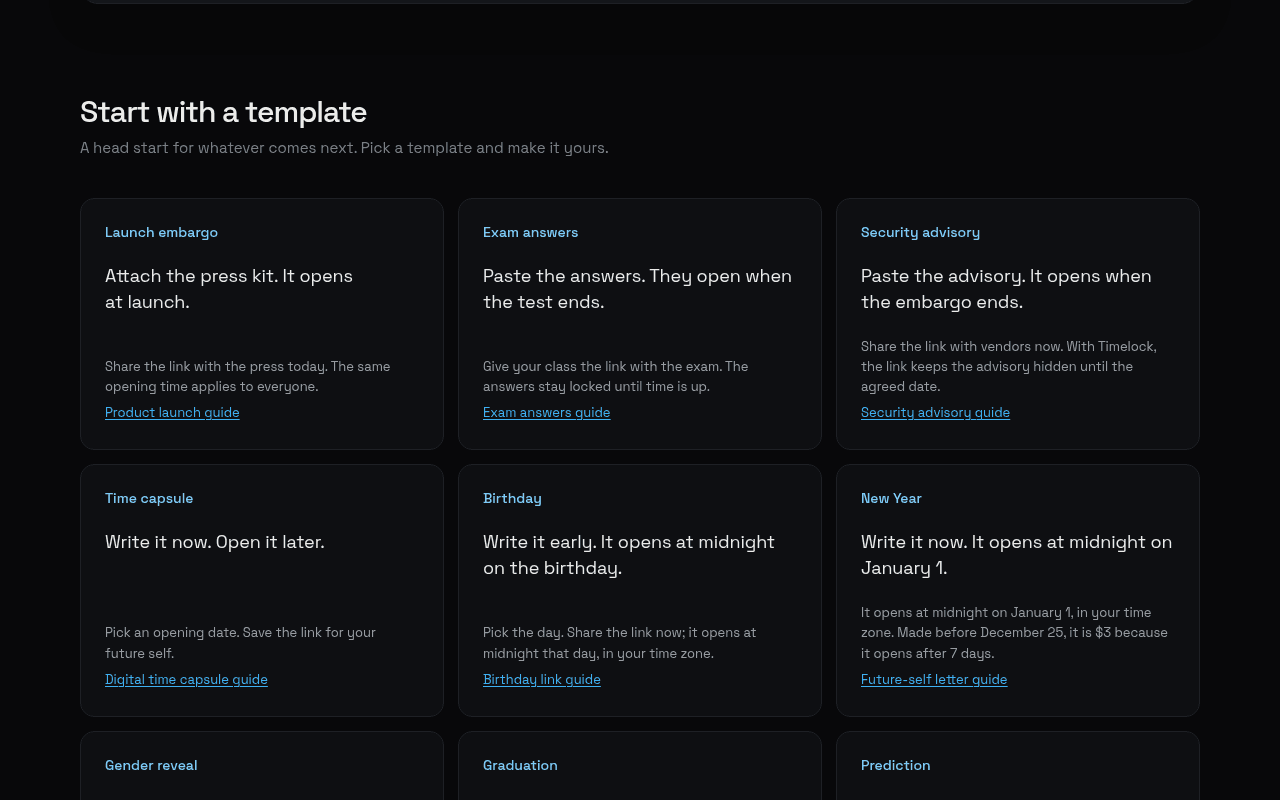
- 4Template gallery for launch embargoes, exam answers, security advisories, time capsules and more.
Target customer profile
Drawn from the product itself, not from a survey.
Scout Review
Written by AI from measured evidence, scored out of 100.
Postdate does one thing with unusual discipline: it shares text and files through a single link that opens at a time you choose, with a countdown in the meantime. No account to create or open, encryption in the browser before upload, and a Timelock mode that ties the key to a public drand release so the link genuinely cannot open early. The measured evidence backs the craft — Lighthouse 100/100 on mobile and desktop, a clean 12/12 security header probe, and a 100/100 accessibility audit. The weak spots are human ones: an editor so tall the primary button falls below the fold, a settings bar that packs eight controls into two rows of tiny grey type, and helper text that automated a11y checks wave through but readers will squint at. The template gallery and guides show a team that understands its use cases. It's a sharp, honest utility with a real differentiator and a niche-sized ceiling.
Measure by measure
Usability
68No account needed, concept explained in one subline, and real step-by-step guides plus a template gallery for launch embargoes, exam answers and time capsules. Settings density is the friction point.
Design
71Restrained dark palette, one blue accent, monospaced countdown numerals — a coherent timing-product identity. Undone by a bloated editor that buries the CTA and a cramped settings bar.
Speed
88Lighthouse 100/100 on both mobile and desktop: LCP 904ms, CLS 0, TBT 0ms. A near-static page that loads before you finish blinking, with encryption work pushed to the client.
Security
79Full header suite (HSTS, CSP, frame protection, Permissions-Policy), 12/12 probe points, client-side encryption and drand Timelock. No published audit or bug bounty found.
Accessibility
76Lighthouse accessibility 100/100 and a language selector, but the visual audit flags tiny low-contrast grey helper text and countdown captions that automated checks don't catch.
Growth
64Real problem, specific wedge: time-locked sharing with encryption and a drand Timelock incumbents can't easily copy. Template library shows concrete demand. Niche ceiling is the limit.
Improvement areas
- Editor height buries the primary 'Review Postdate' button below the fold on desktop.
- Bottom toolbar packs eight settings into two rows of tiny, low-contrast type.
- No published security page, audit or bug bounty to back the strong header posture.
- Multi-language support limited to a selector; no evidence of translated content.
Design & Usability
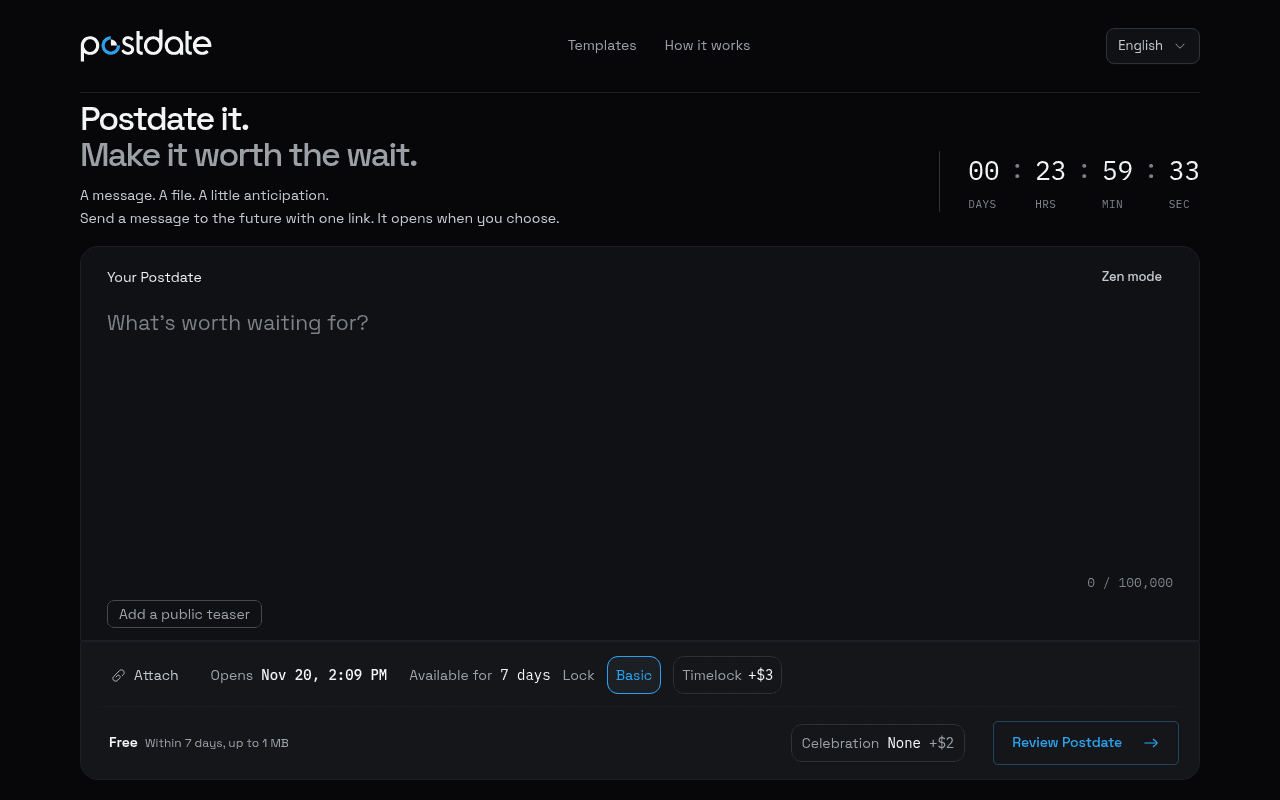
Postdate's design is genuinely considered: near-black canvas, a single blue accent reserved for the logo, the 'It opens later.' line and the primary action, and monospaced numerals for the countdown that make the timer read as data rather than decoration. The composer is the hero and nothing competes with it. The problem is proportion. The textarea runs roughly 1,100px of empty dark field, so the 'Review Postdate' button sits far below the fold on desktop, and the bottom toolbar crams Attach, Opens, Available for, Lock, Timelock, Celebration and Review into two rows of small type with almost no grouping. Usability is strong where it counts: no account to create or open, a subline that explains the concept without scrolling, a template gallery covering launch embargoes, exam answers, time capsules and birthdays, and real step-by-step guides. The friction is all in that dense settings bar and the buried CTA.
Speed & Security
Speed is the standout. Lighthouse returns 100/100 on both mobile and desktop with LCP 904ms, CLS 0 and TBT 0ms — a near-static page that hands the encryption work to the client and still loads instantly. Security is close behind: the HTTP probe found HTTPS enforced with HSTS, CSP, frame protection, X-Content-Type-Options, Referrer-Policy and Permissions-Policy all present, 12/12 checklist points, plus SPF and DMARC. The architecture is the real story — text and files are encrypted in the browser before upload, and the Timelock option ties the key to a scheduled drand release so not even Postdate can open the link early. What's missing is the paperwork layer: no SOC 2, ISO or bug bounty page surfaced in the collected evidence, which is normal for a product at this stage but keeps it short of the top band.
Accessibility & Growth
Accessibility scores 100/100 on the Lighthouse audit, and a language selector is present, but automated checks only cover part of WCAG. The visual audit caught what axe-core can't: tiny grey helper text and countdown captions ('DAYS HRS MIN SEC', 'Within 7 days, up to 1 MB', 'Celebration None +$2') that fall below comfortable contrast and size. Growth is a judgement on the idea. The problem is real — you want to share something now that shouldn't be readable until later — and the wedge is specific: browser-side encryption plus a drand Timelock that structurally prevents early opening, which a plain scheduled-email tool cannot match. The template library shows the team has thought hard about who actually needs this: launch embargoes, security advisories, exam answers, time capsules. The honest limit is ceiling: this is a utility with episodic use, not a daily habit, and the paid tiers are one-off $3 charges rather than subscriptions.
Conclusion
If you need to hand someone a link today that stays shut until a specific moment — a press kit before launch, an answer key before the test ends, a note to your future self — Postdate is a clean, fast, genuinely encrypted way to do it, and the drand Timelock is the part worth paying $3 for. Go in knowing it's a one-off utility rather than a subscription you'll live in, and that the composer's layout will make you hunt for the button once. Fix the fold and the toolbar grouping and this moves from 'clever tool' to 'obvious tool'.
Suggestions for improvement
- Shrink the default textarea height so 'Review Postdate' is visible without scrolling on a laptop screen.
- Group the bottom toolbar into labelled clusters (Timing / Lock / Extras) instead of one dense row of small type.
- Raise contrast and size on helper text like 'Within 7 days, up to 1 MB' and the DAYS/HRS/MIN/SEC captions.
- Publish a short security page covering the encryption model, drand Timelock and data retention to back the 12/12 headers.
Alternatives comparison
Named competitors, point by point. Nobody paid to appear here or to be left out.
 Postdate | ||
|---|---|---|
| Time-locked link that opens at a chosen moment | Yes — countdown link, 5 minutes to 1 year | Not applicable — no alternative details provided |
| Client-side encryption before upload | Yes — text and files encrypted in browser | Not applicable — no alternative details provided |
| Account required to create or open | No account needed either side | Not applicable — no alternative details provided |
| Pricing model | Free basic (7 days, 1 MB); $3 for later dates/Timelock; +$2 celebration | Not applicable — no alternative details provided |
Comparing options? See Postdate alternatives, scored side by side
More Security apps
View all Security
issued.live
89Free certificate transparency search and SSL lookup with ...

kosa8
88Sealed VMs for AI agents with instant rewind, audit trails & zero key exposureSealed VMs for AI agents with instant rewind and audit tr...

SendVeil
88Send large original files through private, expiring links, with EU storage.

OBVELO
88Privacy gateway that masks personal data in LLM traffic

tmps.fyi
87Share text, images, screenshots and files across devices using a free online clipboard.

Sidenty
87Sidenty is a professional digital identity protection ser...

Magery Forge
87Weekly security audits for vibe-coded sites, explained in...

Xsilent Vault: Hide Photos
87Private Android vault for photos, videos, PDFs and files, with no required account, no ads and no mandatory cloud.

C2PA Lab
87Free C2PA Content Credentials Checker

ProcessSpy
87A native macOS process explorer and advanced monitor that...

Tokitool
87Free, private browser tools for images, chats, QR codes, ...

Aegisrook
87Security for macOS: monitor running applications, network connections and login items, with clear alerts when something requires your attention.


A platform dedicated to providing unbiased reviews of newly launched applications, analyzing everything from their features to their full potential.
info@scoutforge.net© 2026 Scoutforge. All rights reserved.
