Cycling through all six. Tap any point to stop.
Measured on six things
Advanced parental control software for Windows & Android
Accessibility
76Web portal works across browsers and parent app on iPhone/iPad. Controls from multiple platforms. Limited mentions of built-in accessibility features like screen reader optimization or high-contrast modes. Relies on standard OS accessibility for kids with disabilities.
Screenshots
1 / 7
About this app
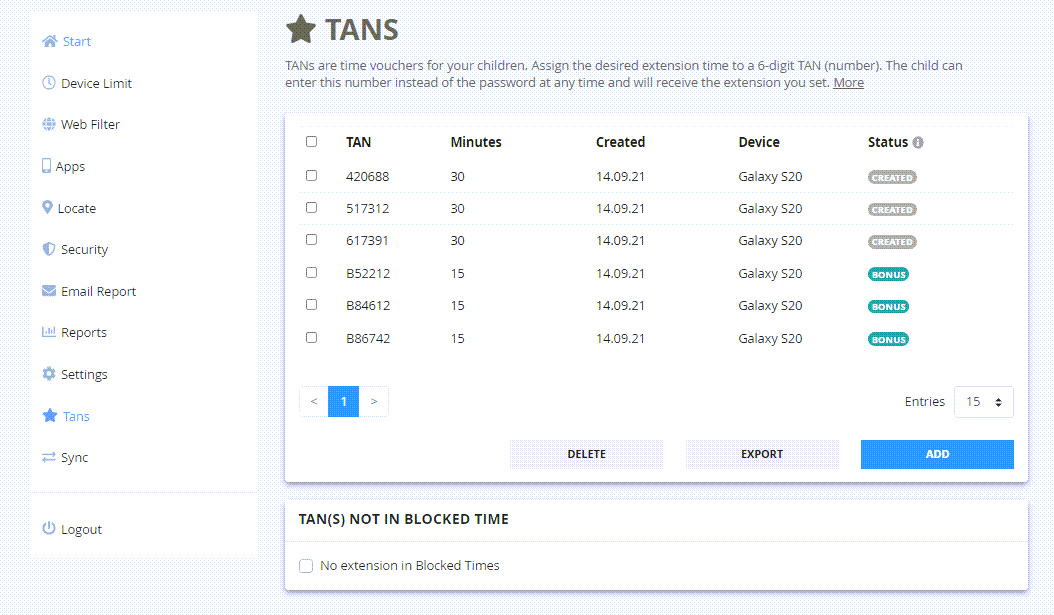
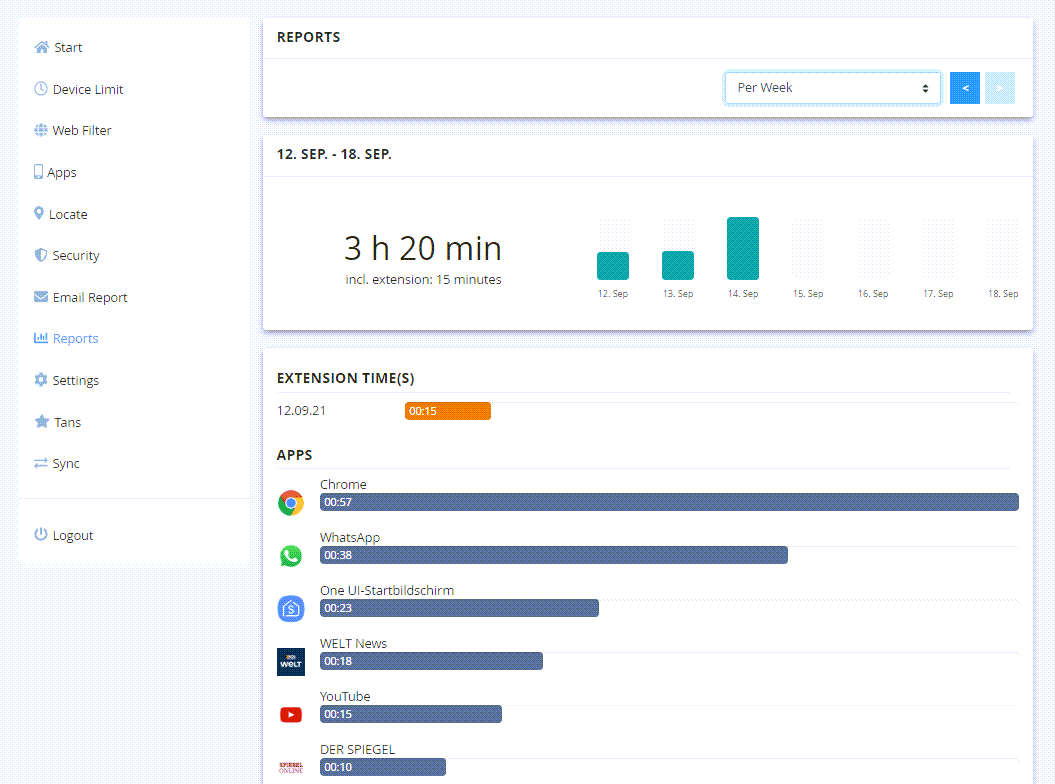
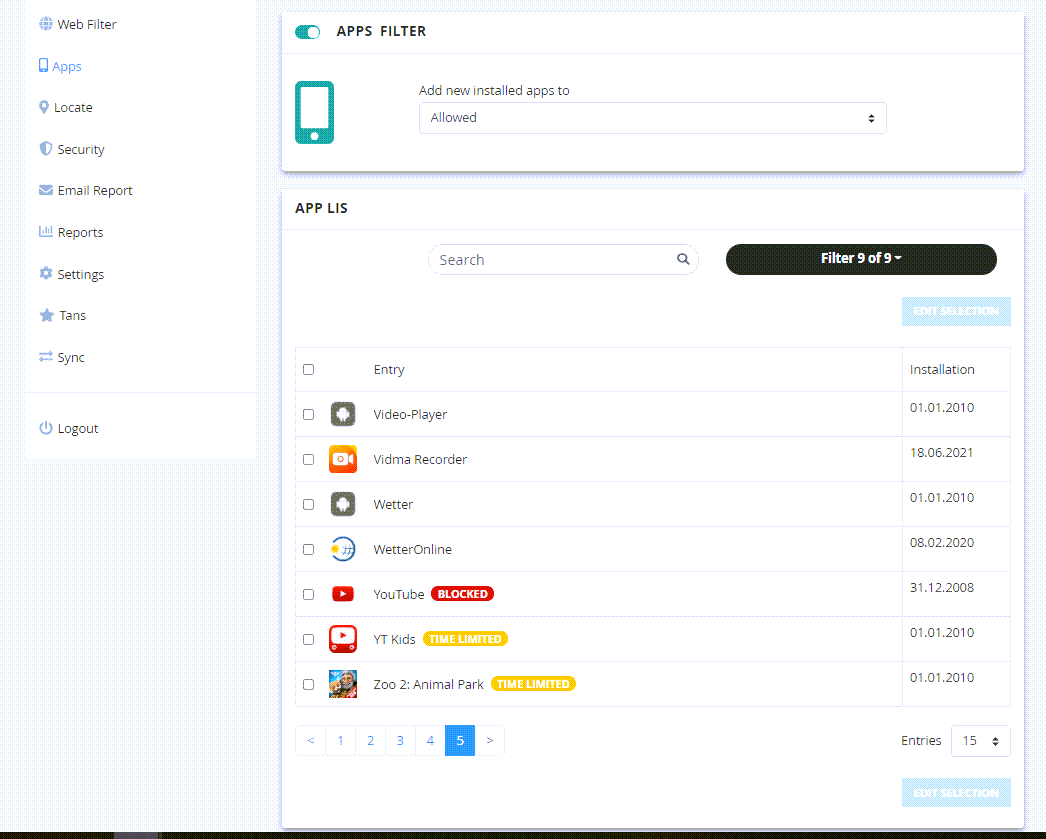
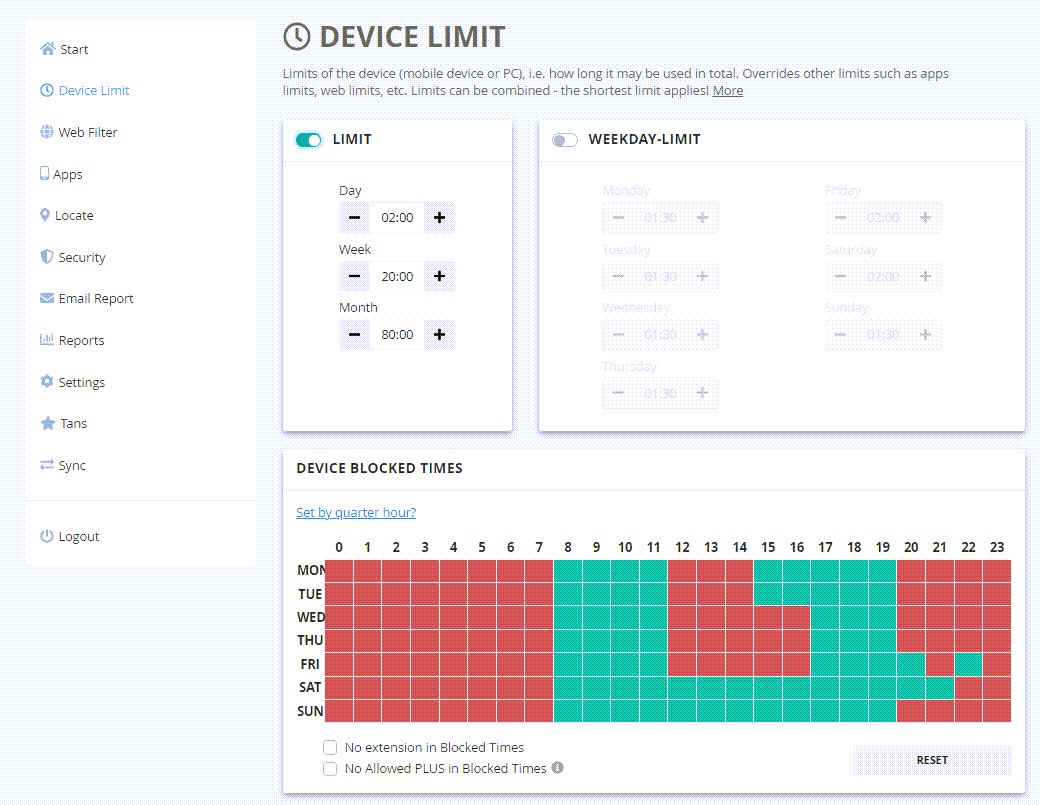
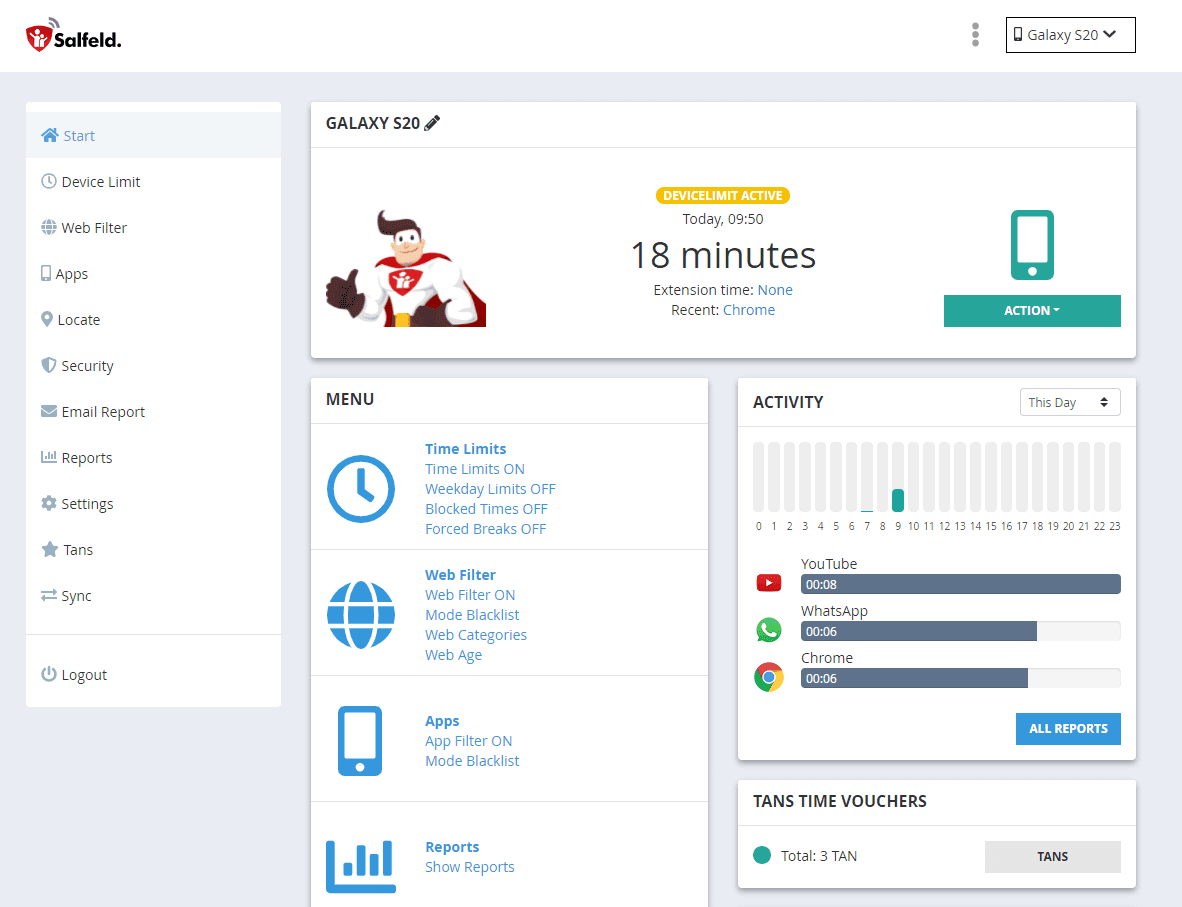
Salfeld Child Control is a comprehensive parental control solution designed to give parents peace of mind in today's digital world. As a tech-savvy parent myself, I've found this tool to be incredibly effective for managing my kids' screen time across devices. The software allows you to set flexible time limits for devices, specific apps, and websites, while also providing robust content filtering by age or category. What really stands out is the cross-device roaming feature, which lets you manage a shared time limit across multiple devices, perfect for families with both PCs and smartphones. The bonus time codes are a clever touch, automatically rewarding kids with extra screen time when they use educational apps. With detailed usage reports and remote management via a web portal, Salfeld Child Control offers the perfect balance of control and flexibility for modern parenting.
Key features
- 1True cross-device roaming with one shared time limit across Windows PCs and Android phones
- 2Bonus Time Codes that automatically reward kids for using educational apps
- 3Detailed usage reports with daily/weekly email summaries plus remote web portal management
Target customer profile
Drawn from the product itself, not from a survey.
Demographic
Parents of children aged 5-15 with multiple devices
Pain points
Excessive screen time, exposure to inappropriate content, difficulty managing multiple devices
Primary needs
Comprehensive screen time management, content filtering, cross-device control
Demographic
Working parents seeking digital safety solutions
Pain points
Limited time for active supervision, concerns about online safety while away
Primary needs
Remote management capabilities, automated filtering, detailed activity reports
Demographic
Families with children using both Windows and Android devices
Pain points
Inconsistent controls across platforms, fragmented management systems
Primary needs
Unified parental control system, seamless cross-platform functionality
Scout Review
Written by AI from measured evidence, scored out of 100.
Salfeld Child Control is a powerful, flexible parental control solution that excels at unified screen time management and content filtering across Windows and Android. Its standout roaming limits, educational bonus time system, detailed reports, and responsive web portal make it ideal for busy families with multiple devices. While the interface isn't the prettiest and initial setup has a learning curve, real-world users often prefer it over Qustodio and Norton for speed and feature depth in its supported platforms. It's not perfect for every ecosystem (limited iOS client support), but for the target audience of parents worried about excessive screen time and inappropriate content, it delivers excellent value with one-time licensing.
Measure by measure
Usability
81Excellent cross-platform control (Windows + Android) with shared roaming limits and web portal. Bonus time codes for educational apps are a smart motivator. Setup takes time due to depth of options, but remote management and quick setting propagation shine.
Design
78Functional, straightforward interface focused on configuration and reports. Clean web portal for remote management from any device including iOS. Not the most modern or visually polished UI compared to big-name competitors.
Speed
85Fast refresh and propagation of settings across devices. Users report near-instant updates compared to competitors. No heavy performance impact mentioned on devices; reliable for daily/weekly reports via email.
Security
84Strong content filtering by age/category/keywords, password-protected settings, Accessibility Service for blocking system changes and detecting manipulation. Detailed activity monitoring and web portal access controls. One-time purchase model reduces subscription risks.
Accessibility
76Web portal works across browsers and parent app on iPhone/iPad. Controls from multiple platforms. Limited mentions of built-in accessibility features like screen reader optimization or high-contrast modes. Relies on standard OS accessibility for kids with disabilities.
Growth
79Niche but dedicated following, especially among Windows/Android families. Positive recent reviews (2025-2026) highlight superiority over Qustodio/Norton in features and speed for some users. One-time licenses encourage long-term use. Steady but not exploding in popularity.
Improvement areas
- Modernize the user interface to reduce initial configuration overwhelm
- Expand full client support or deeper integration for iOS devices
- Add more visual dashboards and guided presets for different age groups
Design & Usability
Salfeld Child Control delivers a no-nonsense design that prioritizes function over form. The web portal is a standout, letting parents tweak settings, view detailed usage reports, approve unlocks, and manage everything from anywhere — even an iPhone. Usability is strong for families with multiple devices thanks to the unique roaming feature that applies one shared time limit across PC and smartphone. The bonus time codes that reward educational app usage are genuinely clever and encourage good habits. However, the sheer number of configurable options (time limits per app/group/website/device) can overwhelm new users. It takes a few days to dial in, but once set, it's flexible and effective. Users consistently praise it over Qustodio and Norton for depth of control and responsiveness.
Speed & Security
Performance is one of Salfeld's quiet strengths — changes propagate in seconds where competitors can lag significantly. The software doesn't appear to bog down devices. Security-wise, it offers robust age-based and category filtering, keyword blocking, and uses Android's Accessibility Service to protect settings and detect tampering. Reports provide clear visibility into activity, with email summaries for busy parents. While it lacks the full antivirus weight of Norton, its focused approach to parental control is effective. The one-time purchase (no recurring billing) is a security plus in its own way — no surprise charges. Overall a trustworthy tool for keeping kids safer online without constant babysitting.
Accessibility & Growth
Accessibility is decent via the cross-platform web portal and parent app, making remote supervision easy for working parents. It supports control from iOS devices even though the main client is Windows/Android. However, there aren't prominent features tailored for children with disabilities. On growth, Salfeld has built a loyal base among parents frustrated with mainstream options. Recent 2025-2026 reviews highlight it as a strong alternative, especially for mixed Windows/Android households. It isn't topping every 'best of 2026' list (Qustodio and Norton often lead for broader platforms and polish), but it carves out a solid niche with its cross-device roaming and reward system. The company focuses on quality updates rather than hype.
Conclusion
If you're a parent juggling Windows PCs and Android phones and want one system to rule them all, Salfeld is worth the trial. It gives real peace of mind without turning you into a full-time digital hall monitor. The clever reward mechanics even make it feel less like punishment and more like smart parenting.
Suggestions for improvement
- Modernize the admin interface with better dashboards and visualizations for usage reports to reduce the initial overwhelm.
- Expand native iOS support beyond just remote control from iPhone to full client features where possible.
- Add more guided setup wizards and preset profiles for different age groups to speed up onboarding.
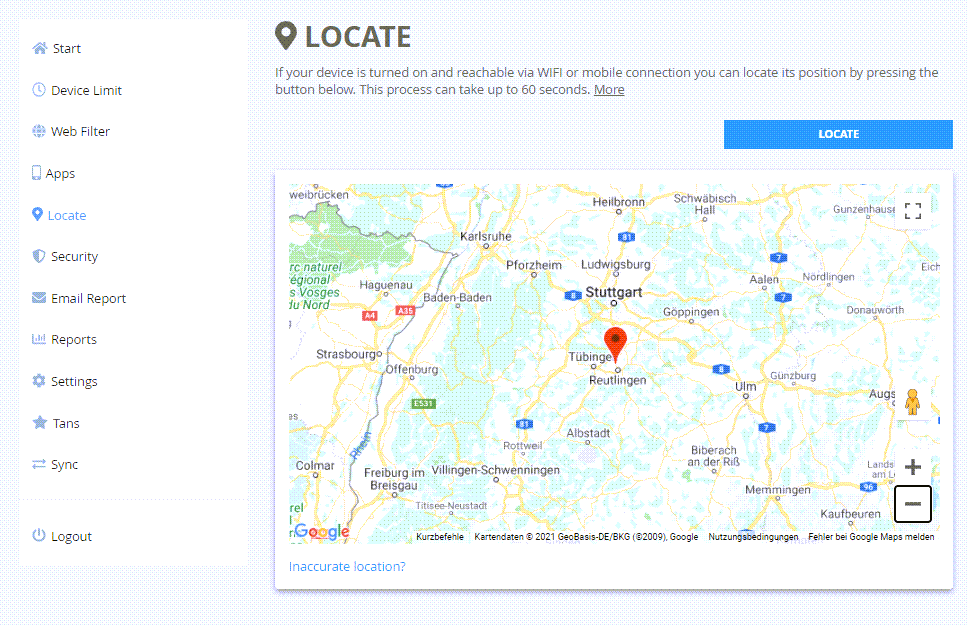
- Integrate optional location tracking or YouTube-specific monitoring to compete more directly with Qustodio and Kaspersky.
Alternatives comparison
Named competitors, point by point. Nobody paid to appear here or to be left out.
 Salfeld Child Control Salfeld Child Control |  Qustodio Qustodio |  Norton Family Norton Family |  Kaspersky Safe Kids Kaspersky Safe Kids | |
|---|---|---|---|---|
| Cross-Device Roaming / Shared Time Limits | Excellent native roaming across Windows & Android | Good multi-platform sync but less seamless roaming | Solid time management but slower sync reported | Strong per-device limits with location focus |
| Reward / Bonus Time System | Unique automatic bonus codes for educational use | Task-based rewards available but less automated | Basic time management, no smart reward codes | Time limits only, no built-in reward system |
| Update Speed / Responsiveness | Very fast (seconds per user reports) | Generally good but some lag noted | Slow (5+ minutes per user complaints) | Reliable but not highlighted as fastest |
| Pricing Model | One-time purchase ($29.95–$59.95 per device license) | Subscription-based | Usually requires Norton 360 subscription | Subscription or one-time options |
Qustodio
Popular parental control app with similar features for screen time management and content filtering
Norton Family
Parental control solution from Norton focusing on web supervision and time management
Kaspersky Safe Kids
Parental control software with location tracking and screen time management features
Comparing options? See Salfeld Child Control alternatives, scored side by side
Sources
What the review was written against. A verdict with no sources is an opinion.
More Security apps
View all Security
OBVELO
88Privacy gateway that masks personal data in LLM traffic

ProcessSpy
87A native macOS process explorer and advanced monitor that...

Sidenty
87Sidenty is a professional digital identity protection ser...

Sanctix
85Sanctions screening with verifiable SHA-256 audit trails.

PromptTrace
85Free hands-on AI security labs for prompt injection and L...

eGuard
84Verifiable parental controls for families in the Philippines

Noden
84Native macOS SSH, SFTP & RDP client with a Keychain-backe...

Archonum
84Real-device browser automation for AI agents

VaultKeepR
84Password manager with no email, no account, no tracking. ...

Privacy Requests
84DSAR management software for small teams.

PCDOTS Email Recovery Software
83Recovers emails from corrupt mailboxes across 50+ platforms.

Traceback
83Reveal No Caller ID, unknown numbers, and private callers...


A platform dedicated to providing unbiased reviews of newly launched applications, analyzing everything from their features to their full potential.
info@scoutforge.net© 2026 Scoutforge. All rights reserved.
