Cycling through all six. Tap any point to stop.
Measured on six things
AI scientific diagram maker for publication-ready researc...
Security
52HTTPS enforced with HSTS and SPF present, but the header probe scored 5/12: no CSP, no frame protection, no Referrer-Policy, no DMARC. No SOC 2, ISO, or bug-bounty signal found. Table-stakes transport security, thin on hardening.
Screenshots
1 / 1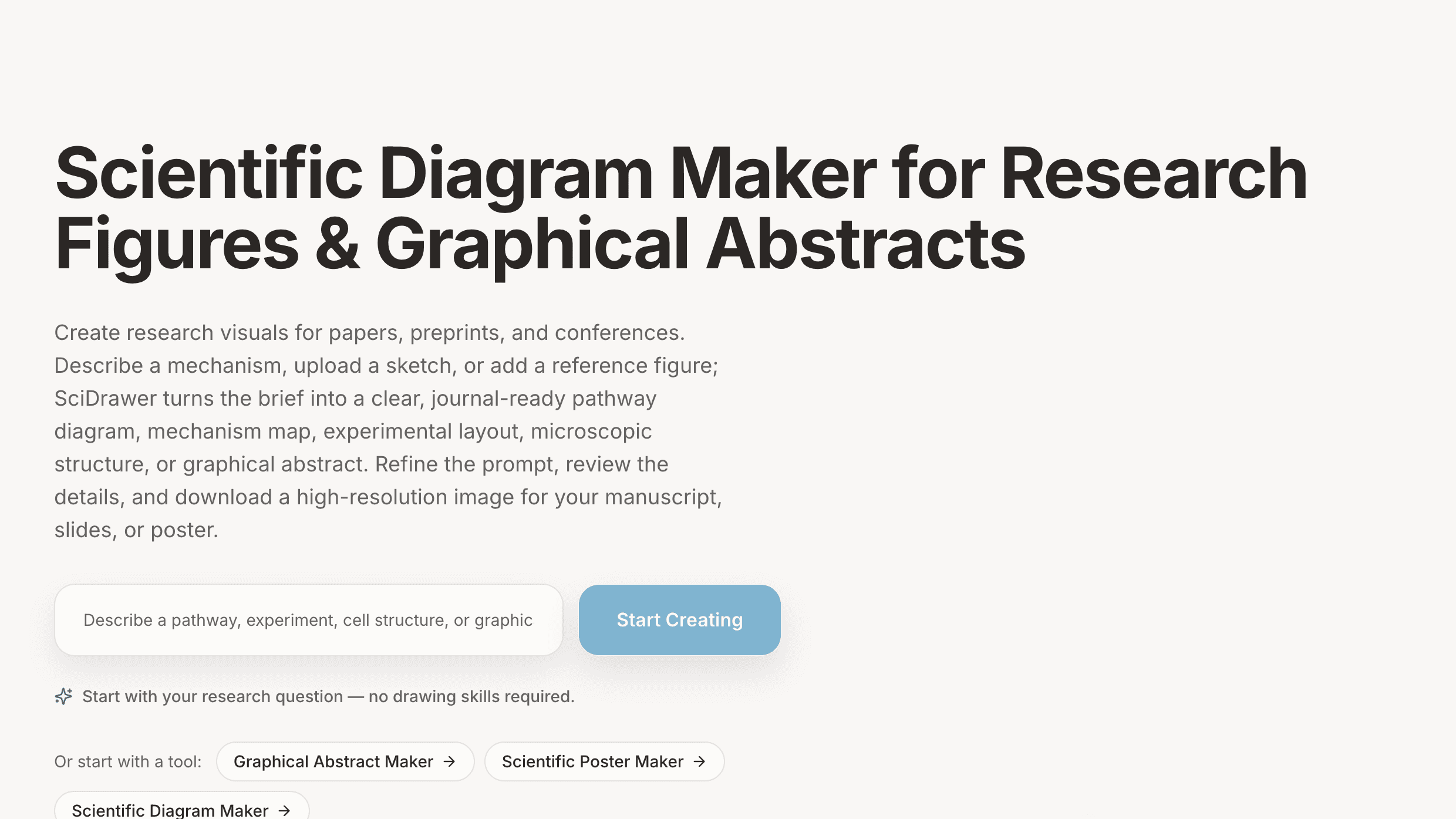
About this app
SciDrawer AI is a specialized AI-powered scientific diagram maker designed to help researchers create publication-ready figures, graphical abstracts, and research diagrams. Users can describe a mechanism, upload a hand-drawn sketch, or provide a reference figure to generate high-resolution pathway diagrams, experimental layouts, microscopic structures, and more. The platform offers a comprehensive template library across nine categories including mechanism pathways, lab equipment, microscopic structures, graphical abstracts, and conference poster layouts. It supports bilingual output in English and Chinese, multiple resolution options (1K, 2K, 4K), and style matching from reference images. With three pricing tiers (Starter at $9/mo, Pro at $23/mo, and Lab at $48/mo), SciDrawer AI aims to dramatically reduce the time researchers spend on figure creation while maintaining scientific accuracy. Key features include text-to-diagram generation, sketch-to-precise-diagram conversion, refere...
Key features
- 1Text-to-diagram generation: describe a mechanism or protocol and get a labelled, publication-grade figure.
- 2Sketch-to-diagram and reference-style matching to keep multi-figure manuscripts visually coherent.
- 39-category template library, bilingual EN/Chinese output, and 1K/2K/4K export including A0 poster layouts.
Target customer profile
Drawn from the product itself, not from a survey.
Demographic
Academic researchers and PhD students in life sciences
Pain points
Spending hours creating figures manually with limited design skills; struggling to meet journal figure standards
Primary needs
Quick, publication-ready mechanism diagrams and graphical abstracts without drawing expertise
Demographic
Principal investigators and lab managers
Pain points
Coordinating consistent visual styles across multi-figure manuscripts; managing team figure creation workflow
Primary needs
Shared workspace, batch generation, and style-matching to maintain visual coherence across publications
Demographic
Medical and scientific writers preparing conference materials
Pain points
Tight deadlines for poster creation; reusing manuscript figures in print-ready A0 format with consistent branding
Primary needs
Conference poster layouts and high-resolution exports that integrate with existing manuscript figures
Scout Review
Written by AI from measured evidence, scored out of 100.
SciDrawer AI is an early-stage, clearly positioned scientific diagram maker aimed at life-sciences researchers, PhD students and labs. Its strongest assets are a credible academic visual identity, a genuinely differentiated workflow (text, sketch and reference-image input in one place), bilingual output, and a pricing page that explains its credit math instead of hiding it. Its weakest are mobile performance (5.3s LCP), thin security hardening (5/12 header checklist, no CSP or DMARC), and a handful of accessibility and design polish issues that are all fixable. The product is competing against BioRender, Illustrator and Mind the Graph — tools with years of template depth and community — so the differentiator has to be speed-to-figure and accuracy, and accuracy is the open question. As a young product it's competent and promising rather than proven.
Measure by measure
Usability
63Hero input and clear CTA above the fold, plus figure-type shortcuts and an explicit credit-math pricing page. But the page turns long and text-heavy fast, and the truncated hero placeholder hurts the exact moment you're asked to type.
Design
70Credible academic voice: serif headings, restrained off-white/blue palette, hero showing real figure types. Undercut by a disabled-looking CTA, tiny light-gray card text, and mixed illustration styles.
Speed
58Desktop Lighthouse is a clean 100/100 with CLS 0 and TBT 8ms. Mobile is the problem: 66/100 with a 5.3s LCP and 5.3s FCP — the first paint is slow enough to lose impatient researchers on a phone.
Security
52HTTPS enforced with HSTS and SPF present, but the header probe scored 5/12: no CSP, no frame protection, no Referrer-Policy, no DMARC. No SOC 2, ISO, or bug-bounty signal found. Table-stakes transport security, thin on hardening.
Accessibility
80Lighthouse accessibility 96/100 with bilingual EN/Chinese support and a language switcher. Two real failures remain: insufficient color contrast and visible text labels without matching accessible names — both fixable and both visible in the design audit.
Growth
68Real, specific pain (hours lost on publication figures), a clear wedge (text/sketch/reference-to-diagram in one flow), and underserved angles in bilingual output and A0 posters. Category has headroom; execution is what's unproven.
Improvement areas
- Mobile performance: 5.3s LCP and FCP drag the mobile Lighthouse score to 66/100.
- Security hardening: 5/12 headers, no CSP, no DMARC, and no published data-handling or compliance page.
- Accessibility polish: insufficient color contrast and visible labels without matching accessible names.
Design & Usability
SciDrawer's site reads as deliberately academic — serif display headings, a restrained off-white and muted-blue palette, and a hero that shows actual figure types (mechanism panels, volcano plots, cell cross-sections) rather than abstract shapes. That's the right instinct for a research audience. The execution has gaps: the primary 'Start Creating' button is a pale blue that reads as disabled, card body text is small and light gray, and the diagram gallery mixes flat-vector, painterly and photoreal styles, which undercuts the 'one coherent visual system' claim the copy makes. Usability is competent but front-loaded: the hero input, clear CTA and figure-type shortcuts get you moving fast, and the pricing page is unusually honest about credit math. Below the fold the page becomes a long scroll of card grids, and the hero placeholder truncates mid-word exactly where users are asked to type.
Speed & Security
Speed splits cleanly by device. Desktop Lighthouse is a perfect 100/100 with CLS 0 and TBT 8ms — the page is stable and non-janky once rendered. Mobile is the weak half: 66/100 with a 5.3s LCP and 5.3s FCP, slow enough that a researcher checking the tool on a phone may bounce before seeing anything. Security is table stakes and not much more. HTTPS is enforced with HSTS and SPF is present, but the header probe scored 5/12: no Content-Security-Policy, no frame protection, no X-Content-Type-Options, no Referrer-Policy, no Permissions-Policy, and no DMARC. No SOC 2, ISO certification, or bug-bounty program surfaced in the site content. For a product whose users upload unpublished manuscript figures, that's thin — the transport layer is fine, the hardening and data-handling transparency are not yet there.
Accessibility & Growth
Accessibility is one of the stronger dimensions: Lighthouse scores 96/100, the site offers bilingual English/Chinese output with a language switcher, and the layout is responsive. Two real failures remain — insufficient color contrast (the same light-gray body text flagged in the design audit) and visible text labels without matching accessible names. Both are concrete and fixable, and fixing them would put SciDrawer clearly ahead of most research-tool peers. Growth is a judgement on the idea, and the idea holds up: researchers genuinely lose days to figure creation, and the wedge — text-to-diagram, sketch-to-diagram, and reference-style matching in a single workflow — is something BioRender makes you do by hand. Bilingual output and A0 poster export target segments the incumbents underserve. The honest limit is accuracy: 'publication-ready' and 'scientifically accurate' are exactly the promises a generative model breaks by inventing a step or an arrow, and the site's own FAQ has to address that. Win the accuracy argument and there's real headroom; lose it and the category's trust never arrives.
Conclusion
The verdict depends on one thing the site can't fully demonstrate: whether the generated figures survive a reviewer's eye. If SciDrawer reliably produces labelled, arrow-correct, journal-spec diagrams from a one-sentence brief, it saves researchers the single most tedious part of manuscript prep and the $9–$48 tiers look cheap against that. If it hallucinates a pathway step, the trust never comes back. The fixes that don't depend on that bet are cheap and obvious: raise the CTA contrast, bump the card body text, fix the two accessibility failures, add CSP and DMARC, and cut the mobile LCP. Do those and this is a credible challenger in a category that badly needs one.
Suggestions for improvement
- Fix the mobile LCP (5.3s): compress and lazy-load the hero illustration and defer non-critical JS to get first paint under 2.5s.
- Add the missing security headers — CSP, X-Frame-Options, Referrer-Policy, Permissions-Policy — and publish a DMARC record.
- Resolve the two Lighthouse a11y failures: raise body-text contrast and give icon-only controls matching accessible names.
- Publish a data-handling page stating how uploaded sketches and reference figures are stored, retained and deleted.
Alternatives comparison
Named competitors, point by point. Nobody paid to appear here or to be left out.
 SciDrawer AI |  BioRender |  Adobe Illustrator |  Mind the Graph | |
|---|---|---|---|---|
| AI generation from a text prompt | Yes — core feature, text-to-diagram | Limited — mostly manual icon assembly | No — manual vector drawing | Limited — template-based, not prompt-based |
| Sketch-to-diagram conversion | Yes — upload a hand-drawn sketch | No | No — manual tracing only | No |
| Reference-image style matching | Yes — Pro tier and above | Partial — style presets, not image matching | Manual — via swatches and styles | No |
| Template / icon library | 9 categories | Very large, 40k+ icons | N/A — general vector tool | Large template library |
| Bilingual output (English / Chinese) | Yes | No | Manual — font dependent | No |
| Entry price | $9/mo Starter | Free tier; paid from ~$39/mo | ~$22.99/mo subscription | Free tier; paid from ~$14/mo |
| Conference poster (A0) layouts | Yes — print-ready A0 export | Partial — poster templates | Yes — manual setup | Yes — poster templates |
BioRender
A widely-used scientific illustration platform with a large library of pre-made icons and templates for life sciences, though it requires more manual design work than AI-generated approaches.
Adobe Illustrator
Professional vector graphics software commonly used by research labs for figure creation, but it demands significant design expertise and time investment compared to AI-driven tools.
Mind the Graph
An online infographic and scientific illustration tool that offers templates and graphics library for researchers, with a more template-based rather than AI-prompt-based workflow.
Comparing options? See SciDrawer AI alternatives, scored side by side
More AI Generations apps
View all AI Generations
Uni-1 by Luma AI
92Uni-1 is an advanced multimodal text-to-image AI model th...

Gerty
91Private, local AI assistant for Mac that runs offline

LTX 2.3 AI Video Generator
91Fast, open-source AI video generator with 4K support, mul...

DemoVexa
90Turn your code into professional product demo videos with AI-generated scripts, animated UI, and natural voiceovers.

All of Us
89Add deceased loved ones to photos with AI and see free pr...

Voqusa
89Transcribe social media video and audio links into text (free signup, 5 free credits, then pay-as-you-go)

Pixelimg
88A free online AI-powered tool that instantly converts ima...

IraVoice
88Private on-device dictation for Apple-silicon Macs.

OBVELO
88Privacy gateway that masks personal data in LLM traffic

tradutor de mangá com IA
88O tradutor de mangá com IA traduz capítulos em lote, personaliza textos e oferece edição visual para estúdios.

HeyVid AI
88HeyVid AI is a free all-in-one AI video and image generat...

RestorePhotosApp
88An AI-powered photo restoration app that brings old, blur...


A platform dedicated to providing unbiased reviews of newly launched applications, analyzing everything from their features to their full potential.
info@scoutforge.net© 2026 Scoutforge. All rights reserved.
