Cycling through all six. Tap any point to stop.
Measured on six things
AI video dubbing in 23 languages with voice cloning and m...
Security
52HTTPS and HSTS are in place and checkout is outsourced, but no CSP, no frame protection, no DMARC, and no published compliance or audit claims.
Screenshots
1 / 3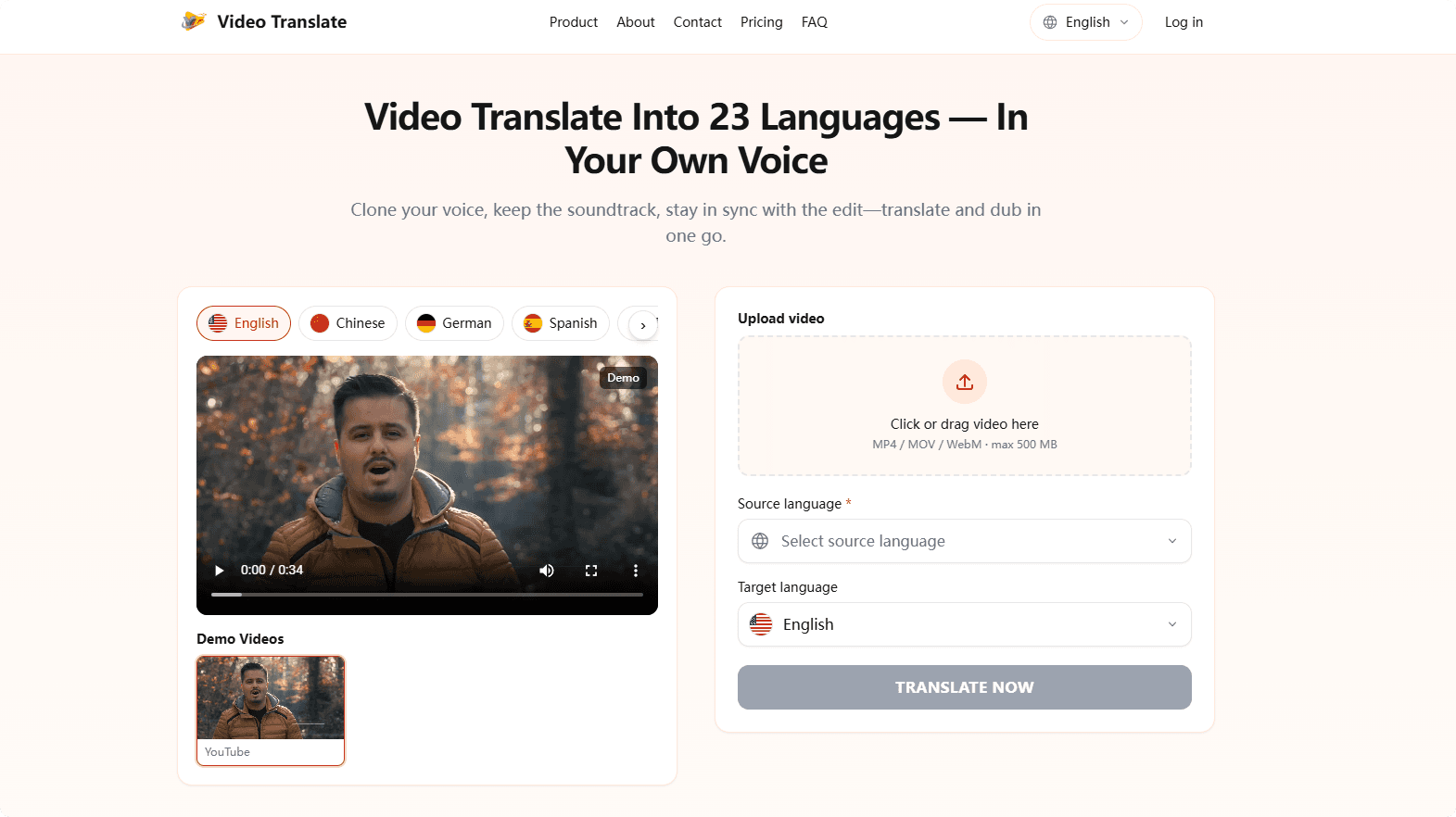
About this app
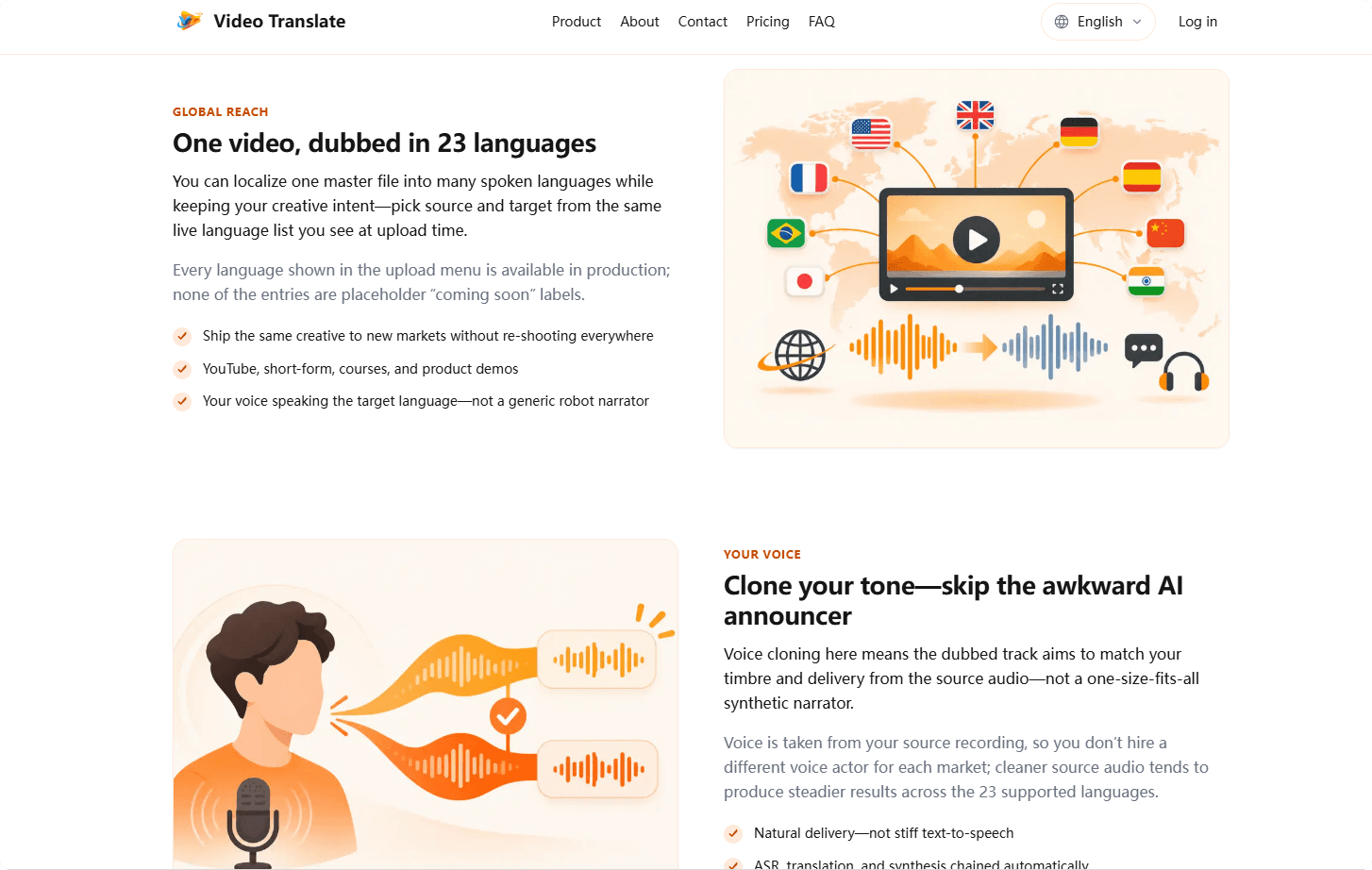
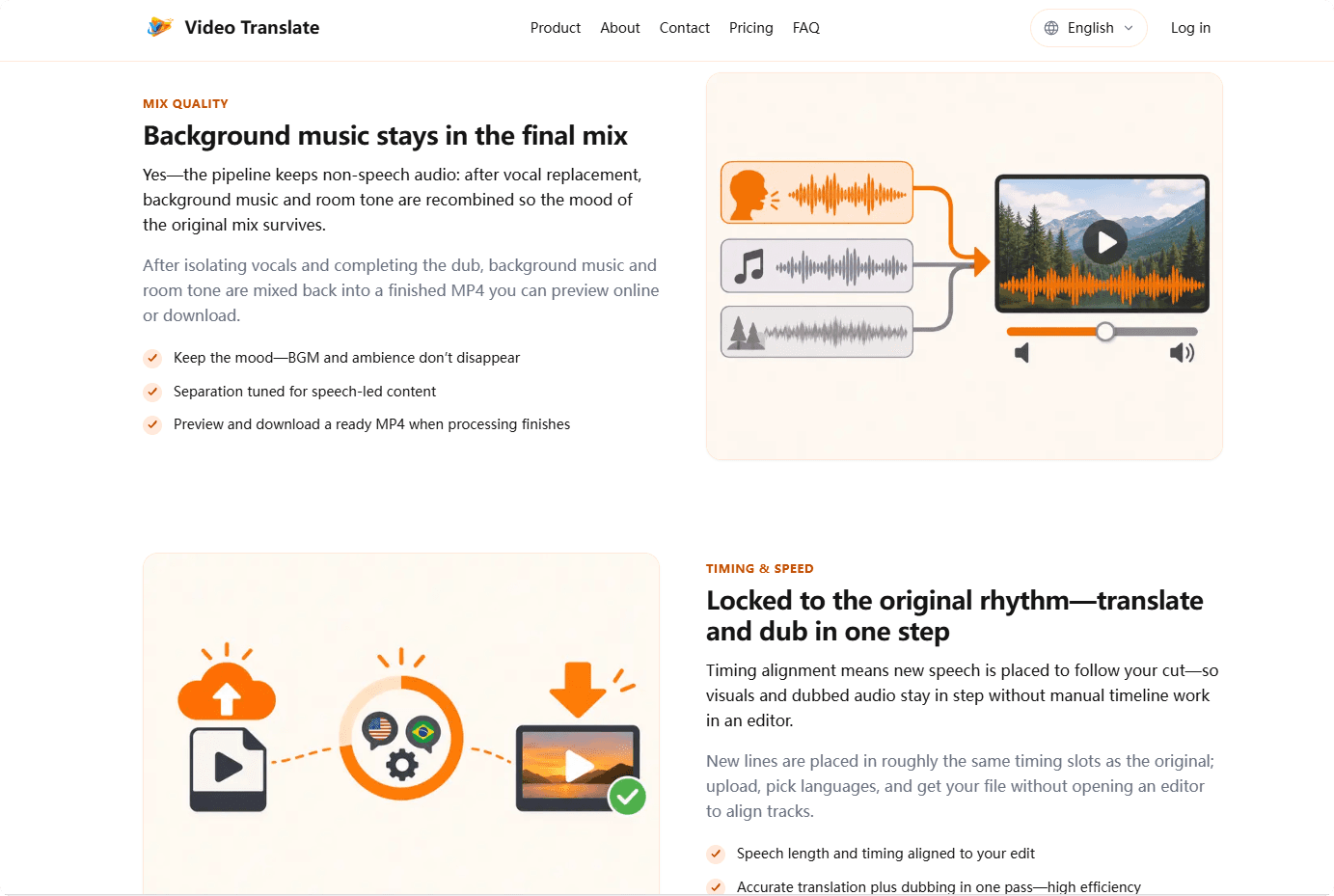
Video Translate is a browser-based AI video translator that dubs your clips into 23 languages while preserving your original voice and background music. Unlike basic subtitle tools, it clones your timbre from the source recording, isolates vocals, translates speech, synthesizes the dub in your voice, and re-mixes the original soundtrack—all timed to your edit. The result is a ready-to-download MP4 that sounds like you speaking the target language. It supports MP4, MOV, and WebM files up to 500 MB, and pricing is by the second (1 credit = 1 second of output), with plans starting at $9.90/month for ~15 minutes of dubbed video. A free Google sign-in grants 30 starter credits. It's ideal for explainers, tutorials, marketing spots, training videos, and product demos with clear, steady speech. Not recommended for multi-speaker panels, singing, or lip-sync-dependent content.
Key features
- 1Voice cloning from source recording — dubbed audio matches your timbre and delivery across 23 languages.
- 2Background music and room tone preserved and re-mixed into the final MP4 after vocal replacement.
- 3Per-second billing (1 credit = 1 second of output), with plans from $9.90/mo and 30 free starter credits.
Target customer profile
Drawn from the product itself, not from a survey.
Demographic
YouTube creators and vloggers expanding to international audiences
Pain points
Hiring voice actors for each language is expensive and time-consuming; auto-dubbed audio sounds robotic
Primary needs
Affordable, fast dubbing that retains their voice and background music for authentic localization
Demographic
Marketing teams and advertisers localizing video ads for multiple regions
Pain points
Reshooting or re-recording for each market blows budgets and timelines
Primary needs
One master video dubbed into many languages with consistent brand voice and music
Demographic
Corporate L&D and training managers creating multilingual onboarding and course content
Pain points
Manual translation and voice-over production slows rollout to global teams
Primary needs
Quick, cost-effective dubbing that preserves the presenter's voice and timing for training videos
Demographic
Sales and product marketing teams producing demo videos for international prospects
Pain points
Prospects disengage when audio isn't in their language; separate voice tracks feel disjointed
Primary needs
Native-language audio that sounds like the original presenter, with music intact, for seamless demos
Scout Review
Written by AI from measured evidence, scored out of 100.
Video Translate is a browser-based AI dubbing tool that clones your voice, keeps your background music, and re-times the dub to your edit — output as a downloadable MP4 in 23 languages. The landing page is fast (Lighthouse 100/100) and has a coherent visual identity, though the demo thumbnail is broken and pricing is hard to scan. Usability is solid: three-step flow, 30 free credits, detailed FAQ. Security is the weak spot — HTTPS and HSTS are there, but no CSP, no DMARC, no frame protection, and no published compliance. Accessibility is strong at 95/100 with minor contrast and labeling issues. Growth is a real idea with a specific wedge (per-second billing, voice cloning, preserved music) in a crowded market against HeyGen, Rask, and Dubverse. Worth a look for solo creators and small teams; enterprise buyers should wait for a security page.
Measure by measure
Usability
62Three-step flow and a detailed pricing FAQ make the path clear, and 30 free credits lower the barrier. But the disabled CTA with no explanation and buried pricing detail cost it.
Design
58Coherent orange branding and a disciplined zig-zag feature rhythm, but the empty 'YouTube' demo thumbnail, dense grey pricing paragraphs, and missing language flags undercut polish.
Speed
88Lighthouse 100/100 on both mobile and desktop, LCP 909ms, zero CLS and zero TBT. Genuinely fast, well-optimized landing page.
Security
52HTTPS and HSTS are in place and checkout is outsourced, but no CSP, no frame protection, no DMARC, and no published compliance or audit claims.
Accessibility
78Lighthouse 95/100 with only unlabeled form elements failing. Weak contrast on light grey pricing text and an English-only site UI keep it from the top of the band.
Growth
58Real problem, specific wedge (voice cloning + preserved music + per-second pricing) against HeyGen/Rask/Dubverse. Differentiated but crowded category with no lock-in.
Improvement areas
- Security posture: no CSP, DMARC, frame protection, or published compliance/audit page.
- Demo section: the 'YouTube' thumbnail is an empty grey placeholder on a video product.
- Pricing UX: dense grey paragraphs instead of a scannable plan comparison table.
- Accessibility polish: unlabeled form elements, weak contrast on pricing text, English-only site UI.
Design & Usability
The landing page has a real identity — consistent orange accents, custom flat illustrations, and a hero that shows the actual workflow (demo player plus upload form) above the fold. Feature sections alternate text and illustration in a disciplined rhythm. Where it slips: the single 'Demo Videos' thumbnail is an empty grey box labelled 'YouTube,' which reads as broken; pricing is dumped as dense grey paragraphs instead of a scannable comparison; and the language grid is missing flags for Svenska and Türkçe. Usability is decent — the three-step flow is spelled out, the pricing FAQ is genuinely helpful, and 30 free credits via Google sign-in lower the barrier. The main friction is the disabled 'Translate Now' button with no explanation of why it's inactive, plus pricing detail buried behind a small inline link.
Speed & Security
Speed is the standout: Lighthouse scores 100/100 on both mobile and desktop, with LCP at 909ms, CLS at 0, and TBT at 0ms. Whatever this is built on, it's lean and well-optimized — no heavy SPA bloat, no layout shift, no jank. Security is the weak flank. HTTPS is enforced and HSTS is on, and checkout is outsourced to Waffo Pancake so card data doesn't touch their servers. But the header probe found no Content-Security-Policy, no frame protection, no X-Content-Type-Options, no Referrer-Policy, no Permissions-Policy, and no DMARC record. There's no published SOC 2, ISO, or pen-test claim, and no security page. For a tool that ingests users' raw video and clones their voice, that's a thin posture — not alarming, but clearly behind what a serious buyer would want.
Accessibility & Growth
Accessibility lands at 95/100 on Lighthouse, with the only failing audit being form elements without associated labels — a quick fix. The bigger issues are human-judgment ones: light grey body text in pricing and feature descriptions has weak contrast at small sizes, and the site UI is English-only despite the product shipping 23 spoken languages. Growth is a judgment call on the idea, not traction. The problem is real — hiring voice actors per market is expensive and slow, and robotic TTS dubbing sounds like a robot. The wedge is specific: voice cloning from the source recording, preserved background music, timing alignment, and per-second billing (1 credit = 1 second) instead of vague 'minutes.' That's a sharper pitch than most dubbing tools. But the category is crowded — HeyGen, Rask, and Dubverse all offer voice cloning and dubbing at scale, and HeyGen in particular has lip-sync and a much larger footprint. There's no network effect, no data moat, no lock-in. The domain was registered in late 2026, so this is very early. The idea can grow, but it needs a sharper wedge than 'we also do dubbing.'
Conclusion
If you're a YouTuber or a small marketing team dubbing a handful of clips a month, the Starter plan at $9.90 for ~15 minutes is a fair entry point, and the 30 free credits let you test the voice quality before committing. The per-second billing is honest and the output format (MP4 with music intact) is what you actually want. What's missing is the boring stuff that makes a tool trustworthy at scale: a security page, a compliance story, and a demo that isn't an empty grey box. Fix those and this becomes a serious contender. Until then, it's a promising indie tool with a fast site and a thin back office.
Suggestions for improvement
- Replace the empty 'YouTube' demo thumbnail with a real sample video — it's the first thing a skeptical buyer clicks.
- Add a security page covering data handling, retention, and any audits; add CSP, DMARC, and frame protection headers.
- Make the disabled 'Translate Now' button explain why it's inactive (e.g. 'Select a source language to continue').
- Redesign the pricing section as a scannable comparison table instead of dense grey paragraphs.
Alternatives comparison
Named competitors, point by point. Nobody paid to appear here or to be left out.
 Video Translate |  HeyGen | Rask.ai |  Dubverse.ai | |
|---|---|---|---|---|
| Voice cloning from source recording | Yes — clones timbre from source audio | Yes — voice cloning supported | Yes — voice cloning supported | Yes — voice cloning supported |
| Background music preserved in final mix | Yes — BGM and room tone re-mixed | Partial — depends on workflow | Partial — depends on workflow | Partial — depends on workflow |
| Lip-sync support | No — not recommended for lip-sync content | Yes — lip-sync feature | Yes — lip-sync option | Limited |
| Number of supported languages | 23 | Multiple (40+) | 100+ | Multiple (100+) |
| Pricing model | Per-second credits; from $9.90/mo | Tiered subscription | Tiered subscription | Tiered subscription |
| Free tier / trial | 30 free starter credits via Google sign-in | Free tier with limits | Free trial available | Free tier with limits |
HeyGen
AI video generation platform with video translation and lip-sync features, supporting multiple languages and voice cloning.
Rask.ai
AI video localization tool that translates and dubs videos into 100+ languages with voice cloning and lip-sync options.
Dubverse.ai
AI-powered video dubbing platform offering translation, voice cloning, and subtitle generation in multiple languages.
Comparing options? See Video Translate alternatives, scored side by side
More AI Generations apps
View all AI Generations
Uni-1 by Luma AI
92Uni-1 is an advanced multimodal text-to-image AI model th...

Gerty
91Private, local AI assistant for Mac that runs offline

LTX 2.3 AI Video Generator
91Fast, open-source AI video generator with 4K support, mul...

DemoVexa
90Turn your code into professional product demo videos with AI-generated scripts, animated UI, and natural voiceovers.

All of Us
89Add deceased loved ones to photos with AI and see free pr...

Voqusa
89Transcribe social media video and audio links into text (free signup, 5 free credits, then pay-as-you-go)

Pixelimg
88A free online AI-powered tool that instantly converts ima...

IraVoice
88Private on-device dictation for Apple-silicon Macs.

OBVELO
88Privacy gateway that masks personal data in LLM traffic

tradutor de mangá com IA
88O tradutor de mangá com IA traduz capítulos em lote, personaliza textos e oferece edição visual para estúdios.

HeyVid AI
88HeyVid AI is a free all-in-one AI video and image generat...

RestorePhotosApp
88An AI-powered photo restoration app that brings old, blur...


A platform dedicated to providing unbiased reviews of newly launched applications, analyzing everything from their features to their full potential.
info@scoutforge.net© 2026 Scoutforge. All rights reserved.
