Cycling through all six. Tap any point to stop.
Measured on six things
Professional PDF, DWG, and technical file viewer & converter
Growth
32Established since 1997 with steady niche presence and simple $95 pricing, yet almost zero public reviews or community signals after decades.
Screenshots
1 / 3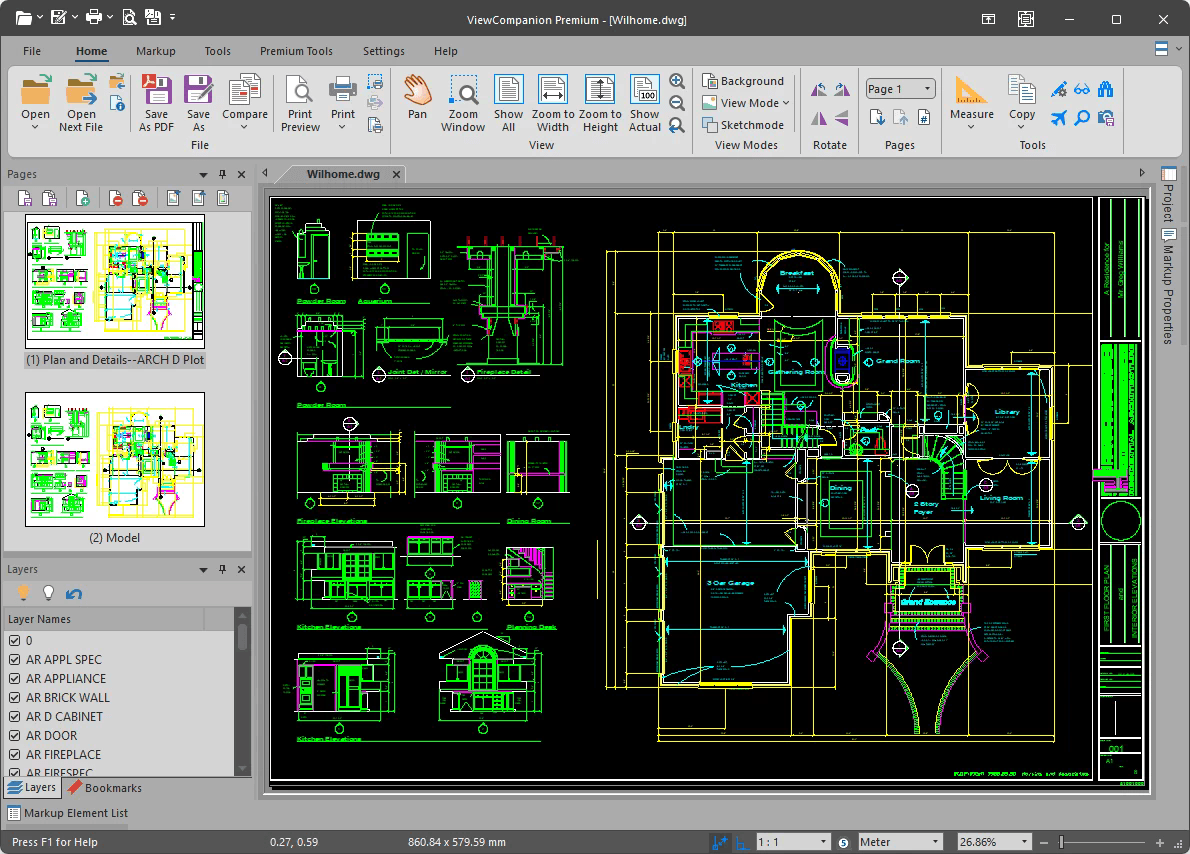

About this app
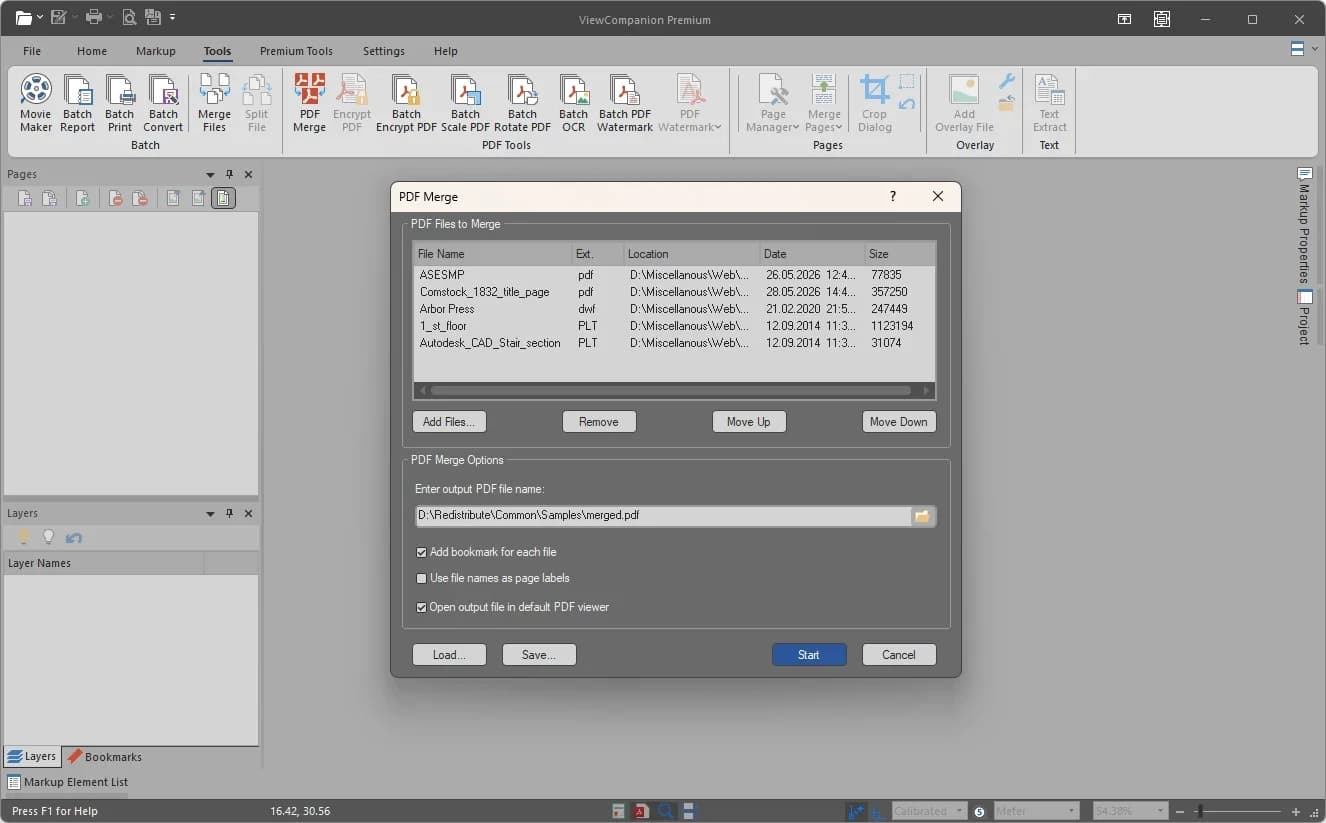
If you work with technical files like PDFs, DWGs, DWF, CGM, or TIFFs, ViewCompanion Premium is a powerhouse tool that does it all. It can view, annotate, measure, compare, print, and convert a huge variety of formats—including AutoCAD DWG files without needing AutoCAD. What I love is the batch conversion and folder monitoring, which automates tedious tasks. The measurement tools snap to geometry and export to Excel, and the PDF tools include OCR, merge/split, and PDF/A conversion. It runs on Windows and supports virtualized environments. Perfect for engineers, architects, and anyone in document-heavy industries.
Key features
- 1Native DWG viewing/editing without AutoCAD plus PDF/A, OCR, and revision comparison.
- 2Snap-to-geometry measurements with Excel export and digital takeoff support.
- 3Watch-folder automation for batch conversion/printing across dozens of legacy formats.
Target customer profile
Drawn from the product itself, not from a survey.
Demographic
Architects and engineers working with AutoCAD and technical drawings
Pain points
Need to view and annotate DWG files without expensive AutoCAD licenses; manage multiple file formats
Primary needs
Accurate measurement, batch conversion, and revision comparison
Demographic
Document control and quality assurance professionals
Pain points
Handling large volumes of PDF and scanned documents; ensuring compliance with PDF/A standards
Primary needs
OCR, watermarking, merging/splitting, and automated folder monitoring
Demographic
Manufacturing and design firms using Gerber, CGM, or HPGL files
Pain points
Converting legacy or specialized formats to modern editable ones; precision measurement
Primary needs
Conversion to DXF, SVG; support for Gerber and HPGL; digital takeoffs
Scout Review
Written by AI from measured evidence, scored out of 100.
ViewCompanion Premium delivers specialized power for technical file workflows—DWG viewing without AutoCAD, precise measurements, batch automation, PDF/A compliance, and revision comparison—in a single Windows package. Its strengths lie in depth for engineers and document control teams who need format breadth and takeoff tools. Weaknesses center on an aging interface, minimal public validation, and basic security posture. It remains a practical choice for organizations already embedded in Windows environments and legacy formats, especially at the accessible $95 price point with generous trial.
Measure by measure
Usability
5830-day trial and solid docs lower the barrier, but site navigation is clunky and the desktop-only Windows focus limits broader appeal. Strong automation features once inside.
Design
42Dated Windows-era UI with crowded toolbars and low-res marketing screenshots. Functional for CAD users but lacks modern polish or visual hierarchy on the site.
Speed
85Excellent Lighthouse scores with fast LCP and zero layout shift. No complaints about sluggishness in available feedback.
Security
38Basic HTTPS and SPF only; missing modern headers and any compliance certifications. Typical for small long-standing indie vendor with no reported incidents.
Accessibility
68Strong automated score but contrast and link issues flagged. No dedicated a11y docs or multi-language support; desktop app inherits Windows accessibility features.
Growth
32Established since 1997 with steady niche presence and simple $95 pricing, yet almost zero public reviews or community signals after decades.
Improvement areas
- Modernize dated Windows ribbon UI and improve marketing site visual hierarchy.
- Strengthen security headers and add compliance documentation.
- Build visible social proof through reviews and case studies.
Design & Usability
ViewCompanion Premium's design reflects its long history as a specialized Windows desktop tool. The app interface prioritizes dense functionality with persistent layer lists and toolbars familiar to CAD users, but it retains a dated aesthetic with crowded icons and classic Windows styling. The marketing site compounds this with plain navigation, dense text blocks, and a tiny hero screenshot that fails to showcase capabilities. Usability benefits from a straightforward 30-day trial and dedicated getting-started resources, plus powerful automation like folder monitoring and command-line support. However, the website's lack of visual hierarchy makes key actions like purchasing harder to find than they should be. Overall it serves its target engineers and architects competently once installed, though first impressions lag behind modern web-first alternatives.
Speed & Security
Performance is a clear strength. Lighthouse metrics show near-perfect scores on both mobile and desktop with quick load times and no layout issues, suggesting efficient static hosting. Security is more basic: HTTPS is in place along with SPF, but the absence of HSTS, CSP, and any third-party compliance attestations keeps it in the lower range for a professional tool. No breaches or complaints surfaced in research, consistent with a small, low-profile vendor operating since the late 1990s. For users handling sensitive technical drawings this may be acceptable given the offline nature of the desktop app, but it lacks the enterprise-grade assurances found in larger competitors.
Accessibility & Growth
Accessibility lands in a middling band. Automated checks score well but flag contrast and link discoverability problems that could affect keyboard and screen-reader users. The product offers no explicit a11y statement or multi-language options. Growth tells a story of longevity without visibility: Software Companions has maintained the product for nearly three decades with consistent feature updates and simple volume pricing, yet it shows almost no footprint on major review platforms or community sites. This positions it as a quiet, reliable niche player rather than a growing or widely discussed solution.
Conclusion
For teams tired of juggling multiple viewers and converters, ViewCompanion Premium offers a consolidated, if visually old-school, alternative that just works for its intended audience.
Suggestions for improvement
- Add modern dark mode and cleaner iconography to the desktop UI to reduce visual fatigue during long sessions.
- Surface pricing tiers and a prominent trial CTA higher on the homepage with clearer navigation styling.
- Publish a security page or basic compliance notes to build trust with enterprise document-control buyers.
- Collect and display case studies or user testimonials to address the near-total absence of third-party validation.
Alternatives comparison
Named competitors, point by point. Nobody paid to appear here or to be left out.
 ViewCompanion Premium ViewCompanion Premium |  Adobe Acrobat Pro Adobe Acrobat Pro | Autodesk TrueView |  Bluebeam Revu Bluebeam Revu | |
|---|---|---|---|---|
| Native DWG support without AutoCAD | Full view, annotate, measure, convert | No native DWG | Viewer only, limited tools | PDF-focused, no DWG |
| Batch conversion & folder monitoring | Yes, with automation | Limited batch actions | None | Some batch but no watch folders |
| Precise measurement & takeoff tools | Snap geometry, Excel export | Basic measurement only | None | Strong PDF measurement |
| PDF/A, OCR, merge/split | Full suite included | Industry standard | None | Markup-focused, limited PDF tools |
Adobe Acrobat Pro
Industry standard for PDF editing and conversion, but lacks native DWG support and advanced measurement tools.
Autodesk TrueView
Free DWG viewer, but limited annotation and conversion features; no PDF tools or batch processing.
Bluebeam Revu
Popular among construction professionals for PDF markup and measurement, but expensive and lacks Gerber/CGM support.
Comparing options? See ViewCompanion Premium alternatives, scored side by side
Sources
What the review was written against. A verdict with no sources is an opinion.
More Analytics apps
View all Analytics
LTX 2.3 AI Video Generator
91Fast, open-source AI video generator with 4K support, mul...

CitableReport
89CitableReport is an AI visibility audit:

ButterKit
82macOS app for App Store screenshots: 3D mockups, auto-tra...

PERM Processing Time: Current DOL Queue & History
88PERM Processing Time is an independent data analysis platform that helps users navigate the U.S. Department of Labor’s permanent labor certification process.

Askray
88See who ChatGPT, Gemini & Claude recommend instead of you...

SiftingIO - Market Data API
88Real-time & historical market data API for stocks, forex,...

Betterlytics
87Web analytics for your whole site. Traffic, session replay, error tracking, page speed and uptime in one dashboard. Open source, cookieless and EU-hosted.

Sonar
87Free website tracking checker. Paste a URL and Sonar crawls your site from the outside, then reports what's running and the problems it can prove.

DATA HIT Tools
87AI visibility and seasonality tools for SEOs and analysts

Reptor
85Reputation monitoring across Google, AI search engines, reviews, news and social media, with sentiment analysis per mention.

Xquik
85Search X tweets, export followers & monitor accounts through REST, MCP & SDKs.

Timix - A Modern Timer
84Turn timers into powerful routines with automation, widge...


A platform dedicated to providing unbiased reviews of newly launched applications, analyzing everything from their features to their full potential.
info@scoutforge.net© 2026 Scoutforge. All rights reserved.
