Cycling through all six. Tap any point to stop.
Measured on six things
Free antivirus for Windows & Mac with real-time protection.
Usability
38No download button, no signup, no docs, no FAQ. The homepage gives zero path to actually getting the software. Onboarding is nonexistent from what's visible.
Screenshots
1 / 5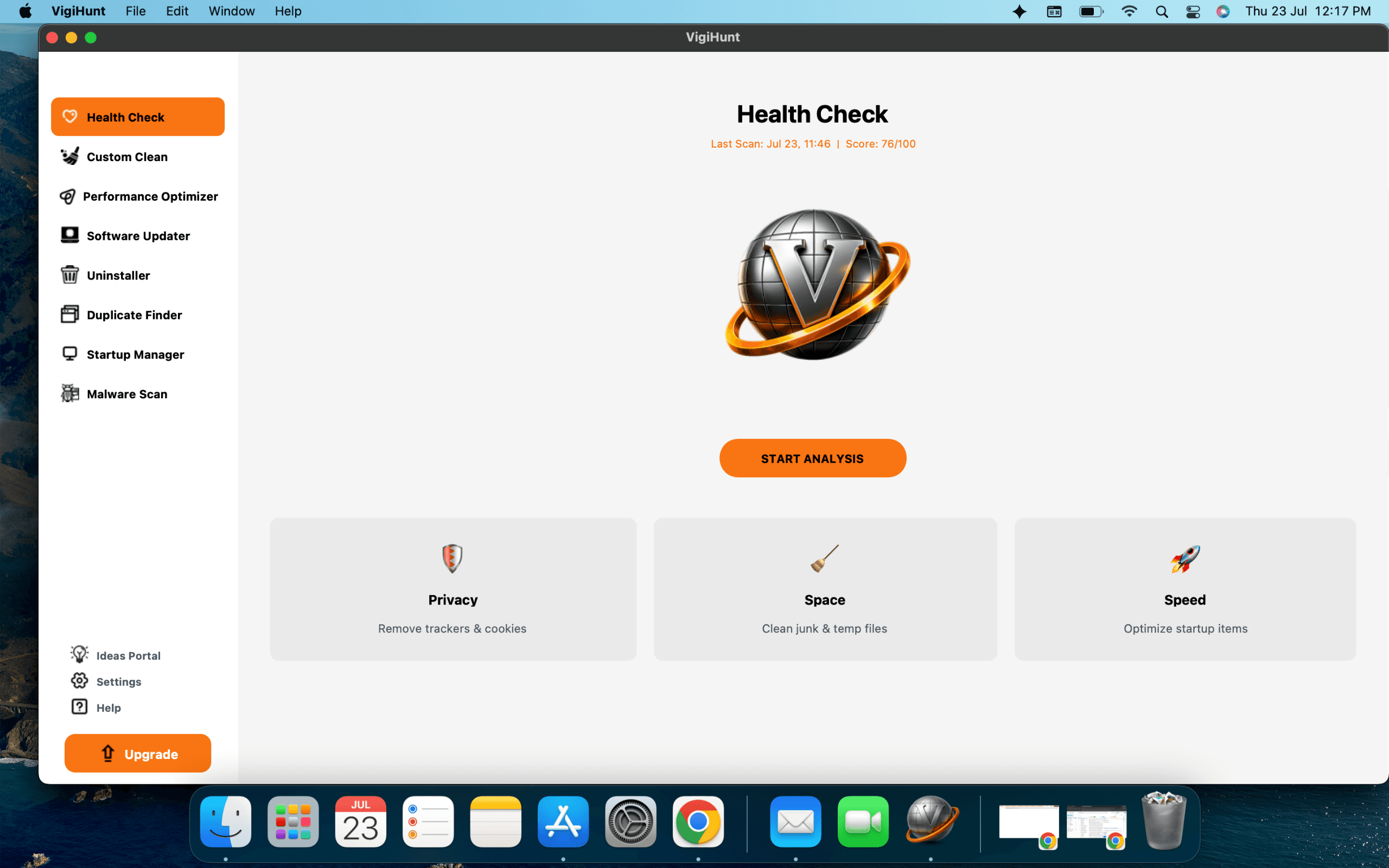
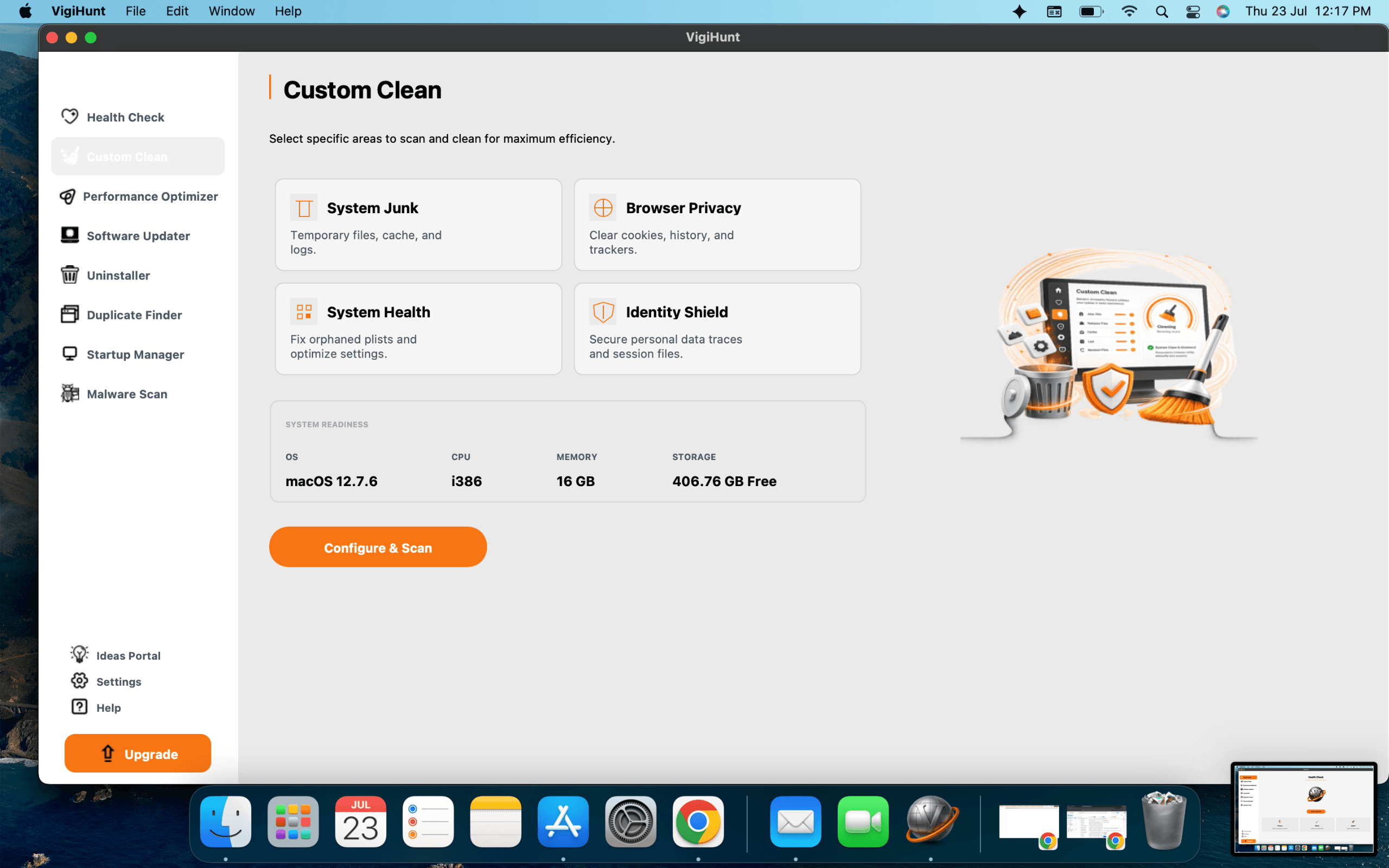
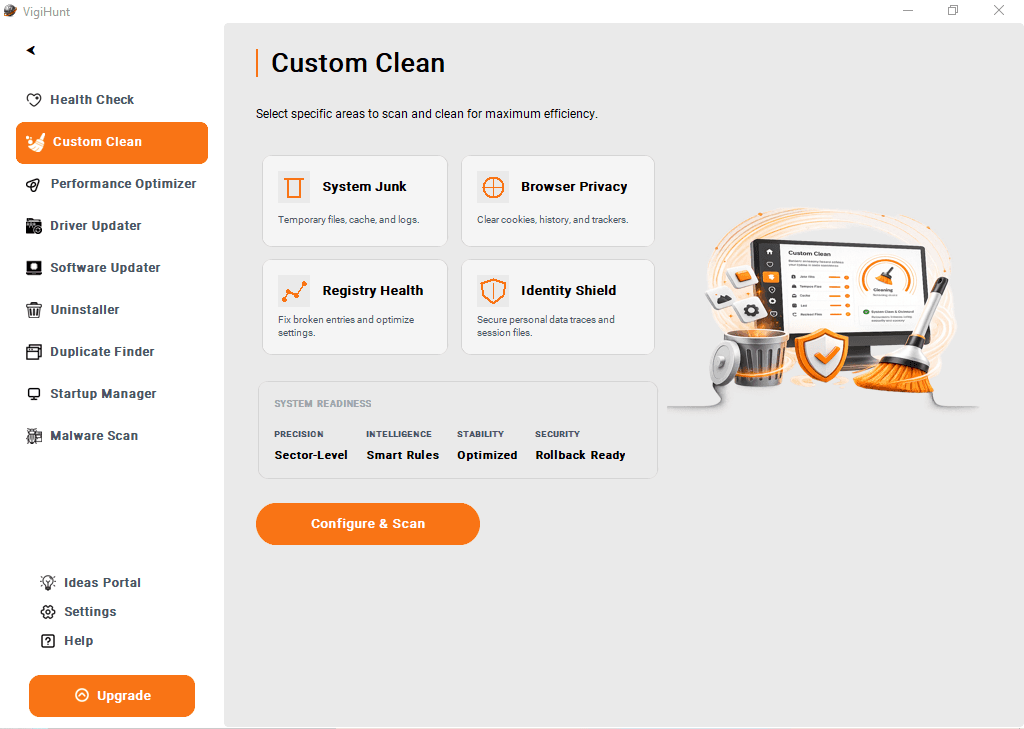
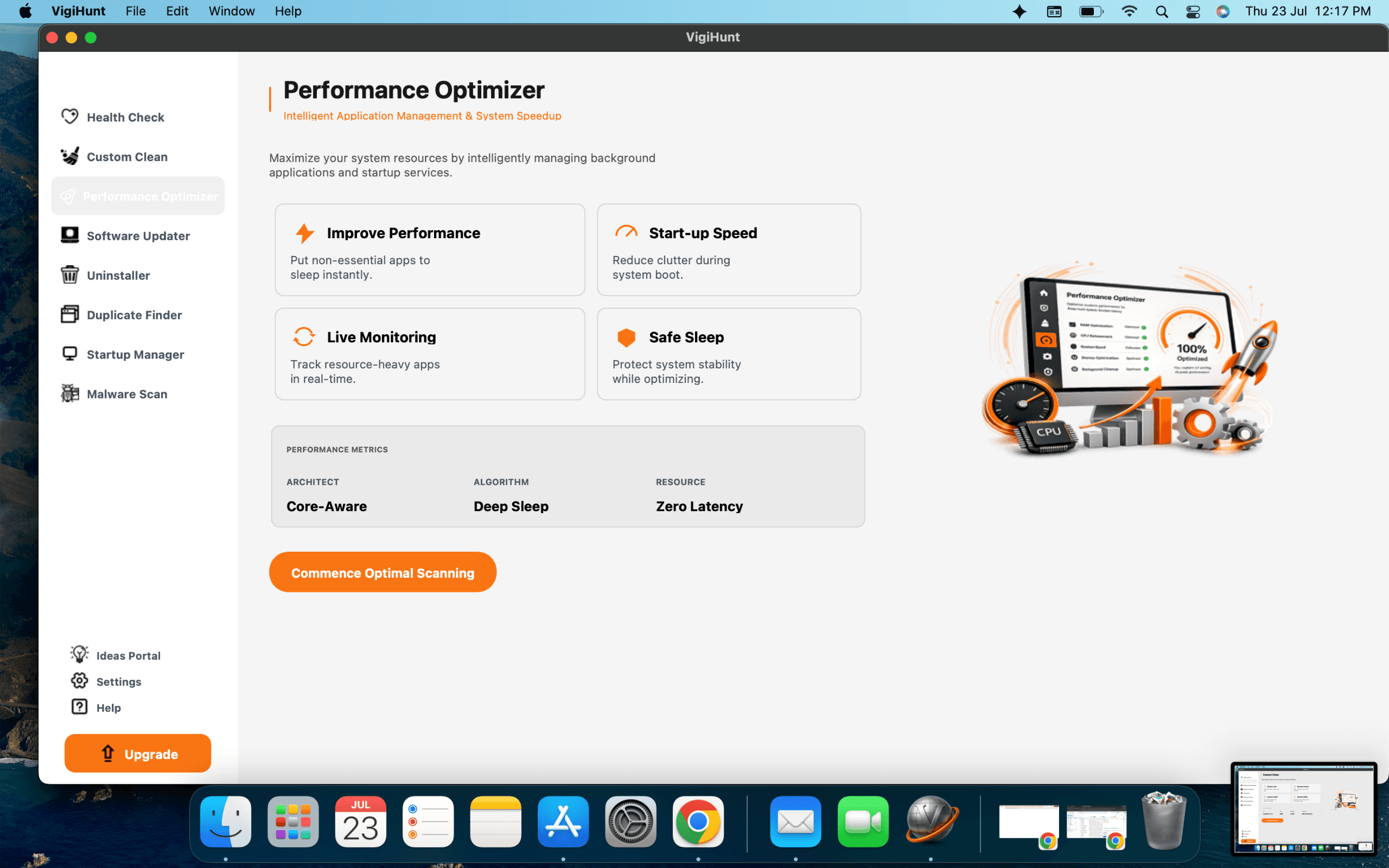
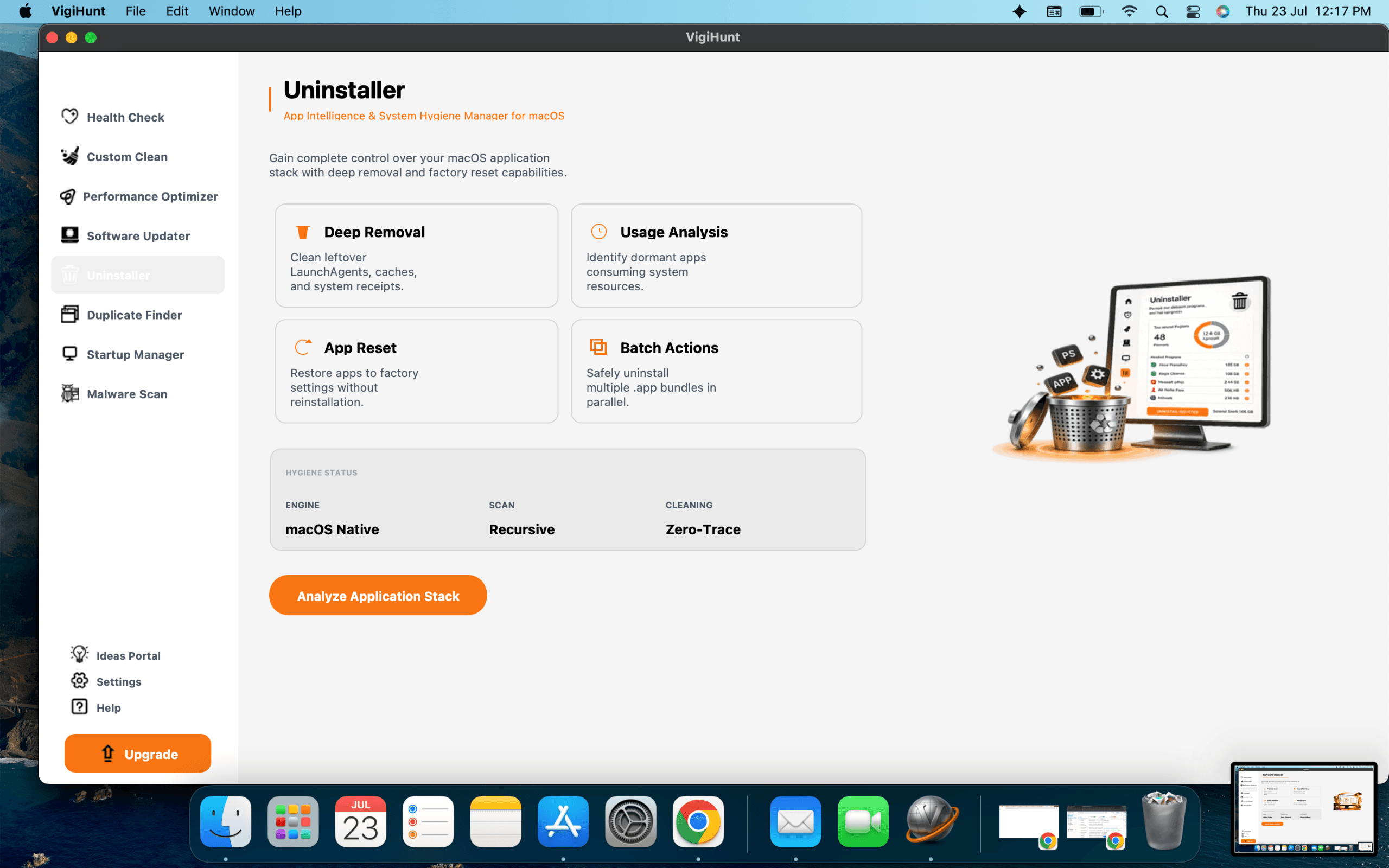
About this app
VigiHunt is a free antivirus solution designed for Windows and Mac users, offering real-time malware protection and advanced security features. As a lightweight yet powerful tool, it aims to safeguard your devices from viruses, ransomware, spyware, and other online threats without slowing down your system. With an intuitive interface and minimal resource usage, VigiHunt is suitable for both personal and professional use. The software includes features like real-time scanning, scheduled scans, web protection, and automatic updates to ensure your security is always up to date. Whether you're a student, a remote worker, or a small business owner, VigiHunt provides a reliable and cost-effective way to protect your digital life. Its cross-platform compatibility makes it a versatile choice for mixed-device environments. While primarily focused on core antivirus functionality, VigiHunt also offers additional tools such as phishing protection and privacy safeguards. The blog section on the ...
Key features
- 1Free antivirus for Windows and Mac with real-time malware protection.
- 2Scheduled scans, web protection, and automatic updates.
- 3Phishing protection and privacy safeguards.
Target customer profile
Drawn from the product itself, not from a survey.
Scout Review
Written by AI from measured evidence, scored out of 100.
Re-reviewed Sep 18, 2026 · previously 19/100
VigiHunt is an early-stage free antivirus for Windows and Mac that barely exists as a web presence. The homepage is a headline and a blog link — no download, no features, no screenshots. Speed is decent (Lighthouse 79 mobile, 84 desktop), but LCP is slow at 3.7s. Security headers are mostly missing (4/12), which is ironic for an antivirus vendor. Accessibility has three concrete failures. Growth is questionable: no differentiator against Avast, AVG, or Bitdefender. The product may work, but the site does nothing to prove it or help you get it.
Measure by measure
Usability
38No download button, no signup, no docs, no FAQ. The homepage gives zero path to actually getting the software. Onboarding is nonexistent from what's visible.
Design
42Homepage is nearly empty — just a headline and a blog link. No screenshots, feature visuals, or branding depth. Looks like a placeholder, not a finished product page.
Speed
68Lighthouse mobile 79/100, desktop 84/100. LCP 3.7s on mobile is slow, but CLS 0.002 and TBT 123ms are solid. Fast enough, but not snappy.
Security
52HTTPS enforced and SPF/DMARC set, but missing HSTS, CSP, frame protection, and most security headers (4/12 checklist). No security page or compliance claims found.
Accessibility
58Lighthouse a11y 85/100, but failing on button names, link names, and color contrast. No accessibility statement or keyboard support info. Basic but flawed.
Growth
48Free antivirus for Windows/Mac is a real need, but the site shows no differentiator against Avast, AVG, or Bitdefender. Early domain (0.9 years) and social presence, but no clear wedge.
Improvement areas
- Homepage lacks download button, feature details, and screenshots.
- Missing critical security headers (HSTS, CSP, frame protection).
- Accessibility failures: unnamed buttons/links and low contrast.
Design & Usability
VigiHunt's homepage is a ghost town. The fetched content shows only a headline and a 'Blogs' link — no download button, no feature list, no screenshots, no signup flow. For a product that claims to offer real-time malware protection, the site gives zero indication of how to actually get the software or what it looks like. Design-wise, it's a placeholder. Usability-wise, it's a dead end. There's no onboarding, no docs, no FAQ, no trial. A user landing here would bounce in seconds. The only redeeming factor is that the product is free, but even that isn't clearly actionable. This is a marketing site that forgot to market.
Speed & Security
Speed is the strongest measured dimension: Lighthouse mobile 79/100, desktop 84/100, with excellent CLS (0.002) and TBT (123ms). LCP at 3.7s on mobile is the weak spot — above the 2.5s 'good' threshold. Security is a mixed bag: HTTPS is enforced and SPF/DMARC are set, but the site is missing HSTS, CSP, frame protection, X-Content-Type-Options, Referrer-Policy, and Permissions-Policy — only 4/12 checklist points. For an antivirus vendor, that's a poor showing. No security page, no compliance claims, no bug bounty. The product asks you to trust it with your device's safety while its own site skips basic hardening.
Accessibility & Growth
Accessibility scores 85/100 on Lighthouse, but fails on button names, link names, and color contrast — three issues that directly impact screen reader and low-vision users. No accessibility statement or keyboard navigation info. Growth potential is middling: free antivirus is a real need, but VigiHunt offers no visible differentiator against Avast, AVG, or Bitdefender. The domain is 0.9 years old, social profiles exist, but the site doesn't articulate a unique value proposition. It's a 'me too' product in a crowded category. Without a clear wedge — better performance, privacy focus, or a specific underserved segment — growth will be an uphill battle.
Conclusion
If VigiHunt wants to be taken seriously as an antivirus, it needs to start acting like a product. That means a real homepage with a download button, feature explanations, screenshots, and a security page that proves it practices what it preaches. The speed is fine, but everything else is either missing or broken. Right now, this is a landing page that forgot to land. Fix the site, then we'll talk about the software.
Suggestions for improvement
- Add a prominent download button and clear installation instructions on the homepage.
- Create a security page detailing encryption, data handling, and compliance (SOC 2, GDPR).
- Fix accessibility failures: add accessible names to buttons/links and improve color contrast.
- Publish a feature comparison against Avast, AVG, and Bitdefender to show your unique value.
Alternatives comparison
Named competitors, point by point. Nobody paid to appear here or to be left out.
 VigiHunt |  Avast Free Antivirus |  AVG AntiVirus Free |  Bitdefender Antivirus Free Edition | |
|---|---|---|---|---|
| Price | Free | Free (premium tiers available) | Free (premium tiers available) | Free (premium tiers available) |
| Platforms | Windows, Mac | Windows, Mac, Android, iOS | Windows, Mac, Android, iOS | Windows, Mac, Android, iOS |
| Real-time protection | Yes | Yes | Yes | Yes |
| Web protection | Yes | Yes | Yes | Yes |
| Phishing protection | Yes | Yes | Yes | Yes |
Avast Free Antivirus
Popular free antivirus with real-time protection and additional features like Wi-Fi inspector.
AVG AntiVirus Free
Free antivirus with strong malware detection and web protection, known for its user-friendly interface.
Bitdefender Antivirus Free Edition
Lightweight free antivirus with excellent detection rates and minimal impact on system performance.
Comparing options? See VigiHunt alternatives, scored side by side
More Security apps
View all Security
kosa8
88Sealed VMs for AI agents with instant rewind, audit trails & zero key exposureSealed VMs for AI agents with instant rewind and audit tr...

OBVELO
88Privacy gateway that masks personal data in LLM traffic

Sidenty
87Sidenty is a professional digital identity protection ser...

ProcessSpy
87A native macOS process explorer and advanced monitor that...

Magery Forge
87Weekly security audits for vibe-coded sites, explained in...

Basalt
86Eighteen PDF tools in one native Mac window: merge, split, compress, OCR, Bates numbering, forms, signing and redaction. Offline. $29 once.

Sanctix
85Sanctions screening with verifiable SHA-256 audit trails.

PromptTrace
85Free hands-on AI security labs for prompt injection and L...

eGuard
84Verifiable parental controls for families in the Philippines

yourdrive
84YourDrive is a self-hosted file manager and media timeline that runs entirely on your own infrastructure. Organize files in nested folders, move them with drag-and-drop, search instantly, and browse photos and videos by month and year. Files stream straight to your own AWS S3, Azure Blob, MinIO, Cloudflare R2 or Wasabi storage. Install with one command. Free for personal use; teams pay per server, not per seat.

VaultKeepR
84Password manager with no email, no account, no tracking. ...

Noden
84Native macOS SSH, SFTP & RDP client with a Keychain-backe...


A platform dedicated to providing unbiased reviews of newly launched applications, analyzing everything from their features to their full potential.
info@scoutforge.net© 2026 Scoutforge. All rights reserved.
