Cycling through all six. Tap any point to stop.
Measured on six things
Page-by-page AI reading tutor for dense PDFs.
Growth
28Domain registered June 24 2026; zero reviews, stars, or mentions anywhere. Typical early indie trajectory with free tier to seed users; no community or funding signals yet.
Screenshots
1 / 4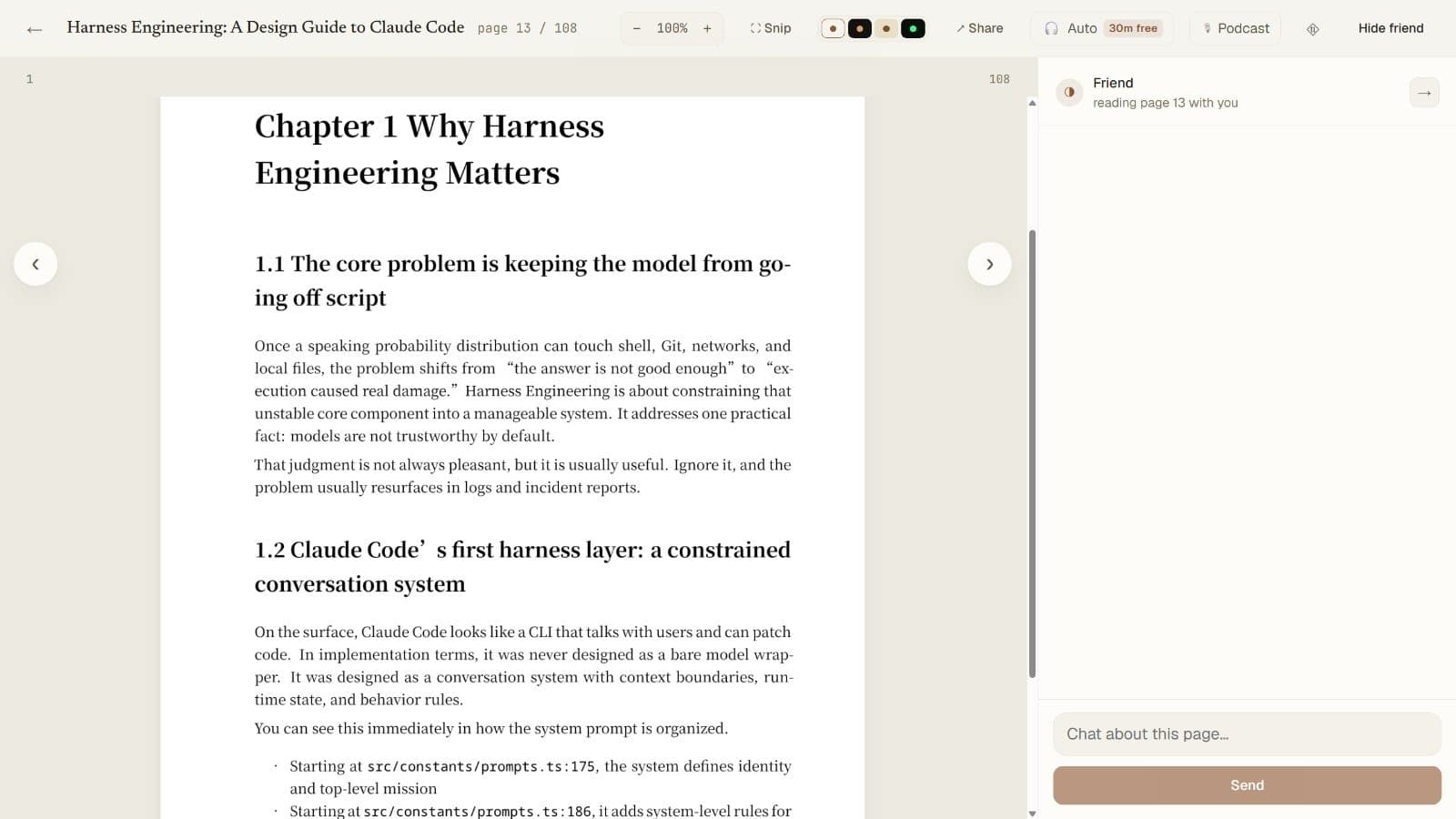
About this app
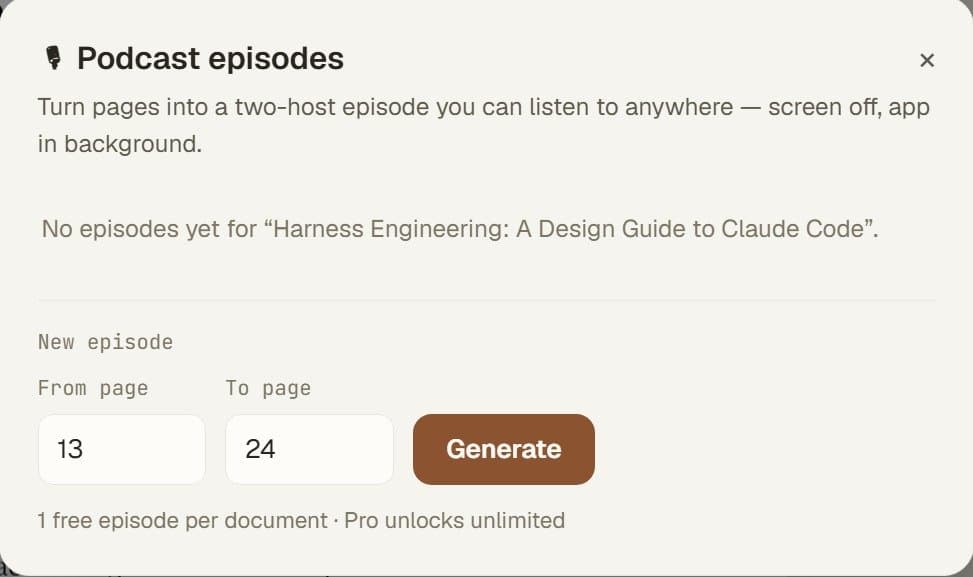
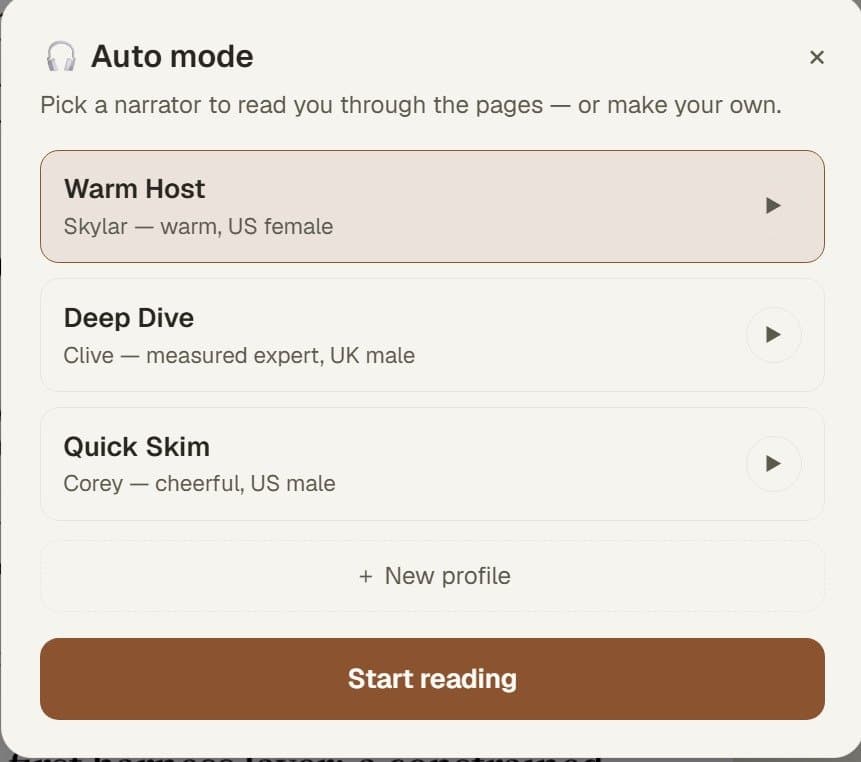
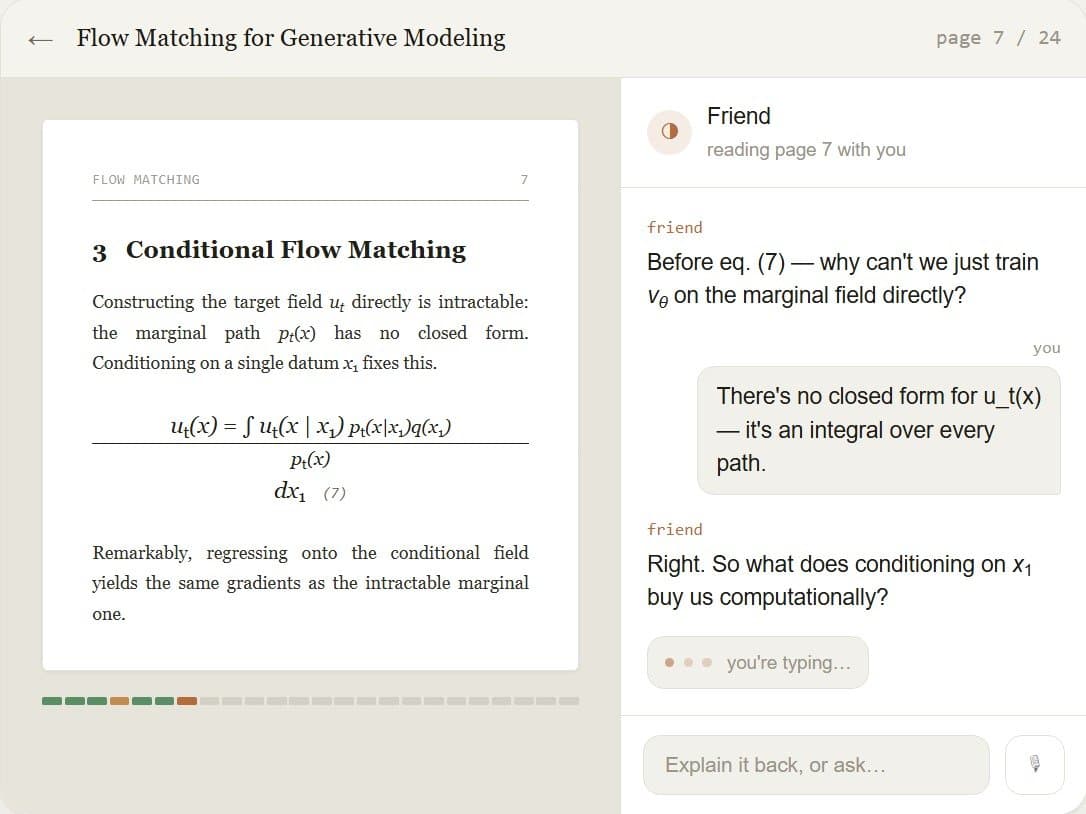
aipdfreader is a warm, page-by-page AI reading companion for any document—papers, textbooks, or stories. It transforms reading by walking you through each page via voice or text, checking your understanding, and cheering you on. Unlike typical summary tools, it renders each page as an image so the AI sees exactly what you see—equations, figures, and all—and engages you in a Socratic dialogue. With features like full-duplex voice, snip-to-ask, autoplay walkthrough, and reading themes, it makes reading hard things feel calm and easy. It started with ML and math papers but works on anything dense: textbooks, contracts, specs. Your first 50 pages are free; then a simple subscription unlocks unlimited reading. No setup, no API keys—just sign up and read.
Key features
- 1Page-by-page Socratic dialogue with vision-model rendering of actual PDF images including equations and figures
- 2Full-duplex voice, snip-to-ask, autoplay walkthrough, and multiple reading themes (light/dark/sepia/terminal)
- 3Tutor mode for verification + Buddy mode for casual reading; first 50 pages free then simple subscription
Target customer profile
Drawn from the product itself, not from a survey.
Demographic
Graduate students and researchers in ML/math
Pain points
Struggle to understand dense papers; lack of immediate advisor feedback
Primary needs
Page-by-page explanation, ability to ask questions, verification of understanding
Demographic
Professionals reviewing contracts or specifications
Pain points
Need to ensure full comprehension of complex legal or technical documents
Primary needs
Guided reading, clarification of terms, confidence in understanding
Demographic
Self-learners tackling textbooks independently
Pain points
No tutor to explain concepts; easily discouraged by difficulty
Primary needs
Encouraging companion, at-pace learning, ability to drill down into details
Scout Review
Written by AI from measured evidence, scored out of 100.
AI PDF Reader delivers a distinctive Socratic, page-by-page reading companion that renders actual page images for vision-model accuracy—an approach that sets it apart from summary-first tools. The warm design language and zero-setup experience lower the barrier for dense documents, while strong performance metrics ensure the interface itself does not add friction. Security and accessibility are competent for a brand-new product but lack the depth expected of more mature platforms. With essentially zero public traction three weeks after launch, the service is still in the 'prove the loop works' phase. Its success hinges on whether graduate students and professionals find the interactive verification genuinely more helpful than existing chat-based PDF tools.
Measure by measure
Usability
62Clear single CTA and instant visual demo lower the barrier. 'No setup' promise and free 50 pages are strong. No public feedback yet on actual flow or learning curve for the Socratic loop.
Design
68Warm cream palette and elegant typography create a calm reading vibe that fits the 'quiet place' positioning. Demo cards effectively show the PDF+chat split but suffer from overlap hiding text and low-contrast subtitles.
Speed
82Strong Lighthouse scores (94 mobile, 97 desktop) with fast LCP and zero CLS. No user reports of lag; new site appears lightweight and snappy in practice.
Security
48Basic HTTPS + HSTS in place. Missing CSP, security headers, and any compliance claims. No audits or incidents reported simply because the product launched three weeks ago.
Accessibility
68High automated score but real failures on contrast and landmarks. Responsive design visible; no dedicated a11y page or multi-language support mentioned.
Growth
28Domain registered June 24 2026; zero reviews, stars, or mentions anywhere. Typical early indie trajectory with free tier to seed users; no community or funding signals yet.
Improvement areas
- Add CSP, additional security headers, and a basic security/compliance page as the user base grows
- Resolve Lighthouse contrast and landmark failures plus improve live-reader input contrast
- Publish pricing details and create early community channels before the free tier expires for power users
Design & Usability
The design nails a calm, warm aesthetic that directly supports the 'quiet place to read hard things' promise, using a coherent low-contrast palette and elegant typography. Demo cards communicate the core PDF-plus-chat experience instantly, though overlap and tiny labels create minor friction. Usability benefits from a single prominent CTA and zero-setup onboarding with 50 free pages, making the value proposition clear within seconds. The Socratic loop and Tutor/Buddy modes are well explained in the four-step flow, but the absence of any user reviews means real-world friction around voice input or page navigation remains untested. Overall the product feels thoughtfully crafted for its target graduate-student audience yet still carries the polish gaps of a very early launch.
Speed & Security
Speed is a clear strength: Lighthouse scores of 94 mobile and 97 desktop with excellent LCP and zero layout shift indicate a lightweight, well-optimized site that should feel responsive even on modest connections. Security is table-stakes for a new product—HTTPS and HSTS are present, but the lack of CSP, additional headers, and any compliance documentation keeps it at a baseline level appropriate for its age. No breaches or complaints exist simply because the service is three weeks old. The combination suggests competent technical execution on the performance side while security remains an area that will need attention as the user base grows beyond the initial free-tier testers.
Accessibility & Growth
Accessibility lands in a solid but unremarkable range. The automated score is high, yet contrast and landmark failures point to quick wins that were missed in the initial build. Responsive behavior is evident, but deeper WCAG elements like keyboard support or alt-text usage are not documented. Growth is predictably low for a product registered in late June 2026: zero reviews, no GitHub activity, and no community signals. The free-50-pages model is a classic early-stage tactic to bootstrap usage, and the focused niche of ML/math researchers plus contract readers gives it a clear beachhead. Trajectory will depend on whether the unique page-by-page vision + voice loop generates word-of-mouth before the subscription kicks in.
Conclusion
Early signals are promising for a focused, calm reading experience, but the product must quickly demonstrate real comprehension gains and gather its first cohort of vocal users before the free pages run out.
Suggestions for improvement
- Add explicit alt text and a main landmark to push accessibility past the current contrast and structure failures.
- Publish a simple security page listing the headers in use and any planned compliance timeline.
- Ship a public changelog or small Discord so early users can report voice-loop friction and celebrate first papers finished.
- Clarify subscription pricing tiers on the homepage before the 50-page limit hits to reduce surprise for power users.
Alternatives comparison
Named competitors, point by point. Nobody paid to appear here or to be left out.
 AI PDF Reader – Active Reading Companion |  ChatPDF |  Explainpaper |  Paperpile | |
|---|---|---|---|---|
| Page-by-page interactive tutoring with vision rendering of actual PDF images | Yes - renders each page as image for equations/figures; Socratic dialogue | No - summarizes and answers questions but no page-by-page tutoring | No - explains papers but lacks page-by-page companion and voice | No - reference manager with PDF reading, not AI tutor |
| Full-duplex voice interaction and reading themes | Yes - full-duplex voice, light/dark/sepia/terminal themes | No voice or theme options mentioned | No voice or theme options | No voice or AI reading themes |
| Free tier and pricing model | First 50 pages free, then subscription for unlimited | Free tier with limits, paid plans available | Free basic use, paid for advanced features | Subscription for reference management features |
ChatPDF
AI that summarizes and answers questions about PDFs, but doesn't provide page-by-page tutoring or interactive verification.
Explainpaper
Focuses on explaining academic papers with AI, but lacks the page-by-page reading companion and voice interaction.
Paperpile
Reference manager with PDF reading features, but not an AI tutor for comprehension.
Comparing options? See AI PDF Reader – Active Reading Companion alternatives, scored side by side
Sources
What the review was written against. A verdict with no sources is an opinion.
More EdTech (Educational Technology) apps
View all EdTech (Educational Technology)
SheetScroll
90> You play; SheetScroll turns the page. It listens through the microphone or a MIDI piano and holds the page until it's sure where you are.

Flag Maker
89Free browser flag maker: 28 layouts, 197 country templates, SVG/PNG/HOI4 TGA—no account.

Ready for My Interview
89Practice your marriage green card interview out loud

Tracé slides
89Interactive math & physics slides with live graphs and an...

English Test Coach
89English Test Coach checks your IELTS essays and letters, gives an estimated band score across all four criteria, and tells you exactly what to revise next.

Speakuma
88Speakuma is an AI-powered English conversation practice app for Japanese adults — the interface is in Japanese, the conversation practice is in English.

Cromagnon
88Free, private browser-based PDF, Word, Excel, and study t...

Sensecast
88Weather app that explains the forecast

CertWorthIt
87Data-driven tool revealing which certifications actually ...

PracticeExcel
87Get better at Excel with short exercises in a real spreadsheet in your browser. See at once if your formula works, get a hint when stuck, and start free.

SysRound
87AI voice interviewer for system design mock interviews

WhimKid
87AI storybook generator that turns ideas and photos into i...


A platform dedicated to providing unbiased reviews of newly launched applications, analyzing everything from their features to their full potential.
info@scoutforge.net© 2026 Scoutforge. All rights reserved.
