Cycling through all six. Tap any point to stop.
Measured on six things
App Store & Google Play screenshot designer with AI, tran...
Usability
68Docs are genuinely organized by topic with a promised 10-minute quick start, and pricing spells out every limit. Onboarding path is clear, but the long homepage gets repetitive mid-scroll.
Screenshots
1 / 4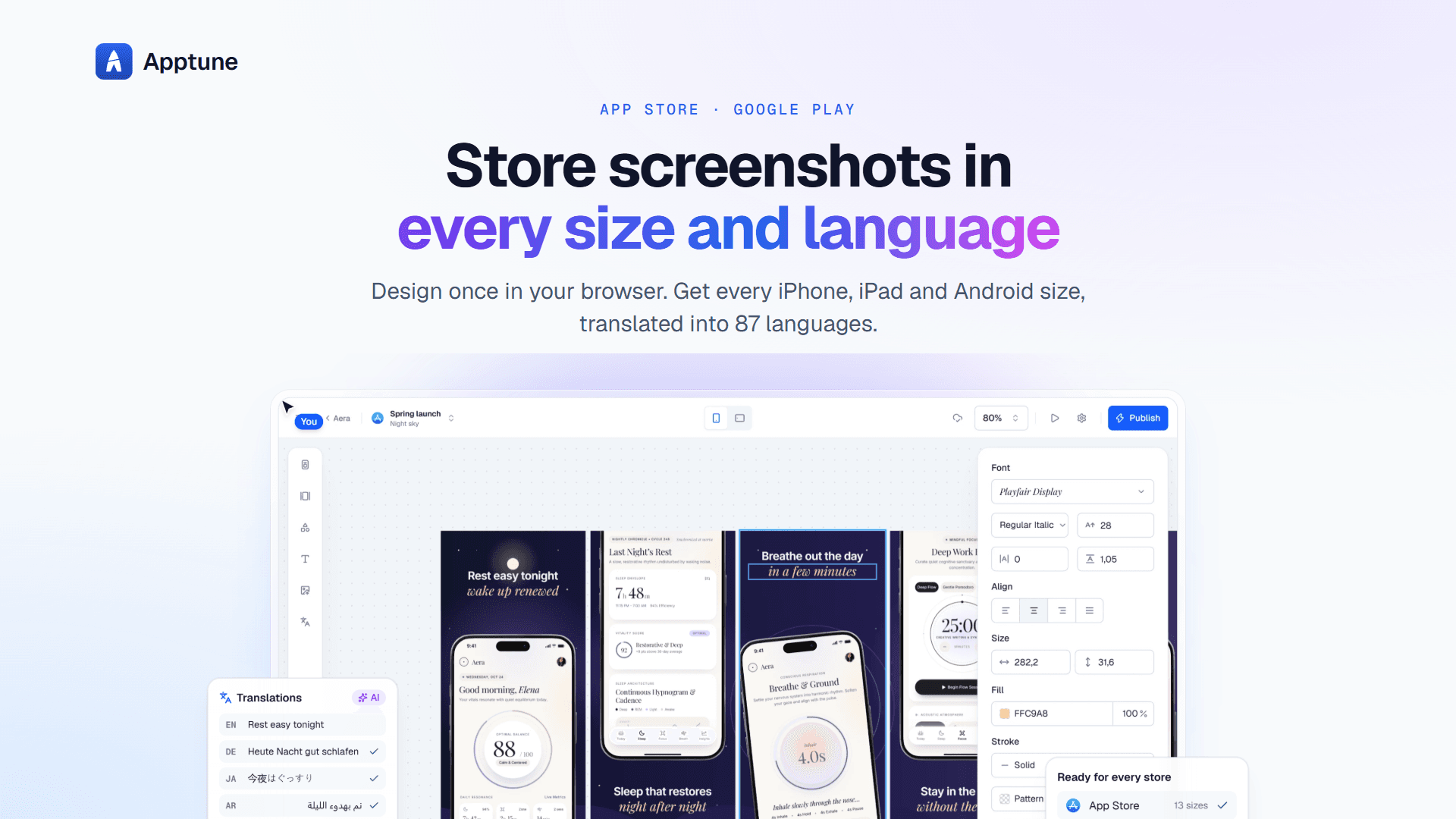
About this app
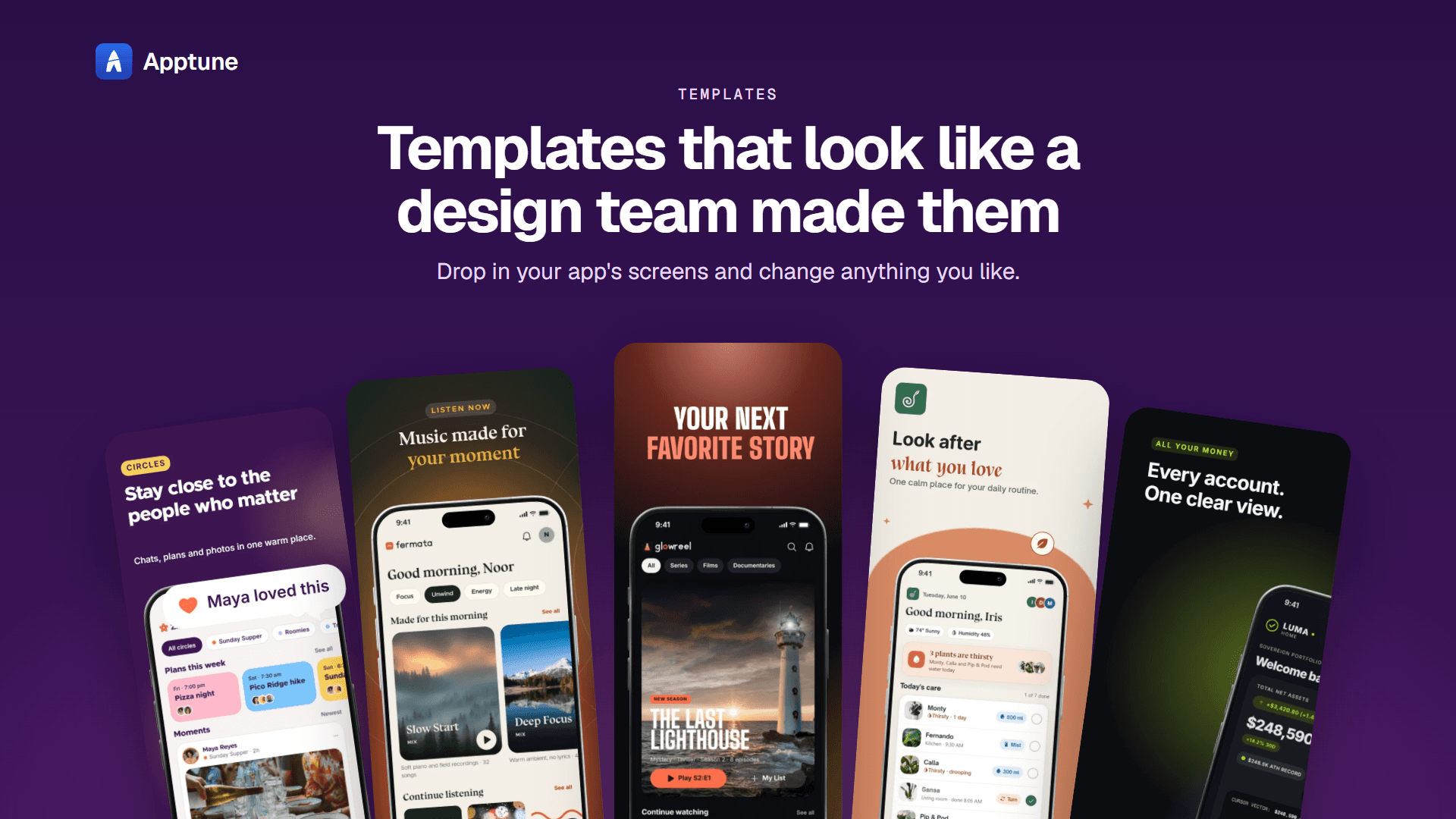
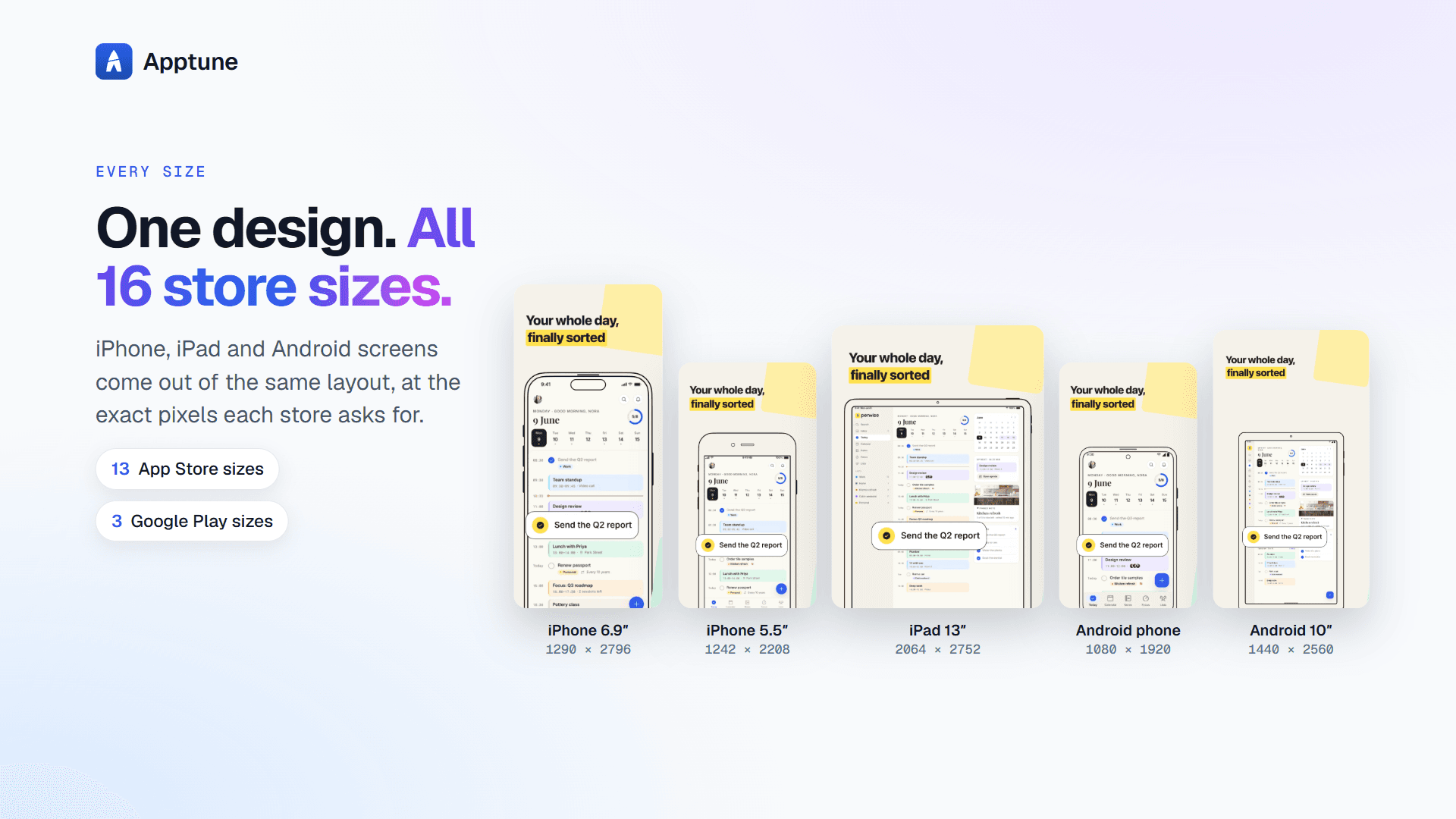
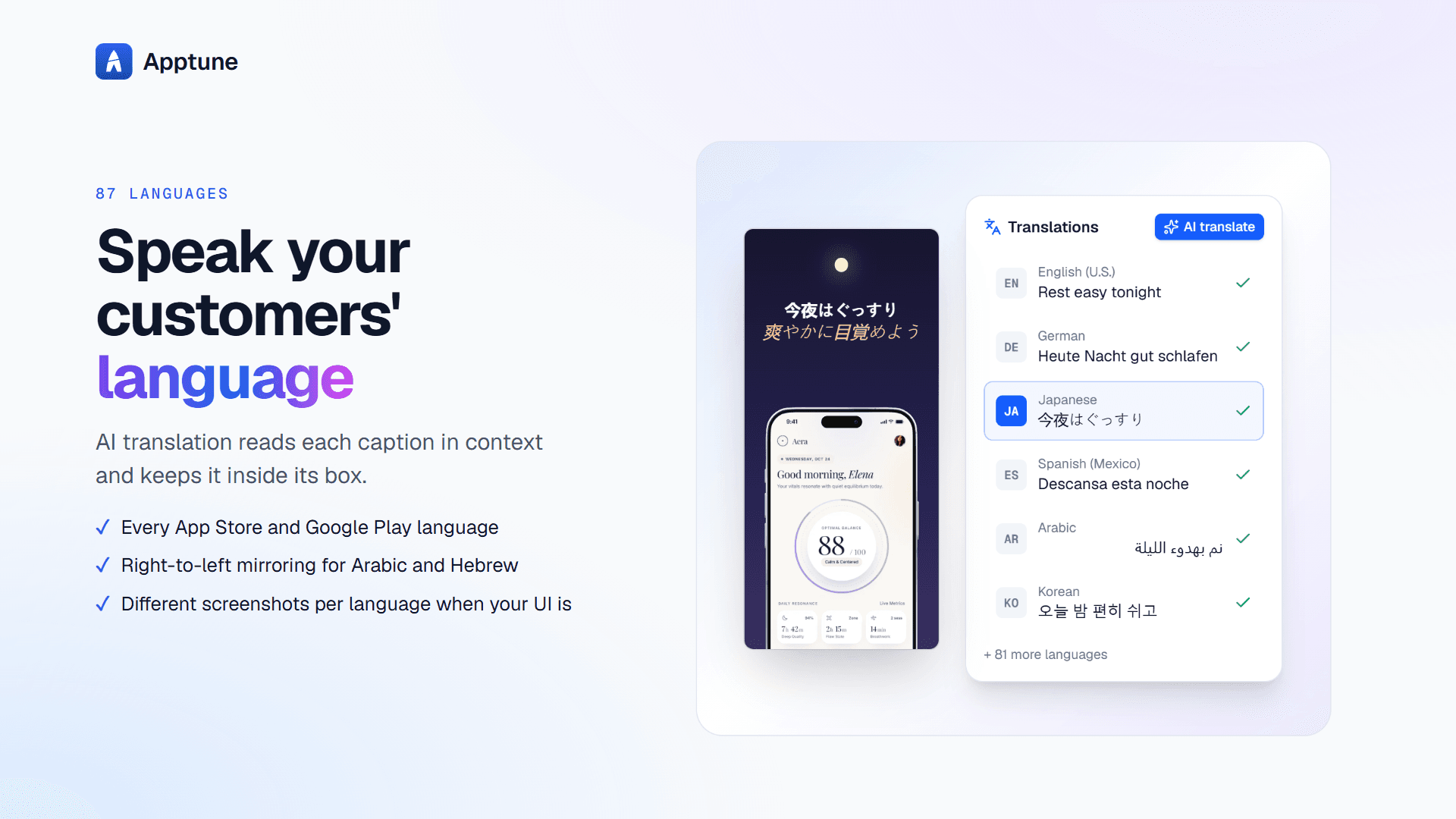
Apptune is a specialized screenshot design studio for iOS and Android apps. It helps developers and marketers create polished, high-converting App Store and Google Play screenshots without needing a designer. Start from professional templates or let the AI Designer generate three unique designs based on your app's description. The tool automatically lays out your screens for all 16 store sizes, supports 87 languages with AI translation and right-to-left support, and allows one-click publishing directly to App Store Connect and Google Play. You can also A/B test your product page screenshots to optimize conversion. Apptune offers a free plan with no credit card required, and paid plans for indie developers, studios, and agencies. It's built on research of 294 top store listings and includes features like snap grids, panoramic backgrounds, realistic device frames, and a library of icons and fonts. With its focus on App Store Optimization (ASO), Apptune is a game-changer for app launch...
Key features
- 1AI Designer generates three unique screenshot designs from your app description.
- 287 store languages with AI translation and proper RTL support for Arabic and Hebrew.
- 3One-click publishing to App Store Connect and Google Play, plus A/B testing.
- 4Automatic layout for all 16 App Store and Google Play sizes with realistic device frames.
- 5Snap grids (5×5, 9×9, 17×17), panoramic backgrounds, and a library of 1,512 icons and 69 brand logos.
Target customer profile
Drawn from the product itself, not from a survey.
Demographic
Indie app developers
Pain points
Limited design skills, tight budget, need to ship fast
Primary needs
Affordable, easy-to-use tool to create professional screenshots and publish to stores
Demographic
App marketing managers
Pain points
Localizing screenshots for multiple markets, testing variations, and uploading manually
Primary needs
Efficient localization, A/B testing, and one-click publishing to both stores
Demographic
Mobile design agencies
Pain points
Managing multiple client apps, ensuring brand consistency across sizes and languages
Primary needs
Team collaboration, client work support, and scalable design templates
Scout Review
Written by AI from measured evidence, scored out of 100.
Apptune is a focused, well-executed screenshot studio for iOS and Android developers. The design is polished and consistent, the docs are genuinely useful, and the feature set — AI Designer, 87-language translation with RTL, one-click publishing, A/B testing — is a real step beyond what Figma, Canva or AppMockUp offer out of the box. Speed is fast after first paint but slow to LCP (3.9s), security headers are strong (11/12) with no published audits, and accessibility is 97/100 with contrast gaps in one section. Growth potential is real: the pain is specific, the differentiators are concrete, and the pricing maps to clear segments. The main risks are distribution and the clipped parody logo strip that undercuts an otherwise disciplined brand.
Measure by measure
Usability
68Docs are genuinely organized by topic with a promised 10-minute quick start, and pricing spells out every limit. Onboarding path is clear, but the long homepage gets repetitive mid-scroll.
Design
70Polished, consistent blue-and-white system with a real editor mockup as the hero. Parody logo strip clips at the edges and the dark green Templates section breaks the palette with low-contrast labels.
Speed
68Lighthouse mobile 85/100 with excellent CLS (0.007) and TBT (166ms), but LCP at 3.9s misses the 2.5s 'good' mark. Desktop 82/100. Snappy after first paint, slow to first paint.
Security
74Strong header hygiene: HSTS, CSP, frame protection, Referrer-Policy, SPF and DMARC all present (11/12). Only Permissions-Policy missing. No published SOC 2 or pen-test, but a security/data docs page exists.
Accessibility
80Lighthouse a11y 97/100 with only contrast and label-name failures. 87-language support with proper RTL for Arabic/Hebrew is a real strength. No public WCAG statement, but the automated baseline is strong.
Growth
68Real, specific pain (screenshot design + localization + publishing) with concrete differentiators — AI Designer, 87 languages, one-click publish, A/B tests — that Figma, Canva and AppMockUp don't match. Clear indie/studio/agency segmentation.
Improvement areas
- LCP at 3.9s misses the 'good' threshold — the page is fast after first paint but slow to it.
- Permissions-Policy header missing; no published SOC 2, ISO or pen-test documentation.
- Contrast failures in the dark green Templates section and accessible-name mismatches on labeled elements.
- Parody logo strip clips and fades at both edges, reading as unfinished rather than intentional.
Design & Usability
Apptune's homepage is a confident, consistent piece of marketing — a heavy display headline, a real editor mockup instead of abstract illustration, and a clear primary CTA with reassurance microcopy underneath. The parody logo strip is a charming self-aware touch that undercuts itself by clipping at both edges, and the dark green Templates section breaks the otherwise disciplined blue-and-white system. Usability is where the product earns trust: the docs hub is genuinely organized by topic, the quick start promises a ZIP in ten minutes, and the pricing page spells out every limit (apps, collections, languages, translations, storage) without hiding the asterisks. The long homepage gets repetitive in the middle, but the path from landing to signup stays obvious throughout.
Speed & Security
Speed is a tale of two metrics: Lighthouse mobile scores 85/100 with excellent CLS (0.007) and TBT (166ms), but LCP at 3.9s misses the 2.5s 'good' threshold — the page is snappy once it paints, slow to first paint. Desktop lands at 82/100. Security is solid for a product at this stage: HTTPS enforced with HSTS, CSP, frame protection, X-Content-Type-Options, Referrer-Policy, plus SPF and DMARC, for 11 of 12 header checklist points. The only gap is Permissions-Policy. There's no published SOC 2 or pen-test, which is normal for an indie-stage tool, but the docs do include an account/security/data page — a good sign the team takes data handling seriously.
Accessibility & Growth
Accessibility scores 97/100 on Lighthouse with only two failing audits: insufficient color contrast (concentrated in the dark Templates section) and visible-text-label/accessible-name mismatches. The 87-language support with proper RTL for Arabic and Hebrew is a genuine accessibility strength, not just a marketing line. No public WCAG statement, but the automated baseline is strong. On growth: Apptune targets a real, specific pain — app store screenshot design, localization and publishing — and its differentiators against Figma, Canva and AppMockUp are concrete: AI Designer, 87-language translation, one-click publish to App Store Connect and Google Play, and A/B testing. The $0/$29/$79 tiers map cleanly to indie, studio and agency segments. The category is narrow but real, and ASO is a growing concern. The wedge is defensible; the question is distribution.
Conclusion
If you're an indie dev or a small studio shipping to both stores and you're tired of hand-building 16 sizes in Figma, Apptune is worth a serious look — the free Lite plan costs nothing to try and the docs promise a ZIP in ten minutes. The gaps (LCP, Permissions-Policy, contrast in the Templates section) are fixable and don't undermine the core value. The bigger question is whether the team can get in front of enough developers before the category fills up. On the evidence here, they've earned the shot.
Suggestions for improvement
- Fix the LCP — 3.9s is the single biggest speed drag; preload the hero image or serve it as a modern format.
- Add a Permissions-Policy header to close the last gap in an otherwise strong security posture.
- Fix contrast in the dark green Templates section — the tab labels and captions are the failing a11y audits.
- Clean up the parody logo strip: either crop it intentionally with a mask or stop the fade at the edges.
Alternatives comparison
Named competitors, point by point. Nobody paid to appear here or to be left out.
 Apptune |  Figma |  Canva |  AppMockUp | |
|---|---|---|---|---|
| AI-generated screenshot designs from app description | Yes — AI Designer generates 3 designs per generation | No — manual design only | Limited — Magic Design, not store-specific | Limited AI features |
| Automatic layout for all store sizes | Yes — all 16 App Store and Google Play sizes | Manual — requires frames and resizing | Partial — resize magic, not store-specific | Yes — store screenshot sizes supported |
| AI translation and RTL support for 87 languages | Yes — 87 languages, AI translation, RTL for Arabic/Hebrew | No — manual text replacement | No — manual translation | Limited localization |
| One-click publish to App Store Connect and Google Play | Yes — direct publish to both stores (Pro+) | No — export only | No — export only | No — export only |
| A/B testing of product page screenshots | Yes — App Store product page A/B tests (Pro+) | No | No | No |
| Free plan without credit card | Yes — Lite plan, no card needed | Yes — free tier available | Yes — free tier available | Yes — free tier available |
Figma
A general-purpose design tool that can be used to create app store screenshots, but requires manual setup and lacks store-specific features like automatic resizing, translation, and publishing.
Canva
An easy-to-use graphic design platform with templates for app store screenshots, but it doesn't offer AI-driven design, deep localization, or direct publishing to app stores.
AppMockUp
A tool focused on creating app store screenshots and mockups, but with limited AI and localization features compared to Apptune.
Comparing options? See Apptune alternatives, scored side by side
More Design & Creativity apps
View all Design & Creativity
RoomCreator
92An AI-powered interior and exterior design tool that tran...

QRBliss
91Branded QR codes with AI Brand Sync, 15 free dynamic code...

ThumbnailMaker
90AI YouTube thumbnail maker: paste a video link, get the brief, the thumbnail, and a check at feed size.

All of Us
89Add deceased loved ones to photos with AI and see free pr...

FontPlop
89Browser-based font viewer & tester for TTF, OTF, WOFF, WO...

Cross Stitch Pattern Maker
89Free on-device photo-to-DMC/Anchor chart with skein counts.

What the GIF
89Frame-perfect video-to-GIF maker that runs entirely in yo...

AI Vocals Generator
89Add AI singers or rappers to your own beat, get two takes...

Tracé slides
89Interactive math & physics slides with live graphs and an...

English Test Coach
89English Test Coach checks your IELTS essays and letters, gives an estimated band score across all four criteria, and tells you exactly what to revise next.

BeartIMAGE
88BeartIMAGE is a free, web-based image processing platform engineered for fast, bulk photo editing and conversion directly in your browser.

Portrait Gift
88AI-powered personalized face swap art platform creating c...


A platform dedicated to providing unbiased reviews of newly launched applications, analyzing everything from their features to their full potential.
info@scoutforge.net© 2026 Scoutforge. All rights reserved.
