Cycling through all six. Tap any point to stop.
Measured on six things
Convert MBOX files to PDF with attachments intact.
Growth
52A real, specific problem for legal and IT users, with batch conversion and filters as genuine differentiators. But it's a crowded converter niche against SysTools and Stellar with no wedge they can't copy.
Screenshots
1 / 1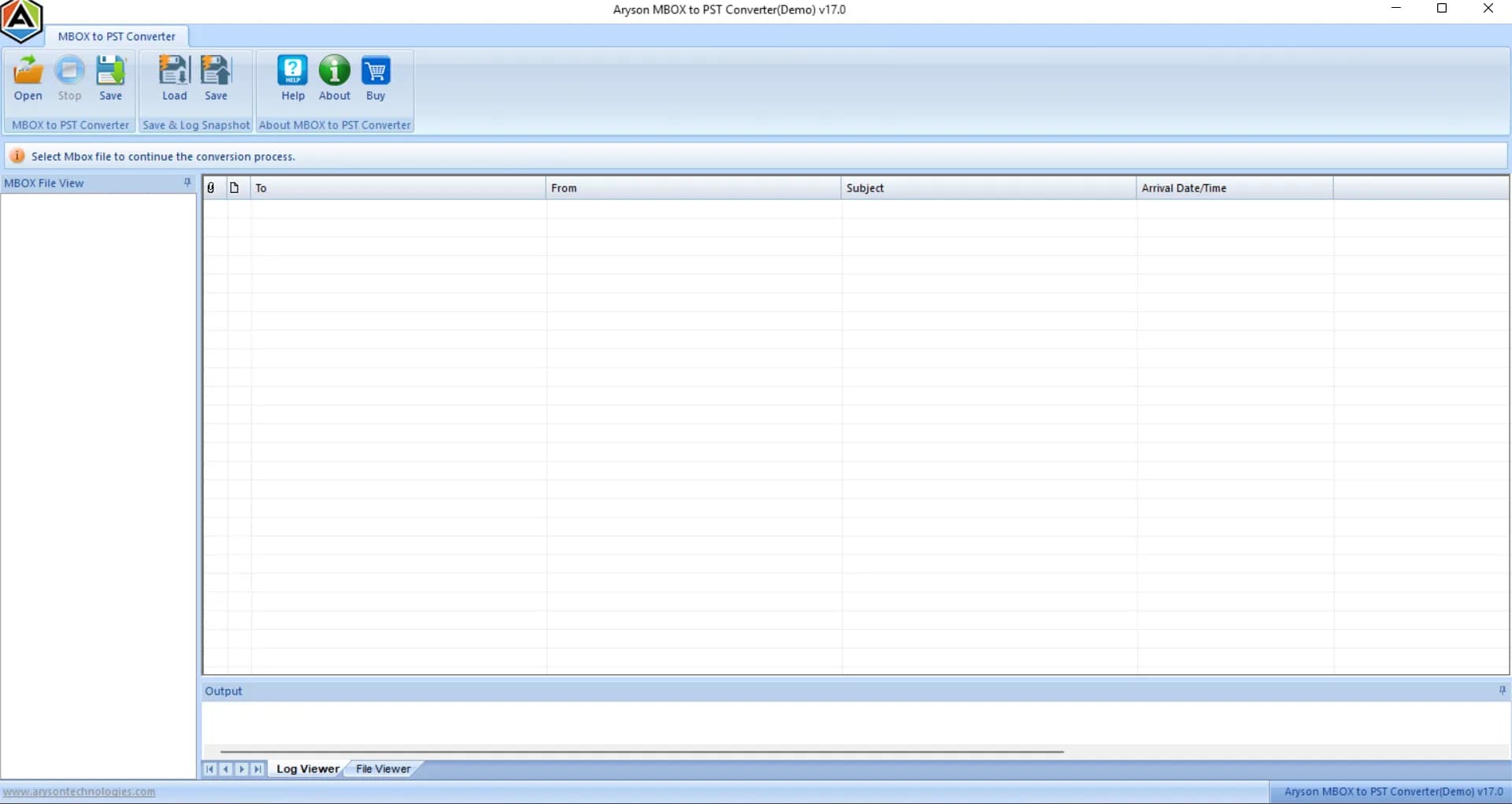
About this app
Aryson MBOX to PDF Converter is a powerful tool designed to simplify the conversion of MBOX files into PDF format, making email archiving and sharing effortless. Whether you're a legal professional needing to preserve email records, an IT administrator managing large mailboxes, or a business user migrating data, this software delivers. It supports batch conversion of unlimited MBOX files from clients like Thunderbird, Apple Mail, and Google Takeout, ensuring all email attributes, attachments, and formatting are preserved. Standout features include a preview option to verify emails before conversion, duplicate removal, date filters, and the ability to split large PDFs. You can also save emails to other formats like PST, EML, or MSG, and migrate directly to cloud services such as Office 365 or Gmail. With a user-friendly interface and compatibility with both Windows and Mac, Aryson MBOX to PDF Converter is a reliable solution for seamless email data management.
Key features
- 1Batch convert unlimited MBOX files to PDF with attachments, headers, and formatting preserved.
- 2Preview emails before conversion; duplicate removal, date filters, and PDF splitting.
- 3Save to PST, EML, MSG, CSV, or migrate to Office 365, Gmail, IMAP, and Outlook.
- 4Free demo converts 50 emails per folder; Windows and macOS support.
Target customer profile
Drawn from the product itself, not from a survey.
Demographic
Legal professionals (e.g., legal assistants, lawyers)
Pain points
Manual conversion is time-consuming; risk of losing email formatting and attachments; need for accurate documentation.
Primary needs
Batch conversion with intact attachments and metadata; reliable preservation of email structure for legal records.
Demographic
IT administrators and support managers
Pain points
Managing large volumes of MBOX files from various clients; need for efficient archiving and migration; avoiding data loss.
Primary needs
Bulk conversion with filtering options; support for multiple MBOX sources; migration to other platforms.
Demographic
Business professionals and consultants
Pain points
Sharing email data in a universally accessible format; maintaining email integrity for client communication.
Primary needs
Conversion to PDF with attachments; ability to save emails in various formats; user-friendly interface.
Scout Review
Written by AI from measured evidence, scored out of 100.
Aryson MBOX to PDF Converter is a competent, long-running utility in a crowded niche. The marketing site is fast and the security headers are immaculate, but the landing page is let down by overlapping popups, copy typos, a mismatched icon set, and a hero screenshot that shows the wrong product. Usability is workable thanks to a 50-email free demo and a clear four-step flow, though the primary action is buried under a pile of competing buttons. Accessibility is above average but has concrete gaps. Growth is limited by a category where two established rivals offer the same feature list and Aryson's own page doesn't say why it wins.
Measure by measure
Usability
58Clear four-step flow and a 50-email free demo help users test before buying. But five-plus competing download/purchase buttons and a tiny Windows/Mac toggle bury the primary action, and the 17-line hero list forces scanning.
Design
57Conventional but readable layout with consistent feature cards and a clear How It Works flow. Undermined by overlapping chat popup, copy typos, mismatched icon sets, and a screenshot showing the wrong product.
Speed
88Lighthouse mobile 98/100 (LCP 2.1s, CLS 0.003, TBT 120ms) and desktop 93/100. The marketing site is genuinely fast and lightweight, with no lag complaints in the collected evidence.
Security
76Full security-header sweep passes 12/12: HTTPS enforced, HSTS, CSP, frame protection, Referrer-Policy, Permissions-Policy, plus SPF and DMARC. No published SOC 2/ISO or bug-bounty program found.
Accessibility
70Lighthouse 91/100 with a responsive site, but failing audits include insufficient color contrast, non-sequential headings, small touch targets, and no main landmark. No WCAG statement published.
Growth
52A real, specific problem for legal and IT users, with batch conversion and filters as genuine differentiators. But it's a crowded converter niche against SysTools and Stellar with no wedge they can't copy.
Improvement areas
- Landing page: overlapping popup, copy typos, mismatched icons, wrong-product screenshot.
- Primary action diluted by five-plus competing download/purchase buttons.
- No published security certifications (SOC 2/ISO) or bug-bounty program.
- Accessibility gaps: contrast, heading order, touch targets, no main landmark, no WCAG statement.
Design & Usability
The homepage is conventional and readable: consistent feature cards, a clear four-step How It Works, and a 4.8 rating with a 1.5M download count placed right beside the CTA. But the execution leaks. A chat bubble and query popup overlap the hero copy and cut off a sentence, the copy has visible typos ('n addition to...'), the icon band mixes a Google G with envelopes and a pegasus, and the hero screenshot shows a PST product title bar rather than the advertised PDF output. Usability is decent on paper — a 50-email free demo and a documented four-step flow — but five-plus competing download and purchase buttons plus a tiny Windows/Mac toggle dilute the primary action. The 17-line hero bullet list reads as a spec sheet, not a value proposition.
Speed & Security
Speed is the standout: Lighthouse mobile 98/100 with LCP 2.1s, CLS 0.003, TBT 120ms, and desktop 93/100. The marketing site is genuinely snappy and there are no lag complaints in the collected evidence. Security is solid on the plumbing: HTTPS enforced, HSTS, CSP, frame protection, X-Content-Type-Options, Referrer-Policy, Permissions-Policy, plus SPF and DMARC — a clean 12/12 on the header probe. What's missing is the paperwork: no SOC 2, ISO 27001, pen-test summary, or bug-bounty program surfaced on the reviewed pages. For a tool that handles legal email archives, a published security page would do more than another download button.
Accessibility & Growth
Accessibility scores 91/100 on Lighthouse, but the failing audits are real: insufficient color contrast (notably the light-grey How It Works body text), non-sequential heading order, small touch targets, no main landmark, and role=presentation conflicts. No WCAG statement is published. Growth is a judgement on the idea: MBOX-to-PDF for legal and IT archiving is a real, specific problem, and batch conversion, duplicate removal, date filters, and PDF splitting are genuine differentiators. But the category is crowded — SysTools and Stellar offer near-identical feature sets — and nothing in the material explains why a buyer picks Aryson over them beyond 'cost-efficient'. The 2013 domain and 1.5M claimed downloads show longevity, not a moat.
Conclusion
If you need to turn MBOX archives into PDFs and want to test before paying, the 50-email demo makes Aryson worth a look. But fix the landing page first: remove the popup overlap, correct the typos, swap in a real PDF-output screenshot, and consolidate the download buttons. Then publish a security page and a WCAG statement — for legal buyers, those are the signals that close deals.
Suggestions for improvement
- Remove or reposition the chat bubble and query popup so they stop covering the hero description.
- Fix visible copy errors ('n addition', the awkward red 'Download Live Demo' line) and replace the PST screenshot with a real PDF-output demo.
- Consolidate the five-plus download/purchase buttons into one primary CTA with a clear platform toggle.
- Publish a security page (SOC 2/ISO status, data handling) and a WCAG accessibility statement.
Alternatives comparison
Named competitors, point by point. Nobody paid to appear here or to be left out.
 Aryson MBOX to PDF Converter |  SysTools MBOX Converter |  Stellar Converter for MBOX | |
|---|---|---|---|
| Batch MBOX to PDF conversion | Yes, unlimited files | Yes, batch processing | Yes, selective conversion |
| Preview before conversion | Yes, detailed preview | Yes | Yes |
| Duplicate removal / date filters | Yes, both | Yes, advanced filters | Selective conversion |
| Cloud migration (Office 365 / Gmail) | Yes | Yes | Limited |
| Free demo / trial | 50 emails per folder | Free trial available | Free trial available |
| Platform support | Windows and macOS | Windows | Windows |
SysTools MBOX Converter
Converts MBOX files to PDF and other formats with advanced filters and batch processing.
Stellar Converter for MBOX
Tool to convert MBOX files to PST, PDF, and other formats with preview and selective conversion.
Comparing options? See Aryson MBOX to PDF Converter alternatives, scored side by side
More Online Backup apps
View all Online Backup
SendVeil
88Send large original files through private, expiring links, with EU storage.

PCDOTS PST Converter
85Convert Outlook PST files to 16 formats and clouds withou...

SysInfo OST to PST Converter
84Convert, migrate, and recover OST files to PST and 13+ fo...

yourdrive
84YourDrive is a self-hosted file manager and media timeline that runs entirely on your own infrastructure. Organize files in nested folders, move them with drag-and-drop, search instantly, and browse photos and videos by month and year. Files stream straight to your own AWS S3, Azure Blob, MinIO, Cloudflare R2 or Wasabi storage. Install with one command. Free for personal use; teams pay per server, not per seat.
PCDOTS Email Recovery Software
83Recovers emails from corrupt mailboxes across 50+ platforms.

KeepTik
83Download TikTok videos without a watermark, save photo posts as images, and bulk download selected TikTok profile posts with KeepTik for Chrome and Edge.

ServerOS
83One daemon, total control of your Linux servers

Alcazar Dead Man's Switch
82An encrypted digital legacy service that securely deliver...

Softaken Cloud Backup
82Professional Email Backup for Cloud-Based Accounts
PCDOTS Email Converter
82Convert emails between 250+ formats and clients on Window...

App-Vault
81Encrypted photo and file vault for iPhone. AES-256 on device, pattern lock, decoy vault and calculator disguise. No account, no cloud.

SysInfo Microsoft Teams Migration Tool
81Migrate Teams, channels, and chats between Microsoft 365 ...


A platform dedicated to providing unbiased reviews of newly launched applications, analyzing everything from their features to their full potential.
info@scoutforge.net© 2026 Scoutforge. All rights reserved.
