Cycling through all six. Tap any point to stop.
Measured on six things
Imgkits is an all-in-one online AI-powered image and video editing platform for removing objects, restoring photos, editing backgrounds, enhancing images, and applying creative filters.
Security
52HTTPS, HSTS, SPF and DMARC are in place, but CSP, frame protection, X-Content-Type-Options, Referrer-Policy and Permissions-Policy are all missing (6/12). No published audits or bug bounty found.
Screenshots
1 / 1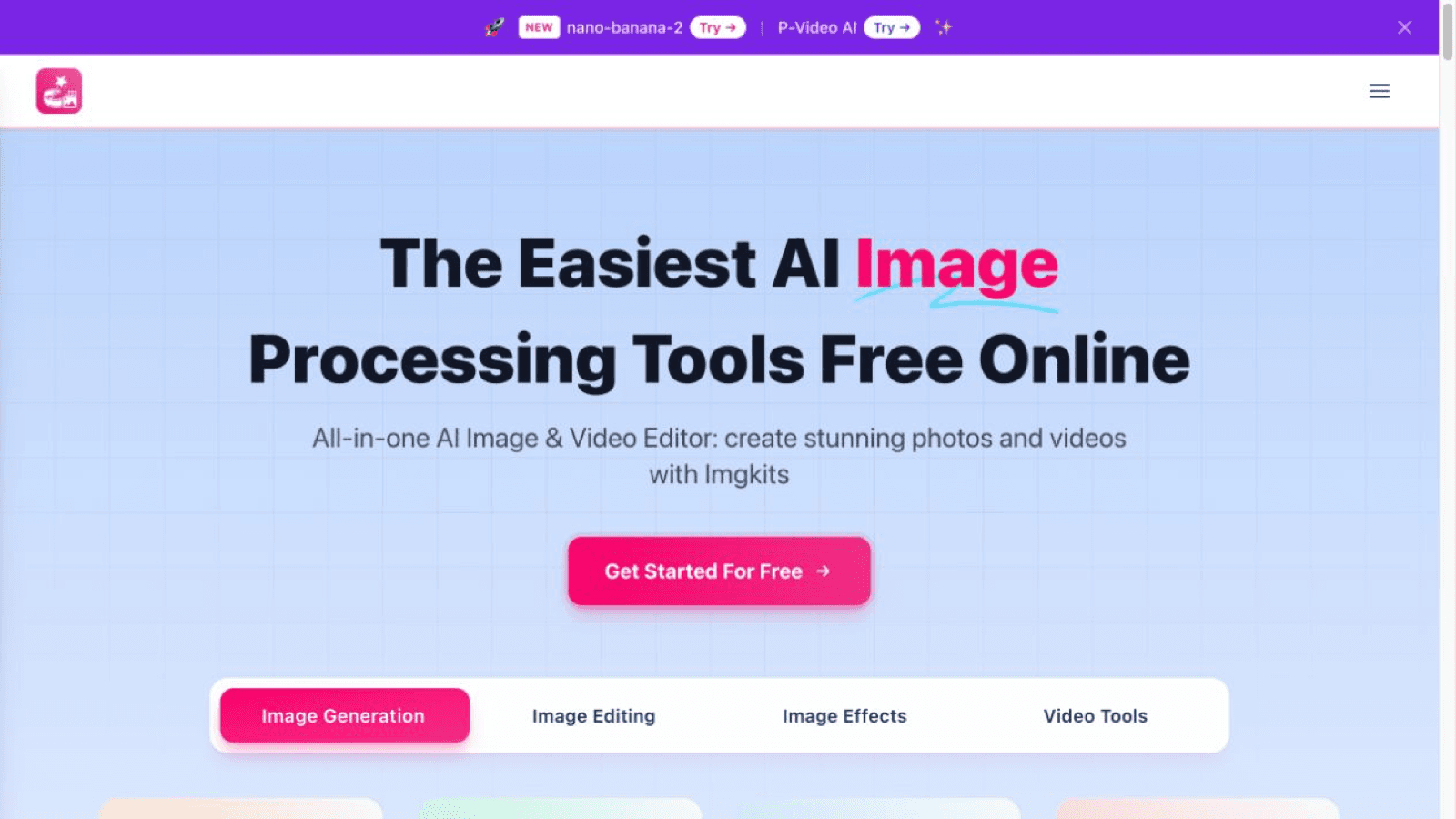
About this app
Imgkits is an online AI-powered image and video editing platform for professionals and everyday users. It supports tasks such as removing watermarks or unwanted objects, changing backgrounds, restoring and colorizing old photos, upscaling and retouching images, batch editing, and applying artistic styles.
Key features
- 1Broad AI image and video toolkit: generation, background removal, upscaling, restoration, colorization, retouching, style transfer and video tools in one browser app.
- 2Transparent credit pricing: pay-as-you-go from $5 (credits never expire) or $6/month yearly for 100 monthly credits, with clearly documented rollover rules.
- 3Batch processing for multiple HD images plus a search bar and task-based browsing to find the right tool quickly.
Target customer profile
Drawn from the product itself, not from a survey.
Scout Review
Written by AI from measured evidence, scored out of 100.
Imgkits is a browser-based, AI-powered image and video editing platform that covers an enormous amount of ground: generation, background removal, upscaling, restoration, colorization, retouching, batch editing, style transfer, and video tools, all behind a credit system. The site is clean and the pricing is transparent — pay-as-you-go credits from $5, or $6/month yearly for 100 monthly credits — and the FAQ is unusually honest about the details that annoy people, like subscription credits not rolling over while purchased add-on credits never expire. On the measured side it's a mixed bag: desktop performance is excellent at 98/100 but mobile drops to 68/100 with a 4.5s LCP, accessibility is a solid 89/100 with real contrast and ARIA failures underneath, and security covers HTTPS, HSTS, SPF and DMARC while skipping CSP, frame protection and the rest. Design and usability are competent and repetitive in equal measure. The core issue isn't quality — it's positioning: a very broad tool set with no stated reason to choose it over the household names it competes with.
Measure by measure
Usability
60Big free CTA and a search bar with example queries help discovery, but tabs under the CTA muddy the first step and every card says the same 'Edit & Enhance' link, hurting scannability.
Design
58Average but coherent: consistent pink CTAs and pastel tool cards read cleanly, yet repeated near-identical grids, low-contrast trusted-by logos and inconsistent hero styling flatten hierarchy.
Speed
57Desktop Lighthouse 98/100 but mobile 68/100 with LCP 4.5s and TBT 301ms — the mobile experience carries the weight, likely from heavy JS and media on the tool grids.
Security
52HTTPS, HSTS, SPF and DMARC are in place, but CSP, frame protection, X-Content-Type-Options, Referrer-Policy and Permissions-Policy are all missing (6/12). No published audits or bug bounty found.
Accessibility
70Lighthouse a11y 89/100, but failing ARIA role mismatches, prohibited ARIA attributes and insufficient contrast — the same low-contrast gray seen in the trusted-by row. No WCAG statement found.
Growth
55A real, always-in-demand problem (quick AI image/video edits) with a broad tool set and cheap credits, but no stated wedge over Canva, Adobe, Photoroom or the free wrappers flooding the category.
Improvement areas
- Mobile performance: Lighthouse 68/100 with LCP 4.5s and TBT 301ms — the biggest measurable gap versus the 98/100 desktop score.
- Security headers: CSP, frame protection, X-Content-Type-Options, Referrer-Policy and Permissions-Policy all missing (6/12 checklist points) for an upload-heavy product.
- Accessibility: failing ARIA role/attribute audits and insufficient color contrast, plus no accessibility statement or WCAG conformance claim.
Design & Usability
Imgkits looks like a competent, well-organized AI tool hub: a soft gradient hero, one confident pink CTA, and pastel tool cards with preview thumbnails that do communicate what each generator produces. The problem is repetition — the same card style is stacked into grid after grid, so the page gets long without ever telling you which tool matters most. Usability is similar: a prominent 'Get Started For Free' button and a search bar with example queries genuinely help you find a specific tool, but the category tabs sitting right under the CTA create a 'where do I start' moment, and every card ends in the identical 'Edit & Enhance' link, which is useless when you're scanning twenty options. FAQ and tutorial content are present, which is a real plus for onboarding. It works, it's clear enough, and it's unremarkable — the definition of a solid 58-60 product.
Speed & Security
Speed is a tale of two devices. Desktop Lighthouse lands at 98/100, but mobile sits at 68/100 with an LCP of 4.5s, FCP 3.3s and TBT 301ms — that's a slow first paint and a main thread that's busy enough to feel it on a mid-range phone, which is exactly where a browser-based image editor gets used. The gap points at heavy JS and media on those tool grids rather than the server. Security is mid-tier: HTTPS is enforced, HSTS is on, and SPF and DMARC are configured, so the basics are handled. But the probe found no CSP, no frame protection, no X-Content-Type-Options, no Referrer-Policy and no Permissions-Policy — 6 of 12 checklist points. For a product whose entire job is accepting user image and video uploads, that's a thin defensive posture, and there's no published SOC 2, ISO, pen-test or bug bounty to compensate. Nothing here is broken; plenty of it is unfinished.
Accessibility & Growth
Accessibility scores 89/100 on the automated Lighthouse audit, which is a genuinely respectable baseline, but the failing items are the ones that bite real users: ARIA attributes that don't match their roles, prohibited ARIA attributes, and insufficient color contrast — the same low-contrast gray visible in the trusted-by logo row. There's no accessibility statement or WCAG conformance claim, so keyboard and screen-reader support beyond the automated checks is unverified. Growth is the harder question. The problem Imgkits names — fast, cheap AI image and video edits in a browser — is real and durable, and the tool list is enormous, from background removal to photo restoration to fantasy maps. But that breadth is also the issue: the site never says who it's for or why you'd pick it over Canva, Adobe, Photoroom, Remove.bg or the endless free wrappers. The domain is 5.3 years old and the site claims 10,000+ users, which is context, not a moat. It can grow on price and convenience; it has no visible wedge to grow on.
Conclusion
If you need a specific one-off edit — pull a background, unblur a photo, colorize an old family picture — Imgkits will probably do it, and the pay-as-you-go credits mean you're not locked into a subscription to find out. That's a fair deal. What it won't do is tell you why it exists next to Canva, Adobe or the free tools already in your browser. The measured numbers say the same thing: strong desktop performance, a decent accessibility baseline, and a security posture that stops at the front door. It's a capable, honest, slightly anonymous product. Pick it for a task, not for a workflow, and you'll be fine. If the team wants more than that, the next move isn't another generator — it's a reason to stay.
Suggestions for improvement
- Fix mobile performance: LCP 4.5s and TBT 301ms on a 68/100 score is the biggest measurable gap; lazy-load tool grids and cut JS.
- Add the missing security headers (CSP, frame protection, X-Content-Type-Options, Referrer-Policy, Permissions-Policy) — cheap wins for an upload-heavy product.
- Fix the failing a11y items: ARIA role mismatches, prohibited ARIA attributes, and the low-contrast gray text and trusted-by logos.
- Give each tool card distinct link text instead of repeating 'Edit & Enhance', and pick one clear starting point above the fold.
Alternatives comparison
Named competitors, point by point. Nobody paid to appear here or to be left out.
 Imgkits |  | |
|---|---|---|
| Pricing model | Pay-as-you-go credits from $5; Pro $6/mo yearly or $12/mo monthly for 100 credits | Not provided in app details |
| Core capability | All-in-one AI image and video editing: generation, background removal, upscaling, restoration, colorization, style transfer, video tools | Not provided in app details |
| Batch processing | Yes — handles multiple HD images in bulk per the site's feature list | Not provided in app details |
| Free access | Free tools advertised with 'Get Started For Free'; paid credits for higher volume | Not provided in app details |
| Mobile performance (Lighthouse) | 68/100 mobile, LCP 4.5s; desktop 98/100 | Not provided in app details |
| Accessibility (Lighthouse) | 89/100 with ARIA and color-contrast failures | Not provided in app details |
Comparing options? See Imgkits alternatives, scored side by side
More Design & Creativity apps
View all Design & Creativity
RoomCreator
92An AI-powered interior and exterior design tool that tran...

QRBliss
91Branded QR codes with AI Brand Sync, 15 free dynamic code...

ThumbnailMaker
90AI YouTube thumbnail maker: paste a video link, get the brief, the thumbnail, and a check at feed size.

All of Us
89Add deceased loved ones to photos with AI and see free pr...

FontPlop
89Browser-based font viewer & tester for TTF, OTF, WOFF, WO...

Cross Stitch Pattern Maker
89Free on-device photo-to-DMC/Anchor chart with skein counts.

What the GIF
89Frame-perfect video-to-GIF maker that runs entirely in yo...

AI Vocals Generator
89Add AI singers or rappers to your own beat, get two takes...

Tracé slides
89Interactive math & physics slides with live graphs and an...

English Test Coach
89English Test Coach checks your IELTS essays and letters, gives an estimated band score across all four criteria, and tells you exactly what to revise next.

BeartIMAGE
88BeartIMAGE is a free, web-based image processing platform engineered for fast, bulk photo editing and conversion directly in your browser.

Portrait Gift
88AI-powered personalized face swap art platform creating c...


A platform dedicated to providing unbiased reviews of newly launched applications, analyzing everything from their features to their full potential.
info@scoutforge.net© 2026 Scoutforge. All rights reserved.
