

A platform dedicated to providing unbiased reviews of newly launched applications, analyzing everything from their features to their full potential.
info@scoutforge.net© 2026 Scoutforge. All rights reserved.
A platform dedicated to providing unbiased reviews of newly launched applications, analyzing everything from their features to their full potential.
info@scoutforge.net© 2026 Scoutforge. All rights reserved.
A platform dedicated to providing unbiased reviews of newly launched applications, analyzing everything from their features to their full potential.
info@scoutforge.net© 2026 Scoutforge. All rights reserved.
Cycling through all six. Tap any point to stop.
Measured on six things
AI-powered image enlarger and upscaler with uncrop and en...
HTTPS and SPF present, but missing HSTS, CSP, and other headers. No SOC 2 or audit found. Privacy policy mentions 6-hour auto-delete.
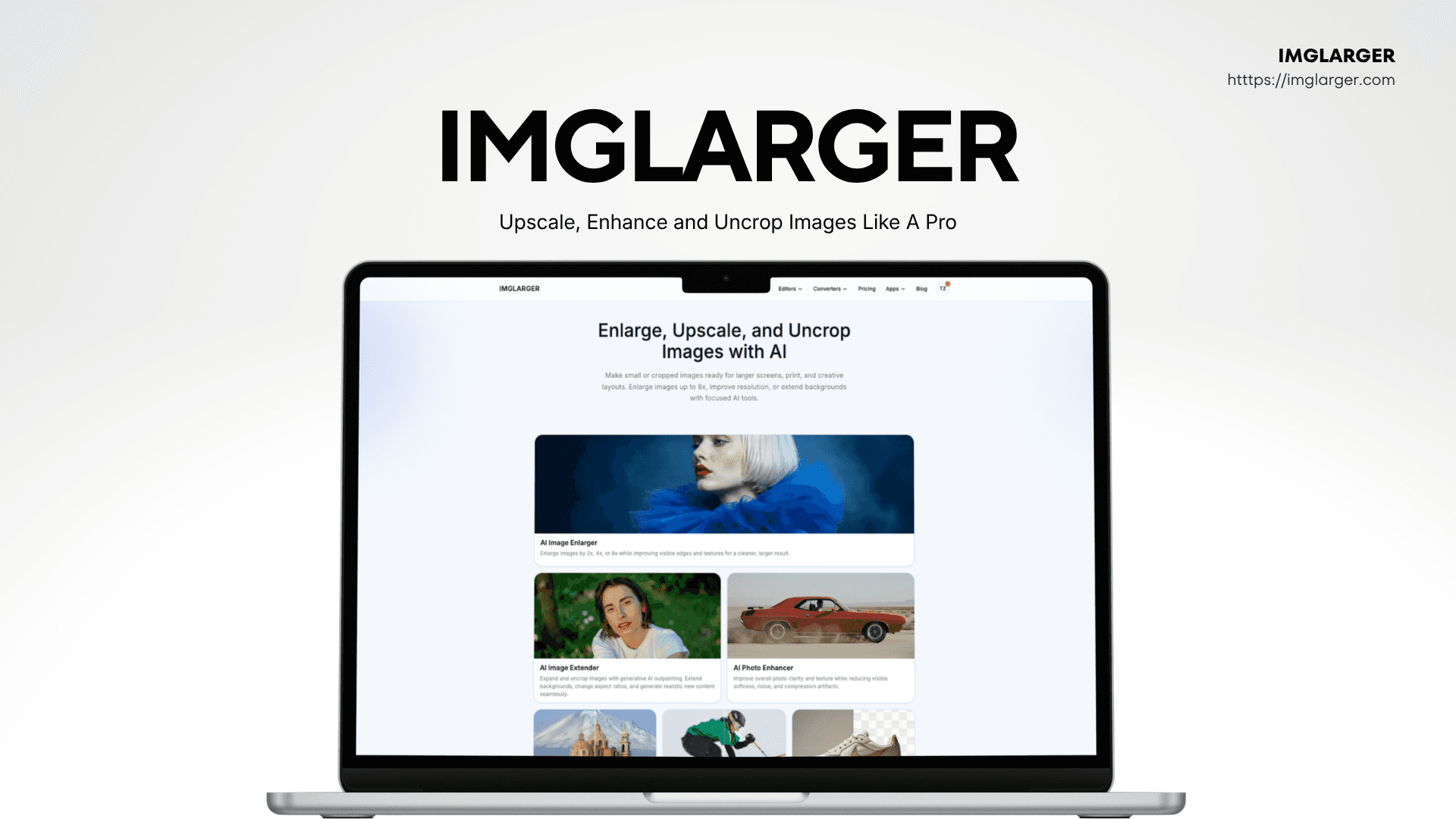
Imglarger is an online suite of AI-driven image tools that lets you enlarge images up to 8x, upscale resolution, uncrop or extend backgrounds, and enhance overall photo quality. It includes specialized tools like AI Image Enlarger, AI Image Upscaler, AI Image Extender, AI Photo Enhancer, AI Sharpener, and Background Remover, along with free editing and conversion tools. What I love is the before-and-after preview, so you can see the improvement before downloading. The interface is clean and straightforward—no clutter, just focused tools. It works right in your browser on desktop, tablet, or phone, and uploaded images are automatically deleted within six hours, which is a nice privacy touch. Whether you're a photographer prepping high-res prints, an e-commerce seller cleaning up product shots, or a designer refining AI-generated art, Imglarger simplifies the process with impressive results. It even includes batch processing tools for quick conversions, making it a versatile all-in-on...
Drawn from the product itself, not from a survey.
Demographic
Photographers and graphic designers
Pain points
Need high-resolution images for prints and large displays but have low-res source files; want to avoid quality loss during enlargement.
Primary needs
Enlarge images without pixelation, enhance detail, and maintain sharpness for professional output.
Demographic
E-commerce sellers and small business owners
Pain points
Product photos often lack resolution, and backgrounds are cluttered or inconsistent; need quick, professional-looking images.
Primary needs
Upscale product images, remove or extend backgrounds, and improve clarity to boost sales.
Demographic
Content creators and social media influencers
Pain points
Low-resolution images from phones or the web look blurry when enlarged; need to resize visuals for various platforms without losing quality.
Primary needs
Upscale and enhance images for social media posts, thumbnails, and creative content.
Demographic
AI art enthusiasts and digital artists
Pain points
AI-generated images are often small or cropped; need to upscale and uncrop them for printing or detailed editing.
Primary needs
Enlarge AI-generated artwork, extend backgrounds, and enhance fine details.
Written by AI from measured evidence, scored out of 100.
Imglarger is a competent AI image tool suite with a clean design, fast performance, and useful features like before-after preview and 8x enlargement. It's easy to use, especially with the free tier, and the pricing is transparent. However, security headers are lacking, and accessibility has minor issues. The market is competitive, but the product's specific tools and privacy features give it a fighting chance. For photographers and e-commerce sellers needing quick upscaling, it's a solid choice, though not without flaws.
Intuitive tool workflows with before-after preview and free tier. Navigation is dense with many dropdowns, but core tasks are straightforward.
Modern, clean design with consistent palette and high-quality imagery. Minor issues: repetitive grids and cluttered top banner.
Fast lab performance: mobile 85/100, desktop 95/100. LCP 3.2s is acceptable, but could be better for image-heavy pages.
HTTPS and SPF present, but missing HSTS, CSP, and other headers. No SOC 2 or audit found. Privacy policy mentions 6-hour auto-delete.
Lighthouse 91/100 with minor issues: ARIA misuse, contrast, heading order. No WCAG statement, but site is keyboard-navigable and responsive.
Real problem with clear differentiators (8x, uncrop, free tier), but crowded market with strong incumbents. Niche focus on AI art and e-commerce could carve out space.
Imglarger presents a clean, modern interface with a consistent light palette and high-quality example imagery that effectively communicates each tool's purpose. The hero section is visually appealing, and the before-and-after preview is a standout usability feature that builds trust. However, the design suffers from repetitive card grids that create monotony, and the top cross-promotion banner adds clutter before the actual product. Navigation is dense with five dropdowns, which may overwhelm first-time visitors, but the core workflows are straightforward. The free tier with 100 credits lowers the barrier to entry, and the pricing page is transparent about credits and refunds. Overall, it's a solid, user-friendly experience with minor design and navigation friction.
Performance is a strong point: Lighthouse scores of 85 mobile and 95 desktop indicate a fast, responsive site, with LCP at 3.2s and minimal layout shift. The site feels snappy, and no user complaints about speed were found. Security, however, is a mixed bag. HTTPS is enforced and SPF is present, but critical headers like HSTS, CSP, and frame protection are missing, leaving the site vulnerable to common attacks. There's no SOC 2 or ISO certification, and the payment processor 'Waffo' is not well-known. The 6-hour auto-delete of uploads is a privacy plus, but the overall security posture is below industry standards for a tool handling user images.
Accessibility is decent with a Lighthouse score of 91, but failing audits on ARIA attributes, contrast, and heading order indicate room for improvement. No WCAG statement is provided, which is a missed opportunity for transparency. The site is keyboard-navigable and responsive, which is good. Growth potential is moderate: the problem is real, and features like 8x enlargement and uncrop differentiate it. However, the market is crowded with established players like Let's Enhance and Remini, and the target audience is broad. The free tier and specific use cases (AI art, e-commerce) could help carve a niche, but the wedge is not sharp enough to guarantee significant traction.
Conclusion
If you need to upscale images without pixelation and want a tool that's fast and user-friendly, Imglarger is worth a try. The free tier lets you test it out, and the 6-hour auto-delete is a nice privacy touch. Just be aware of the security gaps and the crowded market. It's not a game-changer, but it's a reliable workhorse for image enhancement.
Named competitors, point by point. Nobody paid to appear here or to be left out.
 Imglarger Imglarger |  Let's Enhance Let's Enhance |  Upscale.media Upscale.media |  Remini Remini | |
|---|---|---|---|---|
| Max enlargement scale | Up to 8x | Up to 16x (on higher plans) | Up to 4x | Not specified (focus on face enhancement) |
| Background removal | Yes, dedicated tool | Yes, included | Yes, included | No, focus on enhancement |
| Uncrop/outpainting | Yes, AI Image Extender | Yes, via 'Expand' feature | No | No |
| Free tier | 100 credits/month | Limited free trial | Free trial with watermark | Free with ads and limits |
| Batch processing | Yes, on Premium and Business plans | Yes, on paid plans | Yes, on paid plans | No, single image focus |
Let's Enhance
AI-powered image upscaler with similar enlargement and enhancement features, also offers batch processing.
Upscale.media
AI image upscaler that enhances resolution up to 4x, includes background removal and compression.
Remini
AI photo enhancer that focuses on restoring and upscaling faces and low-quality images, popular among mobile users.
Comparing options? See Imglarger alternatives, scored side by side

An AI-powered interior and exterior design tool that tran...

Frame-perfect video-to-GIF maker that runs entirely in yo...

BeartIMAGE is a free, web-based image processing platform engineered for fast, bulk photo editing and conversion directly in your browser.

A free online AI-powered tool that instantly converts ima...

AI-powered personalized face swap art platform creating c...

macOS app for App Store screenshots: 3D mockups, auto-tra...

An AI-powered photo restoration app that brings old, blur...

A massive collection of free printable coloring pages for...

Design And Animate QR Codes People Want to Scan

AI face swap for photos, videos, GIFs with free trial.

Try on a tattoo on your own body photo before you book.

Private, local-first image texture workbench.
A platform dedicated to providing unbiased reviews of newly launched applications, analyzing everything from their features to their full potential.
info@scoutforge.net© 2026 Scoutforge. All rights reserved.
